


Custom HTML Block Extension
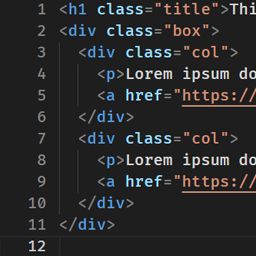
Extend Custom HTML block to evolve into the advanced code editor.

Solid choice
Custom HTML Block Extension is a solid plugin choice in 2026, with a few things worth checking first. It runs on 7K+ sites, is rated 5/5 and was last updated 2 months ago, and scores 69/100 on our health check.
- Tested with the latest WordPress (7.1)
How does it stack up?
Side-by-side on installs, updates, ratings & support



Daily downloads
Download spikes usually follow a new release — each site that auto-updates counts as a download.
Rankings
Where Custom HTML Block Extension stands todayWordPress.org search rankings
Live position in the plugin search, top 100| Keyword | Position |
|---|---|
| block | #57 |
| emmet | #1 |
| gutenberg | >100 |
| highlighting | #13 |
| html | #8 |
Version adoption
Share of active sites per release.
Rating breakdown
★★★★★★★★★★ 5 from 13 reviews
About Custom HTML Block Extension
From the official readme · v4.1.0Description
Custom HTML Block Extension extends Custom HTML block to evolve into the advanced code editor.
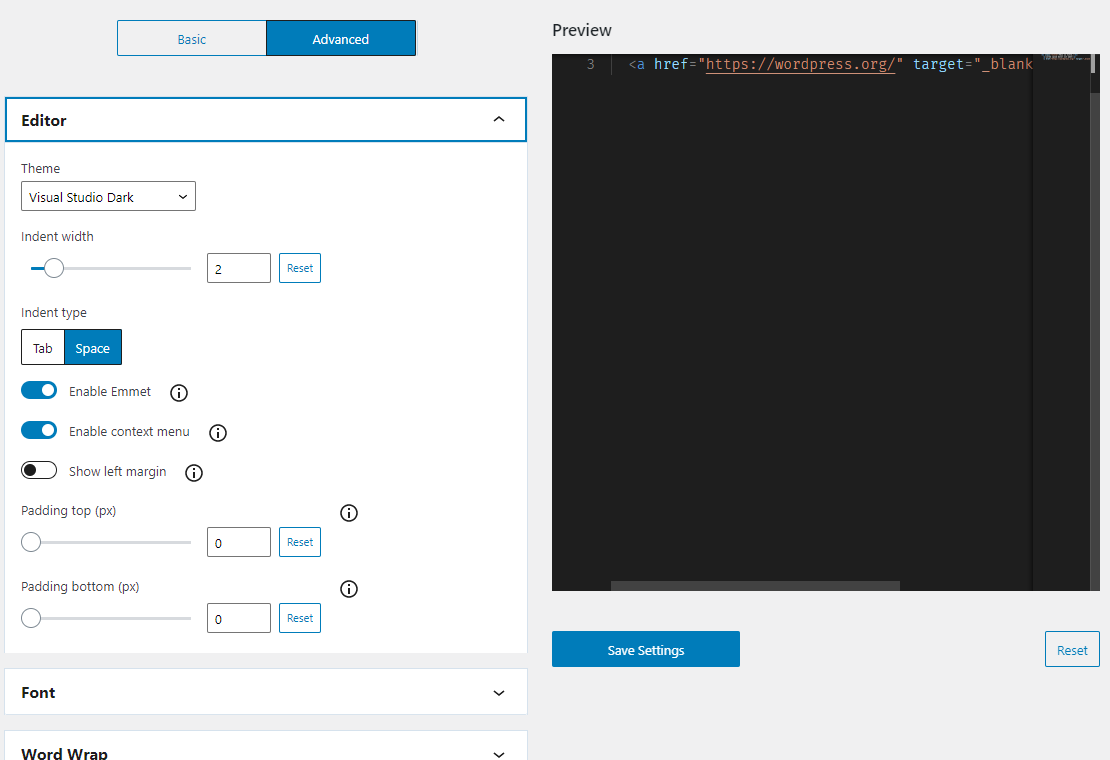
There are 50 different color themes to choose from, and you can select the one that best suits your taste.
This plugin features Emmet that expand shortcut input into complete code. This reduces the number of times you have to type and saves keystrokes.
You can change all kinds of settings to create your ideal editor in advanced mode.
And supports the classic editor, the theme/plugin editor, and import/export editor settings.
Resources
monaco-editor
License: MIT License
Source: https://github.com/microsoft/monaco-editor
emmet-monaco-es
License: MIT License
Source: https://github.com/troy351/emmet-monaco-es
monaco-themes
License: MIT License
Source: https://github.com/brijeshb42/monaco-themes
webfontloader
License: Apache-2.0 License
Source: https://github.com/typekit/webfontloader
Web Font (Fira Code)
License: OFL-1.1 License
Source: https://github.com/tonsky/FiraCode
Web Font (Source Code Pro)
License: OFL-1.1 License
Source: https://github.com/adobe-fonts/source-code-pro
Web Font (Ubuntu Mono)
License: OFL-1.1 License
Source: https://ubuntu.com/legal/font-licence
Web Font (Anonymous Pro)
License: OFL License
Source: https://www.marksimonson.com/fonts/view/anonymous-pro
Installation
- Upload the
custom-html-block-extensionfolder to the/wp-content/plugins/directory. - Activate the plugin through the \’Plugins\’ menu in WordPress.
Changelog
4.1.0
- Tested to WordPress 7.1
- Drop support for WordPress 6.9
- Enhancement: Add per-block setting to choose the initial mode
- Enhancement: Consolidate the help buttons in the settings page header into a dropdown menu
- Enhancement: Show the fullscreen HTML editor button in the preview mode
- Enhancement: Refresh the card design on the settings page
- Enhancement: Support the innerContent-based Custom HTML block
- a11y: Improve tab focus mode accessibility in the editor
- a11y: Fix focus loss on the settings page
- Fix: Uploaded file name is not vertically aligned with the upload button on the settings page
- Fix: Some items are missing from the right-click context menu in the classic editor
- Fix: Hide panels with no matching settings when filtering settings on the settings page
4.0.1
- Fix: Undo clears all content right after the editor loads
- Fix: Focus scrolls the page in the classic editor.
4.0.0
- Tested to WordPress 7.0
- Drop support for WordPress 6.8
- Remove change indentation UI
- Fix: Editor crashes when switching to the Code Editor in Firefox
- Fix: Cut line shortcut doesn’t work
3.9.0
- Tested to WordPress 6.9
- Drop support for WordPress 6.6 and 6.7
- Drop support for PHP 7
- Enhancement: Show notification after exporting on the settings page
- Enhancement: Adjust UI elements to new 40px size
3.8.0
- Tested to WordPress 6.8
- Drop support for WordPress 6.5
- Enhancement: Use WordPress snackbar on the settings page
- Fix: No alert when leaving the theme/plugin editor
- Fix: Ajax on save doesn’t work in the theme/plugin editor
- Fix: “Save Options” button size on the settings page
3.7.0
- Tested to WordPress 6.7
- Drop support for WordPress 6.4
- Enhancement: Polish styles and layouts
- Fix: Minimap and toolbar overlap in the classic editor
Screenshots



For developers
Is this your plugin? Show off the numbers.
Add a live badge to your site, docs or GitHub README. It updates on its own — no account needed.
Best Custom HTML Block Extension alternatives
All block plugins →





FAQ
Custom HTML Block Extension: quick answers
Straight answers, pulled from live WordPress.org data.
Live data from WordPress.org · checked Sep 28, 2026
Is Custom HTML Block Extension free?
Yes. Custom HTML Block Extension is free to download and use from the official WordPress.org plugin directory.
Is Custom HTML Block Extension safe to use in 2026?
Custom HTML Block Extension is a solid plugin choice in 2026, with a few things worth checking first. It runs on 7K+ sites, is rated 5/5 and was last updated 2 months ago, and scores 69/100 on our health check.
How many websites use Custom HTML Block Extension?
Custom HTML Block Extension is active on 7K+ WordPress websites and has been downloaded 59,267 times since it launched in May 2021. It was downloaded 1,058 times in the last 30 days.
Does Custom HTML Block Extension work with WordPress 7.1?
Yes. The developer has tested Custom HTML Block Extension up to WordPress 7.1.2, the latest release. It requires WordPress 7.0 or newer.
What PHP version does Custom HTML Block Extension need?
Custom HTML Block Extension requires PHP 8.0 or higher. Most hosts run PHP 8.x today, so it works on any modern WordPress hosting.
When was Custom HTML Block Extension last updated?
The latest version, 4.1.0, was released on July 26, 2026 (2 months ago).
Who makes Custom HTML Block Extension?
Custom HTML Block Extension is developed and maintained by Aki Hamano.
What are the best alternatives to Custom HTML Block Extension?
The most popular alternatives to Custom HTML Block Extension are Spectra Legacy (1M+ installs), Breadcrumb NavXT (800K+ installs) and PDF Embedder (300K+ installs).
Powered by PageForge
Want thousands of pages that rank like these? Build them in an afternoon.
This directory runs on the same engine as PageForge. Turn any spreadsheet, CSV or API into thousands of fast, SEO-ready WordPress pages — with schema, internal links and AI-written copy baked in.
- CSV, Google Sheets & API data sources
- AI content, schema & internal links per page
- Works with Elementor, Gutenberg, Yoast & Rank Math
- Free on WordPress.org — no credit card


