


Kabook Auto Schema & Accordion for Rank Math
Automatically injects Rank Math FAQ schema and converts it to a stylish, customizable accordion with smooth animations.

Solid choice
Kabook Auto Schema & Accordion… is a solid plugin choice in 2026, with a few things worth checking first. It runs on 20+ sites, is rated 5/5 and was last updated 3 months ago, and scores 65/100 on our health check.
- Small user base (20+ active installs)
- Very few reviews so far
How does it stack up?
Side-by-side on installs, updates, ratings & support



Daily downloads
Download spikes usually follow a new release — each site that auto-updates counts as a download.
Rankings
Where Kabook Auto Schema & Accord… stands todayWordPress.org search rankings
Live position in the plugin search, top 100| Keyword | Position |
|---|---|
| Accordion | #76 |
| faq | >100 |
| rank math | #14 |
| schema | #87 |
| schema-injection | #5 |
Version adoption
Share of active sites per release.
Rating breakdown
★★★★★★★★★★ 5 from 1 reviews
About Kabook Auto Schema & Accordion for Rank…
From the official readme · v1.5.0Description
This plugin is a power-up for Rank Math SEO PRO users.
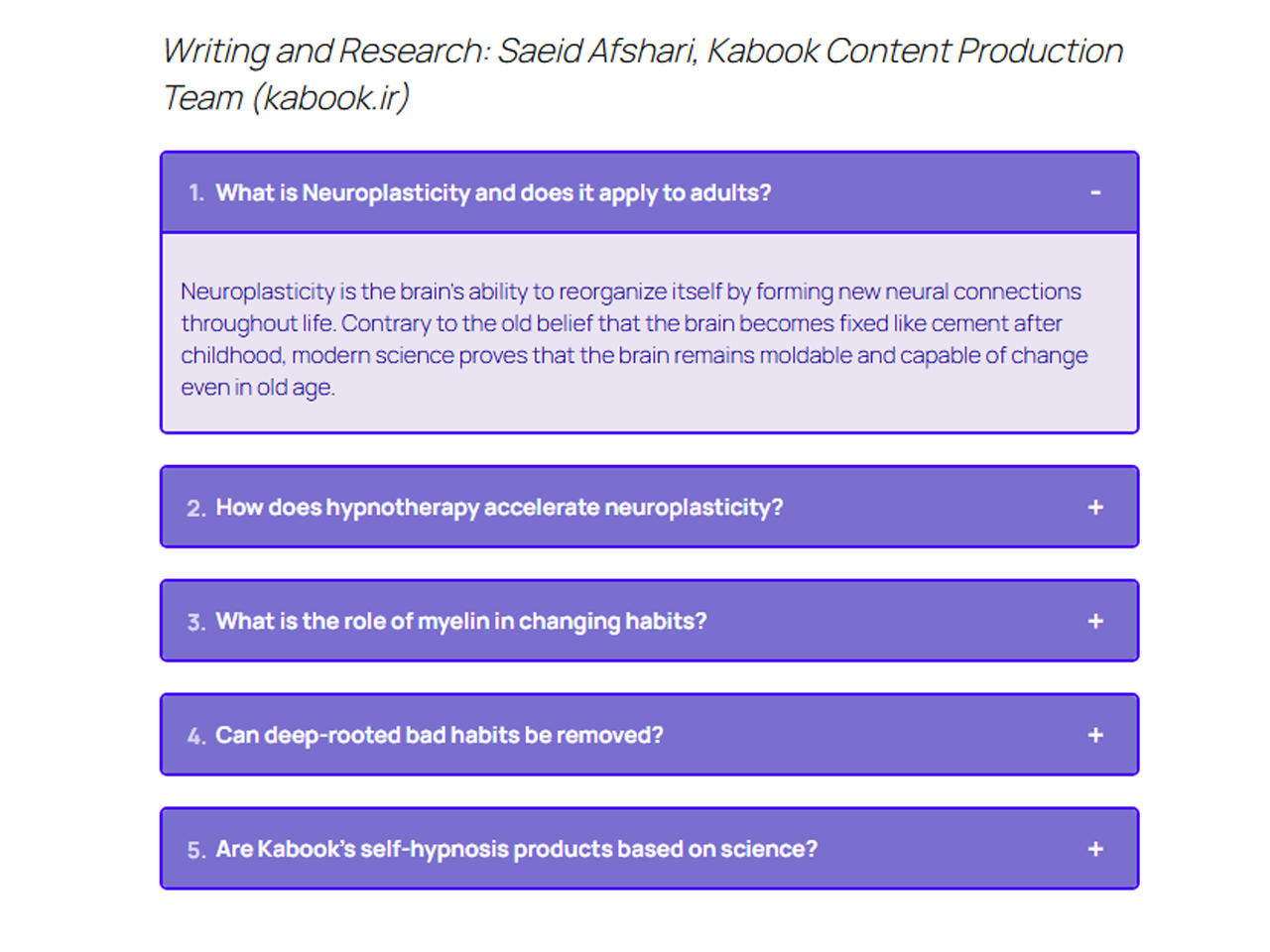
It solves common SEO and UX issues by automatically ensuring FAQ schema markup is present on your posts, and by transforming its default output into a visually appealing, interactive accordion — without requiring manual shortcode insertion.
Key Features:
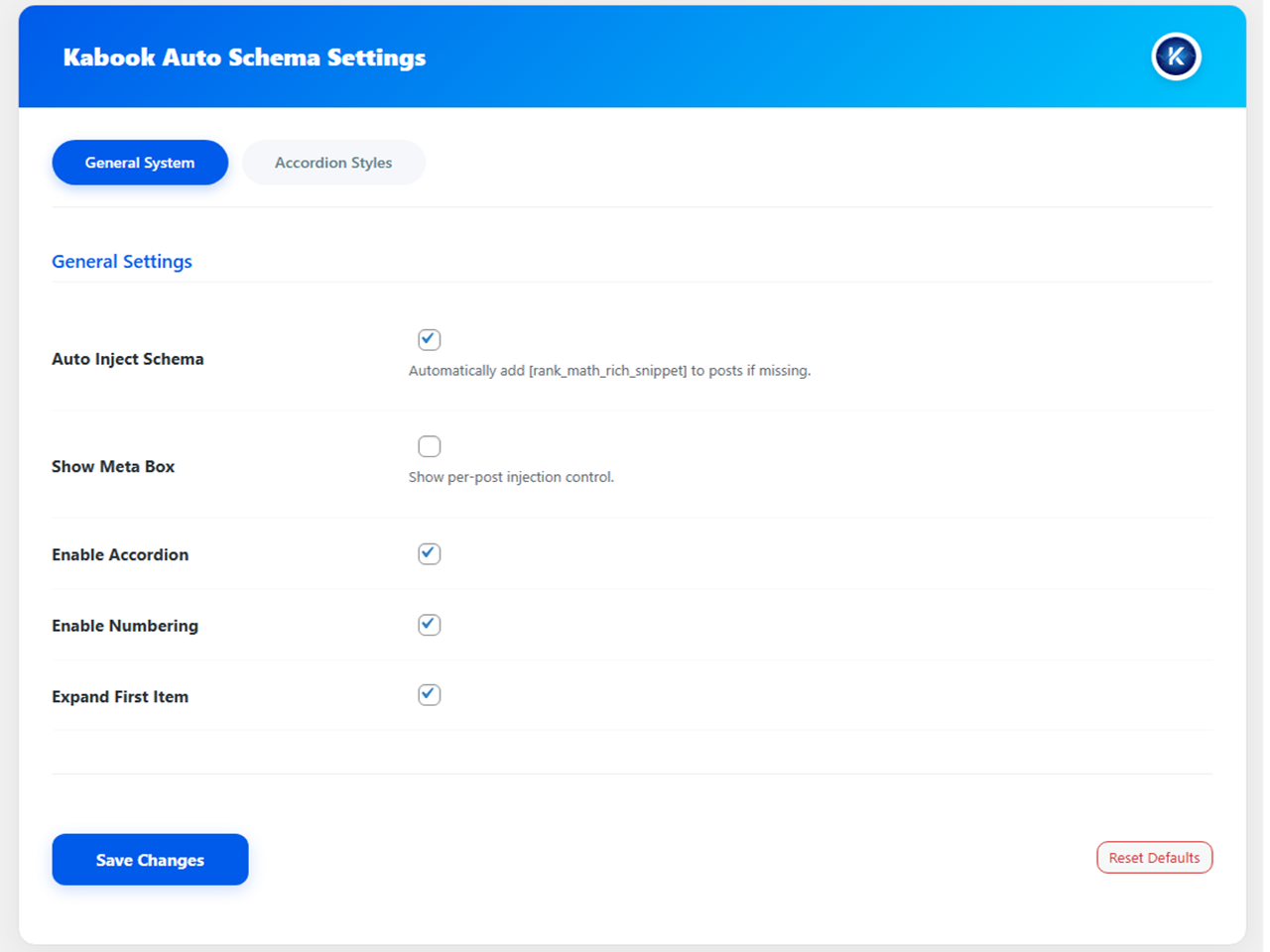
- Auto Injection: Automatically adds the
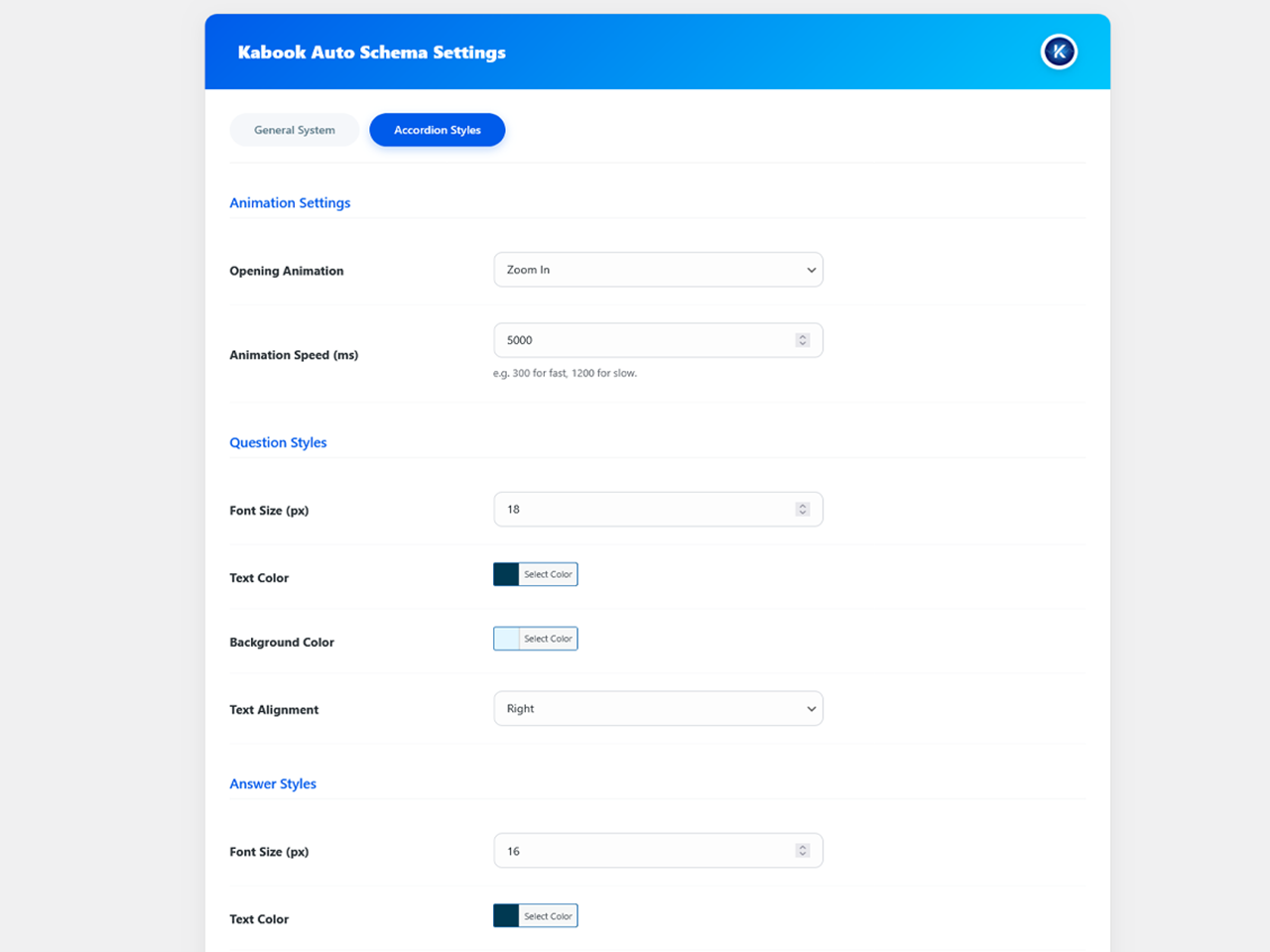
[rank_math_rich_snippet]shortcode to your single posts if you have defined an FAQ schema but forgot to insert the block. - New: Animation Effects: Choose between Slide, Fade, or Zoom effects for your accordion opening.
- New: Speed Control: Fully customize the animation duration (ms) to match your site’s feel.
- Per-Post Control: Manually enable or disable schema injection for specific posts via a simple checkbox in the editor.
- Smart Detection: Checks the raw database content to ensure the shortcode is never duplicated.
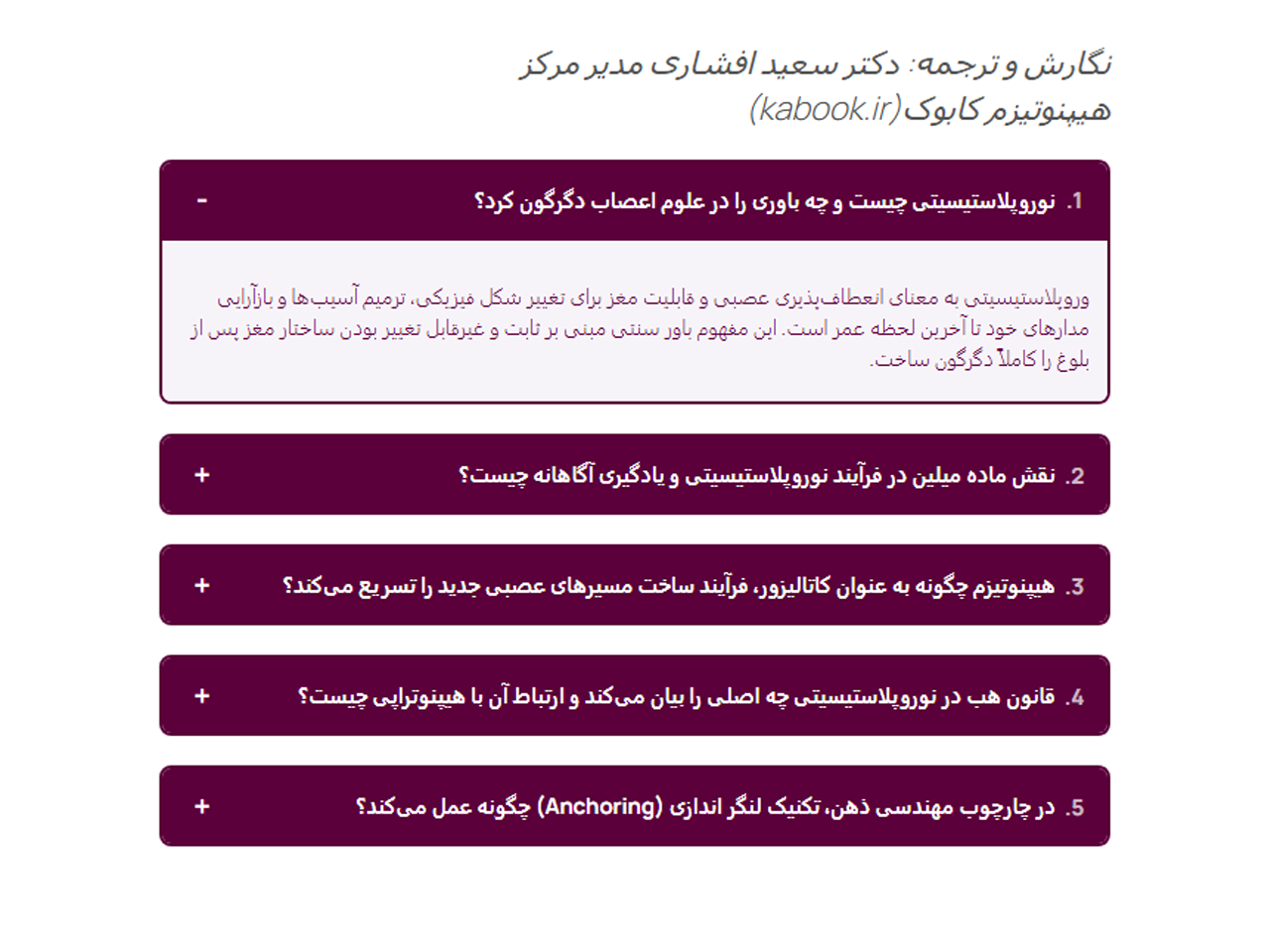
- Stylish Accordion: Converts the boring list format into a beautiful, interactive accordion.
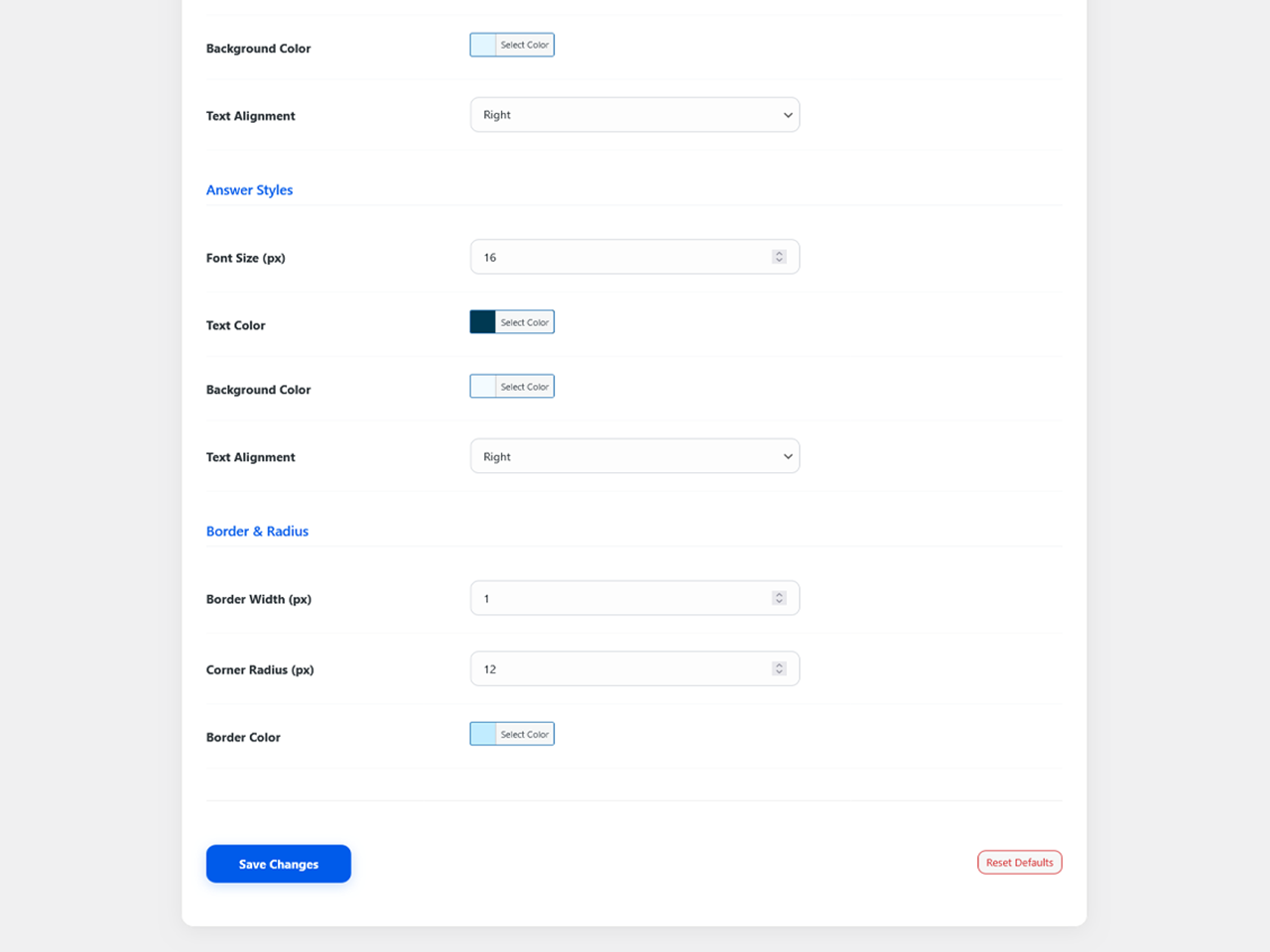
- Fully Customizable: Change colors, fonts, borders, and alignment via a modern “Blue Harmony” settings panel.
- Ultra Lightweight: Rebuilt with Vanilla JS (No jQuery) for maximum performance.
- Perfect RTL Support: Deep integration for Right-to-Left languages like Persian and Arabic.
Note: This plugin relies on the schema data generated by the Rank Math SEO PRO plugin. Please ensure it is installed and active.
Live Demo:
You can see a live demo of the FAQ accordion and schema integration in action here:
Kabook Live Demo: FAQ Accordion
Installation
- Upload the plugin files to the
/wp-content/plugins/kabook-auto-rank-math-snippetdirectory. - Activate the plugin through the ‘Plugins’ screen in WordPress.
- Go to Settings > Kabook RM Snippet to configure the styling and animation options.
Frequently asked questions
Can I use the accordion styling without enabling automatic schema injection?
Yes! The plugin gives you full control over its features: * To use only the accordion styling (without auto-injecting schema): Disable “Auto Inject Schema” and keep “Enable Accordion” checked. * To inject schema automatically but use your own accordion (e.g., from theme or another plugin): Enable “Auto Inject Schema” and uncheck “Enable Accordion”. Both features work independently — you can mix and match based on your needs.
Does this plugin work without Rank Math PRO?
No. This plugin acts as an add-on and depends on the schema data generated by the Rank Math SEO PRO plugin.
Can I change the opening speed of the accordion?
Yes! In version 1.2.0, we added an “Animation Speed” setting where you can define the speed in milliseconds (e.g., 300ms for fast or 1200ms for slow).
Does it load scripts on every page?
No. To ensure maximum performance, the plugin only loads its CSS and JS files on pages where an FAQ schema or shortcode is actually detected.
Will it slow down my site?
Absolutely not. The plugin uses Vanilla JS instead of jQuery, making it extremely fast and lightweight.
Changelog
1.5.0
- New: Added “Item Spacing (px)” setting under the “Border & Spacing” tab to allow customization of the vertical gap between individual FAQ items.
- Fix: Resolved a critical visibility issue where the generated schema was hidden from guest users if the post meta ID was empty. The plugin now smartly evaluates the shortcode output to ensure proper schema rendering for all visitors while still hiding raw error messages.
1.4.0
- Enhancement: Seamless Admin UX – The settings page now features instant tab switching without page reloads (SPA-like experience).
- Improvement: Unified Settings Saving – Saving changes now updates all configurations across all tabs simultaneously.
- Improvement: Integrated Browser History API so the active tab state is preserved even if the page is manually refreshed.
1.3.0
- New: Smart Error Visibility – The “Schema not found” error message is now hidden for regular users and guests. It remains visible only to Administrators to assist with debugging.
- Improvement: Enhanced conditional logic to check for Schema ID existence before injection.
- Fix: Prevented potential layout issues on posts where schema data is missing.
1.2.0
- New: Added Opening Animations (Slide, Fade, Zoom).
- New: Added Animation Speed control setting.
- New: Brand new “Blue Harmony” Admin UI for better user experience.
- Improvement: Optimized Asset Loading (scripts only load when needed).
- Improvement: Enhanced RTL support for both Admin and Frontend.
- Security: Implemented Nonce verification and better output escaping for WP.org standards.
- Compatibility: PHP requirement lowered to 7.4 for better compatibility.
1.1.0
- New: Added “Injection Control Meta Box” per post.
- Improvement: Rewrote frontend logic in Vanilla JS (removed jQuery).
- Security: Fixed non-sanitized input variable warnings.
1.0.0
- Initial release.
Screenshots
For developers
Is this your plugin? Show off the numbers.
Add a live badge to your site, docs or GitHub README. It updates on its own — no account needed.
Best Kabook Auto Schema & Accordio… alternatives
All Accordion plugins →





FAQ
Kabook Auto Schema & Accordion for…: quick answers
Straight answers, pulled from live WordPress.org data.
Live data from WordPress.org · checked Oct 3, 2026
Is Kabook Auto Schema & Accordion… free?
Yes. Kabook Auto Schema & Accordion… is free to download and use from the official WordPress.org plugin directory.
Is Kabook Auto Schema & Accordion… safe to use in 2026?
Kabook Auto Schema & Accordion… is a solid plugin choice in 2026, with a few things worth checking first. It runs on 20+ sites, is rated 5/5 and was last updated 3 months ago, and scores 65/100 on our health check.
How many websites use Kabook Auto Schema & Accordion…?
Kabook Auto Schema & Accordion… is active on 20+ WordPress websites and has been downloaded 856 times since it launched in December 2025. It was downloaded 104 times in the last 30 days.
Does Kabook Auto Schema & Accordion… work with WordPress 7.1?
Kabook Auto Schema & Accordion… is officially tested up to WordPress 7.0.6, while the latest release is 7.1.2. It may still work, but try it on a staging site first.
What PHP version does Kabook Auto Schema & Accordion… need?
Kabook Auto Schema & Accordion… requires PHP 7.4 or higher. Most hosts run PHP 8.x today, so it works on any modern WordPress hosting.
When was Kabook Auto Schema & Accordion… last updated?
The latest version, 1.5.0, was released on July 14, 2026 (3 months ago).
Who makes Kabook Auto Schema & Accordion…?
Kabook Auto Schema & Accordion… is developed and maintained by Afshari.
What are the best alternatives to Kabook Auto Schema & Accordion…?
The most popular alternatives to Kabook Auto Schema & Accordion… are Accordion FAQ (30K+ installs), Ultimate FAQ Accordion Plug… (30K+ installs) and Read More Without Refresh (20K+ installs).
Powered by PageForge
Want thousands of pages that rank like these? Build them in an afternoon.
This directory runs on the same engine as PageForge. Turn any spreadsheet, CSV or API into thousands of fast, SEO-ready WordPress pages — with schema, internal links and AI-written copy baked in.
- CSV, Google Sheets & API data sources
- AI content, schema & internal links per page
- Works with Elementor, Gutenberg, Yoast & Rank Math
- Free on WordPress.org — no credit card


