

Lightweight Accordion
Simple accordion for adding collapse elements to pages without affecting page load time. Includes Gutenberg block and shortcode for classic editor.

Safe pick
Yes — Lightweight Accordion is a safe, well-maintained plugin to use in 2026. It runs on 10K+ sites, is rated 5/5 and was last updated 1 month ago, and scores 90/100 on our health check.
- Proven at scale on 10K+ active sites
- Loved by users — 5/5 from 61 reviews
- Tested with the latest WordPress (7.1)
How does it stack up?
Side-by-side on installs, updates, ratings & support



Daily downloads
Download spikes usually follow a new release — each site that auto-updates counts as a download.
Rankings
Where Lightweight Accordion stands todayWordPress.org search rankings
Live position in the plugin search, top 100| Keyword | Position |
|---|---|
| Accordion | #2 |
| block | >100 |
| blocks | >100 |
| collapsible | #5 |
| performance | >100 |
Version adoption
Share of active sites per release.
Rating breakdown
★★★★★★★★★★ 5 from 61 reviews
About Lightweight Accordion
From the official readme · v1.8.0Description
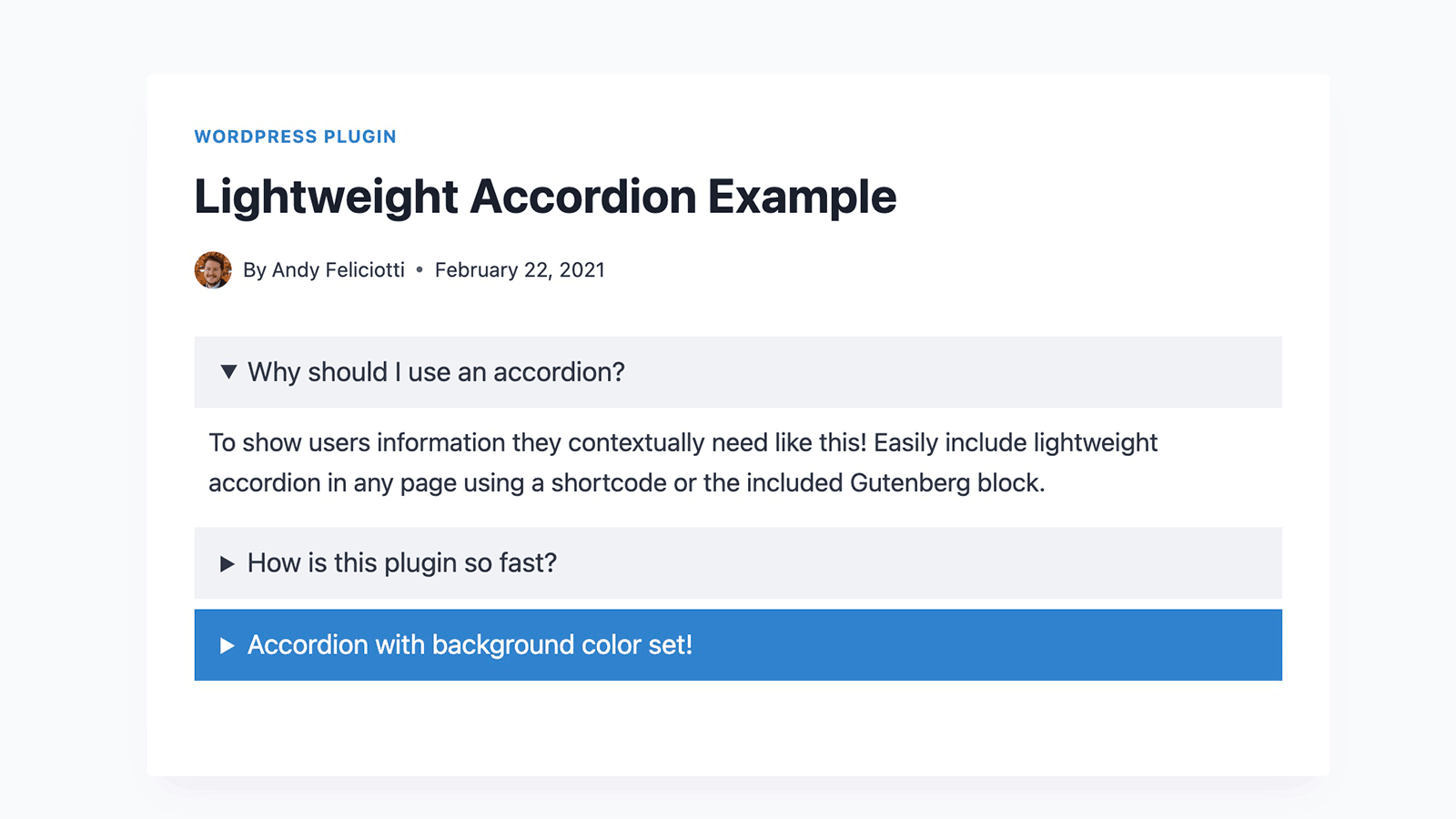
Lightweight Accordion plugin for WordPress allows you to add collapse elements to posts using a Gutenberg block or a shortcode (via classic editor). By using the details HTML tag and a few lines of CSS this allows for a javascript-free accordion for minimum page load.
Extremely Lightweight (<1kb): Without using Javascript the plugin uses the native details HTML tag and a few lines of code for almost no impact on front-end.
Customizable: Options include customizing the HTML tag used for the accordion title, open by default, borders, colors, and accordion grouping (auto-close others when one opens).
Ready-made patterns: Insert an FAQ section (with FAQ schema), an accordion group that keeps one section open at a time, or bordered accordions from the Patterns tab of the block inserter, under Accordions.
Shortcode Usage examples
Here are a few examples of using the accordion plugin with shortcodes.
[lightweight-accordion title="My Accordion"]My Content[/lightweight-accordion]
Additionally you can display the accordion open on load with the accordion_open option.
[lightweight-accordion title="My Accordion" accordion_open=true]My Content[/lightweight-accordion]
You can also change the html tag wrapping the title of the accordion using the title_tag option.
[lightweight-accordion title="My Accordion" title_tag="h3"]My Content[/lightweight-accordion]
If you want to include FAQ schema you can add the schema option and set it to faq.
[lightweight-accordion title="What is your return policy?" schema="faq"]You have 1 week to return your items[/lightweight-accordion]
If you’d like put a border around the content of the accordion you can use the “bordered” attribute.
[lightweight-accordion title="Bordered Content" bordered=true]My Content[/lightweight-accordion]
If you want accordions to auto-close when another opens (exclusive accordion), use the “group” attribute with the same value on each accordion.
[lightweight-accordion title="Question 1" group="faq"]Answer 1[/lightweight-accordion]
[lightweight-accordion title="Question 2" group="faq"]Answer 2[/lightweight-accordion]
[lightweight-accordion title="Question 3" group="faq"]Answer 3[/lightweight-accordion]
If you’d like to swap the default triangle marker for a chevron or plus/minus icon (optionally on the right side of the title) use the “icon” and “icon_position” attributes.
[lightweight-accordion title="My Accordion" icon="chevron" icon_position="right"]My Content[/lightweight-accordion]
Shortcode Options
Here is the full listing of shortcode options. Additionally all of these options are accessible when using the Gutenberg block.
- title (Required Default: null) The title of your accordion will be displayed at the top for users to click. A good example would be to include a user’s question so they could click it for more details.
- content (Required Default: null) Content that will go into your accordion element.
- title_tag (Default: “span”) This sets the html tag that wraps the title in the accordion summary. Useful if you want to make it a heading tag for SEO purposes.
- accordion_open (Default: false) Set this to true if you want your accordion to be open by default.
- bordered (Default: false) Set this to true if you want a border around the accordion content.
- title_text_color (Default: false) Set this to a hex value or CSS color to change the color of the accordion title text.
- title_background_color (Default: false) Set this to a hex value or CSS color to change the color of the accordion title text.
- schema (Default: false) Set this to faq if you’d like FAQ schema to be included.
- class (Default: false) Used to add a custom class to the parent container of the accordion.
- anchor (Default: null) Adds the value as an ID to the accordion div as an anchor.
- autop (Default: true) By default the shortcode will wrap text in a ‘p’ tag. Set this to false if you’d like this disabled for the specific accordion.
- group (Default: false) Set this to a group name to make accordions with the same group auto-close when another opens. Uses the native HTML details name attribute for zero JavaScript overhead.
- icon (Default: false) Set this to “chevron”, “plus”, or “none” to replace the default triangle marker. The chevron rotates and the plus becomes a minus when the accordion opens.
- icon_position (Default: false) Set this to “right” to display the chevron or plus icon on the right side of the accordion title.
Additional Details
If you’d like to remove the “lightweight-accordion.css” from being enqueued on your site use the filter below. It’s recommend you style the accordion yourself if you use this filter.
add_filter('lightweight_accordion_include_frontend_stylesheet', '__return_false' );
If you’d like to remove the “lightweight-accordion/editor-styles.css” from being enqueued in the admin area of your site you can use the filter below.
add_filter('lightweight_accordion_include_admin_stylesheet', '__return_false' );
If you’d like to remove processing of shortcodes in accordion content you can use this filter.
add_filter('lightweight_accordion_process_shortcodes', '__return_false' );
If you’d like to use inline Microdata for FAQ schema you can use this filter. (Not recommended)
add_filter('lightweight_accordion_output_microdata', '__return_true' );
If you’d like to force “lightweight-accordion.css” to load on all of your site you can use this filter. By default the CSS only loads on pages that show an accordion (including accordions in widgets and page builders), so this is only needed for accordions added to the page some other way, for example with JavaScript.
add_filter('lightweight_accordion_always_include_frontend_stylesheet', '__return_true' );
When a page contains an accordion a tiny inline script is added to the footer that automatically opens accordions targeted by a URL hash (for example a link to an accordion’s anchor). If you’d like to disable this you can use the filter below.
add_filter('lightweight_accordion_anchor_script', '__return_false' );
Installation
To install this plugin:
- Download the plugin
- Upload the plugin to the wp-content/plugins directory,
- Go to “plugins” in your WordPress admin, then click activate.
- Add the shortcode where you want the accordion to appear. Likewise in Gutenberg you can find the “Lightweight Accordion” block under the “widgets” section in the block selector.
Changelog
1.8.0
- New ready-made block patterns under Accordions in the inserter’s Patterns tab: an FAQ section (with FAQ schema), an accordion group that keeps one section open at a time, and bordered accordions.
- Fixed an accordion nested inside a grouped accordion joining the outer group, which made opening it close its own parent.
- Fixed duplicated or copy-pasted accordion groups (or a pattern inserted twice) closing each other. Each group now gets a unique name on the page.
- Fixed floated images inside an open accordion being cut off at the bottom (or overlapping the next accordion in some browsers).
- Fixed the border settings added in 1.7.0 never appearing. The block now has working border controls (radius, color, width, style) in the Styles panel when the theme supports them.
- Fixed the stylesheet loading on every page on classic themes running WordPress 6.6 to 6.8. It now loads only on pages that show an accordion, in the head for accordions in the post content.
- Fixed shortcode accordions in widgets, page builders and other places outside the post content showing unstyled.
- Fixed
accordion_open="false"andbordered="false"in the shortcode turning those options on. - Fixed the block’s HTML anchor being printed twice on WordPress 7.0 and newer.
- FAQ schema: question names no longer contain HTML entities like
&, each question is listed once even if the theme renders the content twice, and accordions without a title are skipped. - The arrow and icons now match the 18px title text instead of the theme’s base font size, and the block’s font size setting reaches the title even when the theme styles summary text.
- Accordions next to a floated image now sit beside it as one box instead of running underneath it.
- Title colors are now checked to be a single CSS color value, so the color settings can’t be used to add other CSS.
- Removed the Accordion Group block’s HTML anchor field, which never worked.
- Block registration uses the current
editor_script_handlesandeditor_style_handlesarguments.
1.7.1
- Tested up to WordPress 7.1.
- Fixed the accordion block’s settings running together with no spacing in the editor sidebar on WordPress 7.0 and newer.
- The block editor script now loads its dependencies and version from the generated asset file, which includes the React JSX runtime the compiled script relies on.
- Block editor strings are now translatable (text domain added and script translations registered).
- FAQ schema answers no longer include stray whitespace left behind by block markup.
- Added an FAQ entry with a snippet for an “Expand all / Collapse all” button.
- Minimum required WordPress version is now 6.6, which introduced the React JSX runtime used by the block editor script.
1.7.0
- Smooth open/close animation using modern CSS (zero JavaScript, progressive enhancement in supporting browsers, respects reduced motion preference).
- Native block support panels on the accordion block: spacing (margin & padding), typography (font size & line height), and border (radius, color, width).
- WordPress 7.0 compatibility: blocks upgraded to Block API version 3 for the iframed editor, with editor styles now loading inside the editor canvas.
- Deleting the last accordion in a group now removes the empty group instead of leaving a leftover box in the editor.
- Removed a deprecated block attribute (
source: children) flagged by the WordPress plugin checker. - Minimum required WordPress version is now 5.9 (the block editor integration uses APIs introduced there).
- Tested up to WordPress 7.0.
- New icon options: chevron, plus/minus, or none, with optional right alignment. Available in the block settings and via the
iconandicon_positionshortcode attributes. - Accordions now automatically open when targeted by a URL hash, so anchor deep links no longer land on a closed accordion. Disable with the
lightweight_accordion_anchor_scriptfilter.
1.6.0
- New feature: Accordion grouping – only one accordion can be open at a time within a group.
- Added “Add Item” button in block toolbar to easily create grouped accordions.
- Added
groupattribute for shortcodes to enable exclusive accordion behavior. - Added H5 and H6 title tag options.
- Fixed deprecated
wp-editorscript dependency. - Security improvements for class and title tag sanitization.
- Code improvements and bug fixes.
1.5.20
- Tested up to WordPress 6.7.
1.5.19
- Restore content display system to 1.5.16’s version.
Screenshots

For developers
Is this your plugin? Show off the numbers.
Add a live badge to your site, docs or GitHub README. It updates on its own — no account needed.
Best Lightweight Accordion alternatives
All Accordion plugins →





FAQ
Lightweight Accordion: quick answers
Straight answers, pulled from live WordPress.org data.
Source: WordPress.org
Is Lightweight Accordion free?
Yes. Lightweight Accordion is free to download and use from the official WordPress.org plugin directory.
Is Lightweight Accordion safe to use in 2026?
Yes — Lightweight Accordion is a safe, well-maintained plugin to use in 2026. It runs on 10K+ sites, is rated 5/5 and was last updated 1 month ago, and scores 90/100 on our health check.
How many websites use Lightweight Accordion?
Lightweight Accordion is active on 10K+ WordPress websites and has been downloaded 143,193 times since it launched in April 2020. It was downloaded 3,869 times in the last 30 days.
Does Lightweight Accordion work with WordPress 7.1?
Yes. The developer has tested Lightweight Accordion up to WordPress 7.1.5, the latest release. It requires WordPress 6.6 or newer.
What PHP version does Lightweight Accordion need?
Lightweight Accordion requires PHP 7.0 or higher. Most hosts run PHP 8.x today, so it works on any modern WordPress hosting.
When was Lightweight Accordion last updated?
The latest version, 1.8.0, was released on October 12, 2026 (1 month ago).
Who makes Lightweight Accordion?
Lightweight Accordion is developed and maintained by Andy Feliciotti.
What are the best alternatives to Lightweight Accordion?
The most popular alternatives to Lightweight Accordion are Accordion FAQ (30K+ installs), Ultimate FAQ Accordion Plug… (30K+ installs) and Read More Without Refresh (20K+ installs).
Powered by PageForge
One template and a spreadsheet. A real page for every search.
PageForge turns each row of a CSV into a WordPress page with its own title, URL, SEO fields and schema, built on the layout you already designed. Free on WordPress.org.
- CSV and XLSX, plus Google Sheets on Professional and Enterprise
- Its own title, URL, SEO fields and schema for every page
- Works with the block editor, Elementor, Divi and Avada
- Free on WordPress.org, no credit card