


jQuery UI Widgets
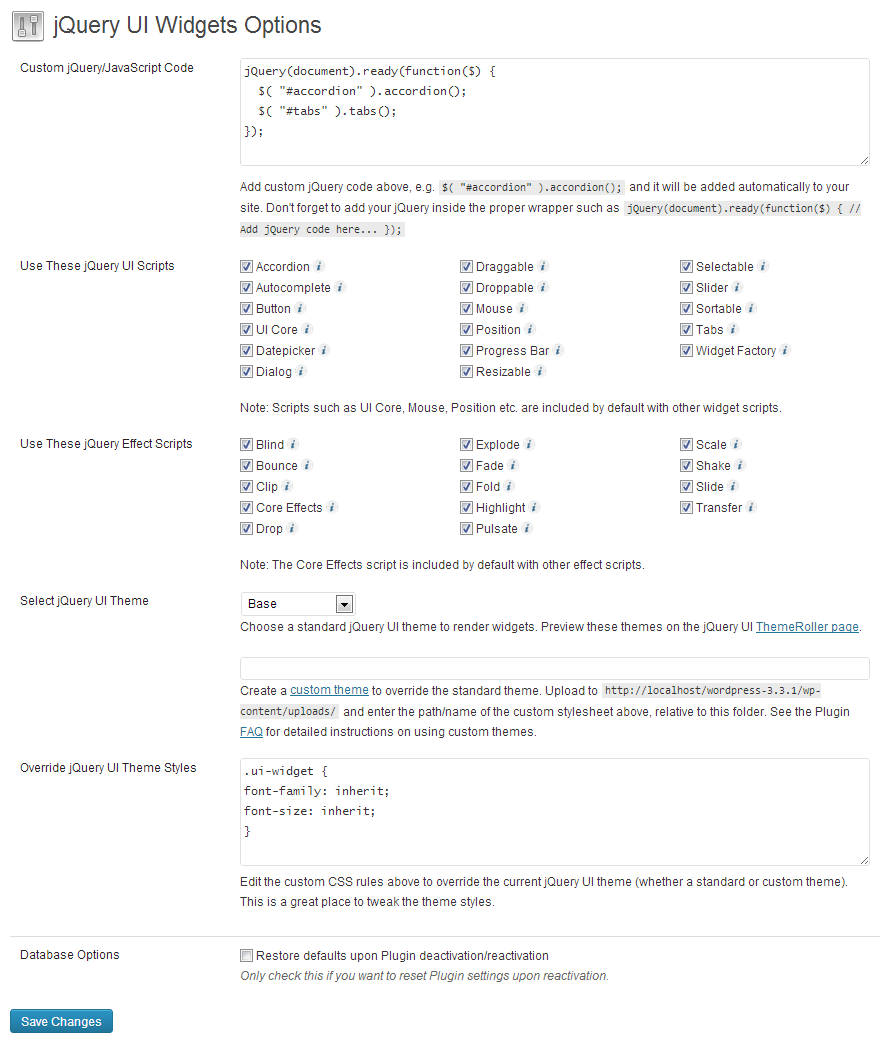
You can easily tweak further settings such as the jQuery UI theme used to render the jQuery widgets, choose which scripts are added to your site, and overriding default CSS.

Use with caution
jQuery UI Widgets works, but test it on a staging site before relying on it in 2026. It runs on 1K+ sites, is rated 4.3/5 and was last updated 2 months ago, and scores 57/100 on our health check.
- Only tested up to WordPress 4.8 (latest is 7.1)
How does it stack up?
Side-by-side on installs, updates, ratings & support



Daily downloads
Download spikes usually follow a new release — each site that auto-updates counts as a download.
Rankings
Where jQuery UI Widgets stands todayWordPress.org search rankings
Live position in the plugin search, top 100| Keyword | Position |
|---|---|
| Accordion | >100 |
| Dialog | >100 |
| jquery | >100 |
| jquery ui | #64 |
| tabs | >100 |
Version adoption
Share of active sites per release.
Rating breakdown
★★★★★★★★★★ 4.3 from 19 reviews
About jQuery UI Widgets
From the official readme · v0.60Description
So, just how easy is it?
- Install and activate the Plugin.
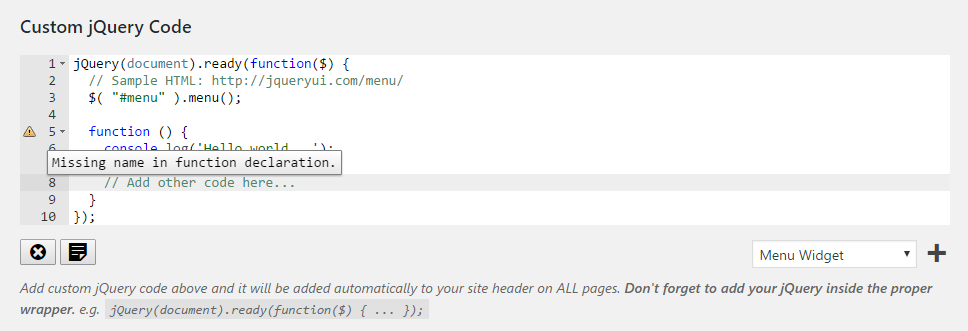
- Add your jQuery code to the ‘Custom jQuery Code’ text box in Plugin settings.
- Add the corresponding HTML markup to a post, page, or or text widget,
- That’s it!!
You can easily tweak further settings such as the jQuery UI theme used to render the jQuery widgets, choose which scripts are added to your site, and overriding default CSS.
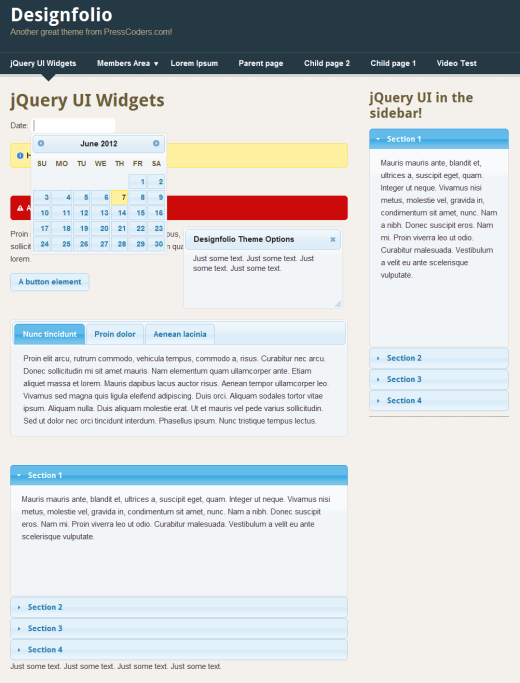
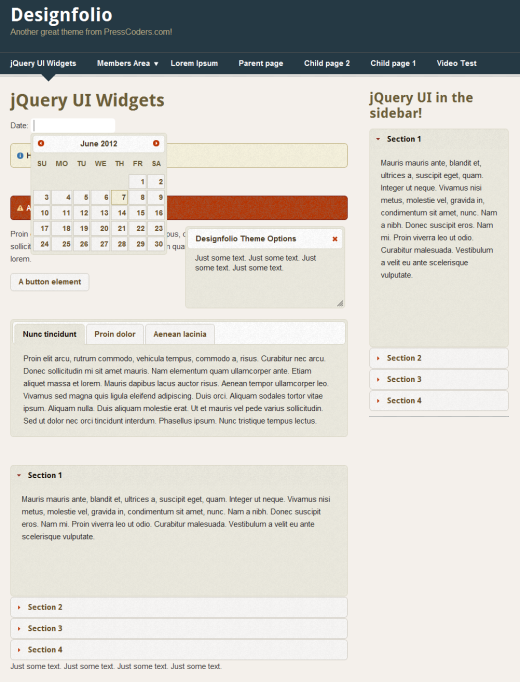
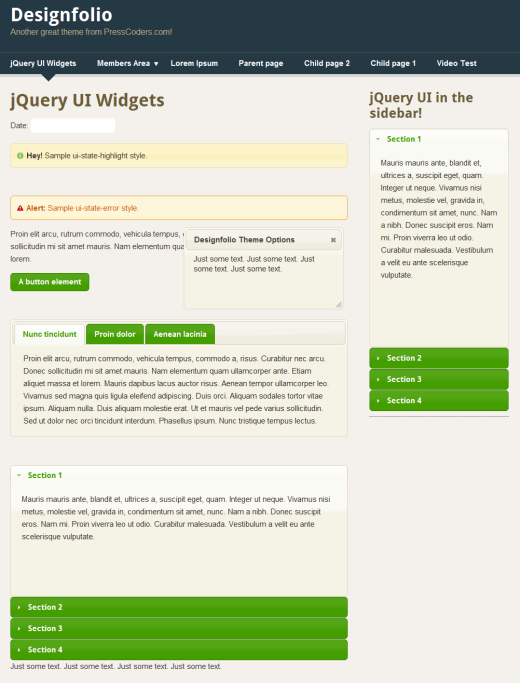
All standard pre-defined jQuery themes are supported, or you can upload your own custom theme built with the jQuery ThemeRoller. See the FAQ page for detailed instructions on uploading your own custom theme.
No need to mess about with cryptic shortcodes! Just enter clean, valid, HTML markup and the Plugin does the rest, adding all the necessary jQuery scripts and styles for you!
Note: This Plugin uses the Google CDN to load the CSS for the official jQuery UI themes.
Please rate this Plugin if you find it useful. It only takes a moment but it’s very much appreciated. 🙂
We’re proud to announce that jQuery UI Widgets Pro is now available!
Upgrade today for great features such as syntax highlighted code editors and dozens of pre-made jQuery UI templates ready to use!
Also, you can now add jQuery UI (and custom JavaScript and CSS code) to specific pages for the first time via the page/post editor. Take complete control over which pages have jQuery UI scripts added. You can choose to add to ALL pages or ONLY to the ones you want. It’s so simple!
Checkout the screenshots, or click here for more details.
See our WordPress plugin site for more top plugins!
Installation
Instructions for installing:
- In your WordPress admin go to Plugins -> Add New.
- Enter jQuery UI Widgets in the text box and click Search Plugins.
- In the list of Plugins click Install Now next to the jQuery UI Widgets Plugin.
- Once installed click to activate.
- Visit the Plugin options page via Settings -> jQuery UI Widgets.
Usage:
- Go to Plugin settings and add your jQuery UI code. e.g. $( “.tabs” ).tabs().
- Select the check boxes for the jQuery UI scripts you want to be available on your site pages (they are all selected by default when the Plugin is first activated).
- Select the theme that you want to use to render the jQuery UI elements.
- Quite often, depending on the WordPress theme you are using (and the specific jQuery selectors), you may run in minor issues with the CSS rendering. To help with this, there is a text box that you can enter custom style rules to tweak the jQuery theme styles, so they match your theme perfectly.to match your WordPress theme.
- To upload a custom jQuery theme created with the ThemeRoller, see the FAQ for specific details.
Frequently asked questions
I am not really sure what HTML code I need to add for each jQuery UI widget. Can you give me some examples?
There are plenty of examples for each jQuery widget on the official demo and documentation pages which include example code you can analyse and use on your own pages.
How do you upload a custom theme using the official jQuery ThemeRoller?
The Plugin supports themes created with the jQuery interactive ThemeRoller which means you can very easily create a custom jQuery theme to match your WordPress theme perfectly. Create your custom theme using the ThemeRoller online tool. When you have finished your masterpiece, click the ‘Download theme’ button. On the ‘Build Your Download’ page make sure ALL check boxes are selected (this is important). Click the ‘Advanced Theme Settings’ button on the right hand side of the page and a couple of text boxes will come into view. Add a name for your custom theme in the ‘Theme Folder Name’ text…
I have an issue with how the jQuery UI widgets are rendering with my WordPress theme. Can you help fix it?
This isn’t a Plugin issue. Any problems with how the jQuery CSS interacts with your current WordPress theme will need to be fixed by using tools such as Firebug, or by contacting the theme author to help tweak the CSS. I’m afraid I can’t help with CSS queries for specific themes.
The custom jQuery UI init code I added doesn’t seem to be working. What could the problem be?
Again, this isn’t a Plugin issue. If you are using custom init code for some jQuery widgets and it isn’t working then please use Firebug to detect the issue. I would also recommend posting on the jQuery forums if you are stuck.
Changelog
0.60
- Plugin settings page updated.
0.50
- Added support for the Selectmenu jQuery UI widget.
0.43
- Fixed broken image links on plugin settings page.
0.42
- Plugin settings page updated.
0.38
- Updated plugins settings links.
0.37
- Fixed some description errors.
0.36
- Information about the NEW jQuery UI Widgets Pro plugin added.
- UI Updated.
- Screenshots updated.
0.35
- Plugin is now translatable!
- In the ‘Custom jQuery Code’ plugin options section the example jQuery wrapper code is now added as placeholder text rather than as a description underneath.
- Updated jQuery UI CSS to v1.11.2.
0.34
- Settings page updated.
0.33
- Patched a security issue.
0.32
- Addressed a security issue.
0.31
- Updated link to be protocol agnostic.
0.3
- Now fully compatible with WordPress 3.6.
- Minor updates to the Plugin options page.
- The ‘Base’ theme doesn’t exist anymore so the the new default set to ‘Smoothness’.
- Updated the path to the new jQuery UI default (1.10.3).
0.22
- Small bug fix.
0.21
- Updated Plugin readme.txt.
0.2
- Plugin UI in general changed around a bit and updated to make it easier and more intuitive.
- No default jQuery UI code is added to your site anymore unless added specifically by you. This makes the Plugin simpler to use and more intuitive.
- The Plugin admin text boxes will dynamically vary in height depending on the content, to make it easier to view your added code, but is capped at a maximum height. The text boxes will also shrink again when you remove content.
- Support added for entire jQuery UI stack included with WordPress 3.5 (including jQuery UI Effects).
0.1
- Initial release.
Screenshots
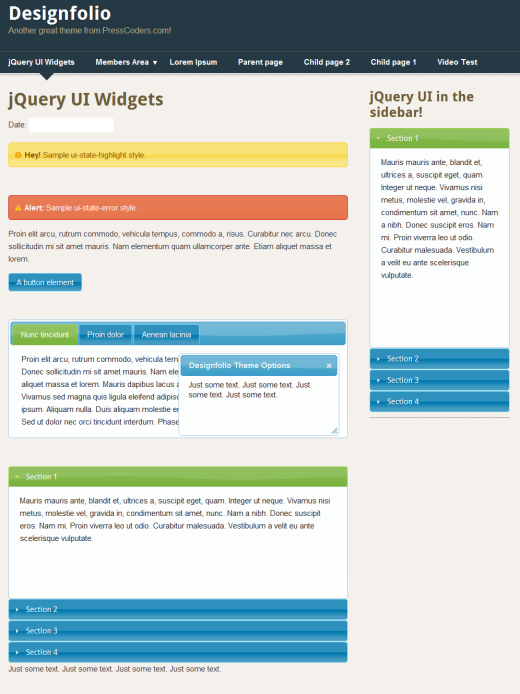
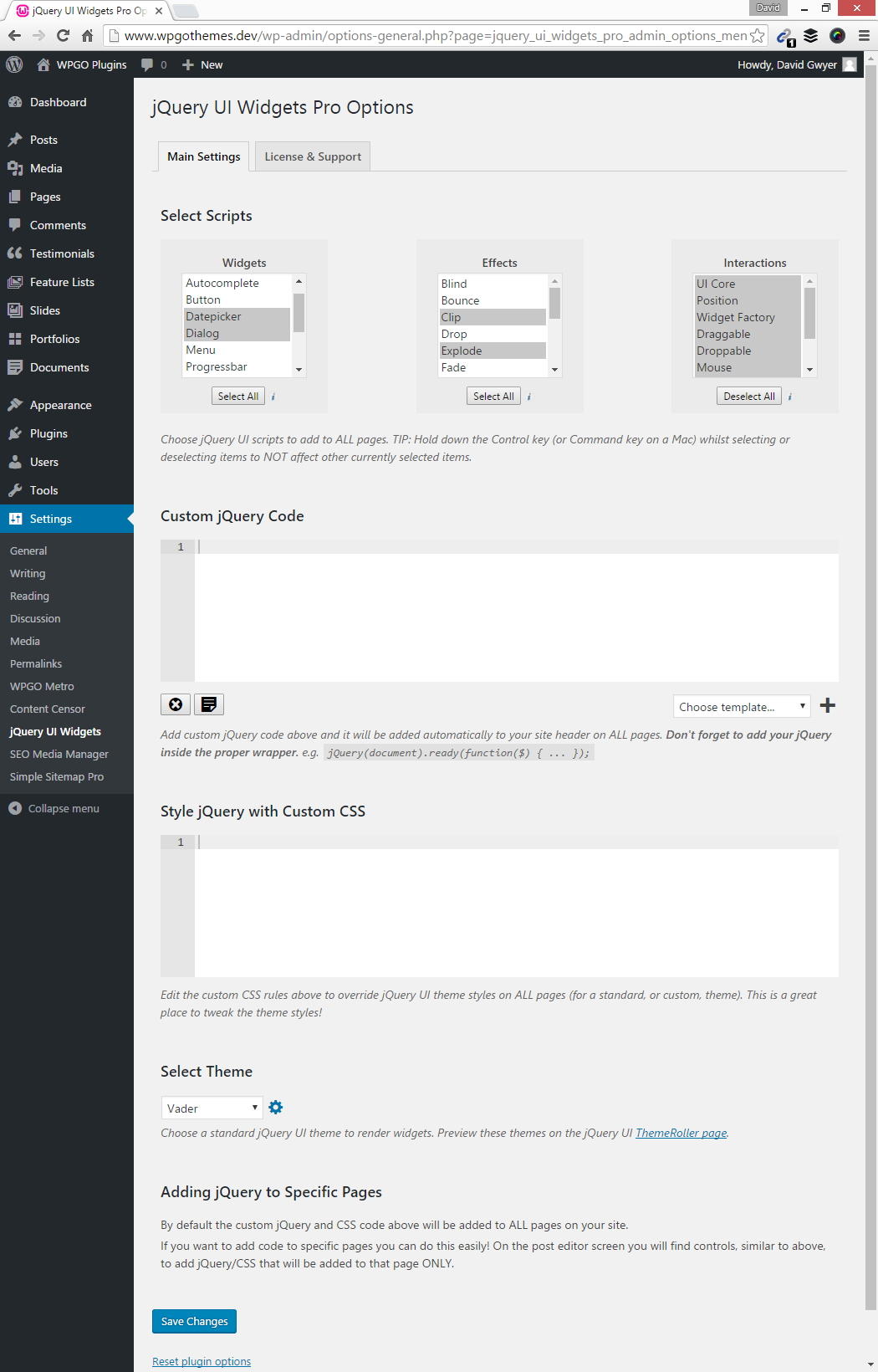
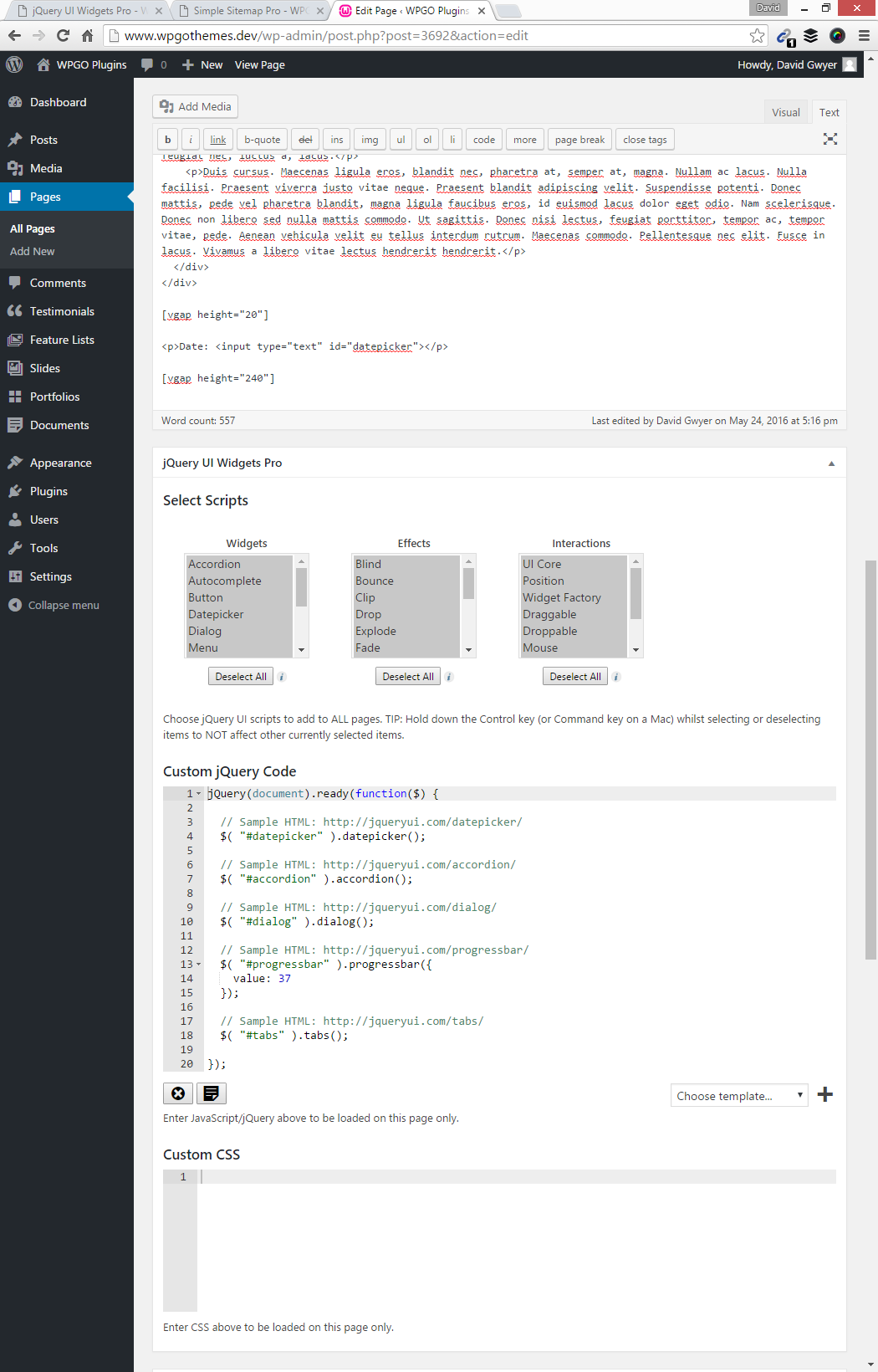
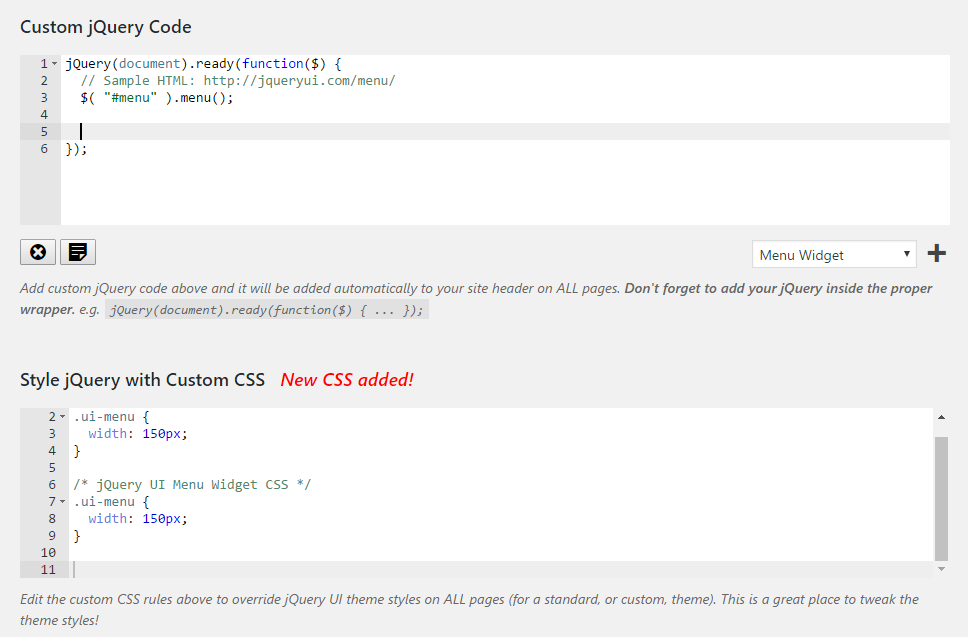
For developers
Is this your plugin? Show off the numbers.
Add a live badge to your site, docs or GitHub README. It updates on its own — no account needed.
Best jQuery UI Widgets alternatives
All Accordion plugins →





FAQ
jQuery UI Widgets: quick answers
Straight answers, pulled from live WordPress.org data.
Live data from WordPress.org · checked Oct 7, 2026
Is jQuery UI Widgets free?
Yes. jQuery UI Widgets is free to download and use from the official WordPress.org plugin directory.
Is jQuery UI Widgets safe to use in 2026?
jQuery UI Widgets works, but test it on a staging site before relying on it in 2026. It runs on 1K+ sites, is rated 4.3/5 and was last updated 2 months ago, and scores 57/100 on our health check.
How many websites use jQuery UI Widgets?
jQuery UI Widgets is active on 1K+ WordPress websites and has been downloaded 107,991 times since it launched in June 2012. It was downloaded 208 times in the last 30 days.
Does jQuery UI Widgets work with WordPress 7.1?
jQuery UI Widgets is officially tested up to WordPress 4.8.33, while the latest release is 7.1.3. It may still work, but try it on a staging site first.
When was jQuery UI Widgets last updated?
The latest version, 0.60, was released on August 11, 2026 (2 months ago).
Who makes jQuery UI Widgets?
jQuery UI Widgets is developed and maintained by David Gwyer.
What are the best alternatives to jQuery UI Widgets?
The most popular alternatives to jQuery UI Widgets are Accordion FAQ (30K+ installs), Ultimate FAQ Accordion Plug… (30K+ installs) and Read More Without Refresh (20K+ installs).
Powered by PageForge
Want thousands of pages that rank like these? Build them in an afternoon.
This directory runs on the same engine as PageForge. Turn any spreadsheet, CSV or API into thousands of fast, SEO-ready WordPress pages — with schema, internal links and AI-written copy baked in.
- CSV, Google Sheets & API data sources
- AI content, schema & internal links per page
- Works with Elementor, Gutenberg, Yoast & Rank Math
- Free on WordPress.org — no credit card


