


Instapage Plugin
Instapage plugin - the best way for WordPress to seamlessly publish landing pages as a natural extension of your WordPress blog or website.

Solid choice
Instapage Plugin is a solid plugin choice in 2026, with a few things worth checking first. It runs on 4K+ sites, is rated 4.8/5 and was last updated 1 month ago, and scores 76/100 on our health check.
- Loved by users — 4.8/5 from 218 reviews
- Only tested up to WordPress 6.9 (latest is 7.1)
How does it stack up?
Side-by-side on installs, updates, ratings & support



Daily downloads
Download spikes usually follow a new release — each site that auto-updates counts as a download.
Rankings
Where Instapage Plugin stands todayWordPress.org search rankings
Live position in the plugin search, top 100| Keyword | Position |
|---|---|
| a b testing | #13 |
| instapage | #1 |
| landing page | #68 |
| lead generation | #46 |
| squeeze page | #5 |
Version adoption
Share of active sites per release.
Rating breakdown
★★★★★★★★★★ 4.8 from 218 reviews
About Instapage Plugin
From the official readme · v3.7.3Description
Join the thousands of users who have downloaded the Instapage plugin for WordPress to seamlessly publish landing pages as a natural extension of your WordPress blog or website. All you have to do is select the ‘Push to WordPress’ publishing option within Instapage when you’re finished with your landing page. (Click the “Installation” tab for detailed upload instructions)
Instapage is the most powerful landing page platform on the market. Ideal for teams and agencies, Instapage has everything you need to build fully customizable, on-brand landing pages.
Instapage is the only platform that offers unlimited domains.
No other landing page builder offers this level of precision with full design freedom
Every promotion deserves a great page. One that you’re confident is pixel perfect, exquisitely composed, professional and polished, whether it’s in desktop or mobile form. Our fully customizable builder is intuitive and powerful, so it’s easy to create on-brand, conversion-friendly landing pages
Design without bounds by selecting from over 5,000 fonts and 33,000,000 images to work with. And, our new alignment, distribution and grouping features, ensure your work is perfect in desktop or mobile versions.
Over 100+ Landing Page Templates to Get You Started
Save valuable time and money with our integrations
Integrate with the most widely used marketing services, like Salesforce, Zapier, Drupal, Autopilot, MailChimp, Google Analytics, AWeber, GoToWebinar, to name just a few.
Highest ranked support in the industry
Join 250,000+ businesses who rely on Instapage.
Installation
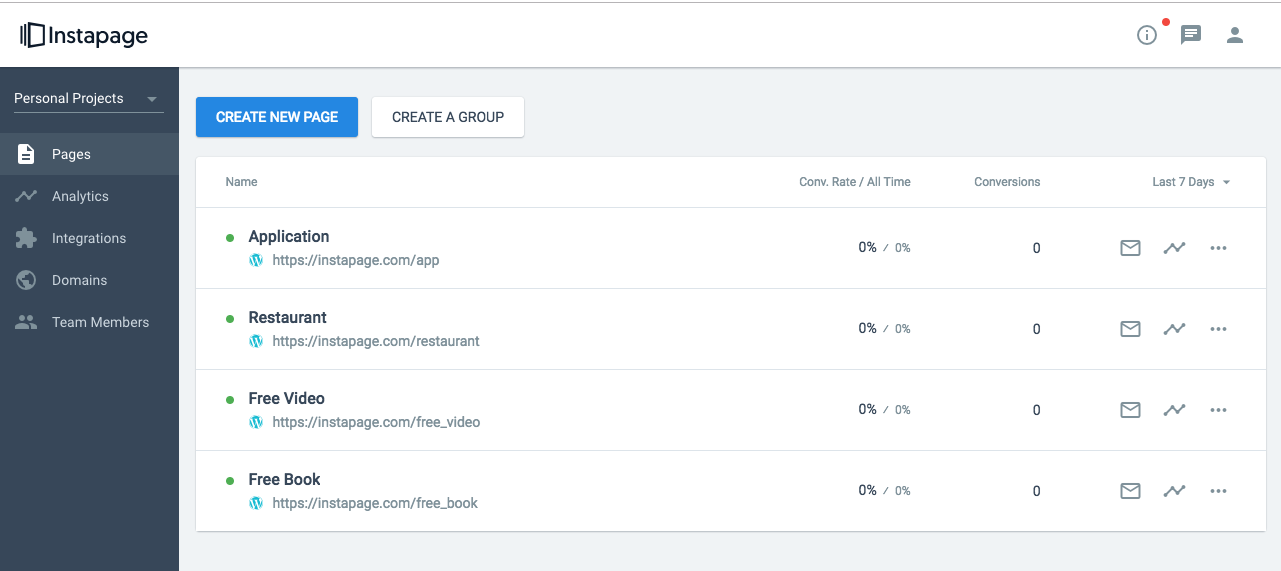
- When publishing your landing page from Instapage, choose WordPress.
- Go to Plugins in your WordPress administration, click Add New, and search for “Instapage Plugin”.
- Now click at Install Now button.
- Click on Activate after upload has completed.
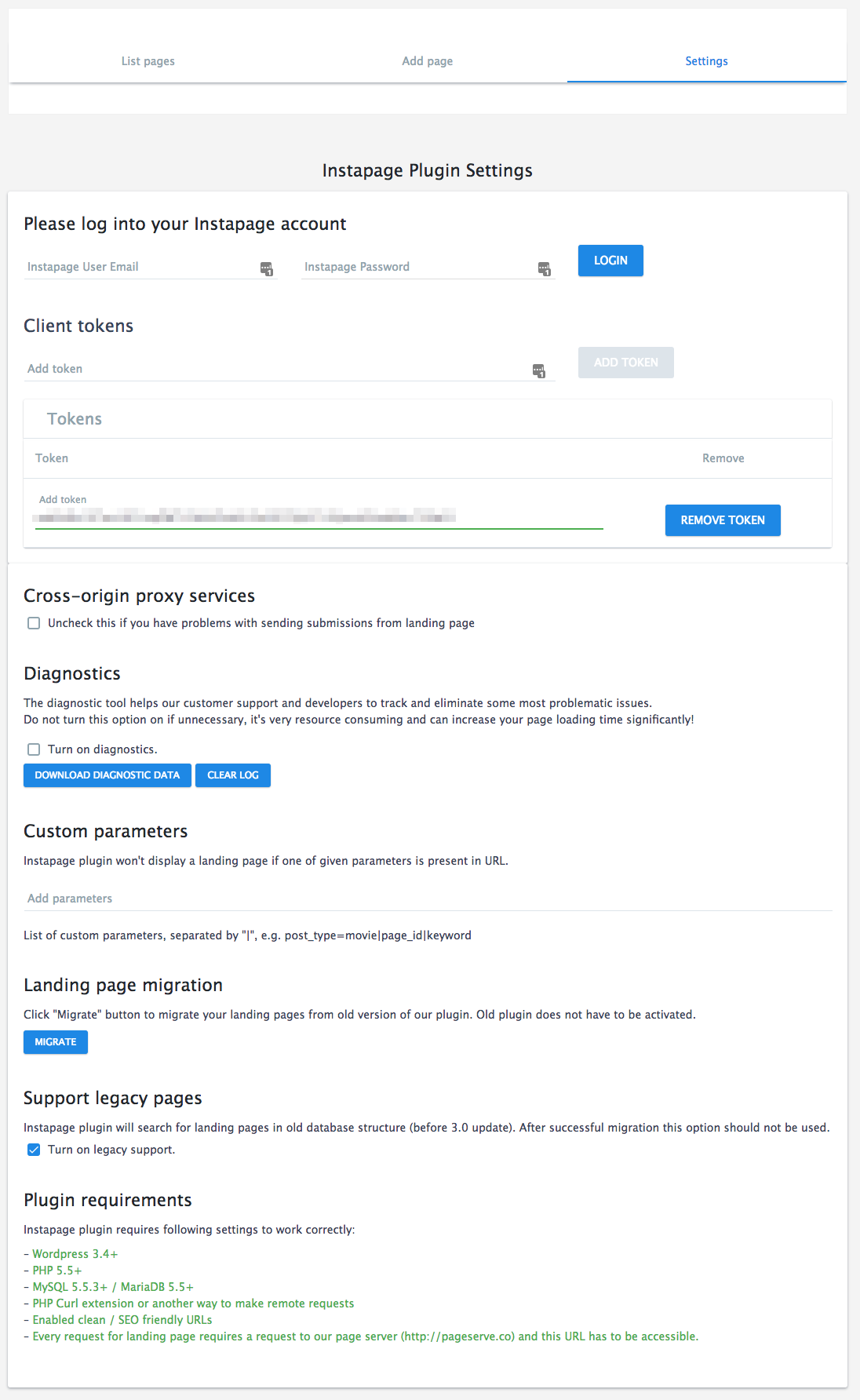
- Go to Settings and choose Instapage.
- Log into your Instapage account.
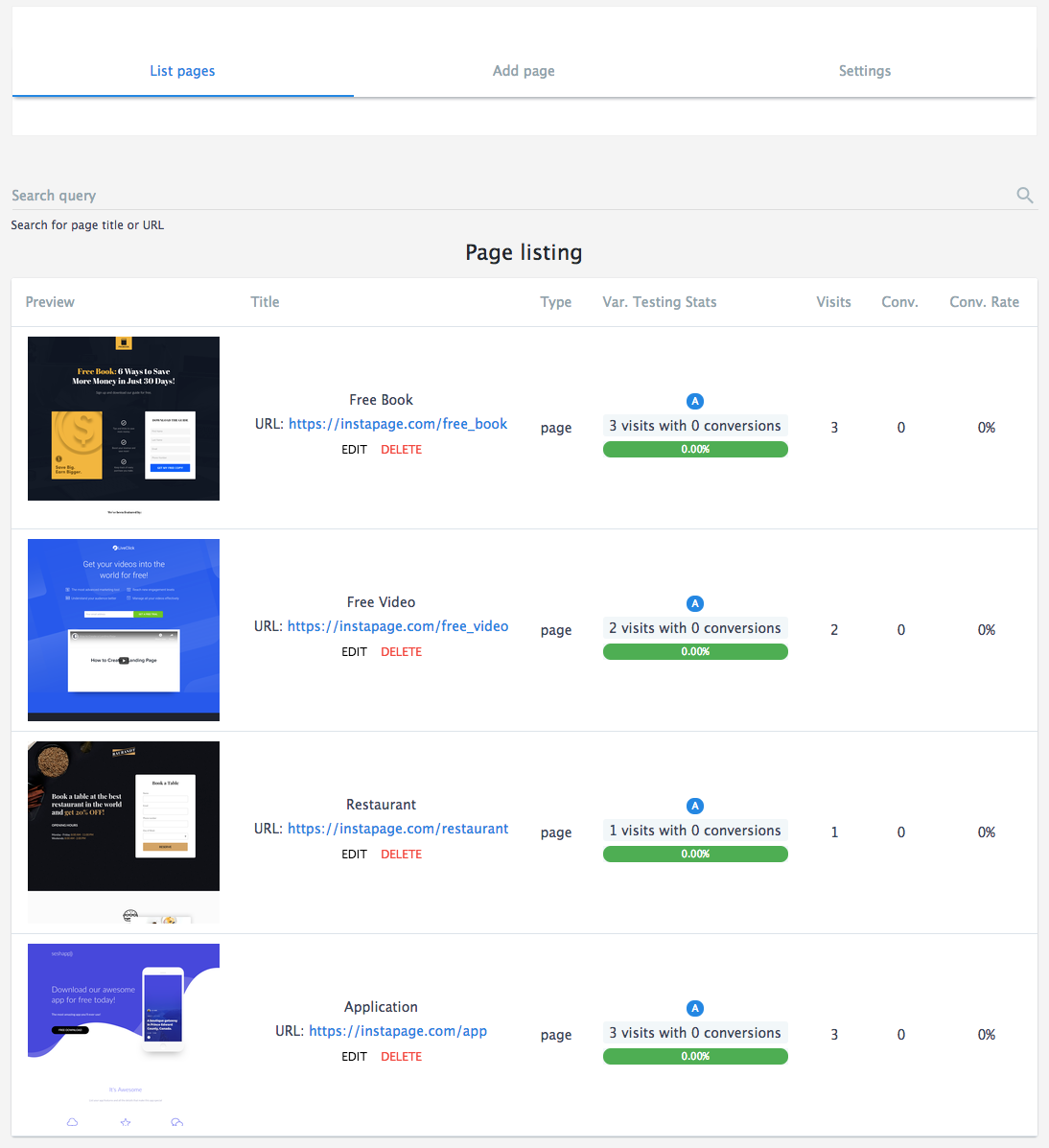
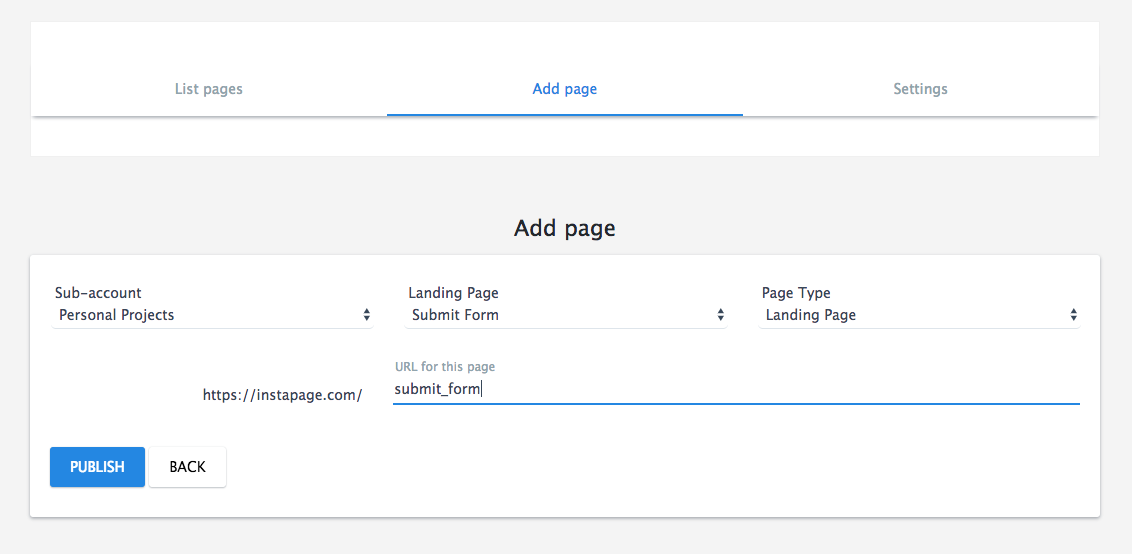
- Now you can Add a New Page.
- Select a Page from the dropdown that you want to create a URL for (only pages published to WordPress are available).
- Create a URL, hit publish, and you’re ready to promote your landing page!
Server requirements:
- PHP Curl extension
- If you get “Couldn’t connect to host” error during login process, contact your hosting provider and ask for increasing outgoing connection limits.
Changelog
3.7.3 (2026-10-08)
- Security improvement: removed unused proxy endpoint (CVE-2026-39728)
3.7.2 (2026-05-11)
- Small PHP 8.x compatibility improvements
- Updated ‘Tested up to’ field to version 6.9
3.7.1 (2025-11-28)
- Security improvement: adding CSRF support (CVE-2025-60115)
3.7.0 (2025-10-06)
- Tokens now display the associated workspace name and ID on the settings page, making it easier to manage multiple accounts.
- Small PHP 8.x compatibility improvements
3.6.0 (2025-06-04)
- Internal optimizations
3.5.12 (2025-04-29)
- Updated ‘Tested up to’ field to version 6.8
Screenshots
For developers
Is this your plugin? Show off the numbers.
Add a live badge to your site, docs or GitHub README. It updates on its own — no account needed.
Best Instapage Plugin alternatives
All a b testing plugins →


FAQ
Instapage Plugin: quick answers
Straight answers, pulled from live WordPress.org data.
Source: WordPress.org
Is Instapage Plugin free?
Yes. Instapage Plugin is free to download and use from the official WordPress.org plugin directory.
Is Instapage Plugin safe to use in 2026?
Instapage Plugin is a solid plugin choice in 2026, with a few things worth checking first. It runs on 4K+ sites, is rated 4.8/5 and was last updated 1 month ago, and scores 76/100 on our health check.
How many websites use Instapage Plugin?
Instapage Plugin is active on 4K+ WordPress websites and has been downloaded 520,577 times since it launched in December 2013. It was downloaded 2,565 times in the last 30 days.
Does Instapage Plugin work with WordPress 7.1?
Instapage Plugin is officially tested up to WordPress 6.9.12, while the latest release is 7.1.5. It may still work, but try it on a staging site first.
What PHP version does Instapage Plugin need?
Instapage Plugin requires PHP 5.4.0 or higher. Most hosts run PHP 8.x today, so it works on any modern WordPress hosting.
When was Instapage Plugin last updated?
The latest version, 3.7.3, was released on October 12, 2026 (1 month ago).
Who makes Instapage Plugin?
Instapage Plugin is developed and maintained by instapagedev.
What are the best alternatives to Instapage Plugin?
The most popular alternatives to Instapage Plugin are Unbounce Landing Pages (10K+ installs), If-So Dynamic Content (7K+ installs) and Nelio A/B Testing (4K+ installs).
Powered by PageForge
One template and a spreadsheet. A real page for every search.
PageForge turns each row of a CSV into a WordPress page with its own title, URL, SEO fields and schema, built on the layout you already designed. Free on WordPress.org.
- CSV and XLSX, plus Google Sheets on Professional and Enterprise
- Its own title, URL, SEO fields and schema for every page
- Works with the block editor, Elementor, Divi and Avada
- Free on WordPress.org, no credit card