



XML Sitemap Generator for Google
Generate multiple types of sitemaps to improve SEO and get your website indexed quickly.

Safe pick
Yes — XML Sitemap Generator for Google is a safe, well-maintained plugin to use in 2026. It runs on 1M+ sites, is rated 4.8/5 and was last updated 1 week ago, and scores 87/100 on our health check.
- One of the most-used plugins on the web — 1M+ active sites
- Loved by users — 4.8/5 from 2,233 reviews
- Actively developed — last update 1 week ago
- Tested with the latest WordPress (7.1)
- Momentum — downloads up 445.5% vs the previous 30 days
How does it stack up?
Side-by-side on installs, updates, ratings & support



Daily downloads
Download spikes usually follow a new release — each site that auto-updates counts as a download.
Rankings
Where XML Sitemap Generator for G… stands todayWordPress.org search rankings
Live position in the plugin search, top 100| Keyword | Position |
|---|---|
| html sitemap | #1 |
| news sitemap | #1 |
| seo | #83 |
| video sitemap | #2 |
| xml sitemap | #1 |
Version adoption
Share of active sites per release.
Rating breakdown
★★★★★★★★★★ 4.8 from 2,233 reviews
About XML Sitemap Generator for Google
From the official readme · v4.1.25Description
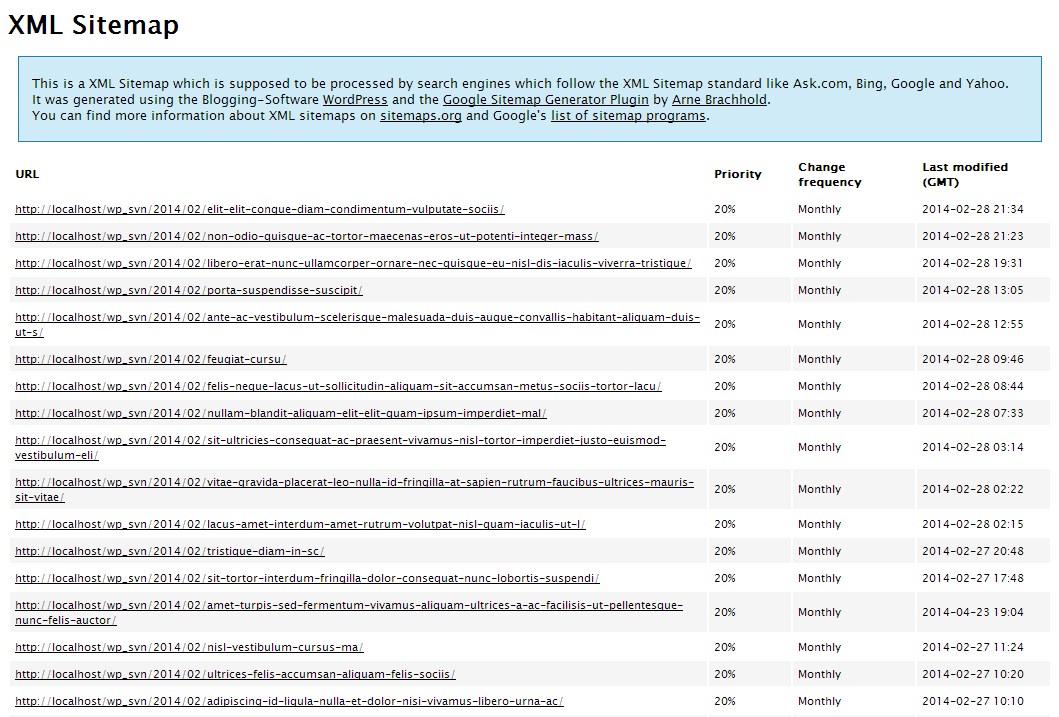
Generate XML and HTML sitemaps for your website with ease using the XML Sitemap Generator for Google. This plugin enables you to improve your SEO rankings by creating page, image, news, video, HTML, and RSS sitemaps. It also supports custom post types and taxonomies, allowing you to ensure that all of your content is being indexed by search engines. With a user-friendly interface, you can easily configure the plugin to suit your needs and generate sitemaps in just a few clicks. Keep your website up-to-date and make sure that search engines are aware of all of your content by using the XML Sitemap Generator for Google.
The plugin supports all kinds of WordPress generated pages as well as custom URLs. Additionally it notifies all major search engines every time you create a post about the new content.
Supported for more than a decade and rated among the best, it will do exactly what it’s supposed to do – providing a complete XML sitemap for search engines!
If you like the plugin, feel free to rate it! 🙂
Related Links:
License
Good news, this plugin is free for everyone! Since it’s released under the GPL, you can use it free of charge on your personal or commercial site.
Translations
The plugin comes with various translations, please refer to the WordPress Codex for more information about activating the translation. If you want to help to translate the plugin to your language, please have a look at the sitemap.pot file which contains all definitions and may be used with a gettext editor like Poedit (Windows).
Installation
- Deactivate or disable other sitemap generators.
- Install the plugin like you always install plugins, either by uploading it via FTP or by using the “Add Plugin” function of WordPress.
- Activate the plugin on the plugin administration page
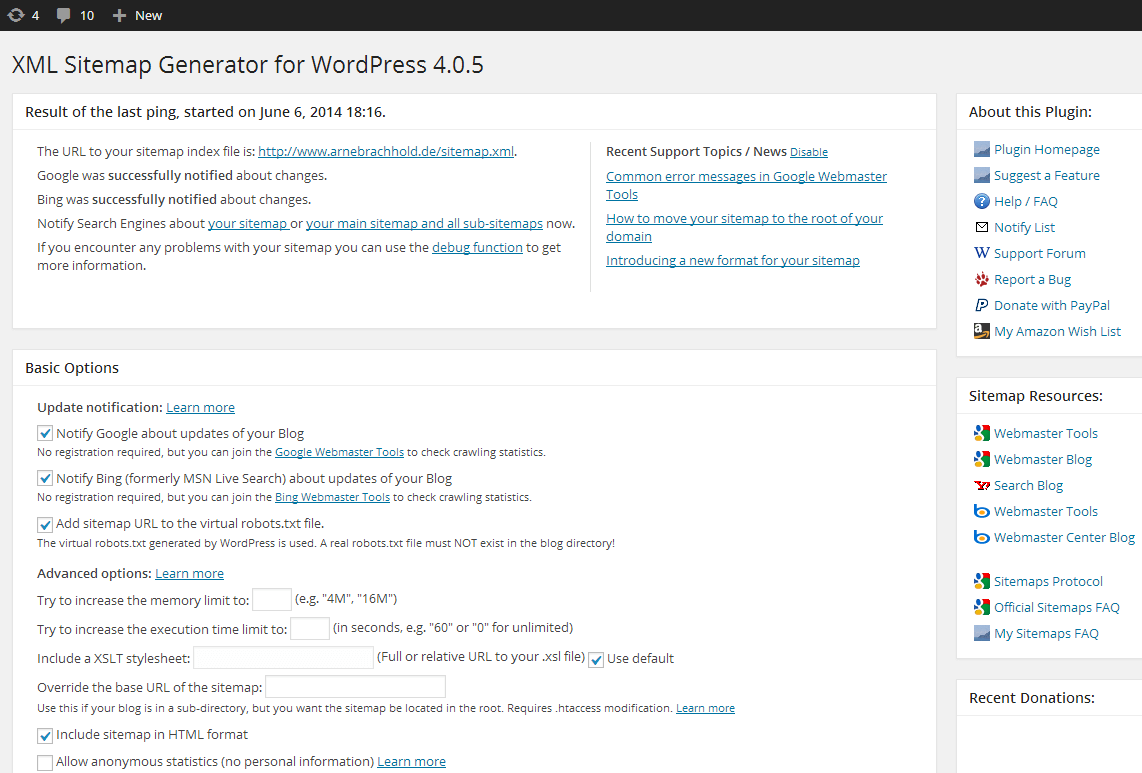
- If you want: Open the plugin configuration page, which is located under Settings -> XML-Sitemap and customize settings like priorities and change frequencies.
- The plugin will automatically update your sitemap if you publish new content, so there is nothing more to do 🙂
Frequently asked questions
How do I generate a sitemap for my website?
To generate a sitemap for your website, follow these steps: Install and activate the XML Sitemap Generator for Google plugin on your WordPress site. Once activated, the plugin will automatically generate a sitemap.xml file for your website. You can access the sitemap by appending /sitemap.xml to your website’s URL (e.g., https://example.com/sitemap.xml). Submit your sitemap to search engines like Google, Bing, Yandex, and Baidu to ensure that your site is indexed and crawled properly.
How do I submit my sitemap to search engines?
Go to the Google Search Console and sign in with your Google account. Click on the “Sitemaps” tab and enter the URL of your sitemap.xml file (e.g., https://example.com/sitemap.xml). Click on “Submit” to submit your sitemap to Google. Repeat the process for other search engines like Bing, Yandex, and Baidu.
How often should I update my sitemap?
It’s recommended that you update your sitemap whenever you make significant changes to your website’s content or structure. This will ensure that search engines are aware of any new pages or changes to existing pages on your site.
What types of sitemaps does the plugin generate?
The XML Sitemap Generator for Google plugin can generate sitemaps in XML, HTML, RSS formats and in various types, including: Pages/Posts, Google News, Video, Image, Mobile, and more! Note: Some formats and types are only available to subscribers.
Can I include images and videos in my sitemap?
Yes, you can include images and videos in your sitemap using the Google XML Sitemap Generator plugin. This will help search engines like Google and Bing to crawl and index your media files more efficiently.
How does the plugin work with WooCommerce?
The XML Sitemap Generator for Google plugin is compatible with WooCommerce and can generate sitemaps for your online store’s product pages, categories, and tags. This will help search engines to index your products and improve your store’s visibility in search results.
Can I customize the robots.txt file using this plugin?
Yes, you can customize the robots.txt file using the Google XML Sitemap Generator for Google plugin. This will allow you to control which pages and directories search engines can crawl and index on your site.
Does this plugin support the Google Site Kit?
Yes, the XML Sitemap Generator for Google plugin is compatible with the Google Site Kit. This will allow you to track your site’s performance in Google Search Console and Google Analytics directly from your WordPress dashboard.
Does this plugin support schema markup?
Yes, the XML Sitemap Generator for Google plugin supports schema markup, which can help improve your site’s visibility in search results by providing more information about your content to search engines.
Where can I find the options page of the plugin?
It is under Settings > XML-Sitemap. I know nowadays many plugins add top-level menu items, but in most of the cases it is just not necessary. I’ve seen WP installations which looked like an Internet Explorer ten years ago with 20 toolbars installed. 😉
Does this plugin use static files or “I can’t find the sitemap.xml file!”
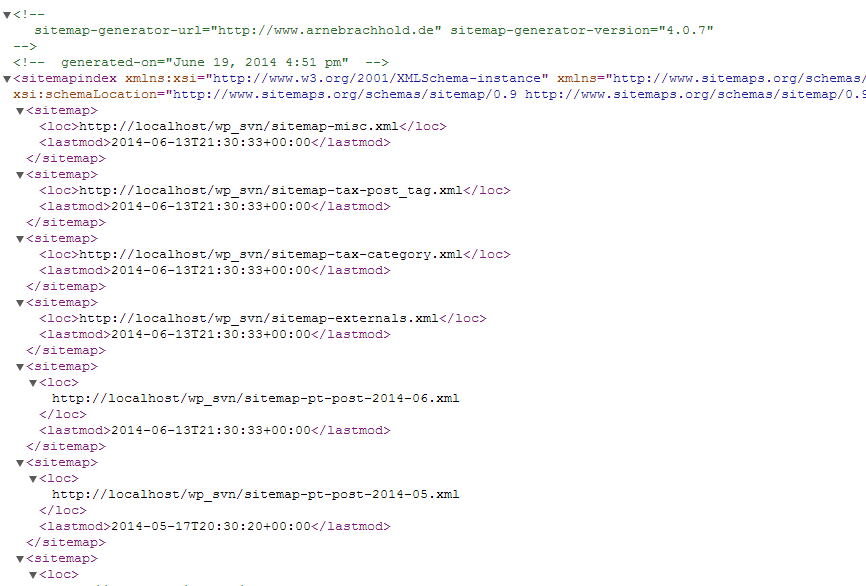
Not anymore. Since version 4, these files are dynamically generated just like any other WordPress content.
There are no comments yet (or I’ve disabled them) and all my postings have a priority of zero!
Please disable automatic priority calculation and define a static priority for posts.
So many configuration options… Do I need to change them?
No, only if you want to. Default values are ok for most sites.
My question isn’t answered here
Please post your question at the WordPress support forum.
Changelog
Fixes XML parsing errors on sitemap.xml, stops the plugin from overwriting robots.txt rules added by WordPress and other plugins, allows fewer than 1000 links per sitemap file, and prevents future dates appearing as lastmod.
4.1.25 (2026-09-18)
- Fixed “XML parsing error: XML or text declaration not at the beginning of the entity” on sitemap.xml. If a theme or another plugin printed anything before the sitemap started — a blank line after a closing PHP tag, a UTF-8 BOM, a debug notice — it landed in front of the XML declaration and the whole document failed to parse. That output is now discarded before the sitemap is sent. This works where the stray output is still held in a PHP output buffer, which is the usual case; if your server runs with output_buffering disabled the output has already left for the browser before the plugin can act, and the offending blank line or BOM has to be removed from the file that emits it.
- Fixed the plugin overwriting robots.txt rules added by WordPress and other plugins. The robots.txt filter replaced the whole file body, so WooCommerce’s Disallow lines (wc-logs, woocommerce_uploads, add-to-cart) and any custom rules were silently dropped, and sites with “Discourage search engines” enabled were left with a bare “Disallow: /”. Rules are now additive: existing directives are preserved, and the redundant non-standard “Disallow: /” and “Disallow: /?” lines are gone. With “Discourage search engines” on, the “Disallow: /” is added to every user-agent group in the file rather than only to the “User-agent: *” one — a crawler that your robots.txt names specifically follows its own group and ignores the wildcard, so fencing only the wildcard would have left those crawlers free. If your robots.txt has no “User-agent: *” group at all, one is added, so crawlers your file never mentions are covered too. An “Allow:” covering the whole site is removed from the “User-agent: *” group, and from any other group at the point a block is added to it, because robots.txt resolves an exact-length tie in favour of the more permissive rule and that one line would otherwise cancel the block outright. A group where you have written both “Disallow: /” and “Allow: /” yourself is left alone — that pair is yours, and removing half of it would change what you asked for rather than enforce it. A group naming a specific crawler is left exactly as you wrote it — nothing added, nothing removed — when it grants that crawler the whole site and restricts nothing, so a deliberate exception, written either as “Allow: /” or as the bare “Disallow:” that Google’s own AdSense example uses, still works. A group that carries rules of its own is not an exception and is blocked like any other, so a group some other plugin wrote for Googlebot — “Disallow: /wp-admin/”, say — does not quietly exempt Googlebot from the setting. Path-specific “Allow:” rules, such as the one WordPress adds for admin-ajax.php, are never touched and still take precedence for their own path. Nor is “Allow: /$”, which grants only your homepage rather than the whole site. If you deliberately keep “Allow: /” in your “User-agent: *” group so that crawlers can still fetch pages and see the noindex meta tag WordPress emits — which since WordPress 5.3 is how core itself prefers to keep a site out of results — then this setting is working against you, and the line will be removed while it is on. Turn “Discourage search engines” off, or turn off the option below, if that is your strategy. All of this applies only while “Add sitemap URL to the virtual robots.txt file” is enabled, which is what lets the plugin touch robots.txt at all; with it off the plugin leaves the file alone entirely, as it did before. And robots.txt is a crawl hint, not access control: a staging site that must stay out of search needs HTTP authentication or a noindex header.
- Fixed “Links per sitemap file” refusing any value below 1000. The field advertised a minimum of 1000, and a separate repair that ran on every admin page load reset anything smaller, so a value you saved appeared not to stick. The minimum is now 100, that repair is gone, and the range is enforced in one place when the sitemap is built — so the number shown in settings is the number actually used.
- Fixed a future date appearing as for categories, tags, product terms and custom post type archives. The dates were read from the site-local database columns while WordPress runs PHP in UTC, so on any timezone ahead of UTC every entry was dated hours into the future — and the most recently updated categories looked the furthest ahead. Those dates are now read from the UTC columns. The category query was also picking up scheduled and draft posts when deciding how recently a category changed; it now only considers published ones. Where a date would still be genuinely in the future, that entry’s lastmod is left out rather than replaced with the current time, which would otherwise make the entry report a brand-new modification date on every fetch and teach search engines to ignore the field.
- Fixed the “Join the Beta Program” and “Enable Auto-Updates” banner buttons rendering with unreadable link-coloured, underlined text on WordPress 7.0 and later. Core 7.0 started colouring every link inside an admin notice, and its rule outranked the plugin’s button styles.
- Compatibility: marked as tested with WordPress 7.1.
4.1.24 (2026-05-22)
- Security: mitigated CVE-2026-42945 (NGINX Rift, CVSS 9.2) in the dashboard’s suggested Nginx rewrite rules. The rules now use named PCRE captures (?<slug>…) instead of unnamed $1/$2, which avoids the heap-overflow trigger in ngx_http_rewrite_module. If you previously copied the Nginx rules from Settings → XML-Sitemap into your nginx config, please re-copy the updated block.
- Compatibility: marked as tested with WordPress 7.0.
4.1.23 (2026-02-09)
- Improved security further for unauthenticated users from modifying plugin settings by enforcing proper permission and security‑token checks. CVE-2025-64632
4.1.22 (2025-12-23)
- Fixed preventing unauthenticated users from modifying plugin settings by enforcing proper permission and security‑token checks.
4.1.21 (2024-04-21)
- Fixed a regression with saving post/page exclusions.
- Fixed an issue with post/tag priority settings.
4.1.20 (2024-04-14)
- Fixed empty ping error
- Fixed response code issue with index sitemap
- Fixed interoperability with existing robots.txt file
- Fixed URL for guest authors
- Fixed uninstalled plugin error
- Fixed sitemap indexation
- Fixed “Trying to access array offset on value of type bool…” warning
- Fixed setting of custom taxonomy change frequency and priority
- Fixed missing custom taxonomies issue
- Fixed issue with hierarchical taxonomies
- Fixed missing categories issue
- Fixed sort order of URLs (changed from descending to ascending)
- Improved WooCommerce support (added products sitemap)
- Improved multisite support
- Improved SEO plugin interoperability
- Improved Nginx configuration
- Improved sitemap generation performance for large sites
- Added filter support for behavior/settings customization
- Added latest Microsoft Bing API Key to settings page
Screenshots
For developers
Is this your plugin? Show off the numbers.
Add a live badge to your site, docs or GitHub README. It updates on its own — no account needed.
Best XML Sitemap Generator for Goo… alternatives
All html sitemap plugins →





FAQ
XML Sitemap Generator for Google: quick answers
Straight answers, pulled from live WordPress.org data.
Live data from WordPress.org · checked Sep 26, 2026
Is XML Sitemap Generator for Google free?
Yes. XML Sitemap Generator for Google is free to download and use from the official WordPress.org plugin directory. The developer also sells premium add-ons or a Pro version with extra features.
Is XML Sitemap Generator for Google safe to use in 2026?
Yes — XML Sitemap Generator for Google is a safe, well-maintained plugin to use in 2026. It runs on 1M+ sites, is rated 4.8/5 and was last updated 1 week ago, and scores 87/100 on our health check.
How many websites use XML Sitemap Generator for Google?
XML Sitemap Generator for Google is active on 1M+ WordPress websites and has been downloaded 44,214,240 times since it launched in June 2005. It was downloaded 481,838 times in the last 30 days.
Does XML Sitemap Generator for Google work with WordPress 7.1?
Yes. The developer has tested XML Sitemap Generator for Google up to WordPress 7.1.2, the latest release. It requires WordPress 4.6 or newer.
What PHP version does XML Sitemap Generator for Google need?
XML Sitemap Generator for Google requires PHP 5.0 or higher. Most hosts run PHP 8.x today, so it works on any modern WordPress hosting.
When was XML Sitemap Generator for Google last updated?
The latest version, 4.1.25, was released on September 18, 2026 (1 week ago).
Who makes XML Sitemap Generator for Google?
XML Sitemap Generator for Google is developed and maintained by Auctollo.
What are the best alternatives to XML Sitemap Generator for Google?
The most popular alternatives to XML Sitemap Generator for Google are WP Sitemap Page (200K+ installs), Simple Sitemap (60K+ installs) and HTML Page Sitemap (Block an… (10K+ installs).
Powered by PageForge
Want thousands of pages that rank like these? Build them in an afternoon.
This directory runs on the same engine as PageForge. Turn any spreadsheet, CSV or API into thousands of fast, SEO-ready WordPress pages — with schema, internal links and AI-written copy baked in.
- CSV, Google Sheets & API data sources
- AI content, schema & internal links per page
- Works with Elementor, Gutenberg, Yoast & Rank Math
- Free on WordPress.org — no credit card


