


Gobbert Countdown Timer, Urgency Bars & Pricing Tables
Countdown timers, a sticky urgency bar, evergreen per-visitor deadlines and WooCommerce sale timers, with pricing tables that follow the sale.

Use with caution
Gobbert Countdown Timer, Urgenc… works, but test it on a staging site before relying on it in 2026. Was last updated 2 months ago, and scores 60/100 on our health check.
- Tested with the latest WordPress (7.1)
- Small user base (<10 active installs)
- Very few reviews so far
How does it stack up?
Side-by-side on installs, updates, ratings & support


Daily downloads
Download spikes usually follow a new release — each site that auto-updates counts as a download.
Rankings
Where Gobbert Countdown Timer, Ur… stands todayWordPress.org search rankings
Live position in the plugin search, top 100| Keyword | Position |
|---|---|
| countdown | >100 |
| pricing table | >100 |
| timer | >100 |
| urgency | >100 |
| woocommerce | >100 |
About Gobbert Countdown Timer, Urgency Bars &…
From the official readme · v1.2.7Description
Fixed-date, holiday, recurring and evergreen timers; a sticky bar across the top or bottom of the
screen; WooCommerce product, cart and checkout timers with coupon expiry; and pricing tables whose
sale prices switch themselves on and off with a timer. Everything described here is included.
One timer engine drives every placement, so you learn it once and put it anywhere: inline in a post,
in a sticky bar across the top or bottom of the screen, on a WooCommerce product page, in the cart,
and at checkout.
Four kinds of timer
Fixed date. One real deadline, the same moment for every visitor, in your site’s timezone, so a
sale that ends at midnight ends at your midnight.
Holiday sales. One timer for your whole sale year. It counts down to each occasion by itself,
forever, and shows nothing in between.
Recurring. Resets on a schedule (hourly, daily, weekly or monthly) for a standing weekly offer.
Evergreen. A personal deadline for each visitor, starting when they first arrive and remembered
on their own device. You choose when it appears (straight away, after they have been reading a
while, or when they come back) and whether it ever restarts.
A built-in holiday calendar
Pick Black Friday, Cyber Monday, Christmas, New Year, Valentine’s, Easter, Halloween, Boxing Day,
Back to School or Summer, and the dates are worked out for you every year. That includes the awkward
ones: Easter moves with the lunar calendar, and Black Friday is the day after the fourth Thursday of
November, which is not always the last. A holiday campaign stays correct year after year without you
editing it.
WooCommerce
Show a timer on the product page, in the cart and at checkout. Name a coupon and it is applied while
the sale window is open and removed again when the window closes, so an ended sale does not keep
discounting. You can also have a dated timer take away the add-to-cart button when it reaches zero,
so a real deadline really closes the offer. On a site without WooCommerce the store settings simply
stay switched off.
Twelve styles, in every builder
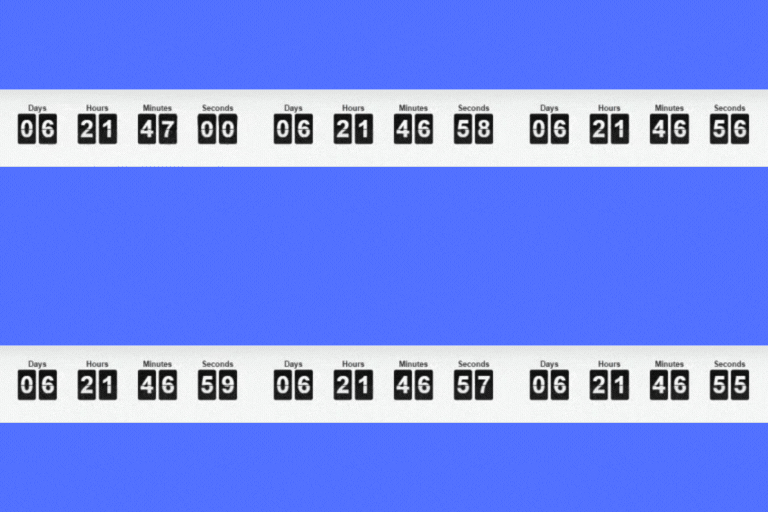
Counter, departure board, dials, meter, precision, statement, neon, odometer, progress ring,
draining bar, digital and split flap, in compact or prominent, all responsive. Start from a
ready-made look and adjust it, or set everything yourself: your own colours, a panel behind the
timer, corner rounding, spacing, the heading above or below the digits, and your own wording for
the unit labels in any language. Everything shows on a live canvas while you set it up, on a mock
of your own page, so you always see what you are going to get.
Place a timer with the block, the Elementor widget, the WPBakery element or the shortcode. Every
one renders through the same code, so they cannot drift apart.
Pricing tables that follow the sale
One table, two prices. Give any row a sale value beside its everyday one, connect the table to a
timer, and the sale prices appear while that timer runs and go back on their own when it ends. No
duplicate table to build, and nothing to change back on the day.
A sale is not always a discount, so every field has its own optional sale version: the price, the
wording under it, the badge, and what is included. Change only the badge if that is the offer.
Buttons can send somebody to a link you choose, add a WooCommerce product to the cart, go straight
to checkout, or go to checkout with a coupon applied while the sale is on. The table works with no
timer attached at all, if a pricing table is all you need.
A pricing table that looks like your brand
Choose how many tiers, pick a starting look from the carousel, choose its colours, then adjust
anything you like. Ten looks and ten colour schemes, which is a hundred tables rather than
twenty near-identical cards: no two looks are the same shape in another colour, because colour is
its own control. Each card in the picker shows the real table rather than describing it.
Every tier can carry the lines real pricing pages use, each as its own field rather than improvised
in a badge: a saving like “50% off” or “$39 off”, a per-day equivalent like “less than a coffee a day”, a
strapline under the name, and small print under the button. Each is optional and renders nothing
when empty. The badge itself can sit inside the card, straddle its top edge as a ribbon, hang above
it as a tab, or run across the corner as a flag, and the recommended tier can take a glow.
Underneath, the layout is set by two separate controls rather than one combined list of styles.
How the tiers sit together: spaced apart, touching with no gaps, on one continuous sheet
divided by hairlines, set wide apart so each stands alone, or with the recommended one drawn taller
and filled so it stands out of the row.
How each card is built: a bordered panel, a filled header band carrying the name and price, no
box at all, a coloured spine down the side, a rate card with the price above the name, a price on a
tab across the corner, or a capped header with a point aimed at the tier.
Those two multiply, so the combinations are yours rather than a list somebody wrote out.
The panel the table sits on: none, a flat ground, a soft wash, or a dark one that re-cuts its
own text colours so it stays readable rather than merely going dark.
How the price is set. The familiar bold number; a light, wide, quiet register for a brand that
would rather state a price than sell one; one large enough to carry a page on its own; or the plan
name leading with the price small underneath.
How the recommended column is marked: a coloured border, a lift, drawn larger, a filled bar
across the top, or inverted to a dark ground while the others stay light. Whichever you choose, it
is also announced to a screen reader, so the recommendation is never carried by colour alone.
One accent colour driving the badge, the ticks, the button and the border together, rather than
four pickers that can disagree with each other.
Side by side on a phone, not stacked
A price means very little on its own and a great deal beside two others, which is why a pricing
table exists at all. Stacking the tiers on a phone means they are read one at a time, and the
comparison becomes an act of memory.
So there is a third layout for narrow screens. Every tier stays on screen: the one being read takes most of the
width and the others narrow beside it, still showing their name and price, and a tap or a swipe
opens another. It works with any number of tiers, it is announced properly to a screen reader, and
if the script never arrives the table falls back to the ordinary stack rather than breaking.
Stacking and sideways swiping are both still there if you prefer them.
Honest about evergreen timers
An evergreen timer is a real per-visitor deadline only if the offer it points to genuinely expires
for that visitor. If the price never changes when the timer reaches zero, the timer is not telling
the truth, and repeat visitors notice. The plugin gives you the honest configuration; using it
honestly is your call.
Your settings are yours
Download every campaign, its style, schedule, expiry action and your bar settings as one file. Keep
it as a backup before a risky edit, restore it after a reinstall, or upload it on another site to
copy a whole season across.
Frequently asked questions
Does rendering a timer depend on any external service?
No. A timer is drawn from data already in your WordPress database, so a countdown never waits on another server and cannot fail because one was unreachable.
Where is visitor data stored?
An evergreen timer’s per-device state (when that visitor first saw the timer, and its restart bookkeeping) is kept in that visitor’s own browser storage. Your campaigns are stored in your WordPress database alongside your other settings.
Will a timer break if a page is cached?
No, and this is why the markup ships with no digits in it. The remaining time is worked out in the browser on every page view, so a fully cached page still shows the correct countdown rather than whatever the number was when the cache was written.
What about pricing tables on a cached page?
They correct themselves too, which matters more, because a stale price is a promise your checkout will not keep. A pricing table ships both its everyday and its sale values, and the browser picks the right ones against the same deadline the timer counts to. So a page cached in the middle of a sale stops showing sale prices the moment the sale ends, and a page cached before one starts showing them the moment it begins. You do not need to exclude the page from your cache, and the prices do not flash or move on load.
What happens when a timer reaches zero?
You choose per campaign: hide the timer, show a message in its place, or send the visitor to another page. A redirect only applies to someone who was watching when it reached zero. Arriving at a page whose timer already finished never redirects you.
Can I put a timer in a bar across the screen?
Yes, and it is part of the free plugin. The bar can carry a message, a live timer and a button, and it defaults to a thin strip at the top on phones and the bottom on desktop, both configurable. A visitor can close it, and it stays closed on their device for a week. You can also have the bar step aside by itself after a few seconds, or slide away while somebody reads and return when they scroll back to the top. It can follow the visitor across every page, or only the pages you pick, so a sale that applies to part of the shop stays where it belongs. And on a site with accounts you can hide it…
Can I choose where each timer appears?
Yes. Every timer picks its own placement: a bar across the whole site, or free standing on the pages you choose, where you can also put it on your product pages, the cart and the checkout. The list of timers shows where each one appears, so you can see at a glance which timer is on your bar.
Do I need WooCommerce?
Only for the store placements. The inline timers, the block, the builder elements and the sticky bar all work on any site. With WooCommerce inactive the store settings are switched off and nothing else changes.
Which builders are supported?
The block editor, Elementor, WPBakery and the classic shortcode. One renderer serves all four.
Changelog
1.2.7
- The text domain now matches the plugin slug.
1.2.6
- Translations are now delivered through translate.wordpress.org rather than bundled with the plugin.
- Clearer description.
1.2.5
- Fixed date, recurring, evergreen and holiday campaigns, all driven by one timer engine.
- Each timer chooses its own placement: a bar across the whole site, or free standing on the pages you choose.
- Sticky urgency bar at the top or bottom of the screen, dismissable, able to slide away while a visitor reads, limited to chosen pages, and hideable from signed in members.
- WooCommerce placements on the product page, the cart and checkout, with sale coupon expiry and an option to hide add to cart when a dated sale ends.
- One element in the block editor, Elementor, WPBakery and the classic shortcode.
- Built in holiday calendar that computes its own dates each year, Easter and Black Friday included.
- Per campaign appearance: four styles, your own colours, corner rounding, unit spacing and heading placement.
- Pricing tables with a sale price beside every everyday one, three layouts, one to five columns, currency and number formatting for four conventions, and WooCommerce cart, checkout and coupon buttons.
- Pricing table styling: ten ready-made looks and ten colour schemes that combine freely, five ways the table runs, seven ways a card is built, four panel treatments, four typographic registers, six ways of marking the recommended column, four badge placements, three glows, and your own accent colour over any of it.
- Four levels of depth for a pricing table: flat, raised cards with shadows tinted by your own colour, an embossed surface, or the row set in perspective with the recommended tier facing the reader. Every level works with every shape and colour, and straightens itself on a phone.
- A colour of its own for the badge, separate from the table’s accent, so an urgent badge and a branded table no longer have to be the same colour.
- Colours are chosen from a row under the table itself, and hovering one shows it on the table before you commit to it.
- Every shape choice is shown as a drawing of what it does rather than described in words, and the chosen one animates to show the difference.
- The table stays on screen while you work down the settings, with its colour and badge controls pinned beneath it, so nothing has to be judged from memory.
- Whether the table runs across the page or one tier per row is one choice in one place, beside the other decisions about shape.
- Optional lines on every tier: a saving, a per-day equivalent, a strapline under the name and small print under the button, each shown only when written.
- A monthly and yearly switch above the table, with both prices in the page so it works with no scripts and on a cached page.
- The number of tiers is the first choice on the screen, up to five, with an animated guide that demonstrates what happens to a price when others are placed beside it rather than describing it.
- Pricing tables can keep every tier side by side on a phone, with a tap or a swipe to open one, instead of stacking them.
- Export and import every campaign as a single file.
Screenshots


For developers
Is this your plugin? Show off the numbers.
Add a live badge to your site, docs or GitHub README. It updates on its own — no account needed.
Best Gobbert Countdown Timer, Urge… alternatives
All countdown plugins →



FAQ
Gobbert Countdown Timer, Urgency Ba…: quick answers
Straight answers, pulled from live WordPress.org data.
Live data from WordPress.org · checked Oct 16, 2026
Is Gobbert Countdown Timer, Urgenc… free?
Yes. Gobbert Countdown Timer, Urgenc… is free to download and use from the official WordPress.org plugin directory.
Is Gobbert Countdown Timer, Urgenc… safe to use in 2026?
Gobbert Countdown Timer, Urgenc… works, but test it on a staging site before relying on it in 2026. Was last updated 2 months ago, and scores 60/100 on our health check.
How many websites use Gobbert Countdown Timer, Urgenc…?
Gobbert Countdown Timer, Urgenc… is active on <10 WordPress websites and has been downloaded 161 times since it launched in August 2026. It was downloaded 67 times in the last 30 days.
Does Gobbert Countdown Timer, Urgenc… work with WordPress 7.1?
Yes. The developer has tested Gobbert Countdown Timer, Urgenc… up to WordPress 7.1.3, the latest release. It requires WordPress 6.0 or newer.
What PHP version does Gobbert Countdown Timer, Urgenc… need?
Gobbert Countdown Timer, Urgenc… requires PHP 7.4 or higher. Most hosts run PHP 8.x today, so it works on any modern WordPress hosting.
When was Gobbert Countdown Timer, Urgenc… last updated?
The latest version, 1.2.7, was released on August 26, 2026 (2 months ago).
Who makes Gobbert Countdown Timer, Urgenc…?
Gobbert Countdown Timer, Urgenc… is developed and maintained by gobbert.
What are the best alternatives to Gobbert Countdown Timer, Urgenc…?
The most popular alternatives to Gobbert Countdown Timer, Urgenc… are Countdown, Coming Soon, Mai… (10K+ installs), Countdown Block (4K+ installs) and Uji Countdown (4K+ installs).
Powered by PageForge
Want thousands of pages that rank like these? Build them in an afternoon.
This directory runs on the same engine as PageForge. Turn any spreadsheet, CSV or API into thousands of fast, SEO-ready WordPress pages — with schema, internal links and AI-written copy baked in.
- CSV, Google Sheets & API data sources
- AI content, schema & internal links per page
- Works with Elementor, Gutenberg, Yoast & Rank Math
- Free on WordPress.org — no credit card


