


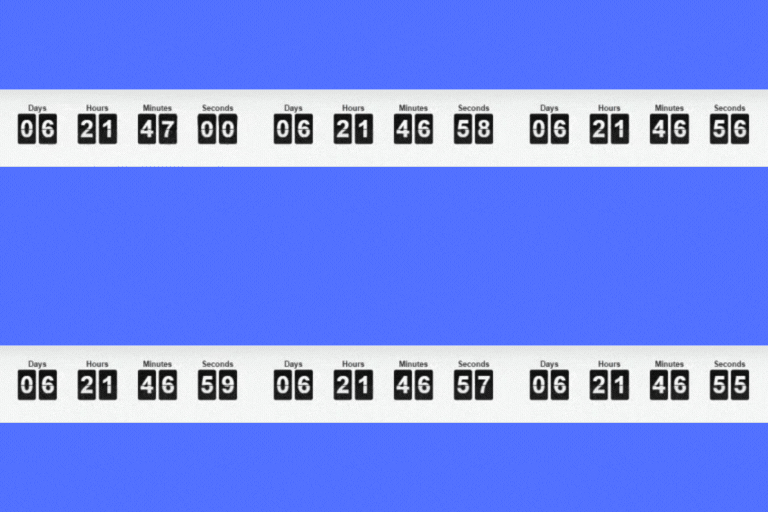
Simple Countdown Timer – Sales, Launch and Event Countdowns
Add a countdown to any page or post for a sale, launch or event. Build one in a click, or customise every part of it.

Solid choice
Simple Countdown Timer is a solid plugin choice in 2026, with a few things worth checking first. It runs on 1K+ sites, is rated 5/5 and was last updated 3 weeks ago, and scores 66/100 on our health check.
- Actively developed — last update 3 weeks ago
- Tested with the latest WordPress (7.1)
- Very few reviews so far
How does it stack up?
Side-by-side on installs, updates, ratings & support



Daily downloads
Download spikes usually follow a new release — each site that auto-updates counts as a download.
Rankings
Where Simple Countdown Timer stands todayWordPress.org search rankings
Live position in the plugin search, top 100| Keyword | Position |
|---|---|
| countdown | #8 |
| countdown timer | #9 |
| Time Tracking | #37 |
| timer | #11 |
Version adoption
Share of active sites per release.
Rating breakdown
★★★★★★★★★★ 5 from 1 reviews
About Simple Countdown Timer
From the official readme · v1.0.6Description
Simple Countdown Timer adds a countdown to any page or post – for a sale that ends on Friday, a product launch, a webinar, or anything else with a deadline.
Build a timer in one click with a target date, or take control of the title, the wording shown when it finishes, and how each segment looks. Place it anywhere with a shortcode.
A deadline people can see is the difference between “this is cheaper” and “this is cheaper until Friday”. That is the whole point of the plugin.
Features
- Quick timers – pick a date and get a working countdown in one click.
- Custom timers – full control over the setup.
- Timer title, and the heading tag it uses.
- Custom text shown once the countdown reaches zero.
- Hide the segments you do not need, such as seconds or days.
- Adjustable segment width and spacing.
- Place any timer with a shortcode.
Pro
Pro is for when a finished timer should do something rather than sit at zero, and for sites running more than one countdown at a time.
- Redirect visitors somewhere else the moment a timer finishes.
- Show a sign-up form instead of an expired countdown, and keep the list of who signed up.
- A timezone per timer, rather than one for the whole site.
- Custom colours for every part of the timer.
Other Plugins You Might Use Alongside It
Coming Soon Products — tease a WooCommerce product before it goes on sale, which is the other half of a launch countdown.
Quick View and Buy Now — let people buy in one click while the sale is still running.
Advanced Pricing — quantity discounts and price rules to put behind the deadline.
Changelog
1.0.6
- Added: a note on the Timers screen when a countdown has already finished and is still on the page.
- Added: a note when several timers are running at once.
- Both read your own timers, are dismissible, and stay quiet for a month after you dismiss one.
- Changed: rewrote the description, added the short description, and fixed typos in the feature list.
- Changed: the plugins listed at the end are now ones that actually relate to countdowns.
- Tested up to WordPress 7.1.
For developers
Is this your plugin? Show off the numbers.
Add a live badge to your site, docs or GitHub README. It updates on its own — no account needed.
Best Simple Countdown Timer alternatives
All countdown plugins →





FAQ
Simple Countdown Timer: quick answers
Straight answers, pulled from live WordPress.org data.
Live data from WordPress.org · checked Sep 28, 2026
Is Simple Countdown Timer free?
Yes. Simple Countdown Timer is free to download and use from the official WordPress.org plugin directory.
Is Simple Countdown Timer safe to use in 2026?
Simple Countdown Timer is a solid plugin choice in 2026, with a few things worth checking first. It runs on 1K+ sites, is rated 5/5 and was last updated 3 weeks ago, and scores 66/100 on our health check.
How many websites use Simple Countdown Timer?
Simple Countdown Timer is active on 1K+ WordPress websites and has been downloaded 17,907 times since it launched in January 2023. It was downloaded 1,646 times in the last 30 days.
Does Simple Countdown Timer work with WordPress 7.1?
Yes. The developer has tested Simple Countdown Timer up to WordPress 7.1.2, the latest release. It requires WordPress 5.3.0 or newer.
What PHP version does Simple Countdown Timer need?
Simple Countdown Timer requires PHP 7.0.0 or higher. Most hosts run PHP 8.x today, so it works on any modern WordPress hosting.
When was Simple Countdown Timer last updated?
The latest version, 1.0.6, was released on September 6, 2026 (3 weeks ago).
Who makes Simple Countdown Timer?
Simple Countdown Timer is developed and maintained by GrandPlugins.
What are the best alternatives to Simple Countdown Timer?
The most popular alternatives to Simple Countdown Timer are Countdown Timer (10K+ installs), Countdown, Coming Soon, Mai… (10K+ installs) and Countdown Block (4K+ installs).
Powered by PageForge
Want thousands of pages that rank like these? Build them in an afternoon.
This directory runs on the same engine as PageForge. Turn any spreadsheet, CSV or API into thousands of fast, SEO-ready WordPress pages — with schema, internal links and AI-written copy baked in.
- CSV, Google Sheets & API data sources
- AI content, schema & internal links per page
- Works with Elementor, Gutenberg, Yoast & Rank Math
- Free on WordPress.org — no credit card


