


Sticky Social Icons
Floating or inline social and contact icons for any WordPress site — no code, live Customizer preview.

Use with caution
Sticky Social Icons works, but test it on a staging site before relying on it in 2026. It runs on 10+ sites, is rated 1/5 and was last updated 2 months ago, and scores 52/100 on our health check.
- Small user base (10+ active installs)
- Very few reviews so far
How does it stack up?
Side-by-side on installs, updates, ratings & support



Daily downloads
Download spikes usually follow a new release — each site that auto-updates counts as a download.
Rankings
Where Sticky Social Icons stands todayWordPress.org search rankings
Live position in the plugin search, top 100| Keyword | Position |
|---|---|
| click to call | >100 |
| contact-buttons | >100 |
| floating social icons | #87 |
| social icons | >100 |
| sticky icons | #99 |
Version adoption
Share of active sites per release.
Rating breakdown
★★★★★★★★★★ 1 from 1 reviews
About Sticky Social Icons
From the official readme · v1.2.1Description
Sticky Social Icons is a lightweight, mobile-friendly social media plugin that lets you add floating sticky social icons to any WordPress site — without writing a single line of code. Visitors get instant access to your WhatsApp, phone, email, and every social channel right from the side of the screen.
Designed for businesses, creators, agencies, and stores, the plugin works out of the box with both block and classic themes, and with the common page builders.
Configure everything live in the WordPress Customizer — change colors, sizes, borders, radius, position, and per-device visibility and see the result update in real time.
🚀 Why Sticky Social Icons?
- No-code setup — pick icons, paste URLs, publish. Live Customizer preview means no guessing.
- Click-to-chat WhatsApp — paste a number, optionally add a pre-filled message, done.
- Click-to-call & SMS —
tel:andsms:links for mobile visitors. - Click-to-email —
mailto:with optional subject and body pre-fill. - Truly responsive — show or hide on Desktop / Tablet / Mobile independently.
- Hide on specific pages — front page, blog, single posts, single pages, archives, search, 404, WooCommerce shop / cart / checkout / single product.
- Hide for user roles — keep icons away from logged-out guests, administrators, or any role you choose.
- SEO and accessibility ready — every link ships with proper
aria-labelandrel="noopener noreferrer". - Lightweight — zero jQuery on the frontend, no bloated icon font, only the CSS your visitors actually need.
🎨 Full Design Control
- Icon color (normal + hover, per device)
- Icon background color (normal + hover, per device)
- Icon size (normal + hover, per device)
- Icon wrapper / button size (per device)
- Border (4-side, color + style + width, per device)
- Border radius (normal + hover, per device — make pills, circles, squares)
- Vertical gap between icons
- Vertical position (top %)
- Horizontal position (left or right rail)
📱 Popular Channels Built In
Facebook, Facebook Messenger, Facebook (f), WhatsApp, Instagram, X (Twitter), YouTube, LinkedIn, TikTok, Telegram, Pinterest, Snapchat, Reddit, Skype, Tumblr, Discord, GitHub, Vimeo, Twitch, Behance, Dribbble, Email (envelope), Phone, and more — with new icons added in every release.
🛠 Source Code and Build Process
Nothing in this plugin is obfuscated or minified by hand. The uncompiled source (JavaScript/JSX and SCSS) ships inside the plugin in /src, together with package.json and webpack.config.js, and is also published at https://github.com/syed-sajib/gutefy-social-icons
The files in /build are generated from /src with @wordpress/scripts (webpack) by running npm install and then npm run build. See the “Source Code” section below for details.
💼 Perfect For
- Small business and local service websites
- Restaurants, salons, clinics, real estate, automotive
- WooCommerce stores wanting WhatsApp pre-sales chat
- Bloggers and content creators
- Portfolios and agency sites
- Membership and online course sites
- Anyone replacing heavyweight “share & follow” plugins
Source Code
The complete, human-readable source of this plugin — uncompiled JavaScript/JSX and SCSS — is available at:
https://github.com/syed-sajib/gutefy-social-icons
The files in /build are generated from /src with @wordpress/scripts (webpack). To build them yourself:
npm installnpm run build
Build configuration lives in webpack.config.js; the entry points are src/customizer.js and src/view.js. Development watch mode is npm run start. The /src directory is also shipped inside this plugin package, so no download is required to read the original source.
Installation
From the WordPress Dashboard
- Go to Plugins → Add New.
- Search for Sticky Social Icons.
- Click Install Now and then Activate.
- Open Appearance → Customize → Sticky Social Icons and add your accounts.
Manual Installation
- Download the plugin ZIP from WordPress.org.
- Upload the
gf-social-iconsfolder to/wp-content/plugins/. - Activate the plugin via Plugins in the WordPress dashboard.
- Open Appearance → Customize → Sticky Social Icons.
Frequently asked questions
How do I add a WhatsApp click-to-chat icon?
In the Customizer, pick the WhatsApp icon, paste your number with country code (digits only — e.g. 15551234567), open the Advanced chevron next to the input, and optionally type a pre-filled message. The plugin builds a https://wa.me/... link automatically.
How do I add a click-to-call (phone) icon?
Pick the Phone icon, paste your number. The icon generates a tel: link, opening the dialer on mobile. Toggle “Use SMS instead of call” in the per-row Advanced panel to switch to an sms: link.
Can I add an email icon with pre-filled subject and body?
Yes. Pick the Envelope icon, paste the email address, open Advanced, and fill in Subject and Body. The plugin produces a mailto: link with the params encoded.
How do I hide icons on specific pages?
Open Appearance → Customize → Sticky Social Icons → Advanced → Display Rules. Check any page type (front page, single posts, WooCommerce checkout, etc.) to hide the icons there.
How do I hide icons from logged-out visitors or administrators?
In the same Advanced section, check any role under Hide For These User Roles. Use Guest for logged-out visitors.
How do I show icons on mobile only (or hide on desktop)?
Use Device Visibility in the Advanced section. Uncheck Desktop, Tablet, or Mobile independently.
Does it work with WooCommerce?
Yes. There are dedicated hide-on rules for the WooCommerce shop, cart, checkout, and single product pages.
Does it work with block themes (Twenty Twenty-Four, etc.) and page builders (Elementor, Bricks, Divi)?
Yes. The plugin injects on wp_head, wp_footer, or wp_body_open (whichever your theme provides). It is theme- and builder-agnostic.
Does it slow down my site?
No. There is no jQuery on the frontend, no icon font, and only the CSS your visitors need. SVG icons are inlined so the browser makes zero extra requests.
Does it track my visitors?
No. The plugin makes no external requests, sets no cookies, and does not track anything.
Changelog
Maintenance release. Plugin name simplified, full source code and build instructions now included. No functional changes — safe update for everyone.
1.2.1
- Changed: Plugin display name simplified to Sticky Social Icons — removed the third-party trademarked term and the extra keywords from the name and the plugin tags.
- Added: Full uncompiled source (
/src),package.json, andwebpack.config.jsare now included in the plugin package. - Added: Readme now documents the public source repository and the exact build process for the files in
/build. - Updated: Repository URLs point to the new location, https://github.com/syed-sajib/gutefy-social-icons.
- No functional or feature changes.
1.2.0
- New: Border radius (normal + hover, responsive) — circle, pill, or rounded icons in one click.
- New: Smart per-row URL builder for WhatsApp (
wa.me+ pre-filled message), Email (mailto:with subject + body), Phone (tel:orsms:). - New: Advanced visibility rules — hide on front page, blog, single post/page, archives, search, 404, and dedicated WooCommerce shop / cart / checkout / product targets.
- New: Hide icons for selected user roles (guest, administrator, subscriber, custom).
- New: Per-device on/off checkboxes (Desktop / Tablet / Mobile) — all visible at once, no more switching device tabs.
- Accessibility: Every icon link now ships with an
aria-labelandrel="noopener noreferrer". - Refactor: New reusable
CheckboxCustomizer control. - Improved: Customizer UI — consistent capitalized labels, unified heading style, tidier spacing.
- Improved: Live Customizer preview now matches frontend rendering for all new style controls.
1.1.02
- Bug Fix: Fixed a bug related to style generation for better performance.
1.1.01
- Fixed: Icon Loading Issue in various themes.
- Added: Responsive Control.
- Bug Fix: Fixed a bug related to hover styles for better consistency.
1.1.0
- Added: Border Control.
- Added: Responsive Control.
- Bug Fix: Fixed a bug related to hover styles for better consistency.
1.0.1
- Enhancement: Improved the floating style of social icons for better stability.
- Enhancement: Enhanced functionality related to styling.
- Bug Fix: Fixed a bug related to hover styles.
- Added: Icon changing option.
- Introduced: Flexible account adding system.
For developers
Is this your plugin? Show off the numbers.
Add a live badge to your site, docs or GitHub README. It updates on its own — no account needed.
Best Sticky Social Icons alternatives
All click to call plugins →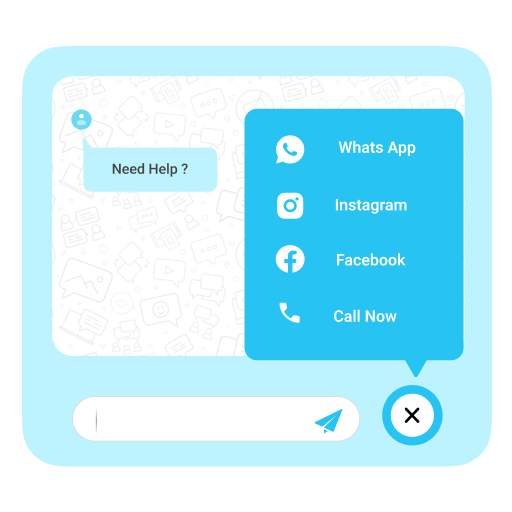





FAQ
Sticky Social Icons: quick answers
Straight answers, pulled from live WordPress.org data.
Live data from WordPress.org · checked Oct 6, 2026
Is Sticky Social Icons free?
Yes. Sticky Social Icons is free to download and use from the official WordPress.org plugin directory.
Is Sticky Social Icons safe to use in 2026?
Sticky Social Icons works, but test it on a staging site before relying on it in 2026. It runs on 10+ sites, is rated 1/5 and was last updated 2 months ago, and scores 52/100 on our health check.
How many websites use Sticky Social Icons?
Sticky Social Icons is active on 10+ WordPress websites and has been downloaded 2,686 times since it launched in April 2024. It was downloaded 75 times in the last 30 days.
Does Sticky Social Icons work with WordPress 7.1?
Sticky Social Icons is officially tested up to WordPress 7.0.6, while the latest release is 7.1.2. It may still work, but try it on a staging site first.
What PHP version does Sticky Social Icons need?
Sticky Social Icons requires PHP 7.2 or higher. Most hosts run PHP 8.x today, so it works on any modern WordPress hosting.
When was Sticky Social Icons last updated?
The latest version, 1.2.1, was released on July 30, 2026 (2 months ago).
Who makes Sticky Social Icons?
Sticky Social Icons is developed and maintained by Syed Barekul Islam.
What are the best alternatives to Sticky Social Icons?
The most popular alternatives to Sticky Social Icons are Call Now Button (200K+ installs), Really Simple Click To Call… (7K+ installs) and Mobile Call Now & Map Butto… (4K+ installs).
Powered by PageForge
Want thousands of pages that rank like these? Build them in an afternoon.
This directory runs on the same engine as PageForge. Turn any spreadsheet, CSV or API into thousands of fast, SEO-ready WordPress pages — with schema, internal links and AI-written copy baked in.
- CSV, Google Sheets & API data sources
- AI content, schema & internal links per page
- Works with Elementor, Gutenberg, Yoast & Rank Math
- Free on WordPress.org — no credit card


