


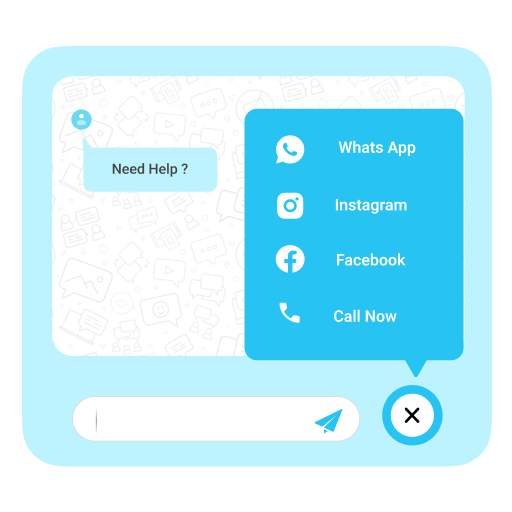
Floating Chat Buttons – Click to Call or Chat, Email
Elevate user engagement through Floating Chat Buttons, facilitating immediate connections via chat, email, callback, and additional channels.

Safe pick
Yes — Floating Chat Buttons is a safe, well-maintained plugin to use in 2026. It runs on 1K+ sites, is rated 4.9/5 and was last updated 1 month ago, and scores 83/100 on our health check.
- Loved by users — 4.9/5 from 54 reviews
- Tested with the latest WordPress (7.1)
- Momentum — downloads up 45.6% vs the previous 30 days
How does it stack up?
Side-by-side on installs, updates, ratings & support



Daily downloads
Download spikes usually follow a new release — each site that auto-updates counts as a download.
Rankings
Where Floating Chat Buttons stands todayWordPress.org search rankings
Live position in the plugin search, top 100| Keyword | Position |
|---|---|
| chat | #53 |
| click to call | #10 |
| >100 | |
| #99 | |
| >100 |
Version adoption
Share of active sites per release.
Rating breakdown
★★★★★★★★★★ 4.9 from 54 reviews
About Floating Chat Buttons
From the official readme · v1.2.9Description
Floating Chat Buttons is a simple WordPress plugin that helps your website visitors connect with you instantly. With just one click, users can reach you through WhatsApp, Facebook Messenger, Instagram, Skype, Slack, Telegram, Viber, Twitter, Email, or a direct phone call.
You can show the buttons on selected pages or across your entire site. It also includes a callback request option, so visitors can ask you to call them back.
Key Features
-
Multiple Contact Options: Add buttons for popular apps and channels like WhatsApp, Facebook Messenger, Instagram, Skype, Slack, Telegram, Viber, Twitter, and Email, ensuring your visitors can contact you on their preferred platform instead of being limited to just one option.
-
Click to Call Button: Add a “Call Now” button so users can instantly dial your phone number with a single click.
-
Callback Request: Not available to take calls immediately? The plugin offers a callback request option where visitors can leave their details and ask you to call them back later. This improves customer trust and ensures you don’t miss potential leads.
-
Customizable Design: Adjust the style and colors of chat buttons according to your website design.
-
Responsive Layout: The buttons are fully mobile-friendly. They automatically adjust size and position based on the device screen, desktop, tablet, or mobile.
-
RTL Language Support: If your website uses a Right-to-Left language (like Arabic, Hebrew, or Urdu), the buttons display accordingly.
-
Custom Links: Apart from the built-in apps, you can also add your own custom links. For example, link to a support portal, a custom chat system, or even another contact form.
-
Easy Setup: You don’t need to know any coding. Simply install the plugin, enable the buttons you want, and add your contact details in the settings. Everything can be managed from a clean and simple settings panel.
Check our other Cool Plugins
-
Cool FormKit For Elementor Forms: Add advanced fields and features to your Elementor form widget, like conditional fields, range sliders, country code, and more.
-
Automatic Translate Addon for Loco Translate: It is a powerful addon that enhances the functionality of the Loco Translate plugin by enabling the automatic translation of WordPress themes and plugins. This addon connects with sources like Google, Yandex, DeepL, or AI-powered sources like ChatGPT, Gemini AI and Chrome AI to provide instant and automated translations.
-
AutoPoly – AI Translation For Polylang: This addon duplicates your page or post titles, content, images, galleries, or meta fields, and automatically translates them into the selected language. Whether you’re using Elementor or Gutenberg, this addon makes the translation process easier.
-
Timeline Widget For Elementor: Showcase your company history, product roadmap, and personal journey in vertical & horizontal layout directly inside Elementor.
Use of 3rd Party Services: This plugin connects to the Cool Plugins feedback server only for optional usage data sharing and voluntary feedback submission (for example, during plugin deactivation). Data is transmitted solely after explicit user consent. No hidden tracking is performed, and no frontend visitor or site user data is collected. For more details, please review our Data Usage Policy, TOS, and Privacy Policy.
Installation
Install via WordPress Admin (best plugin installation method)
- Log in to WordPress Admin. From the left menu panel go to Plugins >> Add New plugin.
- Just search “Floating Chat Buttons”.
- Click on Install Now.
- After that, just activate the plugin. Hover to Settings and go to Floating Chat Buttons.
Note: Please fill information in the Settings panel according to your requirement. Please remember to specify the pages where you want the display in Style settings.
Frequently asked questions
How do I add a WhatsApp chat button to my WordPress site?
You can easily add a WhatsApp chat button using the Floating Chat Buttons plugin. Simply enter your WhatsApp number in the settings, and the button will appear on your website for instant chat.
Can I show the buttons only on specific pages?
Yes, you can choose whether to display the chat buttons across the entire website or only on selected pages.
What contact channels are supported?
The plugin supports WhatsApp, Facebook Messenger, Instagram, Skype, Slack, Telegram, Viber, Twitter, Email, and direct phone calls. You can also add your own custom links.
How do I add a callback request button in WordPress?
Floating Chat Buttons includes a callback feature. Visitors can request a call back, and you’ll be notified to return their call.
Can I customize the button design?
Yes, you can change the style, colors, and placement of the buttons to match your website’s look.
Does this plugin support right-to-left (RTL) languages?
Yes, it fully supports RTL languages like Arabic, Hebrew, and Urdu.
Can I add multiple chat buttons at the same time?
Yes, you can display multiple buttons (e.g., WhatsApp, Email, and Call Now) together. Visitors can then choose their preferred contact method.
Changelog
Improved : Code Improvements & Optimization
Version 1.2.9 || 10 June 2026
- Improved : Code Improvements & Optimization
Version 1.2.8 || 20 Feb 2026
- Fixed : Standardized text domain across plugin.
Version 1.2.7 || 09 Feb 2026
- Fixed : Fixed issues reported by “Plugin Check” plugin.
Version 1.2.6 || 09 Dec 2025
- Improved : Assets updated.
- Tested: Tested up to WordPress 6.9
Version 1.2.5 || 23 Sep 2025
- Improved : Improved the deactivation popup.
Version 1.2.4 || 22 Sep 2025
- Improved : Rating div styling.
Screenshots


For developers
Is this your plugin? Show off the numbers.
Add a live badge to your site, docs or GitHub README. It updates on its own — no account needed.
Best Floating Chat Buttons alternatives
All chat plugins →





FAQ
Floating Chat Buttons: quick answers
Straight answers, pulled from live WordPress.org data.
Live data from WordPress.org · checked Oct 4, 2026
Is Floating Chat Buttons free?
Yes. Floating Chat Buttons is free to download and use from the official WordPress.org plugin directory.
Is Floating Chat Buttons safe to use in 2026?
Yes — Floating Chat Buttons is a safe, well-maintained plugin to use in 2026. It runs on 1K+ sites, is rated 4.9/5 and was last updated 1 month ago, and scores 83/100 on our health check.
How many websites use Floating Chat Buttons?
Floating Chat Buttons is active on 1K+ WordPress websites and has been downloaded 48,775 times since it launched in March 2019. It was downloaded 1,063 times in the last 30 days.
Does Floating Chat Buttons work with WordPress 7.1?
Yes. The developer has tested Floating Chat Buttons up to WordPress 7.1.2, the latest release. It requires WordPress 5.0 or newer.
What PHP version does Floating Chat Buttons need?
Floating Chat Buttons requires PHP 7.2 or higher. Most hosts run PHP 8.x today, so it works on any modern WordPress hosting.
When was Floating Chat Buttons last updated?
The latest version, 1.2.9, was released on September 1, 2026 (1 month ago).
Who makes Floating Chat Buttons?
Floating Chat Buttons is developed and maintained by Narinder Singh.
What are the best alternatives to Floating Chat Buttons?
The most popular alternatives to Floating Chat Buttons are Joinchat (700K+ installs), Floating Chat Widget: Conta… (300K+ installs) and Tidio (70K+ installs).
Powered by PageForge
Want thousands of pages that rank like these? Build them in an afternoon.
This directory runs on the same engine as PageForge. Turn any spreadsheet, CSV or API into thousands of fast, SEO-ready WordPress pages — with schema, internal links and AI-written copy baked in.
- CSV, Google Sheets & API data sources
- AI content, schema & internal links per page
- Works with Elementor, Gutenberg, Yoast & Rank Math
- Free on WordPress.org — no credit card


