



Filestack WP Upload
Upload files directly to the cloud with support for multiple sources including local, Facebook, Dropbox, Google Drive, and more.

Consider an alternative
Filestack WP Upload shows warning signs in 2026 — compare the alternatives below before installing. It runs on 50+ sites and was last updated 11 months ago, and scores 40/100 on our health check.
- Small user base (50+ active installs)
- Very few reviews so far
- Only tested up to WordPress 6.8 (latest is 7.1)
How does it stack up?
Side-by-side on installs, updates, ratings & support



Daily downloads
Download spikes usually follow a new release — each site that auto-updates counts as a download.
Rankings
Where Filestack WP Upload stands todayWordPress.org search rankings
Live position in the plugin search, top 100| Keyword | Position |
|---|---|
| cdn | >100 |
| cloud storage | >100 |
| file upload | >100 |
| filestack | #1 |
| media upload | >100 |
Version adoption
Share of active sites per release.
About Filestack WP Upload
From the official readme · v3.1.0Description
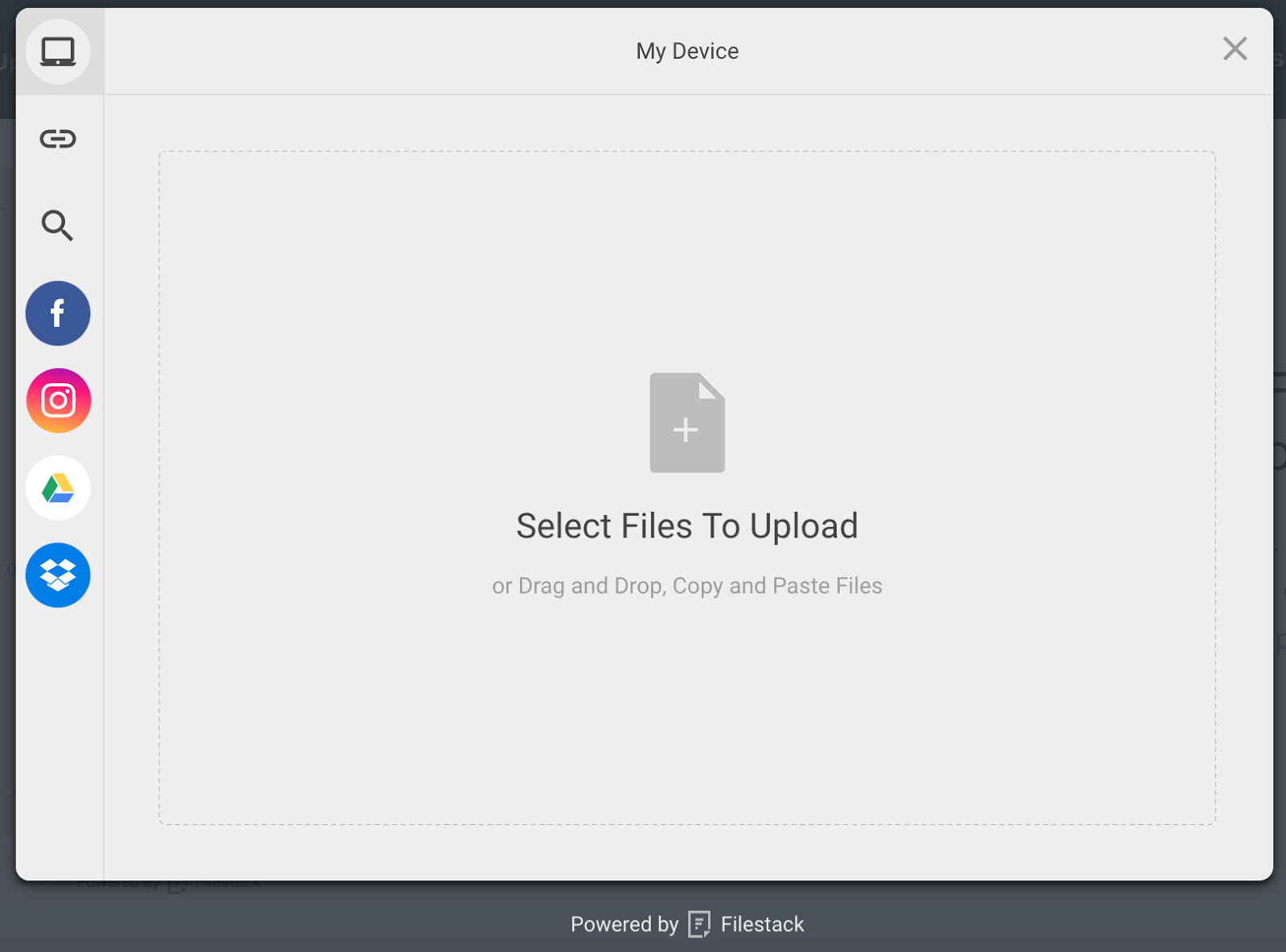
With Filestack WordPress Upload, you or your users can upload files directly from local and cloud drives including Facebook, Instagram, Google Drive, Google Image Search, Google Photos, Dropbox, Box image URL, Webcam, Video Camera, and URL screenshots.
Simply put the shortcode [Filestack] to call the file uploader and set the location where the uploaded file should appear.
You can display the files and media assets immediately on your post or page. The integrated Filestack CDN optimizes for page load time to ensure high performance.
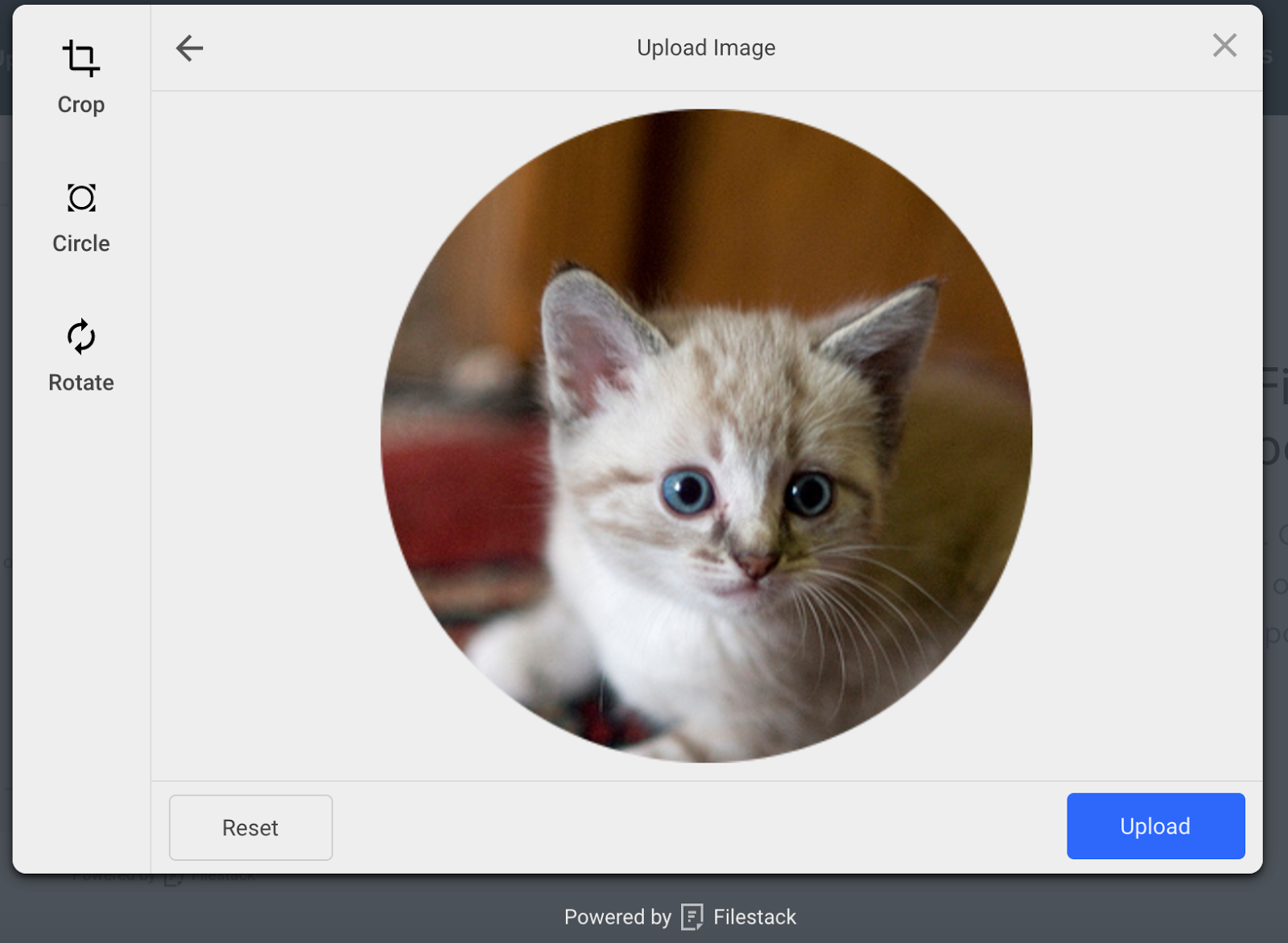
You or your users can crop or edit the image or file within the file uploader, or you can use file transformations to crop, resize, compress, tag, filter, border, or more file transformations to programmatically optimize the images and media assets.
You can store assets conveniently with Filestack or in your own cloud storage location, including Amazon S3, Microsoft Azure, Dropbox, Rackspace and Google Cloud Storage.
Filestack WordPress Upload Features:
- Upload integrations with Facebook, Instagram, Google Drive, Google Image Search, Google Photos, Dropbox, Box image URL, Webcam, Video Camera, and URL screenshots
- Multi-file upload support
- Large file upload up to 200MB (configurable)
- In-app image transformations: crop, circle crop, and rotate
- Asynchronous uploads
- Integrated CDN for fast delivery
- Cloud storage integrations with Amazon S3, Microsoft Azure, Dropbox, Rackspace, and Google Cloud Storage
Links
https://www.filestack.com
https://www.filestack.com/docs/javascript-api/pick-v3
Free API Key
Languages
- English: ‘en’
- Chinese: ‘zh’
- Danish: ‘da’
- Dutch: ‘nl’
- French: ‘fr’
- German: ‘de’
- Hebrew: ‘he’
- Italian: ‘it’
- Japanese: ‘ja’
- Polish: ‘pl’
- Portuguese: ‘pt’
- Russian: ‘ru’
- Spanish: ‘es’
Questions
You can contact Support at support@filestack.com and send general questions to hello@filestack.com. We love hearing from you!
Installation
- Upload the plugin folder to the
/wp-content/plugins/directory - Activate the plugin through the ‘Plugins’ menu in WordPress
- Add your Filestack API Key
- Add the shortcode [filestack] in any blog post or page to display the upload button
- Or click the Filestack button in the Media section to Upload Files
- Select Insert Into Post to insert CDN resource
Frequently asked questions
Do I need a Filestack account?
Yes, however Filestack offers a free plan with up to 250 file uploads per month. Filestack offers a Starter Plan at $49/mo with 8,000 uploads per month, and higher plans if your file uploading needs expand that. Sign up for Filestack here – https://www.filestack.com/pricing.
Does it work with the wordpress media uploader?
Yes.
Is it easily added to pages or posts for signed-in & non signed-in users to upload files?
Yes. Filestack provides a seamless experience for you and your users to easily upload and manage files.
What is the shortcode for displaying the uploader in a blog post or page?
[filestack]
Can I customize the appearance of the upload button or upload modal?
Yes. See instructions on the settings page of the plugin.
Do the uploaded files have CDN endpoints?
Yes they do. The response metadata will return the cdn url for you to use in your callback handlers.
Do I have to do anything to configure Filestack Storage or CDN
No, Filestack Storage and CDN will work automatically, without any effort on your part. If you wish to customize the storage location or use your own CDN, you can change the default configuration. See more in the Filestack documentation – https://www.filestack.com/docs/cloud-storage/s3.
Where are the uploaded files stored?
By default, uploaded files are stored in Filestack’s S3 bucket. However, you can configure your Filestack account to store in your own S3 bucket or upgrade to store in one of the following cloud storage services: Rackspace Google Cloud Microsoft Azure Dropbox
Changelog
3.1.0
- Updated Filestack SDK to version 4.x.x for improved performance and latest features
- Enhanced picker initialization with latest Filestack JavaScript library
- Bug fixes and security improvements
3.0.0
- Security improvements for XSS prevention
- Updated file picker functionality
- Added proper escaping for all output
- Added support for latest WordPress version 6.4.2
2.0.0
- New features and bug fixes
1.0.3
- Bugfix: undefined callbacks on Media Assets page
1.0.2
- Updated Plugin Title
1.0.1
- Added assets screenshots banners and icons
Screenshots



For developers
Is this your plugin? Show off the numbers.
Add a live badge to your site, docs or GitHub README. It updates on its own — no account needed.
Best Filestack WP Upload alternatives
All cdn plugins →





FAQ
Filestack WP Upload: quick answers
Straight answers, pulled from live WordPress.org data.
Live data from WordPress.org · checked Oct 8, 2026
Is Filestack WP Upload free?
Yes. Filestack WP Upload is free to download and use from the official WordPress.org plugin directory.
Is Filestack WP Upload safe to use in 2026?
Filestack WP Upload shows warning signs in 2026 — compare the alternatives below before installing. It runs on 50+ sites and was last updated 11 months ago, and scores 40/100 on our health check.
How many websites use Filestack WP Upload?
Filestack WP Upload is active on 50+ WordPress websites and has been downloaded 5,656 times since it launched in August 2017. It was downloaded 128 times in the last 30 days.
Does Filestack WP Upload work with WordPress 7.1?
Filestack WP Upload is officially tested up to WordPress 6.8.11, while the latest release is 7.1.3. It may still work, but try it on a staging site first.
What PHP version does Filestack WP Upload need?
Filestack WP Upload requires PHP 7.4 or higher. Most hosts run PHP 8.x today, so it works on any modern WordPress hosting.
When was Filestack WP Upload last updated?
The latest version, 3.1.0, was released on November 11, 2025 (11 months ago).
Who makes Filestack WP Upload?
Filestack WP Upload is developed and maintained by filestack.
What are the best alternatives to Filestack WP Upload?
The most popular alternatives to Filestack WP Upload are W3 Total Cache (900K+ installs), SpeedyCache (600K+ installs) and Breeze Cache (300K+ installs).
Powered by PageForge
Want thousands of pages that rank like these? Build them in an afternoon.
This directory runs on the same engine as PageForge. Turn any spreadsheet, CSV or API into thousands of fast, SEO-ready WordPress pages — with schema, internal links and AI-written copy baked in.
- CSV, Google Sheets & API data sources
- AI content, schema & internal links per page
- Works with Elementor, Gutenberg, Yoast & Rank Math
- Free on WordPress.org — no credit card


