


Happy FAQs – WordPress FAQ and Product FAQ
WordPress FAQ and WooCommerce product FAQ plugin with accordion layouts, Google FAQ schema, AI generator, Gutenberg, Elementor, Divi, and shortcodes.

Safe pick
Yes — Happy FAQs is a safe, well-maintained plugin to use in 2026. It runs on 1K+ sites, is rated 4.8/5 and was last updated 3 weeks ago, and scores 85/100 on our health check.
- Loved by users — 4.8/5 from 22 reviews
- Actively developed — last update 3 weeks ago
- Momentum — downloads up 62.9% vs the previous 30 days
How does it stack up?
Side-by-side on installs, updates, ratings & support



Daily downloads
Download spikes usually follow a new release — each site that auto-updates counts as a download.
Rankings
Where Happy FAQs stands todayWordPress.org search rankings
Live position in the plugin search, top 100| Keyword | Position |
|---|---|
| Accordion | #62 |
| faq | #5 |
| Product FAQ. | #2 |
| schema | >100 |
| woocommerce faq | #4 |
Version adoption
Share of active sites per release.
Rating breakdown
★★★★★★★★★★ 4.8 from 22 reviews
About Happy FAQs
From the official readme · v2.0.4Description
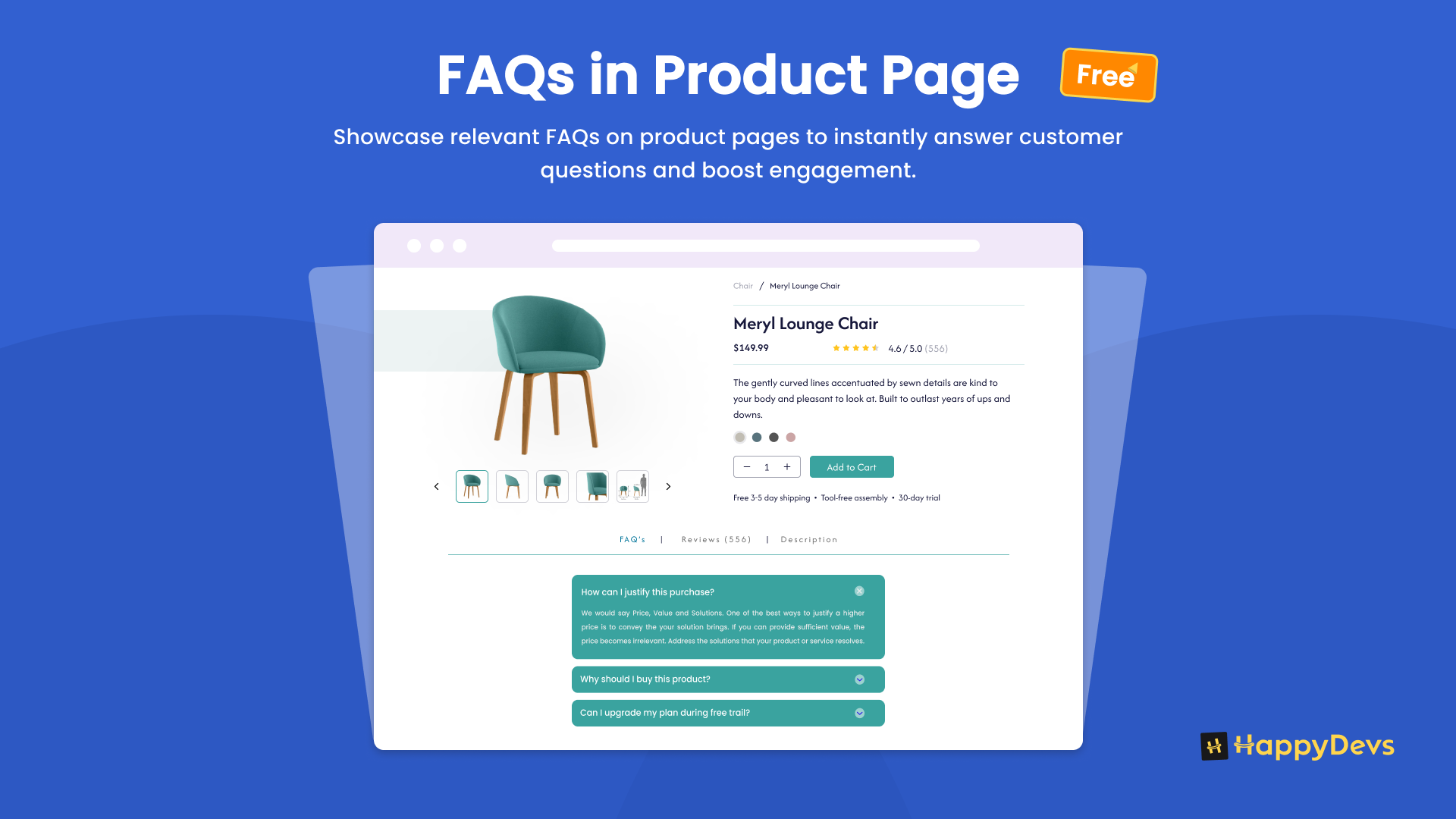
Happy FAQs is a WordPress FAQ plugin and a WooCommerce product FAQ plugin. Create unlimited FAQs in one library, then show them as an accordion on help pages, posts, and product pages.
Write the answer once. Reuse it on a FAQ page, in Gutenberg, Elementor, or Divi, and on WooCommerce products. WooCommerce is optional — use it as a site FAQ plugin, then add product FAQs when you have a store.
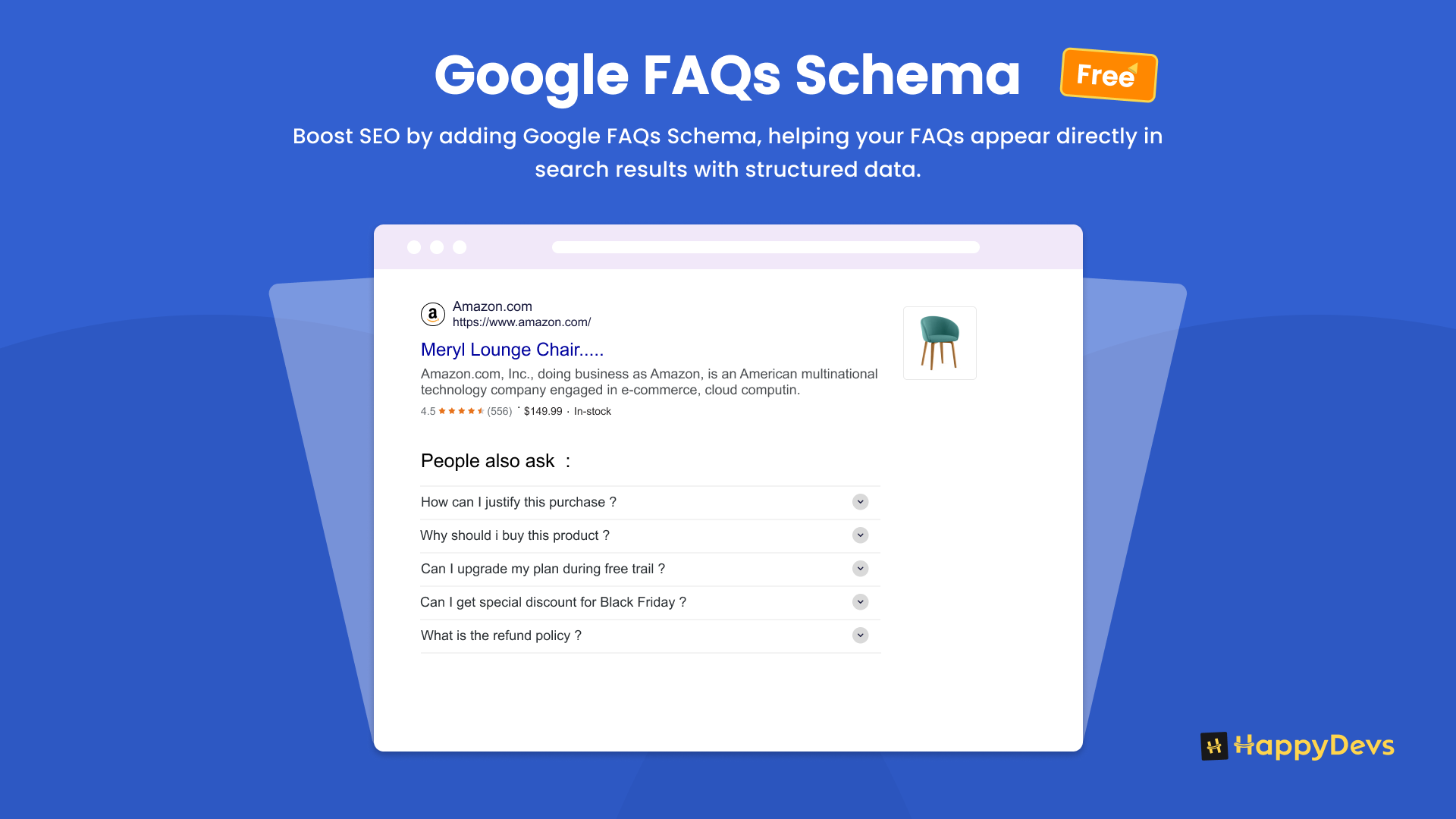
Google FAQ schema (FAQPage), an AI FAQ generator, comments, and custom accordion layouts are included.
Demo | Documentation | Video Tutorials | Get Support
Upgrade to Happy FAQs Pro
Upgrade to Happy FAQs Pro now for priority email support and all PRO features.Pro adds FAQ Groups, AJAX FAQ search, extra accordion layouts, import/export, customer questions, variation product FAQs, and shop, cart, and checkout FAQs.
Who it is for
- WordPress sites that need a FAQ accordion, help center, or FAQ page with Google schema
- WooCommerce stores that need product FAQs, category FAQs, and question-and-answer content on products
- Builders using Gutenberg, Elementor, or Divi
How it works
Create a FAQ once. On that FAQ screen, the Happy FAQs Panel metabox is where you choose where it appears.
- Go to Happy FAQs → Add New. The title is the question. The editor is the answer (HTML, images, and video are allowed).
- Optionally assign a FAQ category (for example Shipping or Returns). You can later show that whole category on a help page.
- Open the Happy FAQs Panel metabox and assign:
- Products — search and attach specific WooCommerce products.
- Product categories — every product in those categories inherits this FAQ.
- Product tags — every product with those tags inherits this FAQ.
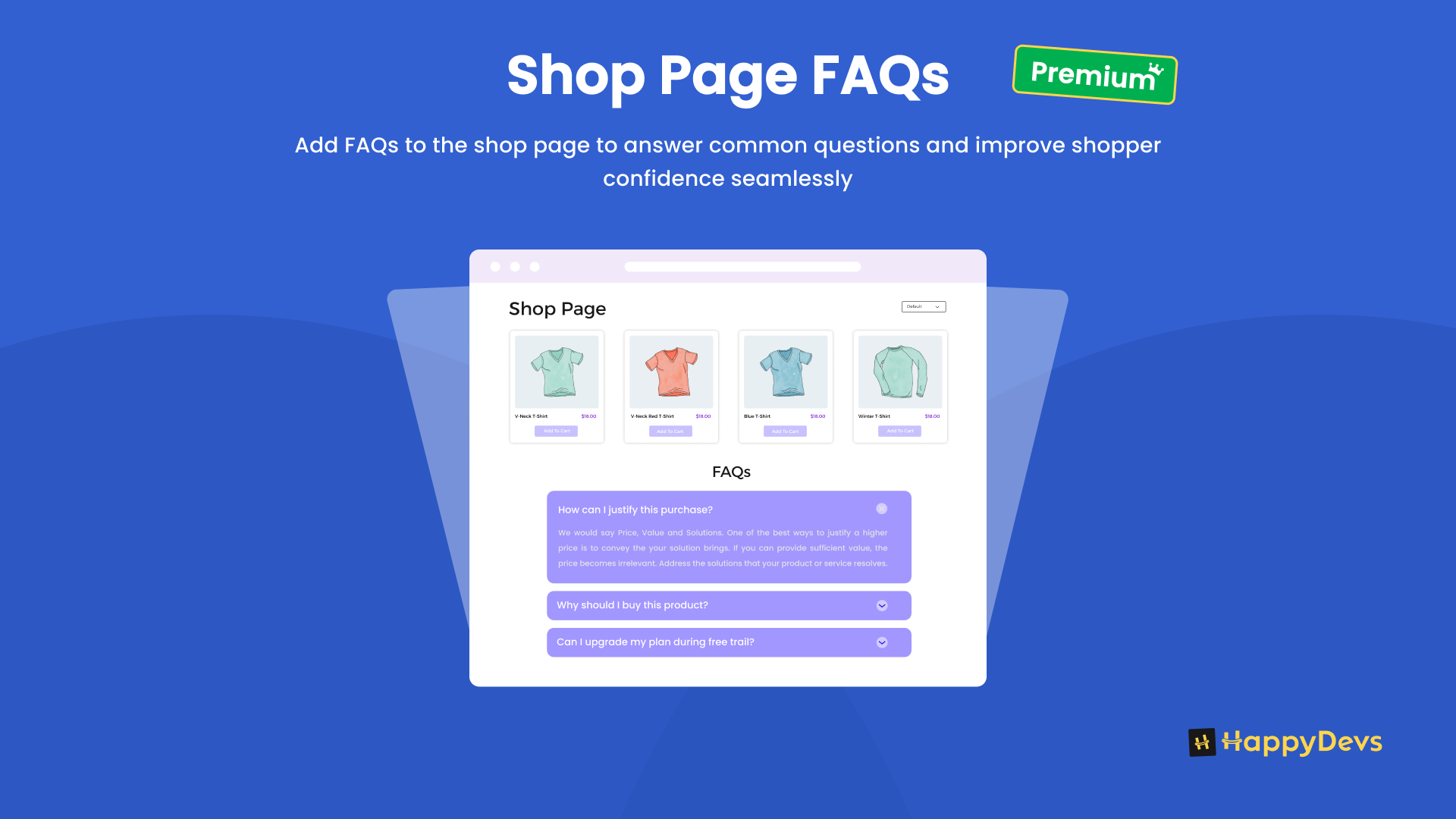
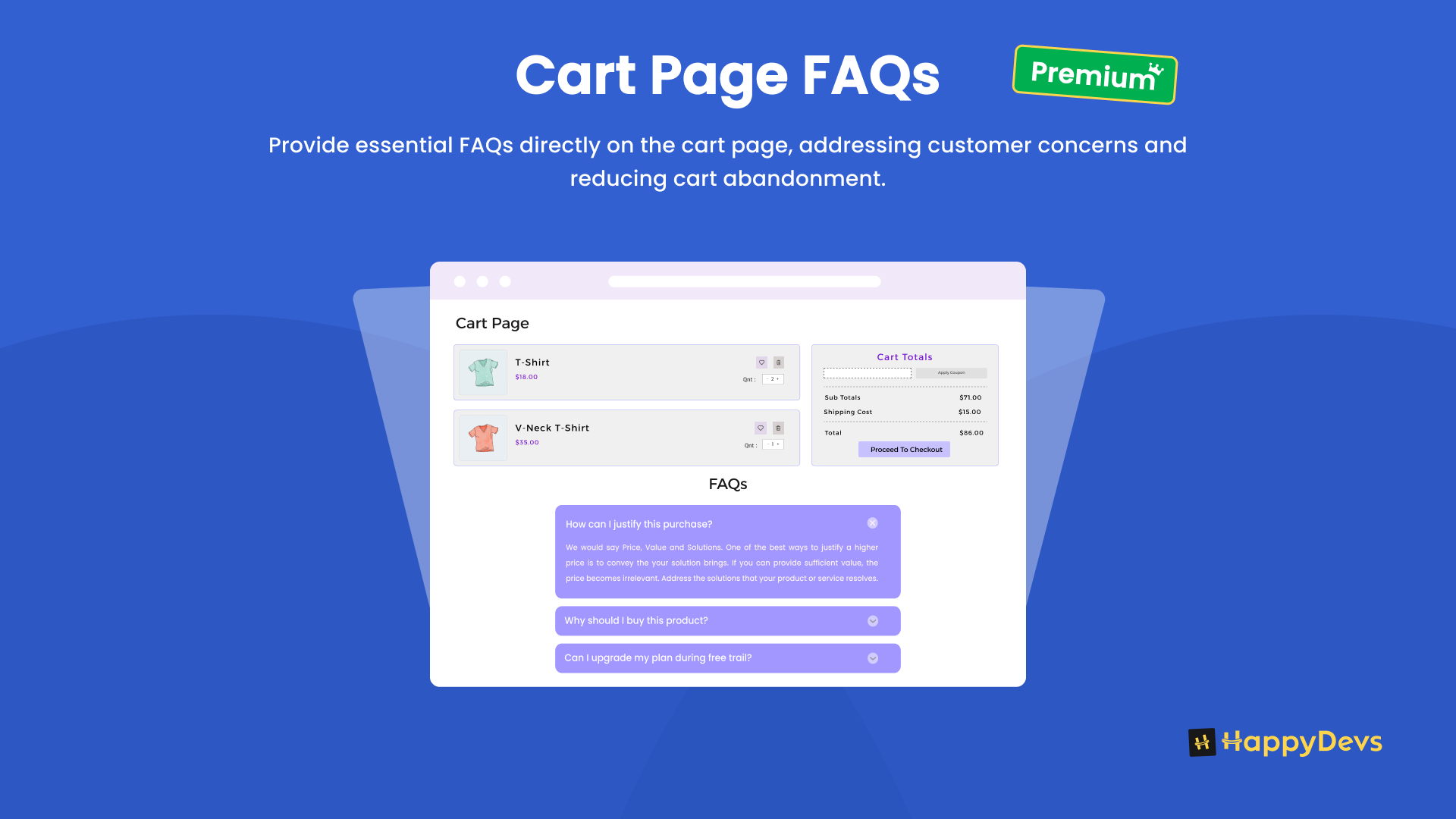
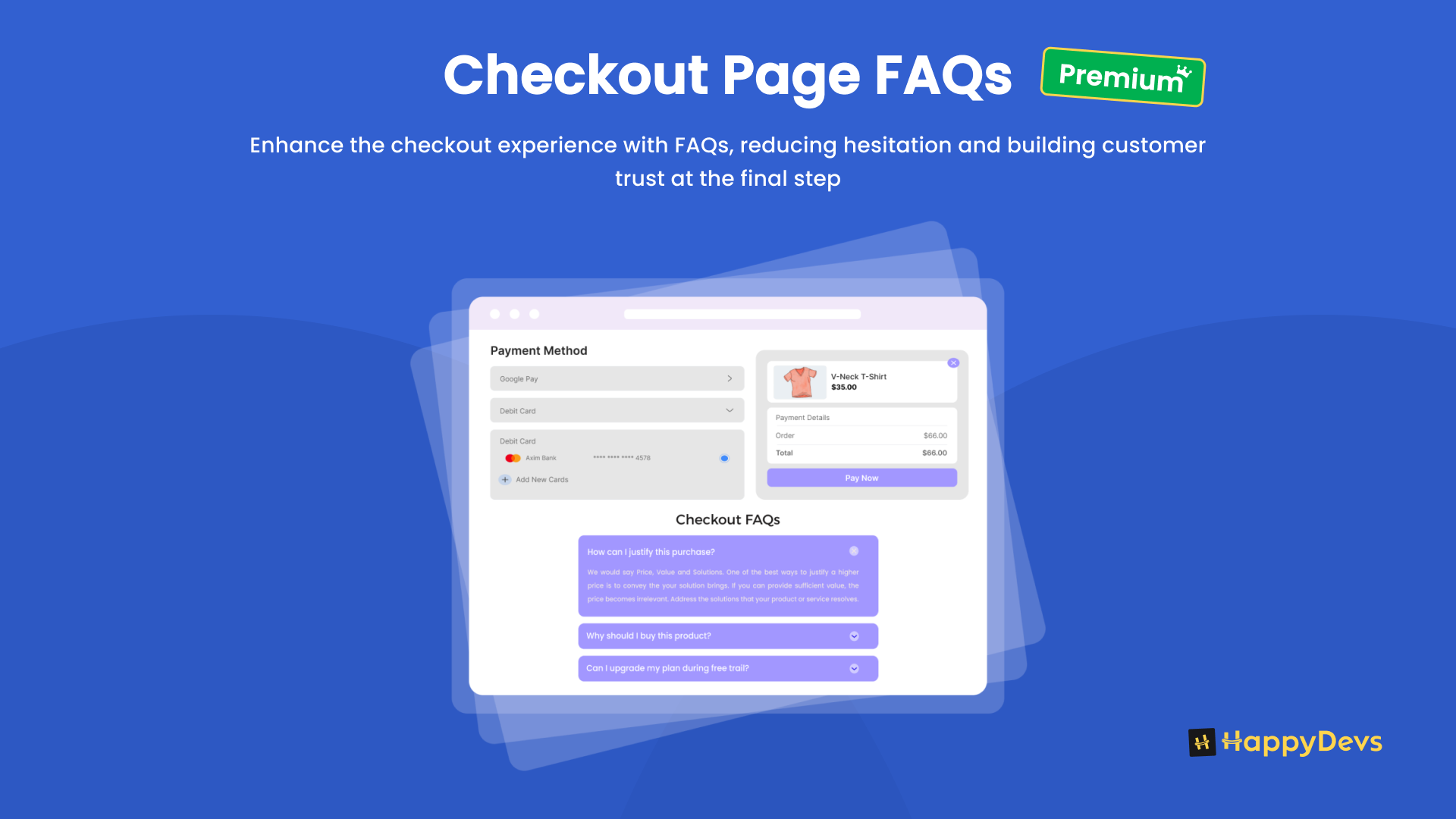
- Display in pages — product pages (free). Shop, cart, and checkout are (PRO).
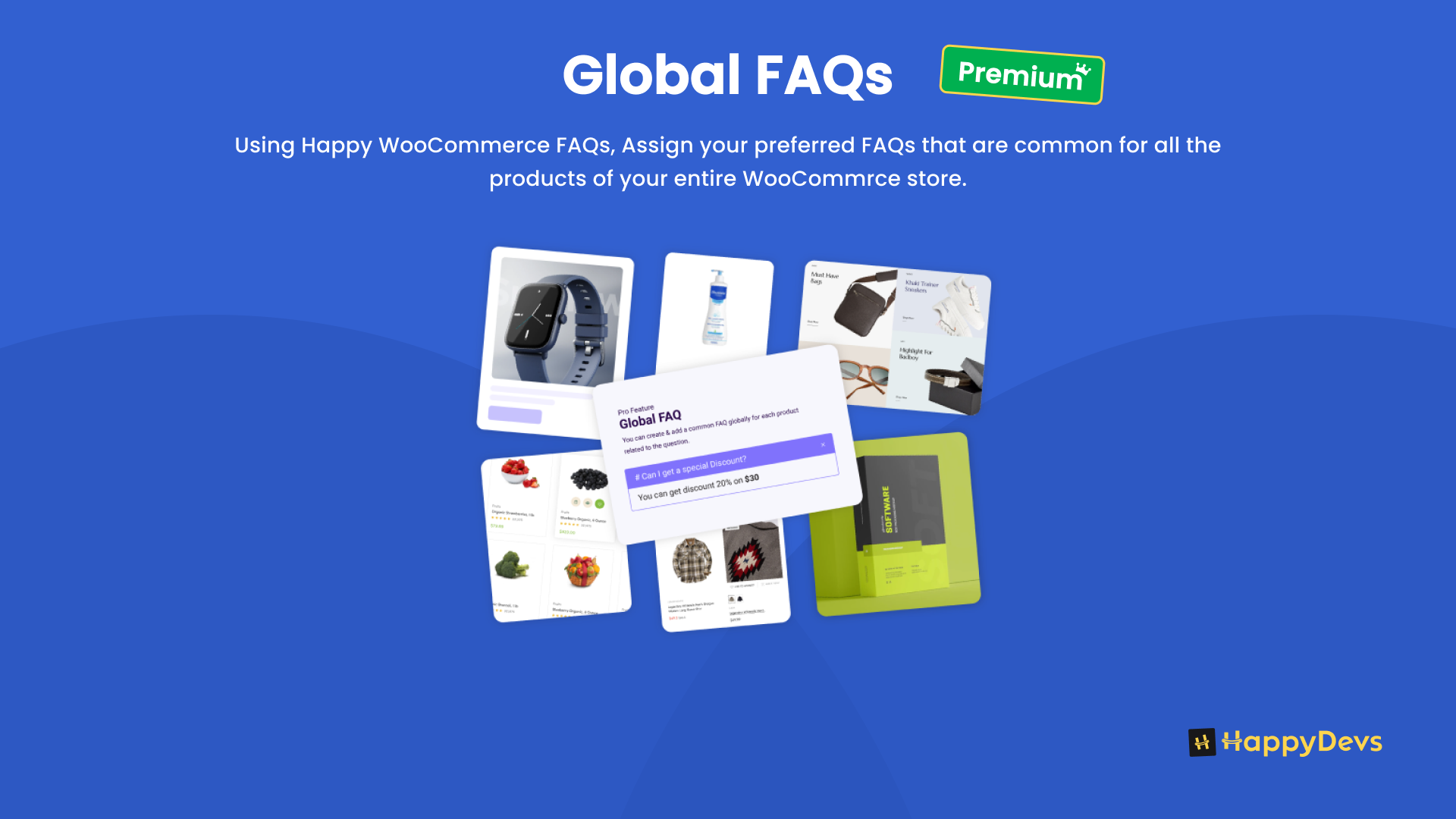
- Global FAQs (PRO) — show this FAQ on every product.
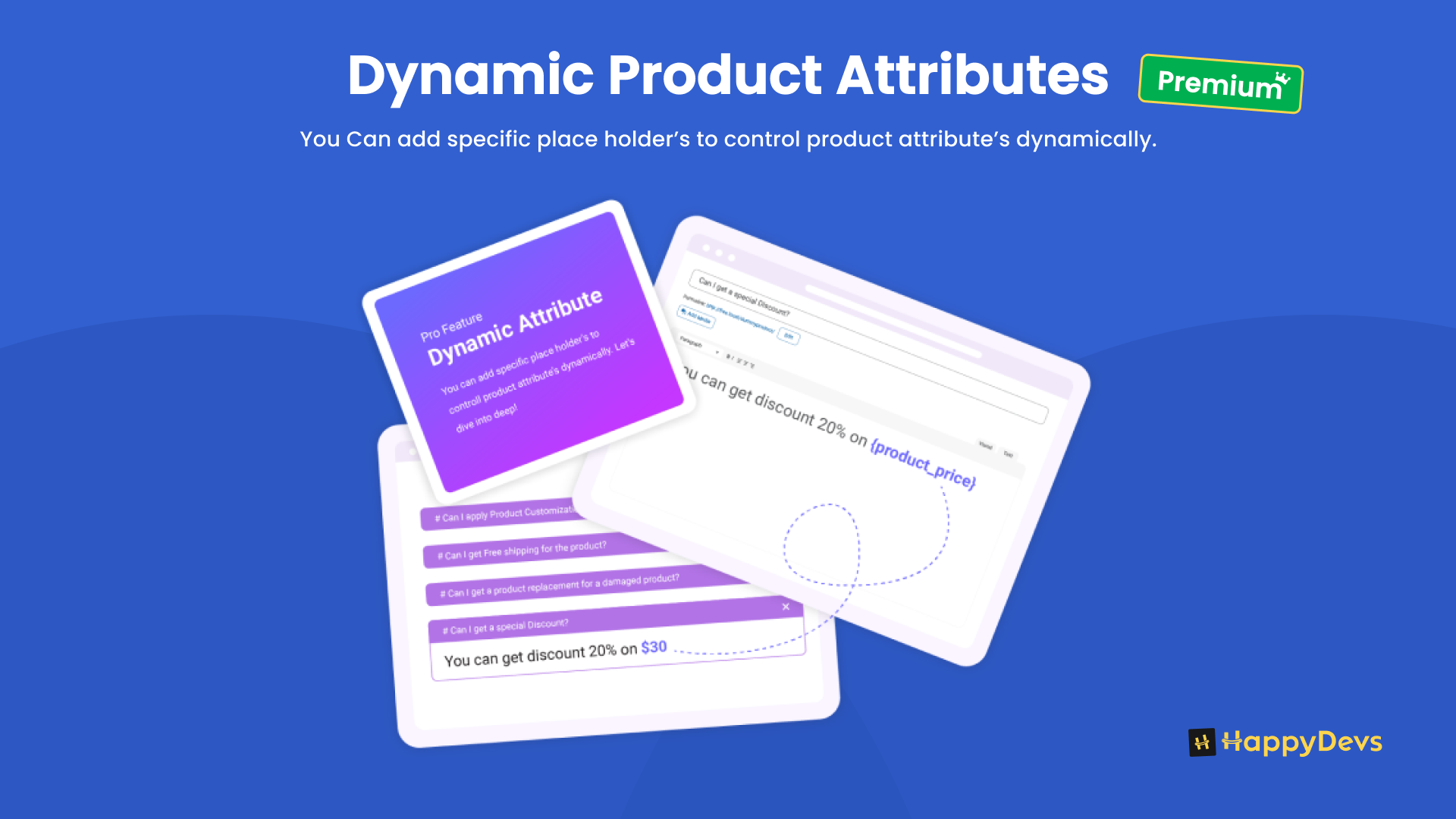
- Product attributes (PRO) — insert live values such as
{product_price}in the answer.
- To show FAQs on a normal WordPress page, use a shortcode, Happy Prebuilt FAQs or Happy Custom FAQs (Gutenberg block, Elementor widget, or Divi 4/5 module), or Settings → FAQ page.
You can also attach FAQs from the product edit screen. One FAQ can appear in more than one place.
Top features
- Unlimited WordPress FAQs and WooCommerce product FAQs
- FAQ accordion layouts (5 free, 4 more in Pro)
- Google FAQ schema (FAQPage) on pages and products
- FAQ categories, shortcodes, and an FAQ page setting
- Happy Prebuilt FAQs: Gutenberg block, Elementor widget, and Divi 4/5 module (library FAQs)
- Happy Custom FAQs: Gutenberg block, Elementor widget, and Divi 4/5 module (write Q&A on the page)
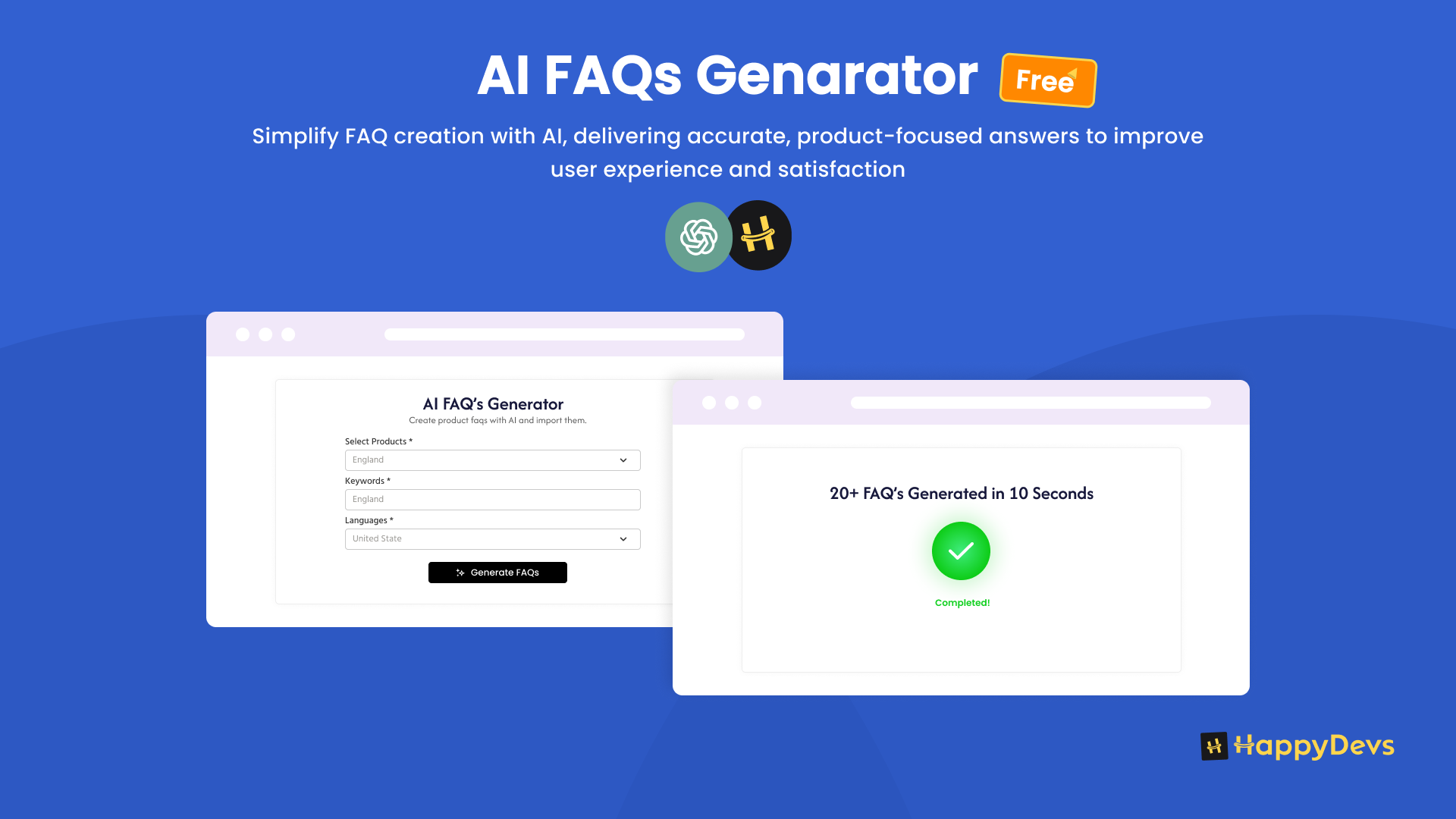
- AI FAQ generator
- Inline FAQ search
- Comments, media in answers, expand/collapse all
- Assign FAQs to products, product categories, and product tags
- WPML and Polylang
- FAQ Groups, AJAX search, import/export (PRO)
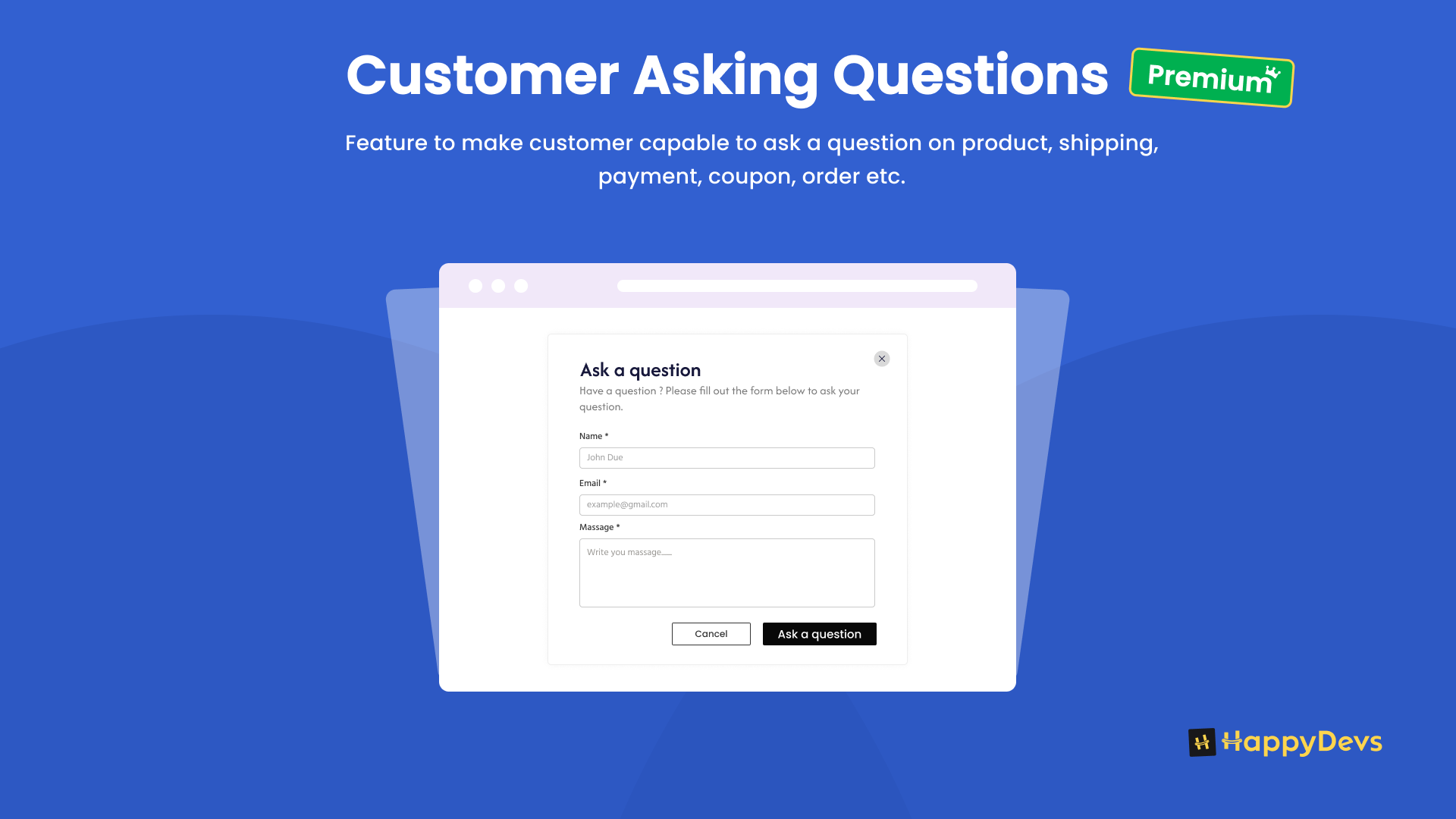
- Customer questions, variation FAQs, shop/cart/checkout FAQs (PRO)
Free features
General FAQs
- Unlimited FAQs in one reusable library
- Place FAQs on any WordPress page or post
- FAQ categories (Shipping, Returns, and so on)
- FAQ page setting: pick a page and Happy FAQs can inject the accordion
- Shortcodes for all FAQs, a FAQ category, selected FAQ IDs, or the current product
Display and extras
- Happy Prebuilt FAQs: Gutenberg block, Elementor widget, and Divi 4/5 module (library FAQs, same markup as the shortcode)
- Happy Custom FAQs: Gutenberg block, Elementor widget, and Divi 4/5 module (write Q&A on the page)
- Google FAQPage schema on help pages and product pages
- Inline search that filters the FAQs already on the page
- AI FAQ generator (OpenAI)
- Images, video, and other media in answers
- Expand / collapse all
- Comments on FAQs
- Five accordion layouts, colors, width, and display options
- Classic Editor and block editor support
- WPML and Polylang support
Product FAQs
- Assign FAQs to products from the product screen or the FAQ screen
- Inherit FAQs from WooCommerce product categories and tags
- Drag to sort FAQs on each product
- Product tab, show/hide answers on load, and tab order
Shortcodes
Show all FAQs:
[ffw_template]
Show a FAQ category. faq_cat is the FAQ category ID (Happy FAQs → Categories):
[ffw_template faq_cat="32"]
Show selected FAQs. faq_ids are FAQ post IDs (Happy FAQs → All FAQs):
[ffw_template faq_ids="10,11,12"]
Show FAQs for a WooCommerce product:
[ffw_template id="20"]

id is the WooCommerce **product ID**, not the FAQ ID. Find it under **Products → All Products**: hover the product, or open it and read `post=20` in the browser URL. Replace `20` with your product’s ID.
Show FAQs for the current product (use this on a single product page or product template):
[ffw_template dynamic_post="true"]
Pick an accordion layout with template:
- 1 Classic, 2 Whitish, 3 Trip, 4 Pop, 5 Basic
- Pro layouts (PRO): 6 Glow, 7 Smart, 8 Wow, 9 Zoom
Example: [ffw_template template="1" id="20"]
Sort with order (ASC or DESC) and order_by (id, date, title, name, modified, comment_count, author).
Pro adds group_id for FAQ Groups (PRO), and [ffw_search] for AJAX library search (PRO).
Pro features
Library
- FAQ Groups (PRO): named collections with drag-and-drop order and a copyable shortcode
- AJAX library search (PRO): autocomplete across all published FAQs (
[ffw_search], block, or Elementor widget) - Hash deep-links (PRO): open a FAQ with a link such as
#ffw-faq-123 - Extra accordion layouts (PRO): Glow, Smart, Wow, Zoom
- Import / export (PRO): FAQs, categories, groups, and product assignments as JSON
- RTL and multi-column layout (PRO)
Store extras (need WooCommerce)
- Customer asking questions (PRO): shoppers can submit a question, with email notifications
- Variation product FAQs (PRO)
- Extra product page locations (PRO): after Add to cart, top or bottom of the product page, and similar
- Product archive, shop, cart, and checkout FAQs (PRO)
- Dynamic product attributes (PRO): placeholders such as
{product_price} - Global product FAQs (PRO): appear on every product
- AJAX search on the product FAQ list (PRO)
Get started
- Install and activate Happy WooCommerce FAQs.
- Add a few FAQs, or click Add sample FAQs on the dashboard.
- Paste
[ffw_template]on a page, insert Happy Prebuilt FAQs or Happy Custom FAQs (Gutenberg, Elementor, or Divi), or choose an FAQs page in Happy FAQs → Settings. - For a store, open a FAQ, use the Happy FAQs Panel metabox, and assign products, product categories, or tags.
Installation
Requirements:
- WordPress 3.6 or later
- PHP 7.4 or later
- WooCommerce is optional. Install WooCommerce only if you need product FAQs.
From the dashboard
- Go to Plugins → Add New.
- Search for Happy WooCommerce FAQs, Product FAQ, or WooCommerce FAQ.
- Install and activate.
Manual
- Upload the
faq-for-woocommercefolder to/wp-content/plugins/. - Activate the plugin.
- Open Happy FAQs in the admin menu.
- Add a FAQ, then show it with a shortcode, Gutenberg block, Elementor widget, Divi module, or Settings → FAQ page.
Frequently asked questions
Is this a WooCommerce FAQ plugin or a WordPress FAQ plugin?
Both. Happy WooCommerce FAQs is a WordPress FAQ accordion plugin. Product FAQs work when WooCommerce is active. You can use it without WooCommerce for site FAQs.
Do I need WooCommerce?
No. Use it as a site FAQ plugin. WooCommerce is only needed for product FAQs and store extras.
Does it work with any theme?
Yes. It works with standard WordPress themes.
How do I add a product FAQ?
Go to Happy FAQs → Add New, write the question and answer, then in the Happy FAQs Panel metabox search and select products. You can also assign product categories or tags so many products inherit the same FAQ. Or open a product and attach FAQs there.
How do I show FAQs on a normal page, not a product?
Paste [ffw_template] in the page, insert Happy Prebuilt FAQs (library) or Happy Custom FAQs (write Q&A on the page) as a Gutenberg block, Elementor widget, or Divi 4/5 module, or pick a page in Happy FAQs → Settings → FAQ page.
How do I find the product ID for the shortcode?
Go to Products → All Products. Hover the product, or edit it and look at the URL: post=20 means the product ID is 20. Use [ffw_template id="20"].
Can I assign product categories and tags to FAQs?
Yes, in the free version. Every product in that category or tag can inherit those FAQs.
Can I show FAQs on shop, cart, checkout, or archive pages?
Product pages are included in free. Shop, cart, checkout, and product archive locations are Pro.
Does it output Google FAQ schema?
Yes. FAQPage schema is included for help pages and product pages. Duplicate questions are removed so Google can show FAQ rich results.
Can I use Gutenberg, Elementor, or Divi?
Yes. Free includes Happy Prebuilt FAQs and Happy Custom FAQs as a Gutenberg block, Elementor widget, and Divi 4/5 module. Prebuilt shows FAQs from your library. Custom lets you write questions and answers on the page.
Can I write HTML or add media in answers?
Yes. Answers use the WordPress editor, so you can add HTML, images, and video.
Can I sort FAQs?
Yes. Drag FAQs on a product, or use order and order_by on the shortcode.
How many accordion layouts are there?
Five in free (Classic, Whitish, Trip, Pop, Basic). Four more in Pro (Glow, Smart, Wow, Zoom).
What is the difference between inline search and AJAX library search?
Inline search (free) filters the FAQs already on the page. AJAX library search (Pro) searches all published FAQs and can be placed anywhere with [ffw_search].
Changelog
2.0.4
- Fixed: Happy Prebuilt FAQs Gutenberg block styles in the editor.
- Updated: Gutenberg block metadata so WordPress.org can list the plugin’s blocks.
2.0.3
- Fixed: Product archive FAQs displayed when Enable FAQs in Archive was off.
- Updated: Removed the Shortcode column from the All FAQs list.
2.0.2
- Added: WordPress version 7.0.0 compatability.
2.0.1
- Added: Site-wide FAQs. WooCommerce is now optional.
- Added: Shortcode modes for all FAQs, FAQ categories, and selected FAQ IDs.
- Added: FAQ page setting, FAQPage schema on general pages, and onboarding samples.
- Added: Happy Prebuilt FAQs Gutenberg block, Elementor widget, and Divi 4/5 module. Same markup as the shortcode.
- Added: Happy Custom FAQs Gutenberg block, Elementor widget, and Divi 4/5 module. Write questions and answers on the page.
1.8.17
- Added: WooCommerce 10.6 version compatability.
- Fixed: Shortcode in archive page not working.
1.8.16
- Added: WPML translations support.
- Added: WordPress 6.9 version compatability.
Screenshots
For developers
Is this your plugin? Show off the numbers.
Add a live badge to your site, docs or GitHub README. It updates on its own — no account needed.
Best Happy FAQs alternatives
All Accordion plugins →





FAQ
Happy FAQs: quick answers
Straight answers, pulled from live WordPress.org data.
Live data from WordPress.org · checked Oct 4, 2026
Is Happy FAQs free?
Yes. Happy FAQs is free to download and use from the official WordPress.org plugin directory. The developer also sells premium add-ons or a Pro version with extra features.
Is Happy FAQs safe to use in 2026?
Yes — Happy FAQs is a safe, well-maintained plugin to use in 2026. It runs on 1K+ sites, is rated 4.8/5 and was last updated 3 weeks ago, and scores 85/100 on our health check.
How many websites use Happy FAQs?
Happy FAQs is active on 1K+ WordPress websites and has been downloaded 63,474 times since it launched in October 2020. It was downloaded 2,370 times in the last 30 days.
Does Happy FAQs work with WordPress 7.1?
Happy FAQs is officially tested up to WordPress 7.0.6, while the latest release is 7.1.2. It may still work, but try it on a staging site first.
What PHP version does Happy FAQs need?
Happy FAQs requires PHP 7.4 or higher. Most hosts run PHP 8.x today, so it works on any modern WordPress hosting.
When was Happy FAQs last updated?
The latest version, 2.0.4, was released on September 11, 2026 (3 weeks ago).
Who makes Happy FAQs?
Happy FAQs is developed and maintained by HappyDevs.
What are the best alternatives to Happy FAQs?
The most popular alternatives to Happy FAQs are Accordion FAQ (30K+ installs), Ultimate FAQ Accordion Plug… (30K+ installs) and Read More Without Refresh (20K+ installs).
Powered by PageForge
Want thousands of pages that rank like these? Build them in an afternoon.
This directory runs on the same engine as PageForge. Turn any spreadsheet, CSV or API into thousands of fast, SEO-ready WordPress pages — with schema, internal links and AI-written copy baked in.
- CSV, Google Sheets & API data sources
- AI content, schema & internal links per page
- Works with Elementor, Gutenberg, Yoast & Rank Math
- Free on WordPress.org — no credit card


