


Ezycreate
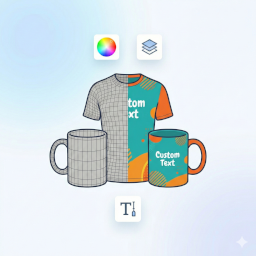
Connect your WooCommerce store with Ezycreate's print-on-demand platform and let customers customize products.

Use with caution
Ezycreate works, but test it on a staging site before relying on it in 2026. Was last updated 4 months ago, and scores 42/100 on our health check.
- Small user base (<10 active installs)
- Very few reviews so far
- Only tested up to WordPress 6.9 (latest is 7.1)
How does it stack up?
Side-by-side on installs, updates, ratings & support


Daily downloads
Download spikes usually follow a new release — each site that auto-updates counts as a download.
Rankings
Where Ezycreate stands todayWordPress.org search rankings
Live position in the plugin search, top 100| Keyword | Position |
|---|---|
| custom products | >100 |
| personalization | >100 |
| print-on-demand | >100 |
| product customization | >100 |
| woocommerce | >100 |
About Ezycreate
From the official readme · v2.1.1Description
Ezycreate for WooCommerce seamlessly integrates your online store with Ezycreate’s powerful print-on-demand platform. Enable your customers to customize products using our intuitive designer tool, and have them automatically fulfilled through Ezycreate’s production network.
Key Features
- Product Synchronization: Automatically sync customizable products from Ezycreate to your WooCommerce store
- Customer Designer Tool: Let customers personalize products with text, images, and design elements
- Real-time Preview: Customers see exactly what they’re creating before they buy
- Automated Fulfillment: Orders are automatically sent to Ezycreate for production and shipping
- Multi-language Support: Offer the designer tool in your customer’s preferred language
- Variable Products: Support for multiple sizes, colors, and product variations
- Order Management: Track customized orders directly from your WooCommerce dashboard
How It Works
- Install and activate the plugin
- Contact support@ezycreate.com to get an account created and receive your credentials to connect your wordpress store.
- Sync products from your Ezycreate account to WooCommerce.
- Customers browse products and click “Customize” to personalize them
- Orders are automatically sent to Ezycreate for fulfillment
Requirements
- WooCommerce 5.0 or higher
- Ezycreate account with API access
- PHP 7.4 or higher
- WordPress 5.8 or higher
Support
For support, please visit Ezycreate Support or mail us at support@ezycreate.com
External Services
This plugin connects to the Ezycreate APIs to provide product personalisation and project management functionality. It is the core service powering the plugin and is required for all features to work.
The following data is sent to the Ezycreate API:
- Your client ID and client secret key (configured in the plugin settings) are sent with every request to authenticate your account.
- The current WordPress user’s ID is sent when authenticating a user session and when retrieving that user’s projects.
- A user session token (obtained on first authentication) is sent with subsequent requests to retrieve and update projects.
- Remote image URLs (product thumbnails) are fetched from Ezycreate servers when importing or displaying product data.
This service is provided by Ezycreate:
- Service website: https://ezycreate.com
- Terms of use: https://www.ezycreate.com/terms-conditions/
- Privacy policy: https://www.ezycreate.com/privacy-policy/
Installation
Automatic Installation
- Log in to your WordPress dashboard
- Navigate to Plugins > Add New
- Search for “Ezycreate”
- Click “Install Now” and then “Activate”
Manual Installation
- Download the plugin zip file
- Log in to your WordPress dashboard
- Navigate to Plugins > Add New > Upload Plugin
- Choose the downloaded zip file and click “Install Now”
- Activate the plugin
Configuration
- After activation, navigate to Ezycreate > Settings
- Enter your Ezycreate Client ID (provided by Ezycreate)
- Enter your Ezycreate Secret Key
- Set your preferred language code (e.g., ‘en’ for English)
- Click “Save Settings”
- Navigate to Ezycreate > Ezycreate Products to sync products
Frequently asked questions
Do I need an Ezycreate account to use this plugin?
Yes, you need an active Ezycreate account with credentials. Visit ezycreate.com and fill in the details.
Where do I find my credentials?
Log in to your Ezycreate dashboard and navigate to Stores credentials > To find your Client ID and Secret Key.
Can customers save their designs?
Yes, customers can save their designs and return to edit them later through the My Projects page.
What types of products can be customized?
You can offer any product type available in your Ezycreate account, including photobooks,photo prints,calendars,home decor and more.
How are orders fulfilled?
When a customer places an order, it’s automatically sent to Ezycreate’s production system. You can track order status through your WooCommerce dashboard.
Is the designer tool mobile-friendly?
Yes, the Ezycreate designer tool is fully responsive and works on all devices.
What languages are supported?
The designer tool supports multiple languages. You can set your preferred language in the plugin settings.
Can I customize the appearance of the “Customize” button?
Yes, you can add custom CSS to style the button to match your theme. Use the class .ezy_customise_button for targeting.
Changelog
Initial release of Ezycreate for WooCommerce. Install to start offering customizable print-on-demand products in your store.
2.1.1
- Initial public release
- Product synchronization from Ezycreate
- Customer designer tool integration
- Automated order fulfillment
- Variable product support
- Multi-language support
- Order tracking and management
Screenshots


For developers
Is this your plugin? Show off the numbers.
Add a live badge to your site, docs or GitHub README. It updates on its own — no account needed.
Best Ezycreate alternatives
All custom products plugins →



FAQ
Ezycreate: quick answers
Straight answers, pulled from live WordPress.org data.
Live data from WordPress.org · checked Oct 1, 2026
Is Ezycreate free?
Yes. Ezycreate is free to download and use from the official WordPress.org plugin directory.
Is Ezycreate safe to use in 2026?
Ezycreate works, but test it on a staging site before relying on it in 2026. Was last updated 4 months ago, and scores 42/100 on our health check.
How many websites use Ezycreate?
Ezycreate is active on <10 WordPress websites and has been downloaded 603 times since it launched in April 2026. It was downloaded 84 times in the last 30 days.
Does Ezycreate work with WordPress 7.1?
Ezycreate is officially tested up to WordPress 6.9.9, while the latest release is 7.1.2. It may still work, but try it on a staging site first.
What PHP version does Ezycreate need?
Ezycreate requires PHP 7.4 or higher. Most hosts run PHP 8.x today, so it works on any modern WordPress hosting.
When was Ezycreate last updated?
The latest version, 2.1.1, was released on June 6, 2026 (4 months ago).
Who makes Ezycreate?
Ezycreate is developed and maintained by ezycreate.
What are the best alternatives to Ezycreate?
The most popular alternatives to Ezycreate are WC Recurring Invoice (30+ installs), Precise Expressions Product… (10+ installs) and SudoMock Product Customizer (<10 installs).
Powered by PageForge
Want thousands of pages that rank like these? Build them in an afternoon.
This directory runs on the same engine as PageForge. Turn any spreadsheet, CSV or API into thousands of fast, SEO-ready WordPress pages — with schema, internal links and AI-written copy baked in.
- CSV, Google Sheets & API data sources
- AI content, schema & internal links per page
- Works with Elementor, Gutenberg, Yoast & Rank Math
- Free on WordPress.org — no credit card


