


WP Access Control Center
Take full control over authentication, sessions, and password security in WordPress – including real-time session monitoring, 2FA, and emergency tools

Solid choice
WP Access Control Center is a solid plugin choice in 2026, with a few things worth checking first. It runs on 10+ sites and was last updated 2 months ago, and scores 62/100 on our health check.
- Tested with the latest WordPress (7.1)
- Small user base (10+ active installs)
- Very few reviews so far
How does it stack up?
Side-by-side on installs, updates, ratings & support



Daily downloads
Download spikes usually follow a new release — each site that auto-updates counts as a download.
Rankings
Where WP Access Control Center stands todayWordPress.org search rankings
Live position in the plugin search, top 100| Keyword | Position |
|---|---|
| 2FA | >100 |
| access-control | >100 |
| security | >100 |
| sessions | >100 |
| user sessions | >100 |
Version adoption
Share of active sites per release.
About WP Access Control Center
From the official readme · v3.2.0.8Description
WP Access Control Center is a powerful security control center for WordPress administrators who want full control over authentication, sessions, and password policies.
Take control of your site’s access layer with real-time session monitoring, flexible two-factor authentication, and powerful emergency tools — all in one place.
🛡️ Security Overview Dashboard 📊
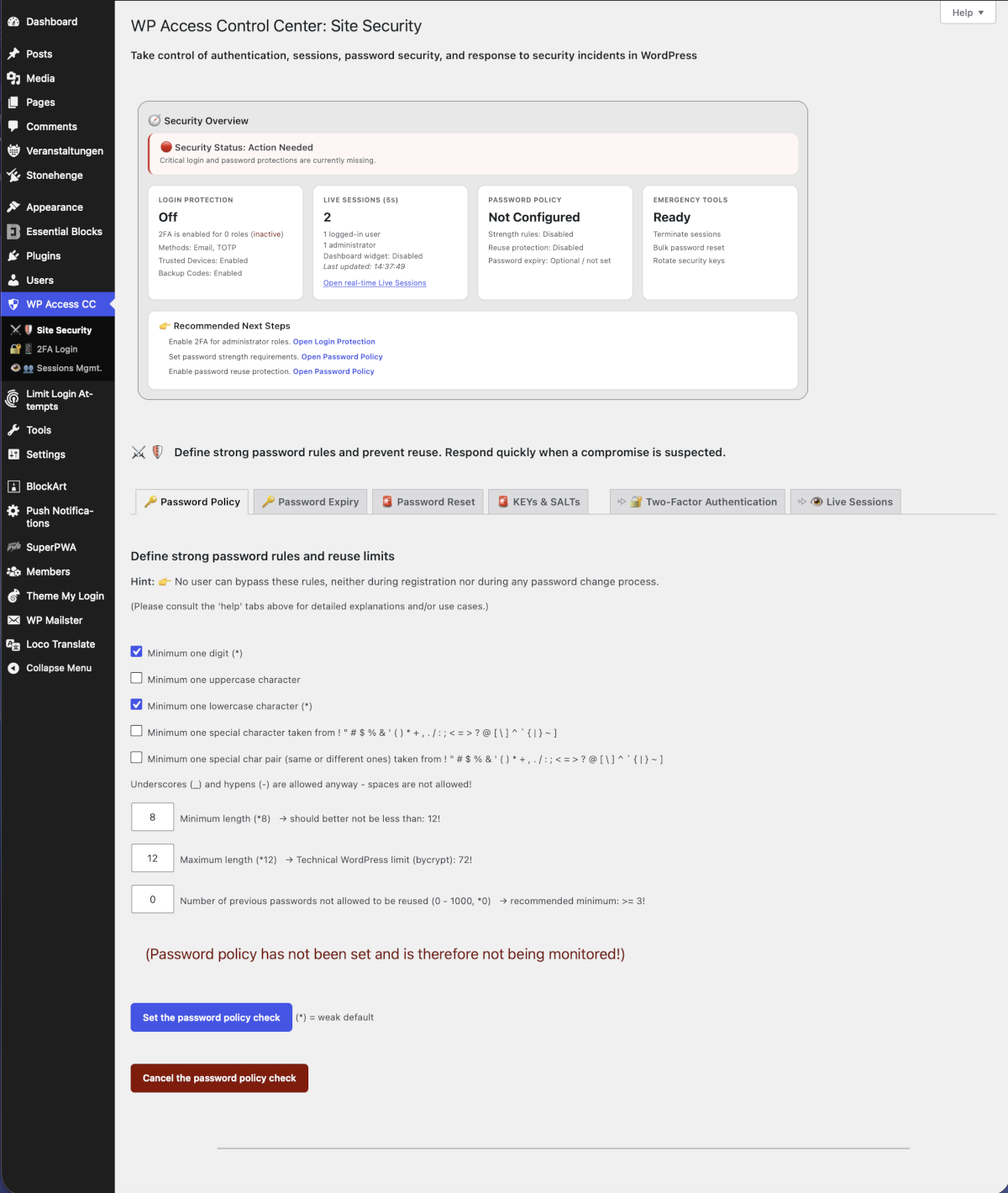
- General indicator about the current site security status
- Status overview about the most important security settings
- Live view of main session KPIs (refresh: 5s)
- Next step recommendations to get your site more secure
- Can be made sticky to stay visible when scrolling down
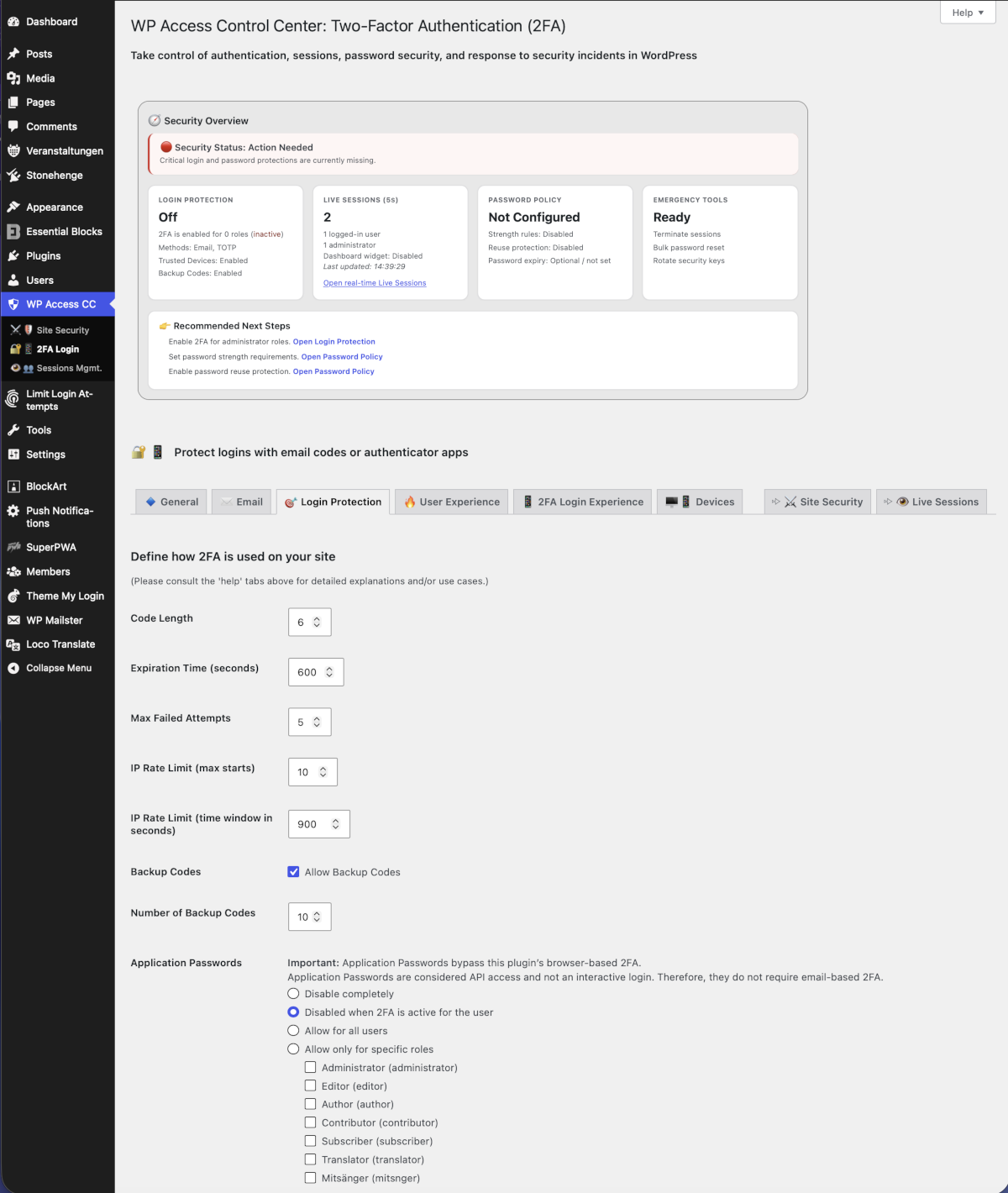
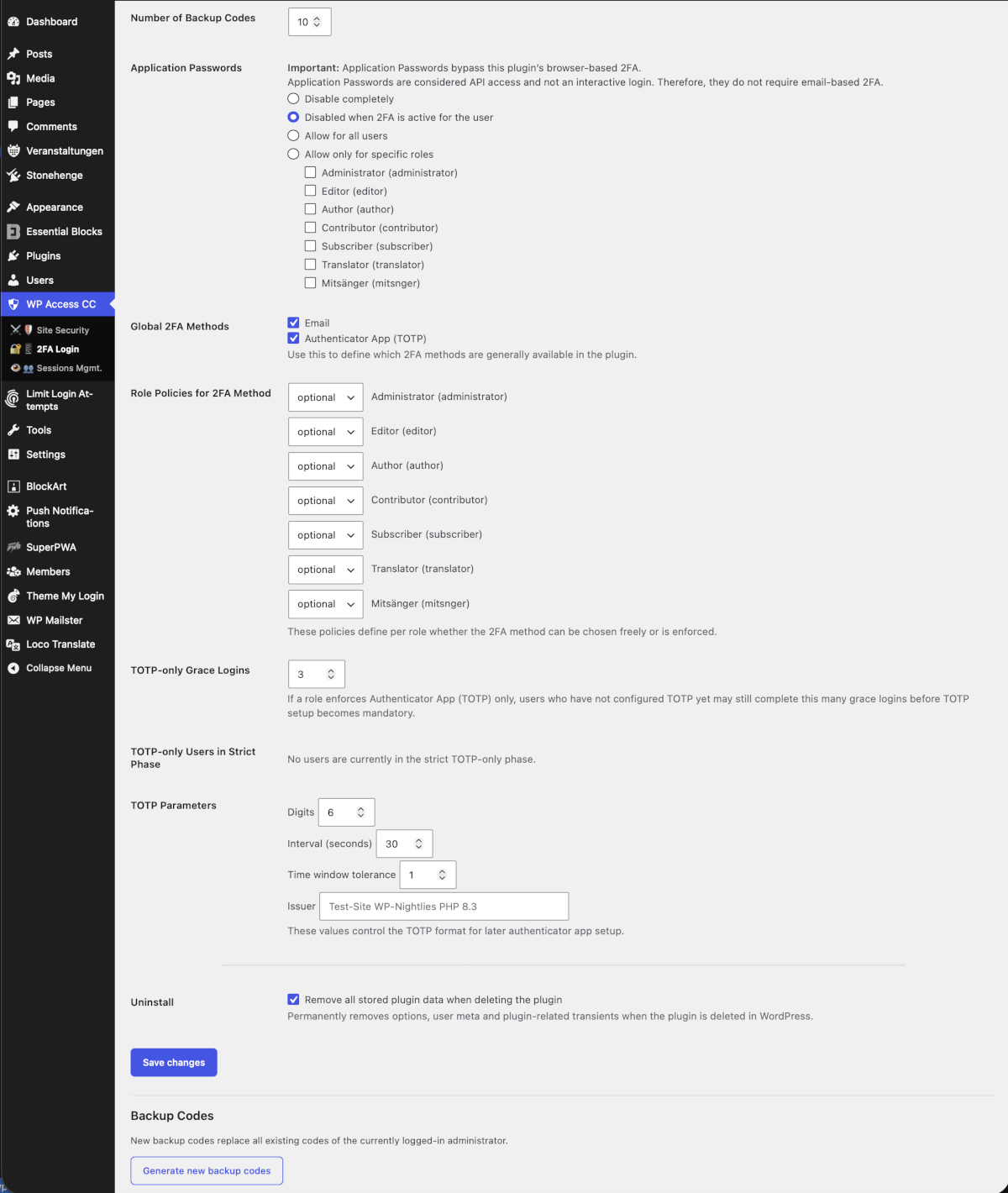
🔐 Two-Factor Protection
- Email-based verification codes
- TOTP support (Google Authenticator, Microsoft Authenticator, Authy, etc.)
- Role-based enforcement
- Grace periods for smooth rollout
- Backup codes for account recovery
- Trusted devices to reduce login friction
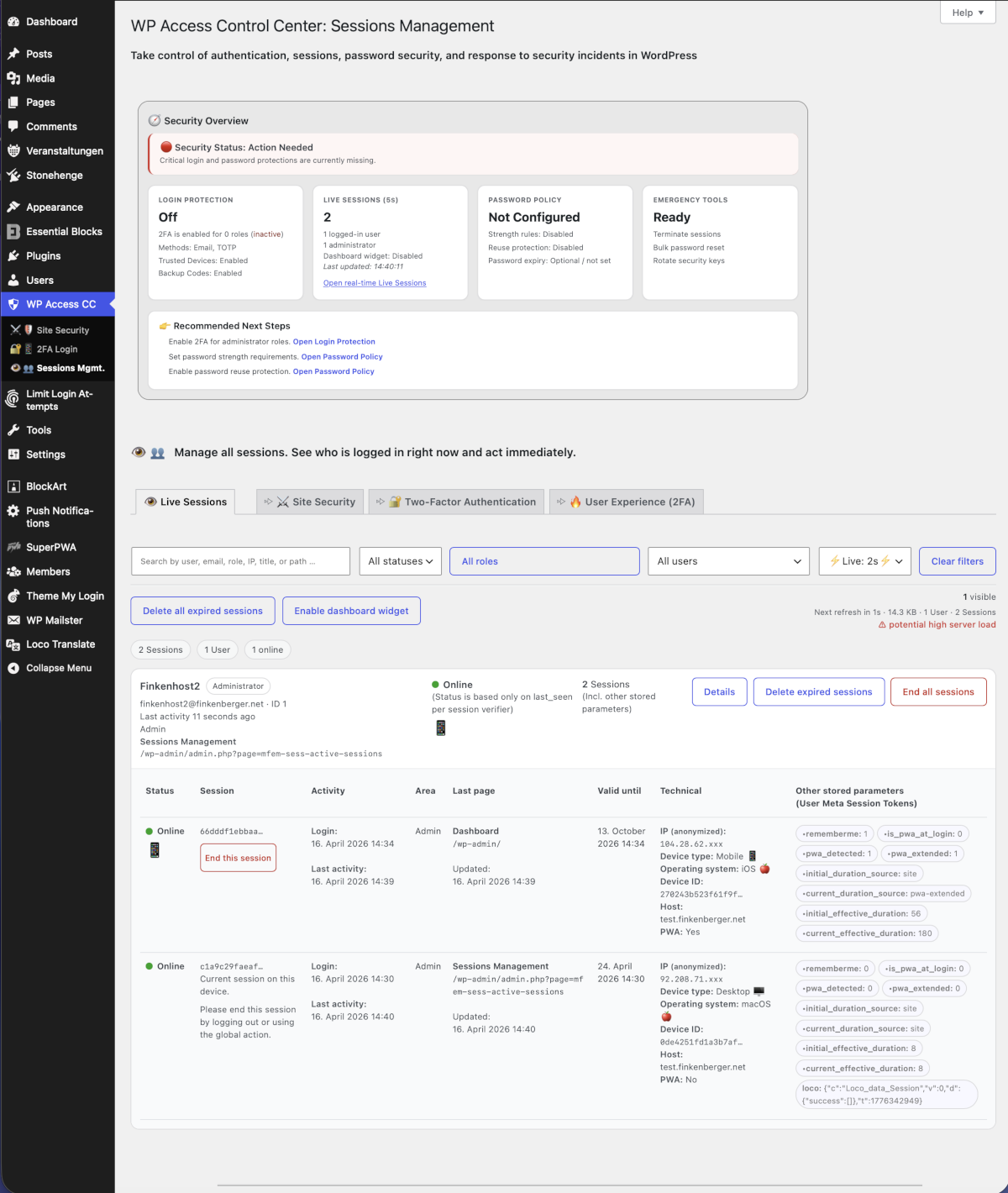
👁️ Live Session Control
- Real-time overview of all active sessions (AJAX-powered)
- Inspect session details and parameters
- Instantly terminate individual or all sessions
- Monitor user activity as it happens
🔑 Password Policies
- Enforce password strength requirements
- Prevent password reuse
- Define role-based password expiration
- Real-time feedback during password creation
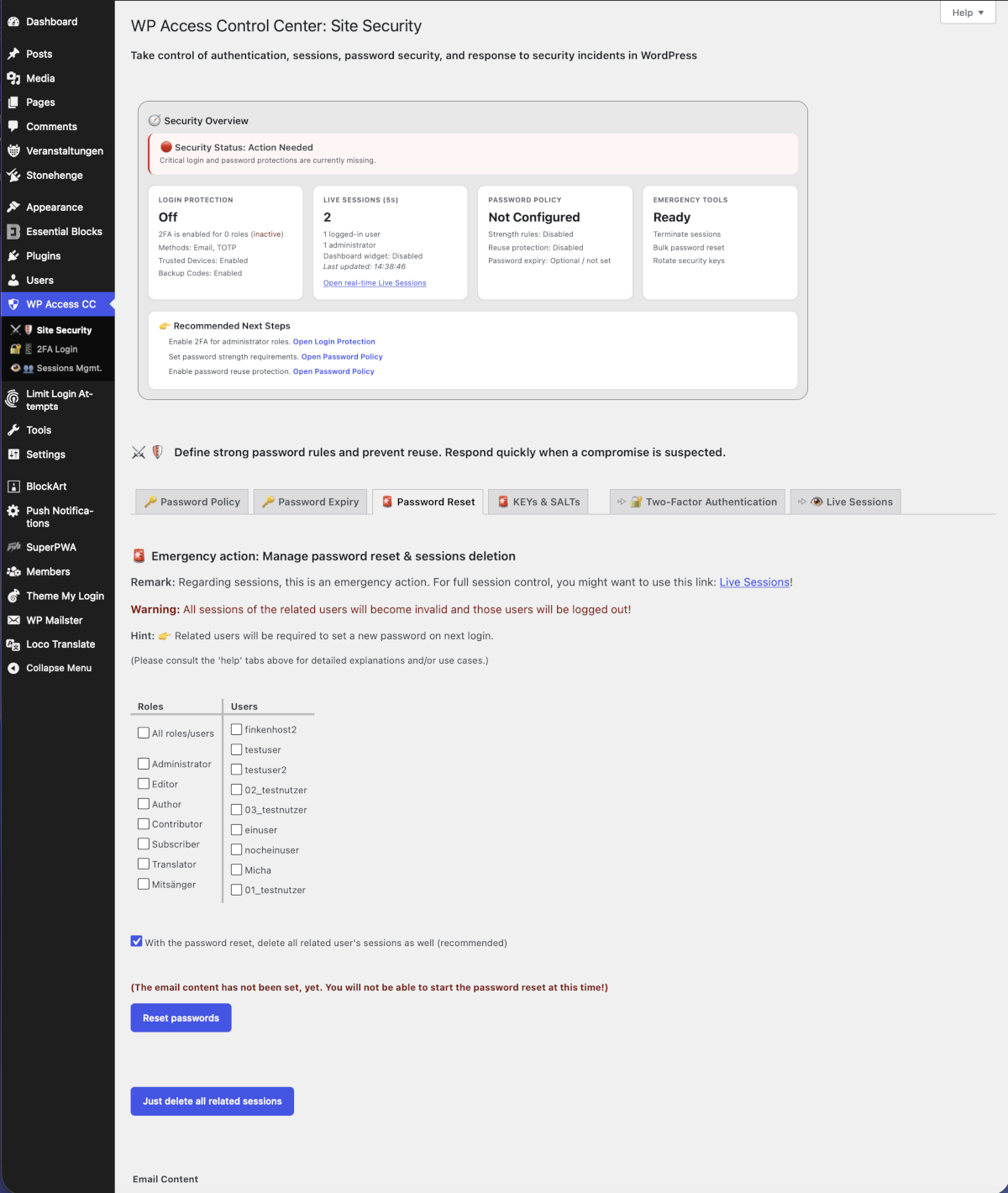
⚡ Bulk Password Reset
- Reset passwords for roles or selected users
- Optionally terminate related sessions
- Automatic email notifications (fully customizable)
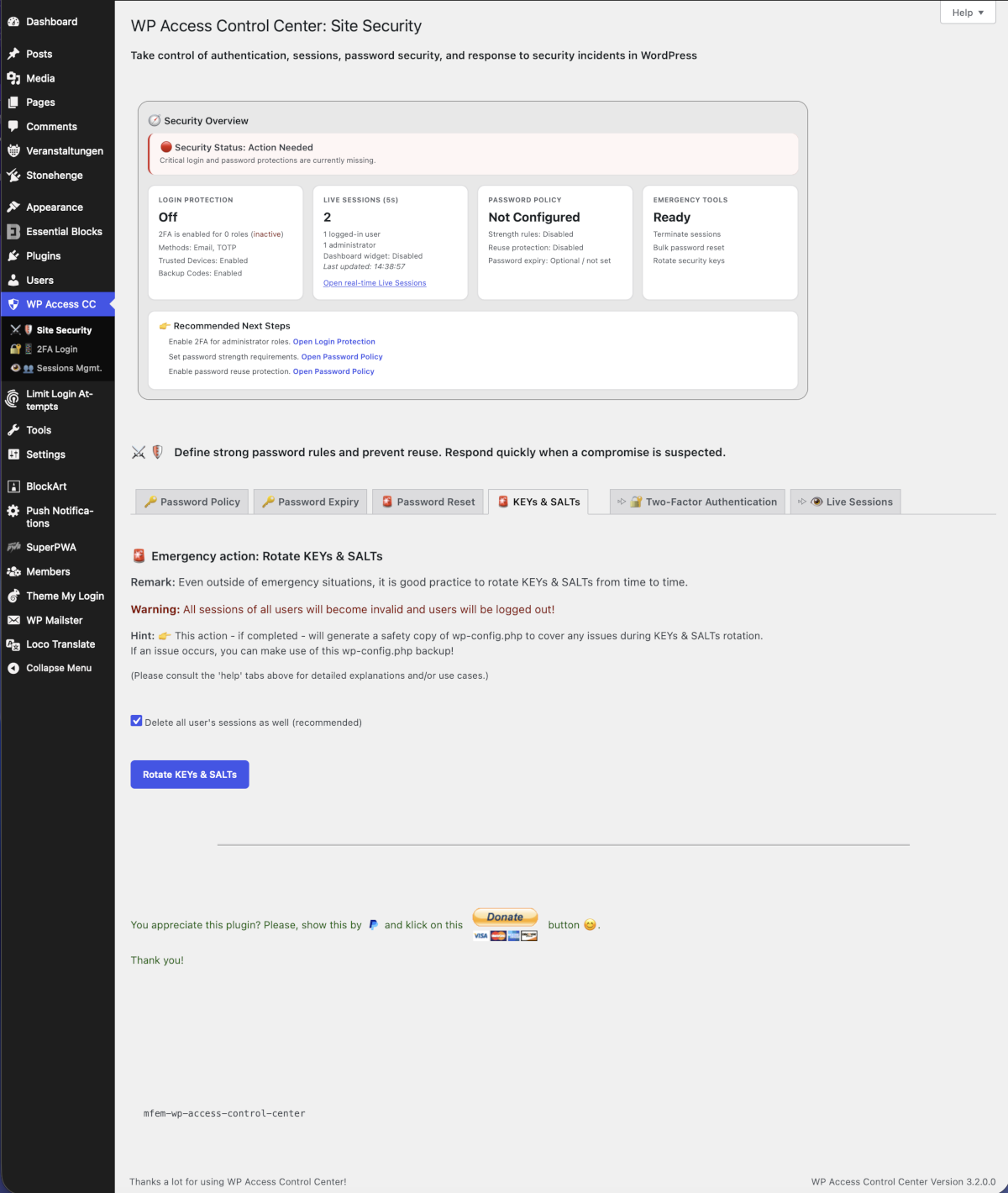
🔄 Security Key Rotation
- One-click regeneration of WordPress KEYs & SALTs
- Immediately invalidates all active sessions
- Essential for incident response
⏱️ Advanced Session Control
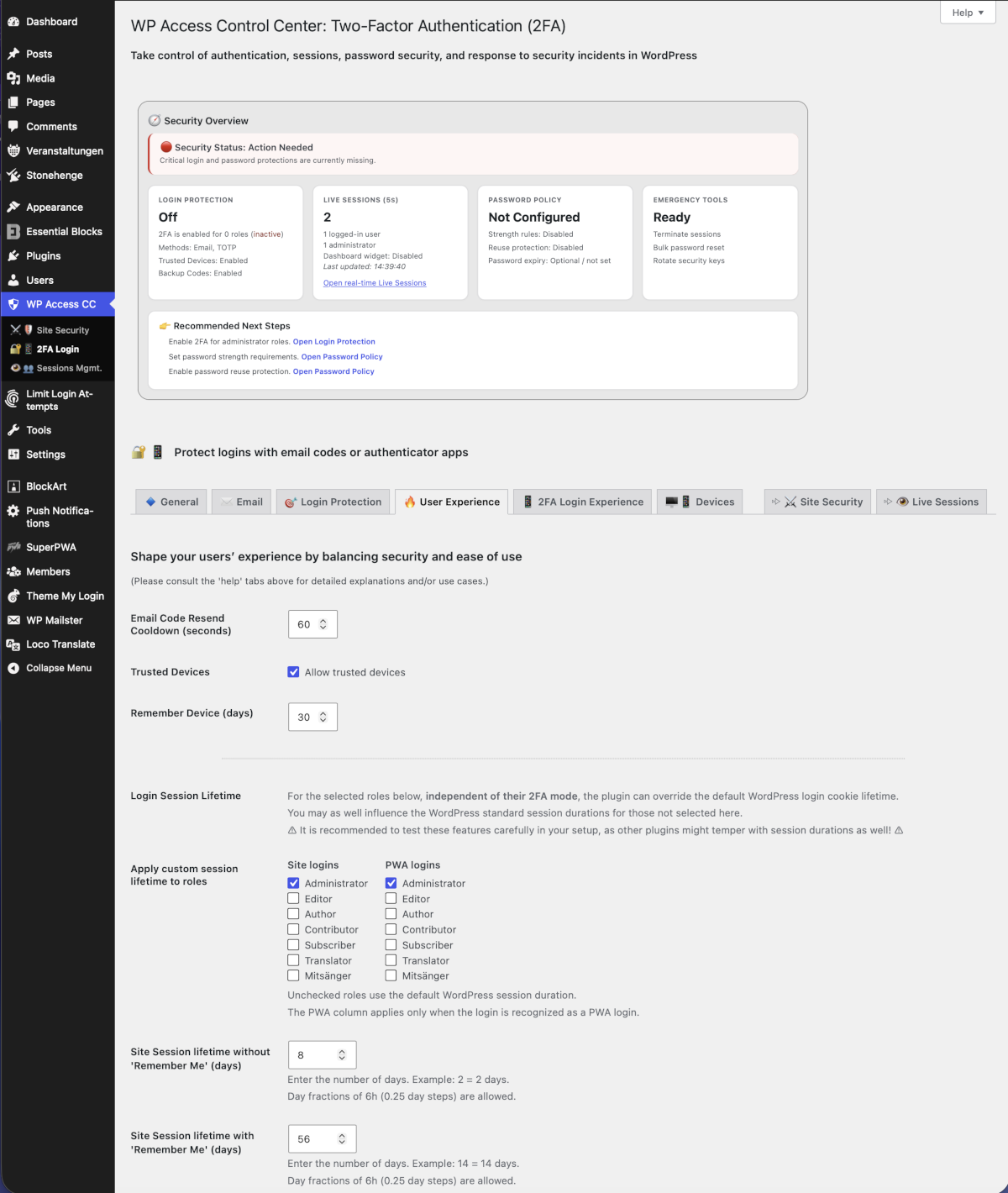
- Configure session lifetime per role
- Separate rules for “Remember Me”
- Automatic cleanup of expired sessions
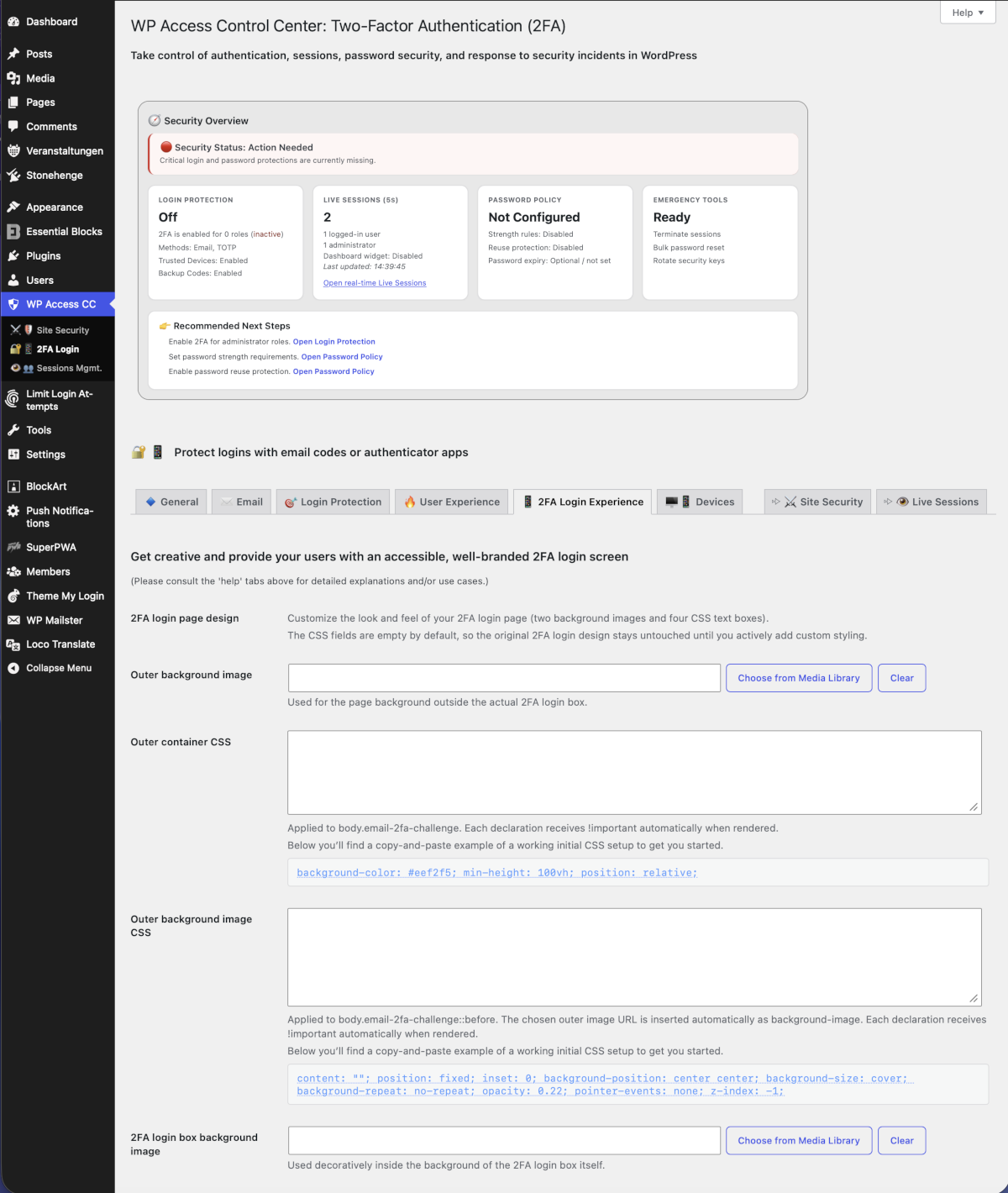
🎨 Login Experience Designer
- Customize the 2FA login page
- Background images (outer & inner)
- Flexible CSS customization
- Safe defaults – no changes unless configured
No external services required. Everything runs locally within your WordPress installation.
Installation
- Upload the plugin to ‘/wp-content/plugins/wp-access-control-center’
- Activate it via the Plugins screen
- Go to the WP Access Control Center menu
Frequently asked questions
Does this plugin require external services?
No. All features run entirely within your WordPress installation.
Which authenticator apps are supported?
Any TOTP-compatible app such as Google Authenticator, Microsoft Authenticator, Authy, and others.
Can I enforce 2FA for specific roles only?
Yes, you can enforce 2FA per role and define optional grace periods.
Are different 2FA methods available?
Yes, the available 2FA methods include email codes, authenticator apps (TOTP), trusted devices and backup codes.
Can I customize the appearance of the 2FA login screen?
Yes, there is one admin page specifically dedicated to control the appearance and branding of the 2FA login screen.
What happens when passwords expire?
Users are required to set a new password upon login.
Can I make sure that users won’t reuse their previous passwords?
Yes, you will be able to control the number of previous passwords forbidden to be reused.
Does the plugin provide a live overview about all existing sessions?
Yes, this plugin provides a fully flexible live monitoring of sessions und the related user activity.
Can I terminate sessions manually?
Yes, you can terminate individual sessions or all sessions at any time.
Will rotating KEYs and SALTs log out users?
Yes. All sessions will be invalidated immediately.
Changelog
No upgrades available at this time
3.2.0.8
- (New) Two buttons added above the sessions view: ‘Open all Detais’ and ‘Close all Details’.
- (Fix) Added index.php (WordPress dashboard) as a target for the important plugin messages.
3.2.0.7
- (Tweak) Security overview dashboard session messages refined.
3.2.0.6
- (New) Additional session data (related to admins) in the security overview dashboard.
- (New) Additional data pills above the session view for a comprehensive overview.
- (Fix) A few messages updated for better clarity.
- (Fix) Added update.php as a target for the important plugin messages.
3.2.0.5
- (Fix) Session KPIs in security overview dashboard corrected.
- (Fix) Naming of view pills above the session live view changed for clarity.
3.2.0.4
- (Fix) Added update-core.php as a target for the important plugin messages.
3.2.0.3
- (New) Additional session data in the security overview dashboard.
- (Tweak) The ‘recommended next step’ logic was further enhanced.
- (Tweak) Code optimizations.
Screenshots

For developers
Is this your plugin? Show off the numbers.
Add a live badge to your site, docs or GitHub README. It updates on its own — no account needed.
Best WP Access Control Center alternatives
All 2FA plugins →





FAQ
WP Access Control Center: quick answers
Straight answers, pulled from live WordPress.org data.
Live data from WordPress.org · checked Oct 15, 2026
Is WP Access Control Center free?
Yes. WP Access Control Center is free to download and use from the official WordPress.org plugin directory.
Is WP Access Control Center safe to use in 2026?
WP Access Control Center is a solid plugin choice in 2026, with a few things worth checking first. It runs on 10+ sites and was last updated 2 months ago, and scores 62/100 on our health check.
How many websites use WP Access Control Center?
WP Access Control Center is active on 10+ WordPress websites and has been downloaded 4,403 times since it launched in December 2020. It was downloaded 96 times in the last 30 days.
Does WP Access Control Center work with WordPress 7.1?
Yes. The developer has tested WP Access Control Center up to WordPress 7.1.3, the latest release. It requires WordPress 6.2 or newer.
What PHP version does WP Access Control Center need?
WP Access Control Center requires PHP 7.4 or higher. Most hosts run PHP 8.x today, so it works on any modern WordPress hosting.
When was WP Access Control Center last updated?
The latest version, 3.2.0.8, was released on August 17, 2026 (2 months ago).
Who makes WP Access Control Center?
WP Access Control Center is developed and maintained by Michael Finkenberger.
What are the best alternatives to WP Access Control Center?
The most popular alternatives to WP Access Control Center are Wordfence Security (5M+ installs), Really Simple Security (3M+ installs) and Limit Login Attempts Securi… (1M+ installs).
Powered by PageForge
Want thousands of pages that rank like these? Build them in an afternoon.
This directory runs on the same engine as PageForge. Turn any spreadsheet, CSV or API into thousands of fast, SEO-ready WordPress pages — with schema, internal links and AI-written copy baked in.
- CSV, Google Sheets & API data sources
- AI content, schema & internal links per page
- Works with Elementor, Gutenberg, Yoast & Rank Math
- Free on WordPress.org — no credit card


