


Devlin Accessibility Monitor for WooCommerce
See live WooCommerce accessibility friction as shoppers hit it — privacy-first monitoring without custom tables or session recordings.

Consider an alternative
Devlin Accessibility Monitor fo… shows warning signs in 2026 — compare the alternatives below before installing. Was last updated 6 months ago, and scores 36/100 on our health check.
- Small user base (<10 active installs)
- Very few reviews so far
- Only tested up to WordPress 6.9 (latest is 7.1)
- Needs PHP 8.2 or newer
How does it stack up?
Side-by-side on installs, updates, ratings & support


Daily downloads
Download spikes usually follow a new release — each site that auto-updates counts as a download.
Rankings
Where Devlin Accessibility Monito… stands todayWordPress.org search rankings
Live position in the plugin search, top 100| Keyword | Position |
|---|---|
| accessibility | >100 |
| checkout | >100 |
| monitoring | >100 |
| privacy | >100 |
| woocommerce | >100 |
About Devlin Accessibility Monitor for WooCom…
From the official readme · v0.2.0Description
Devlin Accessibility Monitor for WooCommerce helps WooCommerce merchants observe live accessibility barriers while shoppers are actively using the storefront.
The plugin focuses on real-time friction signals instead of persistent analytics. Events are sanitized, streamed into a short-lived live buffer, displayed in the WooCommerce dashboard, and discarded automatically. Settings are stored with standard WordPress options, and the live buffer uses a WordPress transient rather than a custom database table or replay store.
This plugin is built for merchants, accessibility reviewers, QA teams, and WooCommerce builders who need to understand where accessibility friction is interrupting conversion-critical journeys without introducing heavy analytics tooling or long-lived shopper tracking.
What merchants get
- A WooCommerce dashboard that surfaces live accessibility friction as it happens
- Merchant-only preview scenarios for demos, QA walkthroughs, and stakeholder reviews
- Recommended actions that adapt to the current friction summary
- Privacy-first capture with coarse categories only
- No custom tables, no Redis requirement, and no third-party telemetry
Good fit for
- Stores that want a lightweight live accessibility signal layer inside WooCommerce
- Teams that need stakeholder demos before live storefront traffic is available
- QA and product teams reviewing cart, checkout, product, and catalog usability
- Merchants who want operational visibility without session replay or behavioral surveillance
Signals detected
- Dead clicks on non-interactive elements
- False interactivity after repeated dead clicks
- Missing focus visibility during keyboard navigation
- Broken aria relationships
- Repeated invalid form interactions and unlabelled fields
- Repeated tab loops inside overlays
- Keyboard trap risk
- Recovery events when a previously detected issue resolves
Privacy-first design
- No typed values are stored
- No IP addresses are stored
- No session recordings are created
- No external analytics or tracking libraries are used
- No custom database tables are created
- No Redis or paid cache service is required
WooCommerce implementation
The first release targets WooCommerce cart, checkout, product, and catalog experiences. It uses the WooCommerce Settings API, the WordPress REST API, and standard hooks so the plugin remains portable to future platform-specific adapters.
Merchant preview mode
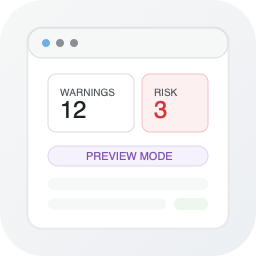
Store owners can turn on a merchant-only preview mode from the dashboard to simulate realistic accessibility issues without requiring live storefront traffic. The preview includes walkthrough scenarios for checkout friction, keyboard navigation, catalog browsing, payment failures, and mobile tap audits. The dashboard also surfaces recommended actions that adapt to the current live or synthetic friction signals.
Operational guardrails
- Incoming event payloads are capped at 1 KB
- Per-visitor event submission is rate limited
- Dashboard and preview controls require merchant capability checks
- Live signals expire automatically after the configured buffer window
- Published plugin packages do not require Composer on the destination site
Installation
- Upload the plugin folder to /wp-content/plugins/.
- Activate WooCommerce.
- Activate Devlin Accessibility Monitor for WooCommerce.
- Open WooCommerce > Settings > Devlin Accessibility Monitor for WooCommerce and confirm monitoring is enabled.
- Open WooCommerce > Devlin Accessibility Monitor for WooCommerce to watch the live dashboard.
Frequently asked questions
Does this plugin require Redis or a separate database?
No. It uses a short-lived transient-backed live buffer inside WordPress. No custom tables and no external cache service are required. On a standard WordPress install, the transient and plugin settings are stored through WordPress in the normal site database.
Does it store personal data?
No personal data is intentionally stored. The plugin is designed around coarse, anonymous accessibility diagnostics.
Which pages are monitored?
Cart and checkout are the primary targets. Product and catalog tracking can also be enabled from settings.
Can I demo the plugin before live traffic arrives?
Yes. The merchant dashboard includes a preview mode with named walkthrough scenarios so you can demonstrate the feed, hotspots, and recommendations without waiting for real storefront events.
Does this plugin require Composer in production?
No. Release packages include the plugin’s internal runtime autoloader, so a standard WordPress.org-style upload works without a Composer install on the destination site.
Does it change storefront behavior for shoppers?
No. The plugin is designed to observe and report coarse accessibility friction signals. It does not inject shopper-facing UI or alter checkout flows.
Changelog
Adds persistent accumulated stats, in-dashboard onboarding guide, and visual breakdowns so merchants always see their metrics.
0.2.0
- Added persistent accumulated stats so merchants always see their all-time and daily metrics without needing live traffic.
- Added an in-dashboard Getting Started guide with step-by-step onboarding and quick tips.
- Added visual breakdowns by issue type, page, and top hotspots in the accumulated stats section.
- Added Reset Stats and Show Guide controls with REST-backed persistence.
- Added contextual help text and improved empty states across all dashboard panels.
0.1.1
- Updated release automation and corrected repository metadata for WordPress.org publication.
0.1.0
- Initial WooCommerce release with privacy-first live accessibility event collection for cart, checkout, product, and catalog experiences.
- Added a merchant dashboard with live feed, hotspot summaries, preview walkthroughs, and recommended actions.
- Added transient-backed live buffering, bounded settings, per-visitor rate limiting, and merchant-only preview controls.
- Added PHPUnit unit coverage, LocalWP-backed integration coverage, and release packaging for WordPress.org-style uploads.
Screenshots


For developers
Is this your plugin? Show off the numbers.
Add a live badge to your site, docs or GitHub README. It updates on its own — no account needed.
Best Devlin Accessibility Monitor… alternatives
All accessibility plugins →





FAQ
Devlin Accessibility Monitor for Wo…: quick answers
Straight answers, pulled from live WordPress.org data.
Live data from WordPress.org · checked Oct 20, 2026
Is Devlin Accessibility Monitor fo… free?
Yes. Devlin Accessibility Monitor fo… is free to download and use from the official WordPress.org plugin directory.
Is Devlin Accessibility Monitor fo… safe to use in 2026?
Devlin Accessibility Monitor fo… shows warning signs in 2026 — compare the alternatives below before installing. Was last updated 6 months ago, and scores 36/100 on our health check.
How many websites use Devlin Accessibility Monitor fo…?
Devlin Accessibility Monitor fo… is active on <10 WordPress websites and has been downloaded 398 times since it launched in April 2026. It was downloaded 66 times in the last 30 days.
Does Devlin Accessibility Monitor fo… work with WordPress 7.1?
Devlin Accessibility Monitor fo… is officially tested up to WordPress 6.9.10, while the latest release is 7.1.3. It may still work, but try it on a staging site first.
What PHP version does Devlin Accessibility Monitor fo… need?
Devlin Accessibility Monitor fo… requires PHP 8.2 or higher. Most hosts run PHP 8.x today, so it works on any modern WordPress hosting.
When was Devlin Accessibility Monitor fo… last updated?
The latest version, 0.2.0, was released on April 12, 2026 (6 months ago).
Who makes Devlin Accessibility Monitor fo…?
Devlin Accessibility Monitor fo… is developed and maintained by devlinduldulao.
What are the best alternatives to Devlin Accessibility Monitor fo…?
The most popular alternatives to Devlin Accessibility Monitor fo… are Web Accessibility (formally… (500K+ installs), Auto Image Attributes From… (100K+ installs) and Accessibility by UserWay (80K+ installs).
Powered by PageForge
Want thousands of pages that rank like these? Build them in an afternoon.
This directory runs on the same engine as PageForge. Turn any spreadsheet, CSV or API into thousands of fast, SEO-ready WordPress pages — with schema, internal links and AI-written copy baked in.
- CSV, Google Sheets & API data sources
- AI content, schema & internal links per page
- Works with Elementor, Gutenberg, Yoast & Rank Math
- Free on WordPress.org — no credit card


