


DevAura Accessibility Scanner
Scan site pages, diagnose WCAG 2.2 accessibility violations, explain why they matter, and offer suggested fixes.

Solid choice
DevAura Accessibility Scanner is a solid plugin choice in 2026, with a few things worth checking first. Was last updated 1 week ago, and scores 64/100 on our health check.
- Actively developed — last update 1 week ago
- Tested with the latest WordPress (7.1)
- Small user base (<10 active installs)
- Very few reviews so far
- Needs PHP 8.2 or newer
How does it stack up?
Side-by-side on installs, updates, ratings & support



Daily downloads
Download spikes usually follow a new release — each site that auto-updates counts as a download.
Rankings
Where DevAura Accessibility Scann… stands todayWordPress.org search rankings
Live position in the plugin search, top 100| Keyword | Position |
|---|---|
| a11y | #70 |
| accessibility | >100 |
| checker | >100 |
| scanner | >100 |
| wcag | >100 |
About DevAura Accessibility Scanner
From the official readme · v1.0.1Description
Note: This plugin is NOT an accessibility overlay. It acts as an audit and assistance tool to help website administrators fix structural code errors rather than applying cosmetic patches.
Key Features
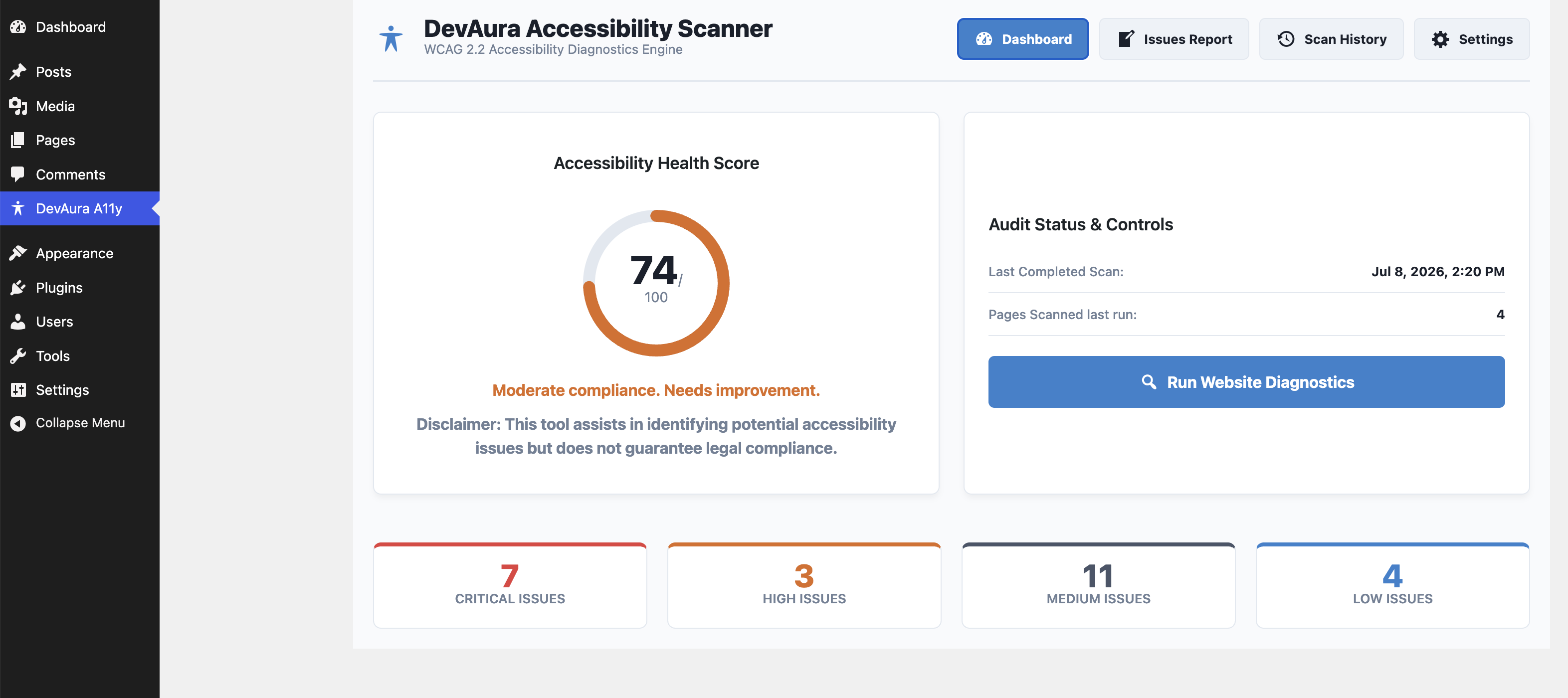
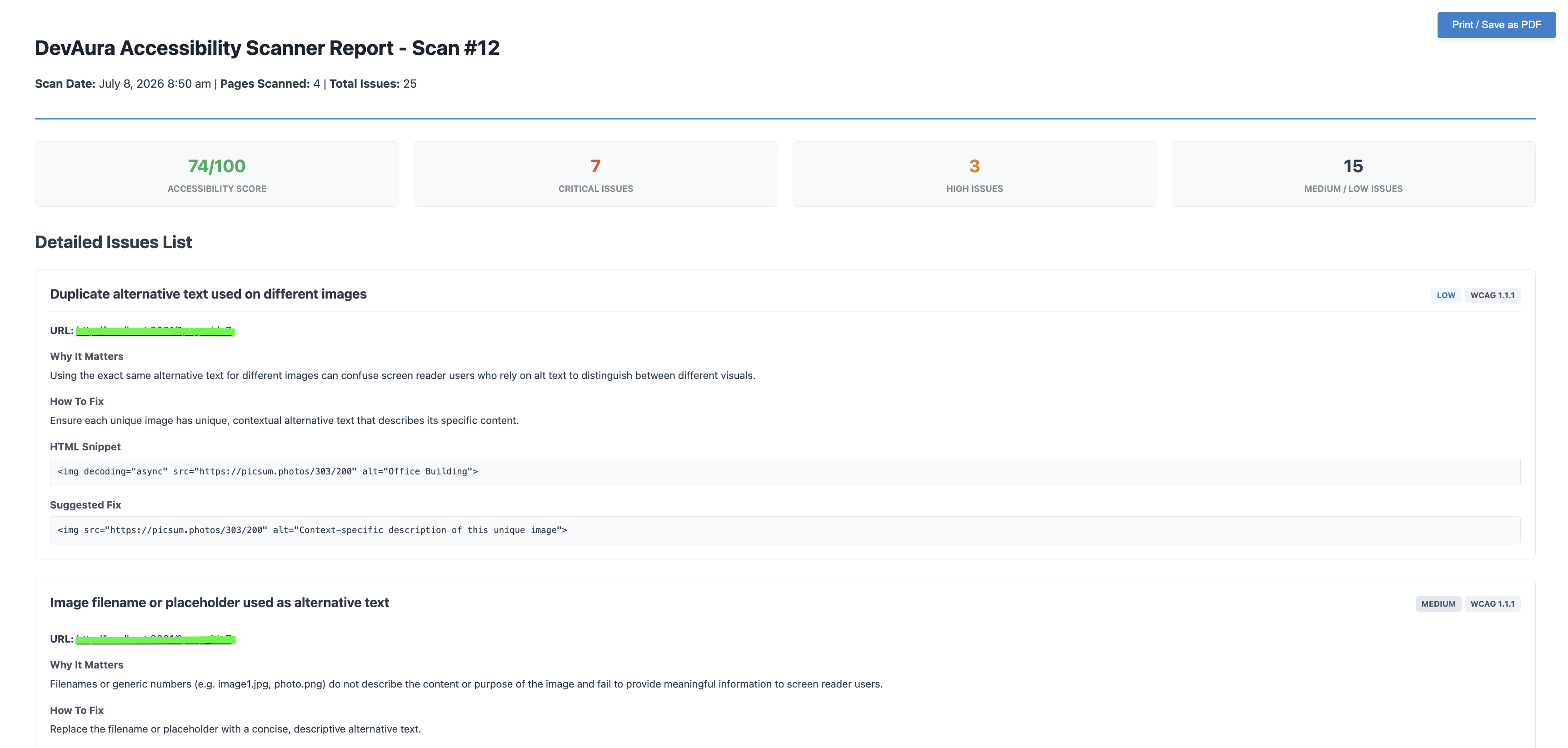
- Score Dashboard: Visual accessibility health grade (0-100) based on severity weighting.
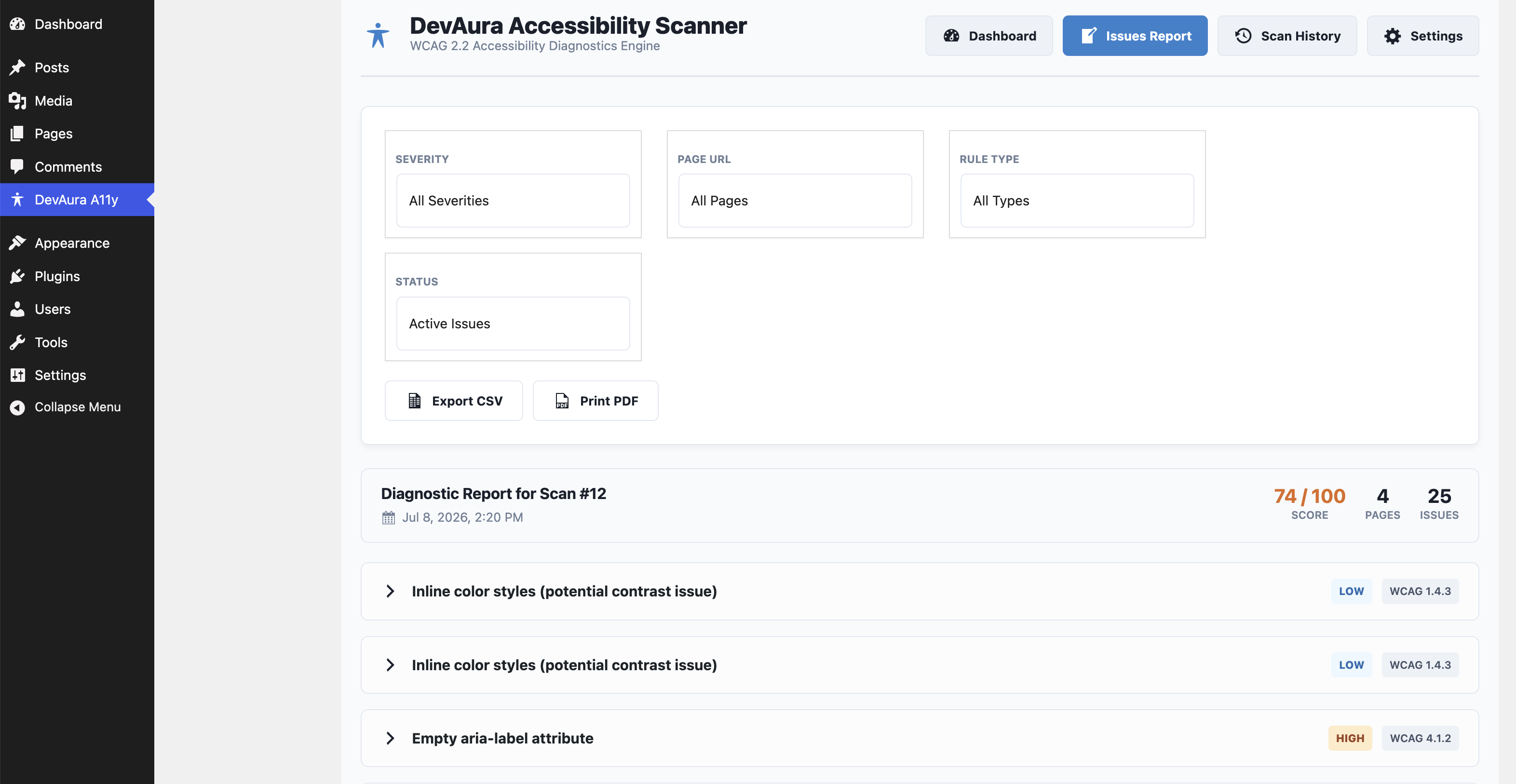
- In-Depth Auditing: Checks language tags, image alt attributes (missing, decorative/informative check, duplicate alts, filename alts), heading structures, form field connections, button labels, table header markup, media warning tags, ARIA spelling validation, and HTML5 layout landmarks.
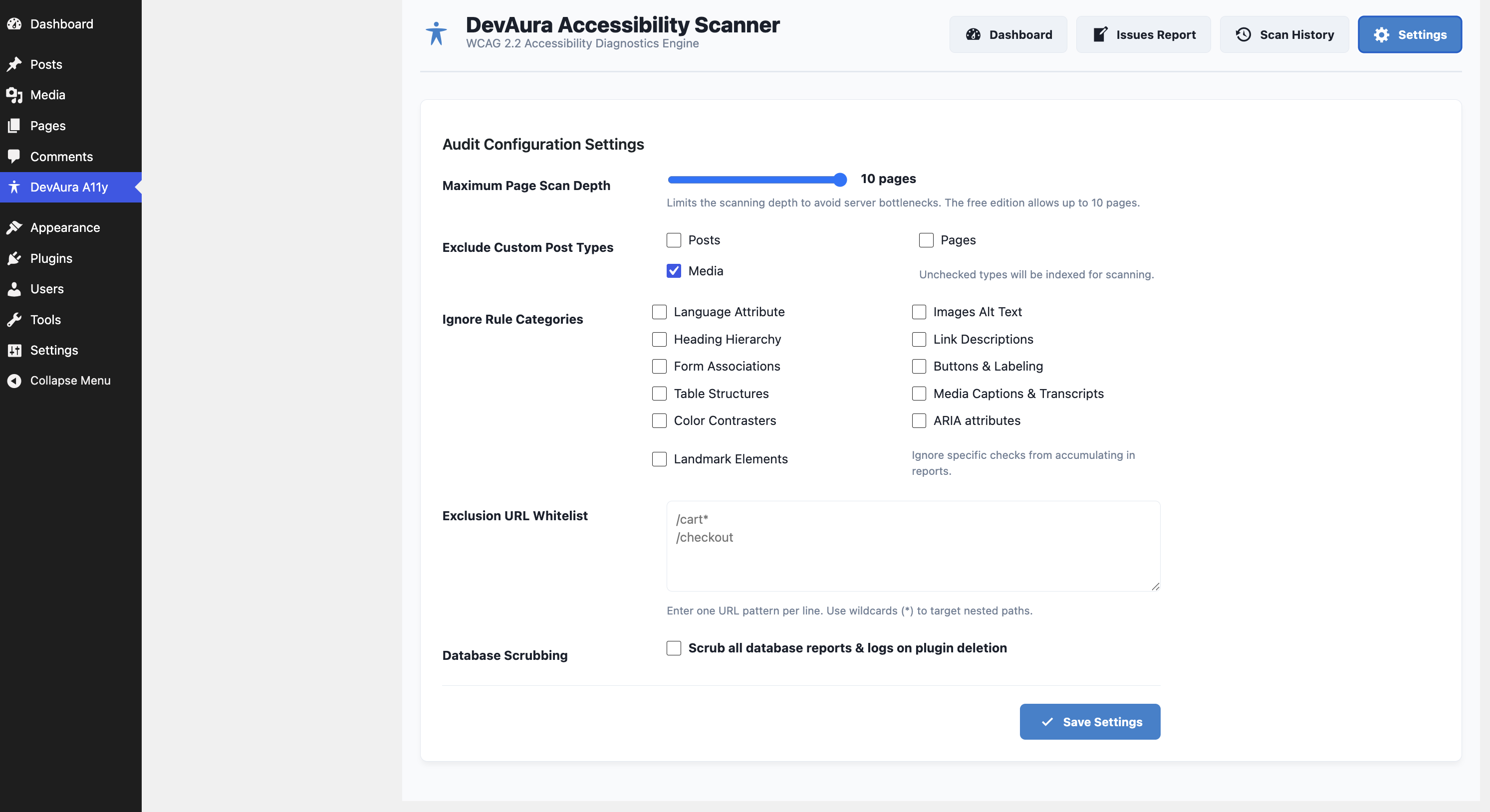
- AJAX Scanning Engine: Safely queries up to 10 pages in small batches to completely avoid PHP timeout limits.
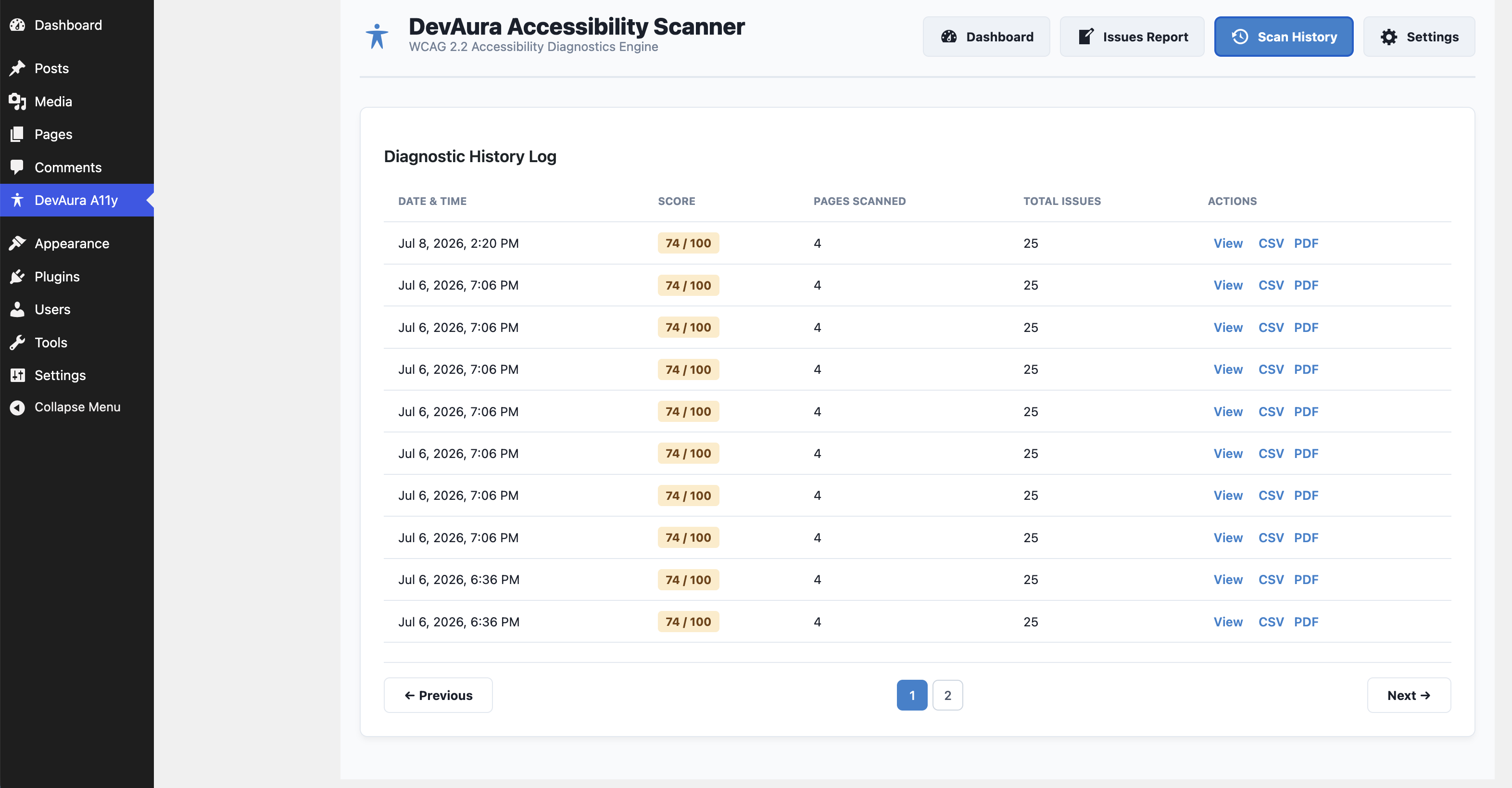
- Spreadsheet & PDF Exports: Download records in CSV or render print-ready layout templates.
- Robust Security: Includes REST endpoint capability checks (
manage_options), WordPress nonce authorization, and strict PHP input sanitization.
Developer Hooks
The plugin provides hooks to enable extension in premium custom versions:
1. devaura_accessibility_scanner_registered_rules (Filter)
Register custom WCAG rules. Custom rules must implement AccessibilityScanner\Analyzer\RuleInterface.
add_filter( 'devaura_accessibility_scanner_registered_rules', function( $rules ) {
    $rules[] = new MyCustomContrastRule();
    return $rules;
} );
2. devaura_accessibility_scanner_get_page_html (Filter)
Intercept page content retrieval before rules analyze it. Useful for mocking HTML or offline staging tests.
add_filter( 'devaura_accessibility_scanner_get_page_html', function( $html, $url ) {
    if ( $url === 'http://test.local/' ) {
        return '<html><html lang="en"><body><h1>Title</h1></body></html>';
    }
    return $html;
}, 10, 2 );
Uninstalling
By default, activating the plugin creates two custom tables: wp_devaura_as_scans and wp_devaura_as_issues. If you select Scrub all database reports & logs on plugin deletion in the settings tab, deleting the plugin will completely remove these tables and their records.
Installation
- Copy the
devaura-accessibility-scannerdirectory to your WordPress site’swp-content/plugins/folder. - Go to Plugins in the WordPress admin panel.
- Click Activate under DevAura Accessibility Scanner.
- Access the diagnostic console under the DevAura A11y menu item in your sidebar.
Frequently asked questions
Does this plugin automatically fix accessibility issues?
No. This plugin is an auditing and diagnostics engine. It identifies WCAG violations in your markup and offers guidelines on how to fix them directly in your code, rather than injecting cosmetic overlays that slow down your website.
Can I write custom auditing rules?
Yes! Developers can use the devaura_accessibility_scanner_registered_rules filter hook to register custom rules that implement the rule interface.
Does the scanner affect my website’s speed or performance?
No. The scanner performs checks in small asynchronous batches via the WordPress REST API in your dashboard. It does not scan external sites, does not impact front-end visitor page loads, and runs only when manually triggered.
Which WCAG standards does the scanner test against?
The plugin tests pages against key guidelines under the WCAG 2.2 (Level A and AA) standards. This includes checks for alt text, heading hierarchies, layout landmarks, ARIA spelling, buttons, labels, and color rules.
How is the compliance score calculated?
The health score (0-100) is calculated dynamically based on a severity-weighted scoring system. Critical issues lower your score significantly more than minor or low-severity warnings.
Does this plugin send data to external servers?
No. The DevAura Accessibility Scanner operates completely locally on your WordPress server. All scan results, reports, and configuration values are stored directly inside your own WordPress database. No tracking data is sent to external servers.
Changelog
[Compatibility] Tested OK with WordPress version 7.1
1.0.1
- [Compatibility] Tested OK with WordPress version 7.1
1.0.0
- Initial release of DevAura Accessibility Scanner.
Screenshots
For developers
Is this your plugin? Show off the numbers.
Add a live badge to your site, docs or GitHub README. It updates on its own — no account needed.
Best DevAura Accessibility Scanner alternatives
All a11y plugins →





FAQ
DevAura Accessibility Scanner: quick answers
Straight answers, pulled from live WordPress.org data.
Live data from WordPress.org · checked Sep 29, 2026
Is DevAura Accessibility Scanner free?
Yes. DevAura Accessibility Scanner is free to download and use from the official WordPress.org plugin directory.
Is DevAura Accessibility Scanner safe to use in 2026?
DevAura Accessibility Scanner is a solid plugin choice in 2026, with a few things worth checking first. Was last updated 1 week ago, and scores 64/100 on our health check.
How many websites use DevAura Accessibility Scanner?
DevAura Accessibility Scanner is active on <10 WordPress websites and has been downloaded 201 times since it launched in July 2026. It was downloaded 95 times in the last 30 days.
Does DevAura Accessibility Scanner work with WordPress 7.1?
Yes. The developer has tested DevAura Accessibility Scanner up to WordPress 7.1.2, the latest release. It requires WordPress 6.0 or newer.
What PHP version does DevAura Accessibility Scanner need?
DevAura Accessibility Scanner requires PHP 8.2 or higher. Most hosts run PHP 8.x today, so it works on any modern WordPress hosting.
When was DevAura Accessibility Scanner last updated?
The latest version, 1.0.1, was released on September 19, 2026 (1 week ago).
Who makes DevAura Accessibility Scanner?
DevAura Accessibility Scanner is developed and maintained by DevAura.
What are the best alternatives to DevAura Accessibility Scanner?
The most popular alternatives to DevAura Accessibility Scanner are Web Accessibility (formally… (500K+ installs), WP Accessibility (60K+ installs) and AccessibleWP (20K+ installs).
Powered by PageForge
Want thousands of pages that rank like these? Build them in an afternoon.
This directory runs on the same engine as PageForge. Turn any spreadsheet, CSV or API into thousands of fast, SEO-ready WordPress pages — with schema, internal links and AI-written copy baked in.
- CSV, Google Sheets & API data sources
- AI content, schema & internal links per page
- Works with Elementor, Gutenberg, Yoast & Rank Math
- Free on WordPress.org — no credit card


