



Confetti – Celebration Effects for WordPress
Add a confetti celebration to any page with a block or shortcode. Seven styles, no setup. Premium fires it after purchases, form submissions and more.

Safe pick
Yes — Confetti is a safe, well-maintained plugin to use in 2026. It runs on 2K+ sites, is rated 5/5 and was last updated 1 month ago, and scores 92/100 on our health check.
- Loved by users — 5/5 from 49 reviews
- Actively developed — last update 1 month ago
- Tested with the latest WordPress (7.1)
How does it stack up?
Side-by-side on installs, updates, ratings & support



Daily downloads
Download spikes usually follow a new release — each site that auto-updates counts as a download.
Rankings
Where Confetti stands todayWordPress.org search rankings
Live position in the plugin search, top 100| Keyword | Position |
|---|---|
| animation | >100 |
| celebration | #1 |
| confetti | #1 |
| effects | #9 |
| thank you page | #13 |
Version adoption
Share of active sites per release.
Rating breakdown
★★★★★★★★★★ 5 from 49 reviews
About Confetti
From the official readme · v2.0.2Description
Confetti is a small plugin that fires a confetti animation on any page of your WordPress site. I built it because a thank you page or a sign up confirmation is a happy moment for your visitor, and a plain “Success” message doesn’t do much with it. A burst of confetti does.
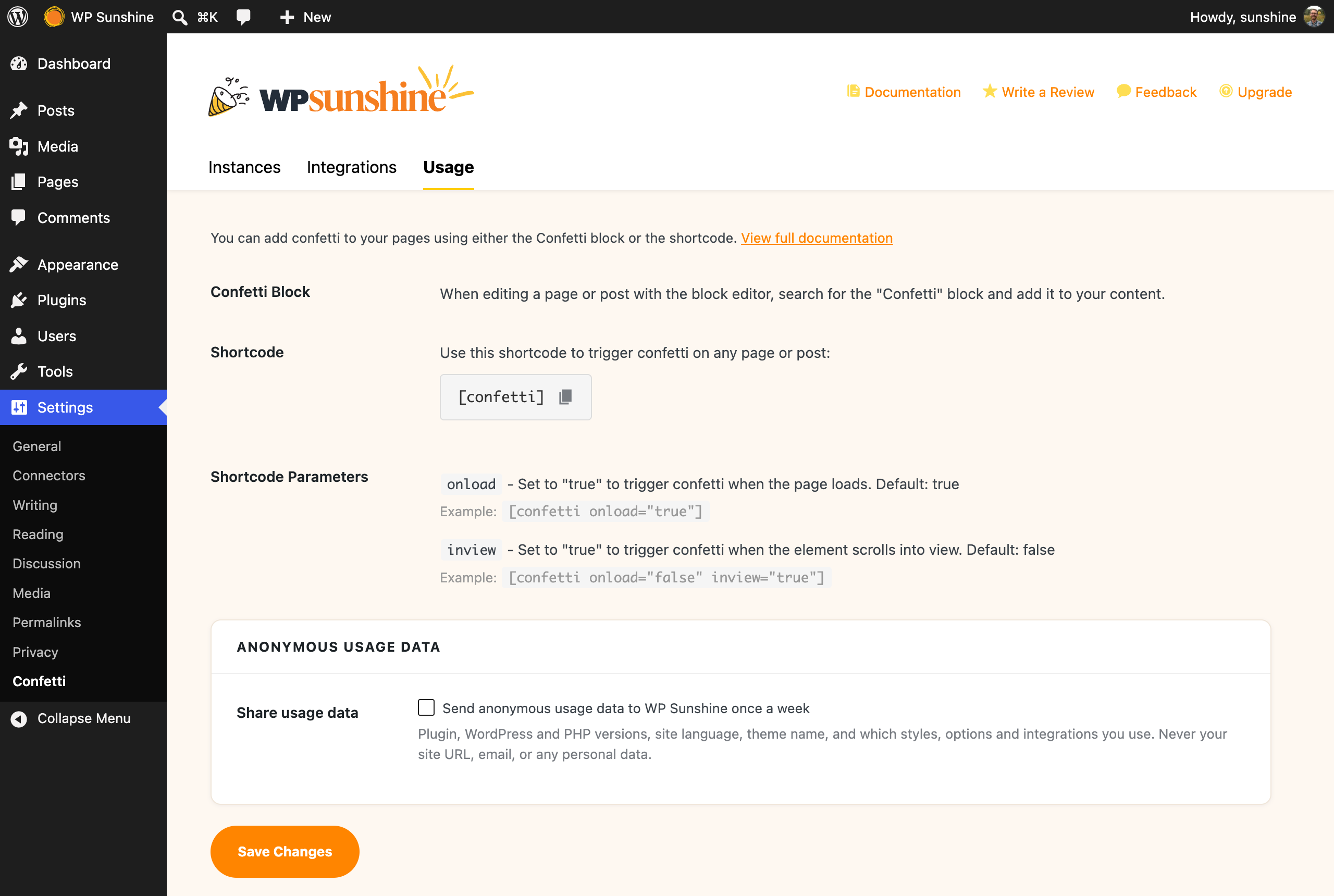
Pick a style on the settings page, watch it run in the live preview, then drop the Confetti block or the [confetti] shortcode on any page. That’s the whole setup.
See it in action on the Confetti website
Seven confetti styles, free
- Basic Cannon – one burst fired from a single spot, the classic
- Realistic Cannon – five overlapping bursts of different sizes so it looks like a real cannon
- Repeating Cannon – keeps firing for as long as you set, changing angle and spread each time
- Fireworks – bursts going off at random spots near the top of the screen
- Burst – three quick pulses that radiate out from the center and hang in the air
- School Pride – two steady streams firing in from the left and right edges
- Falling – confetti drifting down from above, one piece at a time
Every style runs right on the settings page, so you can try each one before you save.
Fire confetti on page load, on scroll, or on click
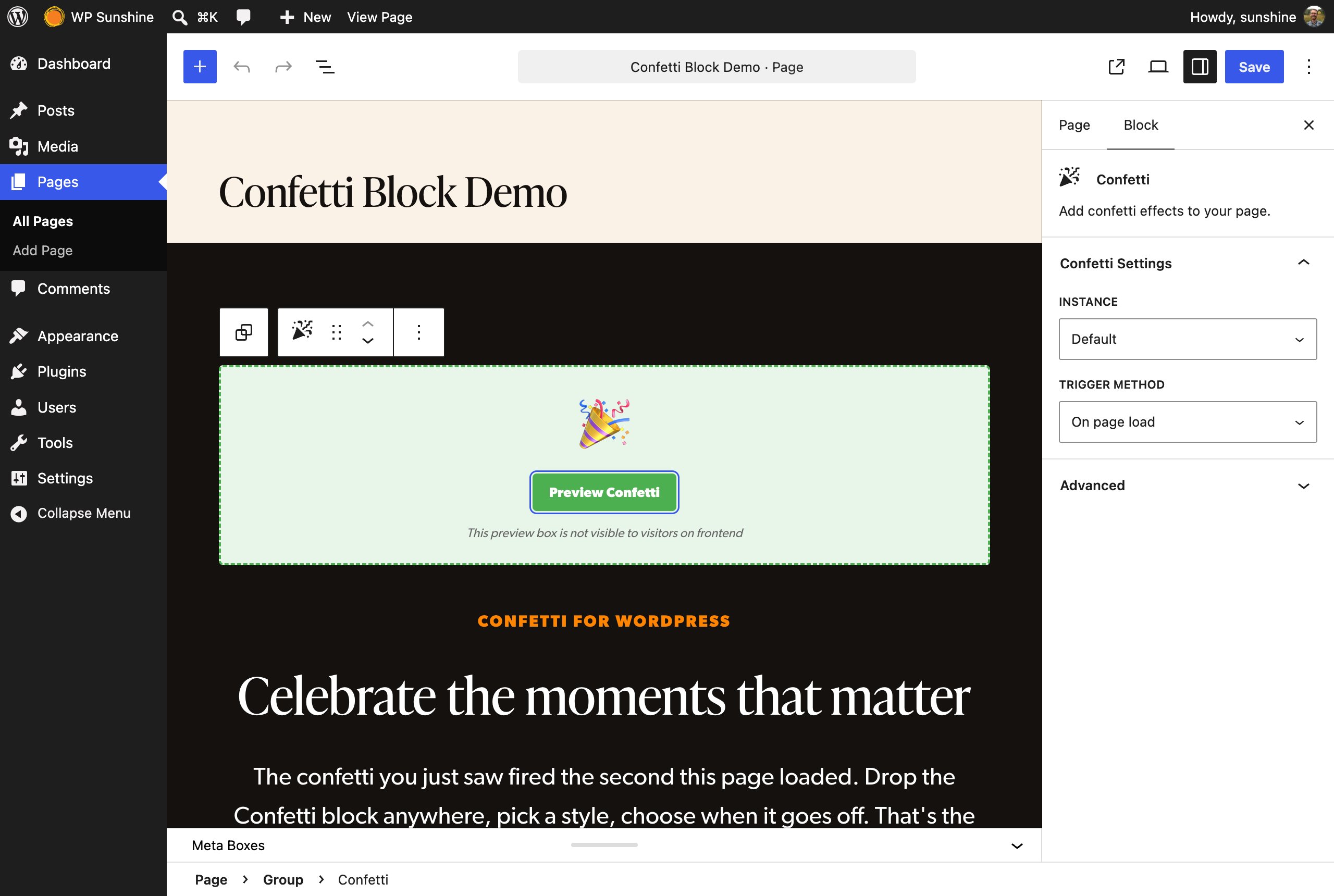
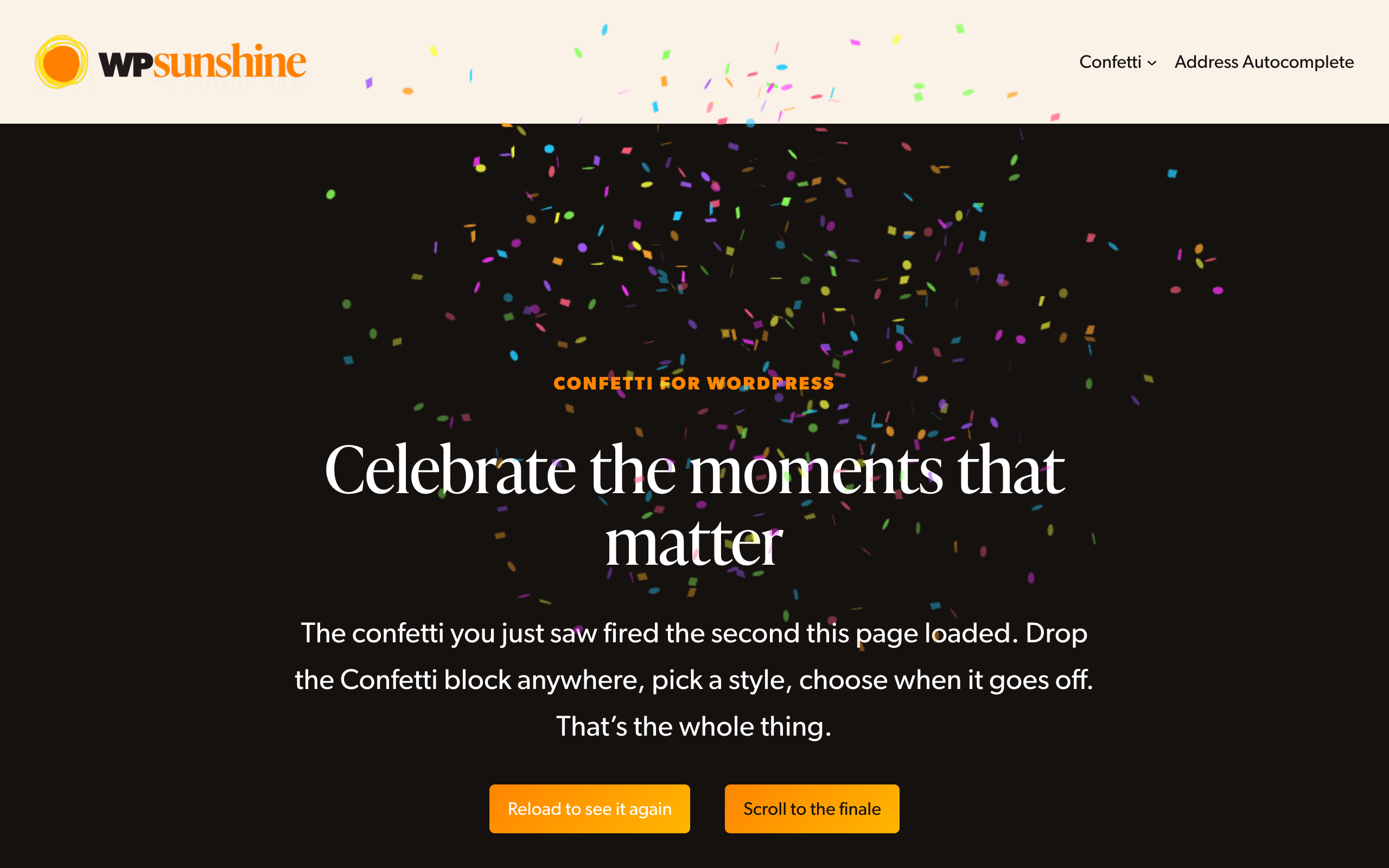
- Page load. Add the Confetti block or
[confetti]shortcode and the effect fires as soon as the page opens. Good for thank you pages and confirmation pages. - Scroll into view. Set the block to wait until it scrolls onto the screen, so the confetti lands when the visitor reaches that spot on a long page.
- Click. Add the CSS class
wps-confettito any button or link and it fires when clicked. Want a specific style on one button? Usewps-confetti-style-fireworksinstead. No code needed, and it works with the “Additional CSS class” field in the block editor. - Your own code. Call
wps_launch_confetti_cannon()or fire aconfettievent on the document from any script.
The confetti script only loads on pages that actually use it, so the rest of your site isn’t carrying any extra weight.
Confetti for WooCommerce, forms, courses and memberships (Premium)
The free version fires confetti wherever you place the block or shortcode. Confetti Premium hooks into the plugins you already use, so the confetti goes off on its own at the right moment: after a purchase, a form submission, a completed course, a new membership, an applied discount code and more.
It works with 59 plugins, including:
- E-commerce: WooCommerce, Easy Digital Downloads, SureCart, FluentCart, CheckoutWC, Sunshine Photo Cart, WP Simple Pay
- Forms: WS Form, Gravity Forms, WPForms, Ninja Forms, Formidable Forms, Fluent Forms, Forminator, Contact Form 7, SureForms, JetFormBuilder, Elementor forms, Kadence forms
- Courses: LearnDash, LifterLMS, Tutor LMS
- Memberships: MemberPress, Paid Memberships Pro, Restrict Content Pro, Ultimate Member, ProfilePress
- Donations: GiveWP, Charitable
- Page builders: Divi, Bricks, Beaver Builder, Elementor
- Email and popups: MailPoet, Groundhogg, Mailchimp for WordPress, Popup Maker, Hustle
- Affiliates: AffiliateWP, SliceWP, Solid Affiliate
Each integration lets you choose which saved confetti effect it uses, so a big order can get fireworks while a newsletter sign up gets a quick cannon.
Make the confetti your own (Premium)
- 29 confetti styles in total, adding Vortex, Grand Finale, Piñata, Cursor Trail, Stadium Wave, Meteor Shower, Curtain Drop, Countdown and more
- Your own colors, so the confetti matches your brand
- Emojis as confetti, or upload your own SVG shapes
- Size, duration, speed, particle count, spread, angle, launch point and gravity
- An overlay message that covers the screen with your own wording while the confetti runs
- Save as many separate effects as you like and point each block, shortcode or integration at the one you want
- Show once per visitor, or add a delay before it fires
Learn more about Confetti Premium
Anonymous usage data
Confetti can send me anonymous usage data once a week, but only if you say yes on the welcome page you see after turning the plugin on. It is off until then, and you can turn it off any time from the Usage tab. What is sent: plugin, WordPress and PHP versions, site language, theme name, which confetti styles and options you use, and which integrations are turned on or available. Your site URL, email address, and personal data are never sent.
External services
WP Sunshine email list. The welcome page you see after turning the plugin on offers to sign you up for emails about Confetti. When you click “Sign up and continue”, the plugin sends the first name and email you entered, plus your site’s time zone, to wpsunshine.com. Nothing is sent if you click “Continue without signing up” or skip the page. See the WP Sunshine privacy policy.
Anonymous usage data. Only if you tick the box on the welcome page or the Usage tab, the plugin sends anonymous usage data to wpsunshine.com once a week: plugin, WordPress and PHP versions, site language, theme name, which confetti styles and options you use, and which integrations are turned on or available. Your site URL, email address, and personal data are never sent. Nothing is sent while the box is unticked. See the WP Sunshine privacy policy.
Installation
- Upload and activate the plugin, or install it from Plugins > Add New by searching for “Confetti”.
- Go to Settings > Confetti and pick a style. The preview runs right on the page.
- Add the Confetti block or the
[confetti]shortcode to any page where you want the effect to fire.
Changelog
2.0.2 – October 16, 2026
- Enhancement: The Integrations tab now lists FluentCart among the plugins Confetti Premium works with.
2.0.1 – September 28, 2026
- New: A welcome page after you first turn the plugin on, with an optional email signup and the anonymous usage data question. The usage data notice on the settings page is gone.
- New: A Settings link under Confetti on the Plugins page.
- Enhancement: The Integrations tab lists every plugin Confetti Premium works with, grouped by type, and shows which ones are active on your site.
2.0 – September 21, 2026
- New: Rebuilt settings screen. Choose a style, adjust it, and preview it right there on the page.
- New: Seven confetti styles to choose from, including fireworks, falling confetti and school pride.
- New: Fire confetti from any button or link by adding the CSS class
wps-confetti, or pick a style for that one button with a class likewps-confetti-style-fireworks. - New: Optional anonymous usage data. It is off until you say yes, and you can turn it off any time from the Usage tab.
- Enhancement: The Confetti block now has its own settings. Choose whether confetti fires when the page loads, or when the block scrolls into view.
- Enhancement: Copy the shortcode from the Usage tab with one click.
- Enhancement: The confetti script only loads on pages that use it, instead of every page.
- Change: Your existing settings carry over automatically the first time you open the new screen.
1.3.8
- Add: Cross promotions
- Enhancement: Shortcode description on settings page
1.3.7
- Current version compatibility
1.3.6
- How it properly requires jquery
Screenshots

For developers
Is this your plugin? Show off the numbers.
Add a live badge to your site, docs or GitHub README. It updates on its own — no account needed.
Best Confetti alternatives
All animation plugins →





FAQ
Confetti: quick answers
Straight answers, pulled from live WordPress.org data.
Live data from WordPress.org · checked Nov 16, 2026
Is Confetti free?
Yes. Confetti is free to download and use from the official WordPress.org plugin directory. The developer also sells premium add-ons or a Pro version with extra features.
Is Confetti safe to use in 2026?
Yes — Confetti is a safe, well-maintained plugin to use in 2026. It runs on 2K+ sites, is rated 5/5 and was last updated 1 month ago, and scores 92/100 on our health check.
How many websites use Confetti?
Confetti is active on 2K+ WordPress websites and has been downloaded 43,485 times since it launched in August 2021. It was downloaded 2,788 times in the last 30 days.
Does Confetti work with WordPress 7.1?
Yes. The developer has tested Confetti up to WordPress 7.1.4, the latest release. It requires WordPress 5.5 or newer.
What PHP version does Confetti need?
Confetti requires PHP 7.4 or higher. Most hosts run PHP 8.x today, so it works on any modern WordPress hosting.
When was Confetti last updated?
The latest version, 2.0.2, was released on October 16, 2026 (1 month ago).
Who makes Confetti?
Confetti is developed and maintained by WP Sunshine.
What are the best alternatives to Confetti?
The most popular alternatives to Confetti are Blocks Animation: CSS Anima… (90K+ installs), Greenshift (70K+ installs) and UiCore Animate (40K+ installs).
Powered by PageForge
Want thousands of pages that rank like these? Build them in an afternoon.
This directory runs on the same engine as PageForge. Turn any spreadsheet, CSV or API into thousands of fast, SEO-ready WordPress pages — with schema, internal links and AI-written copy baked in.
- CSV, Google Sheets & API data sources
- AI content, schema & internal links per page
- Works with Elementor, Gutenberg, Yoast & Rank Math
- Free on WordPress.org — no credit card


