


Cleara11y
Find accessibility issues in published WordPress content, review page evidence, and manage exceptions with Cleara11y.

Solid choice
Cleara11y is a solid plugin choice in 2026, with a few things worth checking first. Was last updated 4 days ago, and scores 64/100 on our health check.
- Actively developed — last update 4 days ago
- Tested with the latest WordPress (7.1)
- Small user base (<10 active installs)
- Very few reviews so far
How does it stack up?
Side-by-side on installs, updates, ratings & support



Daily downloads
Download spikes usually follow a new release — each site that auto-updates counts as a download.
Rankings
Where Cleara11y stands todayWordPress.org search rankings
Live position in the plugin search, top 100| Keyword | Position |
|---|---|
| a11y | #99 |
| accessibility | >100 |
| accessibility audit | >100 |
| axe | #19 |
| wcag | >100 |
About Cleara11y
From the official readme · v1.6.4Description
Cleara11y helps agencies, developers, and content teams audit published WordPress pages and posts from the WordPress dashboard.
- Run browser-based accessibility checks using the bundled axe-core engine.
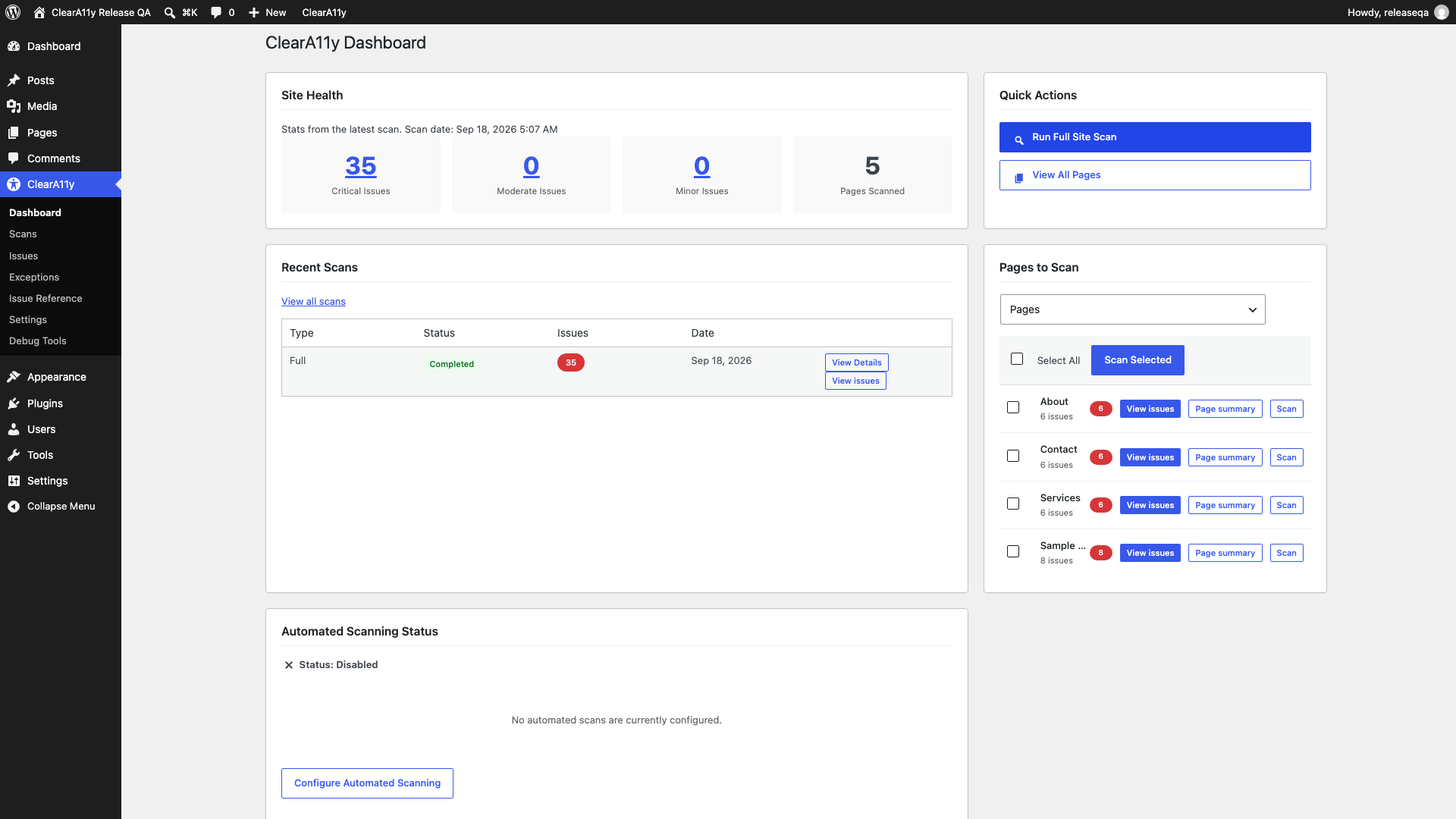
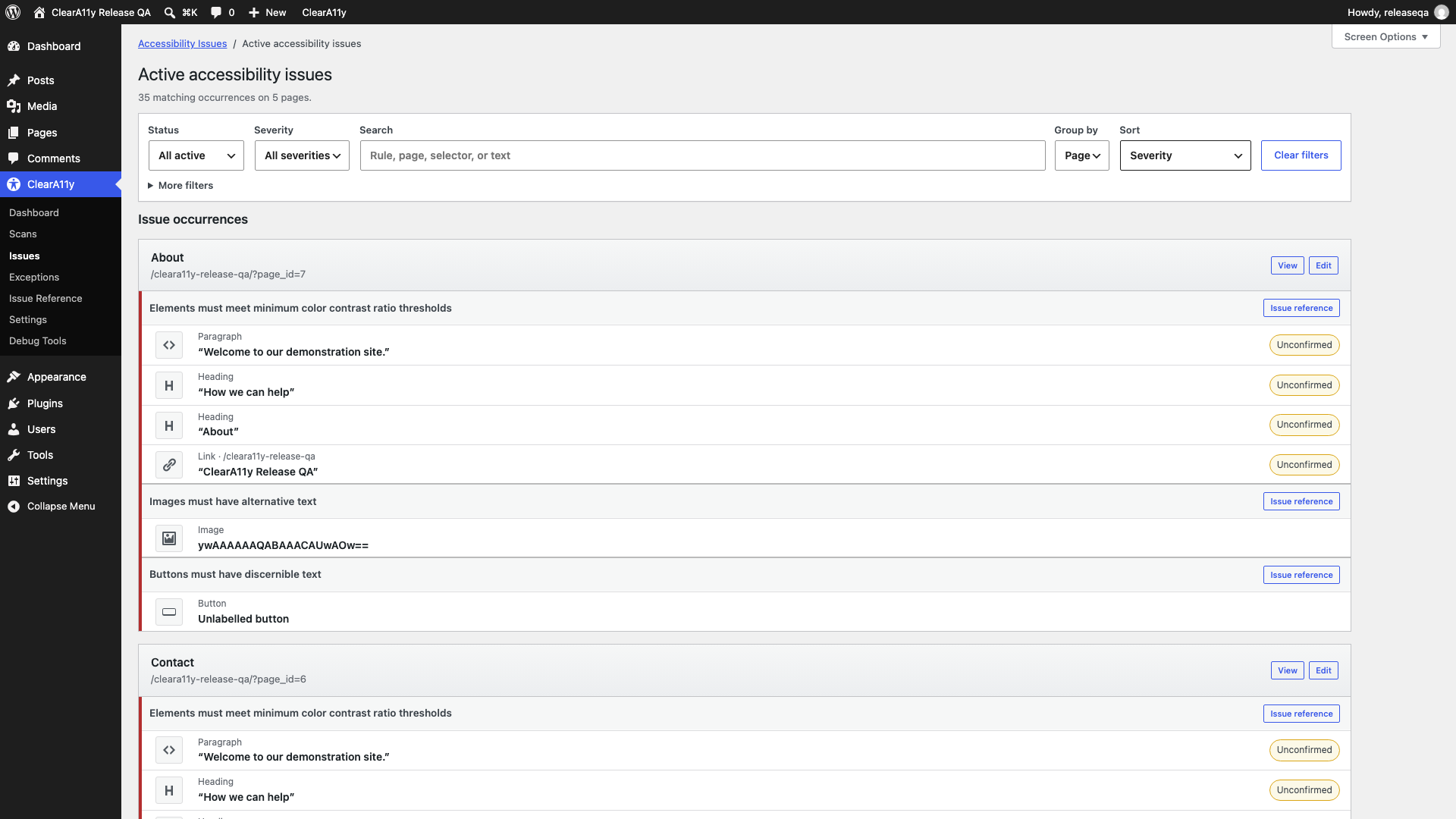
- Review findings by page, rule, severity, and scan.
- Inspect element selectors and evidence to help locate issues.
- Distinguish detected violations from findings that need manual review.
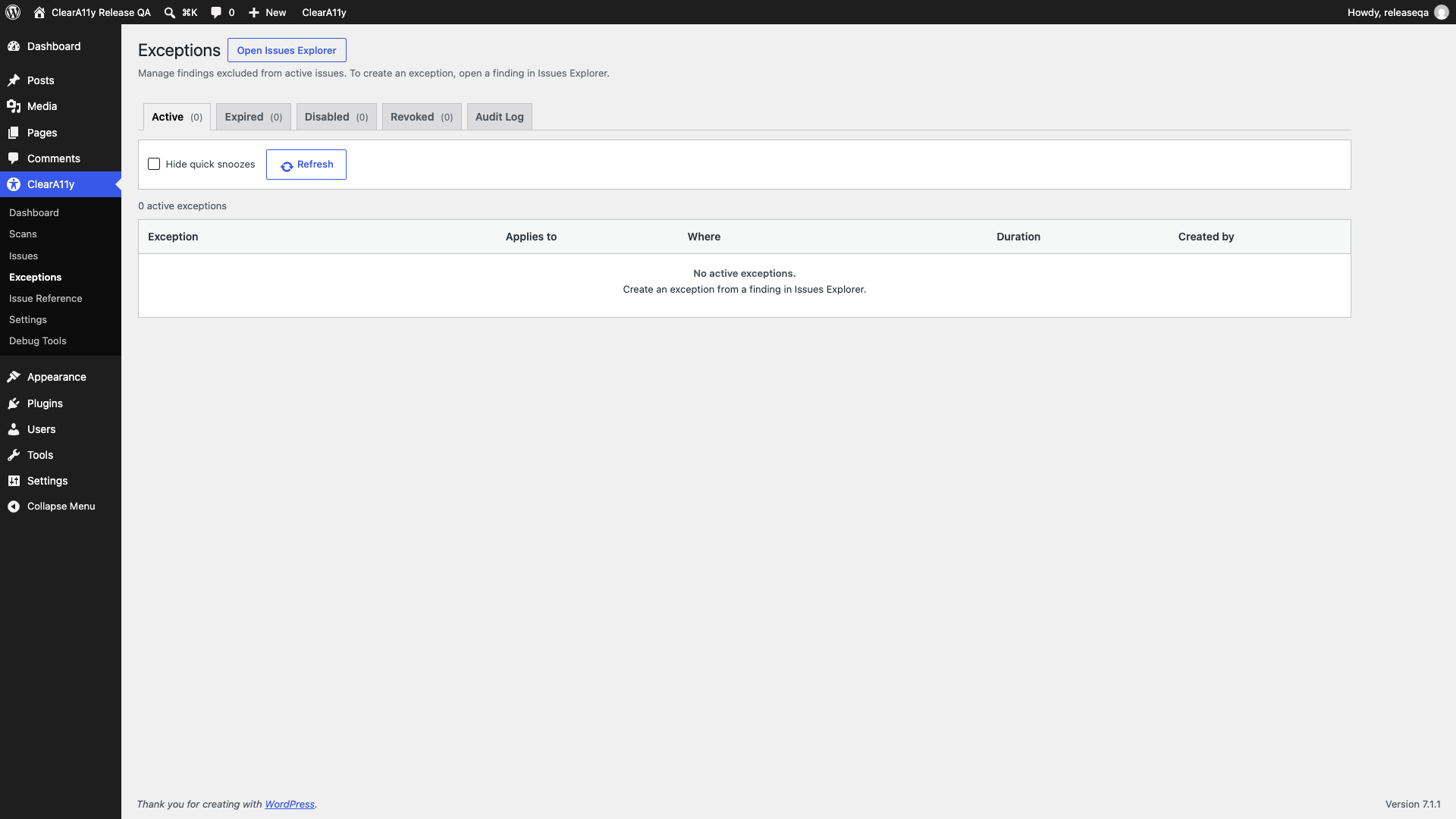
- Track recurring findings and manage exceptions with review history.
- Highlight findings on the front end for authorized users.
- Queue scans and configure recurring scan schedules.
The plugin runs locally within WordPress and your browser. No Cleara11y account, paid subscription, or external scanning service is required.
Scanning and manual review
Automated checks cover only part of accessibility testing. Cleara11y does not certify WCAG compliance or automatically repair your site. Combine results with keyboard, screen reader, and other manual testing.
Browser scans require an authorized WordPress admin page to remain open while queued pages are processed. Scheduled scans queue work using WP-Cron; browser processing still needs an active authorized admin session. Site traffic and hosting configuration affect WP-Cron timing. Server-side checks have different coverage from the rendered-page browser engine.
Privacy and stored data
Scan records, page URLs and titles, element selectors, HTML evidence, and exception history are stored in your WordPress database. Evidence can contain content from scanned pages. Restrict access to reports and database backups accordingly. Scanning loads your site’s pages, including resources and third-party services already used by your theme and content.
Cleara11y does not send scan results to an external Cleara11y service and does not require a remote axe-core CDN. Links to accessibility guidance open external websites only when followed.
Deactivation retains scan data. Deleting the plugin removes its scan and exception tables and settings for the current site. Back up reports before deleting it. Network-wide multisite deployment has not been verified.
Third-party code
This plugin includes axe-core 4.10.2 by Deque Systems, Inc., licensed under the Mozilla Public License 2.0. The distributed file is assets/js/axe.min.js. The corresponding human-readable source is available at https://github.com/dequelabs/axe-core/tree/v4.10.2 and https://unpkg.com/axe-core@4.10.2/axe.js . License text is included in licenses/axe-core-MPL-2.0.txt.
Installation
- Upload the cleara11y folder to /wp-content/plugins/, or install the ZIP through Plugins > Add New Plugin > Upload Plugin.
- Activate Cleara11y in the Plugins screen.
- Open Cleara11y in the WordPress dashboard.
- Select published content and start a scan. Keep an authorized admin page open until browser scanning finishes.
- Review findings, verify them manually, and rescan after making changes.
Your site must allow the WordPress REST API and same-site page loading for browser scans. Security plugins, restrictive framing policies, password protection, and caching can affect scanning.
Frequently asked questions
Does Cleara11y make my site accessible?
No. It identifies potential issues and provides evidence for review. Fixes must be made in your content, theme, or other plugins, and manual testing remains necessary.
Is a subscription required?
No. The local plugin works without a subscription or Cleara11y account.
Can I ignore an irrelevant finding?
Yes. Use exceptions after reviewing the finding and its scope. Broad exceptions can hide relevant findings, so review them periodically.
Why has my scheduled scan not finished?
WP-Cron queues scheduled work. Browser scans are processed while an authorized admin page is open. Check the queue, REST API availability, and browser console if progress stops.
Will uninstalling remove my data?
Deleting the plugin removes its current-site scan and exception tables and settings. Deactivation retains them. Back up any data you need before deletion.
Changelog
1.6.4
- Add a start-scan wizard to the Scans page and the dashboard.
- Focus the plugin dashboard on site health, recent scans, and automated scanning status.
- Clear exception tables when clearing the scan database.
- Hide development-only tools unless CLEARA11Y_DEV_TOOLS is enabled.
- Fix the issue reference lightbox layout and WCAG level filtering.
1.6.3
- Fix browser scan result validation for element class lists.
- Prevent premature iframe scans and repeated leasing of finished jobs.
- Report rejected scan submissions and reduce queue polling and heartbeat traffic.
- Refresh scanner and dashboard scripts when their files change.
1.6.2
- Harden request validation and stored-data rendering across admin and frontend views.
- Scope maintenance behavior and restore shared XML parser state after scans.
- Enqueue admin and highlighting assets through WordPress.
- Validate and sanitize browser results before storing scan jobs.
- Limit cache bypass to validated, page-bound scan requests.
- Escape attribution metadata while preserving the audited page markup.
1.6.1
- Initial WordPress.org submission candidate.
- Browser scanning, page reports, finding evidence, and exception management.
- Hardened scan queue permissions, scan-token expiry, output escaping, and uninstall cleanup.
Screenshots
For developers
Is this your plugin? Show off the numbers.
Add a live badge to your site, docs or GitHub README. It updates on its own — no account needed.
Best Cleara11y alternatives
All a11y plugins →





FAQ
Cleara11y: quick answers
Straight answers, pulled from live WordPress.org data.
Live data from WordPress.org · checked Oct 5, 2026
Is Cleara11y free?
Yes. Cleara11y is free to download and use from the official WordPress.org plugin directory.
Is Cleara11y safe to use in 2026?
Cleara11y is a solid plugin choice in 2026, with a few things worth checking first. Was last updated 4 days ago, and scores 64/100 on our health check.
How many websites use Cleara11y?
Cleara11y is active on <10 WordPress websites and has been downloaded 167 times since it launched in September 2026. It was downloaded 173 times in the last 30 days.
Does Cleara11y work with WordPress 7.1?
Yes. The developer has tested Cleara11y up to WordPress 7.1.2, the latest release. It requires WordPress 6.0 or newer.
What PHP version does Cleara11y need?
Cleara11y requires PHP 8.0 or higher. Most hosts run PHP 8.x today, so it works on any modern WordPress hosting.
When was Cleara11y last updated?
The latest version, 1.6.4, was released on October 1, 2026 (4 days ago).
Who makes Cleara11y?
Cleara11y is developed and maintained by cleara11y.
What are the best alternatives to Cleara11y?
The most popular alternatives to Cleara11y are Web Accessibility (formally… (500K+ installs), WP Accessibility (60K+ installs) and AccessibleWP (20K+ installs).
Powered by PageForge
Want thousands of pages that rank like these? Build them in an afternoon.
This directory runs on the same engine as PageForge. Turn any spreadsheet, CSV or API into thousands of fast, SEO-ready WordPress pages — with schema, internal links and AI-written copy baked in.
- CSV, Google Sheets & API data sources
- AI content, schema & internal links per page
- Works with Elementor, Gutenberg, Yoast & Rank Math
- Free on WordPress.org — no credit card


