


Accessibility Checker & WCAG Scanner — Cirv Guard
Accessibility checker for WCAG 2.1 & ADA compliance. Scan any page for contrast, alt-text, heading & form-label issues before they become lawsuits.

Use with caution
Accessibility Checker & WCAG Sc… works, but test it on a staging site before relying on it in 2026. Was last updated 4 months ago, and scores 42/100 on our health check.
- Small user base (<10 active installs)
- Very few reviews so far
- Only tested up to WordPress 6.9 (latest is 7.1)
How does it stack up?
Side-by-side on installs, updates, ratings & support



Daily downloads
Download spikes usually follow a new release — each site that auto-updates counts as a download.
Rankings
Where Accessibility Checker & WCA… stands todayWordPress.org search rankings
Live position in the plugin search, top 100| Keyword | Position |
|---|---|
| a11y | >100 |
| accessibility checker | #66 |
| ada | >100 |
| Section 508 | #51 |
| wcag | >100 |
About Accessibility Checker & WCAG Scanner
From the official readme · v1.1.1Description
Stop ADA lawsuits before they start. Cirv Guard scans your WordPress site for WCAG 2.1 accessibility violations and tells you exactly what to fix.
Accessibility isn’t optional — the EU Accessibility Act is now in force, ADA lawsuits are up 300%, and 96.3% of websites have detectable WCAG failures. Cirv Guard finds yours.
Why Accessibility Matters
- Legal protection – ADA/EAA compliance reduces lawsuit risk
- Larger audience – 1.3 billion people worldwide live with disabilities
- Better SEO – Accessible sites rank higher (Google rewards usability)
- Higher conversions – Usable sites convert better for everyone
- Brand reputation – Demonstrate your commitment to inclusion
Features
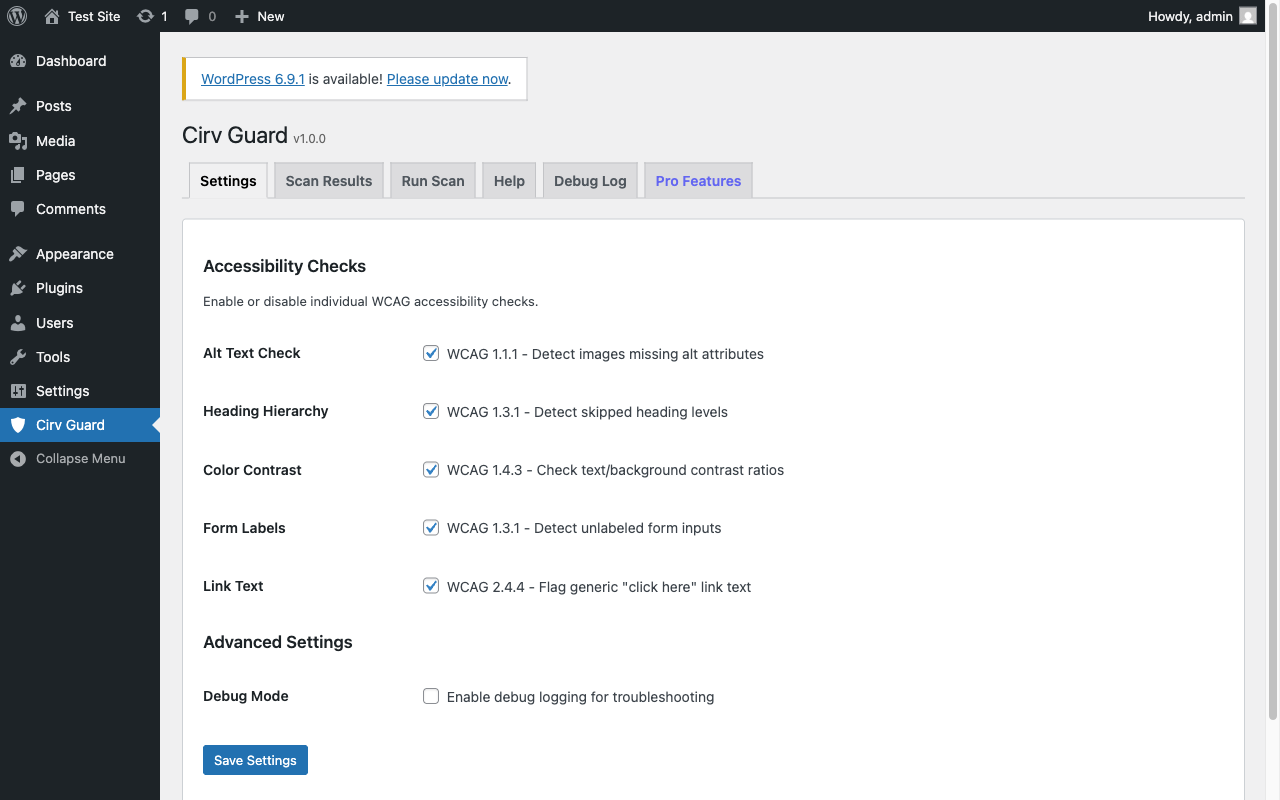
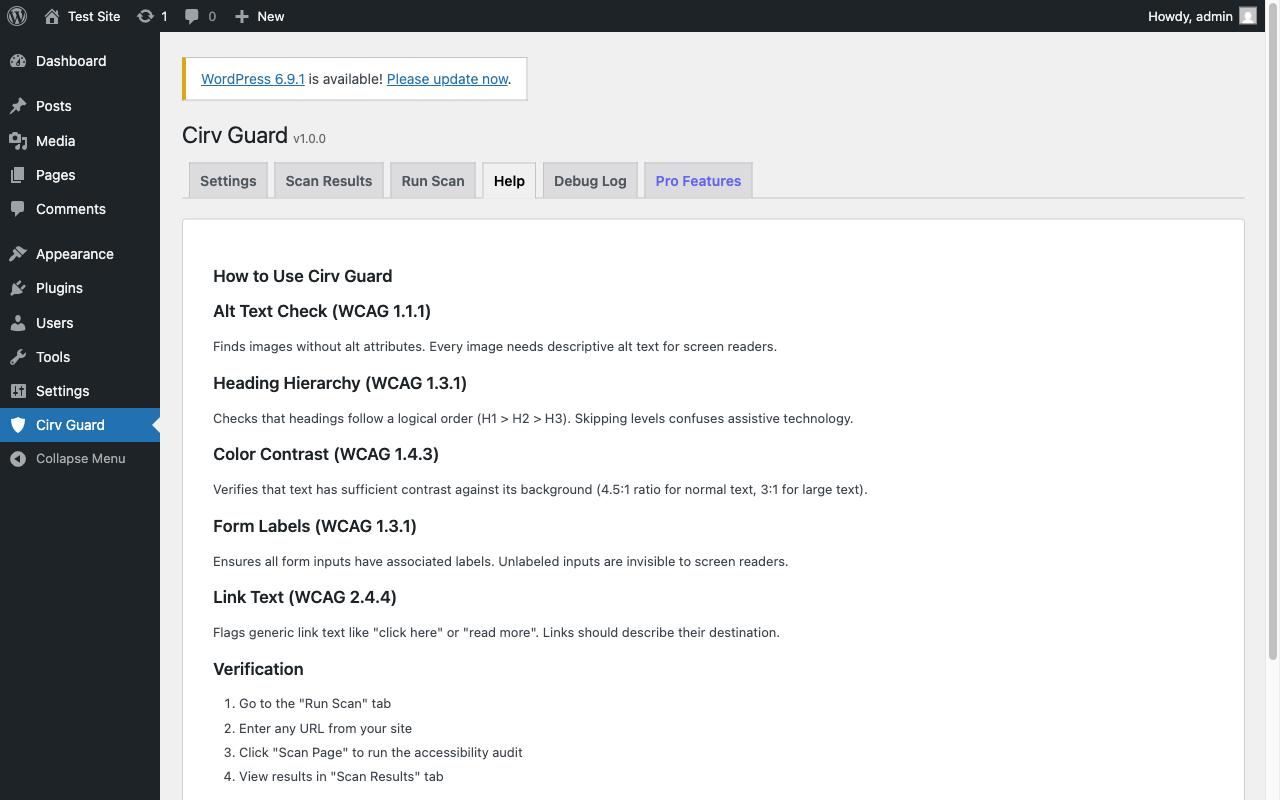
Alt Text Checker (WCAG 1.1.1)
Scans every image on your page for missing or empty alt attributes. Respects decorative images marked with role=”presentation”.
Heading Hierarchy Checker (WCAG 1.3.1)
Detects skipped heading levels (h1 to h3), missing H1 tags, and multiple H1s on a single page.
Color Contrast Checker (WCAG 1.4.3)
Analyzes text/background color pairs against the WCAG 2.1 minimum contrast ratio of 4.5:1. Uses the W3C relative luminance formula.
Form Label Checker (WCAG 1.3.1)
Verifies that every form input has an associated label — via for attribute, wrapping <label>, aria-label, or aria-labelledby.
Link Text Checker (WCAG 2.4.4)
Flags generic link text like “click here” and “read more”. Detects empty links and links with no accessible name.
How It Works
- Install & Activate – One-click from the WordPress plugin directory
- Go to Cirv Guard – New top-level menu item with shield icon
- Run a Scan – Scan any page or post on your site
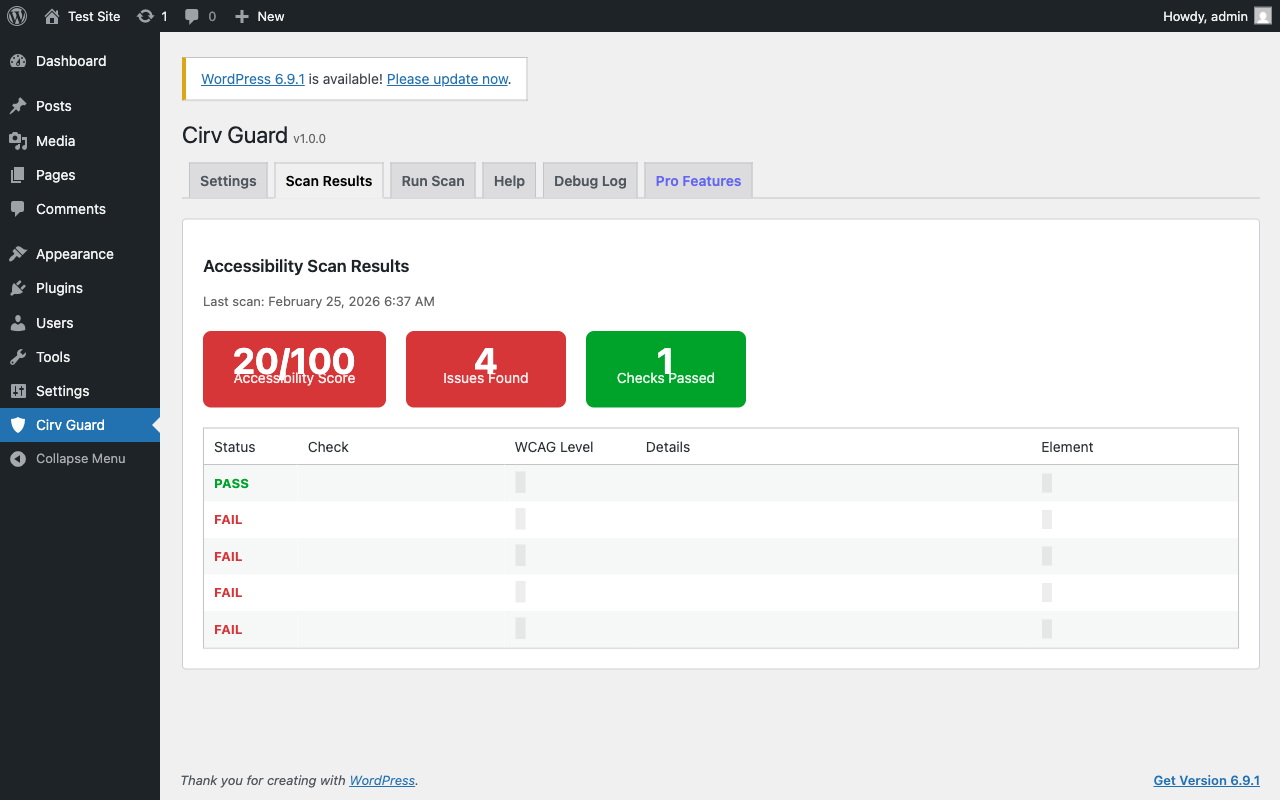
- Review Results – Color-coded pass/fail results with accessibility score
- Fix & Rescan – Make changes and verify compliance
No coding required. No external APIs. Everything runs on your server.
Perfect For
- Agencies – Audit client sites and deliver compliance reports
- E-commerce – Meet EAA requirements for online stores
- Government & Education – Section 508 and WCAG compliance
- Content publishers – Ensure blog posts meet accessibility standards
- Anyone who wants to avoid a $75,000+ ADA demand letter
Technical Highlights
- Lightweight single-file architecture (no bloat)
- Server-side scanning via PHP DOMDocument (no external APIs)
- Transient caching for fast repeat scans
- Multisite compatible with cache isolation
- GDPR compliant (no data collection)
- Translation ready
- Works alongside any theme or page builder
What’s new in the Cirv ecosystem
We are building the next plugin in the Cirv suite — Cirv Sight.
WCAG protects you from human lawsuits. Cirv Sight protects you from AI invisibility. Yoast tells you you’re invisible to Google. Cirv Sight tells you you’re invisible to ChatGPT — and lets you charge AI bots to crawl you.
Cirv Sight ships an llms.txt for your WordPress site, then watches what ChatGPT, Claude, Perplexity, and Google AI Overviews actually do with it. You get four numbers per page: citations, AI-bot crawls, share of voice, and a Cloudflare 402 pay-per-crawl estimate. Same Cirvgreen team, same engineer-honest data — pointed at AI search instead of accessibility.
Join the waitlist at https://cirvgreen.com/sight
Additional Info
Privacy & GDPR Compliance:
Cirv Guard does not collect, store, or transmit any personal data. All accessibility scanning is performed locally on your server using PHP DOMDocument. No external API calls. No tracking. No cookies.
Related Plugins:
* Cirv Box – Schema.org structured data for better Google rankings
Support & Documentation:
* Built-in help in plugin settings
* Support forum: WordPress.org support forum
* Email: support@cirvgreen.com
Third-Party Service Usage
This plugin does not use any third-party services. All scanning is performed locally on your WordPress server using PHP’s built-in DOMDocument library.
Installation
Automatic Installation
- Log in to your WordPress dashboard
- Navigate to Plugins > Add New
- Search for “Cirv Guard”
- Click Install Now
- Click Activate
- Go to Cirv Guard in your admin menu
Manual Installation
- Download the plugin ZIP file
- Navigate to Plugins > Add New > Upload Plugin
- Choose the ZIP file and click Install Now
- Click Activate
- Go to Cirv Guard in your admin menu
After Activation
- Navigate to Cirv Guard in your admin sidebar
- Enable the checks you want (all 5 are on by default)
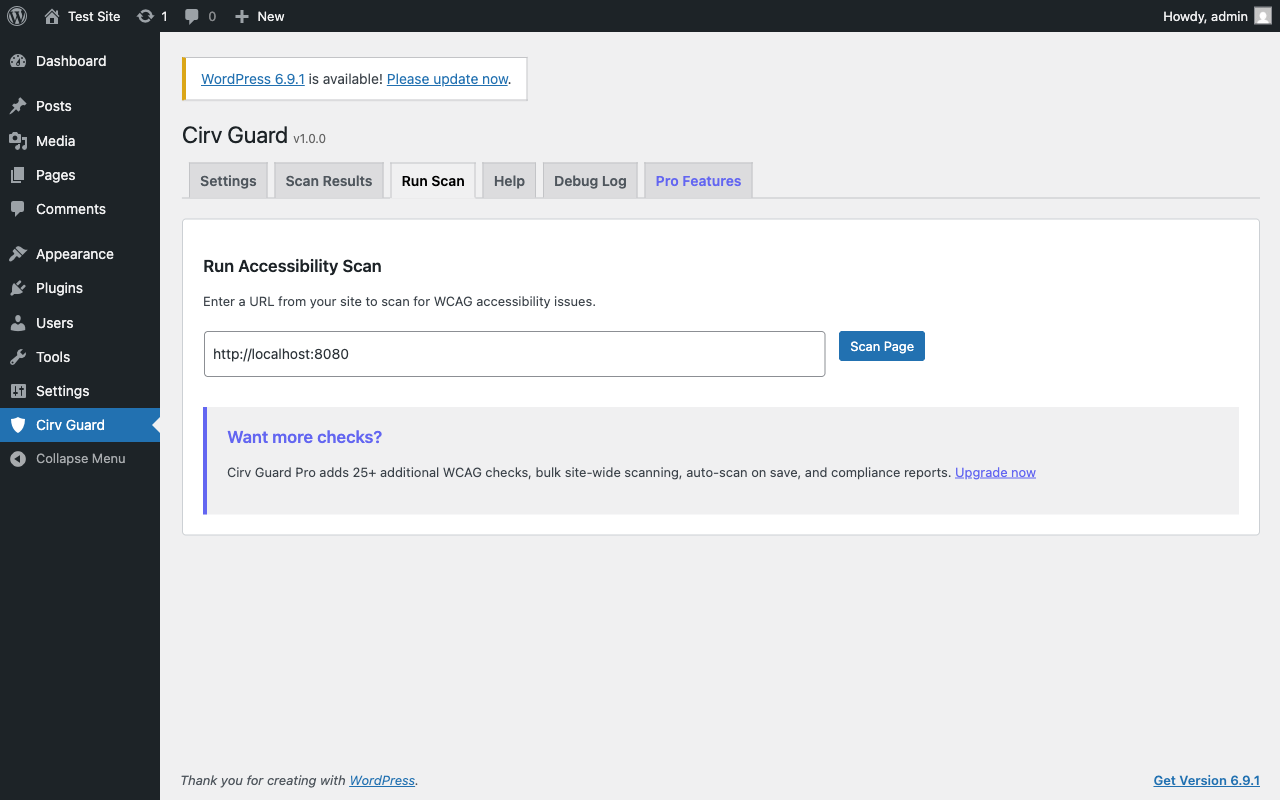
- Go to the Run Scan tab
- Enter a page URL and click Scan Page
- Review results and start fixing issues
Frequently asked questions
What is WCAG?
WCAG (Web Content Accessibility Guidelines) is the international standard for web accessibility, published by the W3C. WCAG 2.1 Level AA is the most commonly referenced compliance level for legal requirements like the ADA and EU Accessibility Act.
Will this make my site fully WCAG compliant?
Automated tools can detect approximately 30-40% of WCAG violations. Cirv Guard catches the most common and impactful issues. A complete accessibility audit also requires manual testing with screen readers and keyboard navigation.
Does this slow down my site?
No. Cirv Guard only runs scans when you trigger them from the admin dashboard. It does not add any code to your frontend or affect page load time for visitors.
Does this work with page builders?
Yes. Cirv Guard scans the rendered HTML output of your pages, so it works with Elementor, Divi, Beaver Builder, WPBakery, Gutenberg, and any other builder.
What is the EU Accessibility Act?
The European Accessibility Act (EAA) requires websites and apps serving EU customers to meet accessibility standards. Enforcement began in June 2025. Non-compliance can result in fines and legal action.
Can I use this with other accessibility plugins?
Yes. Cirv Guard focuses on automated scanning and reporting. It works alongside other tools like WP Accessibility, One Click Accessibility, and UserWay.
How accurate is the color contrast checker?
Cirv Guard uses the W3C relative luminance formula specified in WCAG 2.1 Success Criterion 1.4.3. It checks inline CSS color/background-color pairs. For complete contrast testing, also test with browser dev tools.
Changelog
Initial release of Cirv Guard. Automated WCAG accessibility scanning for WordPress with 5 checks covering the most common accessibility issues.
1.1.1 – June 4, 2026
- Discoverability: keyword-first listing title, optimized tags, and short description. Tested up to WordPress 6.9.4. No functional changes.
1.1.0 – May 8, 2026
- Added Cirv Sight cross-sell. No functional changes.
1.0.0 – February 2026
- Initial Release
- 5 WCAG 2.1 checks: alt text, heading hierarchy, color contrast, form labels, link text
- Accessibility score dashboard (0-100)
- Transient caching for performance
- Multisite support with cache isolation
- Debug logging system
- 6-tab admin interface
Screenshots
For developers
Is this your plugin? Show off the numbers.
Add a live badge to your site, docs or GitHub README. It updates on its own — no account needed.
Best Accessibility Checker & WCAG… alternatives
All a11y plugins →





FAQ
Accessibility Checker & WCAG Scanner: quick answers
Straight answers, pulled from live WordPress.org data.
Live data from WordPress.org · checked Oct 4, 2026
Is Accessibility Checker & WCAG Sc… free?
Yes. Accessibility Checker & WCAG Sc… is free to download and use from the official WordPress.org plugin directory.
Is Accessibility Checker & WCAG Sc… safe to use in 2026?
Accessibility Checker & WCAG Sc… works, but test it on a staging site before relying on it in 2026. Was last updated 4 months ago, and scores 42/100 on our health check.
How many websites use Accessibility Checker & WCAG Sc…?
Accessibility Checker & WCAG Sc… is active on <10 WordPress websites and has been downloaded 953 times since it launched in February 2026. It was downloaded 49 times in the last 30 days.
Does Accessibility Checker & WCAG Sc… work with WordPress 7.1?
Accessibility Checker & WCAG Sc… is officially tested up to WordPress 6.9.9, while the latest release is 7.1.2. It may still work, but try it on a staging site first.
What PHP version does Accessibility Checker & WCAG Sc… need?
Accessibility Checker & WCAG Sc… requires PHP 7.4 or higher. Most hosts run PHP 8.x today, so it works on any modern WordPress hosting.
When was Accessibility Checker & WCAG Sc… last updated?
The latest version, 1.1.1, was released on June 8, 2026 (4 months ago).
Who makes Accessibility Checker & WCAG Sc…?
Accessibility Checker & WCAG Sc… is developed and maintained by cirvgreen.
What are the best alternatives to Accessibility Checker & WCAG Sc…?
The most popular alternatives to Accessibility Checker & WCAG Sc… are Web Accessibility (formally… (500K+ installs), WP Accessibility (60K+ installs) and AccessibleWP (20K+ installs).
Powered by PageForge
Want thousands of pages that rank like these? Build them in an afternoon.
This directory runs on the same engine as PageForge. Turn any spreadsheet, CSV or API into thousands of fast, SEO-ready WordPress pages — with schema, internal links and AI-written copy baked in.
- CSV, Google Sheets & API data sources
- AI content, schema & internal links per page
- Works with Elementor, Gutenberg, Yoast & Rank Math
- Free on WordPress.org — no credit card


