


AI Chatbot Free Models – Customer Support, Live Chat, Virtual Assistant
AI Chatbot Free Models empowers you to integrate a cutting-edge AI chatbot into your WordPress website! It is a multi-provider solution: connect directly to OpenAI (ChatGPT), Anthropic (Claude), Google (Gemini)…

Solid choice
AI Chatbot Free Models is a solid plugin choice in 2026, with a few things worth checking first. It runs on 100+ sites, is rated 5/5 and was last updated 4 weeks ago, and scores 75/100 on our health check.
- Actively developed — last update 4 weeks ago
- Momentum — downloads up 100.9% vs the previous 30 days
- Small user base (100+ active installs)
How does it stack up?
Side-by-side on installs, updates, ratings & support



Daily downloads
Download spikes usually follow a new release — each site that auto-updates counts as a download.
Rankings
Where AI Chatbot Free Models stands todayWordPress.org search rankings
Live position in the plugin search, top 100| Keyword | Position |
|---|---|
| AI Chatbot | #35 |
| chatbot | #41 |
| customer support | #33 |
| live chat | #80 |
| virtual assistant | #1 |
Version adoption
Share of active sites per release.
Rating breakdown
★★★★★★★★★★ 5 from 9 reviews
About AI Chatbot Free Models
From the official readme · v2.0.1Description
AI Chatbot Free Models empowers you to integrate a cutting-edge AI chatbot into your WordPress website! It is a multi-provider solution: connect directly to OpenAI (ChatGPT), Anthropic (Claude), Google (Gemini), DeepSeek, Groq, xAI (Grok), Together AI, Mistral, Perplexity, or OpenRouter (over 500 models with a single API key), and you can even point it to any custom OpenAI-compatible API endpoint. Choose from a wide array of both free and premium models to perfectly match your needs and budget.
Unlike many other plugins, all management and customization happen entirely within your WordPress backend, no need to visit external sites for configuration. The only account required is to obtain your API key.
Looking for a platform-independent version?
This chatbot is also available as a standalone version for use in non-WordPress websites (HTML, PHP, etc.).
Get it on GitHub
Use Cases
Here are several practical ways to use Chatbot AI Free Models on your WordPress website:
-
24/7 Customer Support
Provide instant answers to visitors at any time, improving engagement and reducing support workload. -
Lead Generation Assistant
Qualify visitors and collect contact information through conversational interaction. -
Product Recommendation Bot
Help users find suitable products or services using natural language queries. -
Content Navigation Helper
Guide users to the right blog posts, categories, or pages based on their questions. -
Automated Live Chat for Immediate Engagement
Deploy an automated assistant that mimics a live chat operator. It can greet visitors, answer initial questions, and guide them, ensuring every user feels supported. -
Knowledge Base Access
Offer a conversational interface to your FAQ, help articles, or documentation. -
Idea Generation for Writers and Bloggers
Suggest article topics, headlines, or summaries directly within your website. -
Multilingual Support
Serve users in multiple languages by selecting models with multilingual capabilities. -
Chatbot-Powered Helpdesk
Turn your chatbot into a powerful first-line helpdesk. It provides instant, automated support 24/7 and captures visitor details with an optional pre-chat form. -
Free AI Integration
Use free models from OpenRouter or other supported providers without additional costs or complex setup.
Configuration – Setting up your AI Chatbot
- Get an API Key from one of the supported providers (OpenAI, OpenRouter, Anthropic, Google, DeepSeek, Groq, xAI, Together AI, Mistral, or Perplexity) from its official website.
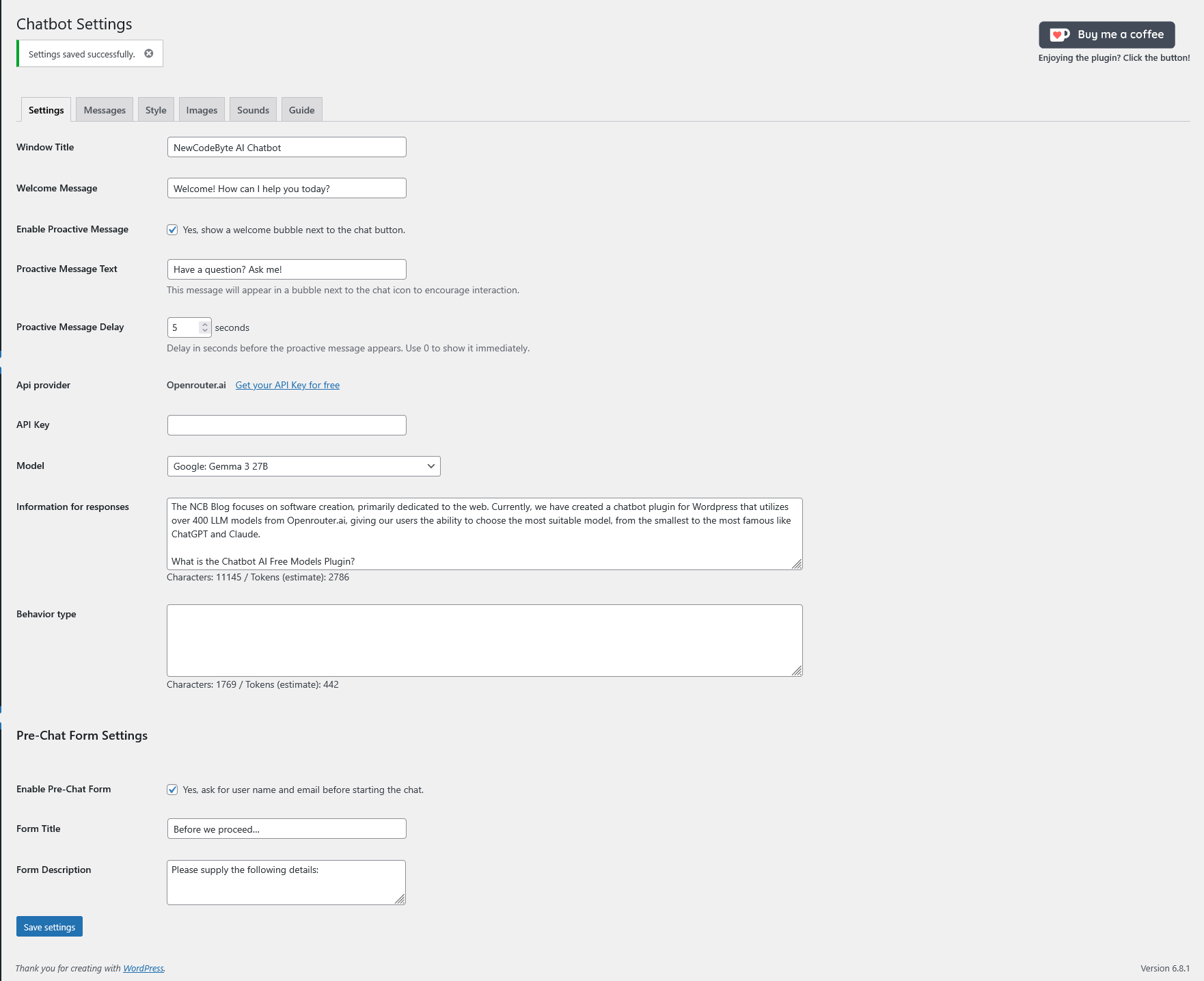
- Enter your API Key in the “Settings” tab and select the matching provider.
- Choose an AI Model. On OpenRouter, free models have the suffix “:free” at the end of their name. Other providers list their free or low-cost models directly.
- Provide context about your website in the “Information for responses” field.
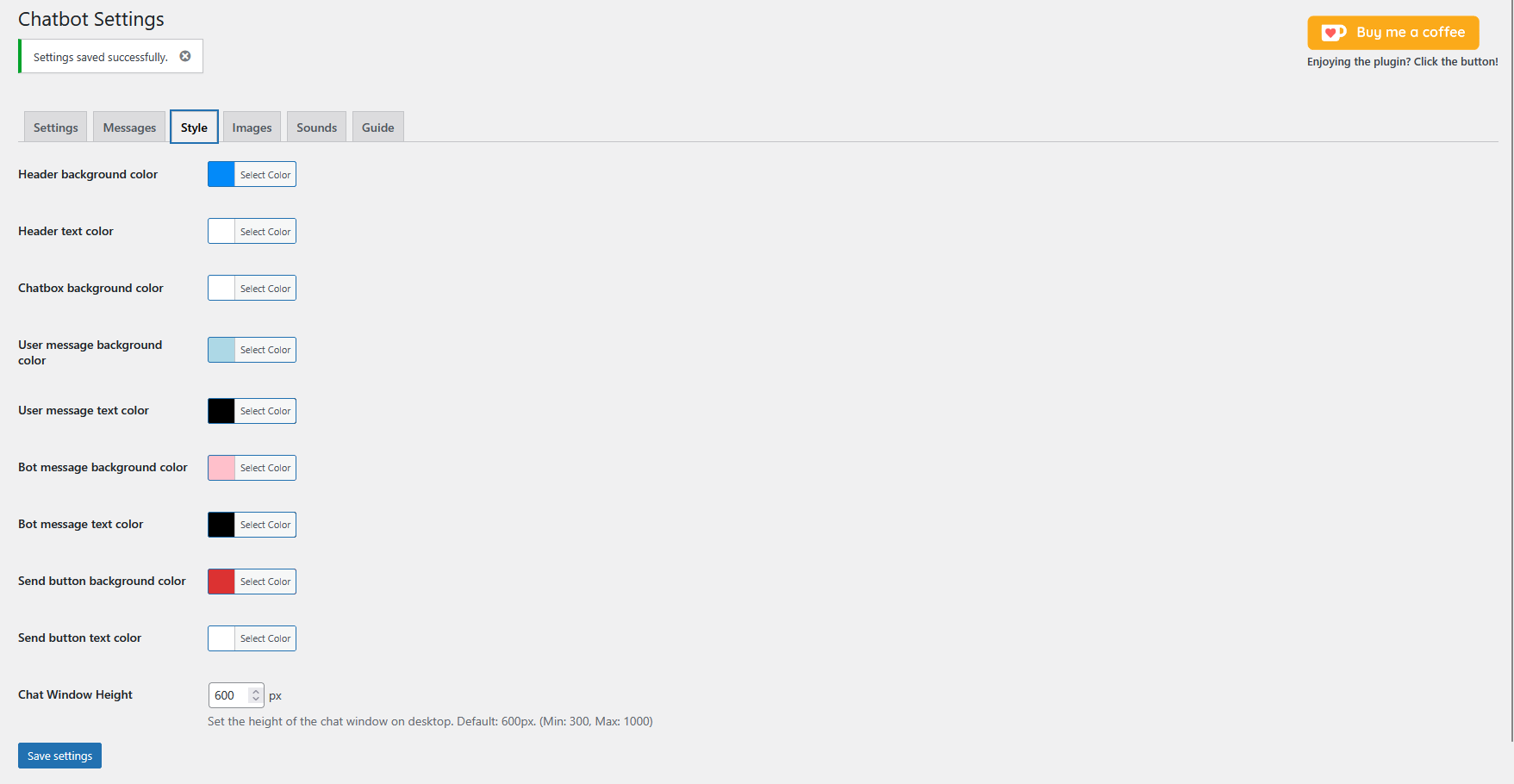
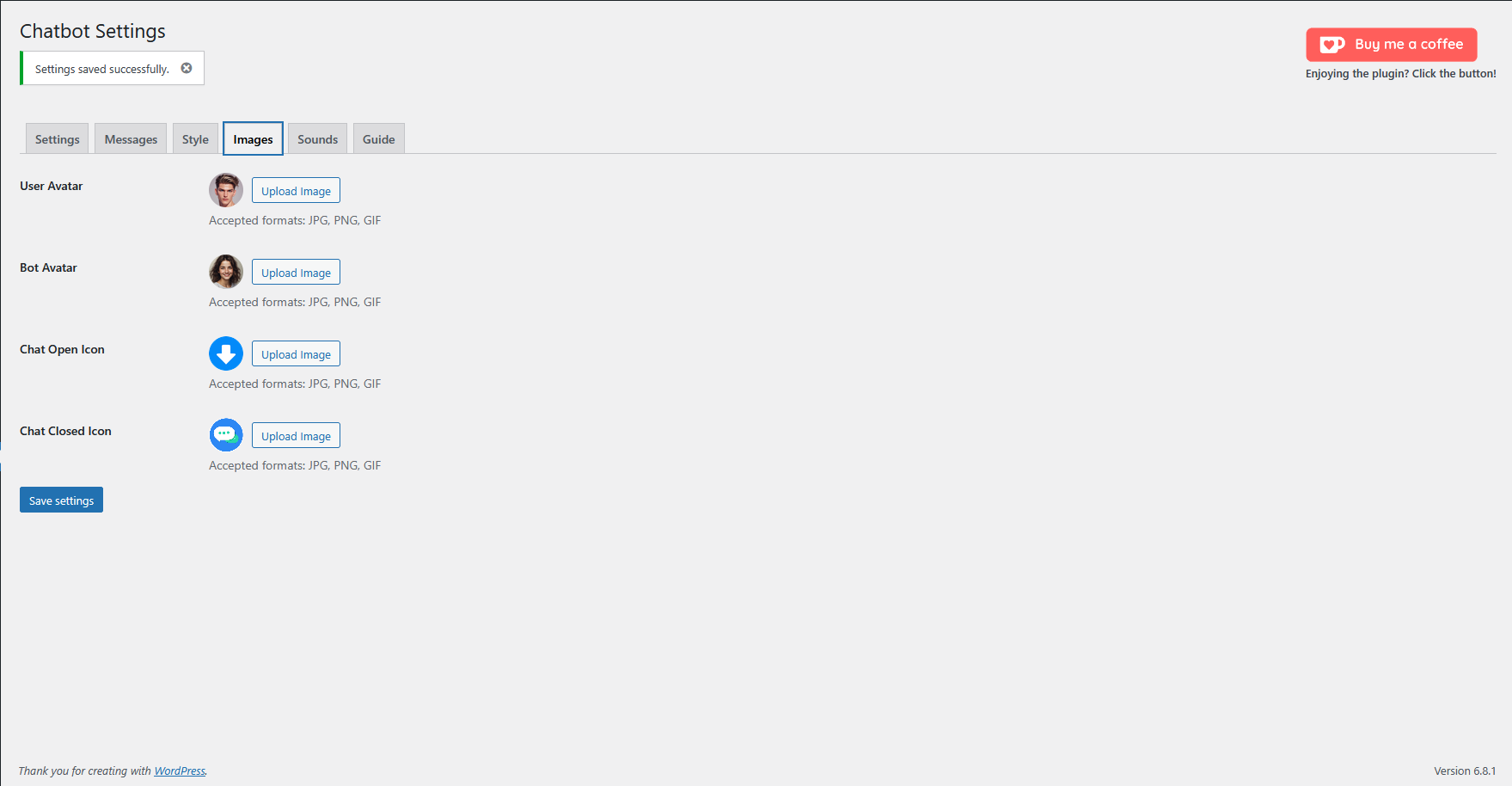
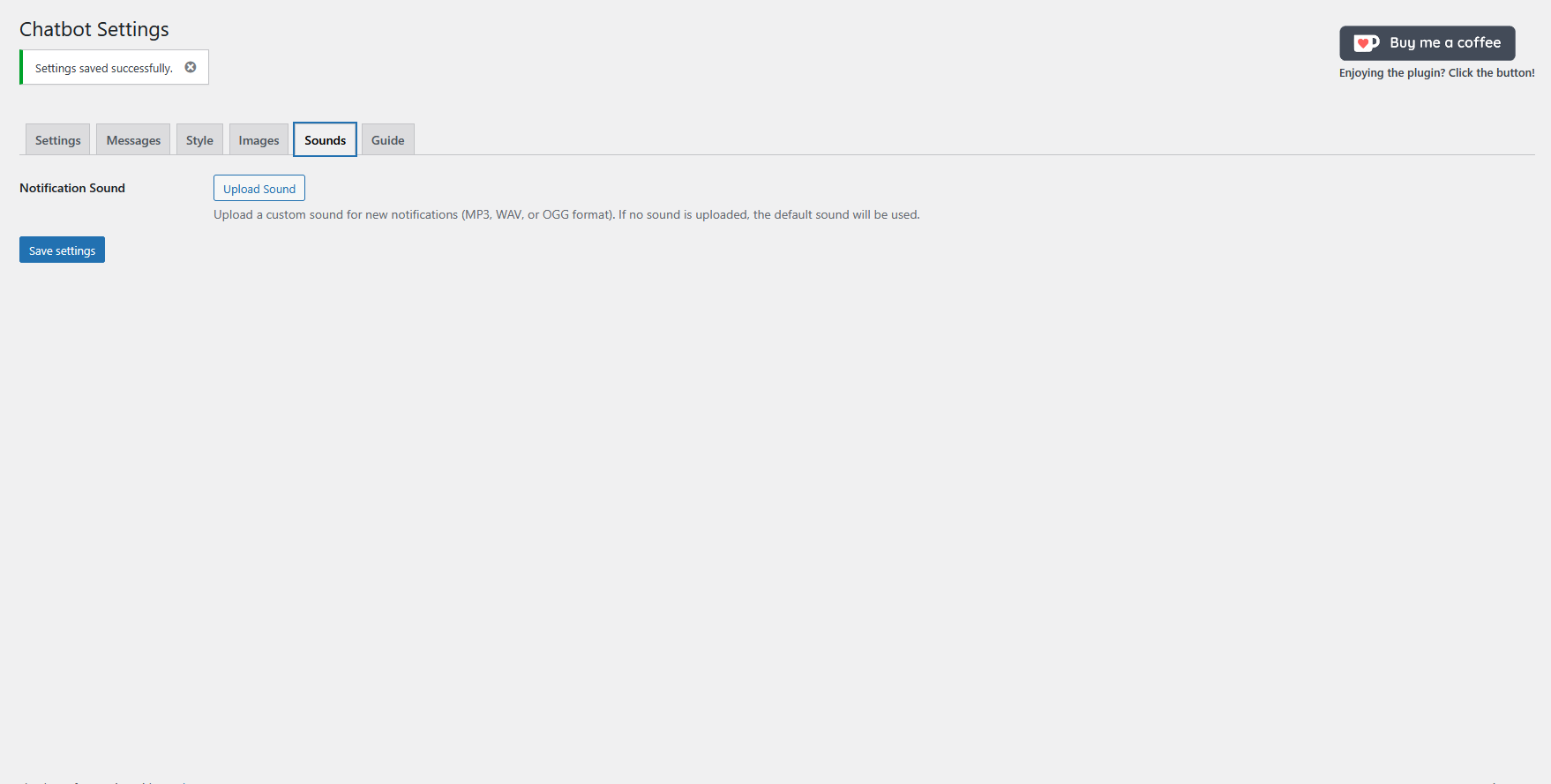
- Customize the chatbot’s appearance in the “Style” and “Images” tabs.
- Click “Save settings”. Remember to refresh your website (Ctrl+F5 or Cmd+Shift+R) after saving, otherwise the changes may not be displayed correctly due to caching.
Message and IP Saving
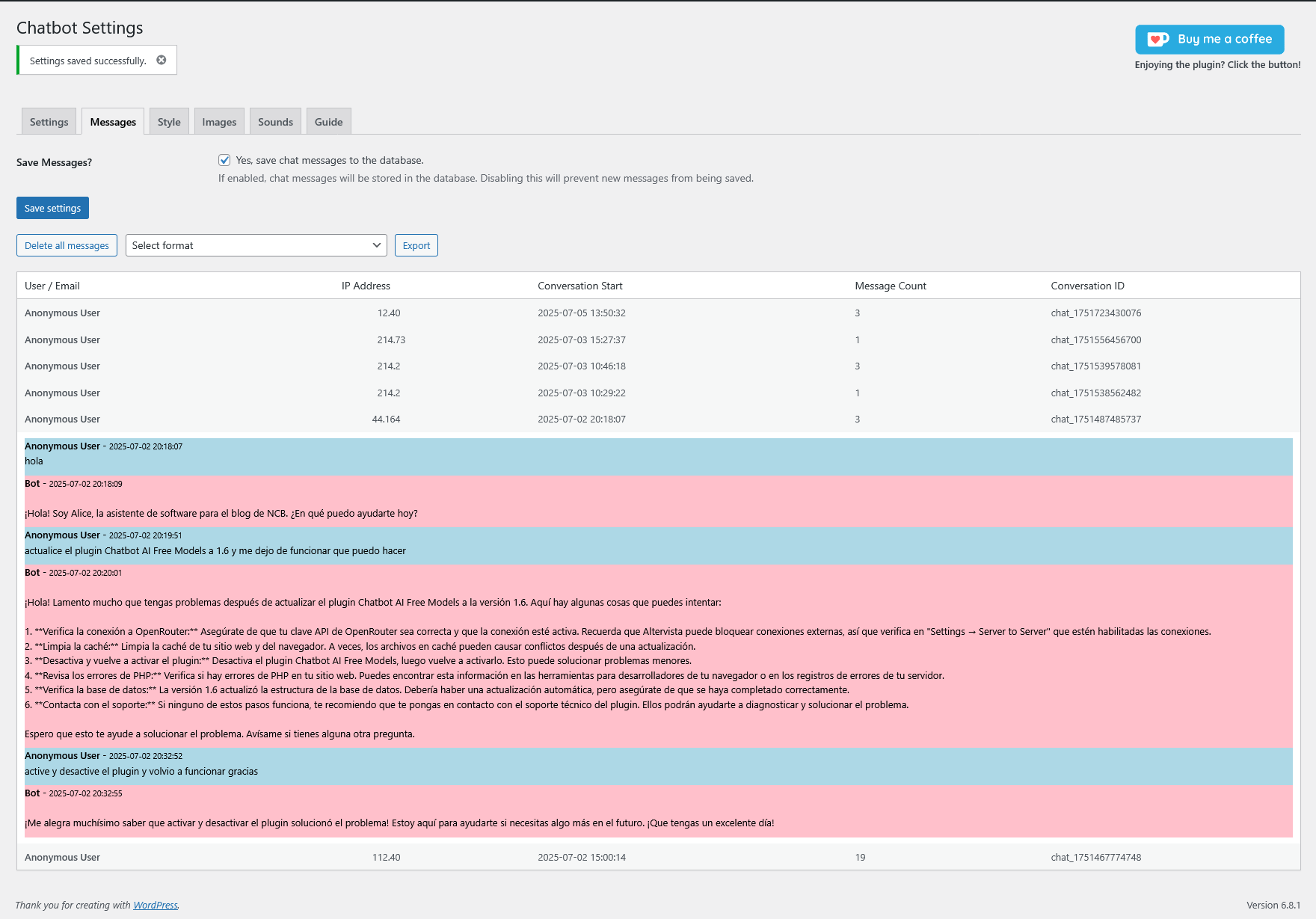
You can enable or disable the saving of chat messages and user IP addresses in the “Messages” tab of the settings page. Message saving is disabled by default for privacy reasons. If enabled, all chat messages and IP addresses will be stored securely within the plugin’s dedicated database.
Using a dedicated database offers several advantages:
- Simplified Management: All chatbot-related data is contained in a single location, making it easier to manage and maintain.
- Reduced Impact: Storing data separately minimizes the impact on your website’s core database performance.
Important: If you choose to enable message and IP saving, you MUST update your website’s privacy policy to reflect this data collection practice and inform your users accordingly. You are responsible for complying with all applicable privacy laws.
Enabling “Powered by NewCodeByte”
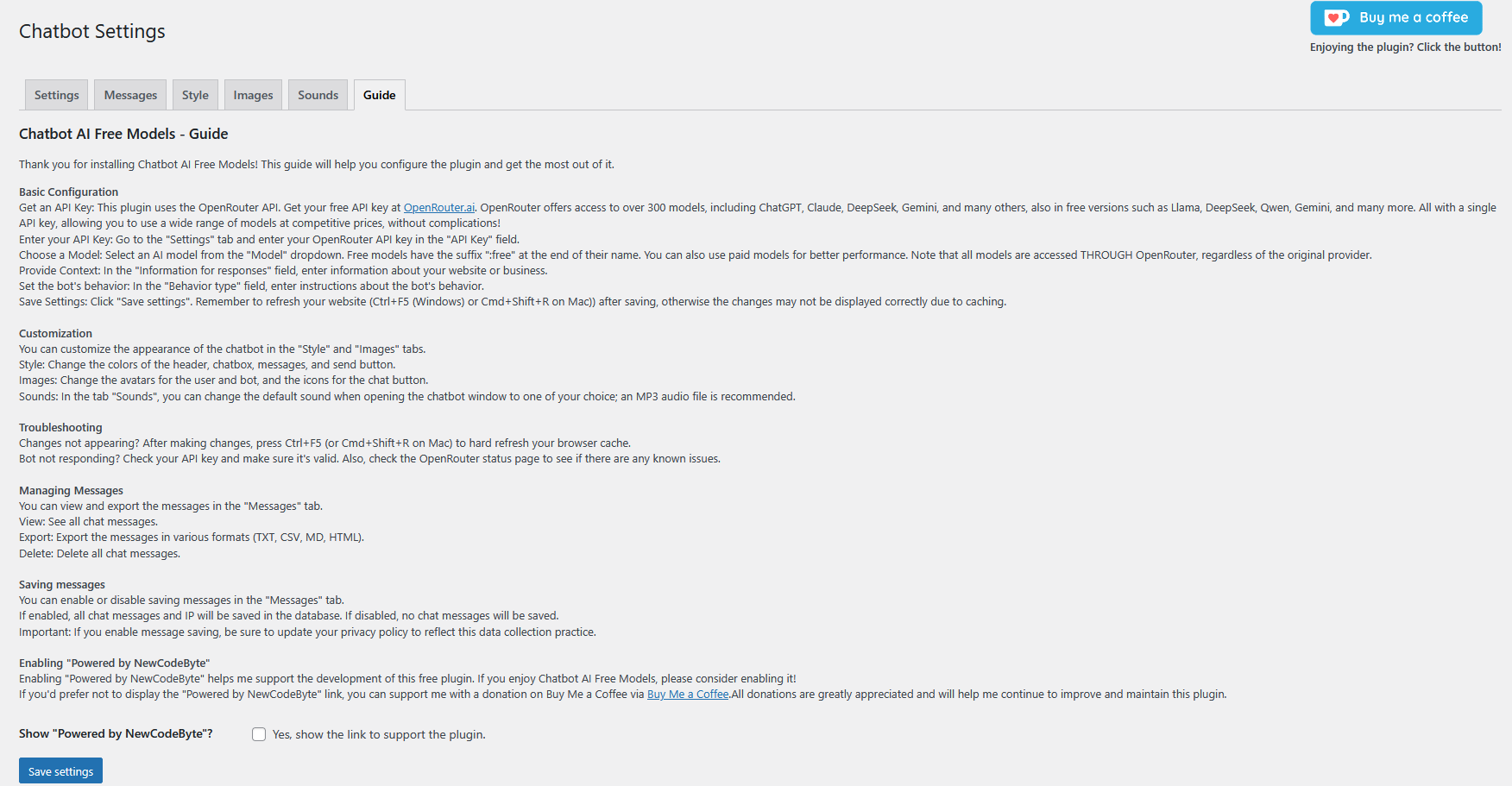
Enabling “Powered by NewCodeByte” helps me support the development of this free plugin. If you enjoy Chatbot AI Free Models, please consider enabling it!
If you’d prefer not to display the “Powered by NewCodeByte” link, you can support me with a donation on Buy Me a Coffee via Buy Me a Coffee.
All donations are greatly appreciated and will help me continue to improve and maintain this plugin.
External Services
Chatbot AI Free Models allows you to connect your site to AI services via one of the supported providers (OpenAI, OpenRouter, Anthropic, Google, DeepSeek, Groq, xAI, Together AI, Mistral, Perplexity, or any custom OpenAI-compatible endpoint). You need your own API key and must comply with the Terms of Service and Privacy Policy of each provider you use.
The plugin developer is not responsible for any issues or damages resulting from the use of the plugin or AI-generated content. Make sure your usage complies with the laws of your country. All data stays on your server, it’s your responsibility to keep it secure.
- OpenRouter Terms of Service and Privacy Policy:
- Terms of Service: https://openrouter.ai/terms
- Privacy Policy: https://openrouter.ai/privacy
Donate link
You can support the development of Chatbot AI Free Models by making a donation via https://www.buymeacoffee.com/codebytewp.
License and Usage
Chatbot AI Free Models is provided free of charge for both personal and commercial use. You are allowed to distribute the plugin in its original, unmodified form.
This plugin is created and maintained by NewCodeByte.
Author
NewCodeByte
Disclaimer and Legal Information
This plugin is provided “as is” and without any warranty, express or implied. NewCodeByte is not liable for any damages or losses arising from its use. While this plugin is provided free of charge for personal or commercial use, the “Powered by NewCodeByte” link helps support its development. This plugin is licensed under the GPLv2 (or later) license, and you are free to use, modify, and distribute it according to the terms of that license. You are solely responsible for ensuring that your use of this plugin complies with all applicable laws and regulations.
Privacy
This plugin handles user data in the following ways:
- Chat Messages
– Messages are stored only when explicitly enabled by the site administrator
– Messages are stored in a dedicated, secure database
– Messages can be exported or deleted through the admin interface
– No message content is shared with third parties except OpenRouter for processing
- User Data Collection
– IP addresses (when message saving is enabled)
– Chat message content
– No personal identification information is collected
– No cookies are used by the plugin itself
- Data Retention
– Messages and IPs are stored until manually deleted by the administrator
– No automatic data deletion is performed
– Administrators can delete all stored data at any time
- GDPR Compliance
– Users should be informed about data collection
– Site administrators must update their privacy policy
– Data export and deletion tools are provided
– Clear process for handling data subject requests
Contact
If you need support: https://newcodebyte.altervista.org
Installation
- Do not install this plugin directly via manual upload. Please use only the official WordPress.org directory.
- Activate the plugin through the ‘Plugins’ screen in WordPress.
- Go to the “Chatbot” settings page in the WordPress admin menu to configure the plugin.
Frequently asked questions
Q: The chatbot isn’t working or responding after updating the plugin. What should I do?
A: This is an issue that can occur in rare cases after an update, especially if the new version includes changes to the internal database structure (as was the case in version 1.6). WordPress’s update process sometimes doesn’t fully execute all the necessary steps to adapt the plugin’s database to the new changes. Fortunately, there’s a simple and quick fix that will resolve the problem in most cases: manually deactivate and reactivate the plugin. Follow these steps: Log in to your WordPress admin dashboard. Navigate to the Plugins > Installed Plugins section. Find the “Chatbot AI Free…
Q: Where do I get an API key?
A: You can get an API key from any supported provider: OpenAI (platform.openai.com), OpenRouter (openrouter.ai), Anthropic (console.anthropic.com), Google AI Studio (aistudio.google.com), DeepSeek, Groq, xAI, Together AI, Mistral, or Perplexity. OpenRouter is a convenient choice because a single free key unlocks access to 500+ models from many providers.
Q: How do I change the look of the chatbot?
A: You can customize the chatbot’s appearance in the “Style” and “Images” tabs on the settings page.
Q: The chatbot isn’t responding. What do I do?
A: First, check your API key and make sure it’s valid and that the correct provider is selected. A: Second, check the status page of your AI provider (for example the OpenRouter status page) to see if there are any known issues with the API. A: Third, if the issue persists, try switching to a different model. Free models can sometimes experience high traffic and connection problems, so experimenting with alternative models might resolve the issue.
Q: How do I know if there are new messages?
A: Yes, the plugin includes an automatic notification system to alert you of new, unread conversations. Here’s how it works: Notification Badge in the Menu: When a user starts a new conversation, a red notification badge with a number will appear next to the ‘Chatbot’ menu item in your WordPress admin sidebar. This number does not represent individual messages, but rather the total number of conversations that contain at least one unread message. Detailed Tooltip: If you hover your mouse over the “Chatbot” menu item, a tooltip will provide more details (e.g., “You have 2 unread…
Changelog
2.0.1
- Fix: Fixed vertical alignment of the header icons (new conversation and close) across all browsers (Chrome, Firefox, Opera, Edge, Vivaldi, etc.). The text symbols were rendered with different heights depending on the fonts installed on each system; they are now inline SVG icons, guaranteeing pixel-identical rendering on every browser.
- Fix: Hardened the header icon CSS with !important on critical layout properties so themes can no longer displace or resize the icons.
- Dev: The new-conversation control is now a semantic-friendly element with keyboard and screen-reader support.
2.0
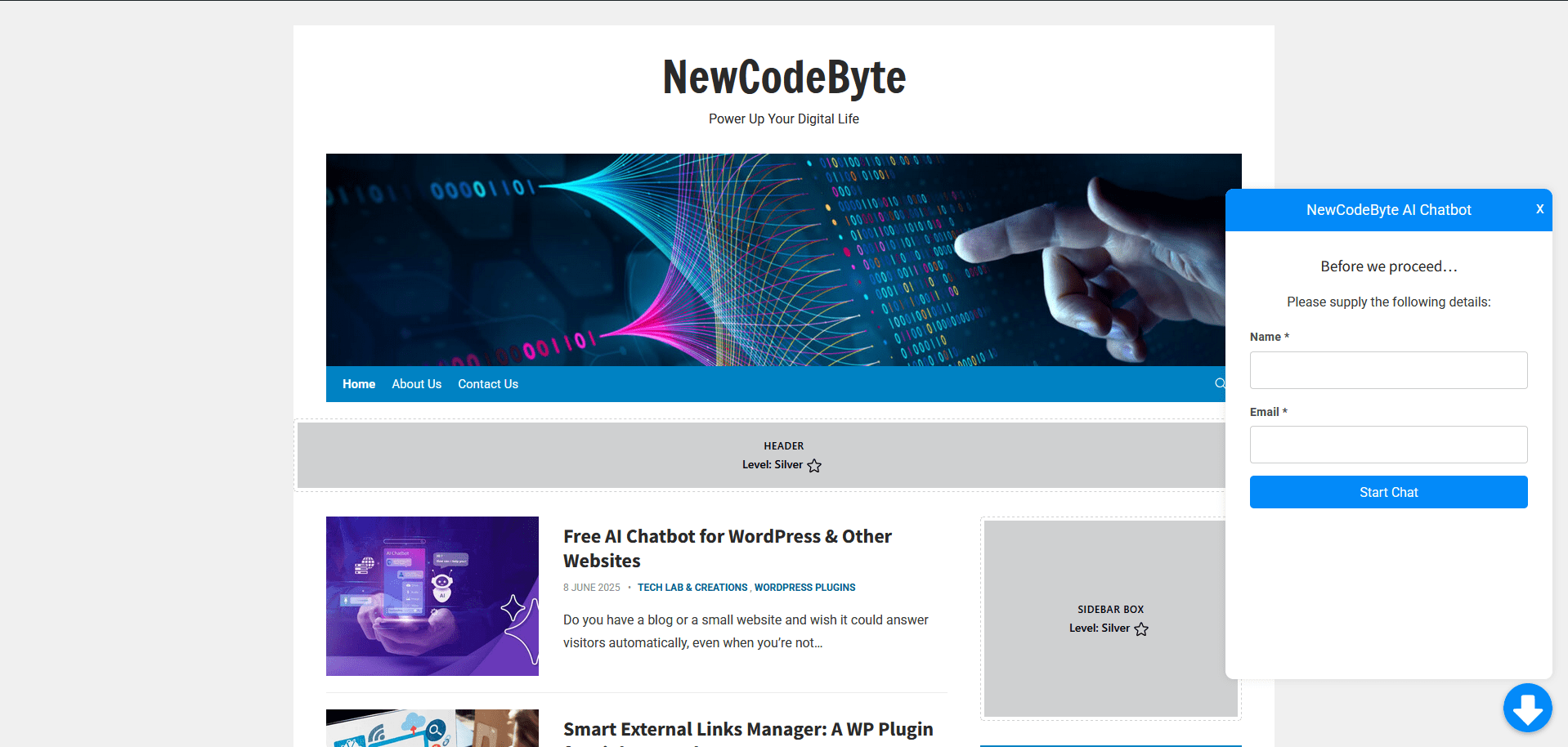
- New: Pre-chat form for collecting user name/email before the conversation.
- New: Live typing indicator (“Sto scrivendo…”) while the bot is generating a response.
- New: Source links are now clickable URLs in bot responses.
- New: All frontend-facing strings are now translatable (italiano, english, etc.).
- Performance: Knowledge base uses FULLTEXT index, transient cache, SUBSTRING.
- New: Configurable streaming timeout (30/60/90/120s) — reduces CPU load on shared hosting.
- Fixed: Stop button “↺” icon alignment in header.
- Fixed: Textarea height starts at single line.
1.7.8
- Fix: The chat no longer hangs with a blinking cursor when the model is slow. An inactivity watchdog (60s) now aborts the request and shows an error with a Retry button; the fallback request also has a 60s timeout.
1.7.6
- New: Live knowledge base. The bot can search this site’s own published posts and pages (a single SQL query per question, no content stored or duplicated) and use the most relevant results as context, citing the source URL. Configurable in the Settings tab. Search matches both the title and the body, so pages with little text are still found.
1.7.5
- New: “Max tokens per response” setting (Settings tab) now caps the model output length on all providers (OpenRouter/OpenAI, Anthropic, Google), preventing endless or excessively long responses.
1.7.4
- New: The Stop button now uses the theme colors and is configurable from the Style tab (background and text color).
- Fix: Trailing empty line removed from bot messages and the welcome message (caused by the markdown renderer’s trailing newline).
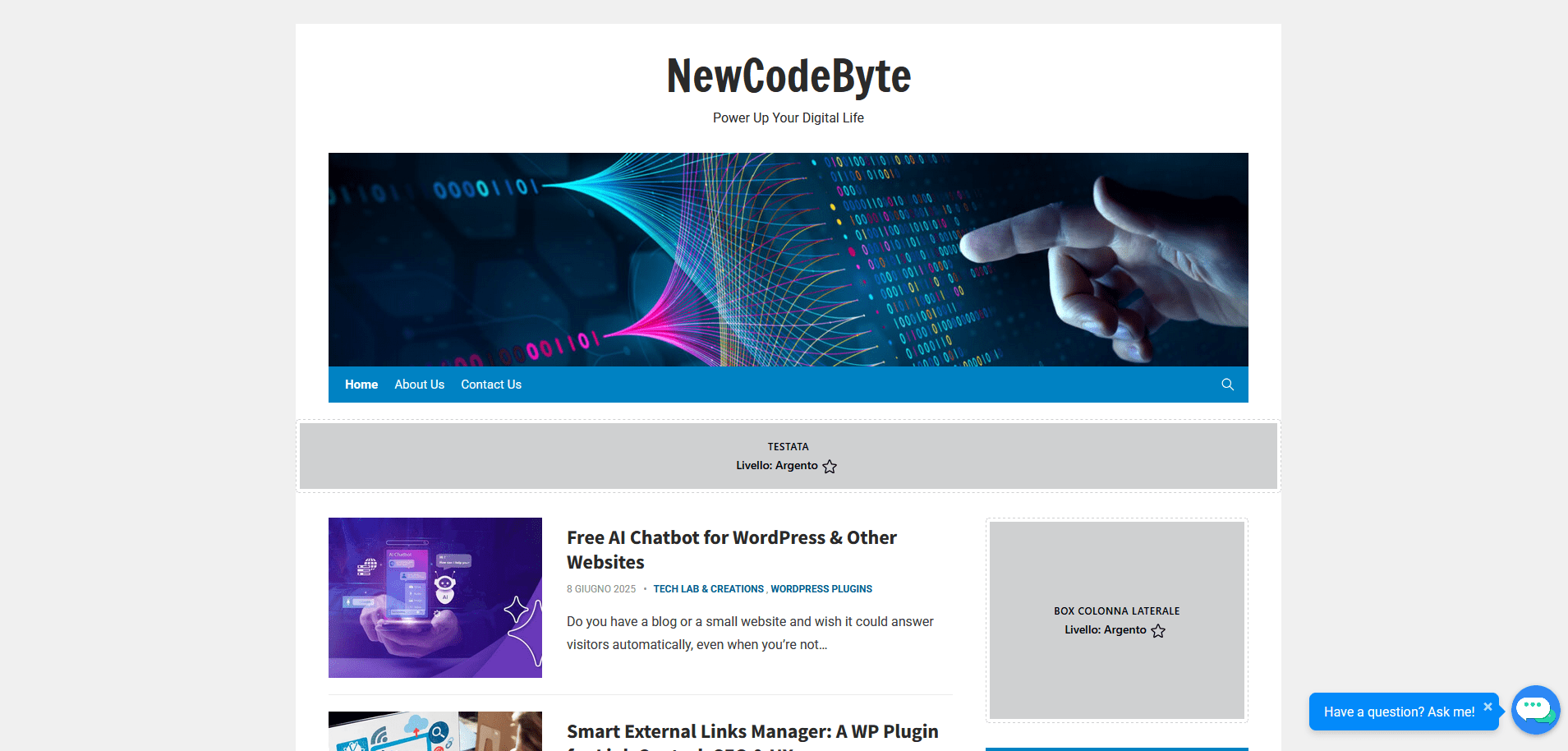
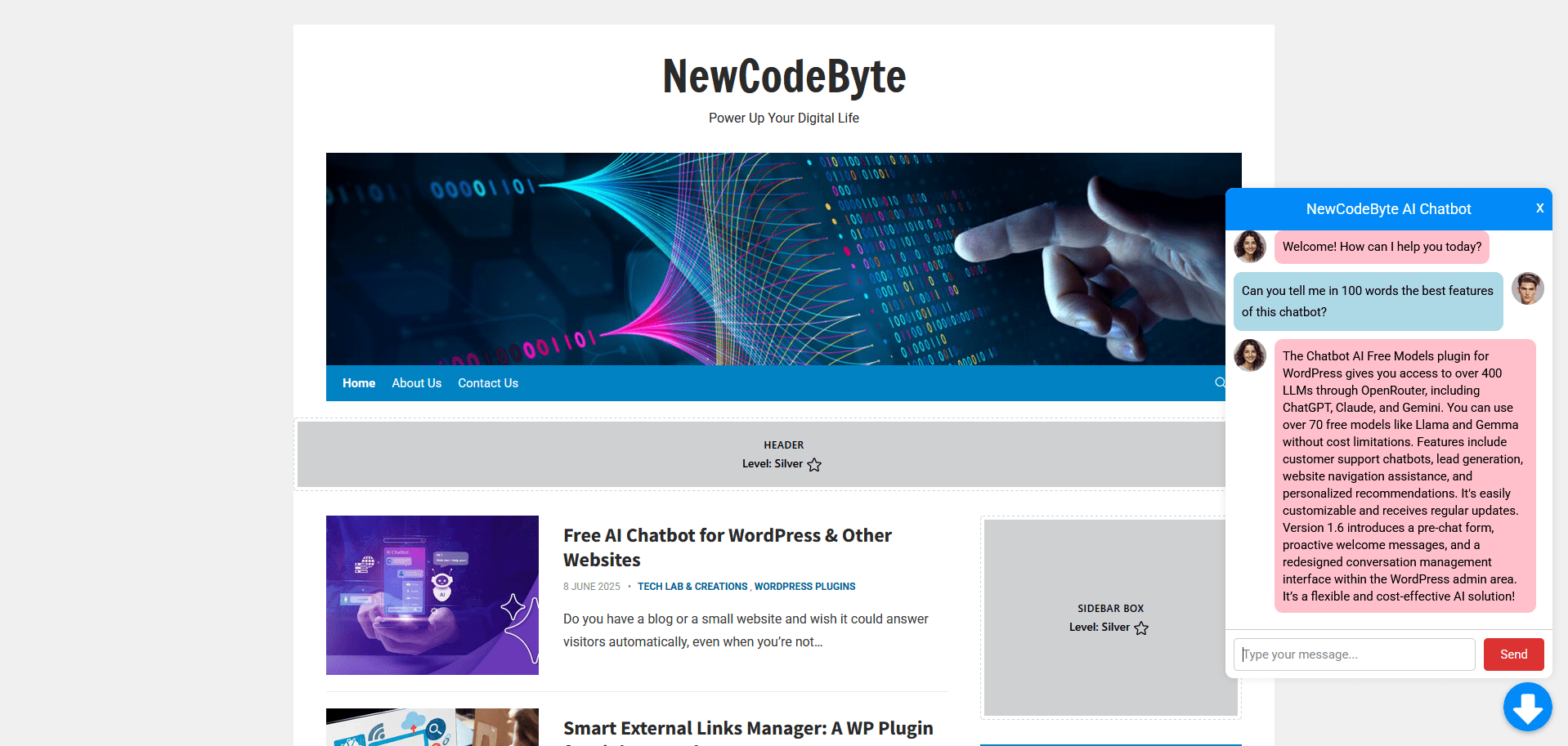
Screenshots
For developers
Is this your plugin? Show off the numbers.
Add a live badge to your site, docs or GitHub README. It updates on its own — no account needed.
Best AI Chatbot Free Models alternatives
All AI Chatbot plugins →





FAQ
AI Chatbot Free Models: quick answers
Straight answers, pulled from live WordPress.org data.
Live data from WordPress.org · checked Sep 30, 2026
Is AI Chatbot Free Models free?
Yes. AI Chatbot Free Models is free to download and use from the official WordPress.org plugin directory.
Is AI Chatbot Free Models safe to use in 2026?
AI Chatbot Free Models is a solid plugin choice in 2026, with a few things worth checking first. It runs on 100+ sites, is rated 5/5 and was last updated 4 weeks ago, and scores 75/100 on our health check.
How many websites use AI Chatbot Free Models?
AI Chatbot Free Models is active on 100+ WordPress websites and has been downloaded 5,617 times since it launched in March 2025. It was downloaded 1,139 times in the last 30 days.
Does AI Chatbot Free Models work with WordPress 7.1?
AI Chatbot Free Models is officially tested up to WordPress 7.0.6, while the latest release is 7.1.2. It may still work, but try it on a staging site first.
What PHP version does AI Chatbot Free Models need?
AI Chatbot Free Models requires PHP 7.4 or higher. Most hosts run PHP 8.x today, so it works on any modern WordPress hosting.
When was AI Chatbot Free Models last updated?
The latest version, 2.0.1, was released on September 1, 2026 (4 weeks ago).
Who makes AI Chatbot Free Models?
AI Chatbot Free Models is developed and maintained by NewCodeByte.
What are the best alternatives to AI Chatbot Free Models?
The most popular alternatives to AI Chatbot Free Models are WPZOOM Connect: AI Chat, Cl… (90K+ installs), Lead Generation Contact Wid… (10K+ installs) and Hyve Lite (7K+ installs).
Powered by PageForge
Want thousands of pages that rank like these? Build them in an afternoon.
This directory runs on the same engine as PageForge. Turn any spreadsheet, CSV or API into thousands of fast, SEO-ready WordPress pages — with schema, internal links and AI-written copy baked in.
- CSV, Google Sheets & API data sources
- AI content, schema & internal links per page
- Works with Elementor, Gutenberg, Yoast & Rank Math
- Free on WordPress.org — no credit card


