



WPZOOM Connect: AI Chat, Click to Chat, Social Icons & Share Buttons
AI chat that answers visitors from your own pages, Click to Chat for WhatsApp & Telegram, social icons & share buttons — one floating button.

Safe pick
Yes — WPZOOM Connect: AI Chat, Click… is a safe, well-maintained plugin to use in 2026. It runs on 90K+ sites, is rated 4.9/5 and was last updated 1 day ago, and scores 96/100 on our health check.
- Proven at scale on 90K+ active sites
- Loved by users — 4.9/5 from 144 reviews
- Actively developed — last update 1 day ago
- Tested with the latest WordPress (7.1)
- Momentum — downloads up 70.8% vs the previous 30 days
How does it stack up?
Side-by-side on installs, updates, ratings & support



Daily downloads
Download spikes usually follow a new release — each site that auto-updates counts as a download.
Rankings
Where WPZOOM Connect: AI Chat, Cl… stands todayWordPress.org search rankings
Live position in the plugin search, top 100| Keyword | Position |
|---|---|
| AI Chatbot | #23 |
| click to chat | #5 |
| live chat | #20 |
| social icons | #2 |
| #15 |
Version adoption
Share of active sites per release.
Rating breakdown
★★★★★★★★★★ 4.9 from 144 reviews
About WPZOOM Connect: AI Chat, Click to Chat,…
From the official readme · v4.7.4Description
The contact launcher for WordPress
One floating button, every channel. WPZOOM Connect gives your site a chat button that can answer visitors itself — an AI chat that replies from your own pages in seconds and hands off to a human when needed — alongside Click to Chat for WhatsApp, Telegram, Messenger and Viber, social icons linking to your profiles, and share buttons for your content. 400+ icons, Gutenberg blocks, a widget and Elementor support, all in one plugin.
NEW: AI Chat — your chat button answers questions itself
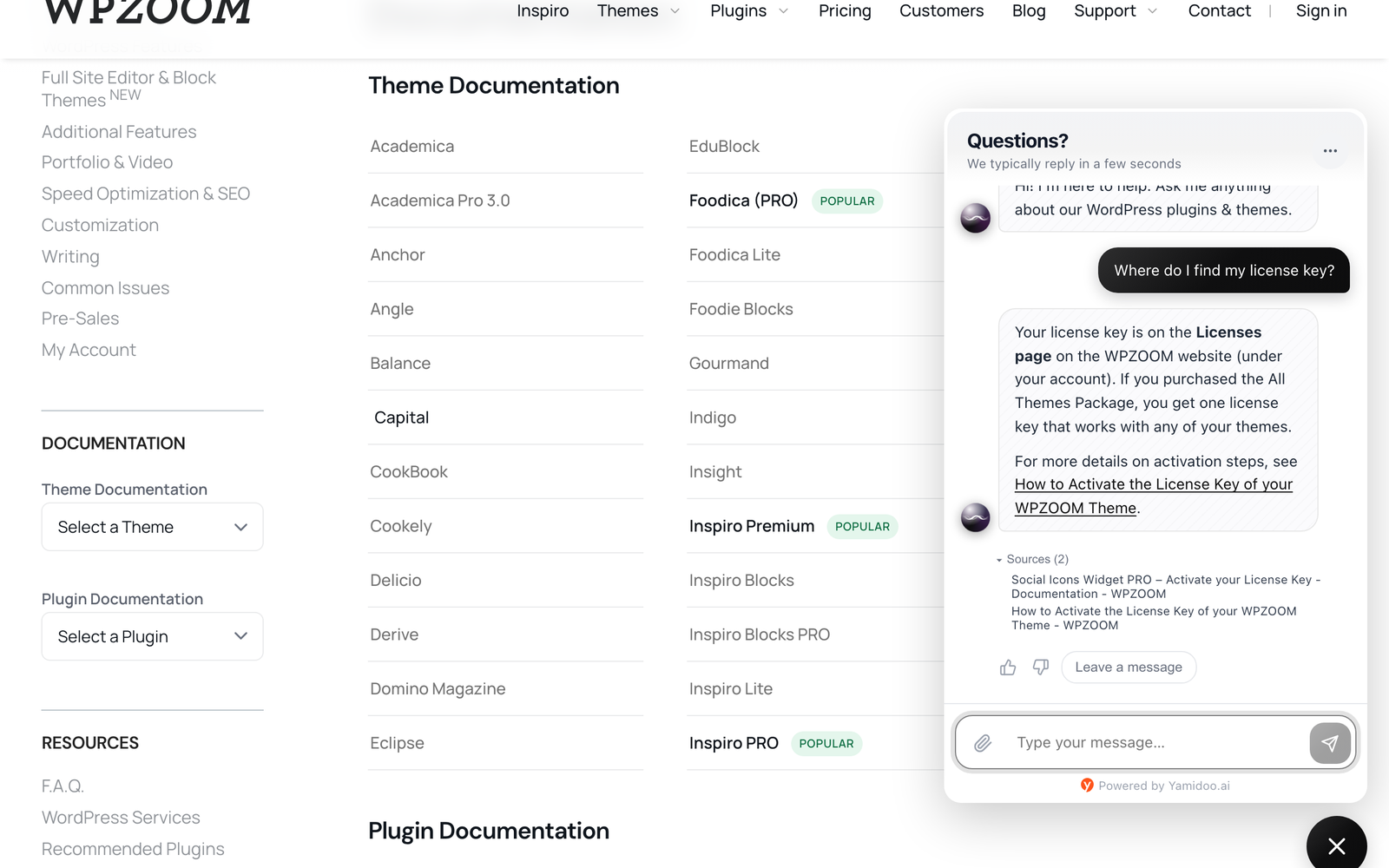
Turn the floating Click to Chat button into a support agent. AI Chat reads your pages and docs and answers visitors’ questions instantly — pricing, how-to, shipping, compatibility — 24/7, in your visitors’ language, and hands the conversation to you (or to WhatsApp) when a human is needed.
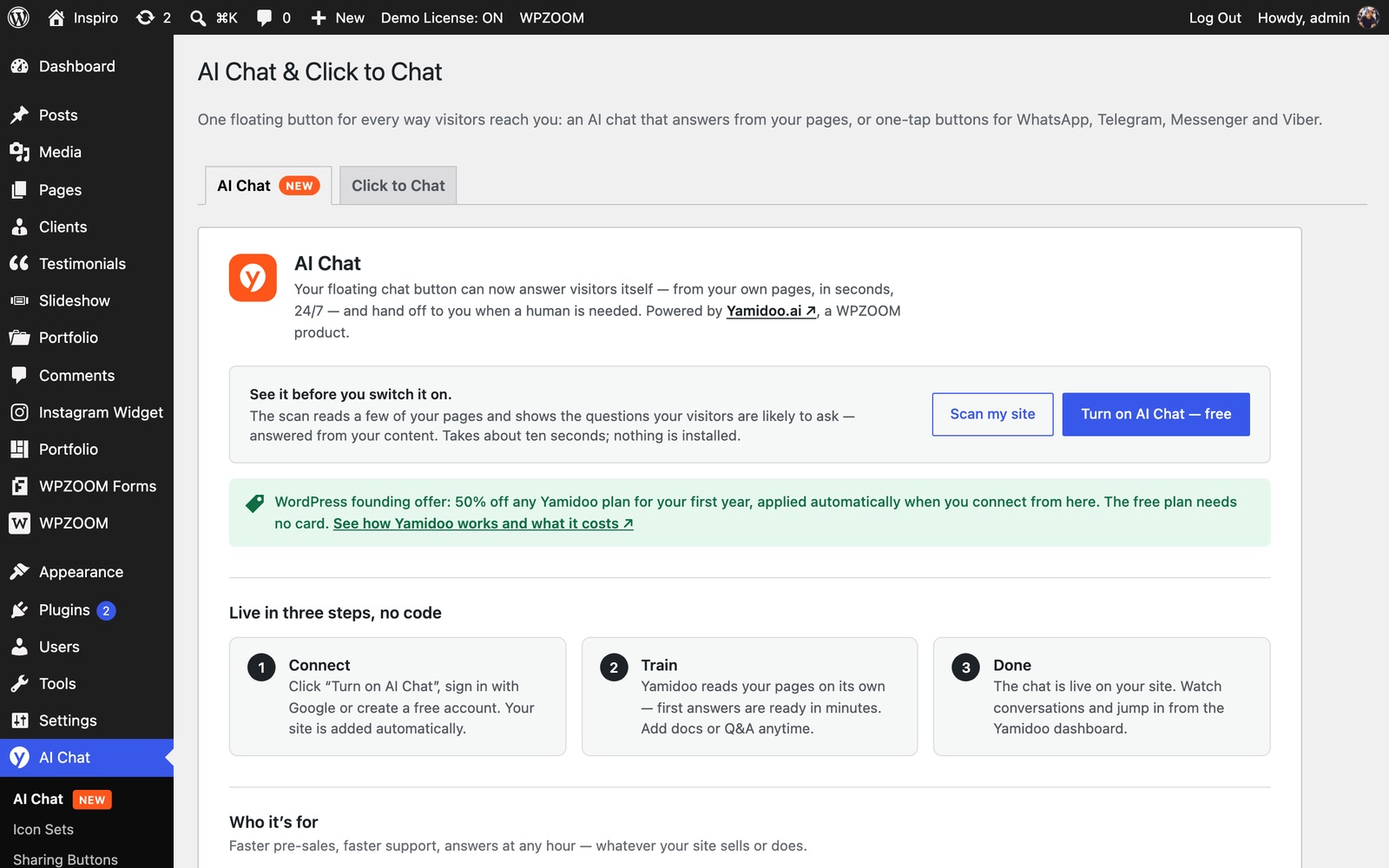
- See it before you switch it on. The built-in Support Readiness Scan reads a few of your pages right from wp-admin and shows the questions your visitors are likely to ask, answered from your content — and the ones your site doesn’t answer yet. Nothing is installed or sent until you click.
- One-click connect. No API keys, no code: click Turn on AI Chat, create a free account (or sign in) and the chat is live on your site. Indexing starts automatically.
- Human handoff. Visitors can ask for a person; you reply from the Yamidoo dashboard, by email, or point them to WhatsApp.
- Knows your customers. Running Easy Digital Downloads or WooCommerce? Your team sees a customer’s orders, licenses and subscriptions next to their conversation. Optionally, the AI can answer logged-in customers’ account questions (“when does my license expire?”) — a separate switch in the dashboard, off by default. Only your own workspace can request it, one customer at a time, when needed — nothing is uploaded or stored.
- Knows your logged-in users. Optionally passes the logged-in user’s name and email so your team knows who is chatting.
- Free plan included — no card needed to start.
AI Chat is powered by Yamidoo, a WPZOOM product. Everything you already use — social icons, share buttons, Click to Chat — keeps working exactly as before; AI Chat is optional and off until you connect.
Did you find this plugin helpful? Please consider leaving a 5-star review.
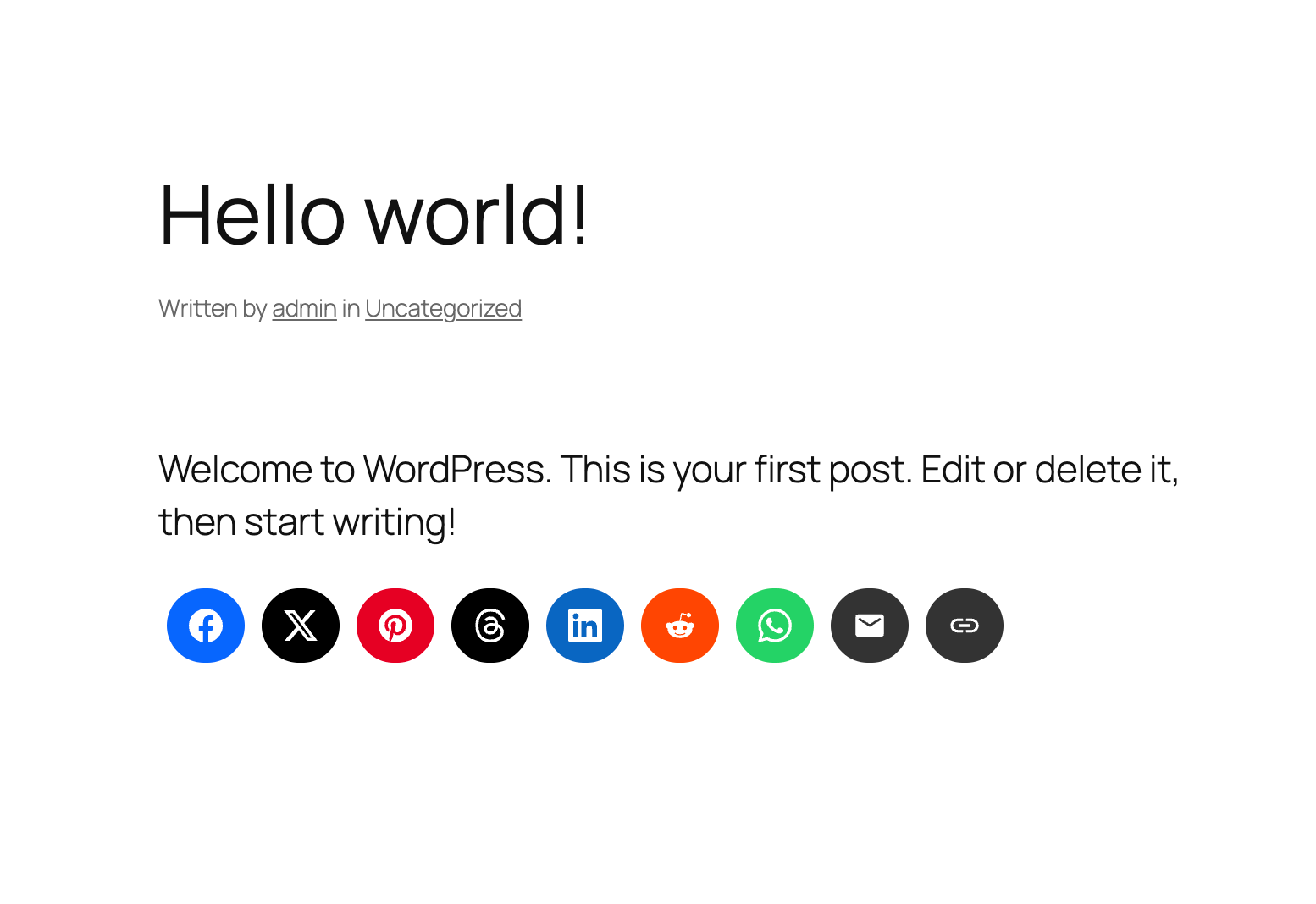
Social Icons Block Demo
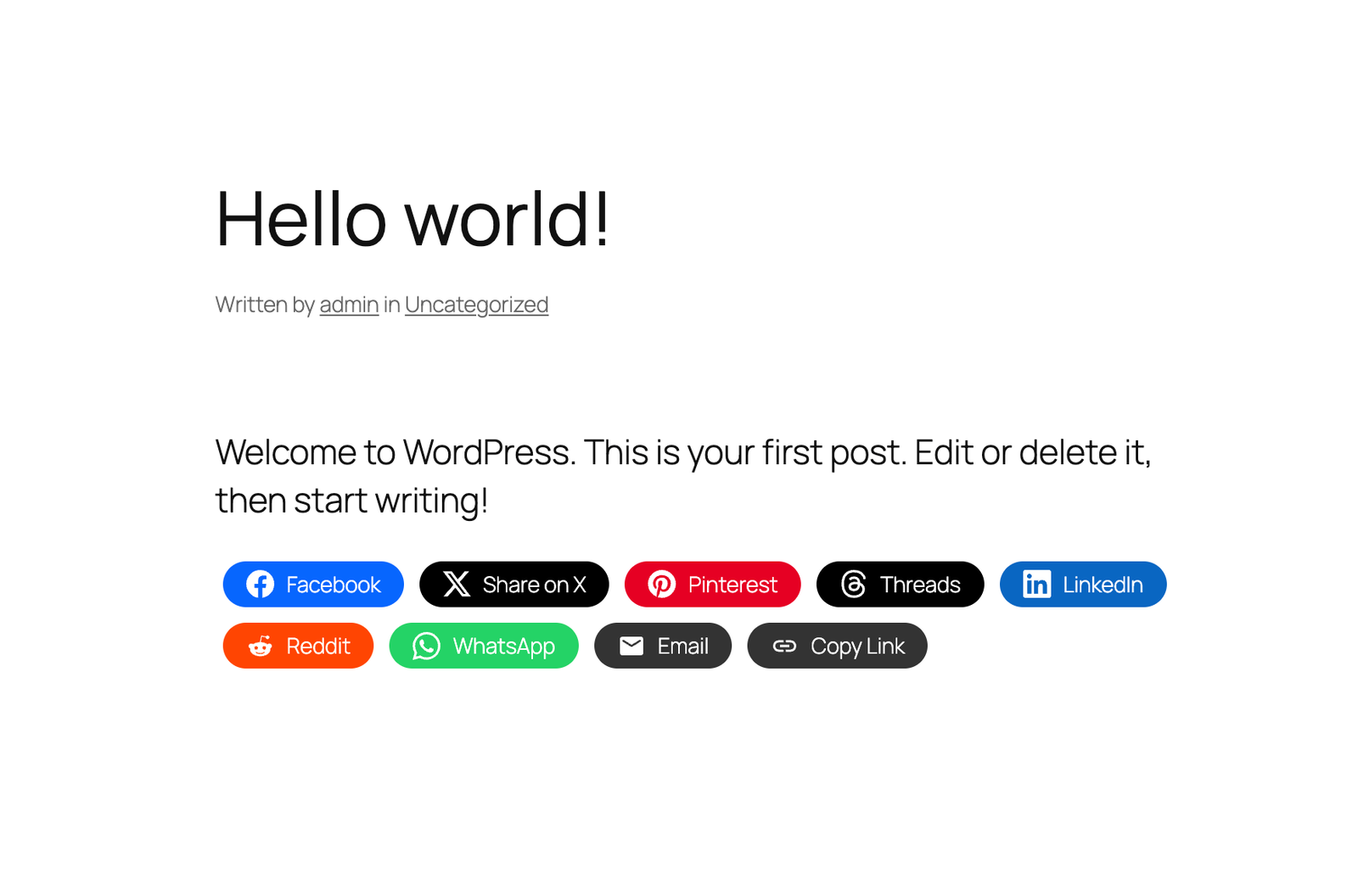
Sharing Buttons Demo
Social Icons & Sharing Buttons helps you to add social media icons and sharing buttons to your website. The plugin includes several icon sets, which gives you the possibility to use the widget for more than just linking to your social media profiles. You can use generic icons to add links to anything you want, and enable sharing buttons to let visitors share your content across social networks.
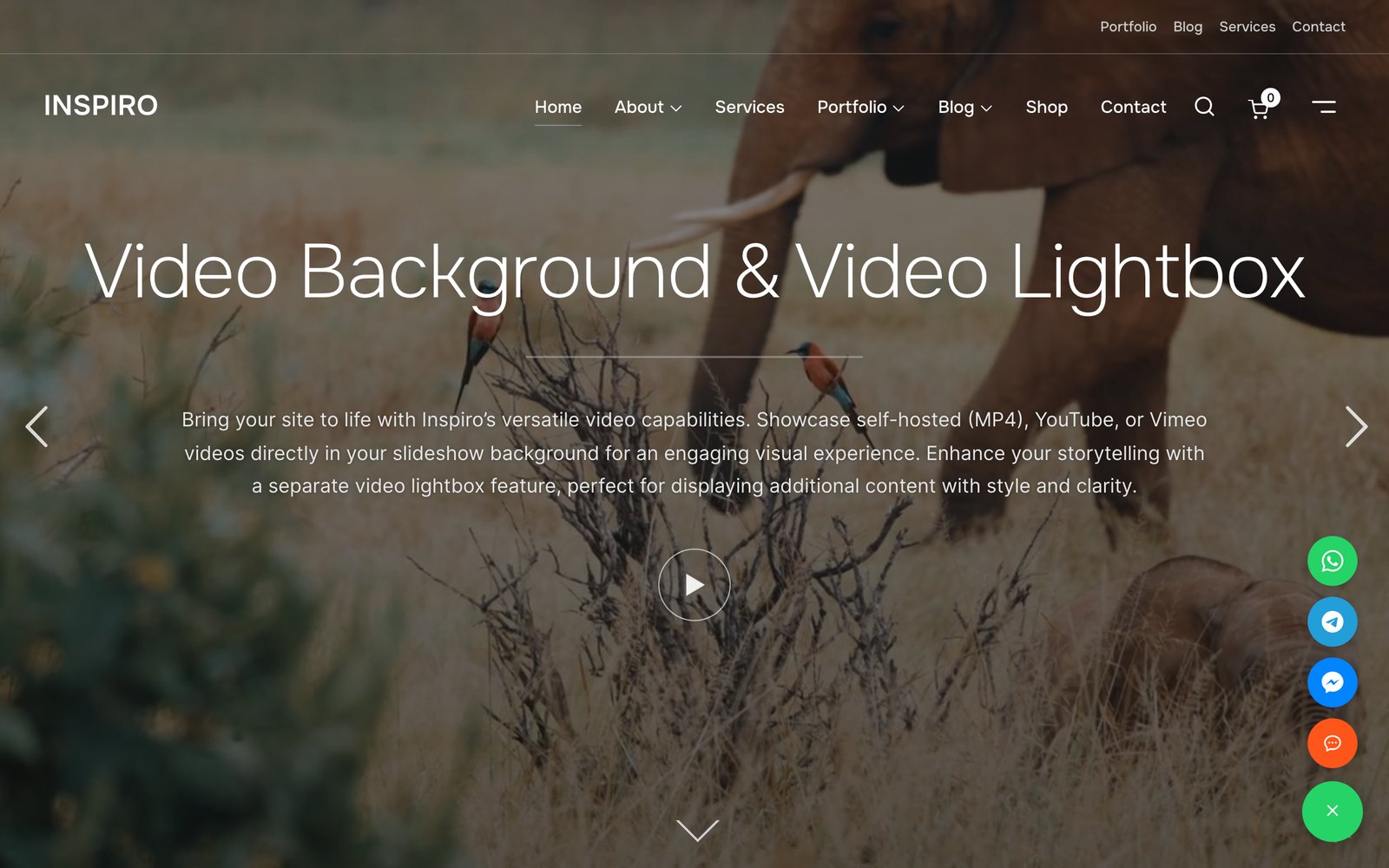
It also includes a Click to Chat floating contact button so visitors can message you instantly on WhatsApp, Telegram, Facebook Messenger, and Viber with a single tap — perfect for turning visitors into customers. Add a WhatsApp chat button, a click-to-chat launcher, or a floating contact widget without writing any code.
With the help of WPZOOM’s excellent Social Icons Widget plugin, you can link to all your social network profiles and add sharing buttons in no time, letting your visitors easily get in touch with you on all social media channels and share your content.
⭐️⭐️⭐️⭐️⭐️
WPKlik
What’s new in 4.7.0
- NEW: AI Chat — the floating button can now answer visitors from your own pages (powered by Yamidoo)
- NEW: Support Readiness Scan — see what your visitors would ask, from wp-admin, before turning anything on
What’s new in 4.6.0
- NEW: Click to Chat Floating Buttons
- NEW: Connect visitors instantly via WhatsApp, Telegram, Messenger & Viber
What’s new in 4.5.0
- NEW: Social Sharing Buttons Block
- NEW: Add Social Sharing Buttons in posts and pages
What’s new in 4.4.0
- NEW: Add SVG Icons in the Social Icons Block
What’s new in 4.0.0
- NEW: Gutenberg Block
- New icon styles in the new Social Icons Block
Where I can view a Demo?
You can view the plugin live in all our themes at WPZOOM.
View Demo & Examples
- Foodica Theme – header bar and sidebar
- Inspiro Theme – sidebar panel and footer
Features:
Social Icons Block:
* SVG Icons Support – Upload custom SVG icons
* 400+ Custom Icons from 5 Icon Sets
* Gutenberg Block with Live Preview
* Drag & Drop Icons with Sortable Arrows
* Color Picker for Each Icon
* Search by Keywords
* Adjust Icon Size & Padding
* Multiple Styles: Icon Shape and Icon with Background
* 3 Background Styles: Rounded Corners, Round, Square
* Icon Sets + Shortcodes
* Elementor Widget Integration
Social Sharing Buttons Block:
* 12+ Sharing Platforms: Facebook, X, Threads, LinkedIn, Pinterest, Reddit, Telegram, WhatsApp, Bluesky, Email, Copy Link, and Print
* Multiple Button Styles: Circle, Square, Rounded, Outlined, Minimal, One-tone
* Customizable Colors, Sizes, Padding & Margins
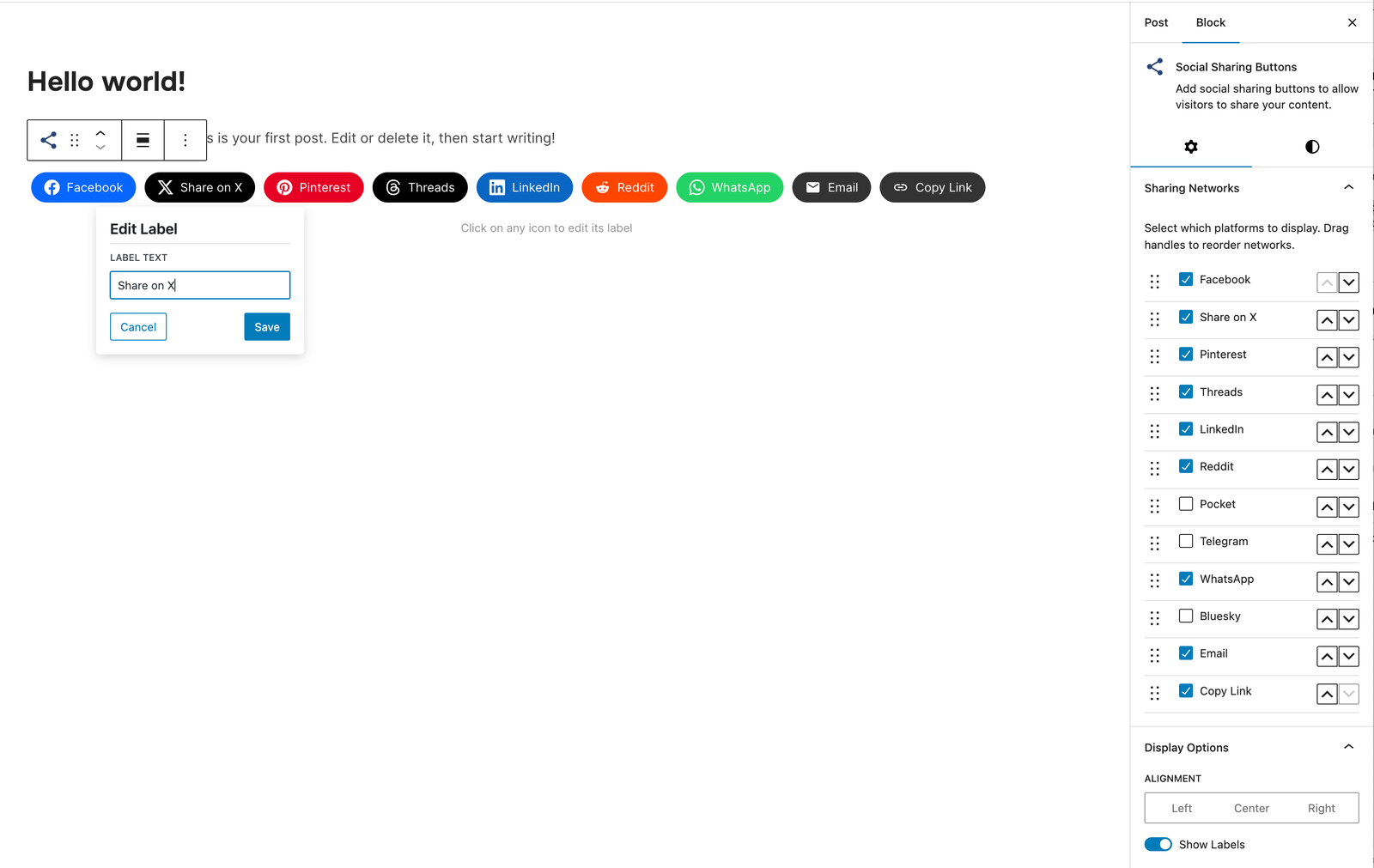
* Show/Hide Labels
* Print Button to Trigger Browser Print Dialog
* Copy Link Button with Visual Feedback
* X/Twitter Username Integration (via parameter)
Click to Chat Floating Buttons:
* Floating contact launcher that connects visitors to WhatsApp, Telegram, Messenger & Viber
* Customizable launcher position, color, open/close icons and button size
* Show or hide the button on mobile devices
PRO Features
Upgrade to Social Icons Widget PRO to unlock powerful features:
- Floating Buttons – Display social sharing icons as a fixed floating bar on the side of your website (NEW!)
- Share Analytics Dashboard – Track how visitors share your content with detailed analytics
- Like Button – Add a like button to let visitors engage with your posts
- AI Share Buttons – Share to ChatGPT, Claude, and Perplexity AI platforms
- Share Counts – Display total and individual share counts on buttons
- Facebook Share Counts – Fetch real Facebook share counts with your own SharedCount API key
- Custom SVG Icon Uploads – Upload your own custom SVG icons
- Nav Menu Integration – Add social icons directly to WordPress navigation menus
- Dashboard Widget – Quick stats overview right on your WordPress dashboard
- Priority Support – Get help faster with priority email support
General Features:
* 100+ Sites/Social Networks Supported
* FontAwesome Integration
* Academicons Integration: 38 Academia Icons for Academics
* Supports Email Addresses (mailto:email@example.com)
* Supports Telephone Numbers (tel:12345)
* Supports Viber (viber://add?number=123456)
* Supports WhatsApp (https://api.whatsapp.com/send?phone=15551234567)
Icons
Twitter, X, Facebook, Instagram, Pinterest, Snapchat, Threads, Yelp, LinkedIn, Bloglovin’, Lookbook, Feedly, Periscope, SoundCloud, Spotify, Last.fm, YouTube, Vimeo, Flickr, 500px, Tumblr, Blogger, Reddit, Dribbble, Envato, Behance, DeviantArt, GitHub, RSS, Disqus, Stackoverflow, Komoot, Tiktok, Mailchimp, Podcasts, Telegram, TripAdvisor, AirBnb, Baidu, ebay, Medium, Periscope, Snapchat, Bandcamp, Eyem, Viber, Quora, Etsy, Meetup, Linode, IMDB, Overwatch, Strava, Tidal, Deezer, Unsplash, Codered, Udemy, CrunchBase, Angie’s List, App Store, Nextdoor, WhatsApp, ResearchGate, Slack, Songkick, ReverbNation, Bluesky
Credits
Some Social Icons are provided by the Socicon icon font.
Academicons are provided by James Walsh.
External services (AI Chat)
The optional AI Chat feature connects your site to Yamidoo (https://yamidoo.ai/), a hosted service operated by WPZOOM BV. Nothing is sent to Yamidoo until you click Scan my site or Turn on AI Chat in the plugin settings.
- Scan my site sends your site’s public URL to
https://app.yamidoo.ai/api/scan, which reads up to 14 of your public pages and returns a report shown in wp-admin. - Turn on AI Chat opens
https://app.yamidoo.aito create or sign in to your Yamidoo account and connect this site; your site URL is shared so Yamidoo can index your public pages, and your WordPress email and name are passed along to prefill the sign-up form. - Once connected, the front end loads the chat widget (
widget.js) fromhttps://app.yamidoo.ai. When a visitor uses the chat, their messages, an anonymous session id, the page URL and basic browser data are sent to Yamidoo. If “identify logged-in users” is on, the logged-in user’s name, email, username and user id are sent too. - If customer lookup is on (offered only when Easy Digital Downloads or WooCommerce is active): when your team opens a conversation, or the AI answers a logged-in customer, your Yamidoo workspace requests that one email’s record from this site (
/wp-json/yamidoo/v1/customer) — customer, orders, licenses and subscriptions. Each request is signed with a per-site secret; the record is shown to your team and used for that answer, then discarded.
Terms of Service · Privacy Policy
GDPR COMPLIANCE
Social Icons & Sharing Buttons does not collect any information from your visitors, therefore it’s 100% GDPR compliant.
Get Involved
Looking to contribute code to this plugin? Go ahead and fork the repository over at GitHub.
Installation
Simply search for the plugin via the Plugins -> Add New dialog and click install, or download and extract the plugin, and copy the plugin folder into your wp-content/plugins directory and activate.
After that go to the Widgets page and add the widget Social Icons by WPZOOM to a widget area like Sidebar.
Frequently asked questions
Where do I find more details about this plugin?
On our website.
How can I add Social Icons to a Page?
Add the Social Icons Block to the Gutenberg editor and customize the icons as you want. You can search for icons, drag & drop to reorder them, and customize colors, sizes, and styles.
How can I add Social Sharing Buttons to my posts?
Add the Social Sharing Buttons Block to your post or page. You can enable/disable specific sharing platforms in the block settings sidebar. The block includes support for Facebook, X (Twitter), LinkedIn, WhatsApp, Email, Print, and many more platforms.
Can I customize the appearance of the Sharing Buttons?
Yes! The Social Sharing Buttons Block offers multiple style presets (Circle, Square, Rounded, Outlined, Minimal, One-tone) and extensive customization options including: * Icon and label colors * Button sizes and padding * Border radius and styling * Show/hide labels * Margin and spacing
What sharing platforms are supported?
The plugin supports 12+ sharing platforms: Facebook, X (Twitter), Threads, LinkedIn, Pinterest, Reddit, Telegram, WhatsApp, Bluesky, Email, Copy Link, and Print.
What is AI Chat and does it cost anything?
AI Chat turns the floating chat button into an assistant that answers visitors from your own pages, and hands off to you when needed. It’s powered by Yamidoo (a WPZOOM product) and needs a Yamidoo account; the free plan needs no card. It’s off until you connect — nothing changes on your site otherwise.
Can the AI see my customers’ orders and licenses?
If you run Easy Digital Downloads or WooCommerce, yes — turn on Show customer data in my Yamidoo inbox in the AI Chat tab. Only your own workspace can request it, not Yamidoo the company or anyone else. Your team sees the customer’s record next to the conversation. The AI does not see it unless you turn on Let the AI answer account questions in the dashboard, and then only for visitors who are logged in to your site (the plugin signs their identity, so nobody can ask about someone else’s orders). Your workspace fetches the record from your site when needed and does not store it. Developers…
Does AI Chat replace my WhatsApp button?
By default, yes: while AI Chat is on, the WhatsApp/Telegram/Messenger/Viber launcher is hidden so there’s one floating button, not two. You can keep both from the AI Chat settings.
How do I add a Click to Chat button for WhatsApp?
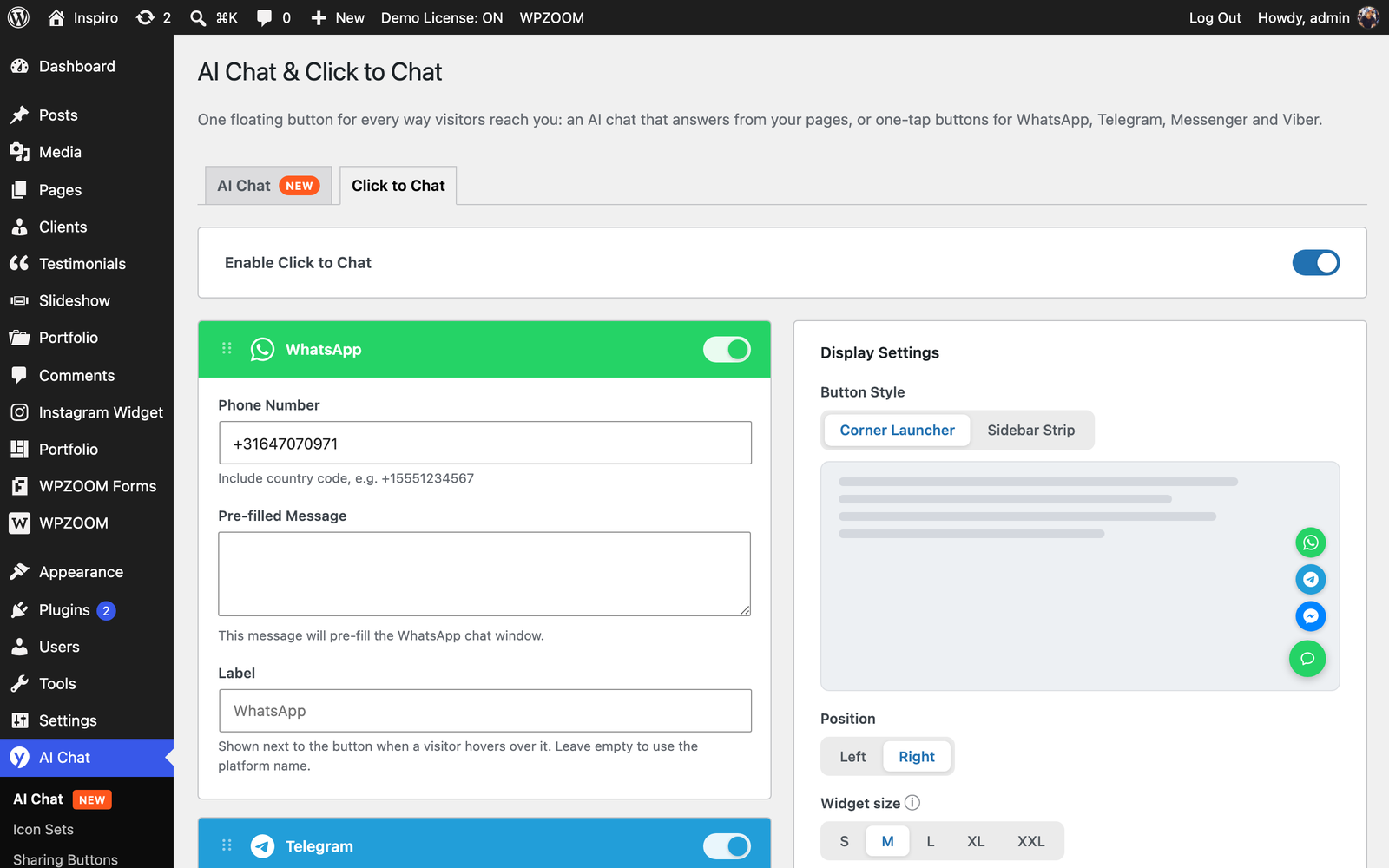
Go to Social Icons → Click to Chat in your WordPress admin, enable the feature, and add your WhatsApp number. A floating Click to Chat button appears on your site so visitors can message you on WhatsApp with one tap. You can enable Telegram, Facebook Messenger, and Viber from the same screen.
Which chat apps does the Click to Chat button support?
The floating Click to Chat button supports WhatsApp, Telegram, Facebook Messenger, and Viber. You can enable any combination, reorder the platforms, and customize the launcher color, position, open/close icons, and size. You can also choose whether the floating contact button shows on mobile devices.
Is the Click to Chat / WhatsApp button free?
Yes. The Click to Chat floating contact button is included free in Social Icons & Sharing Buttons by WPZOOM, with support for WhatsApp, Telegram, Messenger, and Viber chat buttons.
How does the Print button work?
The Print button triggers the browser’s native print dialog, allowing visitors to print the current page. It’s disabled by default and can be enabled in the block settings.
How does the Copy Link button work?
The Copy Link button copies the current page URL to the visitor’s clipboard and displays a success message. It works without requiring any additional configuration.
Can I upload custom SVG icons?
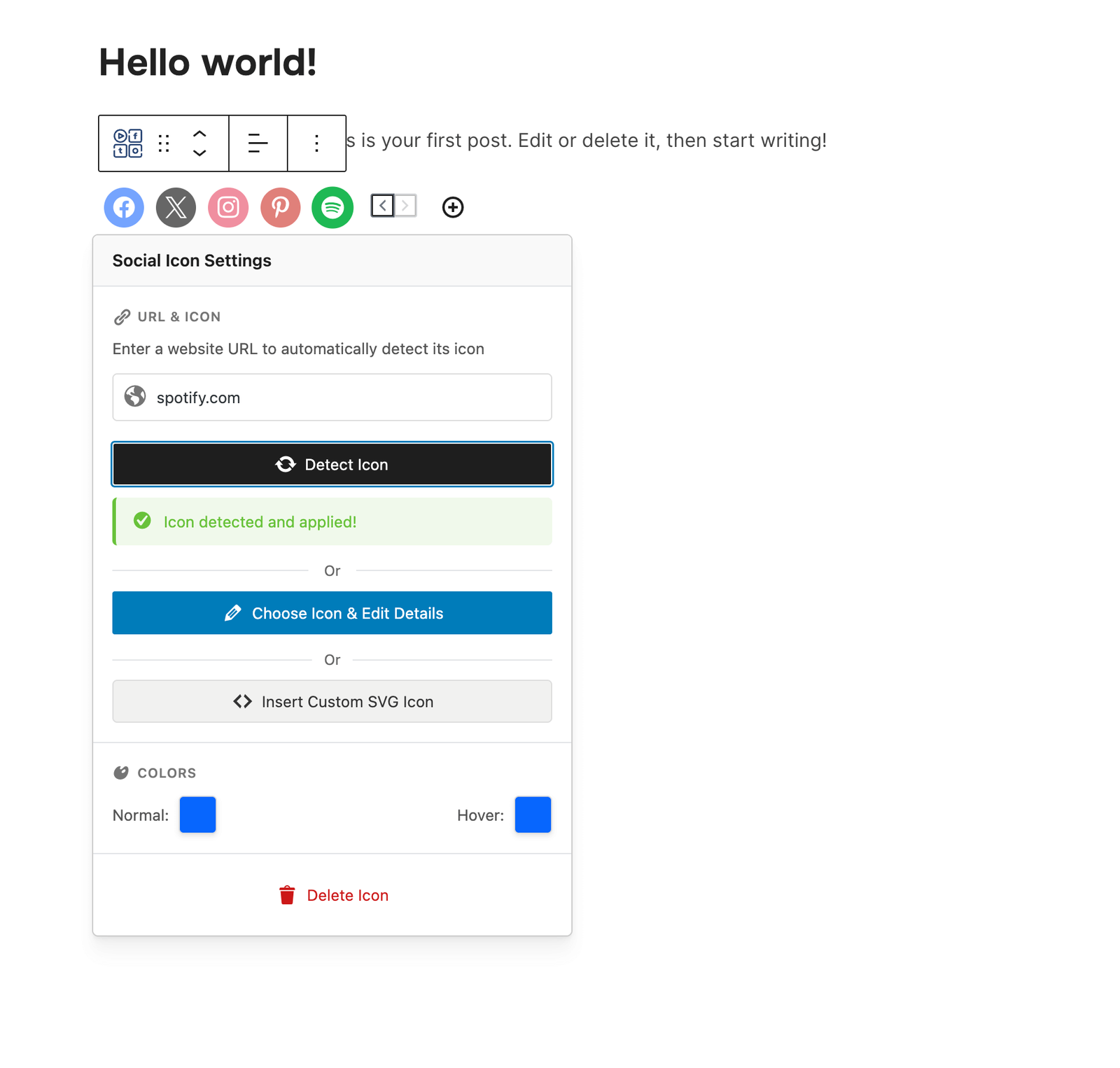
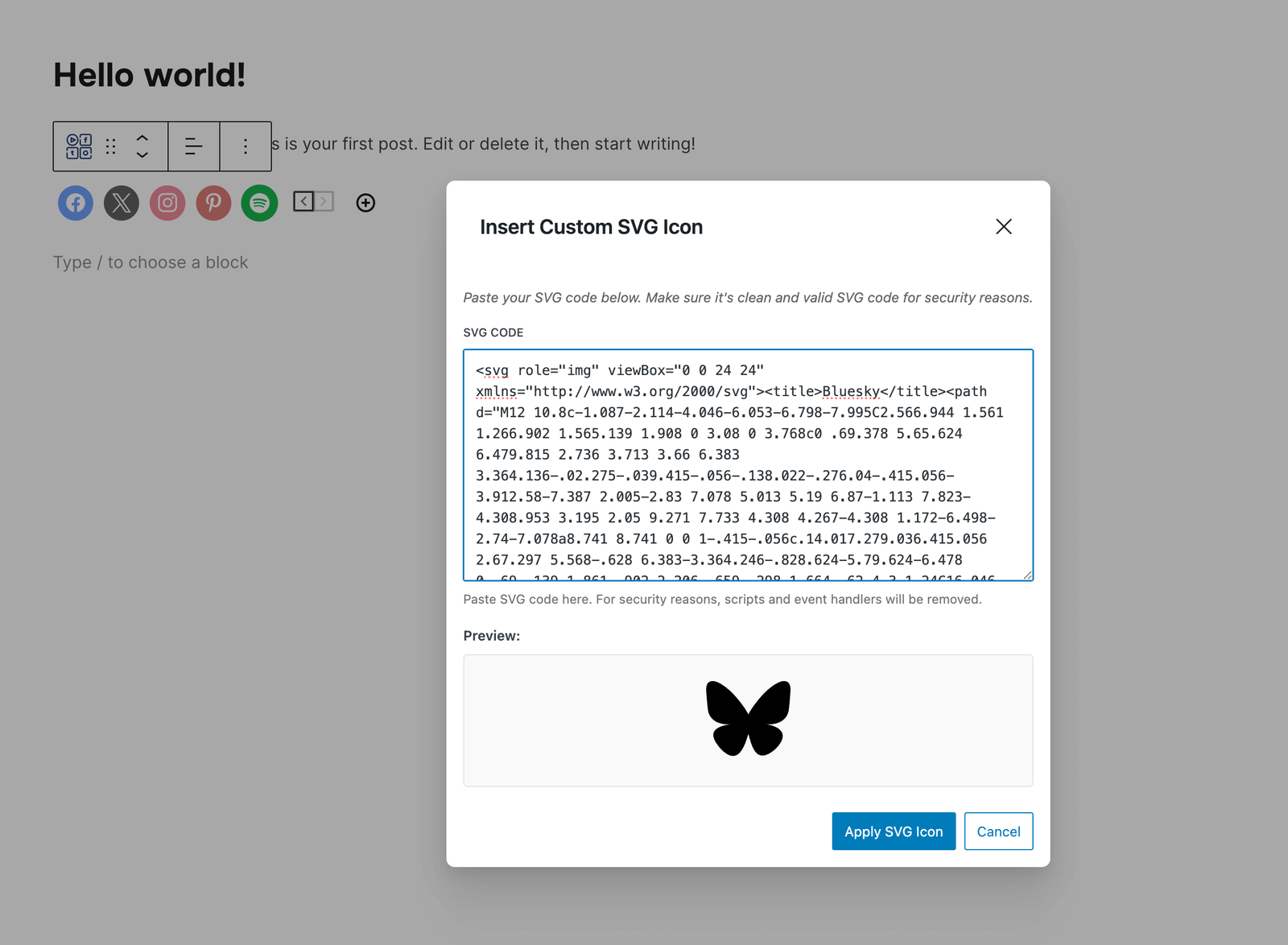
Yes! In the Social Icons Block, you can upload custom SVG icons by clicking on any icon and selecting “Insert Custom SVG Icon” from the popover menu.
Does this plugin slow down my website?
No. The plugin is optimized for performance and only loads the icon fonts and scripts that are actually being used on your pages. Fonts can be preloaded for even better performance.
Is this plugin GDPR compliant?
Yes! Social Icons & Sharing Buttons does not collect any information from your visitors, therefore it’s 100% GDPR compliant.
What features are available in the PRO version?
Social Icons Widget PRO includes these additional features: Floating Buttons – Display sharing icons as a fixed floating bar on the side of your website Share Analytics – Track shares across all platforms with a beautiful analytics dashboard Like Button – Let visitors like your posts with engagement tracking AI Share Buttons – Share content to ChatGPT, Claude, and Perplexity Share Counts – Display share counts on buttons, tracked by the plugin or fetched from Facebook with your own SharedCount API key Custom SVG Uploads – Upload your own custom icons Nav Menu Integration – Add social icons to…
What are Floating Buttons?
Floating Buttons is a PRO feature that displays your social sharing icons as a fixed bar on the side of your website. Visitors can share your content from anywhere on the page without scrolling. You can configure the position (left/right side, top/middle/bottom), choose vertical or horizontal layout, and control which post types display the floating bar. Upgrade to PRO to unlock this feature.
Changelog
4.7.4
- SECURITY: the AI Chat identity signature printed for logged-in users is now domain-separated from the signature that authenticates customer-data lookups. Before, an account registered with a crafted email address could reuse its own signature to read another customer’s orders and licenses through the lookup endpoint. Reported by Wordfence.
- IMPROVED: AI Chat customer data now lists up to 25 licenses (active ones first) and 15 orders and subscriptions, and reports the total count when there are more
4.7.3
- Minor fixes
4.7.2
- NEW: AI Chat can now sit in the Click to Chat launcher alongside WhatsApp, Telegram, Messenger and Viber — visitors ask the AI first and still have a one-tap way to reach a person. Its own floating bubble hides, so there is still only one button in the corner.
- The new channel also works when the standalone Yamidoo plugin runs the chat
- NEW: Click to Chat buttons now show a label on hover, on the side facing the page, and each label can be edited in the settings (defaults to the platform name)
- Fixed: the AI Chat channel could not be switched on while the Yamidoo plugin had its own bubble turned off. Connected is enough now — the launcher loads the chat itself and keeps the bubble hidden
- With AI Chat as a channel, Yamidoo’s floating messages keep working (needs the current Yamidoo widget; older builds fall back to hiding the whole widget)
- Click to Chat warns when the Yamidoo chat bubble and the launcher would both show on the front end, with a one-click way to fold the chat into the launcher
- NEW: the AI Chat channel button can use a plain chat icon instead of the Yamidoo mark — eight to choose from, on the Click to Chat tab
- Redrawn the Click to Chat launcher icons: a single matching set of nine open and four close icons, replacing the old Font Awesome 3 and Dashicons mix. The close icon is lighter, and the launcher no longer loads an icon font. Existing sites keep their choice and are moved to the equivalent new icon.
4.7.1
- NEW: Customer data for Easy Digital Downloads and WooCommerce — orders, licenses and subscriptions next to the conversation, and account answers for logged-in customers
- AI Chat credentials are encrypted in the database; suggested privacy policy text under Settings → Privacy
4.7.0
- NEW: AI Chat — the floating chat button can now answer visitors itself, from your own pages, and hand off to a human when needed (powered by Yamidoo, a WPZOOM product). Optional and off until you connect.
- NEW: Support Readiness Scan in the Click to Chat settings — see the questions your visitors are likely to ask, answered from your content, before turning anything on
- Click to Chat: the launcher steps aside while AI Chat is on (configurable)
- NEW: One-click connect to Yamidoo (no API keys)
4.6.3
- Fixed Font Size, Line Height and spacing options not working in the Social Sharing Buttons block
Screenshots
For developers
Is this your plugin? Show off the numbers.
Add a live badge to your site, docs or GitHub README. It updates on its own — no account needed.
Best WPZOOM Connect: AI Chat, Clic… alternatives
All AI Chatbot plugins →





FAQ
WPZOOM Connect: AI Chat, Click to C…: quick answers
Straight answers, pulled from live WordPress.org data.
Live data from WordPress.org · checked Sep 26, 2026
Is WPZOOM Connect: AI Chat, Click… free?
Yes. WPZOOM Connect: AI Chat, Click… is free to download and use from the official WordPress.org plugin directory.
Is WPZOOM Connect: AI Chat, Click… safe to use in 2026?
Yes — WPZOOM Connect: AI Chat, Click… is a safe, well-maintained plugin to use in 2026. It runs on 90K+ sites, is rated 4.9/5 and was last updated 1 day ago, and scores 96/100 on our health check.
How many websites use WPZOOM Connect: AI Chat, Click…?
WPZOOM Connect: AI Chat, Click… is active on 90K+ WordPress websites and has been downloaded 4,137,447 times since it launched in March 2015. It was downloaded 148,959 times in the last 30 days.
Does WPZOOM Connect: AI Chat, Click… work with WordPress 7.1?
Yes. The developer has tested WPZOOM Connect: AI Chat, Click… up to WordPress 7.1.2, the latest release. It requires WordPress 6.5 or newer.
What PHP version does WPZOOM Connect: AI Chat, Click… need?
WPZOOM Connect: AI Chat, Click… requires PHP 7.4 or higher. Most hosts run PHP 8.x today, so it works on any modern WordPress hosting.
When was WPZOOM Connect: AI Chat, Click… last updated?
The latest version, 4.7.4, was released on September 25, 2026 (1 day ago).
Who makes WPZOOM Connect: AI Chat, Click…?
WPZOOM Connect: AI Chat, Click… is developed and maintained by WPZOOM.
What are the best alternatives to WPZOOM Connect: AI Chat, Click…?
The most popular alternatives to WPZOOM Connect: AI Chat, Click… are Lead Generation Contact Wid… (10K+ installs), Hyve Lite (7K+ installs) and Geeky Bot (6K+ installs).
Powered by PageForge
Want thousands of pages that rank like these? Build them in an afternoon.
This directory runs on the same engine as PageForge. Turn any spreadsheet, CSV or API into thousands of fast, SEO-ready WordPress pages — with schema, internal links and AI-written copy baked in.
- CSV, Google Sheets & API data sources
- AI content, schema & internal links per page
- Works with Elementor, Gutenberg, Yoast & Rank Math
- Free on WordPress.org — no credit card


