



OneClick Chat to Order
Transform your WooCommerce store with seamless WhatsApp integration. Enable customers to order products instantly via WhatsApp with enhanced features.

Safe pick
Yes — OneClick Chat to Order is a safe, well-maintained plugin to use in 2026. It runs on 30K+ sites, is rated 4.8/5 and was last updated 1 week ago, and scores 94/100 on our health check.
- Proven at scale on 30K+ active sites
- Loved by users — 4.8/5 from 84 reviews
- Actively developed — last update 1 week ago
- Tested with the latest WordPress (7.1)
- Momentum — downloads up 208.3% vs the previous 30 days
How does it stack up?
Side-by-side on installs, updates, ratings & support



Daily downloads
Download spikes usually follow a new release — each site that auto-updates counts as a download.
Rankings
Where OneClick Chat to Order stands todayWordPress.org search rankings
Live position in the plugin search, top 100| Keyword | Position |
|---|---|
| click to chat | #8 |
| #5 | |
| whatsapp chat | #7 |
| woocommerce | >100 |
| woocommerce whatsapp | #6 |
Version adoption
Share of active sites per release.
Rating breakdown
★★★★★★★★★★ 4.8 from 84 reviews
About OneClick Chat to Order
From the official readme · v1.2.0Description
Speed up the purchase process. Increase your sales!
Formerly known as “OneClick WhatsApp Order”, OneClick Chat to Order will make it easier for your customers to order your products directly through WhatsApp with a single click. Connect your WooCommerce-powered online store with WhatsApp and make it super quick and easy for your customers to complete their order via WhatsApp.
—
Watch the Complete Overview and Tutorial
It’s really easy to get started. Here’s the complete overview and tutorial:
Want to see it live? Try it yourself!.
—
Premium Add-ons
- OneClick WCFM Connector: Seamlessly combine the power of WordPress & WooCommerce, OneClick Chat to Order, WCFM Marketplace Multivendor, WCFM Frontend Manager and WhatsApp.
- OneClick Dokan Connector: Extend the functionality of Dokan Multivendor Marketplace by combining it with OneClick Chat to Order. Let vendors show the WhatsApp button(s) on their own products.
- OneClick WCVendors Connector: Integrate OneClick Chat to Order with WC Vendors Multivendor Marketplace plugin to allow vendors to receive orders and purchases directly through WhatsApp.
- OneClick Variations Grabber: Let your customers send the selected product variations, quantities, and other important details from WooCommerce product pages directly to you via WhatsApp. Watch Video.
- More powerful add-ons coming soon!
Revolutionary Features in the Latest Version:
All the features you will love:
Major New Features:
- Force wa.me URL Option – Override mobile/desktop base URL settings to use wa.me for all WhatsApp links, ensuring consistent behavior across all devices and browsers.
- JavaScript onClick Event Option – Choose between standard link tags or inline onClick events for better Ajax compatibility and modern theme support.
- Enhanced Button Styling – Completely refactored CSS with natural styling that seamlessly adapts to your theme without conflicts.
- Comprehensive Uninstall System – Complete data cleanup with user control over what gets deleted during plugin removal.
- WPML Integration – Full multilingual support with comprehensive translation configuration for international stores.
- Conditional CSS Classes – Smart CSS class application based on button position for perfect theme integration.
Core Features:
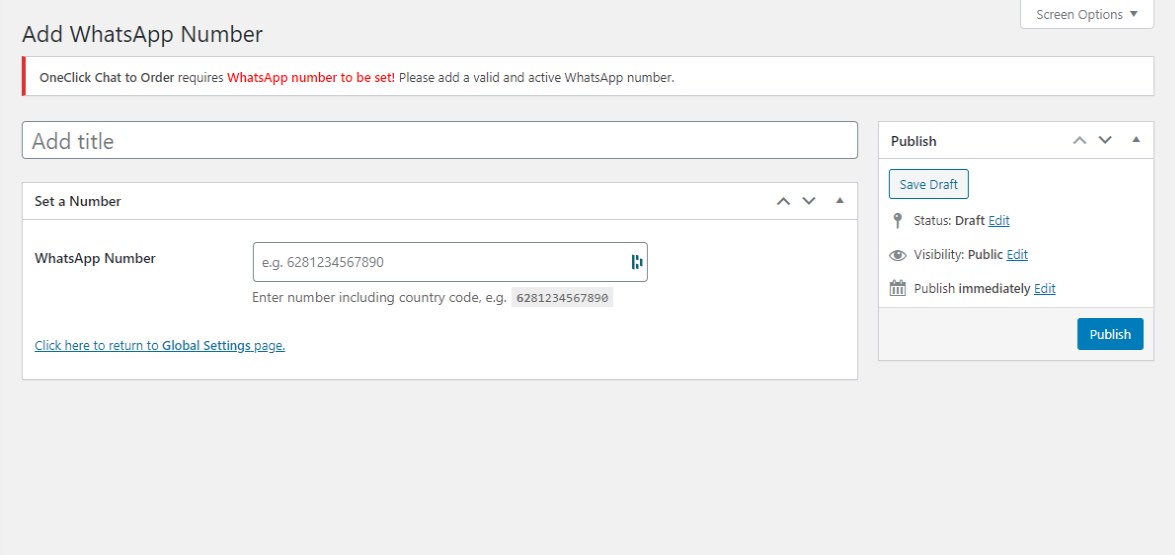
- Multiple WhatsApp Numbers – Create unlimited WhatsApp numbers and assign them to different pages, products, or departments. Learn more or watch tutorial.
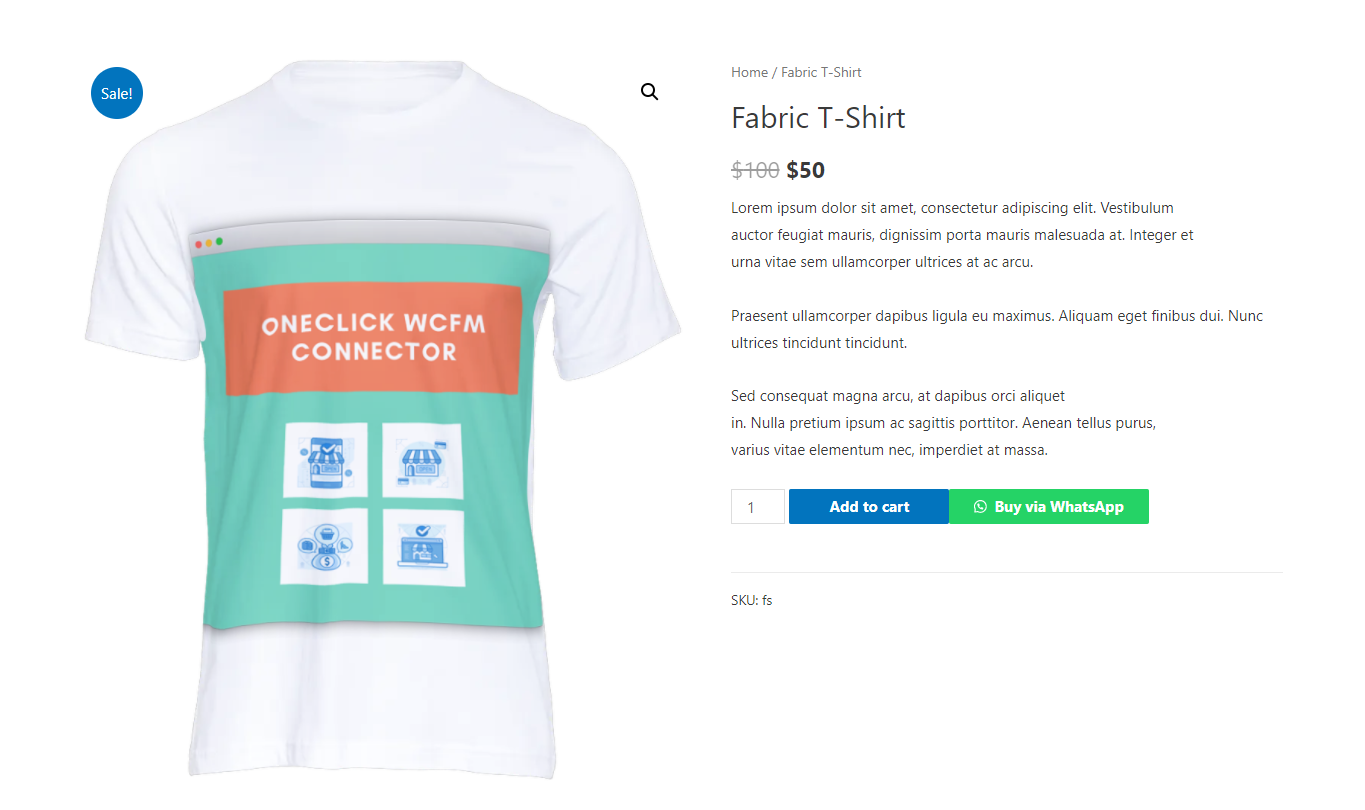
- Flexible Button Positioning – Five selectable WhatsApp button positions on single product pages for optimal placement.
- Single Product Shortcode Generator – Display shortcodes on current product pages or set specific products by ID with automatic product details.
- Advanced Display Control – Hide WhatsApp and floating buttons on specific posts, pages, product categories, and tags.
- Professional Customization – Button color customization, margin/padding controls, and box shadow effects.
Page-Specific Features:
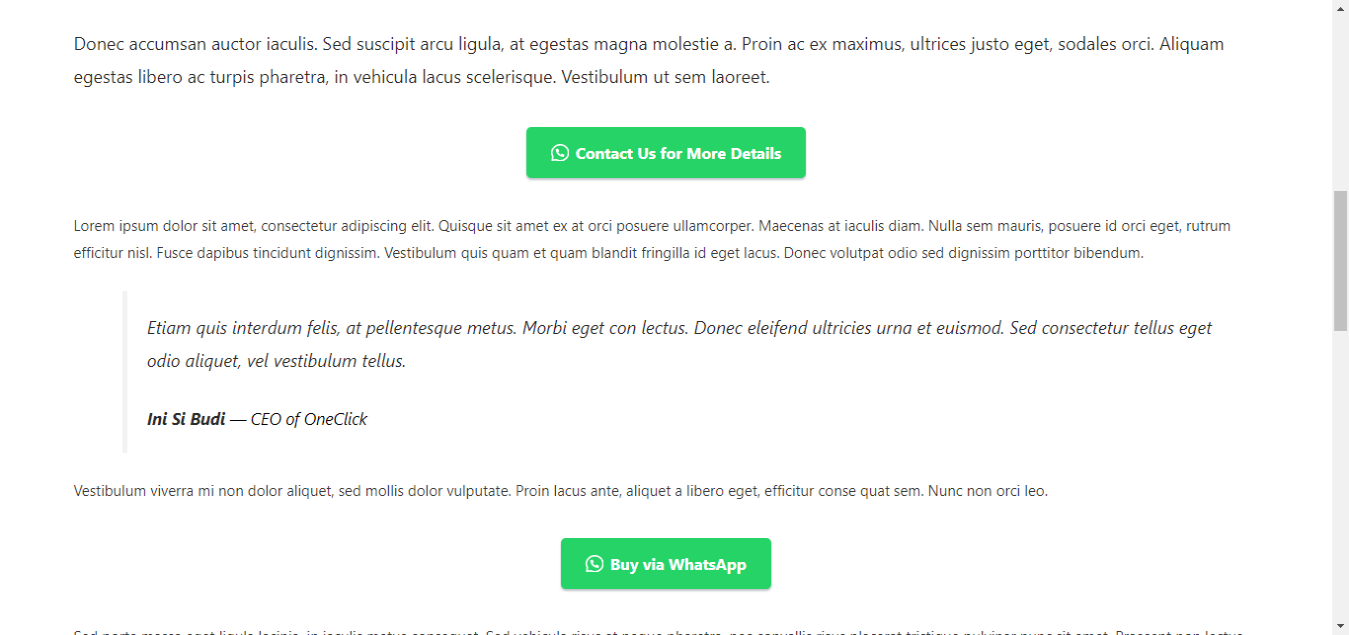
- Single Product Integration – Product-specific button text, custom messages, and individual show/hide options.
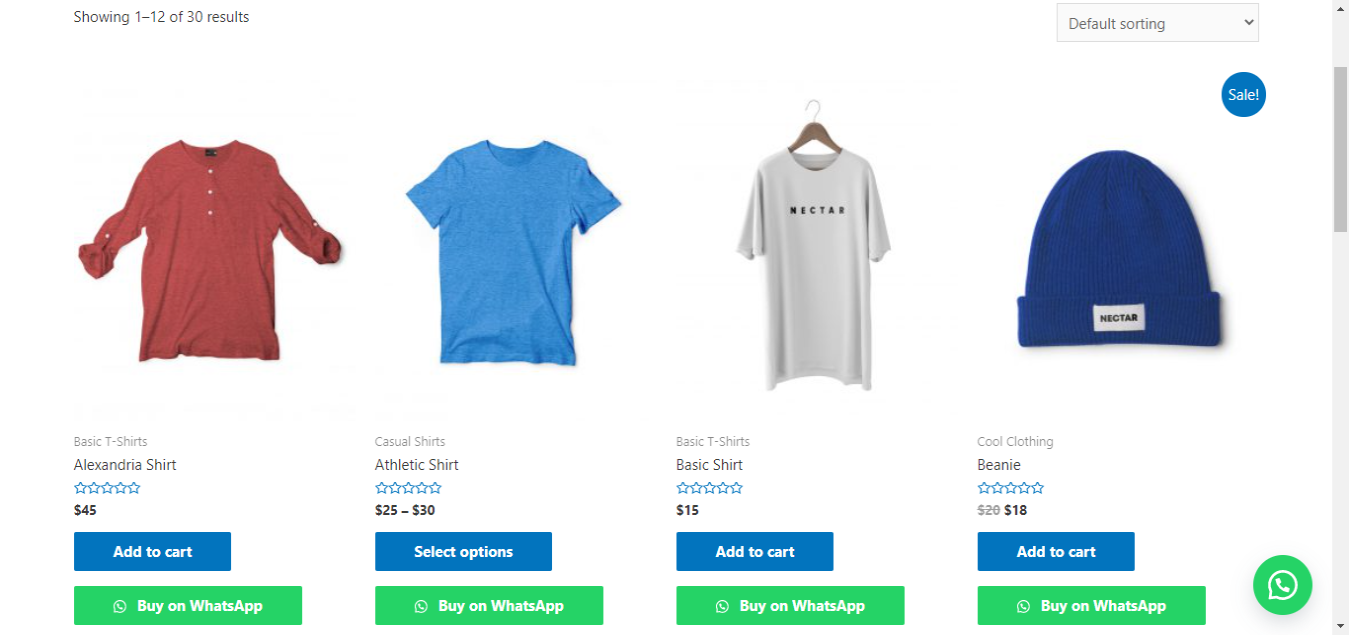
- Shop Page Support – WhatsApp buttons directly on shop page product loops for quick inquiries.
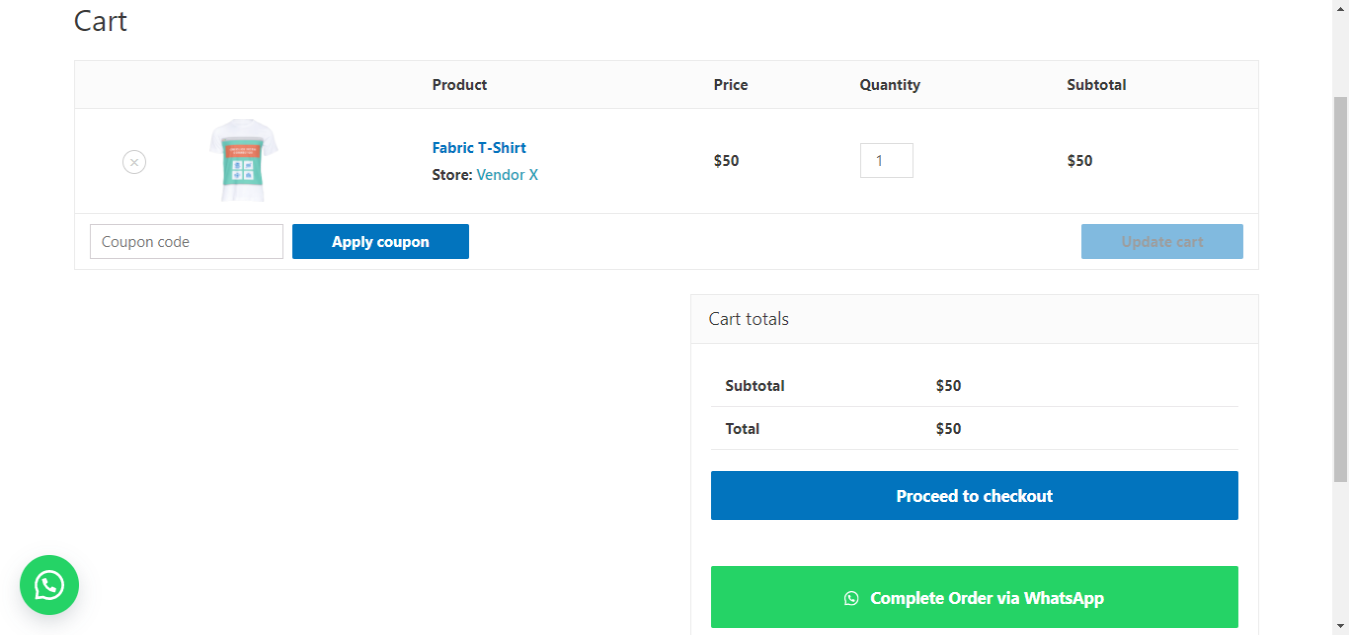
- Cart Page Integration – Complete orders via WhatsApp for faster checkout with full cart details.
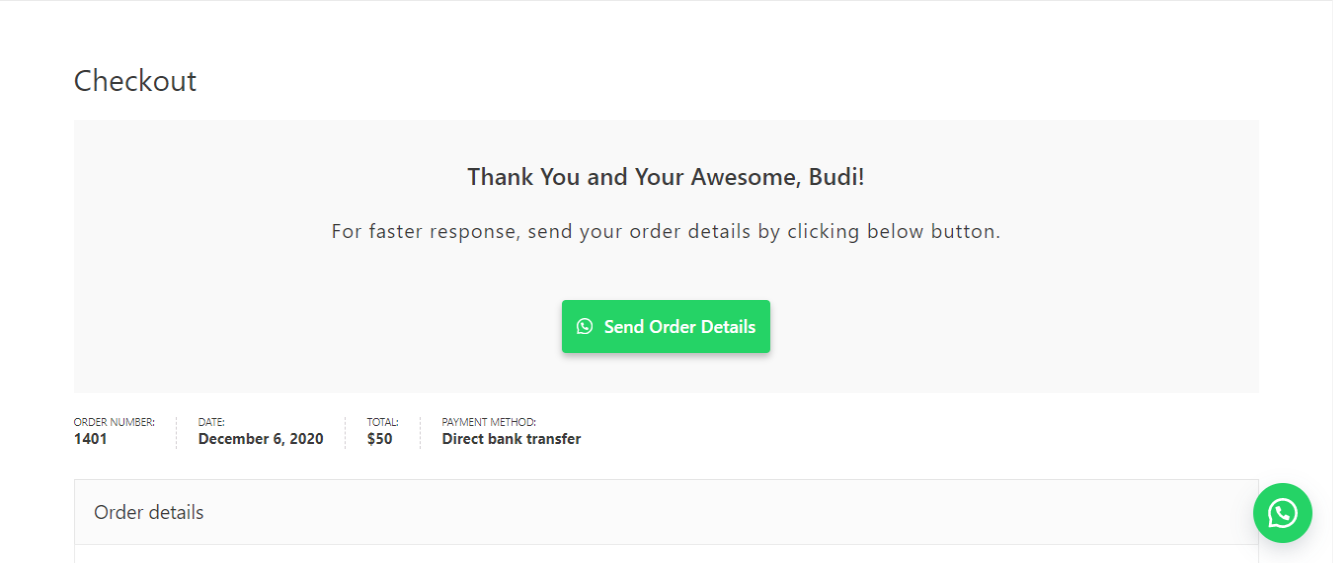
- Thank You Page Override – Custom thank you page with WhatsApp button to send complete order details.
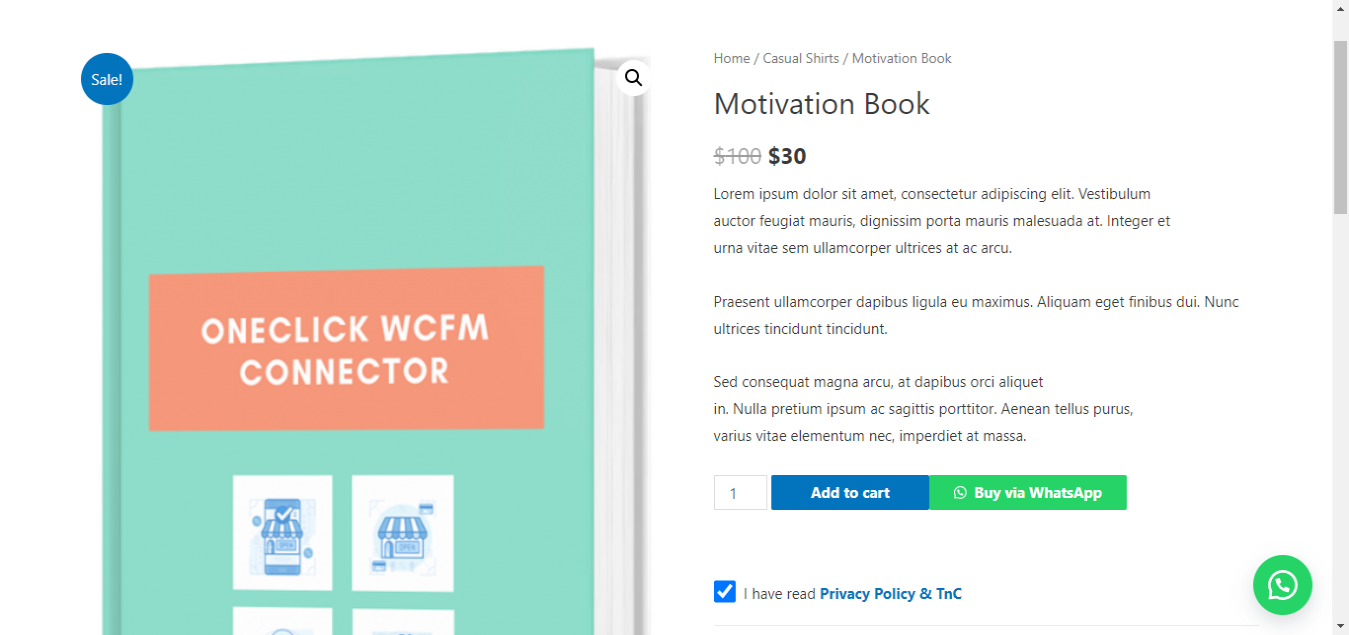
- Floating Button – Customizable floating WhatsApp button with tooltip support and conditional display.
Advanced Functionality:
- Device-Specific Controls – Hide buttons on desktop or mobile independently.
- Message Customization – Change labels for product details in sent messages.
- Admin Integration – Convert customer phone numbers to clickable WhatsApp links in order details.
- Source URL Tracking – Include page URL in floating button messages for better context.
- Product Variations – Include product variations and coupon codes in cart messages.
- Shortcode System – Generate custom shortcodes for any page or post with full customization.
Security & Compliance:
- GDPR-Ready – Built-in GDPR notice with checkbox requirement and privacy policy integration.
- Enhanced Security – Comprehensive input sanitization, output escaping, and XSS protection.
- Performance Optimized – Intelligent caching, efficient database queries, and conditional loading.
- Accessibility Compliant – Proper contrast, keyboard navigation, and screen reader support.
More features are coming soon!
For more info, please refer to this page for Indonesian users or on this page and Online Store Kit for international users.
Documentations
Further Questions and Feature Requests?
Premium-quality support without having to spend a dime. Just send your inquiry or feature request on Walter Pinem Projects or Online Store Kit Support and I’ll gladly help you out.
Installation
- Make sure your site has WooCommerce installed and activated.
- Install and activate this plugin via dashboard or file manager.
- Begin configurating this plugin through OneClick Chat to Order admin menu.
- Complete the configuration and you’re all set!
Changelog
Fixes cart quantities locked to 1, buttons switched on by the 1.1.2 update, missing buttons on products without a price, stale Block Cart messages and many message formatting issues. Recommended for all stores.
1.2.0 – November 02, 2026
A maintenance release that fixes the reports collected on the support forum and by email, and catches up with WordPress 7.1 and WooCommerce 11.2. Option names, filters, CSS classes and button markup are unchanged, so existing customizations and add-ons keep working.
Fixes
- Updating no longer switches buttons back on. 1.1.2 re-ran the 1.1.1 checkbox repair on every site, which could turn on the floating, shop, cart, checkout or GDPR features. The repair is gone: a one-time notice asks 1.1.1 and 1.1.2 users to check their tabs, and tells sites updating from 1.1.0 or older which features are switched off but still have their text filled in.
- “Hide Product Quantity Option?” no longer locks cart quantities to 1 (it marked every product as sold individually). With the option off, WooCommerce’s own “Sold individually” setting is respected again in the cart, AJAX add to cart and the Cart block.
- The button now shows on products without a price (on by default) and, optionally, on out-of-stock products.
- Phone numbers are saved and sent as digits only, so numbers entered with “+”, spaces or dashes work.
- The “Inline onClick Event” link type opened WhatsApp without the message unless “Force wa.me” was on.
- The
[oneclick]shortcode sent HTML tags and codes like&in messages, crashed on pages without a product, and changed the product shown on the rest of the page. - The Block Cart message now updates when quantities, coupons or shipping change, and the button stays visible when the cart re-renders (including on mobile).
- Cart and thank you messages use the discount WooCommerce actually applied for each coupon, follow the store’s tax display setting, and no longer contain HTML.
- Thank you message: the shipping address is included on stores using HPOS, the subtotal has its own label, the total uses your “Total” label, dates are translated, and the page keeps WooCommerce’s text when no number is set instead of showing a broken button.
- The thank you page script no longer needs jQuery and only runs on the order received page.
- Thank you page: when WooCommerce doesn’t show the order to the visitor (a logged-out customer, or a guest who still has to confirm their email), the button no longer carries the customer’s name, address, email or phone. Failed, cancelled and refunded orders keep WooCommerce’s own text, which also fixes a critical error on the Order Confirmation block for refunded orders.
- Settings are read when each button renders instead of being cached while plugins load, so Polylang and WPML always see the current language.
- The per-product “Custom Message” field now applies to the single product button, not only to the shortcode.
- Prices in messages follow the store’s “Display prices” tax setting, and variable products send their price range.
- “Force show Add to Cart” works when the WhatsApp button is on; “Hide Add to Cart” also hides it on variable products and no longer hides the GDPR WhatsApp button.
- “Hide Price in Product Page” only hides the price of the product being viewed, not related products.
- The shop button appears on block-based shop and category pages (Product Collection block), uses the product’s own number when one is assigned, and category or tag exclusions apply right away without slow site-wide queries.
- The floating button has an accessible name (fixes WAVE “empty link”), builds the source URL correctly on sites in a subfolder, and uses the same mobile breakpoint as other buttons.
- Shortcode tab “Open in New Tab?” now saves, and
[waorder target="yes"]outputs a valid link target. [wa-order]and[waorder]messages keep their line breaks (link escaping removed them).- Buttons with no number set no longer open WhatsApp’s share screen. Cart, shop, checkout and shortcode buttons fall back to the Basic tab number. The floating button still needs its own number.
- Phone numbers changed in the settings take effect immediately (the one-hour cache was removed).
- GDPR consent boxes work independently when several are on one page, and the link around a disabled button can no longer skip consent.
- The admin order screen’s WhatsApp link works on both the HPOS and legacy order screens.
- The admin notice about WhatsApp numbers only appears on the plugin’s screens.
Improvements
- New Cart options: “Exclude Prices and Totals?” for quote requests and “Include Extra Item Details?” for add-on, booking and custom field data.
- New Display option: “Hide WhatsApp Icon?”.
- New filters:
wa_order_single_button_hook,wa_order_single_button_priority,wa_order_filter_show_on_unpurchasable,wa_order_filter_whatsapp_url,wa_order_filter_cart_exclude_price,wa_order_filter_cart_include_item_data,wa_order_filter_floating_phone_number,wa_order_filter_floating_message,wa_order_filter_floating_button_url. - New installs use wa.me links by default. Sites with a page cache see a suggestion to turn on “Force wa.me”.
- Number dropdowns have an empty choice, so saving a tab no longer stores the first number by accident.
- Declared compatibility with the WooCommerce Cart and Checkout blocks.
- Tested with WordPress 7.1 and WooCommerce 11.2.
Under the Hood
- Text domain changed to
oneclick-whatsapp-orderso translations from translate.wordpress.org load. The bundled Indonesian translation was moved to the new name. - Renamed the global
sanitize_checkbox()function towa_order_sanitize_checkbox()to prevent fatal errors with themes or plugins using the same name. - Removed the
[donate]shortcode from the front end, directwp-load.phpincludes, core function fallbacks in the GDPR tab, and an unused deactivation routine that would have deleted all settings. - Links to the author’s site no longer include PHP version, WordPress version or locale.
- The WhatsApp Numbers post type is no longer public.
- Uninstall cleans up every site on a multisite network (when that site chose to delete data).
- Fixed unclosed admin markup, a duplicated tab include, and Select2 being applied to every dropdown on the settings screens.
1.1.2 – May 27, 2026
Bug Fixes
- Fixed “Open in New Tab?” checkbox not saving on the Basic, Shop, Checkout, and Floating tabs. The four affected options (
wa_order_option_target,wa_order_option_shop_loop_open_new_tab,wa_order_option_custom_thank_you_open_new_tab,wa_order_floating_target) were incorrectly registered withsanitize_checkbox, which only accepts'yes'and silently discards'_blank'. Changed all four tosanitize_text_fieldto match the Cart tab, which was already working correctly.
Screenshots

For developers
Is this your plugin? Show off the numbers.
Add a live badge to your site, docs or GitHub README. It updates on its own — no account needed.



Best OneClick Chat to Order alternatives
All click to chat plugins →





FAQ
OneClick Chat to Order: quick answers
Straight answers, pulled from live WordPress.org data.
Live data from WordPress.org · checked Nov 11, 2026
Is OneClick Chat to Order free?
Yes. OneClick Chat to Order is free to download and use from the official WordPress.org plugin directory.
Is OneClick Chat to Order safe to use in 2026?
Yes — OneClick Chat to Order is a safe, well-maintained plugin to use in 2026. It runs on 30K+ sites, is rated 4.8/5 and was last updated 1 week ago, and scores 94/100 on our health check.
How many websites use OneClick Chat to Order?
OneClick Chat to Order is active on 30K+ WordPress websites and has been downloaded 478,545 times since it launched in February 2019. It was downloaded 13,113 times in the last 30 days.
Does OneClick Chat to Order work with WordPress 7.1?
Yes. The developer has tested OneClick Chat to Order up to WordPress 7.1.4, the latest release. It requires WordPress 6.0 or newer.
What PHP version does OneClick Chat to Order need?
OneClick Chat to Order requires PHP 7.4 or higher. Most hosts run PHP 8.x today, so it works on any modern WordPress hosting.
When was OneClick Chat to Order last updated?
The latest version, 1.2.0, was released on November 2, 2026 (1 week ago).
Who makes OneClick Chat to Order?
OneClick Chat to Order is developed and maintained by Walter Pinem.
What are the best alternatives to OneClick Chat to Order?
The most popular alternatives to OneClick Chat to Order are Joinchat (700K+ installs), Click to Chat – HoliThemes (600K+ installs) and Social Chat (200K+ installs).
Powered by PageForge
Want thousands of pages that rank like these? Build them in an afternoon.
This directory runs on the same engine as PageForge. Turn any spreadsheet, CSV or API into thousands of fast, SEO-ready WordPress pages — with schema, internal links and AI-written copy baked in.
- CSV, Google Sheets & API data sources
- AI content, schema & internal links per page
- Works with Elementor, Gutenberg, Yoast & Rank Math
- Free on WordPress.org — no credit card