


Bobasoftware Publisher Paywall
Your newest posts stay free and find readers. Your archive earns. A Stripe paywall for WordPress, with no transaction fee from us.

Solid choice
Bobasoftware Publisher Paywall is a solid plugin choice in 2026, with a few things worth checking first. Was last updated 5 days ago, and scores 64/100 on our health check.
- Actively developed — last update 5 days ago
- Tested with the latest WordPress (7.1)
- Small user base (<10 active installs)
- Very few reviews so far
How does it stack up?
Side-by-side on installs, updates, ratings & support



Daily downloads
Download spikes usually follow a new release — each site that auto-updates counts as a download.
Rankings
Where Bobasoftware Publisher Payw… stands todayWordPress.org search rankings
Live position in the plugin search, top 100| Keyword | Position |
|---|---|
| newsletter | >100 |
| paid content | >100 |
| paywall | #56 |
| stripe | >100 |
| subscriptions | >100 |
About Bobasoftware Publisher Paywall
From the official readme · v2.0.6Description
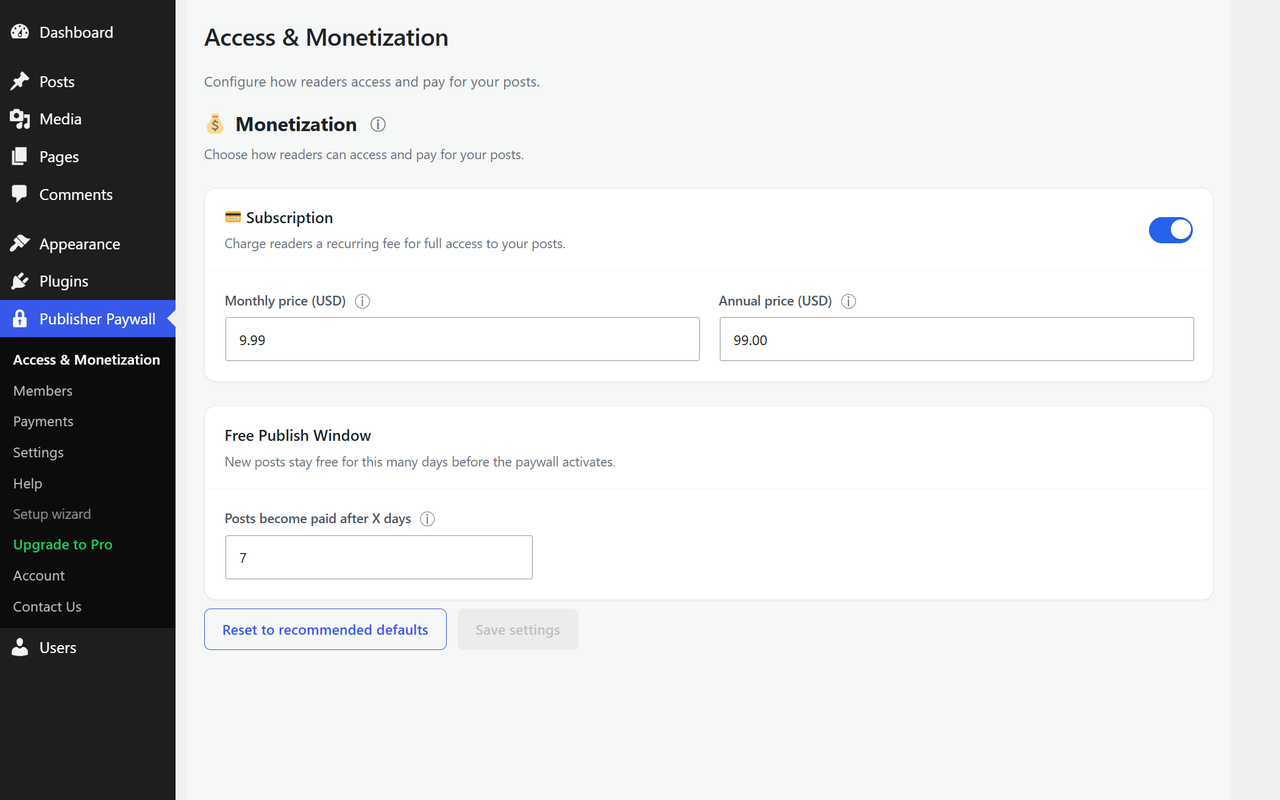
Your newest posts stay free, so they can still be shared, linked to and found. After a number of days you choose, each one becomes premium and starts earning. You set that number once and it keeps running, with no decision to make on any individual post.
That is the free publish window, and it is in the free plugin rather than behind an upgrade. So is everything else you need to actually take money: monthly and annual Stripe subscriptions, magic-link login for your readers, a Members page, a Payments ledger, and a self-service billing link your subscribers can use without emailing you.
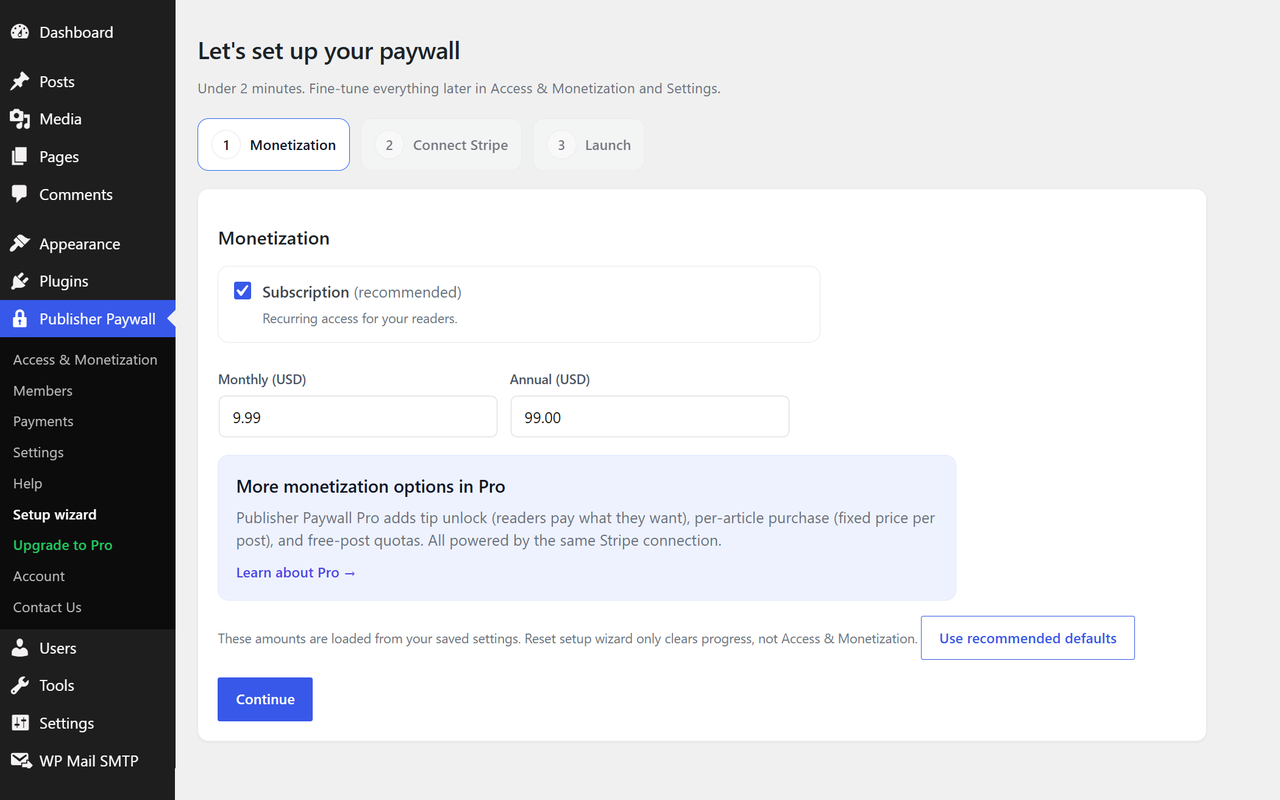
Setup takes about two minutes once your Stripe account is ready. Payments go straight into that account. Boba Software never takes a percentage of your revenue, on any plan, starting with the free one. Stripe charges its own processing fee of 2.9% + $0.30 per transaction, the same as it does anywhere else, and that goes to Stripe.
One thing to know before you install. The paywall is site-wide. You set the rules once and they apply to every post. There is no per-post switch in the post editor, and there are no membership tiers, courses, quizzes or drip content — there are two member states, free and paid, and that is deliberate rather than unfinished. Per-post control is on the roadmap and is not in the plugin today. If you need it now, this is not the right plugin for you yet.
What’s included (free):
- Free publish window — new posts stay free for a number of days you set, then become premium automatically
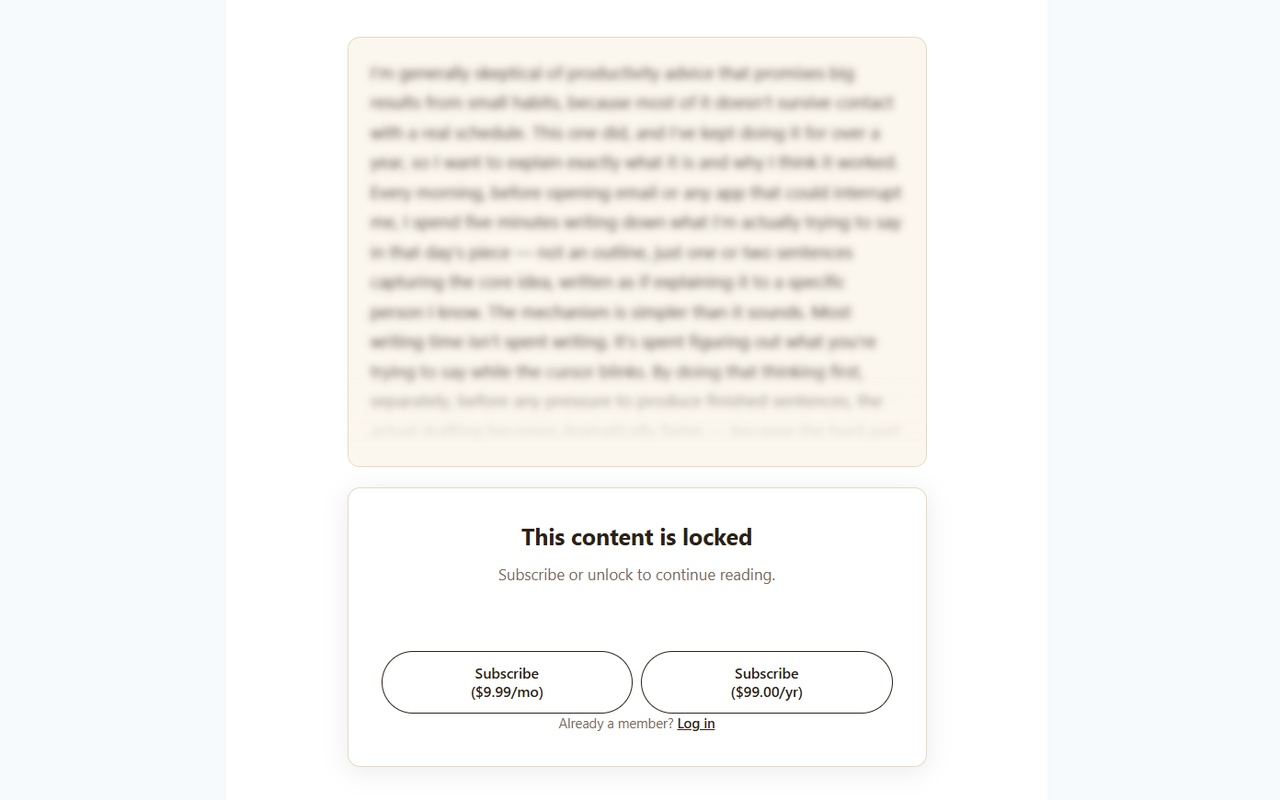
- Subscription monetization — offer monthly and annual plans to your readers
- Magic login — readers log in via a one-time email link, no password required
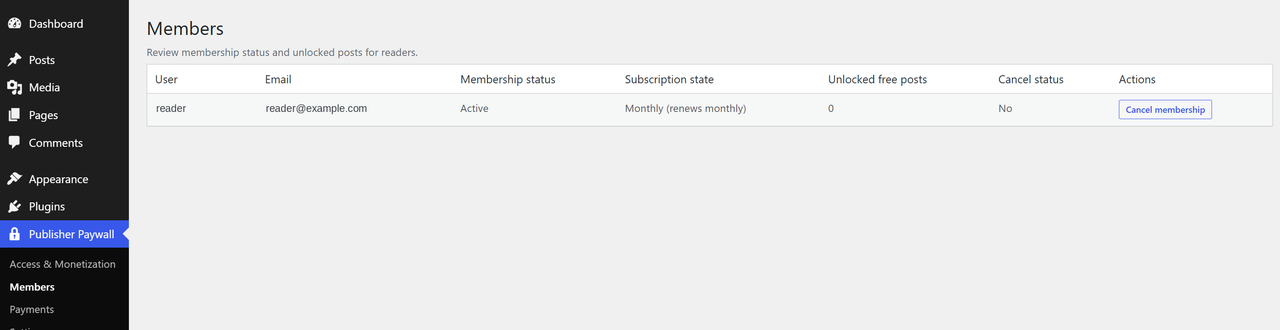
- Members management — see who’s subscribed, when they joined, and their status
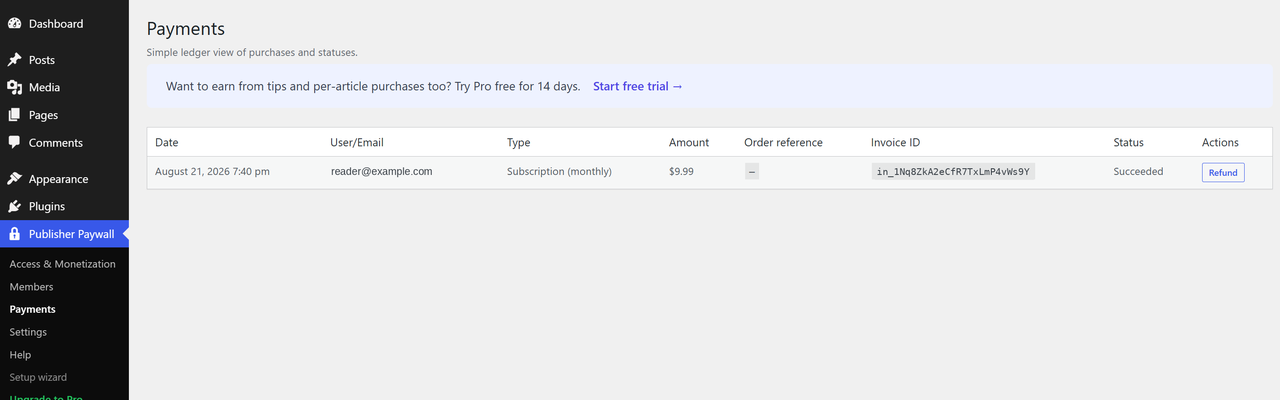
- Payments ledger — view and manage subscription payments
- Reader self-service — subscribers can cancel or update billing from a link at the end of each unlocked article
Pro features (available via in-app upgrade):
- Tip unlock — let readers pay what they want to unlock a single post
- Per-article purchase — set a fixed price for individual posts
- Free-post quota — give logged-in readers a monthly or one-time allowance of free articles
- Creator Tools — preview your paywall and debug reader access
Pro is $9.99 a month or $99 a year for a single site, with a 14-day trial that does not ask for a card. The free plugin does not expire, does not nag, and does not gate any of the features listed above it — the Pro code is not in the free download at all.
The plugin connects to Stripe for payment processing. You’ll need a Stripe account to accept payments.
External services
This plugin connects to external third-party services for payment processing and licensing. By using this plugin, you agree to the terms of these services.
Stripe
This plugin uses Stripe to process payments. When a reader subscribes, purchases an article, or leaves a tip, the plugin creates a Stripe Checkout session and redirects the reader to Stripe’s hosted checkout page. Stripe handles all payment processing — no credit card data is stored on your WordPress site.
Data sent to Stripe:
* When a reader checks out: the product name, price, currency, and a success/cancel URL pointing back to your site
* When managing subscriptions: subscription ID and update parameters
* Webhook events: Stripe sends payment confirmation events back to your site for order fulfillment
Stripe links:
* Stripe Terms of Service
* Stripe Privacy Policy
Freemius
This plugin uses Freemius for license management and update delivery. On activation, you’ll see an opt-in screen where you can choose to share diagnostic data (such as your site URL, WordPress version, PHP version, and plugin version) to help us provide updates and support — or skip this and continue with the free version anonymously. No data is sent to Freemius unless you actively opt in.
Freemius links:
* Freemius Terms of Service
* Freemius Privacy Policy
Installation
- Download Bobasoftware Publisher Paywall from WordPress.org.
- Go to Plugins → Add New → Upload Plugin, select the .zip file, and activate it.
- Follow the setup wizard: choose your monetization options, set paywall rules, and connect Stripe.
- Click “Launch paywall” and you are live.
Bobasoftware Publisher Paywall works best with themes that support post summaries on the homepage. We recommend Astra, GeneratePress, or Kadence.
Frequently asked questions
How does the free publish window work?
You set a number of days (for example, 7). Any post published within that window is free for everyone to read. After that time passes, the post becomes premium and the paywall appears for readers who do not have access.
Can I paywall individual posts?
Not yet. The paywall is site-wide: the free publish window and your subscription settings apply to every post, and there is no per-post control in the post editor. Per-post settings are on the roadmap. If you need to lock or free a specific post today, this plugin cannot do it.
Do you take a cut of what my readers pay?
No, on any plan including the free one. Readers pay through your own Stripe account and the money lands there. Stripe charges its standard processing fee of 2.9% + $0.30 per transaction, which goes to Stripe and applies whichever payment tool you use.
What is the difference between tip unlock and per-article purchase?
Both let readers pay to unlock a single post. Tip unlock lets readers choose how much they pay, above a minimum you set. Per-article purchase is a fixed price. You can enable one but not both at the same time. Both are Pro features.
Can readers cancel their subscription themselves?
Yes. Paid subscribers see a “Manage subscription” link at the end of each unlocked article. That opens a secure Stripe page where they can cancel, update their payment method, or view past invoices — they do not need to contact you. On themes that register a footer menu location, the same link can also be added to a footer menu.
What happens when a reader’s subscription expires?
They lose access to premium content and will see the paywall again. They can resubscribe at any time.
Do I need my own email service for magic login?
Bobasoftware Publisher Paywall uses your site’s WordPress email to send magic login links. Most hosts do not send email reliably out of the box, so we recommend installing WP Mail SMTP (free) and connecting a free email provider like Brevo or SendGrid. The plugin checks your email setup during onboarding and warns you if it is not working.
Changelog
Readers can now tip or buy an article without logging in first.
2.0.6
- Readers can tip or buy an article without logging in first. Stripe Checkout collects their email, the article unlocks, and a sign-in link is emailed for other devices.
- Checkout problems now return readers to the article with next steps instead of an error page.
- Clearer paywall screen after payment, and a sign-in prompt for readers who already bought an article.
2.0.5
- Activating Pro now deactivates the free version automatically instead of showing an error.
2.0.4
- Publishers can send a test email from Access & Monetization to confirm readers receive login links.
- The email delivery notice now reflects only this plugin’s own emails.
- Clearer notice when a test email fails, with a link to set up an SMTP plugin.
- Copy updates in the welcome email and Pro upgrade section.
2.0.3
- Fixed: the Setup wizard’s styles did not load, leaving the Launch step’s buttons and the Pro callout unstyled
2.0.2
- Added: readers with an active subscription now see a “Manage subscription” note at the end of every unlocked article, so cancellation and billing changes are reachable on a default install of any recommended theme
- Fixed: admin styles and scripts were served with a version string that had not changed since July, so returning users kept receiving cached CSS and JS after an update
- Fixed: missing Account submenu, plus related pricing-page and contact-email cleanup
- Fixed: upgrade calls-to-action worded as a free trial now open the trial flow rather than the direct purchase flow
- Fixed: a license-revocation regression that could leave Pro features reachable after a license ended
- Changed: removed the Stripe webhook events table from the Tools page, which duplicated the Payments page and required a live Stripe API call per row (Pro)
- Fixed: Tools page scenario toggles rendered as one run-on line instead of separate rows (Pro)
- Naming-consistency cleanup: replaced remaining user-facing and comment references to SimplePress with Bobasoftware Publisher Paywall
2.0.1
- Clarified Freemius data-sharing language in External Services documentation to make clear diagnostic data is only sent after explicit opt-in, not on activation
Screenshots
For developers
Is this your plugin? Show off the numbers.
Add a live badge to your site, docs or GitHub README. It updates on its own — no account needed.
Best Bobasoftware Publisher Paywall alternatives
All newsletter plugins →





FAQ
Bobasoftware Publisher Paywall: quick answers
Straight answers, pulled from live WordPress.org data.
Live data from WordPress.org · checked Oct 4, 2026
Is Bobasoftware Publisher Paywall free?
Yes. Bobasoftware Publisher Paywall is free to download and use from the official WordPress.org plugin directory.
Is Bobasoftware Publisher Paywall safe to use in 2026?
Bobasoftware Publisher Paywall is a solid plugin choice in 2026, with a few things worth checking first. Was last updated 5 days ago, and scores 64/100 on our health check.
How many websites use Bobasoftware Publisher Paywall?
Bobasoftware Publisher Paywall is active on <10 WordPress websites and has been downloaded 251 times since it launched in August 2026. It was downloaded 161 times in the last 30 days.
Does Bobasoftware Publisher Paywall work with WordPress 7.1?
Yes. The developer has tested Bobasoftware Publisher Paywall up to WordPress 7.1.2, the latest release. It requires WordPress 6.0 or newer.
What PHP version does Bobasoftware Publisher Paywall need?
Bobasoftware Publisher Paywall requires PHP 7.4 or higher. Most hosts run PHP 8.x today, so it works on any modern WordPress hosting.
When was Bobasoftware Publisher Paywall last updated?
The latest version, 2.0.6, was released on September 29, 2026 (5 days ago).
Who makes Bobasoftware Publisher Paywall?
Bobasoftware Publisher Paywall is developed and maintained by bobasoftware.
What are the best alternatives to Bobasoftware Publisher Paywall?
The most popular alternatives to Bobasoftware Publisher Paywall are MC4WP: Mailchimp for WordPr… (1M+ installs), Hostinger Reach (1M+ installs) and MailPoet (500K+ installs).
Powered by PageForge
Want thousands of pages that rank like these? Build them in an afternoon.
This directory runs on the same engine as PageForge. Turn any spreadsheet, CSV or API into thousands of fast, SEO-ready WordPress pages — with schema, internal links and AI-written copy baked in.
- CSV, Google Sheets & API data sources
- AI content, schema & internal links per page
- Works with Elementor, Gutenberg, Yoast & Rank Math
- Free on WordPress.org — no credit card


