


Beardo Multisite Analytics for GA4
A clean GA4 reporting dashboard for WordPress and multisite. No tracking code added. Works alongside any existing GA4 setup.

Solid choice
Beardo Multisite Analytics for… is a solid plugin choice in 2026, with a few things worth checking first. It runs on 10+ sites and was last updated 6 hours ago, and scores 66/100 on our health check.
- Actively developed — last update 6 hours ago
- Tested with the latest WordPress (7.1)
- Small user base (10+ active installs)
- Very few reviews so far
How does it stack up?
Side-by-side on installs, updates, ratings & support



Daily downloads
Download spikes usually follow a new release — each site that auto-updates counts as a download.
Rankings
Where Beardo Multisite Analytics… stands todayWordPress.org search rankings
Live position in the plugin search, top 100| Keyword | Position |
|---|---|
| analytics | >100 |
| Analytics dashboard | >100 |
| ga4 | #48 |
| google analytics | >100 |
| multisite | >100 |
Version adoption
Share of active sites per release.
About Beardo Multisite Analytics for GA4
From the official readme · v1.8.2Description
Beardo Multisite Analytics for GA4 brings your Google Analytics 4 data directly into the WordPress admin — without touching your site’s tracking setup.
Unlike most GA4 plugins, this one does not add any tracking code or scripts to your site. It is a pure reporting dashboard. If you already have GA4 running via Site Kit, Google Tag Manager, a page builder integration, or manual gtag — this plugin works alongside all of it, no conflict, no duplication.
What You See at a Glance
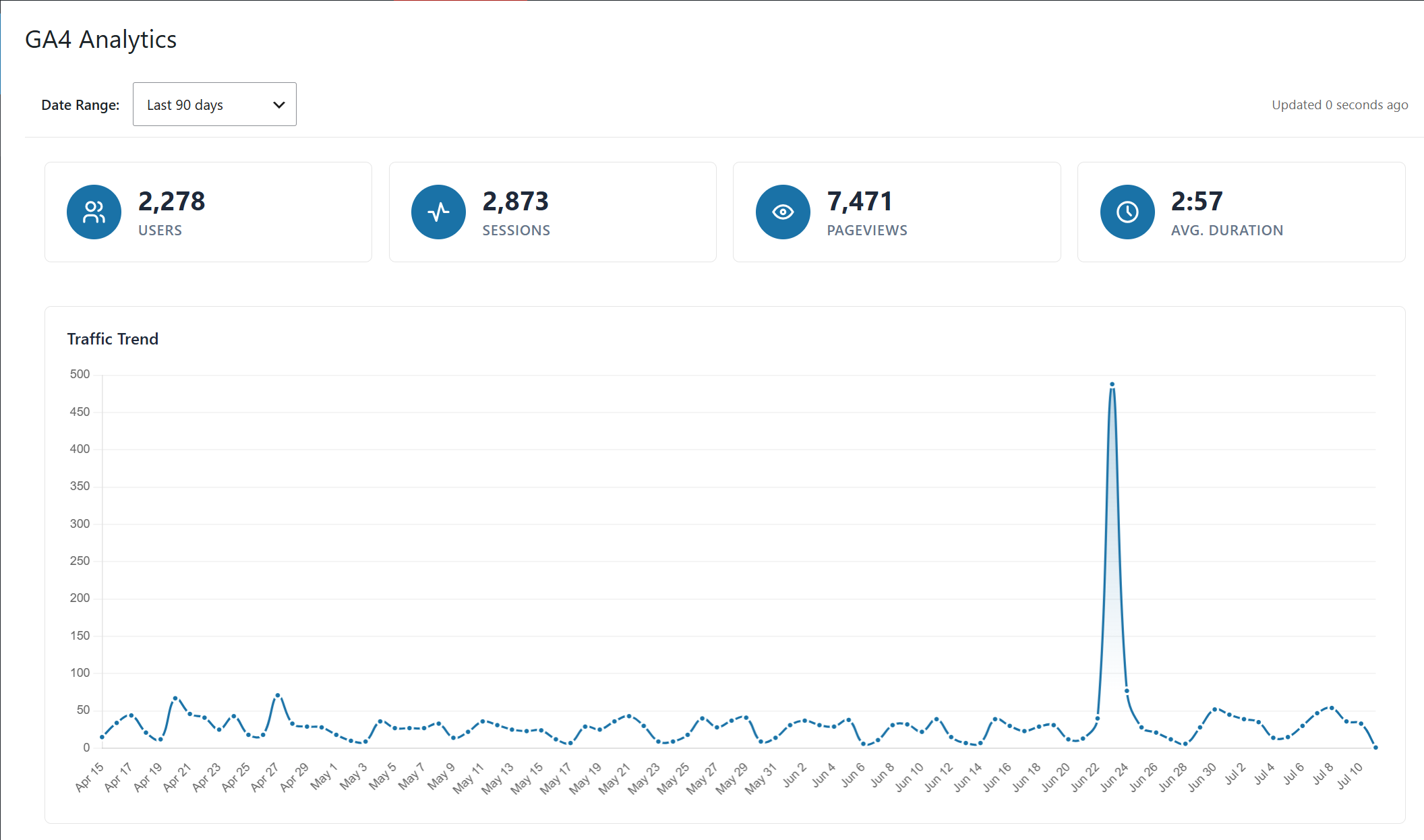
- Users, Sessions, Pageviews, and Average Session Duration
- Traffic Trend chart — visualize traffic patterns over time
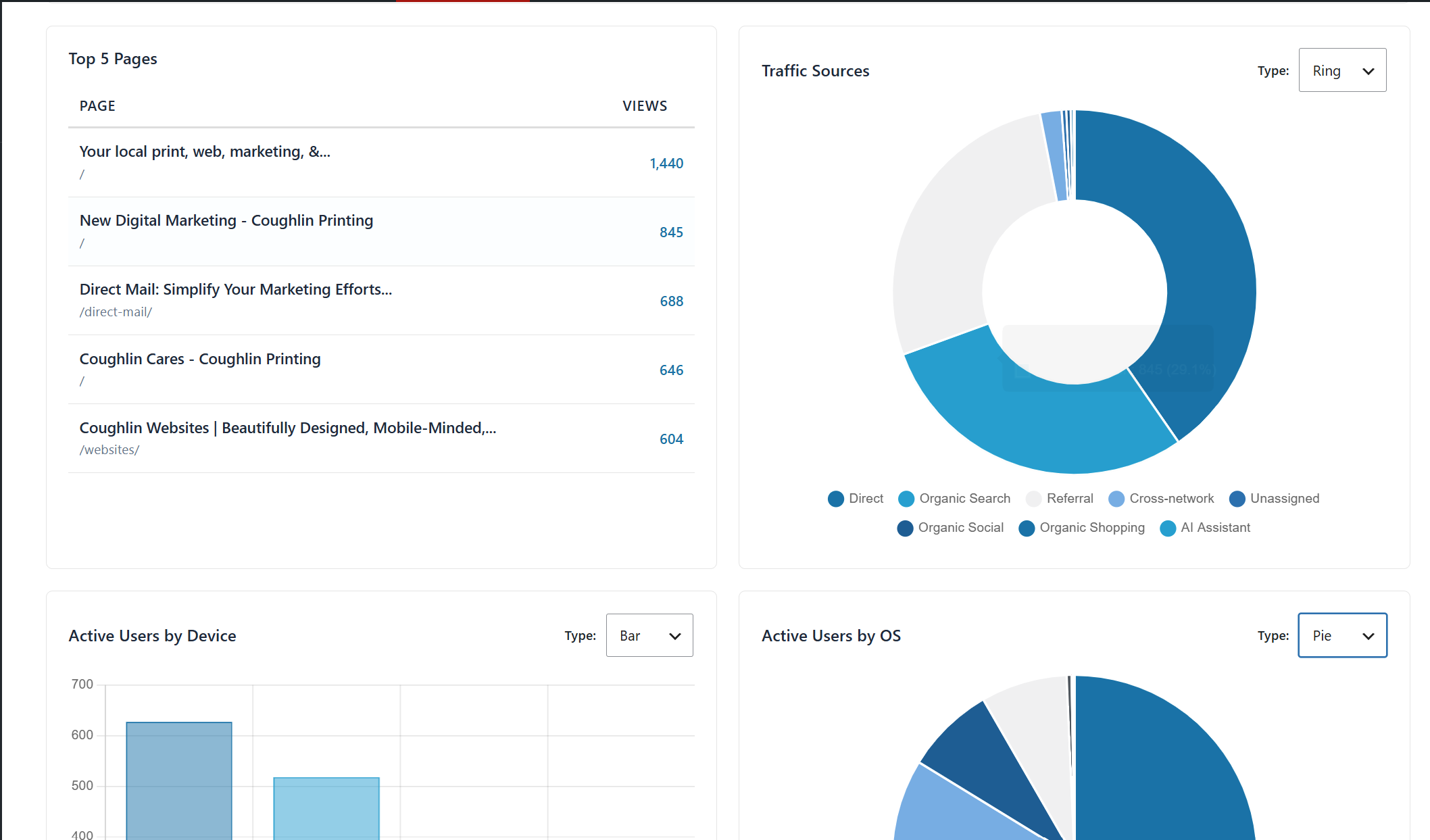
- Top 5 Pages by views
- Traffic Sources breakdown — Direct, Organic Search, Referral, Organic Social, and more
- Active Users by Device — desktop, mobile, and tablet
- Active Users by Operating System — Windows, iOS, macOS, Android, Linux, Chrome OS
- Date range selector — Last 7, 30, and 90 days
- Switchable chart types — Ring, Pie, Bar, and Polar views for device and OS data
- AJAX data refresh — charts and metrics update without a page reload
- WCAG 2.1 AA accessible updates
Network Admin Interface
- Tabbed interface — Properties, Subsites, Settings, Instructions
- Properties tab — searchable, sortable, paginated list of all GA4 properties in your Google account, with Re-sync and Export CSV
- Subsites tab — shows every subsite with its mapped GA4 property, domain, and a direct Login link; exportable to CSV
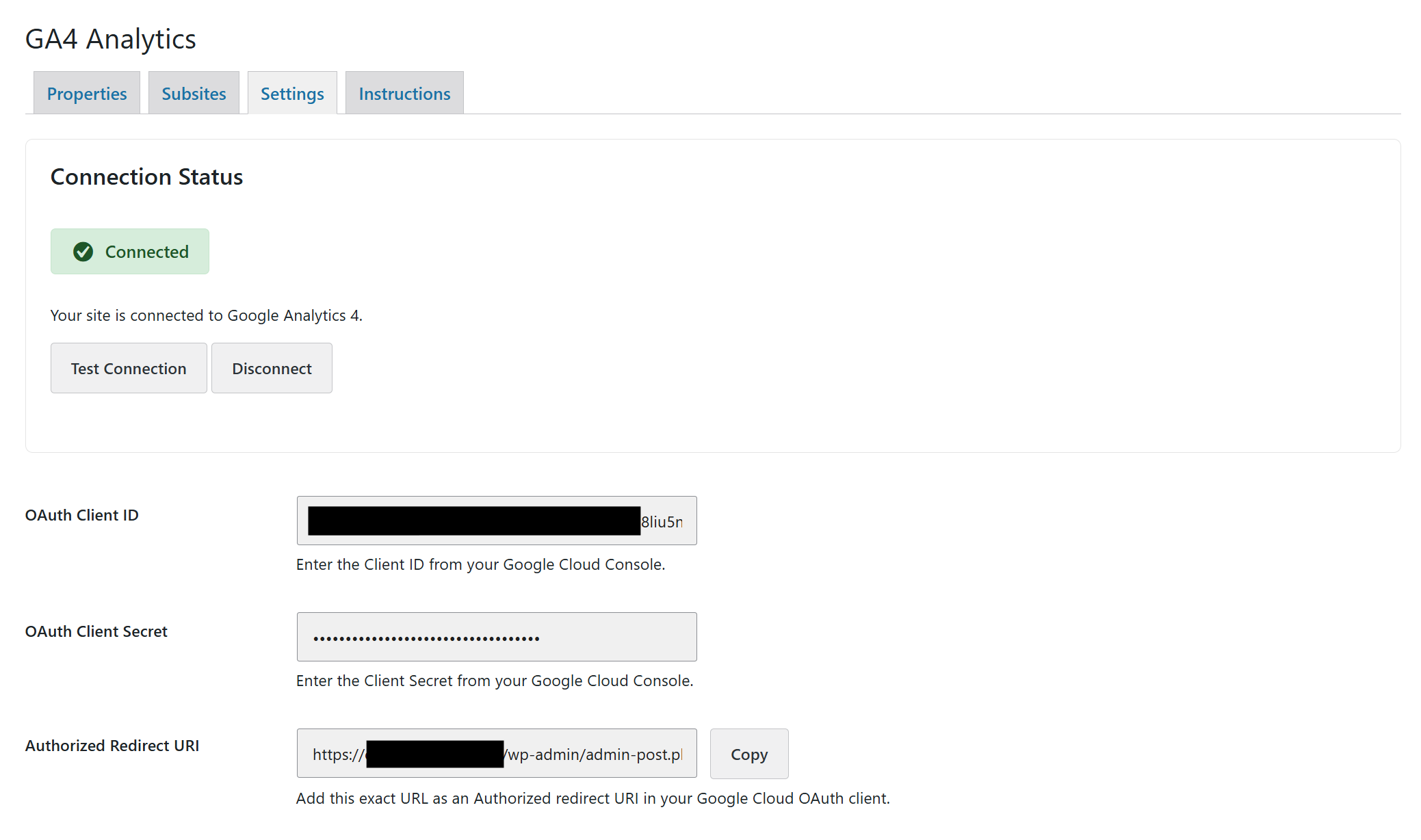
- Settings tab — configure cache duration (12 or 24 hours), error notification email addresses, API request logging, and uninstall behavior (preserve or purge all plugin data on removal)
Single Site
Each site administrator connects their own Google account and selects the GA4 property for their site. Analytics data is scoped to that property only.
WordPress Multisite — Network Activated
When network activated, a single Google account connection at the network level gives the super admin access to all GA4 properties associated with that account. Each subsite can be mapped to its own property. Subsite administrators see only the data for their own site.
Why Not Just Use Google Analytics Directly?
You could — but staying in WordPress admin means your team doesn’t need Google Analytics access or training. Site owners, editors, and clients get the numbers they actually need without logging into a separate platform.
No Bloat. No Tracking. No Upsell.
This is a free, open-source plugin with no premium tier, no license keys, and no persistent upgrade prompts. It does one thing — surfaces GA4 data inside WordPress — and does it cleanly.
Support & Documentation
- For support, visit help.beardo.tools
- Publisher site: beardo.tools
Third-Party Libraries
This plugin bundles the following open-source library. The minified copy shipped with the plugin is built from the developer source linked below:
- Chart.js v4.5.1 (MIT License) — used for dashboard charts. Source: https://github.com/chartjs/Chart.js/tree/v4.5.1
Credits
Thank you to Paul Goodchild and the team at Shield Security for contributing an initial security review of this plugin.
External Services
This plugin connects to Google APIs to fetch analytics reports and list available GA4 properties.
It sends data only when an administrator explicitly connects Google OAuth, tests connection, refreshes properties, or when a user views dashboard analytics data.
Service used:
- Google Analytics Data API (reporting)
- Google Analytics Admin API (property discovery)
- Google OAuth 2.0 endpoints (authentication/token refresh)
Data sent to Google may include:
- Your site’s OAuth redirect URI
- OAuth client credentials configured by the administrator
- Selected GA4 property ID
- Requested date range and report dimensions/metrics
Google service documentation and policies:
Installation
Single Site
- Upload the plugin to
/wp-content/plugins/multisite-analytics-ga4or install via the WordPress Plugins screen - Activate the plugin through the Plugins menu
- Go to Settings → GA4 Analytics and connect your Google account
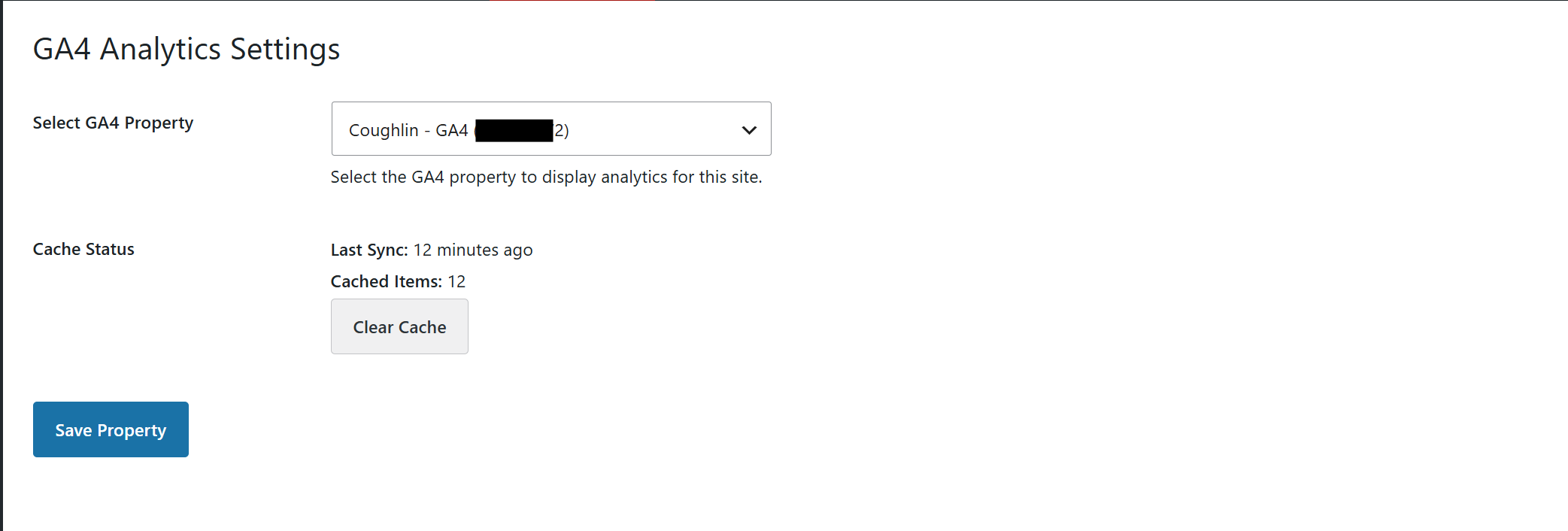
- Select the GA4 property for your site
- Navigate to Dashboard → GA4 Analytics to view your data
WordPress Multisite
- Upload the plugin to
/wp-content/plugins/multisite-analytics-ga4 - Network activate the plugin from Network Admin → Plugins
- Go to Network Admin → Settings → GA4 Analytics and connect a Google account with access to all relevant GA4 properties
- Map each subsite to its corresponding GA4 property
- Subsite admins can access their own dashboard under Dashboard → GA4 Analytics within their site
Frequently asked questions
Will this work on a single site WordPress install?
Yes — the plugin works on both single site and multisite installations. On a single site you connect your Google account, select your GA4 property, and the dashboard is ready. The multisite network features activate automatically when the plugin is network activated.
Does this plugin add GA4 tracking code to my site?
No. This is a reporting dashboard only. It reads data from the GA4 API and displays it in your WordPress admin. It does not add any JavaScript, tracking snippets, or gtag code to your frontend. Your existing GA4 tracking setup — whatever it is — remains unchanged.
I already use Site Kit / MonsterInsights / Google Tag Manager. Will there be a conflict?
No conflict. Because this plugin does not touch your tracking setup, it works alongside any existing GA4 implementation. You can use it to add a clean admin dashboard view without replacing or interfering with your current setup.
Do I need a GA4 property already set up?
Yes. This plugin connects to an existing GA4 property via the Google Analytics Data API. You will need a Google Analytics 4 property with data already flowing into it. Universal Analytics (UA) properties are not supported.
What Google permissions does the plugin request?
The plugin requests read-only access to your Google Analytics data. It cannot modify your GA4 property, create events, or change any settings in your Google account.
Does my analytics data pass through your servers?
No. Data is fetched directly from the Google Analytics Data API to your WordPress installation using your own Google account credentials. No data passes through Beardo.Tools servers.
Does this work on WordPress.com?
No. This plugin requires a self-hosted WordPress installation (wordpress.org) with the ability to install custom plugins.
What versions of WordPress and PHP are required?
WordPress 6.0 or later and PHP 8.0 or later.
Can subsite admins on a multisite network see other sites’ data?
No. When network activated, each subsite is mapped to a specific GA4 property. Subsite administrators see only the analytics for their own site. Only the super admin has access to the network-level overview.
Does it work on both subdomain and subdirectory multisite installs?
Yes. The plugin works on both subdomain (site1.example.com) and subdirectory (example.com/site1) multisite configurations.
What date ranges are available?
The dashboard includes a date range selector with three options: Last 7 Days, Last 30 Days, and Last 90 Days.
Can I change the chart style?
Yes. The Traffic Sources, Active Users by Device, and Active Users by OS panels each include a chart type selector. You can switch between Ring, Pie, Bar, and Polar chart styles.
What happens to my data if I uninstall the plugin?
You control this. The Settings tab includes an Uninstall Behavior option. When checked, uninstalling the plugin preserves all OAuth credentials, property mappings, and cached data — useful if you plan to reinstall or troubleshoot. When unchecked, uninstalling removes all plugin data and logs completely. In multisite, only network administrators can change this setting.
Where are logs stored?
When debug logging is enabled, logs are stored in /wp-content/uploads/ga4-logs/.
Where can I get support?
Support is available at help.beardo.tools. You can also visit beardo.tools for additional documentation.
Changelog
Documentation release: clearer Google setup steps (publish the app instead of relying on test users). Safe to update; no action required.
1.8.2
- Docs: The Instructions tab now walks through the Google Auth Platform steps needed to connect: fill in Branding (home page, privacy policy link and the site’s authorized domain), then publish the app. Leaving the app in Testing mode blocks sign-in with “Error 403: access_denied” for accounts that are not test users, and sign-ins expire after 7 days.
- Docs: The Instructions tab explains the “Google hasn’t verified this app” screen, with new troubleshooting entries for it and for Google asking for an app domain or privacy policy before publishing.
1.8.1
- Security: A site can only use a GA4 property that has a web stream for the site’s own domain. Before this, a multisite site admin could pick another subsite’s property from the network account and read its analytics. The check runs when the property is saved and again on every report, so properties saved before this release must match too.
- Security: The development-only
tools/lint.phpscript now exits unless it is run from the command line. - Improvement: The property list only shows properties whose web stream matches the site, on single-site installs as well as multisite. If none match, a notice explains how to add the site’s domain in Google Analytics.
- New:
beardo_ga4_require_domain_match,beardo_ga4_site_hostsandbeardo_ga4_property_allowed_for_sitefilters, for staging copies and mapped domains. - Improvement: The network Properties tab looks up web stream domains for all properties, not just the page on screen, shows progress while it runs, and says when it has finished.
- Fix: With more than 10 GA4 properties, some were skipped when checking web-stream domains, so after a Re-sync a single site could lose its own property from the dropdown.
- Fix: On single site the domain lookup could not run when an admin customizer hid WordPress notices, leaving the property list empty. The lookup status and property box messages no longer use notice markup.
- Fix: The network Subsites tab and its CSV export no longer show a blocked property (for example one saved before this release that belongs to another site) as connected. Those rows now say “Not connected” and why.
- Fix: The subsite settings page no longer shows “No GA4 properties found” beside the domain-match notice when the account has properties but none for this site.
1.8.0
- New: Print / PDF export for the analytics page. A new Print Report button (or Ctrl+P / Cmd+P) produces a branded, light-theme report ready to print or save as PDF: site logo, name and tagline, the active date range, and the generation date. Admin menus, controls, and floating widgets from other plugins (such as chat buttons) are hidden. Designed to fit on one page for the default 30-day view, on paper as well as PDF.
- New: Charts are repainted in the light theme when printing, even when the admin is in dark mode, and restored afterwards.
- New:
beardo_ga4_report_footerfilter to change or remove the attribution line at the bottom of the printed report. - Improvement: The site logo now falls back to the site icon when the custom logo image has been deleted (applies to the printed report and to error notification emails).
- Fix: The Traffic Sources chart gave its 7th source (e.g. Paid Search) the same color as the 1st. It now uses all 7 palette colors.
- Fix: Error notification emails for network-level errors no longer look up the site logo from a nonexistent site.
1.7.4
- New: Dark mode support. The settings, instructions, and analytics screens now draw their colors from a plugin-owned CSS custom property layer (
--ga4-*) with light defaults, so a dark admin theme can re-color the entire plugin by overriding tokens. In stock WordPress admin nothing changes visually. - New: Charts are theme-aware. Chart.js now reads its colors from the same token layer at every render, so graph text, gridlines, and series colors follow the active theme instead of being locked to hardcoded values.
- Improvement: The chart series palette was replaced with a 7-color colorblind-validated palette anchored to the WordPress admin blue, readable in both light and dark modes. The previous palette used a legacy blue that matched no current WordPress color scheme.
- Improvement: Status badges on the settings screens now use colors derived from the WordPress admin palette rather than unrelated Bootstrap alert colors.
- Maintenance: Consolidated three duplicate category-chart renderers into one, and moved the remaining inline styles on the settings page into stylesheet classes.
1.7.3
- New: Property sync failures are no longer silent. If listing your GA4 properties fails (e.g. the Google Analytics Admin API is disabled, missing permissions, expired connection, or rate limiting), the settings screens now show an actionable error notice explaining exactly what to fix — including a direct link to enable the Admin API when that is the cause. The stored error is cleared automatically on the next successful sync.
- New: The Re-sync button is now also available on single-site installs (in the Dashboard Property box), so single-site users can refresh their property list without reconnecting.
- Improvement: The empty property list now distinguishes “not synced yet” from “synced, but this Google account has no GA4 properties”, with guidance for each case.
- Docs: Updated the Instructions tab for Google’s current Cloud Console — the “OAuth consent screen” is now “Google Auth Platform”, with new setup steps (test users for apps in Testing mode, client secret shown only at creation) and two new troubleshooting entries (“Access blocked” and refresh tokens expiring after 7 days in Testing mode).
- Compatibility: Tested up to WordPress 7.1. Internal admin screen detection now uses the page hooks WordPress itself returns at menu registration (instead of hardcoded screen IDs), and deprecated patterns were removed for forward compatibility.
- Fix: The security headers (Content-Security-Policy and friends) on the plugin’s admin screens were silently never sent — they were attached to a hook that fires before WordPress identifies the current screen. They are now sent reliably on exactly the plugin’s own screens.
- Fix: The admin Content-Security-Policy now allows data: fonts, which admin icon-font CSS relies on (previously it would have blocked them once the headers actually applied).
- Maintenance: Regenerated the translation template (.pot); it was stale and covered only about a third of the plugin’s translatable strings.
1.7.2
- Fix: The “Clear Cache” button on single-site installs did nothing — its click handler was only bound to the multisite button’s element id. Both buttons are now handled.
- New: Dashboard reports now exclude GA4 ghost/referral spam (fake hits sent with a foreign or blank hostname, e.g. “trafficheap.cc”) by restricting every report to each GA4 property’s real hostnames. Those hostnames are fetched automatically from the property’s GA4 data streams (so it works on single-site and domain-mapped installs); if they can’t be determined, reports are left unfiltered rather than blanked. Overridable via the
beardo_ga4_report_hostnamesandbeardo_ga4_enable_report_hostname_filterfilters.
Screenshots
For developers
Is this your plugin? Show off the numbers.
Add a live badge to your site, docs or GitHub README. It updates on its own — no account needed.
Best Beardo Multisite Analytics fo… alternatives
All analytics plugins →





FAQ
Beardo Multisite Analytics for GA4: quick answers
Straight answers, pulled from live WordPress.org data.
Live data from WordPress.org · checked Sep 29, 2026
Is Beardo Multisite Analytics for… free?
Yes. Beardo Multisite Analytics for… is free to download and use from the official WordPress.org plugin directory.
Is Beardo Multisite Analytics for… safe to use in 2026?
Beardo Multisite Analytics for… is a solid plugin choice in 2026, with a few things worth checking first. It runs on 10+ sites and was last updated 6 hours ago, and scores 66/100 on our health check.
How many websites use Beardo Multisite Analytics for…?
Beardo Multisite Analytics for… is active on 10+ WordPress websites and has been downloaded 398 times since it launched in July 2026. It was downloaded 174 times in the last 30 days.
Does Beardo Multisite Analytics for… work with WordPress 7.1?
Yes. The developer has tested Beardo Multisite Analytics for… up to WordPress 7.1.2, the latest release. It requires WordPress 6.0 or newer.
What PHP version does Beardo Multisite Analytics for… need?
Beardo Multisite Analytics for… requires PHP 8.0 or higher. Most hosts run PHP 8.x today, so it works on any modern WordPress hosting.
When was Beardo Multisite Analytics for… last updated?
The latest version, 1.8.2, was released on September 28, 2026 (6 hours ago).
Who makes Beardo Multisite Analytics for…?
Beardo Multisite Analytics for… is developed and maintained by Beardo.Tools.
What are the best alternatives to Beardo Multisite Analytics for…?
The most popular alternatives to Beardo Multisite Analytics for… are Site Kit by Google (5M+ installs), MonsterInsights (2M+ installs) and WP Statistics (600K+ installs).
Powered by PageForge
Want thousands of pages that rank like these? Build them in an afternoon.
This directory runs on the same engine as PageForge. Turn any spreadsheet, CSV or API into thousands of fast, SEO-ready WordPress pages — with schema, internal links and AI-written copy baked in.
- CSV, Google Sheets & API data sources
- AI content, schema & internal links per page
- Works with Elementor, Gutenberg, Yoast & Rank Math
- Free on WordPress.org — no credit card


