



AIFORYA Sitemap
Generate an XML sitemap so search engines can crawl and index your pages, posts and categories. No API key, no account.

Solid choice
AIFORYA Sitemap is a solid plugin choice in 2026, with a few things worth checking first. It runs on 10+ sites and was last updated 4 weeks ago, and scores 66/100 on our health check.
- Actively developed — last update 4 weeks ago
- Tested with the latest WordPress (7.1)
- Small user base (10+ active installs)
- Very few reviews so far
How does it stack up?
Side-by-side on installs, updates, ratings & support



Daily downloads
Download spikes usually follow a new release — each site that auto-updates counts as a download.
Rankings
Where AIFORYA Sitemap stands todayWordPress.org search rankings
Live position in the plugin search, top 100| Keyword | Position |
|---|---|
| >100 | |
| search engines | >100 |
| seo | >100 |
| sitemap | >100 |
| xml sitemap | >100 |
Version adoption
Share of active sites per release.
About AIFORYA Sitemap
From the official readme · v1.3.3Description
One file, one settings screen: the sitemap is generated from your existing content on request, and Google and Bing are told about it when you publish.
AIFORYA Sitemap publishes an XML sitemap of your site at /aiforya-sitemap.xml. Search engines (Google, Bing and others) use it to discover your pages faster and to see which ones changed recently. An up-to-date sitemap is a cornerstone of organic search.
The sitemap is generated on your own server and is never sent anywhere. No API key and no account are required.
One optional feature does contact the outside: if you enable “Notify search engines on publish”, the plugin pings Google and Bing with the address of your sitemap. It is off by default, and it is the only outside request the plugin makes (see External services).
Features
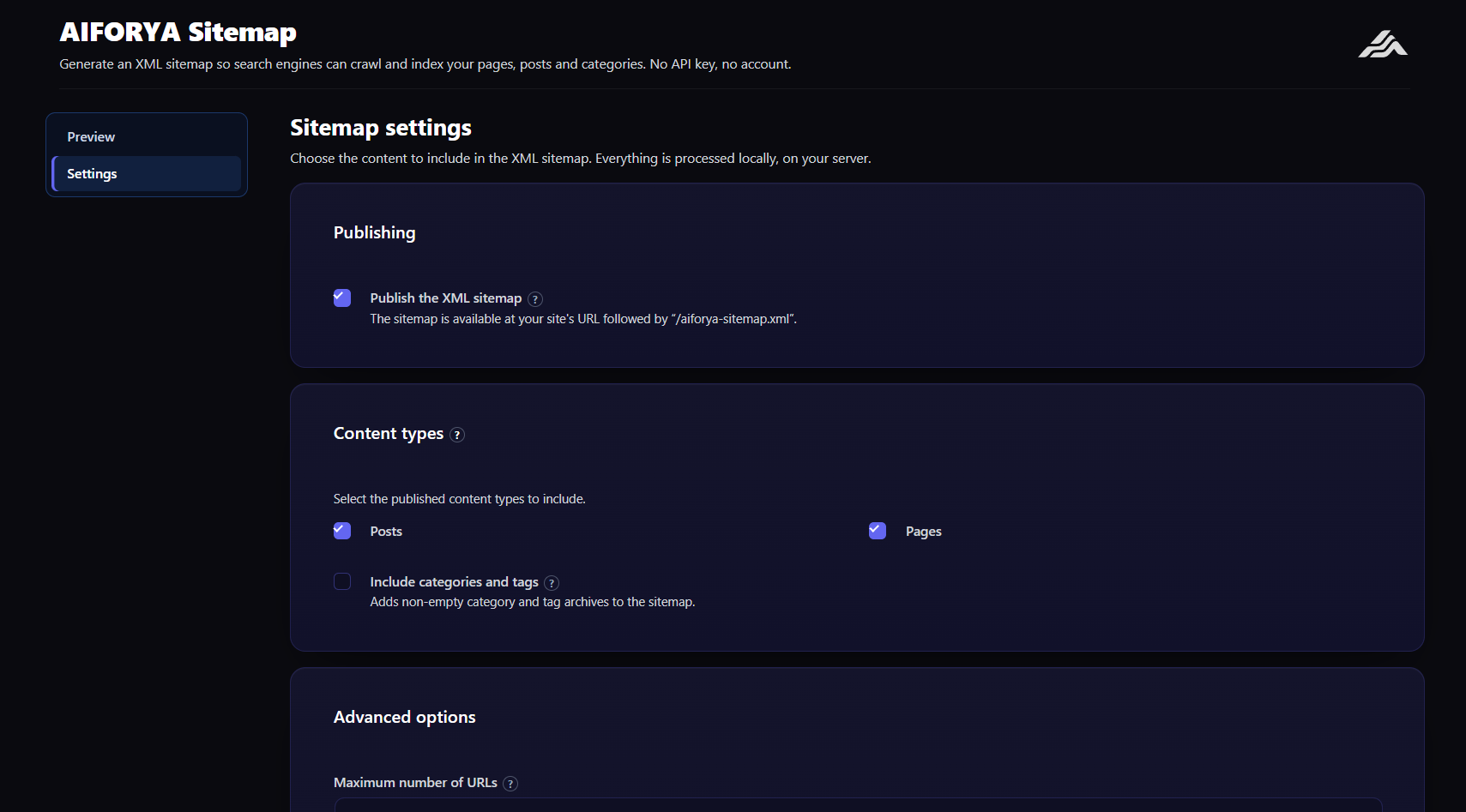
- Complete XML sitemap — home page, published posts and pages, at
/aiforya-sitemap.xml. - Post type selection — choose which public post types to include (posts, pages, custom types).
- Categories and tags — optionally include category and tag archives.
- Last modified dates — every URL carries its last modification date (
lastmod) in the standard format. - Adjustable URL limit — control how many URLs are listed (1 to 2000).
- Optional publish notification — automatically tell Google and Bing about your sitemap when you publish.
Privacy
The sitemap is generated directly on your server and is never transmitted to a third party. The publish notification is off by default; when you enable it, only the public address of your sitemap is sent to Google and Bing — no personal data.
Advanced version
An advanced version (see aiforya.fr) adds multiple and paginated sitemaps, images and news, and custom priorities and frequencies. This free version is fully functional on its own, with no time limit.
External services
This plugin contacts search engines only if you enable the optional “Notify search engines on publish” setting, which is disabled by default.
- Google (
https://www.google.com) and Bing (https://www.bing.com) — when the option is enabled, each time you publish content the plugin sends them the public address of your sitemap (/aiforya-sitemap.xml) to signal the update. Only that URL is sent; no personal data is transmitted.- Google terms: https://policies.google.com/terms — privacy: https://policies.google.com/privacy
- Bing (Microsoft) terms: https://www.microsoft.com/servicesagreement — privacy: https://privacy.microsoft.com/privacystatement
With the option disabled, sitemap generation, the sitemap index and content exclusion all work with no network call at all.
Installation
- Install and activate the plugin.
- Open the AIFORYA Sitemap menu.
- In the Settings tab, choose the post types to include.
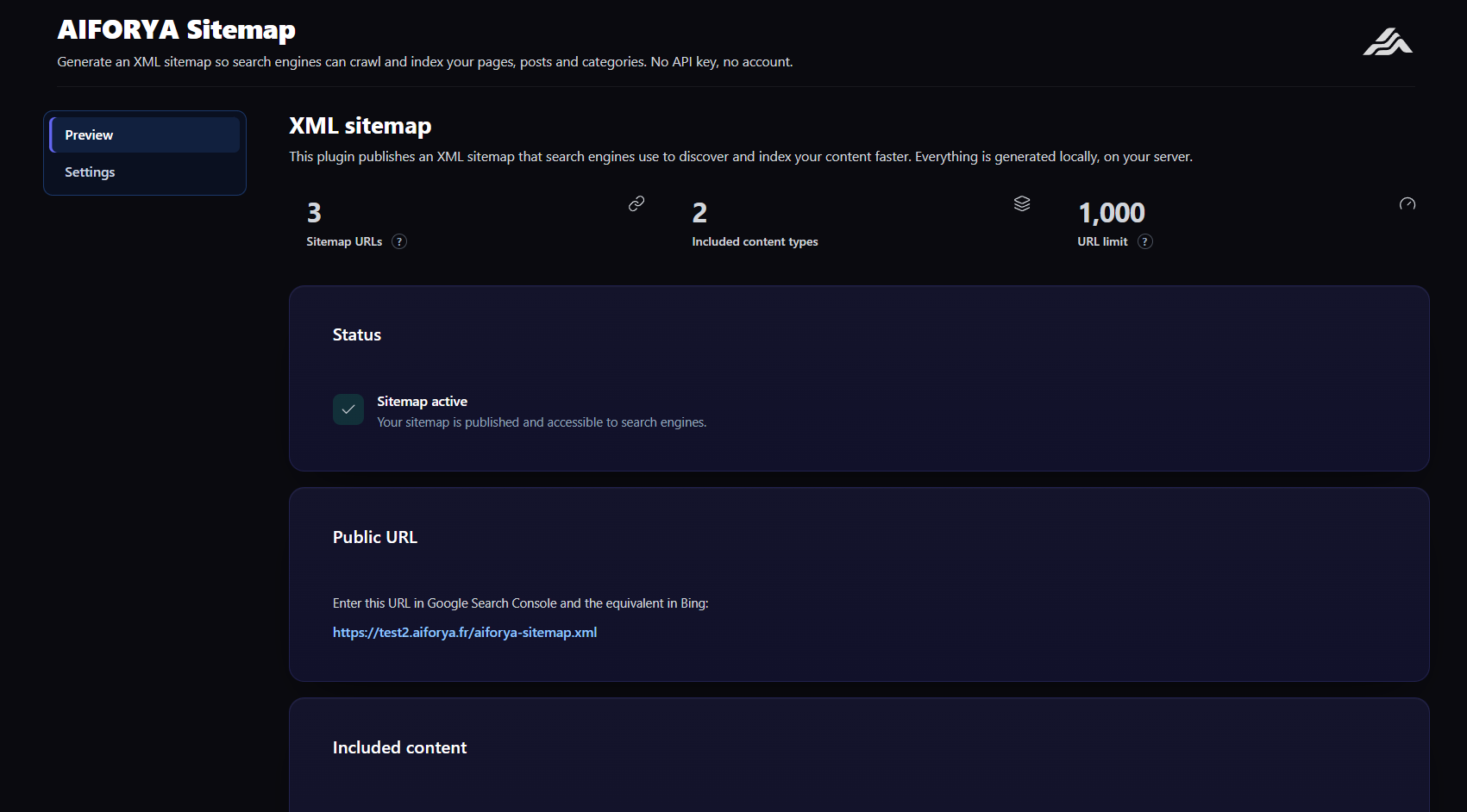
- In the Overview tab, copy the sitemap address and submit it in Google Search Console.
Frequently asked questions
Where is my sitemap?
At your site address followed by “/aiforya-sitemap.xml”. The Overview tab shows the exact, clickable link.
What content is included?
The home page, plus published posts and pages of the post types you select. You can also include category and tag archives.
Should I submit the sitemap to Google?
For best results, add the sitemap address in Google Search Console and the Bing equivalent. You can also enable the automatic publish notification.
Do I need an API key?
No. This free version is entirely self-contained and generates the sitemap directly on your server.
Does the plugin contact anyone?
Only if you enable “Notify search engines on publish”. It is off by default. When enabled, it sends only your sitemap URL to Google and Bing — nothing else.
Where do I get support?
Through the support forum of this plugin on WordPress.org.
Changelog
Fixes a duplicate home page entry in the sitemap on sites with a static front page. No address changes.
1.3.3
- The sitemap no longer lists archives that cannot be reached. A post type or a taxonomy was
included as long as it was registered, which is not the same as being viewable. WooCommerce,
for instance, always registers its product attribute taxonomies (pa_...); unticking “Enable
archives” only stops their archive pages from resolving. A sitemap saved before that change kept
submitting those addresses, and every one of them returned a 404. - Both post types and taxonomies are now filtered with
is_post_type_viewable()and
is_taxonomy_viewable() — the same functions the WordPress core sitemap uses. - Nothing to do on your side: your saved settings are untouched, and any archive that is reachable
stays in the sitemap exactly as before.
1.3.2
- WooCommerce product attributes (
pa_...) are no longer added to the sitemap by default. These are faceted-navigation archives — “diameter = 12”, “colour = red” — not pages a shop wants ranking in search results. Measured on a live store: 339 of the 449 submitted addresses (75%) were attribute archives, and 24 of them contained only one or two URLs. Crawl budget was being spent on near-empty pages instead of the product pages. - Product categories, brands and tags stay included, exactly as they have since 1.2.0 — it was their absence that was fixed then, and nothing about that changes.
- A shop that wants its attributes in the sitemap keeps them with one line:
add_filter( 'aiforya_smap_inclure_attributs_produit', '__return_true' ); - Existing sites see no change: saved settings are kept untouched. The new behaviour applies to fresh installs only, and the taxonomies remain editable in the settings screen.
1.3.1
- Fix: the home page was listed twice in the sitemap on any site using a static front page. Search engines were being handed the same address as two separate entries, which wastes crawl budget and can dilute how the page is understood.
- The home page is now listed once, and it carries its real last-modified date instead of none.
1.3.0
- The sitemap is now declared in
robots.txt. Until now the plugin generated the file, the file answered correctly… and no search engine knew it existed: you had to submit the address by hand in Search Console. This is now automatic. - The line is only added when the sitemap actually has something to announce: it is omitted if the plugin is switched off in its settings, if the site asks not to be indexed, or if nothing is published yet. Announcing an empty address is worse than announcing nothing.
- WordPress’s own
Sitemap:line is neither removed nor altered — both coexist, as the robots.txt standard allows. - A site with nothing published now returns 404 on
/aiforya-sitemap.xmlinstead of an empty index served with 200. An empty index is a valid document that a search engine reads as “this site has nothing left”, and that de-indexes.
1.2.0
- The sitemap is now a paginated index, as the sitemaps.org standard prescribes.
/aiforya-sitemap.xmllists/aiforya-sitemap-posts-<type>-<n>.xmland/aiforya-sitemap-taxonomies-<taxonomy>-<n>.xmlfiles of 1,000 addresses each. - Important fix: past 2,000 addresses the sitemap was truncated — and the cut was made from the end, so a shop with 2,000 products lost all of its categories, with no message at all. The number of addresses is no longer capped.
- A page requested out of range now returns 404 instead of an empty sitemap.
- Addresses are sorted by ascending id: an address stays on the same page as long as none is added or removed, instead of moving on every content change.
- Rewrite rules are refreshed automatically on update.
1.1.0
- All public taxonomies can be included, not only categories and tags. On a WooCommerce shop, product categories, brands and attributes were missing from the sitemap with nothing to signal it.
- New screen to choose which taxonomies to include.
Screenshots
For developers
Is this your plugin? Show off the numbers.
Add a live badge to your site, docs or GitHub README. It updates on its own — no account needed.
Best AIFORYA Sitemap alternatives
All google plugins →




FAQ
AIFORYA Sitemap: quick answers
Straight answers, pulled from live WordPress.org data.
Live data from WordPress.org · checked Oct 1, 2026
Is AIFORYA Sitemap free?
Yes. AIFORYA Sitemap is free to download and use from the official WordPress.org plugin directory.
Is AIFORYA Sitemap safe to use in 2026?
AIFORYA Sitemap is a solid plugin choice in 2026, with a few things worth checking first. It runs on 10+ sites and was last updated 4 weeks ago, and scores 66/100 on our health check.
How many websites use AIFORYA Sitemap?
AIFORYA Sitemap is active on 10+ WordPress websites and has been downloaded 413 times since it launched in August 2026. It was downloaded 227 times in the last 30 days.
Does AIFORYA Sitemap work with WordPress 7.1?
Yes. The developer has tested AIFORYA Sitemap up to WordPress 7.1.2, the latest release. It requires WordPress 6.0 or newer.
What PHP version does AIFORYA Sitemap need?
AIFORYA Sitemap requires PHP 8.0 or higher. Most hosts run PHP 8.x today, so it works on any modern WordPress hosting.
When was AIFORYA Sitemap last updated?
The latest version, 1.3.3, was released on September 5, 2026 (4 weeks ago).
Who makes AIFORYA Sitemap?
AIFORYA Sitemap is developed and maintained by aiforya.
What are the best alternatives to AIFORYA Sitemap?
The most popular alternatives to AIFORYA Sitemap are Site Kit by Google (5M+ installs), Google for WooCommerce (800K+ installs) and GA Google Analytics (400K+ installs).
Powered by PageForge
Want thousands of pages that rank like these? Build them in an afternoon.
This directory runs on the same engine as PageForge. Turn any spreadsheet, CSV or API into thousands of fast, SEO-ready WordPress pages — with schema, internal links and AI-written copy baked in.
- CSV, Google Sheets & API data sources
- AI content, schema & internal links per page
- Works with Elementor, Gutenberg, Yoast & Rank Math
- Free on WordPress.org — no credit card


