


AI Provider for LM Studio
Connector for LM Studio for the WordPress AI Client.

Solid choice
AI Provider for LM Studio is a solid plugin choice in 2026, with a few things worth checking first. It runs on 10+ sites and was last updated 2 days ago, and scores 66/100 on our health check.
- Actively developed — last update 2 days ago
- Tested with the latest WordPress (7.1)
- Small user base (10+ active installs)
- Very few reviews so far
How does it stack up?
Side-by-side on installs, updates, ratings & support


Daily downloads
Download spikes usually follow a new release — each site that auto-updates counts as a download.
Rankings
Where AI Provider for LM Studio stands todayWordPress.org search rankings
Live position in the plugin search, top 100| Keyword | Position |
|---|---|
| AI | >100 |
| connector | >100 |
| LLM | >100 |
| lmstudio | #1 |
| local-ai | >100 |
Version adoption
Share of active sites per release.
About AI Provider for LM Studio
From the official readme · v1.2.0Description
This plugin provides LM Studio integration for the WordPress AI Client. It allows you to run AI inference entirely on your own machine — connecting WordPress to a local LM Studio server with no cloud account or API key required.
Features:
- Connector for LM Studio registration for WordPress AI Client.
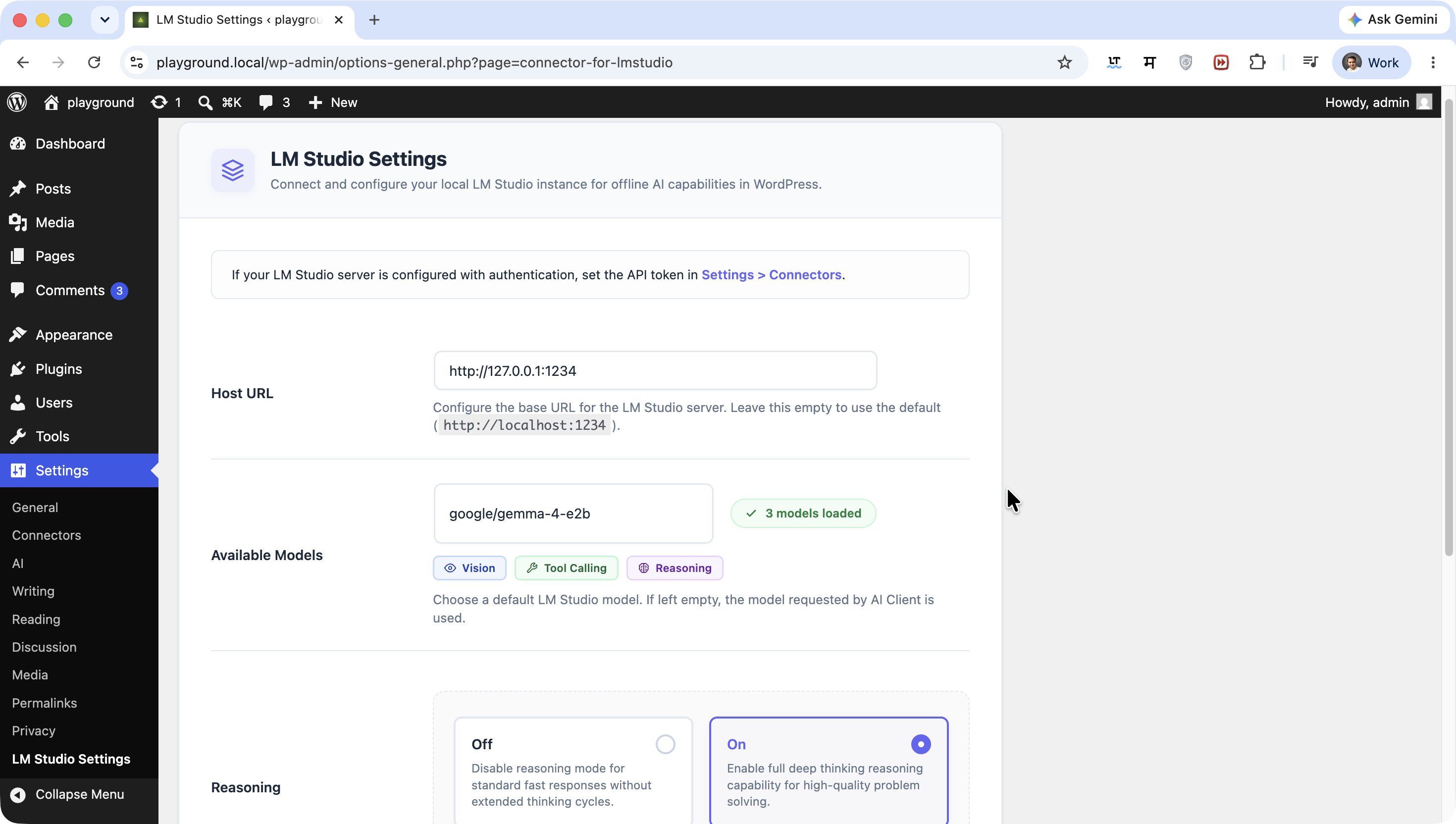
- Configure a default model for text generation from the admin settings page.
- Configure a default decision model on the settings page, defaulting to “Use model selected by AI Client”.
- Automatic model discovery from your running LM Studio instance with dedicated filtering for text and decision models.
- Text generation tasks using LM Studio’s API.
- Automatic protocol support for both System One (/v1/systemone) and OpenAI-compatible (/v1/decisions, /v1/decision) endpoints.
- Multimodal decision making support with image inputs for vision-capable decision models (e.g. Clef-Flash, OpenJev, d1-omni, Decision 3.0).
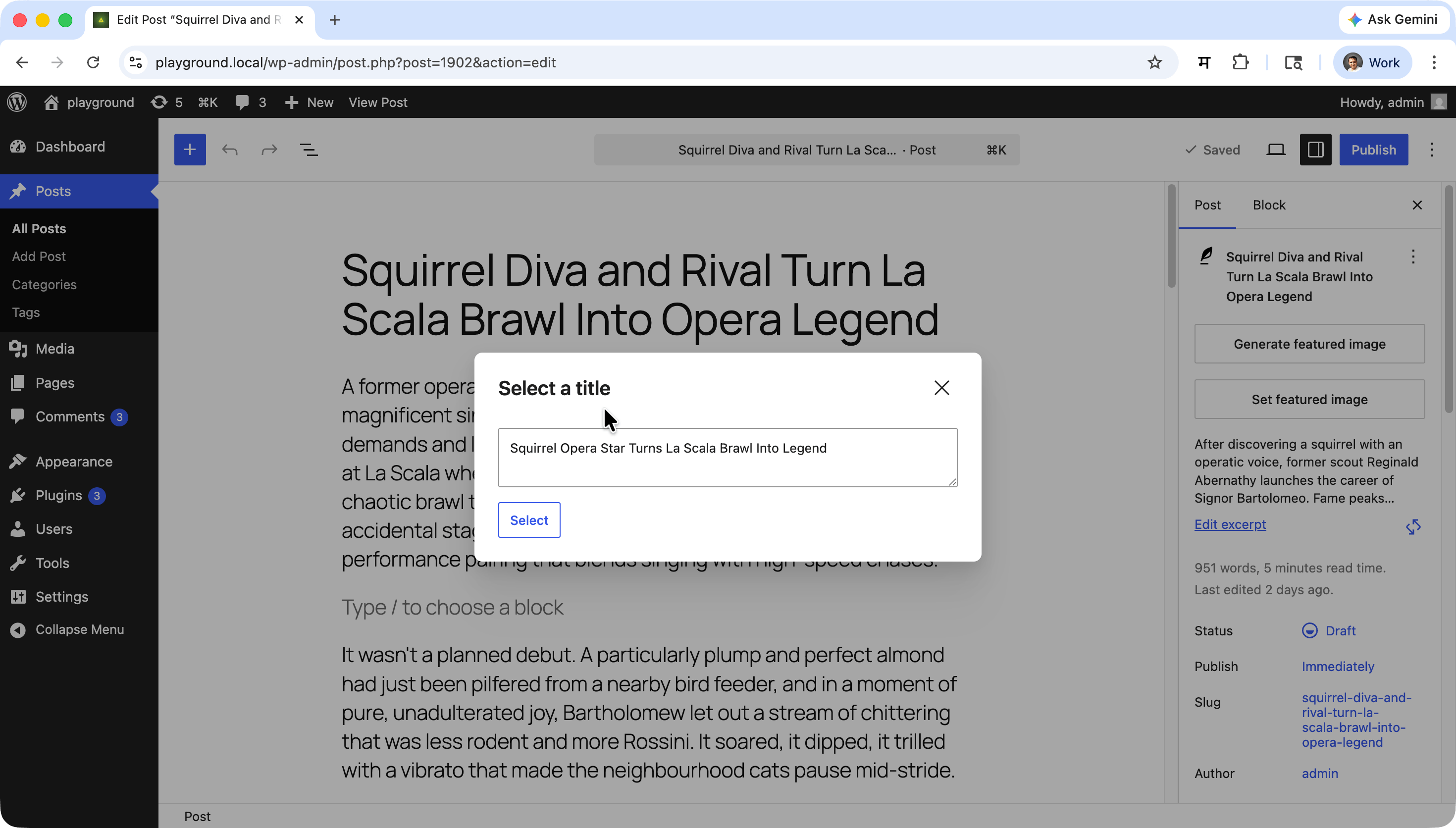
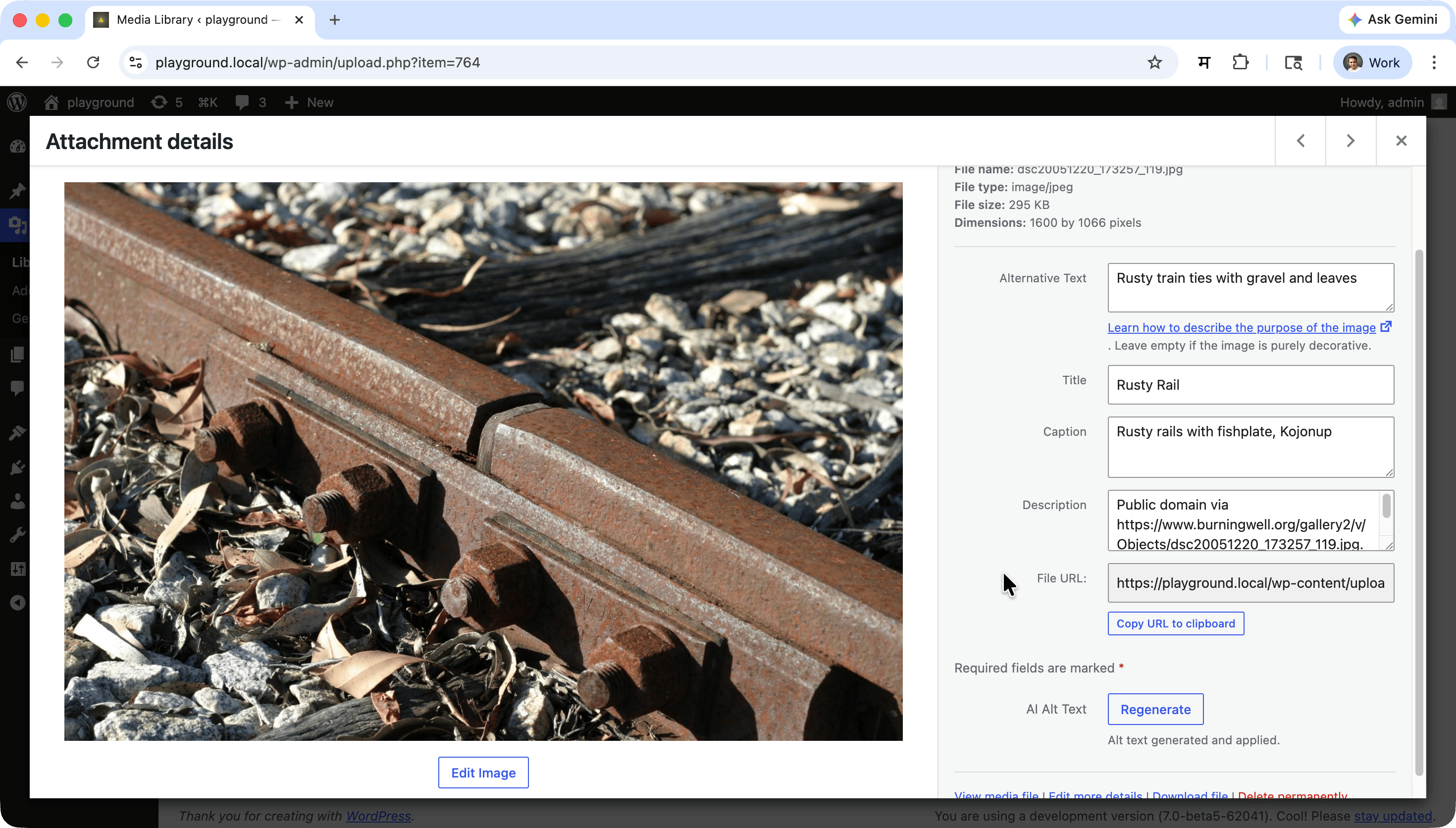
- Vision-capable models, such as those used for generating alt-text, can process both text and images.
- Settings page under Settings > LM Studio Settings.
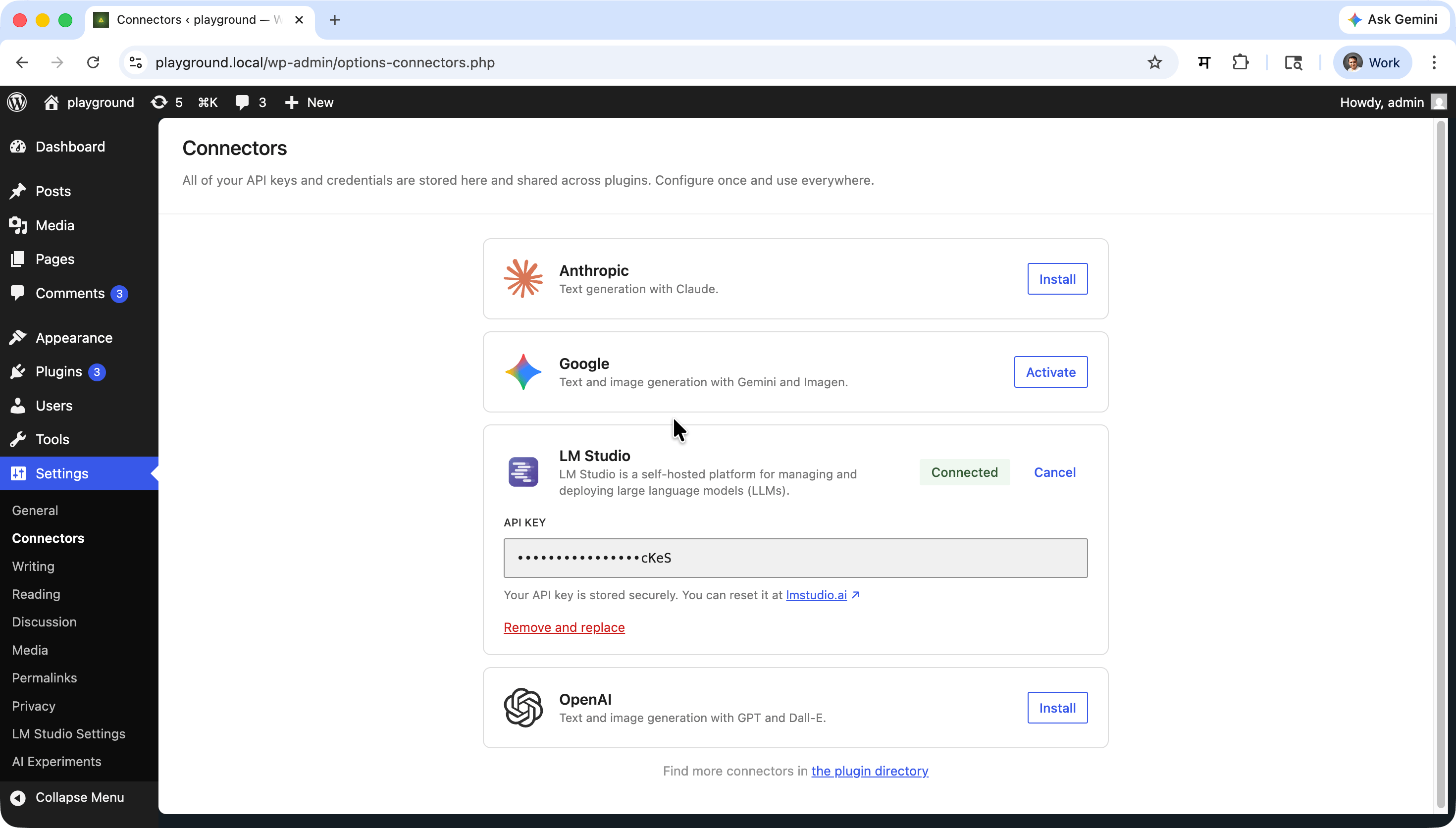
- Works without an API key in the default local setup.
- Extended HTTP timeout (180 s) to accommodate local model warm-up.
Source Code
The source code is available on GitHub.
Installation
- Upload plugin files to
/wp-content/plugins/ai-provider-for-lm-studio/. - Activate Connector for LM Studio through the Plugins menu in WordPress.
- Start LM Studio and load a model.
- Configure the host URL and default model in Settings > LM Studio Settings.
Changelog
Adds decision model support, dedicated decision model settings, multimodal image decision support, and enhanced multisite host configuration.
1.2.0
- Added decision model capability support with automatic negotiation for System One (/v1/systemone) and OpenAI-compatible (/v1/decisions, /v1/decision) endpoints.
- Added default decision model setting on the settings page with “Use model selected by AI Client” as default.
- Added dedicated decision model filtering to list only decision-making models in the decision model dropdown.
- Added multimodal decision support with base64 image input for vision-enabled decision models.
- Added LMStudioProvider::decisionModel() and LMStudioProvider::decisionModelIds().
- Added multisite support for host settings restricted to network administrators and saved at the network level.
- Scoped HTTP security overrides and timeout filters strictly to LM Studio requests to protect core SSRF defenses.
- Improved connection and host error handling with descriptive admin feedback.
1.1.2
- Changed env variable from LMSTUDIO_HOST to AI_PROVIDER_FOR_LM_STUDIO_HOST
- Renamed constants fro
_LMSTUDIO_to_LM_STUDIO_
1.1.1
- Remove AI from required plugin header.
- Added github source code information in readme.txt
- Renames plugin to “AI Provider for LM Studio”
1.1.0
- Added updated UI for settings page and connector status in Connectors list.
- Added badages to indicate connection status in Connectors list.
- Added badages to indicate model capabilities available from endpoint when selecting default model in settings.
- Added switches to turn on/off reasoning capabilities of the model in LM Studio settings, as it can cause requests to hang indefinitely if turned on.
- Refactored javascript code to use typescript for better maintainability and type safety.
- Updated dependencies and fixed minor bugs.
1.0.0
- Initial release of the Connector for LM Studio plugin.
- LM Studio REST API model discovery and text generation support.
- Multimodal (vision) input support for vision-capable models.
- Admin settings page for host URL and default model configuration.
- Automatic localhost allowlisting and extended HTTP timeout for local inference.
Screenshots
For developers
Is this your plugin? Show off the numbers.
Add a live badge to your site, docs or GitHub README. It updates on its own — no account needed.
Best AI Provider for LM Studio alternatives
All AI plugins →





FAQ
AI Provider for LM Studio: quick answers
Straight answers, pulled from live WordPress.org data.
Source: WordPress.org
Is AI Provider for LM Studio free?
Yes. AI Provider for LM Studio is free to download and use from the official WordPress.org plugin directory.
Is AI Provider for LM Studio safe to use in 2026?
AI Provider for LM Studio is a solid plugin choice in 2026, with a few things worth checking first. It runs on 10+ sites and was last updated 2 days ago, and scores 66/100 on our health check.
How many websites use AI Provider for LM Studio?
AI Provider for LM Studio is active on 10+ WordPress websites and has been downloaded 673 times since it launched in August 2026. It was downloaded 274 times in the last 30 days.
Does AI Provider for LM Studio work with WordPress 7.1?
Yes. The developer has tested AI Provider for LM Studio up to WordPress 7.1.5, the latest release. It requires WordPress 7.0 or newer.
What PHP version does AI Provider for LM Studio need?
AI Provider for LM Studio requires PHP 7.4 or higher. Most hosts run PHP 8.x today, so it works on any modern WordPress hosting.
When was AI Provider for LM Studio last updated?
The latest version, 1.2.0, was released on November 23, 2026 (2 days ago).
Who makes AI Provider for LM Studio?
AI Provider for LM Studio is developed and maintained by rtCamp.
What are the best alternatives to AI Provider for LM Studio?
The most popular alternatives to AI Provider for LM Studio are Elementor Agent Ready Websi… (10M+ installs), Jetpack (3M+ installs) and All in One SEO (2M+ installs).
Powered by PageForge
One template and a spreadsheet. A real page for every search.
PageForge turns each row of a CSV into a WordPress page with its own title, URL, SEO fields and schema, built on the layout you already designed. Free on WordPress.org.
- CSV and XLSX, plus Google Sheets on Professional and Enterprise
- Its own title, URL, SEO fields and schema for every page
- Works with the block editor, Elementor, Divi and Avada
- Free on WordPress.org, no credit card