



AcyMailing – An Ultimate Newsletter Plugin and Marketing Automation Solution for WordPress
Boost audience engagement & lead generation with AcyMailing, an all-in-one newsletter automation tool for your marketing success.

Solid choice
AcyMailing is a solid plugin choice in 2026, with a few things worth checking first. It runs on 5K+ sites, is rated 4.8/5 and was last updated 3 days ago, and scores 77/100 on our health check.
- Loved by users — 4.8/5 from 157 reviews
- Actively developed — last update 3 days ago
- Tested with the latest WordPress (7.1)
How does it stack up?
Side-by-side on installs, updates, ratings & support



Daily downloads
Download spikes usually follow a new release — each site that auto-updates counts as a download.
Rankings
Where AcyMailing stands todayWordPress.org search rankings
Live position in the plugin search, top 100| Keyword | Position |
|---|---|
| automation | #30 |
| Contact List | #90 |
| drag-and-drop | #68 |
| Email Marketing | #64 |
| newsletter | #14 |
Version adoption
Share of active sites per release.
Rating breakdown
★★★★★★★★★★ 4.8 from 157 reviews
About AcyMailing
From the official readme · v11.1.0Description
💌 UNLEASH THE POWER OF EMAIL MARKETING AUTOMATION:
- Effortlessly create attention-grabbing newsletters with our intuitive drag-and-drop editor – no HTML skills required.
- Automate your newsletter formation process using pre-saved zones.
- Seamlessly include your WordPress articles in your newsletters.
- Personalize your newsletters with user data such as name, email, or custom fields.
- Implement social media share options for Twitter, Facebook, and LinkedIn to expand your reach.
- Experience mobile-responsive default templates with previews for desktop and mobile versions.
📊 TAKE YOUR EMAIL MARKETING TO THE NEXT LEVEL:
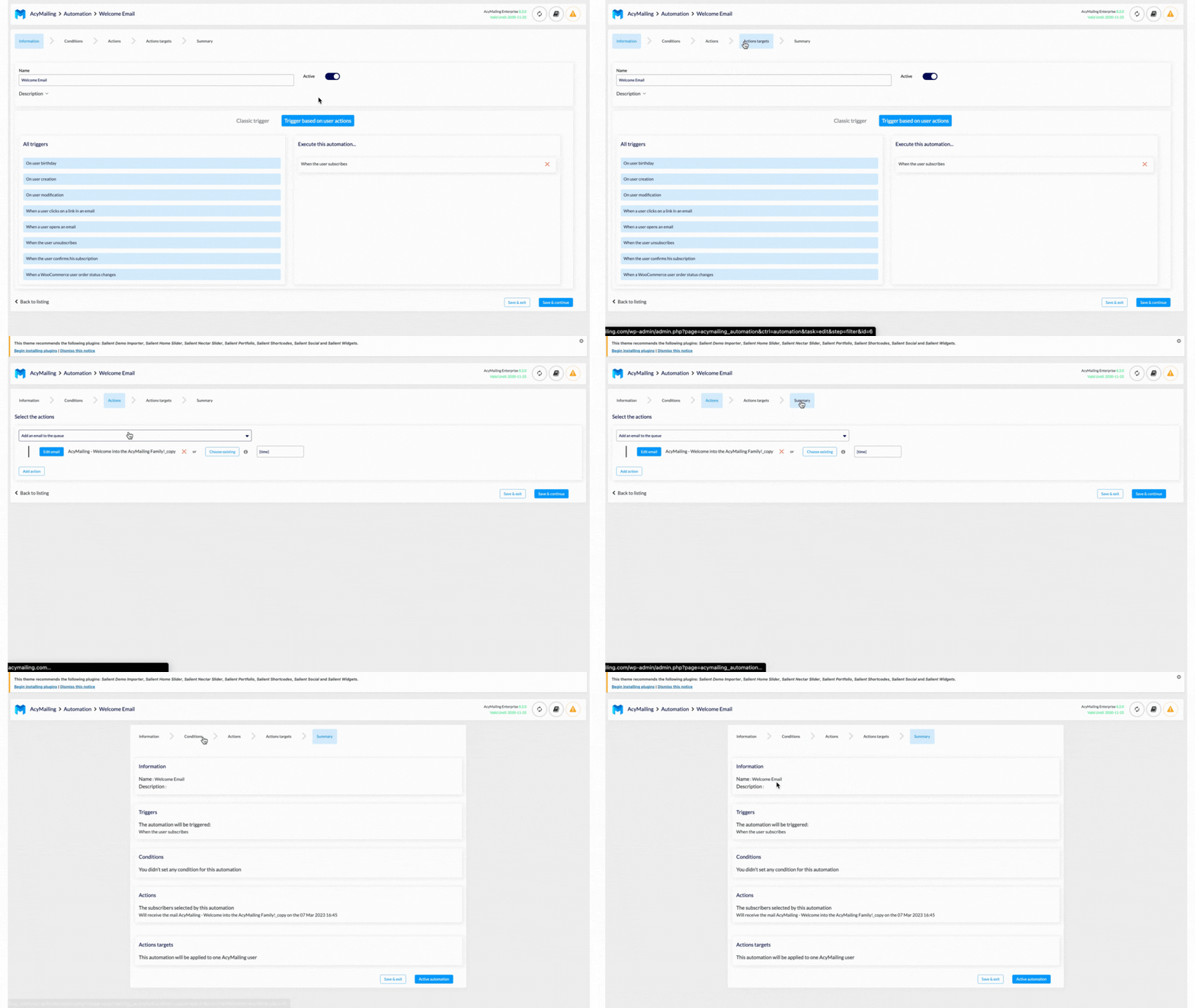
- Conduct automated mass actions on users, including sending birthday newsletters, welcome greetings, and more.
- Plan follow-up newsletter sequences based on user interaction to nurture and engage your audience.
- Effortlessly schedule your newsletters for timely delivery.
- Automatically send timely reminders to recover abandoned WooCommerce shopping carts.
- Create and duplicate marketing automation workflows with ease.
- Handle bounce emails efficiently for improved deliverability.
📥 ENHANCE DELIVERABILITY AND ENSURE GDPR COMPLIANCE:
- Effectively dispatch emails in real-time using our queue system.
- Follow recommendations from our analysis tool to optimize your deliverability.
- Track reliable statistics to gain insights into your newsletter performance.
👤 EFFICIENT CONTACT LIST MANAGEMENT WITH GDPR COMPLIANCE:
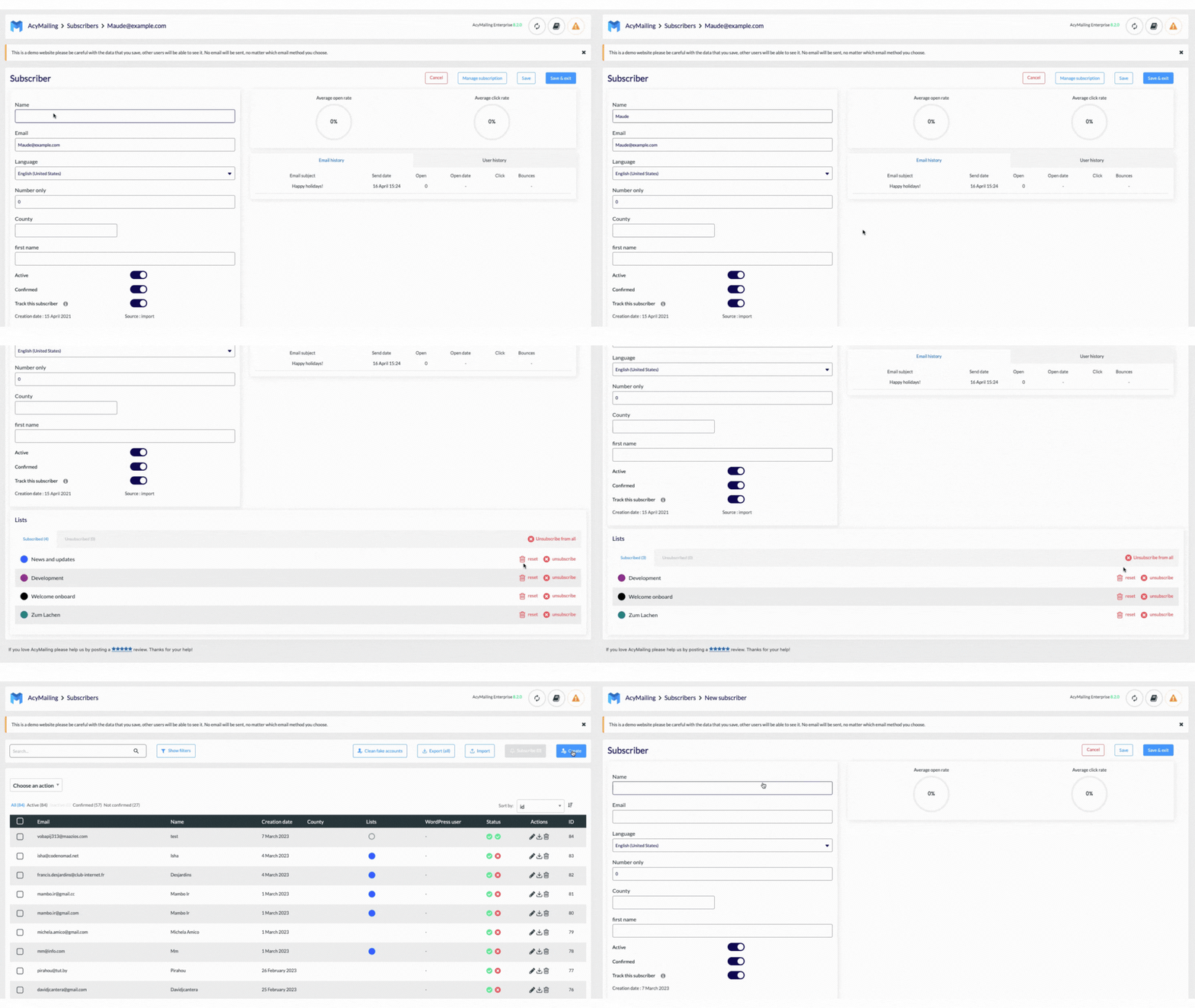
- Effortlessly manage your subscribers with AcyMailing.
- Import users seamlessly from any platform or source.
- Utilize efficient filter options to target specific user segments.
- Automatically subscribe users during registration for streamlined list management.
- Handle false email addresses and integrate strong captchas for enhanced data security.
⤵️ EXPLORING MORE WITH ACYMAILING:
- Enjoy various integrations available: Business Directory, Contact Form 7, Easy Digital Downloads, Gravity Forms, Zapier, Make.com, WooCommerce, The Events Calendar, etc…
- Experience the power of AcyMailing with our demo site.
- Leverage diverse external sending services – AcyMailing Sending Service, Brevo/Sendinblue, Mailgun, SendGrid, Amazon SES, SMTP and more.
🔎Stay tuned to know every update on our plugins. Follow us on LinkedIn, Twitter, Facebook, or our website.
Installation
There are 3 ways to install this plugin:
1. The WordPress store search
- In the admin part of your site, navigate to the menu Plugins => Add New
- Search for
AcyMailing - Find it, install it, activate it
2. Manually, via the interface
- Download the installation ZIP at the top of this page by clicking the “Download” button
- On the admin part of your site, navigate to the menu Plugins => Add New
- Click on “Upload Plugin” at the top of the page
- Select the ZIP file you downloaded then click the “Install Now” button
- Once installed, activate the plugin
3. Manually, via FTP
- Download the installation ZIP at the top of this page by clicking the “Download” button
- Unzip it
- Upload the “acymailing” folder previously contained in the ZIP file via FTP on your site, under the folder wp-content/plugins/
- Enable the plugin on the admin part of your site
Frequently asked questions
Where do I report security bugs found in this plugin?
Please report security bugs found in the source code of the AcyMailing plugin through the Patchstack Vulnerability Disclosure Program. The Patchstack team will assist you with verification, CVE assignment, and notify the developers of this plugin.
How to contact us?
Feel free to do it via this form: https://www.acymailing.com/contact/
Where can I find a documentation?
On any page of the AcyMailing plugin, you can click the “Documentation” button at the top-right of the screen. If you don’t find the information you’re looking for, you can find the complete documentation here: https://docs.acymailing.com/
How will AcyMailing help me doing Marketing Automation?
With AcyMailing you can automate a lot of tedious tasks to focus on what’s really important. Our spam-checker tells you what you need to change in your server configuration, you can instantly insert content from other plugins like products from WooCommerce or events from The events calendar, etc… You can automate the sending of your newsletters based on user actions, or set a campaign to be automatically generated every X days/weeks/months including your last X posts.
If I update or upgrade AcyMailing, will I lose my data?
No, you can safely update or upgrade AcyMailing, you won’t lose data. Your configuration, existing subscribers, templates, newsletters, marketing automation workflows… will be kept intact.
How does AcyMailing send emails?
You can select your own favorite sending methods. AcyMailing is integrated with Sendgrid, Mailgun, Amazon SES, Sendinblue and many more services. You can even send emails from your own server or another SMTP service of your choice.
What is AcyMailing Sending Service?
An all in one solution, simple, cheaper and made for you that allows you to completely handle the email sending process.
Changelog
11.1.0 – September 24, 2026
- We replaced the date picker with the default html date picker to improve the user experience, the accessibility and performance.
-
We added on the profile edition (front-end), a checkbox available for all users to manage their tracking preferences.
-
[add-ons] We added an option to specify the menu item to use for DP Calendar event links.
- Development files are no longer included in the third-party libraries shipped with the package, resulting in a lighter and cleaner installation.
-
Newsletters now use the website default language instead of the administrator language for dynamic tags like {date:X}, the “Read more” text and the default templates.
-
We fixed the error message displayed when uploading a file of a non-accepted type that showed raw HTML instead of a readable message.
- We have fixed the display of links added in subscription form texts and custom fields that were removed on display.
- We fixed the List-Unsubscribe header so one-click unsubscribe works again.
- Security for some custom fields has been enhanced.
- A security issue related to a very specific scenario has been fixed in the mailbox actions.
- Some translations were not properly replacing HTML characters
- Imported email addresses are now always stored in lower case, preventing case sensitive duplicates and subscriptions or custom fields being silently skipped during an import.
- Importing users with an empty date column (like the last open or last click date) no longer triggers a database error, the value is now stored as empty.
- An “Access denied for this email” error has been fixed when creating a campaign from the dashboard while the favorite template had been deleted.
- The action buttons now work again on the follow-up, automation and mailbox action listings, where the duplicate buttons silently reloaded the page without doing the action asked and the statistics button did nothing when clicked.
- The subscription form no longer returns a 404 error when submitted from a secondary language on multilingual websites using Polylang or WPML.
Screenshots


For developers
Is this your plugin? Show off the numbers.
Add a live badge to your site, docs or GitHub README. It updates on its own — no account needed.
Best AcyMailing alternatives
All automation plugins →





FAQ
AcyMailing: quick answers
Straight answers, pulled from live WordPress.org data.
Live data from WordPress.org · checked Sep 27, 2026
Is AcyMailing free?
Yes. AcyMailing is free to download and use from the official WordPress.org plugin directory.
Is AcyMailing safe to use in 2026?
AcyMailing is a solid plugin choice in 2026, with a few things worth checking first. It runs on 5K+ sites, is rated 4.8/5 and was last updated 3 days ago, and scores 77/100 on our health check.
How many websites use AcyMailing?
AcyMailing is active on 5K+ WordPress websites and has been downloaded 241,767 times since it launched in November 2018. It was downloaded 6,527 times in the last 30 days.
Does AcyMailing work with WordPress 7.1?
Yes. The developer has tested AcyMailing up to WordPress 7.1.2, the latest release. It requires WordPress 5.8 or newer.
What PHP version does AcyMailing need?
AcyMailing requires PHP 7.4 or higher. Most hosts run PHP 8.x today, so it works on any modern WordPress hosting.
When was AcyMailing last updated?
The latest version, 11.1.0, was released on September 24, 2026 (3 days ago).
Who makes AcyMailing?
AcyMailing is developed and maintained by AcyMailing Newsletter Team.
What are the best alternatives to AcyMailing?
The most popular alternatives to AcyMailing are OttoKit: All-in-One Automat… (90K+ installs), Zapier for WordPress (50K+ installs) and Uncanny Automator (40K+ installs).
Powered by PageForge
Want thousands of pages that rank like these? Build them in an afternoon.
This directory runs on the same engine as PageForge. Turn any spreadsheet, CSV or API into thousands of fast, SEO-ready WordPress pages — with schema, internal links and AI-written copy baked in.
- CSV, Google Sheets & API data sources
- AI content, schema & internal links per page
- Works with Elementor, Gutenberg, Yoast & Rank Math
- Free on WordPress.org — no credit card


