


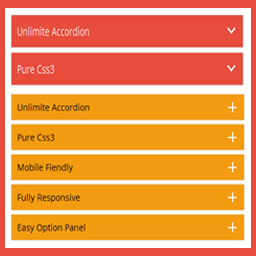
Accordions – Responsive Accordion & FAQ Plugin for WordPress
Responsive, lightweight, and fully customizable accordion plugin for WordPress. Perfect for FAQs, content organization, and improving user experience.

Safe pick
Yes — Accordions is a safe, well-maintained plugin to use in 2026. It runs on 1K+ sites, is rated 4.6/5 and was last updated 3 days ago, and scores 84/100 on our health check.
- Actively developed — last update 3 days ago
- Tested with the latest WordPress (7.1)
- Momentum — downloads up 193.6% vs the previous 30 days
How does it stack up?
Side-by-side on installs, updates, ratings & support



Daily downloads
Download spikes usually follow a new release — each site that auto-updates counts as a download.
Rankings
Where Accordions stands todayWordPress.org search rankings
Live position in the plugin search, top 100| Keyword | Position |
|---|---|
| Accordion | #12 |
| accordions | #2 |
| accordions shortcode | #1 |
| jQuery accordions | #1 |
| Responsive accordions | #1 |
Version adoption
Share of active sites per release.
Rating breakdown
★★★★★★★★★★ 4.6 from 9 reviews
About Accordions
From the official readme · v3.0.9Description
Create beautiful, responsive accordions and FAQ sections with multiple styles, skins, and advanced customization—perfect for organizing content and improving UX.
Useful Links
Plugin Features
- Fully responsive.
- All Browser support.
- Unlimited Accordions anywhere in the theme.
- Use via short-code.
- 5 Different Themes.
- Drag & Drop Accordion sorting.
- WP Editor for accordion content.
- Custom Title background color.
- Custom Title Font color.
- Custom Title Font Size & Line Height options.
- Title Text Alignment (Left, Center, Right).
- Show/Hide and Position Accordion Icons (Left, Right).
- Custom Content Background Color.
- Custom Content Font Color.
- Custom Content Font Size, Line Height & Letter Spacing options.
- Content Padding & Accordion Margin Options.
- Add and remove accordion item from backend.
- Highly customized for User Experience.
- And Many More…
Pro Version Features
- All Features of the free version.
- Fully responsive.
- 8+ different Themes.
- Widget Ready.
- Unlimited Domain.
- Support wysiwyg text editor.
- Create accordions by group.
- Cross-browser compatibility.
- Drag & Drop accordion items sorting.
- Add and remove accordion item from backend.
- Use via short-codes.
- Accordion header title font size.
- Accordion header title font color.
- Accordion header title text position.
- Accordion header title background color.
- Show/Hide Accordions expand/collapse icons options.
- Accordion header closeAble true or false Options.
- Expand/collapse Slide speed of Animation Options.
- Accordion content font size.
- Accordion content font color.
- Accordion content background.
- Custom Accordion Padding Options.
- Accordion area background image Options.
- Accordions Area Padding Options.
- Support Any videos (Ex: youtube, vimeo )
- Valid HTML5 & CSS3 layout.
- Highly customized for User Experience.
- Clean Design & Code.
- Unlimited accordion anywhere in the themes or template.
- Work in all browsers and mobile devices.
- Life Time Self hosted auto updated enable.
- 24/7 dedicated support forum.
- Well Documentation.
- And much more!
Activation
Once the accordion-wp folder has been uploaded, you can activate the plugin. Go to your WordPress admin panel and select the ‘Plugins’ menu option. You should see a new plugin listed, Accordion-Wp. Click Activate to activate the plugin.
Using the Plugin
Once the plugin has been activated, a new menu called Accordion will appear in menu section. There are Three menu options: ‘Accordion’, ‘Add New Accordion’ & ‘Help & Support’.
Creating First Accordion
Click the Accordion submenu entry entitled ‘Add New Accordion’. This will take you to the accordion creation and editing page, Then click Add New Item to add accordion.
Begin by entering a title & description for your accordion. Description Content can be entered using the Visual or HTML content editors. Any valid HTML content (e.g. images, video etc.) can be displayed inside accordion.
To add a new accordion, Just click the ‘Add New Item’ button & fill all the data .
To remove a Accordion, click the ‘Remove’ button located top right side of the accordion title or visual editor.
Inserting Accordion into a Post/page or Widget
After Publish your accordion, you’ll see a notification that the accordion has been Published, then go to ‘Accordion Configure ’ change your own settings & Shortcode tab copy the shortcode & paste into any where into your post/page or text widgets. save your post/page or widgets and browse to see your accordion.
Note :
Some features is not available in free version . Upgrade Premium!» to unlock all amazing features.
Installation
Using The WordPress Dashboard
- Install as regular WordPress plugin.
- Go your Pluings setting via WordPress Dashboard and activate it.
- After activate plugin you will see “Accordion” menu at left side on WordPress dashboard and find “Accordion Option Configuration”
Using FTP
1.Extract accordions-wp.zip to your computer.
2.Upload the accordions-wp directory to your wp-content/plugins directory.
3.After activate plugin you will see “Accordion” menu at left side on WordPress dashboard and find “Accordion Option Configuration”
How to use short-code?
When accordions options setup done please copy & paste shortcode into your theme any where you want to display this accordions.
Changelog
3.0.9
- Fix: Added full WCAG 2.1 AA accessibility compliance across all accordion layouts.
- Fix: Added tabindex=”0″ and keyboard navigation (Tab, Enter, Space) for accordion headers.
- Fix: Added ARIA role=”button”, aria-expanded, aria-controls, and role=”region” panel attributes.
- Fix: Resolved color contrast ratio requirements for badges and active header states.
- Updated: Sanitized input data (
sanitize_key) and output escaping across notice markup.
3.0.8
- Feature: Introduced native Gutenberg Block (
tcaccordion/select-accordion) with server-side preview rendering inside the block editor canvas. - Feature: Added complete InspectorControls (sidebar settings) to the Gutenberg Block for custom attribute overrides.
- Feature: Created dedicated Elementor Widget (
tcpaccordion_widget) for seamless live editing within the Elementor builder canvas. - Feature: Integrated state-aware dynamic CSS hooks and theme classes (
theme-shadow,theme-dark,theme-flat). - Feature: Added admin control fields for Title Line Height, Content Line Height, and Content Letter Spacing.
- Enhancement: Added real-time style enqueuing inside modern WordPress Gutenberg isolated iframe contexts (
enqueue_block_assets). - Enhancement: Implemented
MutationObserverand dynamic event re-binding in JavaScript for zero-latency preview interactions inside backend builders. - Enhancement: Optimized shortcode execution pipeline with output buffering to ensure complete compatibility with Divi, Beaver Builder, and WPBakery.
- Enhancement: Fully integrated Freemius SDK v2 with compliant opt-in routing and premium feature access control checks.
- Fix: Resolved critical rendering issue where single-item accordion posts failed to render or displayed “nothing found” in Elementor and dynamic builder previews.
- Fix: Standardized metadata key resolution between admin save routines, AJAX live preview rendering, and frontend shortcode display.
- Fix: Resolved CSS flexbox layout issue where
text-align(left, center, right) was failing on title text headers due to rigid flex spacing. - Fix: Corrected icon positioning for center-aligned accordion titles using absolute positioning offsets.
- Fix: Prevented silent PHP warnings and missing key exceptions during meta array iteration.
- Fix: Fixed asset loading context so Font Awesome icons and responsive layout CSS load seamlessly in both backend previews and frontend page loads.
3.0.7
- Refactored: Entire plugin architecture modernized to Object-Oriented Programming (OOP) standard with Singleton pattern.
- Refactored: Split admin views, shortcodes, and frontend theme logic into dedicated handler classes for better modularity and maintenance.
- Enhanced: Preserved active tab focus in admin metabox across page reloads during post updates with zero content flicker.
- Enhanced: Sanitized and validated all inline style declarations (color hex values, font sizes, paddings) to prevent broken HTML attributes.
- Security: Hardened escaping, input sanitization, and strict post type checks across all admin and shortcode inputs using WordPress Coding Standards.
3.0.6
- Update Options page.
- Fix CSS Issue.
3.0.5
- Fix Video Display Issue.
3.0.4
- Fix Security Issue.
Screenshots


For developers
Is this your plugin? Show off the numbers.
Add a live badge to your site, docs or GitHub README. It updates on its own — no account needed.
Best Accordions alternatives
All Accordion plugins →





FAQ
Accordions: quick answers
Straight answers, pulled from live WordPress.org data.
Live data from WordPress.org · checked Oct 10, 2026
Is Accordions free?
Yes. Accordions is free to download and use from the official WordPress.org plugin directory.
Is Accordions safe to use in 2026?
Yes — Accordions is a safe, well-maintained plugin to use in 2026. It runs on 1K+ sites, is rated 4.6/5 and was last updated 3 days ago, and scores 84/100 on our health check.
How many websites use Accordions?
Accordions is active on 1K+ WordPress websites and has been downloaded 62,337 times since it launched in February 2015. It was downloaded 1,641 times in the last 30 days.
Does Accordions work with WordPress 7.1?
Yes. The developer has tested Accordions up to WordPress 7.1.3, the latest release. It requires WordPress 4.8.0 or newer.
What PHP version does Accordions need?
Accordions requires PHP 7.4 or higher. Most hosts run PHP 8.x today, so it works on any modern WordPress hosting.
When was Accordions last updated?
The latest version, 3.0.9, was released on October 7, 2026 (3 days ago).
Who makes Accordions?
Accordions is developed and maintained by Themepoints.
What are the best alternatives to Accordions?
The most popular alternatives to Accordions are Accordion FAQ (30K+ installs), Ultimate FAQ Accordion Plug… (30K+ installs) and Read More Without Refresh (20K+ installs).
Powered by PageForge
Want thousands of pages that rank like these? Build them in an afternoon.
This directory runs on the same engine as PageForge. Turn any spreadsheet, CSV or API into thousands of fast, SEO-ready WordPress pages — with schema, internal links and AI-written copy baked in.
- CSV, Google Sheets & API data sources
- AI content, schema & internal links per page
- Works with Elementor, Gutenberg, Yoast & Rank Math
- Free on WordPress.org — no credit card


