



ZyroPAI Crypto Payments
Accept non-custodial crypto payments on WooCommerce — multi-chain checkout, donations, and an in-person POS, settling to a wallet you control.

Use with caution
ZyroPAI Crypto Payments works, but test it on a staging site before relying on it in 2026. Was last updated 3 months ago, and scores 55/100 on our health check.
- Small user base (<10 active installs)
- Very few reviews so far
How does it stack up?
Side-by-side on installs, updates, ratings & support



Daily downloads
Download spikes usually follow a new release — each site that auto-updates counts as a download.
Rankings
Where ZyroPAI Crypto Payments stands todayWordPress.org search rankings
Live position in the plugin search, top 100| Keyword | Position |
|---|---|
| crypto payments | #91 |
| cryptocurrency | >100 |
| donations | >100 |
| payment gateway | >100 |
| woocommerce | >100 |
About ZyroPAI Crypto Payments
From the official readme · v0.2.2Description
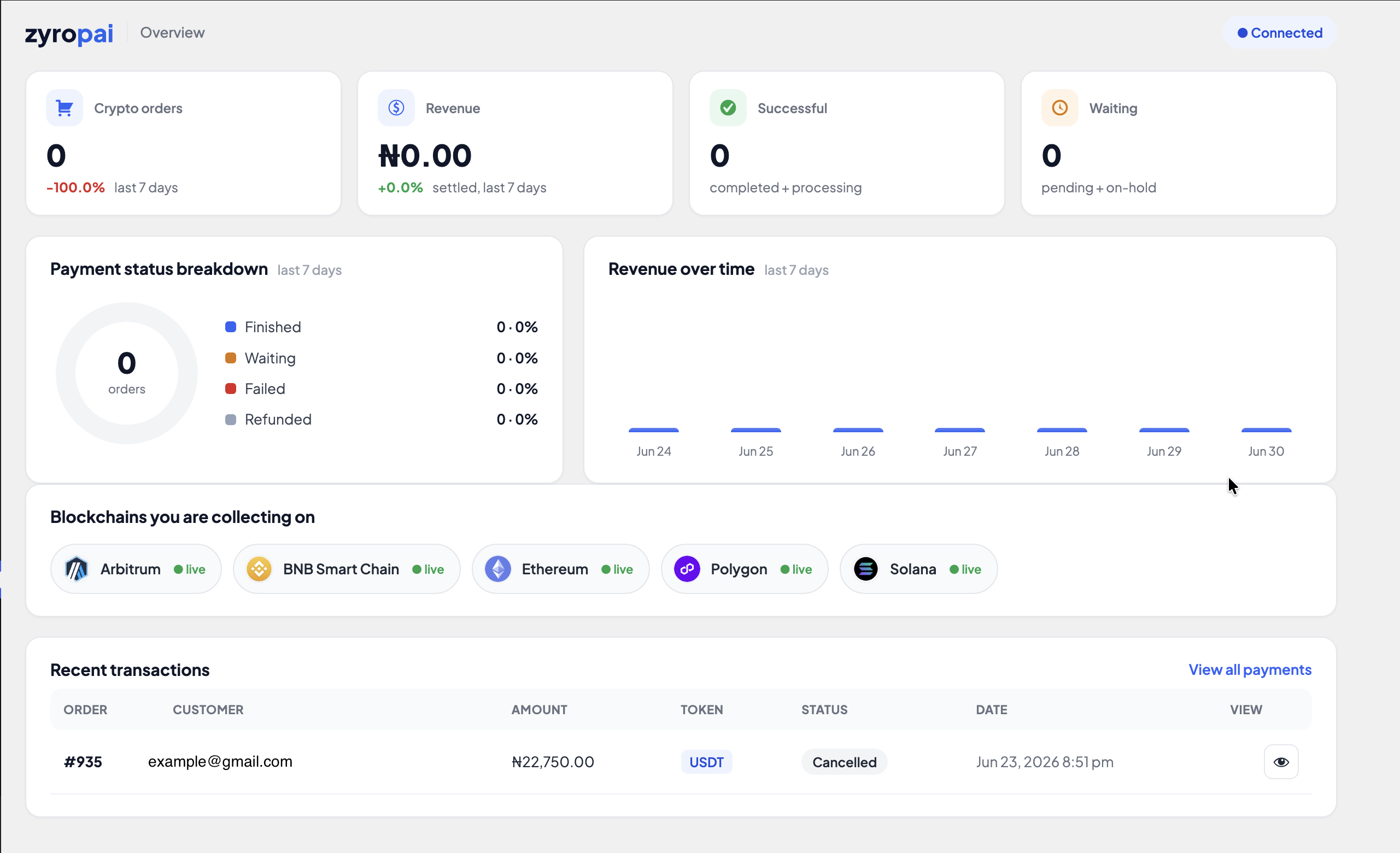
ZyroPAI lets your WooCommerce store accept cryptocurrency that settles straight to a wallet you control — there is no platform balance to withdraw from and no third party holding your funds. One plugin gives you three ways to get paid: store checkout, donations, and an in-person POS terminal.
Why merchants choose ZyroPAI
- Non-custodial. Payments go to an address derived from your own wallet (a custody wallet whose keys you can reveal, or your own external payout wallet).
- Low, simple fees. Payments under $10 are free; payments of $10 or more are charged 0.5%. No setup fees, no monthly fees, and the plugin is free. Standard blockchain network (gas) fees apply, as with any on-chain payment.
- No KYC for you or your customers.
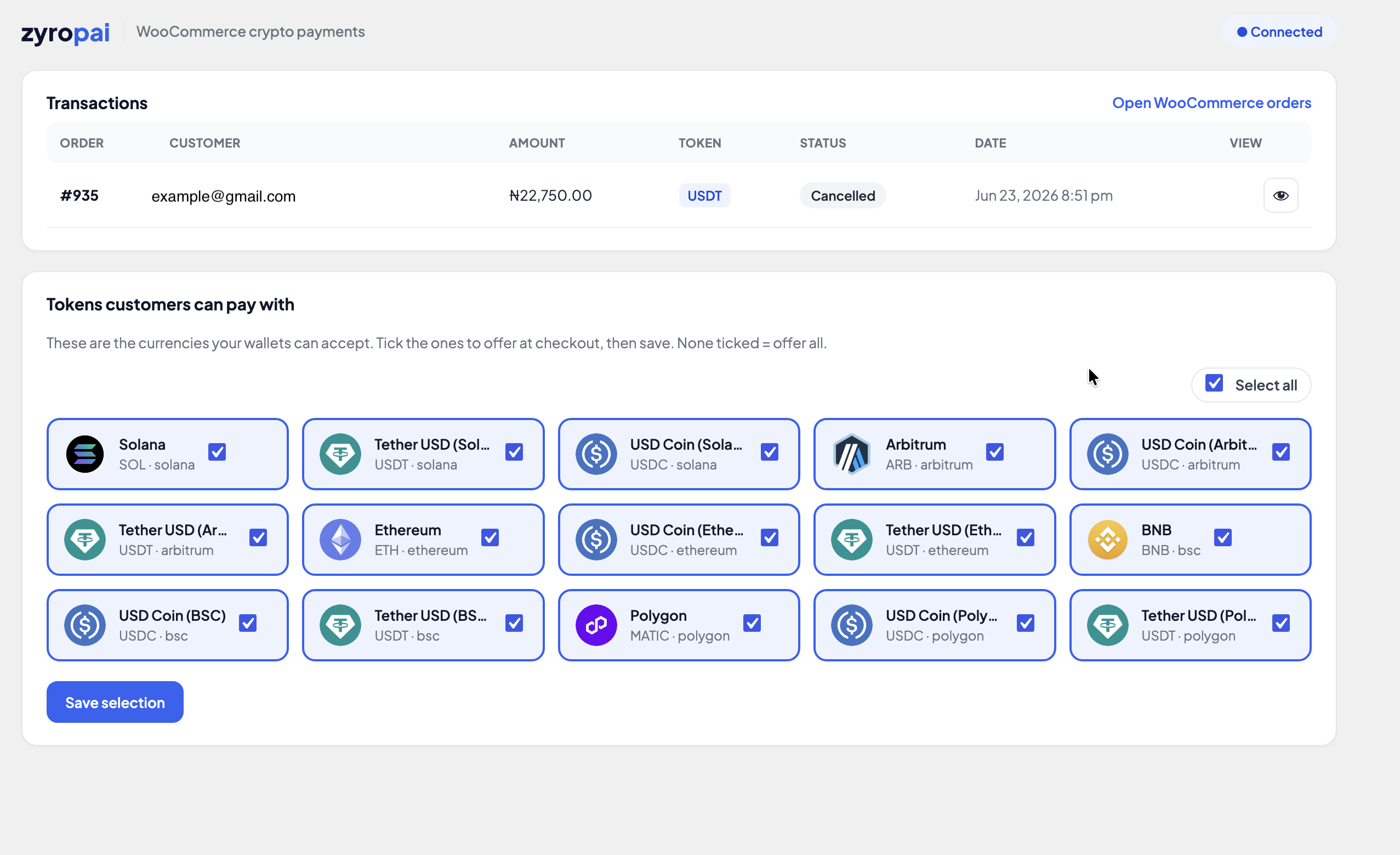
- Multi-chain. Solana, Ethereum, Arbitrum, BNB Smart Chain, and Polygon, with native coins plus USDC and USDT.
- No dead options at checkout. The coin picker only ever shows tokens on chains where you have an active wallet, so a customer can never pay you a coin you cannot settle.
- Orders complete themselves. A signed webhook marks the WooCommerce order paid the moment the blockchain confirms, and a return-page check confirms the order as a safety net.
Donations
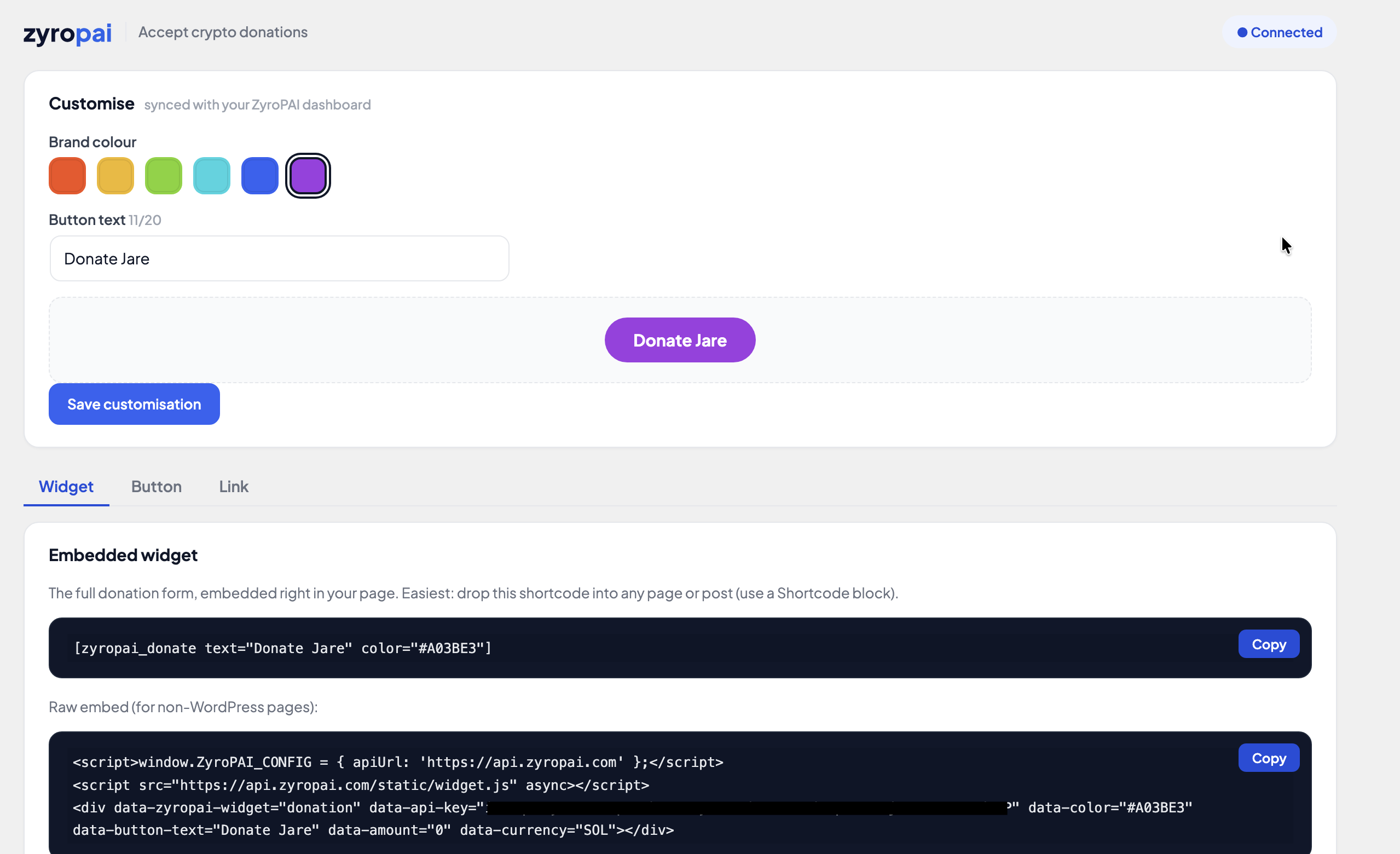
Collect crypto donations three ways, all sharing one look you customise once:
- An embedded widget with a search-as-you-type token picker and live USD rates (
[zyropai_donate]). - A compact donate button in a light or dark style (
[zyropai_donate_button]). - A shareable hosted donation link with its own QR code.
Point of sale
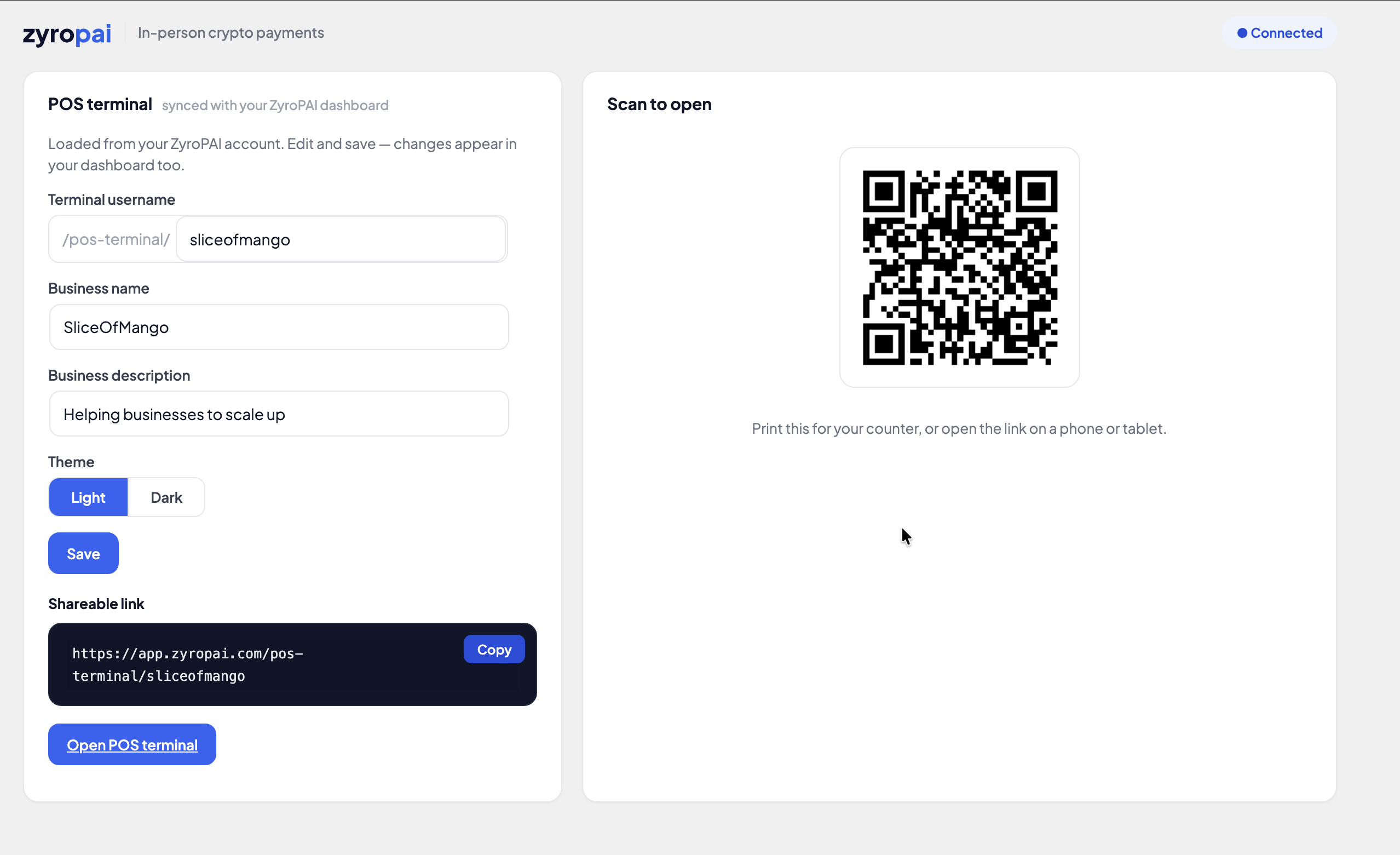
A hosted POS terminal you can open on a phone or tablet to take in-person crypto payments.
External services
This plugin connects to ZyroPAI, an external crypto payment service operated at https://zyropai.com, to create and monitor payments and donations. The plugin will not function without a ZyroPAI account and API credentials, which you enter on the plugin’s settings screen.
What is sent, and when:
- When a customer checks out with ZyroPAI: the order amount, currency, and a generated order/payment reference are sent to
https://api.zyropai.comto create a payment and a hosted invoice page. The plugin then receives a signed webhook (and/or reads payment status) to update the order. - When you configure donations or the POS terminal: your chosen brand colour, button text, donation-link slug, and POS profile (username, business name/description, theme) are sent to
https://api.zyropai.comso they sync with your ZyroPAI account. - When admin screens load: the plugin reads your account’s supported currencies and active wallet networks from
https://api.zyropai.com.
All requests are authenticated with the API key and secret you supply in settings. No payment is processed and no personal data is transmitted unless you have configured the plugin and a customer or admin initiates one of the actions above.
- Terms of Service: https://zyropai.com/legal/terms
- Privacy Policy: https://zyropai.com/legal/privacy
Installation
- In your WordPress admin, go to Plugins → Add New and search for ZyroPAI Crypto Payments, then click Install Now and Activate. (You can also upload
zyropai-payments.zipvia Plugins → Add New → Upload Plugin, or upload thezyropai-paymentsfolder towp-content/plugins/via SFTP, then activate.) - Go to ZyroPAI → Settings and enter your API Base URL (
https://api.zyropai.com), API Key, and API Secret from your ZyroPAI dashboard. - In your ZyroPAI dashboard, add at least one settlement wallet (custody or payout) for each chain you want to accept.
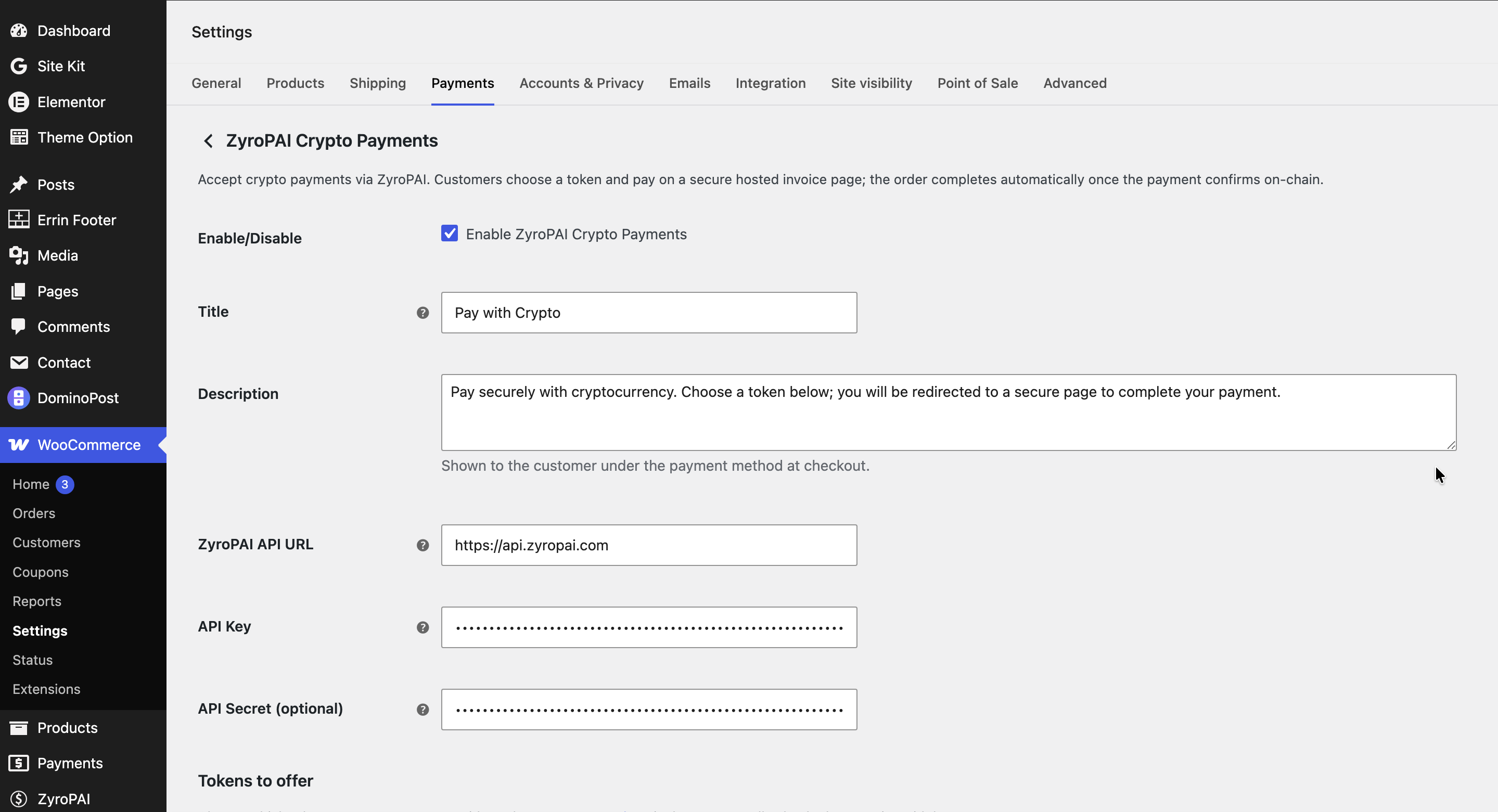
- Go to WooCommerce → Settings → Payments and enable ZyroPAI.
- Orders complete automatically — the plugin registers its own secure webhook per order, so you do not need to set a webhook URL in your ZyroPAI dashboard. Just make sure your store is served over HTTPS and …/wp-json/zyropai/v1/webhook is publicly reachable. (The dashboard webhook URL is only used for donations, POS, or direct API integrations that don’t run through WooCommerce.)
Frequently asked questions
Is ZyroPAI custodial?
No. Funds settle to an address you control — a custody wallet whose keys you can reveal, or your own external payout wallet.
What does it cost?
The plugin is free. Payments under $10 carry no fee; payments of $10 or more are charged 0.5%. There are no setup or monthly fees. Standard blockchain network (gas) fees still apply.
Do I or my customers need to complete KYC?
No.
Which chains and coins are supported?
Solana, Ethereum, Arbitrum, BNB Smart Chain, and Polygon — native coins plus USDC and USDT. You choose which to enable by adding wallets in your ZyroPAI dashboard.
Why are no coins showing at checkout?
You don’t yet have an active wallet for any supported chain. Add a custody or payout wallet in your ZyroPAI dashboard, then reload.
An order is stuck on “pending payment.” What do I check?
Confirm your site is on HTTPS, the path …/wp-json/zyropai/v1/webhook is publicly reachable, and the IPN secret matches between ZyroPAI and the plugin settings. Orders also confirm automatically when the customer returns to the order-received page, so most temporary webhook issues resolve themselves.
Changelog
Fixes webhook confirmation so orders complete reliably in real time. Recommended for all users.
0.2.2
- Fixed: webhook signature verification now works reliably across all hosting configurations, so orders confirm in real time.
- Added: orders also confirm on the return page as a safety net, so a payment completes even if a webhook is delayed or blocked.
0.2.1
- Fixed: payment method not appearing at checkout on some stores.
- Fixed: gateway logo not displaying on the checkout and payment settings screens.
- Housekeeping: corrected internal asset paths so styles, scripts, and images load reliably.
0.2.0
- Searchable token picker in the donation widget, with live USD rates.
- Donation widget now lists only coins on chains where the merchant has an active wallet.
- Donations and POS settings sync with the ZyroPAI account via API-key endpoints.
- Robust clipboard copy with a non-HTTPS fallback; refreshed admin styling.
Screenshots
For developers
Is this your plugin? Show off the numbers.
Add a live badge to your site, docs or GitHub README. It updates on its own — no account needed.
Best ZyroPAI Crypto Payments alternatives
All crypto payments plugins →





FAQ
ZyroPAI Crypto Payments: quick answers
Straight answers, pulled from live WordPress.org data.
Live data from WordPress.org · checked Sep 29, 2026
Is ZyroPAI Crypto Payments free?
Yes. ZyroPAI Crypto Payments is free to download and use from the official WordPress.org plugin directory.
Is ZyroPAI Crypto Payments safe to use in 2026?
ZyroPAI Crypto Payments works, but test it on a staging site before relying on it in 2026. Was last updated 3 months ago, and scores 55/100 on our health check.
How many websites use ZyroPAI Crypto Payments?
ZyroPAI Crypto Payments is active on <10 WordPress websites and has been downloaded 258 times since it launched in June 2026. It was downloaded 61 times in the last 30 days.
Does ZyroPAI Crypto Payments work with WordPress 7.1?
ZyroPAI Crypto Payments is officially tested up to WordPress 7.0.6, while the latest release is 7.1.2. It may still work, but try it on a staging site first.
What PHP version does ZyroPAI Crypto Payments need?
ZyroPAI Crypto Payments requires PHP 7.4 or higher. Most hosts run PHP 8.x today, so it works on any modern WordPress hosting.
When was ZyroPAI Crypto Payments last updated?
The latest version, 0.2.2, was released on July 1, 2026 (3 months ago).
Who makes ZyroPAI Crypto Payments?
ZyroPAI Crypto Payments is developed and maintained by zyropai.
What are the best alternatives to ZyroPAI Crypto Payments?
The most popular alternatives to ZyroPAI Crypto Payments are CryptAPI Payment Gateway fo… (400+ installs), Cryptocurrency Payment Gate… (400+ installs) and OxaPay Crypto Payment Gatew… (200+ installs).
Powered by PageForge
Want thousands of pages that rank like these? Build them in an afternoon.
This directory runs on the same engine as PageForge. Turn any spreadsheet, CSV or API into thousands of fast, SEO-ready WordPress pages — with schema, internal links and AI-written copy baked in.
- CSV, Google Sheets & API data sources
- AI content, schema & internal links per page
- Works with Elementor, Gutenberg, Yoast & Rank Math
- Free on WordPress.org — no credit card


