



SellApp
Accept various payment methods including crypto, paypal, and more.

Consider an alternative
SellApp shows warning signs in 2026 — compare the alternatives below before installing. It runs on 60+ sites and was last updated 1 year ago, and scores 34/100 on our health check.
- Small user base (60+ active installs)
- Very few reviews so far
- No update in over a year
- Only tested up to WordPress 6.8 (latest is 7.1)
How does it stack up?
Side-by-side on installs, updates, ratings & support



Daily downloads
Download spikes usually follow a new release — each site that auto-updates counts as a download.
Rankings
Where SellApp stands todayWordPress.org search rankings
Live position in the plugin search, top 100| Keyword | Position |
|---|---|
| crypto payments | >100 |
| payment gateway | >100 |
| paypal | >100 |
| sellapp | #1 |
| woocommerce | >100 |
Version adoption
Share of active sites per release.
About SellApp
From the official readme · v1.0.0Description
Accept various payment methods including crypto, paypal, and more.
What is SellApp?
SellApp is an eCommerce platform that helps you sell digital goods online. We handle all the difficult parts of selling online, such as fraud prevention, payment processing, product delivery, and much more.
We’re releasing this WooCommerce payment plugin so users of our platform can integrate our payment processing capabilities seamlessly with WooCommerce. Simply install the plugin, set your API key, and you’re good to go!
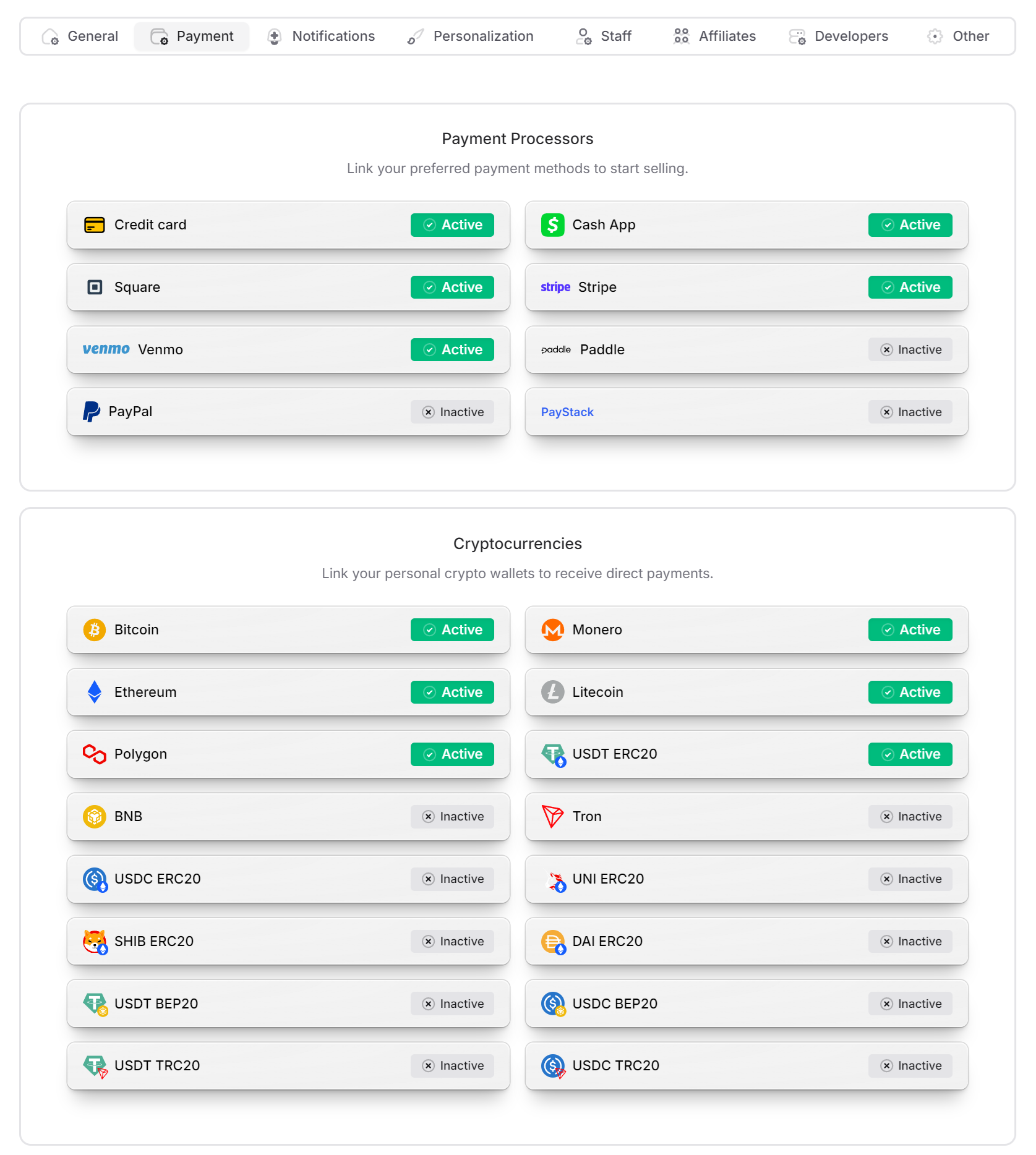
We support a wide variety of payment methods, including a range of cryptocurrencies as well as local payment options. You can configure each payment method via the SellApp dashboard, which instantly reflects on the WooCommerce side too.
Our goal is to help you streamline your sales as much as possible, regardless of which platform you’re using. All of the SellApp checkout functionality you have come to know and love is integrated in this plugin.
This means that you’re also protected from malicious customers and fraudulent purchases. Our advanced detection techniques will help you keep bad customers at bay.
How do I start?
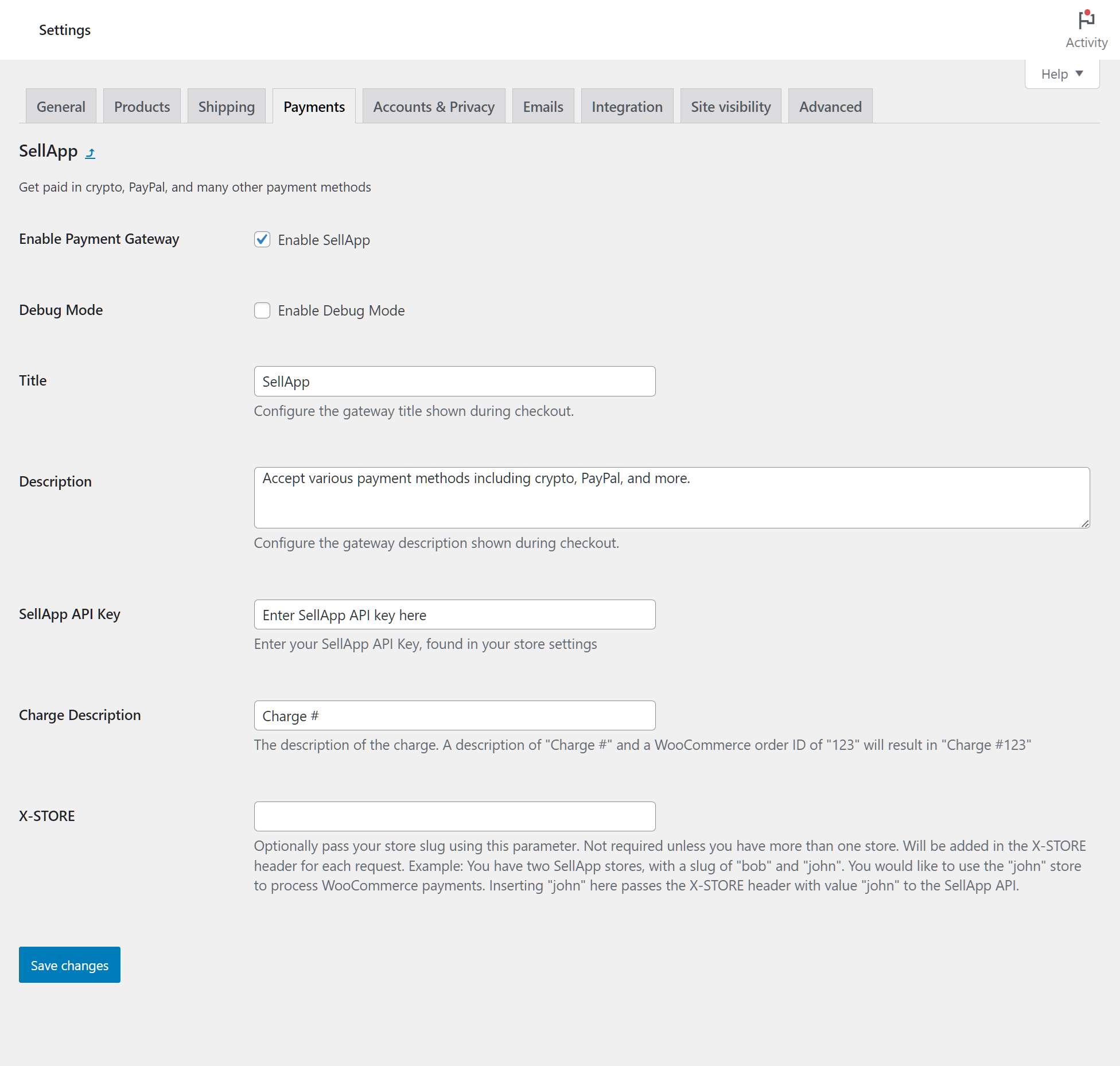
We’ve made the installation process as easy as we can. Simply install this plugin, then proceed to the plugin’s settings and enter your store’s API key and save.
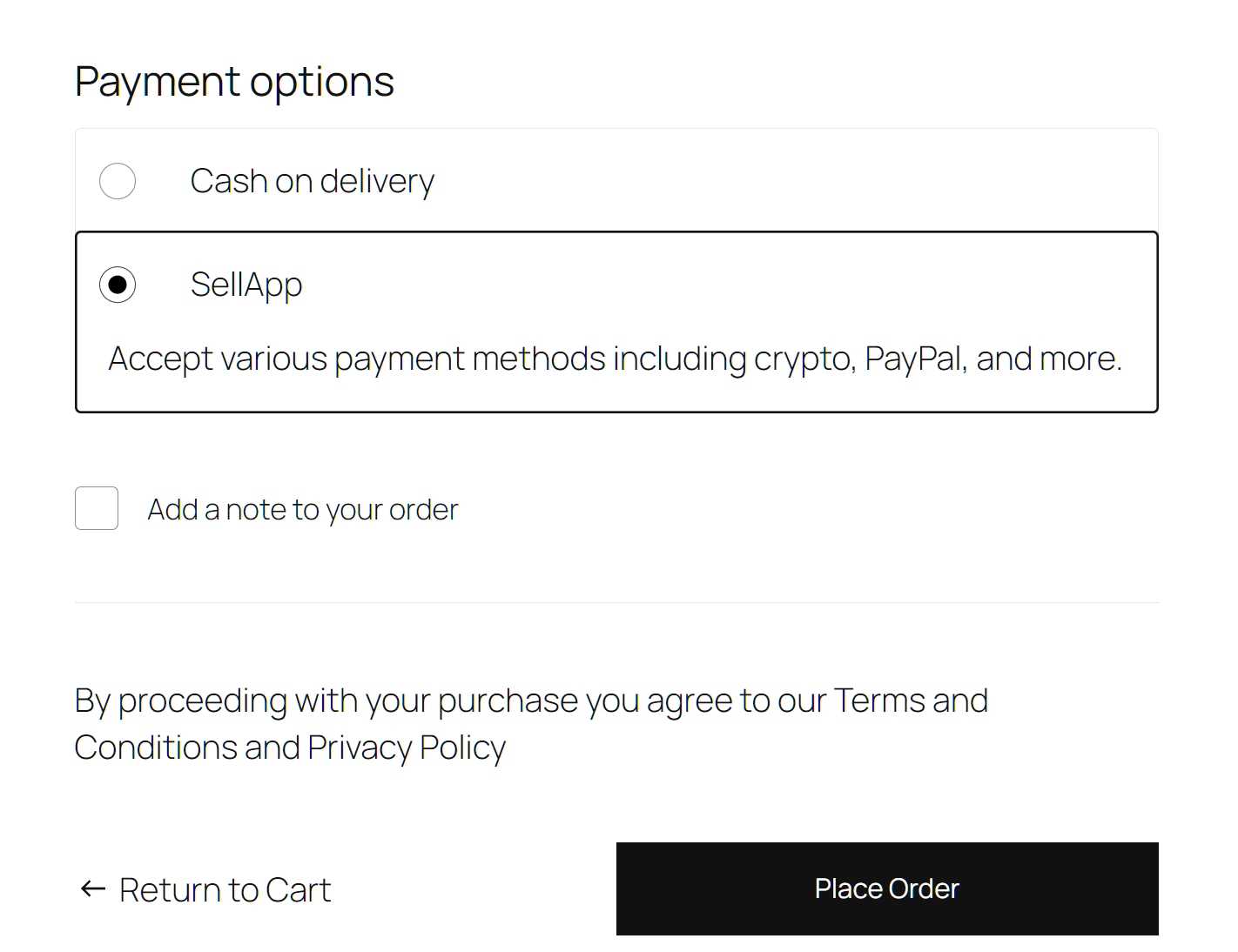
Once the plugin has been enabled and the API key has been set, the SellApp checkout option is then visible to your WooCommerce customers.
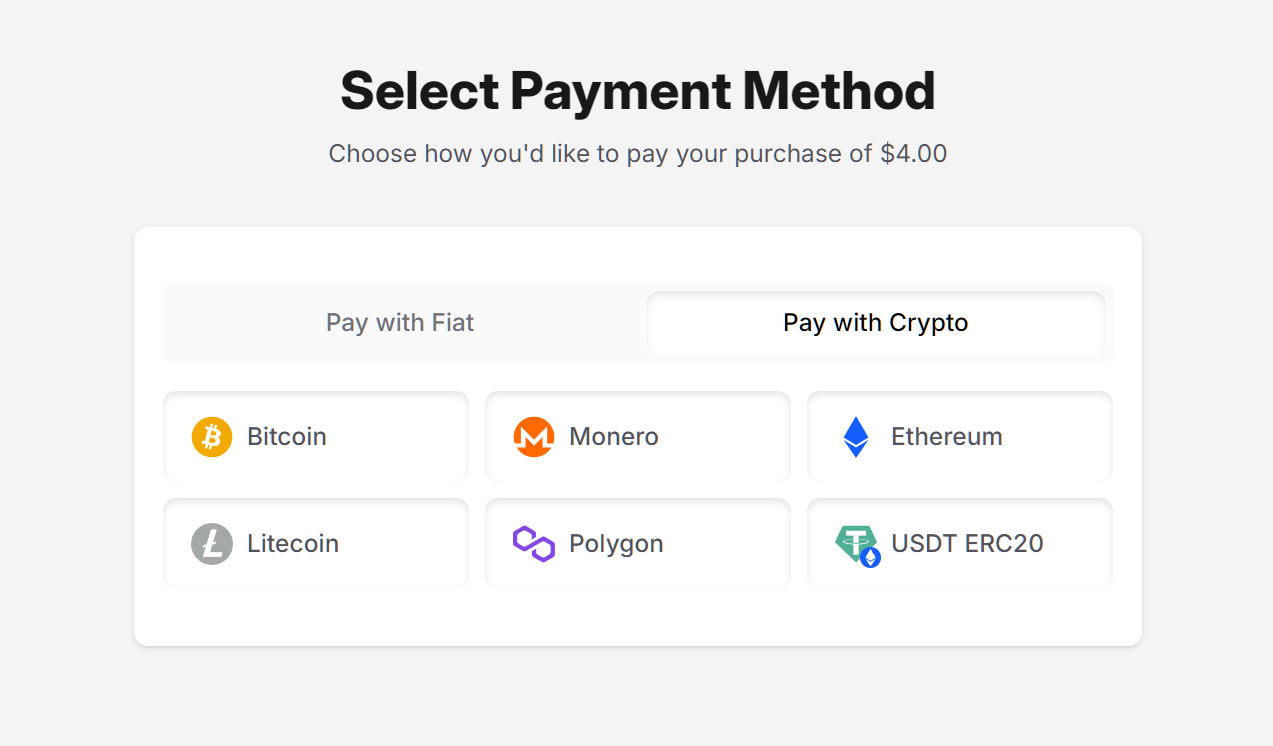
When a customer selects SellApp, they are redirected to our familiar checkout flow which lets them select a payment method of their choosing. As always, these payment methods depend on which ones you’ve configured in your store settings.
Upon completion of the payment, your customer is redirected back to your WooCommerce store and the status of the order is updated accordingly.
Why should I choose SellApp?
SellApp helps you streamline your sales by reducing friction and automating as much of the sales process as possible. If you are looking for a solution that does just this, then you’re at the right place.
External services
This plugin connects to an external API that generates checkout sessions, it’s needed so the customer can be redirected and can make their payment for the product they are purchasing.
It sends the customer’s checkout data every time the customer selects the payment method and clicks to check out. This includes the customer name, email, phone, country, state, and customer ID.
This service is provided by “Toffee, Inc. DBA SellApp”: terms of use, privacy policy.
Installation
- Upload the
sellappfolder you downloaded to your WordPress/wp-content/plugins/directory - Ensure the plugin is activated. Then, go to WooCommerce -> Settings -> Payments and enable SellApp
- Finally, Click on “Manage” and fill the details in the payment settings. Most importantly, make sure to add your API key.
- You’re good to go!
Frequently asked questions
What is SellApp?
SellApp is an eCommerce platform that helps you sell digital goods online. We handle all the difficult parts of selling online, such as fraud prevention, payment processing, product delivery, and much more.
Which payment methods does SellApp offer?
We support a wide variety of payment methods, including more than a dozen crypto options, as well as the majority of regular payment methods such as PayPal and Stripe. For an extensive list of supported payment methods, feel free to take a look here.
How does SellApp prevent fraud?
We utilize a number of techniques to prevent customers from making fraudulent purchases. In addition to our in-house fraud prevention logic, we also offer the ability to blacklist customers based on email, IP, and more.
Screenshots
For developers
Is this your plugin? Show off the numbers.
Add a live badge to your site, docs or GitHub README. It updates on its own — no account needed.
Best SellApp alternatives
All crypto payments plugins →





FAQ
SellApp: quick answers
Straight answers, pulled from live WordPress.org data.
Live data from WordPress.org · checked Sep 29, 2026
Is SellApp free?
Yes. SellApp is free to download and use from the official WordPress.org plugin directory.
Is SellApp safe to use in 2026?
SellApp shows warning signs in 2026 — compare the alternatives below before installing. It runs on 60+ sites and was last updated 1 year ago, and scores 34/100 on our health check.
How many websites use SellApp?
SellApp is active on 60+ WordPress websites and has been downloaded 861 times since it launched in April 2025. It was downloaded 76 times in the last 30 days.
Does SellApp work with WordPress 7.1?
SellApp is officially tested up to WordPress 6.8.10, while the latest release is 7.1.2. It may still work, but try it on a staging site first.
What PHP version does SellApp need?
SellApp requires PHP 7.4 or higher. Most hosts run PHP 8.x today, so it works on any modern WordPress hosting.
When was SellApp last updated?
The latest version, 1.0.0, was released on April 23, 2025 (1 year ago).
Who makes SellApp?
SellApp is developed and maintained by sellapp.
What are the best alternatives to SellApp?
The most popular alternatives to SellApp are CryptAPI Payment Gateway fo… (400+ installs), Cryptocurrency Payment Gate… (400+ installs) and OxaPay Crypto Payment Gatew… (200+ installs).
Powered by PageForge
Want thousands of pages that rank like these? Build them in an afternoon.
This directory runs on the same engine as PageForge. Turn any spreadsheet, CSV or API into thousands of fast, SEO-ready WordPress pages — with schema, internal links and AI-written copy baked in.
- CSV, Google Sheets & API data sources
- AI content, schema & internal links per page
- Works with Elementor, Gutenberg, Yoast & Rank Math
- Free on WordPress.org — no credit card


