


WPMozo Blocks and Addons
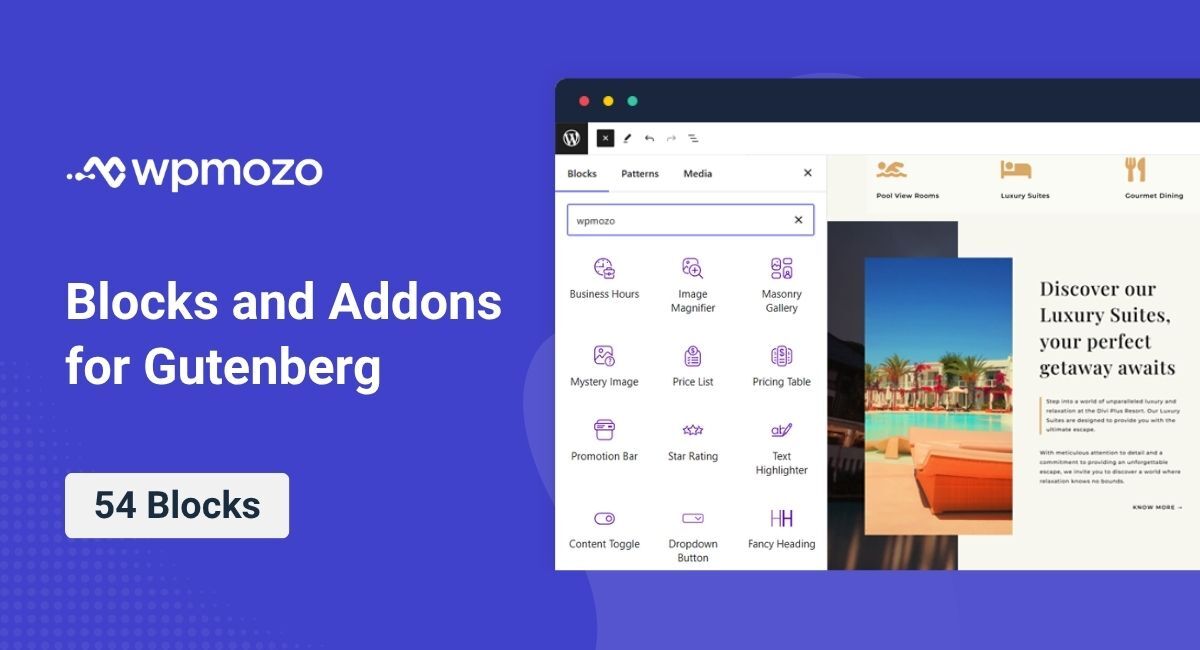
WPMozo Blocks and Addons is a plugin that enhances the Gutenberg editor with a collection of powerful and customizable blocks.

Use with caution
WPMozo Blocks and Addons works, but test it on a staging site before relying on it in 2026. It runs on 80+ sites, is rated 5/5 and was last updated 4 months ago, and scores 49/100 on our health check.
- Small user base (80+ active installs)
- Very few reviews so far
How does it stack up?
Side-by-side on installs, updates, ratings & support



Daily downloads
Download spikes usually follow a new release — each site that auto-updates counts as a download.
Rankings
Where WPMozo Blocks and Addons stands todayWordPress.org search rankings
Live position in the plugin search, top 100| Keyword | Position |
|---|---|
| blocks | >100 |
| gutenberg | >100 |
| gutenberg blocks | >100 |
| gutenberg editor | >100 |
| wordpress blocks | >100 |
Version adoption
Share of active sites per release.
Rating breakdown
★★★★★★★★★★ 5 from 1 reviews
About WPMozo Blocks and Addons
From the official readme · v1.8.0Description
WPMozo Blocks and Addons is a plugin designed to extend the functionality of the Gutenberg editor. It provides a variety of blocks to help you create stunning and interactive content in WordPress effortlessly.
View Demo
Key Features:
- Price List
Display pricing elegantly on your website with the Price List Block. - Text Highlighter
Highlight important text using the Text Highlighter block. - Bar Counter
Highlight progress or achievements with bar counters, allowing you to showcase statistics or milestones effectively on your WordPress site. - Promotion Bar
Highlight announcements, offers, or seasonal deals with the WPMozo Promotion Bar block. Perfect for grabbing user attention and boosting conversions. - Lottie
Show interactive animations with customizable controls, triggers, and responsiveness using the Lottie Block. - Text Animator
Animate your text with various effects to grab attention using the Text Animator Block. - Scroll Image
Showcase images with a smooth scrolling effect using the Scroll Image Block. - Image Magnifier
Enable users to zoom in on images for a closer look, enhancing the viewing experience for visuals on your WordPress website. - Masonry Gallery
Craft beautiful masonry galleries with the WPMozo Blocks and Addons, offering intuitive features without the need for CSS. Customize number of columns, lightbox functionality, optimized image gaps, and enhanced visibility for an appealing showcase. - Mystery Image
Show one random image from a number of images on you WordPress website whenever the page is refreshed using the WPMozo Mystery Image block. - Testimonial Slider
Show testimonials with amazing sliders on your WordPress website in style and make an impression on you users with the Testimonial Slider Block. - Image Stack
Display images or icons side by side with the Image Stack block. This lightweight block adds hover effects, tooltips, and full customization for size, spacing, alignment, and colors—making your image stack interactive and engaging. - Pricing Table
Build organized and customizable pricing tables on your WordPress site with the Pricing Table block. Add headings, subtitles, icons or images, pricing period, multiple items, and a CTA with ease. - Star Rating
Add star ratings to your WordPress site with Star Rating block. Showcase a review title, image, and content in one complete block, optimized with Star-rating Schema for rich snippets in search results—helping you attract more traffic. - Image Card
The Image Card block lets you showcase images with a title, icon, and CTA. Simple to use, fully customizable, and designed to boost engagement with creative freedom. - Before After Slider
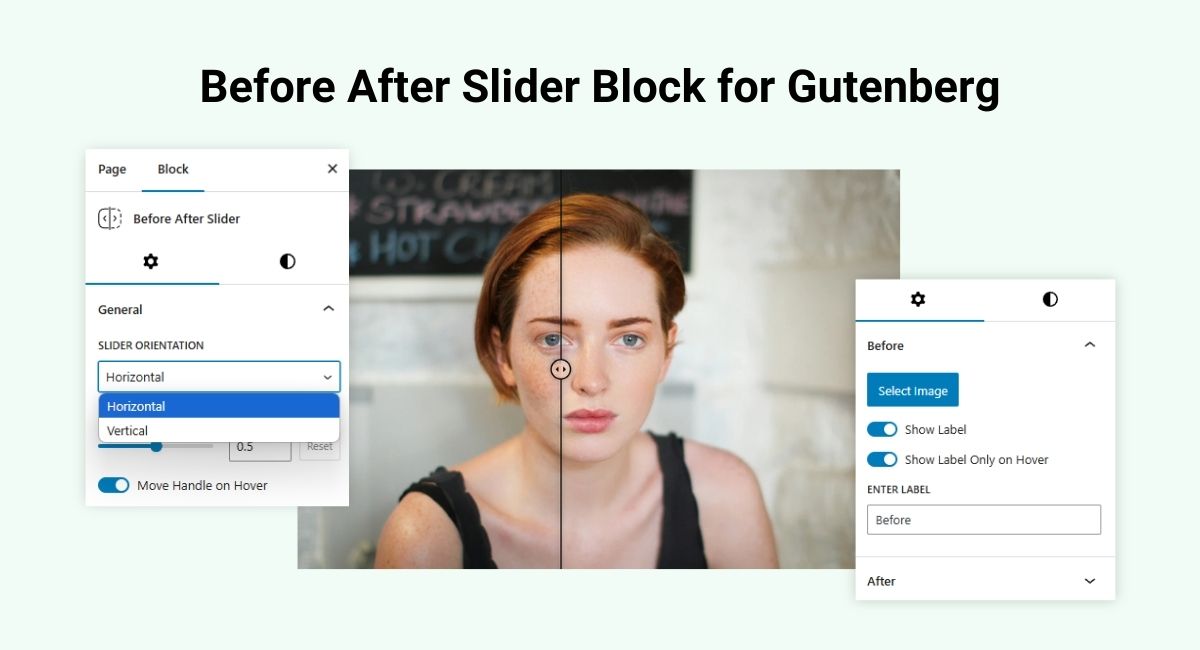
Create stunning before-and-after comparisons with a sleek, responsive slider. Perfect for showcasing transformations, this WordPress before-and-after slider is ideal for websites using Gutenberg. Easily compare images side by side with smooth transitions, making it a must-have for portfolios, product showcases, and more. Fully customizable for any theme. - Content Toggle
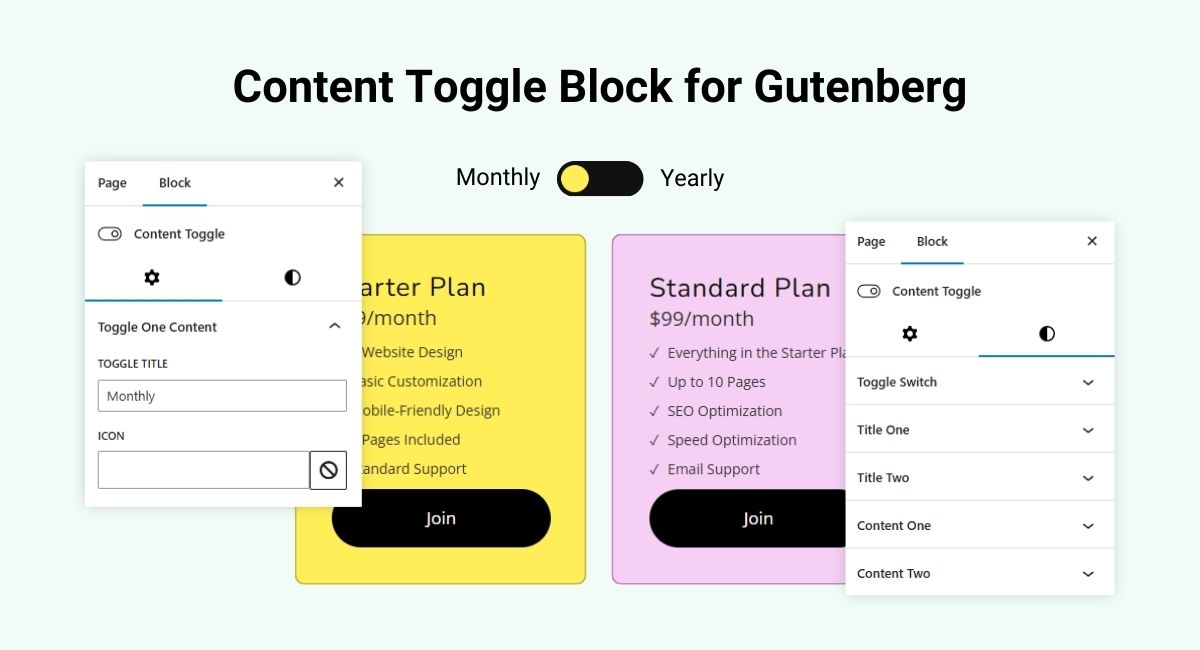
Organize content with collapsible sections using the Content Toggle block. Ideal for FAQs, product details, or lengthy content, this feature enhances readability and user experience. - Fancy Heading
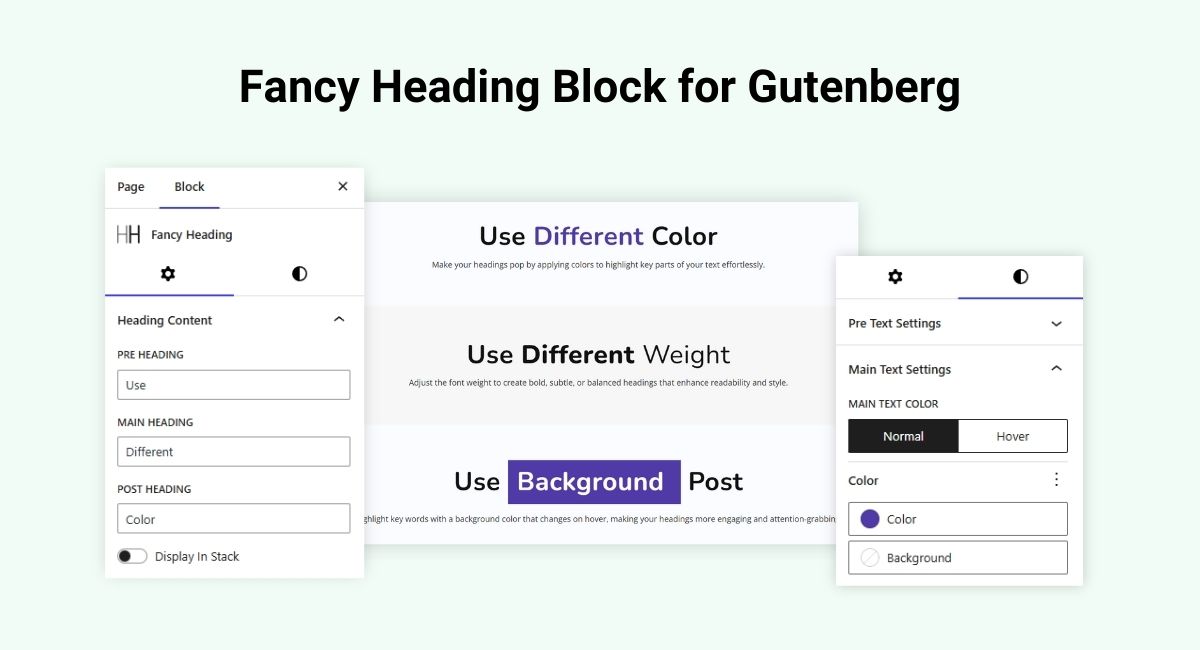
Craft visually striking headings with the Fancy Heading block. Combine pre-headings, main headings, and sub-headings using custom fonts, vibrant colors, and animation effects. Perfect for creating bold section titles that draw attention and elevate your content presentation. - Fancy Text
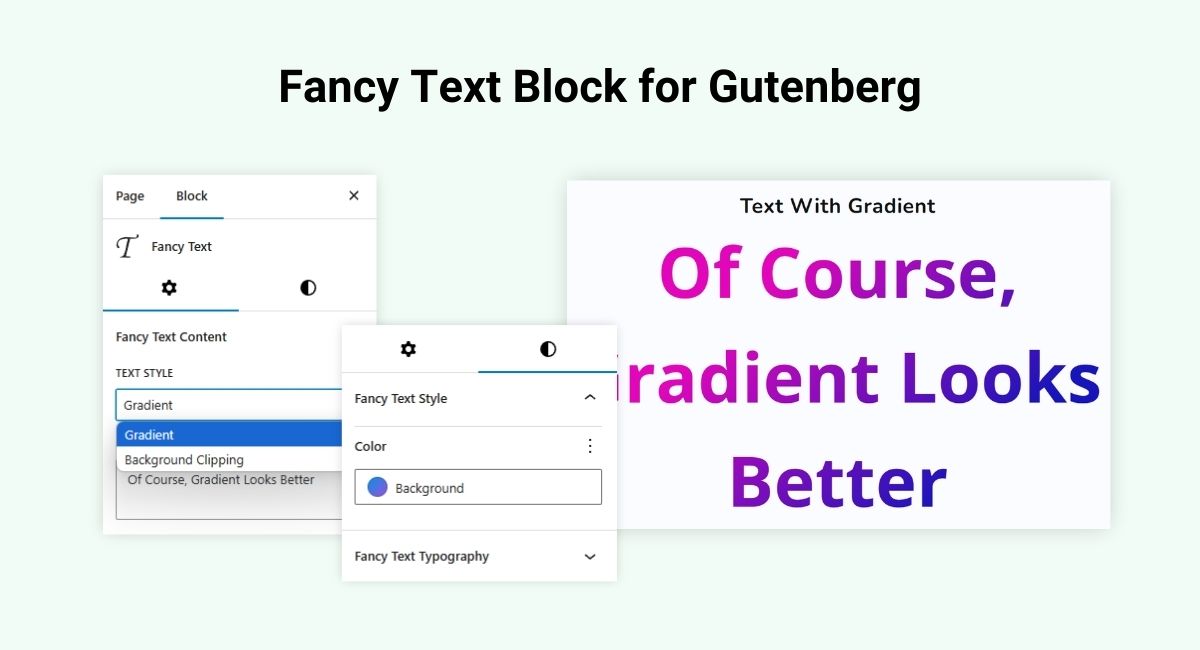
Add engaging animated text with the Fancy Text block. Create typewriter effects, text transitions, and gradient highlights to bring dynamic flair to your content. Ideal for call-to-actions, hero sections, or key messages that need to stand out. - Flip Box
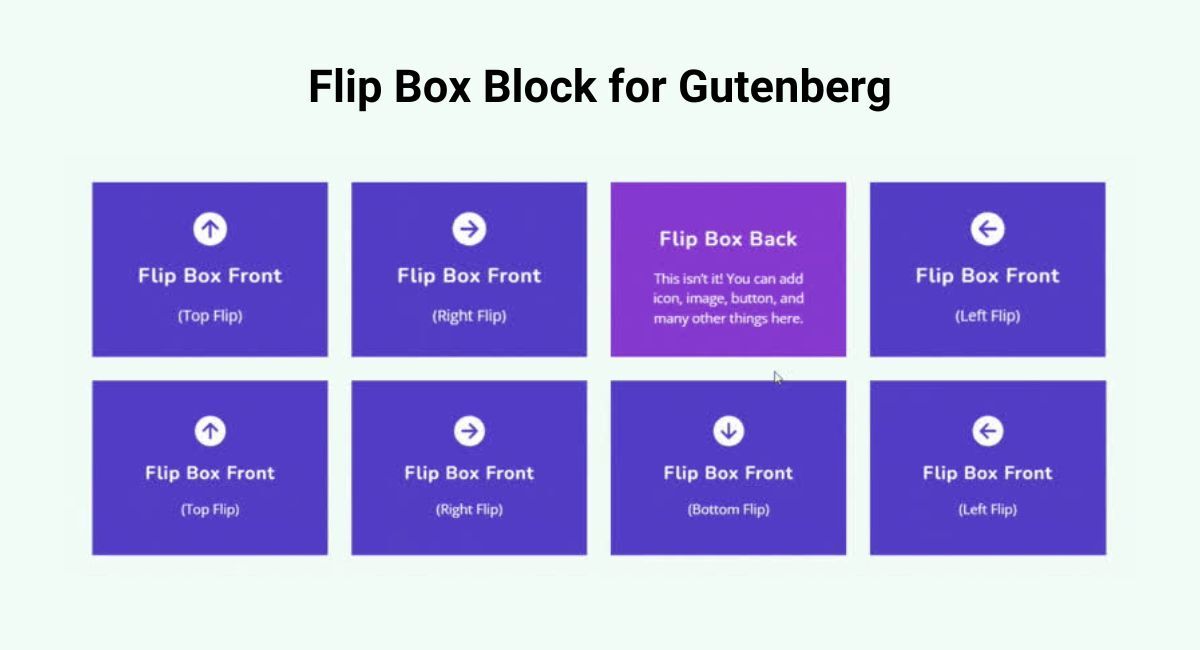
Add interactive, double-sided boxes with the Flip Box block. Showcase content or images on both sides with a smooth flip animation. Great for portfolios, service highlights, team member cards, or promotional sections with visual appeal. - Floating Image
Make images come alive with subtle floating animations. The Floating Image block adds motion effects that capture attention and bring a modern, interactive feel to your visuals—perfect for creative and tech-forward sites. - Interactive Image Card
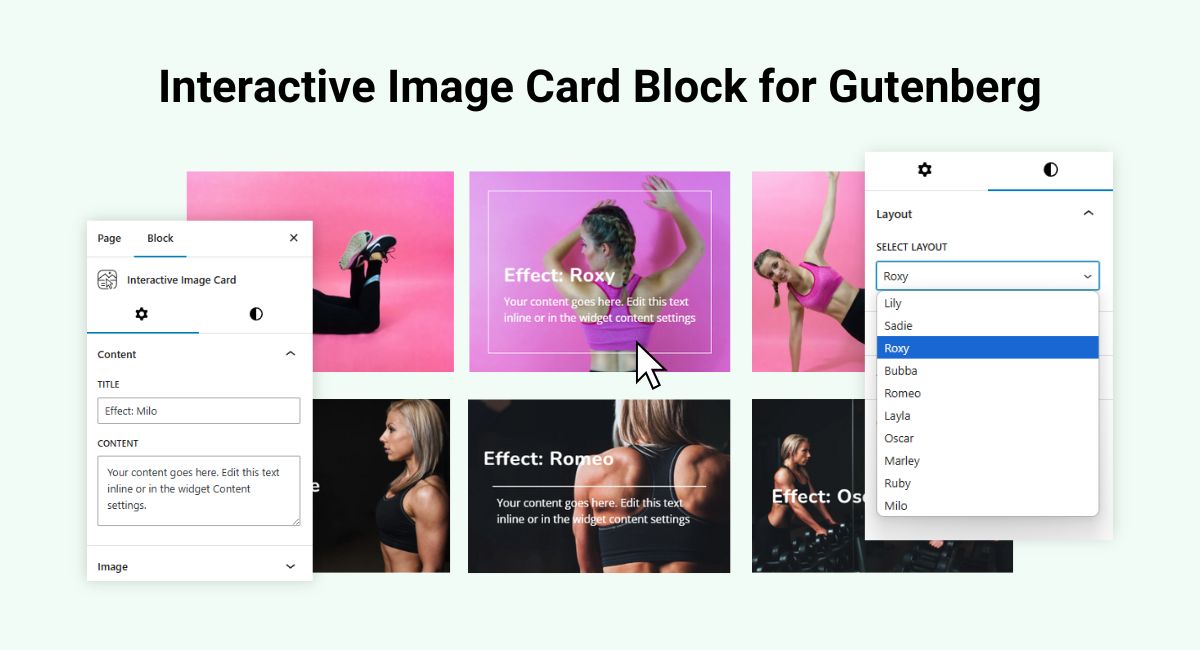
Display images with interactive overlays, hover effects, and call-to-action buttons using the Interactive Image Card block. Ideal for showcasing products, projects, or team members with engaging and clickable visuals. - List
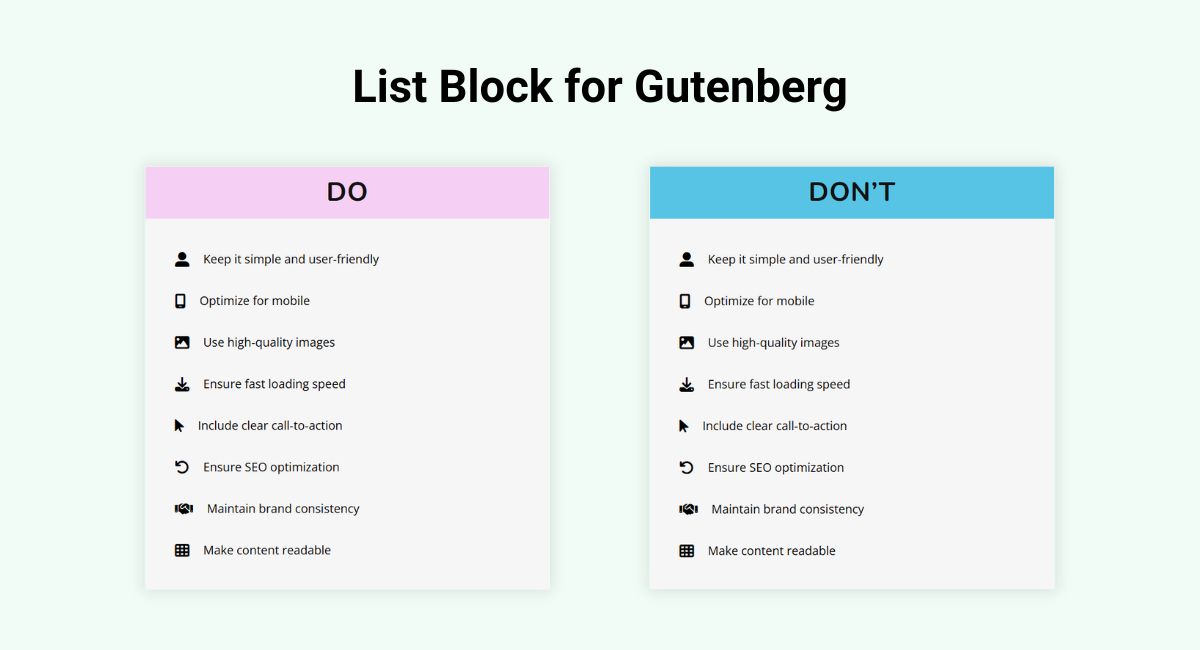
Design beautiful and customizable lists with icons, numbers, or symbols using the List block. With advanced styling options, it’s perfect for feature lists, step-by-step guides, or comparisons that match your brand’s design. - Logo Slider
Showcase brand partners, clients, or sponsors with the responsive Logo Slider block. Smooth transitions, autoplay options, and full styling control make it a perfect addition to testimonial sections or partner pages. - Separator
Add elegant visual dividers between sections with the Separator block. Choose from lines, icons, or custom shapes to enhance layout clarity and create a professional design flow. - Tilt Image
Add 3D tilt effects to your images for a subtle yet interactive user experience. The Tilt Image block enhances visual depth and engagement, making it great for modern design portfolios or creative websites. - Advanced Button
Add enhanced functionality and styling options to buttons, including hover effects, animations, and customization with Advanced Button widget. - Rotating Text
Highlight key words or phrases with smooth rotating effects using the WPMozo Rotating Text block for perfect for drawing attention and boosting engagement. - Business Hours
Showcase your business’s opening hours clearly and attractively with the Business Hours Block. This block lets you display dates, weekday names, and customize the design to keep your visitors informed and engaged. - Dropdown Button
Display hidden links or content in a compact and user-friendly way with the WPMozo Dropdown Button block, perfect for navigation menus, quick actions, or additional options without cluttering the layout. - Scroll Text
Add animated scrolling text to your WordPress site with the WPMozo Scroll Text block for perfect for highlighting important messages with smooth scroll effects. - Image Hover Effect
Add stylish visual appeal to your website with interactive hover animations using the WPMozo Image Hover Effect block, ideal for highlighting images with elegant effects and smooth transitions. - Image Accordion
Display content on your images with elegant accordion image sliders – vertical and horizontal ones. It enables you to turn simple images into stylish one and show content on them when users hover or click on them. - Facebook Embedded Video
Embed Facebook videos directly into your website with customizable controls and responsive design using the Facebook Embedded Video Block. - Facebook Like
Add a Facebook Like button to your website, allowing users to like your content directly from your page. - Facebook Share
Integrate Facebook Comments into your website with the Facebook Comments Block enabling users to comment on your content using their Facebook accounts. - Facebook Comments
Integrate Facebook Comments into your website with the Facebook Comments block enabling users to comment on your content using their Facebook accounts. - Twitter Embedded Tweet
Embed your Tweets an show than on your wibsite pages with a number of customization options with the Twitter Embedded Tweet Block. - Twitter Share Button
Make users share post on their accounts containing your content right from your website page with the Twitter Share Button Block. - Twitter Follow Button
Use the Twitter Follow Button Block to make users follow you on your twitter account right from your website page. - Image Card Ticker
The Image Card Ticker block is perfect for showcasing brand logos, event snapshots, or any image-based content in a continuous scrolling format. - Background Switcher
Display content on your WordPress website with various background in a single block be it image, color or gradient using the WPMozo Background Switcher block. - Scrolling Zoom Gallery
WPMozo Background Switcher Block adds an engaging way to showcase content by changing background images based on user interaction. - Blog Timeline
Showcase your blogs in a stylish and user friendly timline and make your WordPress website stunning with the Blog Timeline Block. - Advanced Tooltip
Enhance user interaction on your website with dynamic hover content using WPMozo Advanced Tooltip block for Gutenberg, perfect for showcasing extra information in a sleek and modern way. - Horizontal Scrolling Posts
Showcase your blog posts in a unique horizontal layout using WPMozo Horizontal Scrolling Posts block for Gutenberg. - Team Slider
Showcase team members or staff in an amazing slider using WPMozo Team Slider block for Gutenberg, Perfect for introducing your team or personnel on your website. - Scroll Stack Cards
Add movement and storytelling to your website using WPMozo Scroll Stack Cards block for Gutenberg. - Hover List
Create interactive list sections with a title, subtitle, description, icon, and button. On hover, each row displays a background image using WPMozo Hover List block for Gutenberg. - Split Image
WPMozo Split Image block breaks an image into a customizable grid of square pieces, allowing unique and artistic presentations for your site. - Breadcrumbs
WPMozo Breadcrumbs block enables both users and search crawlers to easily explore different pages of the site. - Posts Ticker
WPMozo Posts Ticker block displays dynamic post titles in a fully customizable ticker bar, making it ideal for highlighting the latest news, updates, or featured blog posts. - Wavy Gallery
WPMozo Wavy Gallery block adds a unique horizontal wave animation to your image gallery, perfect for showcasing portfolios, creative projects, and visual stories. - Call To Action
WPMozo Call To Action block adds a custom title, description and button..
This plugin is fully compatible with Gutenberg and WordPress block editor, ensuring seamless integration with your website.
Related Plugins
- WPMozo Product Grid for WooCommerce – Gutenberg block plugin to display WooCommerce products grid.
- WPMozo Product Carousel for WooCommerce – Gutenberg block plugin to display WooCommerce products carousel.
- WPMozo Addons Lite for Elementor – 30+ widgets for Elementor page builder.
Third Party Code Credits
Images Loaded
- File Location: assets/js/imagesLoaded/imagesloaded.pkgd.js
- License: MIT
- License URI: https://desandro.mit-license.org/
Event Move
- File Location: assets/js/jqueryEventMove/jquery_event_move.js
- License: WTFPL
- License URI: https://plugins.jquery.com/event.move/ http://www.wtfpl.net/txt/copying/
Twenty Twenty
- File Location: assets/js/jqueryTwentyTwenty/jquery_twentytwenty.js
- File Location: assets/css/twentytwenty/twentytwenty.css
- License: ISC License
- License URI: https://www.isc.org/licenses/
Swiper
- File Location: assets/js/swiper/swiper-bundle.js
- File Location: assets/css/swiper/swiper-bundle.css
- License: MIT
- License URI: https://opensource.org/licenses/MIT
Tilt js
- File Location: assets/js/tilt/tilt-jquery.js
- License: MIT
- License URI: https://opensource.org/licenses/MIT
Documentation and Support
- For detailed usage instructions, check out the plugin documentation.
- Need help or have questions? Visit the plugin support forum.
Like our Plugin?
Do you like our plugin?
– Connect with us on Facebook!
– Follow us on Twitter!
– Join our YouTube channel.
– Rate us on WordPress.
Installation
Minimum Requirements
- PHP 7.0 or higher (PHP 7.3+ recommended).
- MySQL 5.6 or higher, or MariaDB 10.1 or higher.
- WordPress 6.4 or higher.
Automatic Installation
- Log in to your WordPress Dashboard.
- Go to Plugins > Add New.
- Search for “WPMozo Blocks and Addons.”
- Click “Install Now” and then activate the plugin.
Manual Installation
- Download the plugin zip file.
- Upload the extracted folder to the
/wp-content/plugins/directory. - Activate the plugin through the Plugins menu in WordPress.
Frequently asked questions
How do I install WPMozo Blocks and Addons?
Log in to your WordPress Dashboard. Go to Plugins > Add New. Search for “WPMozo Blocks and Addons.” Click “Install Now” and then activate the plugin.
Can I customize the blocks?
Yes, each block comes with a wide range of customization options to match your design needs.
Where can I get support?
For support, visit the plugin support forum.
Changelog
Initial release of the plugin.
2026-06-05 – Version 1.8.0
* New: Call To Action Block.
* New: Admin Panel to manage blocks enable or disable.
* Fixed: Alignment issue in post ticker
* Fixed: Wavy gallery images not updated on special cases.
2025-12-17 – Version 1.7.0
* New: Breadcrumbs Block.
* New: Post Ticker Block.
* New: Wavy Gallery Block.
2025-12-05 – Version 1.6.1
* Fixed: Conflict with third party plugin.
2025-11-11 – Version 1.6.0
* New: Horizontal Scrolling Posts Block.
* New: Team Slider Block.
* New: Scroll Stack Cards Block.
* New: Hover List Block.
* New: Split Image Block.
2025-10-13 – Version 1.5.0
* New: Image Card Ticker Block.
* New: Background Switcher Block.
* New: Scrolling Zoom Gallery Block.
* New: Blog Timeline Block.
* New: Advanced Tooltip Block.
2025-10-01 – Version 1.4.0
* New: Image Accordion Block.
* New: Facebook Embedded Video Block.
* New: Facebook Like Block.
* New: Facebook Share Block.
* New: Facebook Comments Block.
* New: Twitter Embedded Tweet Block.
* New: Twitter Share Button Block.
* New: Twitter Follow Button Block.
2025-09-19 – Version 1.3.0
* New: Advanced Button Block.
* New: Rotating Text Block.
* New: Business Hours Block.
* New: Dropdown Button Block.
* New: Scroll Text Block.
* New: Image Hover Effect Block.
2025-09-05 – Version 1.2.0
* New: Price List Block.
* New: Text Highlighter Block.
* New: Bar Counter Block.
* New: Promotion Bar Block.
* New: Lottie Block.
* New: Text Animator Block.
* New: Scroll Image Block.
* New: Image Magnifier Block.
2025-08-28 – Version 1.1.0
* New: Image Card Block.
* New: Star Rating Block.
* New: Pricing Table Block.
* New: Image Stack Block.
* New: Testimonial Slider Block.
* New: Mystery Image Block.
* New: Masonry Gallery Block.
* IMPROVEMENT: All modules updated the settings side panel with a better UI to make it user-friendly.
2025-04-02 – Version 1.0.0
* New – Initial release with 11 blocks
* New – Before After Slider block
* New – Content Toggle block
* New – Fancy Heading block
* New – Fancy Text block
* New – Flip Box block
* New – Floating Image block
* New – Interactive Image Card block
* New – List block
* New – Logo Slider block
* New – Separator block
* New – Tilt Image block
Screenshots

For developers
Is this your plugin? Show off the numbers.
Add a live badge to your site, docs or GitHub README. It updates on its own — no account needed.
Best WPMozo Blocks and Addons alternatives
All blocks plugins →





FAQ
WPMozo Blocks and Addons: quick answers
Straight answers, pulled from live WordPress.org data.
Live data from WordPress.org · checked Sep 28, 2026
Is WPMozo Blocks and Addons free?
Yes. WPMozo Blocks and Addons is free to download and use from the official WordPress.org plugin directory.
Is WPMozo Blocks and Addons safe to use in 2026?
WPMozo Blocks and Addons works, but test it on a staging site before relying on it in 2026. It runs on 80+ sites, is rated 5/5 and was last updated 4 months ago, and scores 49/100 on our health check.
How many websites use WPMozo Blocks and Addons?
WPMozo Blocks and Addons is active on 80+ WordPress websites and has been downloaded 2,050 times since it launched in April 2025. It was downloaded 119 times in the last 30 days.
Does WPMozo Blocks and Addons work with WordPress 7.1?
WPMozo Blocks and Addons is officially tested up to WordPress 7.0.6, while the latest release is 7.1.2. It may still work, but try it on a staging site first.
What PHP version does WPMozo Blocks and Addons need?
WPMozo Blocks and Addons requires PHP 7.3 or higher. Most hosts run PHP 8.x today, so it works on any modern WordPress hosting.
When was WPMozo Blocks and Addons last updated?
The latest version, 1.8.0, was released on June 5, 2026 (4 months ago).
Who makes WPMozo Blocks and Addons?
WPMozo Blocks and Addons is developed and maintained by Elicus.
What are the best alternatives to WPMozo Blocks and Addons?
The most popular alternatives to WPMozo Blocks and Addons are Spectra Legacy (1M+ installs), Kadence Blocks (600K+ installs) and Extendify (500K+ installs).
Powered by PageForge
Want thousands of pages that rank like these? Build them in an afternoon.
This directory runs on the same engine as PageForge. Turn any spreadsheet, CSV or API into thousands of fast, SEO-ready WordPress pages — with schema, internal links and AI-written copy baked in.
- CSV, Google Sheets & API data sources
- AI content, schema & internal links per page
- Works with Elementor, Gutenberg, Yoast & Rank Math
- Free on WordPress.org — no credit card


