



WPIDE – File Manager & Code Editor
WPIDE is a powerful file manager and code editor for WordPress with tabs, code completion, and full access to the entire wp-content folder.

Solid choice
WPIDE is a solid plugin choice in 2026, with a few things worth checking first. It runs on 40K+ sites, is rated 4.8/5 and was last updated 2 weeks ago, and scores 67/100 on our health check.
- Proven at scale on 40K+ active sites
- Loved by users — 4.8/5 from 304 reviews
- Actively developed — last update 2 weeks ago
- Momentum — downloads up 33.5% vs the previous 30 days
- Only tested up to WordPress 6.9 (latest is 7.1)
How does it stack up?
Side-by-side on installs, updates, ratings & support



Daily downloads
Download spikes usually follow a new release — each site that auto-updates counts as a download.
Rankings
Where WPIDE stands todayWordPress.org search rankings
Live position in the plugin search, top 100| Keyword | Position |
|---|---|
| code editor | #7 |
| file editor | #10 |
| file manager | #15 |
| plugin editor | #31 |
| theme editor | #21 |
Version adoption
Share of active sites per release.
Rating breakdown
★★★★★★★★★★ 4.8 from 304 reviews
About WPIDE – File Manager & Code Editor
From the official readme · v3.5.9Description
WPIDE is an Advanced File Manager and Code Editor plugin for WordPress that you can use completely for free.
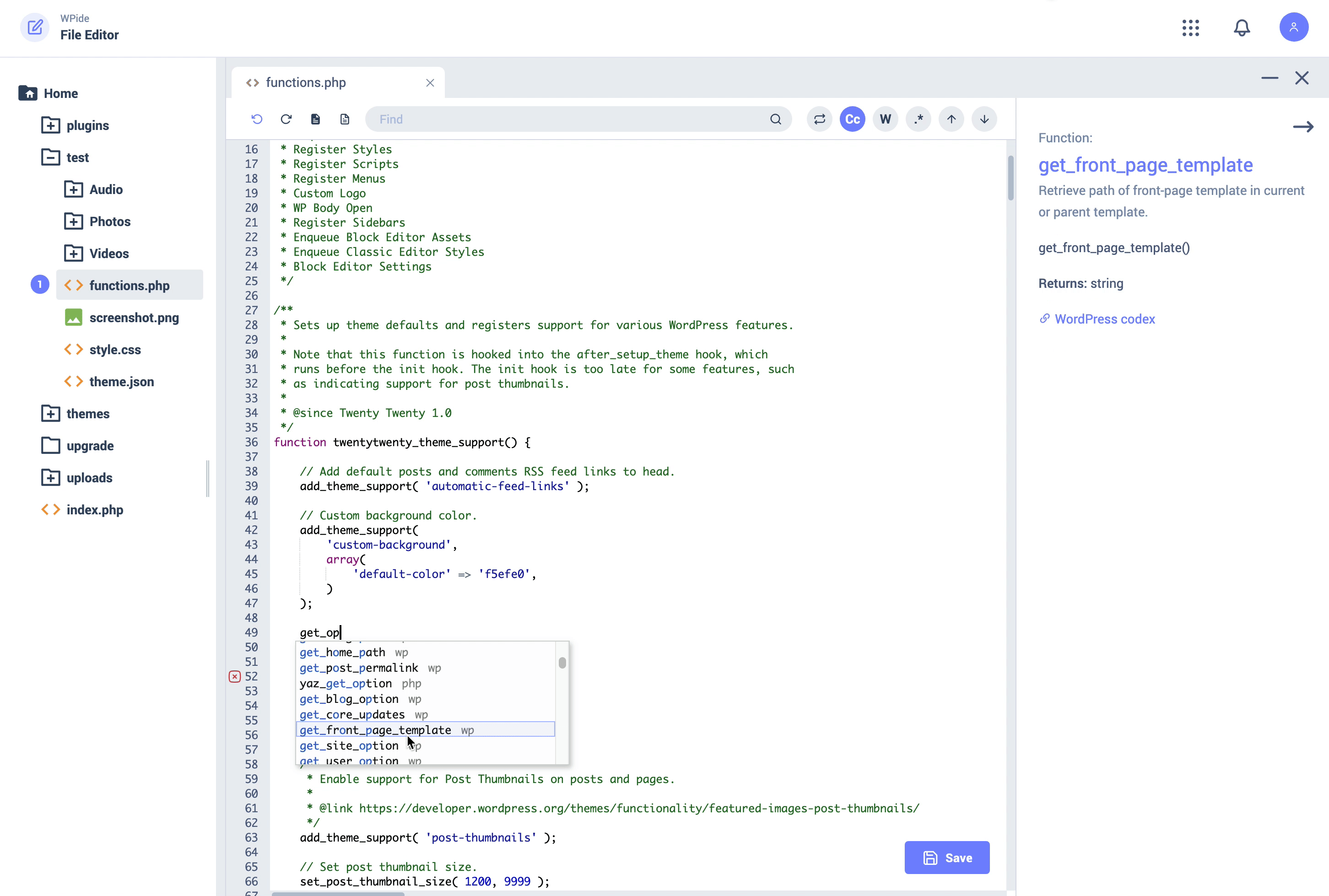
The Code Editor lets you edit any file within your wp-content folder, not just plugins and themes.
The included code completion will help you remember your WordPress/PHP commands providing function reference along the way. Edit multiple files with the tabbed editor.
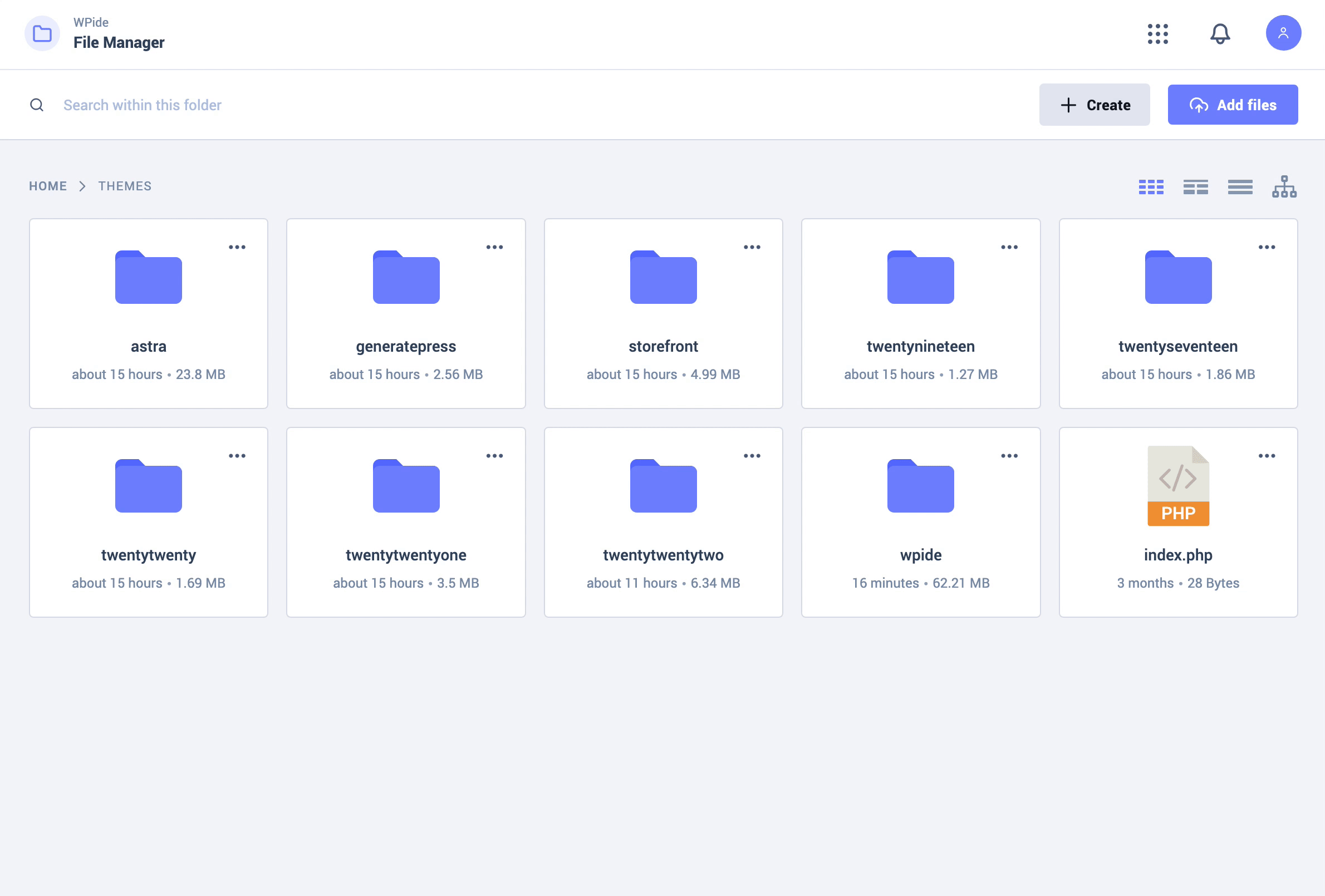
The File Manager lets you copy, move, duplicate, create archives, download, upload, edit, delete, preview files & directories without FTP or cPanel access.
WPIDE uses a very modern, clean and easy to use interface to make managing and editing your files a breeze! It comes with 6 different themes and a dark mode to reduce blue light exposure.
Did you know?
More than 700,000 WordPress websites were attacked during September 2020.
Malicious bots are looking to exploit vulnerable versions of WP file manager plugins.
Fortunately, WPIDE is built with security in mind and comes with this vulnerability fixed! So rest assured! WPIDE poses no risk to you!
▶️ VIDEO OVERVIEW
https://www.youtube.com/watch?v=wF0PUz8wfRM
⚡️ FEATURES
- Advanced File Manager
- File Tree Browser
- Smart context menu
- Customizable Root Path
- Create new files and directories
- Download files / folders (Batch support)
- Upload files / folders using drag n drop (Batch support)
- Zip / Unzip files and folders (Batch support)
- Deep search for files / folders by keyword
- Calculate folder size
- Advanced File Editor
- Editor Line numbers
- Editor Find + Replace
- Editor Syntax highlighting
- Editor Highlight Matching Parentheses
- Editor Automatic Indentation + Code Folding
- Editor keyboard commands / shortcuts
- Tabbed interface for editing multiple files
- WordPress and PHP code auto-completion
- PHP code parsing and validation
- PHP file backup before saving
- File Recovery Wizard
- Using WordPress filesystem API
- Beautiful Image Gallery
- Video / Audio Media Player
👉 WPIDE PRO
⭐️ PRO FEATURES
File Editor
- Auto Save Feature: While editing, files will be auto saved every X seconds to a draft file. Original files are not affected. If you ever close the page by mistake without saving a file, you will be able to restore from the auto saved file.
- Auto Saved Quick Diff: You can view and compare differences between the auto saved and the current file using the Quick Diff Viewer, then decide if you wish to restore from the auto saved or keep the current file.
- Toggle Full Screen: This will allow you to toggle full screen the editor area by itself, giving you more space while editing on smaller screens.
File Manager
- Advanced Mode Option: When enabled, all files and folders will be available for editing including core WordPress files and the wp-config.php file.
Config Manager
- View all defined constants within wp-config.php
- Add / Update / Remove constants
- Prevent Duplicated Constants
Advanced Image Editor
- Resize / Crop Images
- Apply filters
- Add Frames / Corners
- Add Text / Stickers
- Add Patterns / Gradients
Database Manager
- View Tables
- Create New Tables
- Add / Update / Delete Rows
- Update Table Structure
- Update Column Indexes
- Safe Editing Enabled
Installation
- Upload the WPIDE folder to the
/wp-content/plugins/directory - Activate the plugin through the ‘Plugins’ menu in WordPress
- Access WPIDE by clicking the WPIDE menu item in your main administration menu
Frequently asked questions
What is in place to stop me from breaking my website – “The white screen of death”
When you edit a PHP file, before that file is saved to the filesystem it is syntax checked to make sure there isn’t something obvious that will break your site. Every file that you edit is backed up before your first save to the filesystem and then on subsequent saves WPIDE will try and make a backup. It will save a maximum of files for up to 5 days to the server. As you edit or more specifically save PHP files, in case of a fatal error, the File recovery Wizard will appear and a restore button will display which will allow you to restore the most recent backup. If your WordPress install is…
Can I override the default file permissions when creating files/directories on the local filesystem
Yes you can use the below WordPress settings in wp-config.php which will affect files created with WPIDE and files added during the WordPress upgrade process. define(‘FS_CHMOD_DIR’, (0755 & ~ umask())); define(‘FS_CHMOD_FILE’, (0644 & ~ umask()));
I get an error notification on the bottom right saying ‘something went wrong, unknown error’. How can I fix this ?
Some hosts might disable direct access to PHP files which will block the plugin from accessing them. Some users reported this issue on Cloudways, and they were able to fix it by enabling Direct PHP File Access under application settings within Cloudways dashboard. This option might be available on other hosting platforms as well.
Changelog
V.3.5.9 – 15.09.2026
- fix: Fixed the Plans and Pricing screen failing to load (endless spinner). The pricing request sanitizer no longer strips the action parameter from Freemius admin-ajax calls, which caused admin-ajax to reject pricing data requests with a 400 response.
V.3.5.8 – 21.07.2026
- security: Hardened Plans and Pricing endpoint validation and testimonial rendering to prevent cross-site scripting.
V.3.5.7 – 13.07.2026
- security: Strengthened request validation for authenticated WPIDE admin actions.
V.3.5.6 – 17.04.2026
- fix: Restored the File Editor admin sidebar route so it opens the editor instead of bouncing back to File Manager.
- new: Added separate editor settings for Autocompletion and the Info Bar, both enabled by default.
- fix: Resetting the new editor settings now correctly restores their enabled default value on existing installs.
- fix: File save state detection now uses the actual loaded content baseline, preventing the Save button from appearing when a file has not changed.
V.3.5.5 – 14.04.2026
- fix: Updated bundled Composer libraries to reduce plugin conflicts and PHP 8.5 deprecation noise.
- security: Upgraded
symfony/http-foundationto the supported 5.4 LTS line. - update: Refreshed bundled Composer packages including
monolog/monolog,composer/installers, andsymfony/mime. - fix: Fatal error drop-in now respects silenced PHP errors and the active
error_reporting()mask, preventing noisypreg_match()warnings from other plugins being written todebug.log. - new: Active file editor state is now reflected in the URL so refreshing the page restores the same file.
- fix: Image editor state loading now avoids PHP 8.5
json_decode(null)deprecation notices, and logger writes now fall back to a valid file when the activeerror_logsetting points to a directory.
V.3.5.3 – 24.10.2025
- update: Freemius SDK update v2.12.2
Screenshots


For developers
Is this your plugin? Show off the numbers.
Add a live badge to your site, docs or GitHub README. It updates on its own — no account needed.
Best WPIDE alternatives
All code editor plugins →

FAQ
WPIDE – File Manager & Code Editor: quick answers
Straight answers, pulled from live WordPress.org data.
Live data from WordPress.org · checked Sep 26, 2026
Is WPIDE free?
Yes. WPIDE is free to download and use from the official WordPress.org plugin directory.
Is WPIDE safe to use in 2026?
WPIDE is a solid plugin choice in 2026, with a few things worth checking first. It runs on 40K+ sites, is rated 4.8/5 and was last updated 2 weeks ago, and scores 67/100 on our health check.
How many websites use WPIDE?
WPIDE is active on 40K+ WordPress websites and has been downloaded 1,021,598 times since it launched in November 2011. It was downloaded 25,152 times in the last 30 days.
Does WPIDE work with WordPress 7.1?
WPIDE is officially tested up to WordPress 6.9.9, while the latest release is 7.1.2. It may still work, but try it on a staging site first.
What PHP version does WPIDE need?
WPIDE requires PHP 7.4.0 or higher. Most hosts run PHP 8.x today, so it works on any modern WordPress hosting.
When was WPIDE last updated?
The latest version, 3.5.9, was released on September 16, 2026 (2 weeks ago).
Who makes WPIDE?
WPIDE is developed and maintained by XplodedThemes.
What are the best alternatives to WPIDE?
The most popular alternatives to WPIDE are WP Editor (20K+ installs), HTML Editor for Contact For… (1K+ installs) and Alkane Code (10+ installs).
Powered by PageForge
Want thousands of pages that rank like these? Build them in an afternoon.
This directory runs on the same engine as PageForge. Turn any spreadsheet, CSV or API into thousands of fast, SEO-ready WordPress pages — with schema, internal links and AI-written copy baked in.
- CSV, Google Sheets & API data sources
- AI content, schema & internal links per page
- Works with Elementor, Gutenberg, Yoast & Rank Math
- Free on WordPress.org — no credit card


