


WPG User Activity Monitor
Track user activity in WordPress with an admin dashboard, filters, retention settings, and owner-managed access control.

Use with caution
WPG User Activity Monitor works, but test it on a staging site before relying on it in 2026. It runs on 10+ sites and was last updated 3 months ago, and scores 57/100 on our health check.
- Small user base (10+ active installs)
- Very few reviews so far
How does it stack up?
Side-by-side on installs, updates, ratings & support



Daily downloads
Download spikes usually follow a new release — each site that auto-updates counts as a download.
Rankings
Where WPG User Activity Monitor stands todayWordPress.org search rankings
Live position in the plugin search, top 100| Keyword | Position |
|---|---|
| Activity Log | >100 |
| admin activity | >100 |
| audit log | >100 |
| security | >100 |
| user activity | #89 |
Version adoption
Share of active sites per release.
About WPG User Activity Monitor
From the official readme · v1.0.0Description
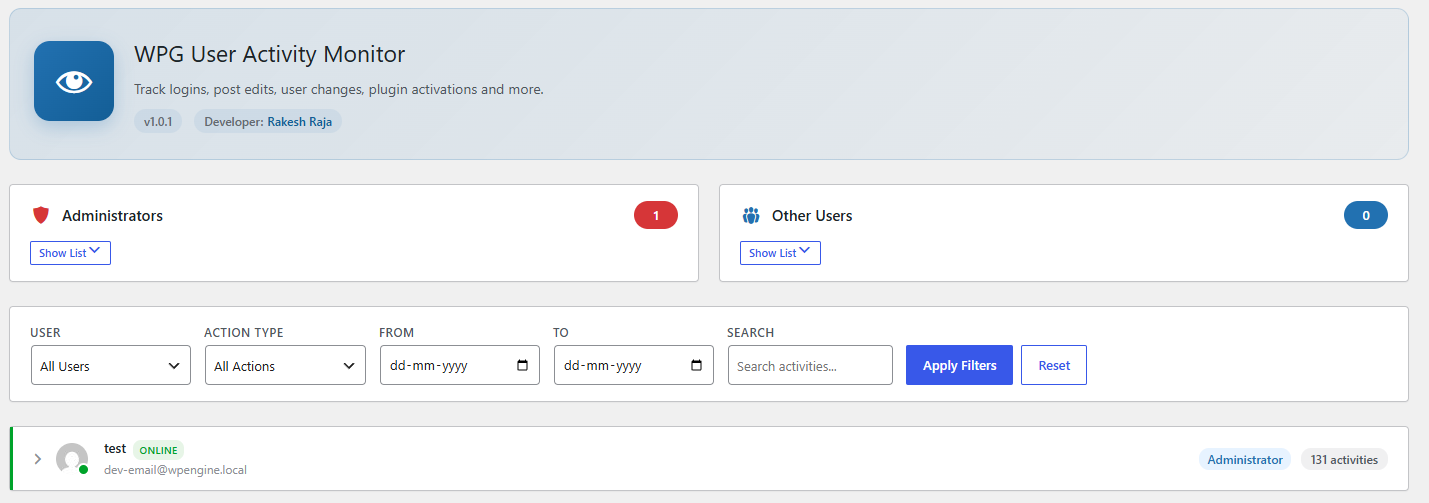
WPG User Activity Monitor records important WordPress activity so site owners can review user actions from a dedicated admin dashboard.
The plugin tracks events such as logins, failed logins, logouts, post and page changes, media changes, comments, user profile updates, role changes, taxonomy changes, plugin changes, theme changes, widget changes, menu changes, selected option updates, core updates, and exports.
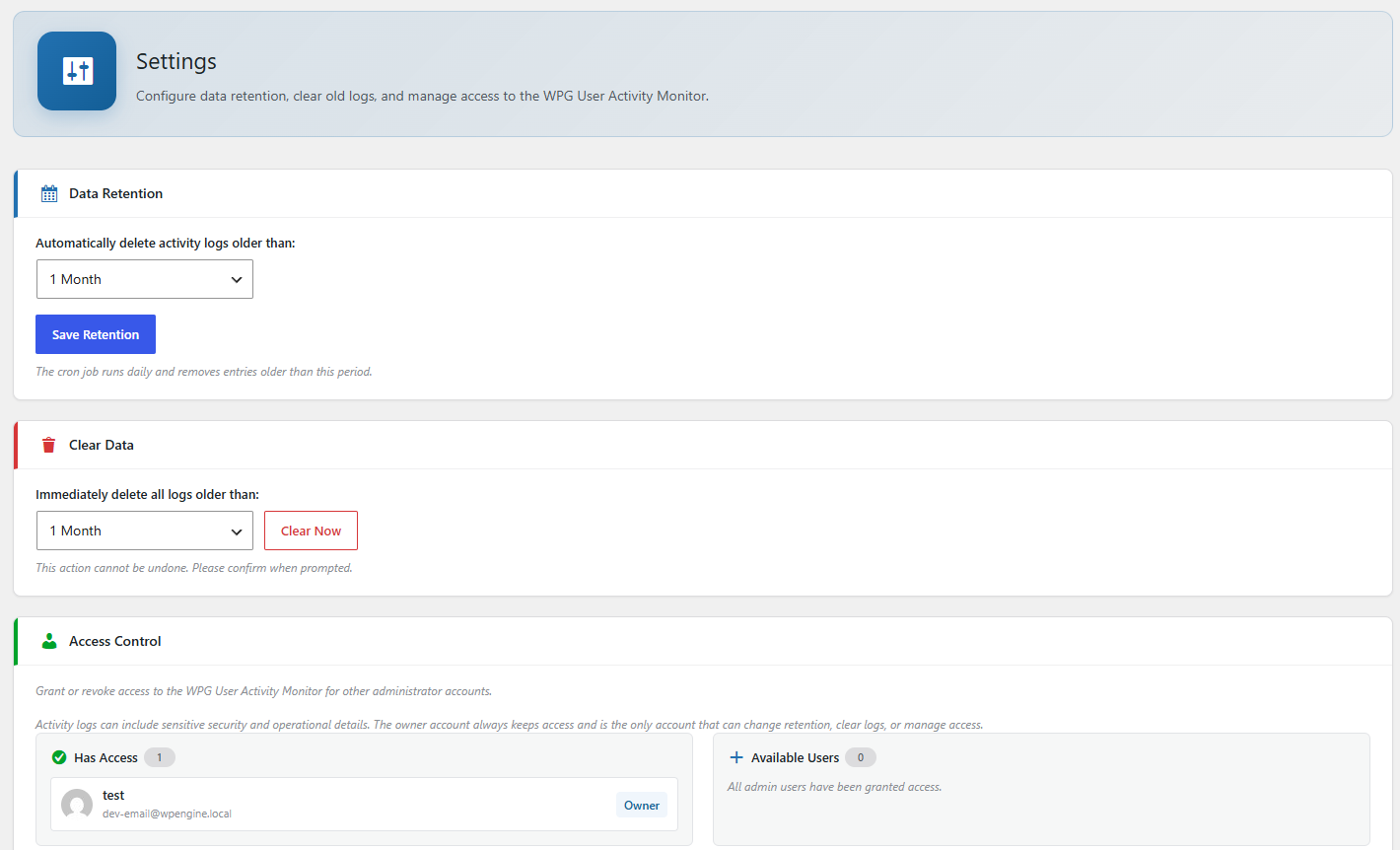
Dashboard access is controlled by the plugin owner. The owner can grant or remove dashboard access for other administrator accounts, while the owner always keeps access.
Why Use This Plugin?
Administrator accounts can make major changes to a WordPress site. If an account is misused, an activity log can help the site owner review what happened, when it happened, and which user account was involved.
WPG User Activity Monitor is designed for audit visibility. It helps site owners review important actions after they happen, including user, content, plugin, theme, and settings changes.
Activity logs can contain sensitive operational and security information. For that reason, dashboard access is owner-controlled. The owner account can decide which other administrator accounts may view the monitor, and only the owner can change retention settings, clear logs, or grant and remove access.
This plugin does not prevent account compromise. A user with full administrator, database, server, or file access may be able to disable plugins or alter stored data. For stronger protection, use this plugin alongside secure passwords, two-factor authentication, least-privilege user access, regular backups, and server-level security controls.
Features include:
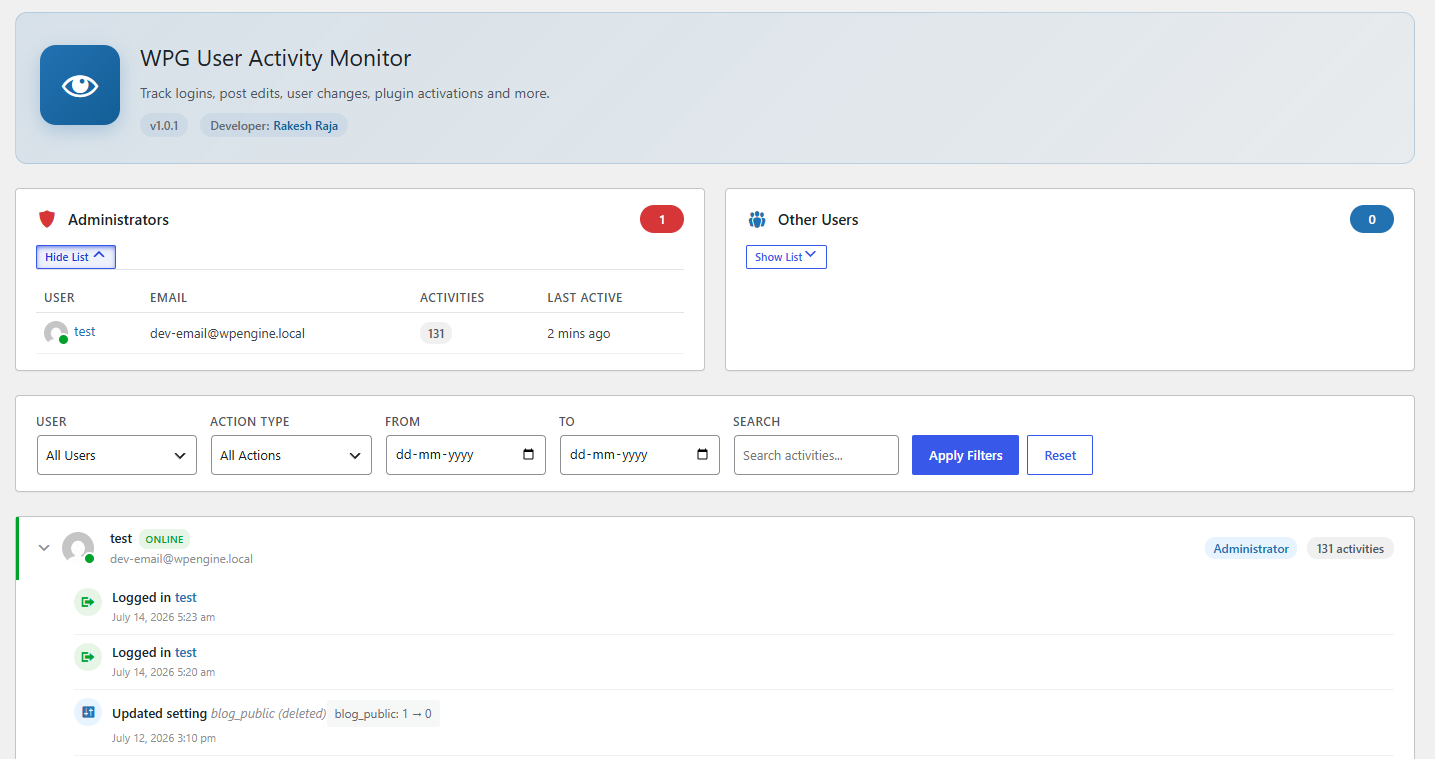
- Activity dashboard grouped by user.
- Filters for user, action type, date range, and search.
- Per-user activity drill-down with pagination.
- Online status based on recent logged-in activity.
- Configurable log retention.
- Manual log cleanup.
- Owner-managed access control.
Privacy
This plugin records activity by logged-in users so site administrators can review security and content changes. It may store the user ID, action performed, object type, object ID, object title, optional activity details, and the date and time of the activity.
Activity logs are stored in the WordPress database and are automatically deleted according to the configured retention period. Site owners can also manually clear older logs from the plugin settings screen.
Installation
- Upload the plugin files to the
/wp-content/plugins/wpg-user-activity-monitor/directory, or install the plugin through the WordPress Plugins screen. - Activate the plugin through the Plugins screen in WordPress.
- Open User Activity in the WordPress admin menu to view activity logs.
- Open User Activity > Settings to configure retention and access.
Frequently asked questions
Who can view the activity dashboard?
The user who activates the plugin becomes the owner. The owner always has access and can grant access to other administrator accounts.
Can granted users change settings or clear logs?
No. Granted users can view the activity dashboard, but only the owner can change retention settings, clear logs, or grant and remove access.
Why is there an owner account?
The owner account protects access to sensitive activity logs and plugin controls. This prevents every administrator account from automatically being able to clear logs or grant access to other users.
Does this plugin prevent an attacker from changing the site?
No. This plugin records activity for review. It does not block attacks or guarantee that logs cannot be changed by someone with full administrator, database, server, or file access.
Where are activity logs stored?
Activity logs are stored in a custom database table in the same WordPress database.
Are logs deleted automatically?
Yes. Logs older than the configured retention period are cleaned up by a daily WordPress cron event.
Screenshots
For developers
Is this your plugin? Show off the numbers.
Add a live badge to your site, docs or GitHub README. It updates on its own — no account needed.
Best WPG User Activity Monitor alternatives
All Activity Log plugins →





FAQ
WPG User Activity Monitor: quick answers
Straight answers, pulled from live WordPress.org data.
Live data from WordPress.org · checked Oct 10, 2026
Is WPG User Activity Monitor free?
Yes. WPG User Activity Monitor is free to download and use from the official WordPress.org plugin directory.
Is WPG User Activity Monitor safe to use in 2026?
WPG User Activity Monitor works, but test it on a staging site before relying on it in 2026. It runs on 10+ sites and was last updated 3 months ago, and scores 57/100 on our health check.
How many websites use WPG User Activity Monitor?
WPG User Activity Monitor is active on 10+ WordPress websites and has been downloaded 203 times since it launched in July 2026. It was downloaded 61 times in the last 30 days.
Does WPG User Activity Monitor work with WordPress 7.1?
WPG User Activity Monitor is officially tested up to WordPress 7.0.7, while the latest release is 7.1.3. It may still work, but try it on a staging site first.
What PHP version does WPG User Activity Monitor need?
WPG User Activity Monitor requires PHP 7.4 or higher. Most hosts run PHP 8.x today, so it works on any modern WordPress hosting.
When was WPG User Activity Monitor last updated?
The latest version, 1.0.0, was released on July 14, 2026 (3 months ago).
Who makes WPG User Activity Monitor?
WPG User Activity Monitor is developed and maintained by Rakesh Raja.
What are the best alternatives to WPG User Activity Monitor?
The most popular alternatives to WPG User Activity Monitor are WP Activity Log (300K+ installs), Activity Log (200K+ installs) and Stream (70K+ installs).
Powered by PageForge
Want thousands of pages that rank like these? Build them in an afternoon.
This directory runs on the same engine as PageForge. Turn any spreadsheet, CSV or API into thousands of fast, SEO-ready WordPress pages — with schema, internal links and AI-written copy baked in.
- CSV, Google Sheets & API data sources
- AI content, schema & internal links per page
- Works with Elementor, Gutenberg, Yoast & Rank Math
- Free on WordPress.org — no credit card


