


User Activity Tracking and Log
Track time and monitor user activity & history on your website, LMS online learning system, membership or WooCommerce site.

Solid choice
User Activity Tracking and Log is a solid plugin choice in 2026, with a few things worth checking first. It runs on 2K+ sites, is rated 3.5/5 and was last updated 1 month ago, and scores 66/100 on our health check.
- Tested with the latest WordPress (7.1)
How does it stack up?
Side-by-side on installs, updates, ratings & support



Daily downloads
Download spikes usually follow a new release — each site that auto-updates counts as a download.
Rankings
Where User Activity Tracking and… stands todayWordPress.org search rankings
Live position in the plugin search, top 100| Keyword | Position |
|---|---|
| Activity Log | #9 |
| analytics | >100 |
| statistics | >100 |
| stats | >100 |
| Time Tracking | #8 |
Version adoption
Share of active sites per release.
Rating breakdown
★★★★★★★★★★ 3.5 from 34 reviews
About User Activity Tracking and Log
From the official readme · v4.3.3Description
Track user activity & duration on your website with this incredibly powerful, easy-to-use and well supported plugin.
This plugin is privacy-friendly: it stores no cookies on users’ computers and therefore requires no cookie opt-in from users (unlike Google Analytics or Google Tag Manager).
The plugin is especially useful for tracking users on membership sites, LMS online learning systems or WooCommerce sites. It can track both logged-in and anonymous users.
You can track page visits, duration of the visit, login and logout time, and you can even setup event goal triggers too (ie. click of a button, PDF download, mailto links and more).
Our plugin will accurately track time spent on specific pages which is very useful when you’d like to monitor user’s reading time, video watching time, tracking time in LMS online learning system, or how long users look at your e-commerce product pages before purchasing.
Key Features
- Simple & intuitive
- Powerful search, export options, API endpoints
- Compatible with WooCommerce and other user registration plugins
- Tracks both logged-in and non logged-in users (ie. unknown users)
- GDPR / CCPA / privacy ready (IP address can be stored in anonymized format)
- Privacy-friendly: stores no cookies on users’ computers
- Local Data Storage: all user data is stored locally on your website only; we do not collect or store any of your user data on our servers
Premium Features
- Time tracking & Session Duration: see the duration of user visits in the activity logs
- Login/logout time: see the exact time when users login and logout from your site
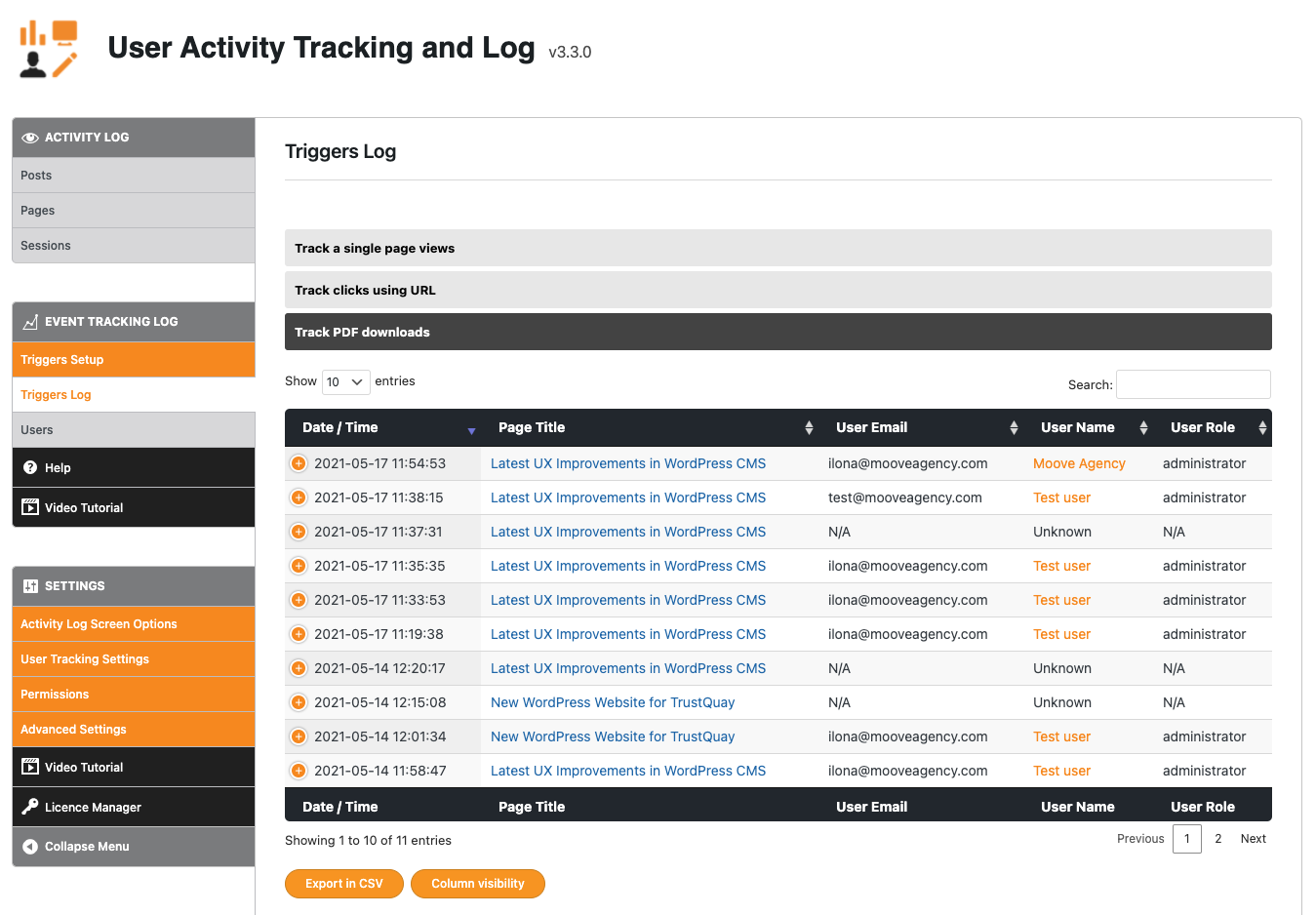
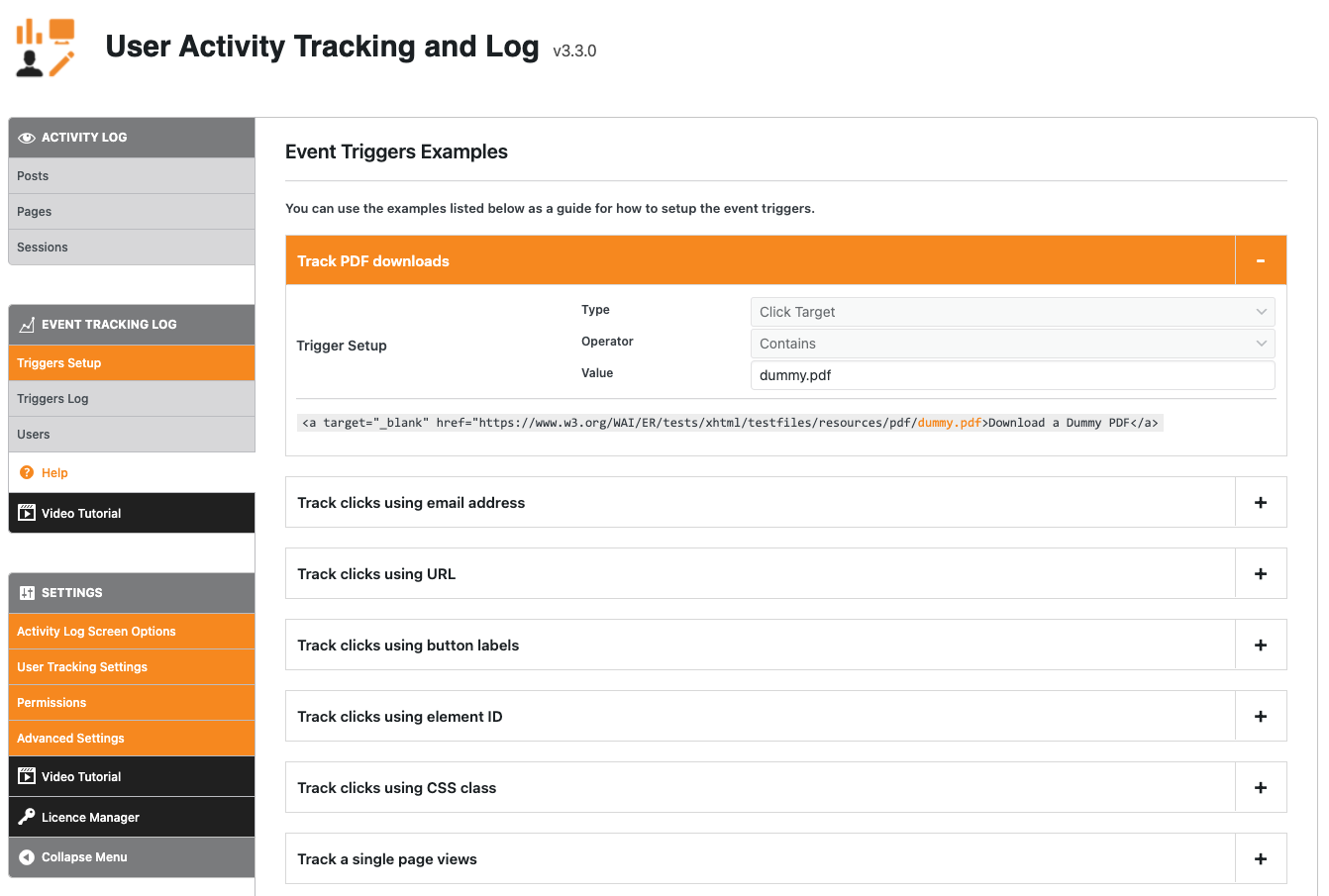
- Event goal tracking: setup event goal triggers for various actions that users take on your site (ie. click on a specific button, PDF download, mailto links and more)
- [NEW] Email notifications: receive email notifications when an event was triggered
- Auto logout: setup automatic logout for idle users to improve your analytics
- Track all custom post-types and archives
- Anonymize IP addresses
- Export logs to CSV
- Track specific roles: track logged-in users only or only certain roles such as subscribers
- Rest API endpoints for activity logs in JSON format
- Custom timezone
- Advanced Filters
Download the Premium Add-on here
Demo Video
Event Triggers Video Tutorial
Activity data that will be logged:
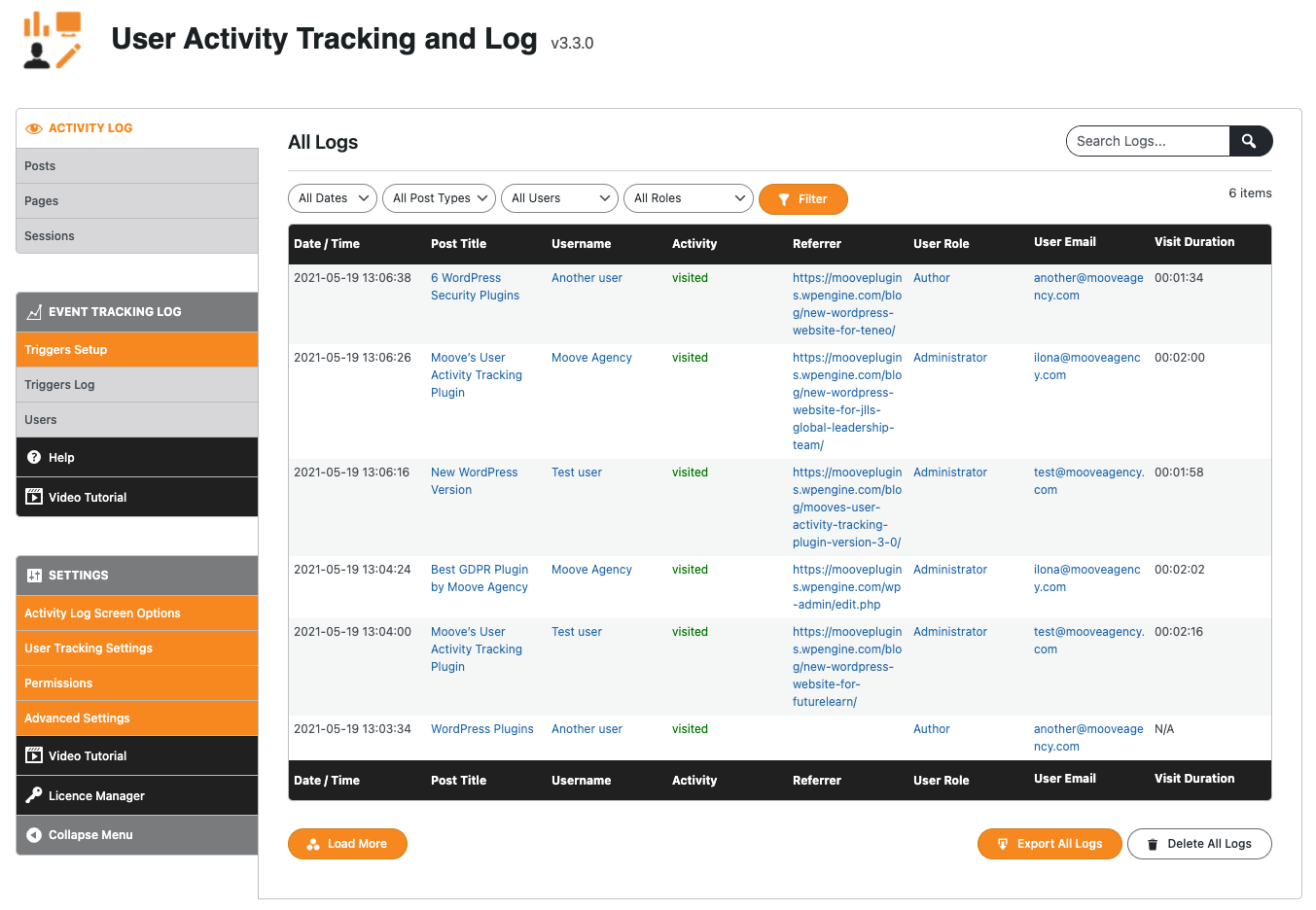
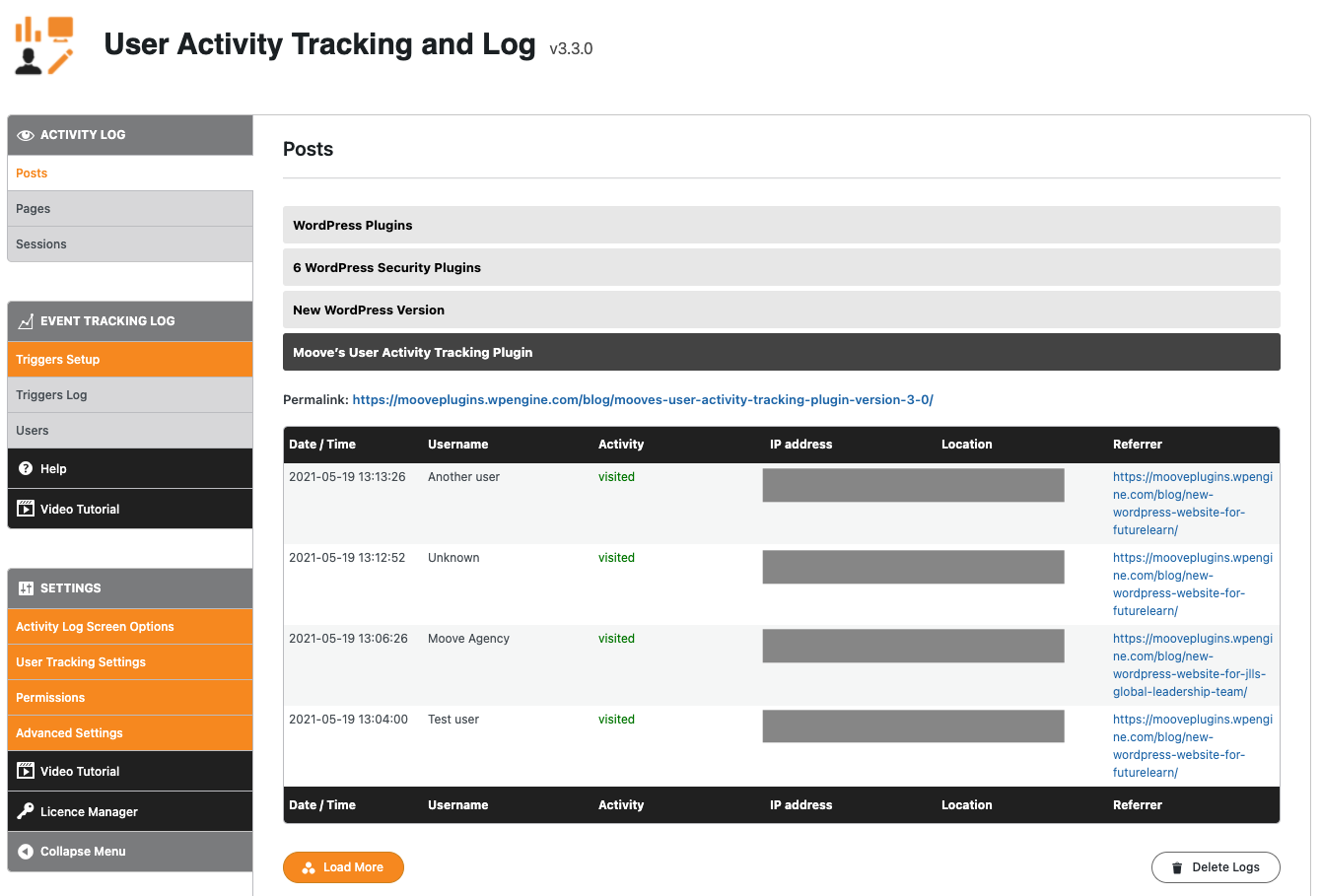
- Login date and time
- Logout date and time
- Last seen
- Session Duration
- Username & email (if user is logged-in)
- User role
- Activity
- Page name and URL
- IP address
- Location (by IP Address)
- Referrer URL
Testimonials
★★★★★
“Tried many, but this one had just what I wanted. I like this plugins feature set, minimal but exactly what I need to see. Helps me to send offers on a WooCommerce digital content site when I notice users are looking at a particular product often, but not purchasing. A little nudge helps and this plugin puts that info in a place I can easily see.” – Ryan
★★★★★
“Simple to install & performs well. The reporting is clear and very useful!” – hannahfinch
★★★★★
“Very useful plugin!! I was looking for something to track users on our website. This plugin is exactly what I needed. You can track activity and users. You can see who visited which pages, and the referring page they came from. The premium version gives you even more useful features like tracking only users who are logged in, additional view options, and so on. Excellent plugin, highly recommended!!” – msiciliano
About us
Moove Agency is a premium supplier of quality WordPress plugins, services and support. Visit our site to learn more.
Installation
- Upload the plugin files to the plugins directory, or install the plugin through the WordPress plugins screen directly.
- Activate the plugin on the \’Plugins\’ screen in WordPress.
- Logs are stored in the “Activity Tracking and Log” item on the left hand side in the menu, below the Dashboard menu item.
- Use the Settings screen to configure the plugin.
Changelog
4.3.3: 5 October 2026
- Minor fixes
4.3.2: 7 August 2026
- Geolocation improved
- Minor fixes
4.3.1: 9 July 2026
- Security: added
current_user_can()capability check to AJAX handlers so they no longer rely on the nonce checks alone.
4.3.0: 1 July 2026
- Fixed: Visit Duration
- Performance improvements
- Security enhancements
- Activity Log improvements
- Admin improvements
4.2.3: 17 June 2026
- Performance: use navigator.sendBeacon for pageview tracking when time-spent tracking is disabled (non-blocking, no connection held open)
- Performance: added sessionStorage-based dedupe to prevent double-fires within the same browser session
- Minor fixes
4.2.2: 25 May 2026
- Minor fixes
- PHP 8 compatibility issues fixed
- Admin improvements
Screenshots



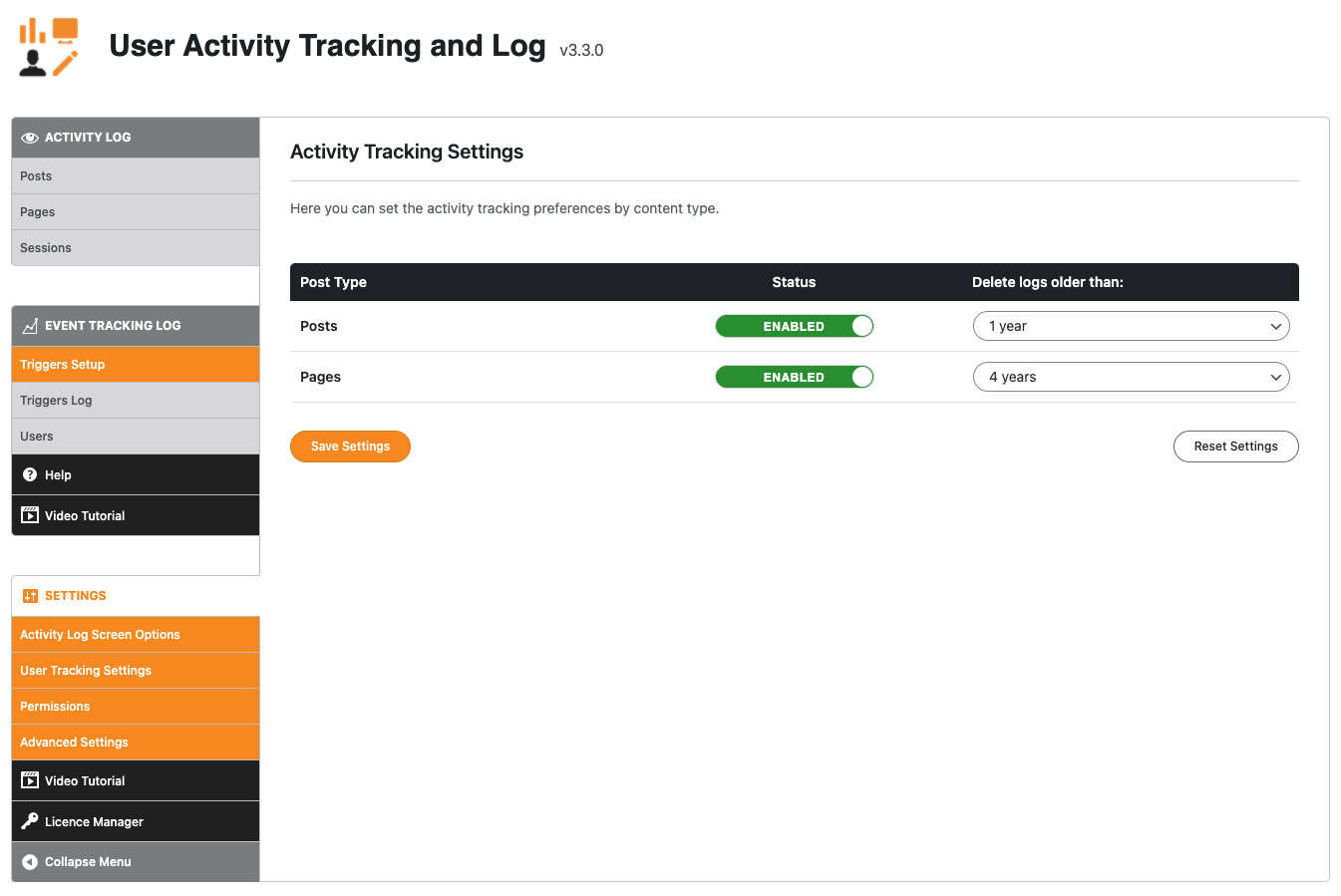
For developers
Is this your plugin? Show off the numbers.
Add a live badge to your site, docs or GitHub README. It updates on its own — no account needed.
Best User Activity Tracking and Log alternatives
All Activity Log plugins →





FAQ
User Activity Tracking and Log: quick answers
Straight answers, pulled from live WordPress.org data.
Source: WordPress.org
Is User Activity Tracking and Log free?
Yes. User Activity Tracking and Log is free to download and use from the official WordPress.org plugin directory.
Is User Activity Tracking and Log safe to use in 2026?
User Activity Tracking and Log is a solid plugin choice in 2026, with a few things worth checking first. It runs on 2K+ sites, is rated 3.5/5 and was last updated 1 month ago, and scores 66/100 on our health check.
How many websites use User Activity Tracking and Log?
User Activity Tracking and Log is active on 2K+ WordPress websites and has been downloaded 157,324 times since it launched in February 2016. It was downloaded 1,624 times in the last 30 days.
Does User Activity Tracking and Log work with WordPress 7.1?
Yes. The developer has tested User Activity Tracking and Log up to WordPress 7.1.5, the latest release. It requires WordPress 4.3 or newer.
What PHP version does User Activity Tracking and Log need?
User Activity Tracking and Log requires PHP 7.4 or higher. Most hosts run PHP 8.x today, so it works on any modern WordPress hosting.
When was User Activity Tracking and Log last updated?
The latest version, 4.3.3, was released on October 8, 2026 (1 month ago).
Who makes User Activity Tracking and Log?
User Activity Tracking and Log is developed and maintained by Moove Agency.
What are the best alternatives to User Activity Tracking and Log?
The most popular alternatives to User Activity Tracking and Log are WP Activity Log (300K+ installs), Activity Log (200K+ installs) and Stream (70K+ installs).
Powered by PageForge
One template and a spreadsheet. A real page for every search.
PageForge turns each row of a CSV into a WordPress page with its own title, URL, SEO fields and schema, built on the layout you already designed. Free on WordPress.org.
- CSV and XLSX, plus Google Sheets on Professional and Enterprise
- Its own title, URL, SEO fields and schema for every page
- Works with the block editor, Elementor, Divi and Avada
- Free on WordPress.org, no credit card