


Table Editor
Table Editor is a WordPress plugin used to quickly create tables from Excel, CSV, JSON and other data sources. Allows you to create beautiful sortable and responsive tables inside your posts, pages, custom post types or…

Solid choice
Table Editor is a solid plugin choice in 2026, with a few things worth checking first. It runs on 100+ sites and was last updated 1 month ago, and scores 64/100 on our health check.
- Tested with the latest WordPress (7.1)
- Small user base (100+ active installs)
- Very few reviews so far
How does it stack up?
Side-by-side on installs, updates, ratings & support



Daily downloads
Download spikes usually follow a new release — each site that auto-updates counts as a download.
Rankings
Where Table Editor stands todayWordPress.org search rankings
Live position in the plugin search, top 100| Keyword | Position |
|---|---|
| datatables | #14 |
| table | #54 |
| Table Builder | #54 |
| table editor | #11 |
Version adoption
Share of active sites per release.
About Table Editor
From the official readme · v1.6.5Description
Table Editor is a WordPress plugin used to quickly create tables from Excel, CSV, JSON and other data sources. Allows you to create beautiful sortable and responsive tables inside your posts, pages, custom post types or widget area.
Live Demo
Live Admin
Create table from…
– CSV, XLS, XLSX, JSON File or Database
– Product Table for WooCommerce
– Order Table for WooCommerce
– Post Table for WordPress
– Page Table for WordPress
– JSON url
– Google Sheets
Please visit the plugin website at wptableeditor.com for more information or a demo.
Here is the list of the feature
- Responsive mode or show the table in a viewport, which can be scrolled.
- Page Length: Number of rows to display on a single page when using pagination.
- Show/hide Footer
- FixedHeader/FixedFooter: it can be useful to have the table’s header and / or footer fixed to the top or bottom of the scrolling window.
- Sorting Column: you can set the table to display the data in exactly the order that you want.
- Search Builder: with the capability to search the DataTable by creating groups and conditions. This offers more advanced search controls than is currently.
- Search Panes: adds panes to the DataTable with the capability to search the DataTable by selecting rows in the panes. This is very useful when it comes to adding a more accessible searching feature and custom search capabilities.
- SearchPanes can search DataTables for multiple values that have been selected across multiple panes. They also provide the ability to define custom search functions which cannot be achieved through a simple searchBox.
- Column Visibility: with column visibility in DataTables.
- Column Searching (text inputs): has the ability to apply searching to a specific column.
- Column Filter (select inputs): has the ability to apply searching to a specific column, but in this case using input controls.
You can select which information to display using attributes
* Search any column in the list
* Sort by any column in the list
* Drag and drop columns to reorder them
* Add/Remove columns and rows
* Resize/Reorder columns
* Custom links
* Add media
* Custom HTML
* Shortcode in cells
USAGE
To show one of your tables in a post or on a page, embed the Shortcode [wptableeditor id=ID] into a “Shortcode” block at the desired place in the block editor.
Each table has a unique ID that needs to be adjusted in that Shortcode.
Useful links
- Documentation – How to use Table Editor?
- Facebook Page
Filters
Installation
If you would prefer to do things manually then follow these instructions:
- Upload the
wp-table-editorfolder to the/wp-content/plugins/directory - Activate the plugin through the ‘Plugins’ menu in WordPress
- Go to the Table Editor
Changelog
1.6.5
- Code Optimization
1.6.4
- Code Optimization
1.6.3
- Code Optimization
1.6.2
- Code Optimization
1.6.1
- Code Optimization
1.6.0
- Security fixes
Screenshots

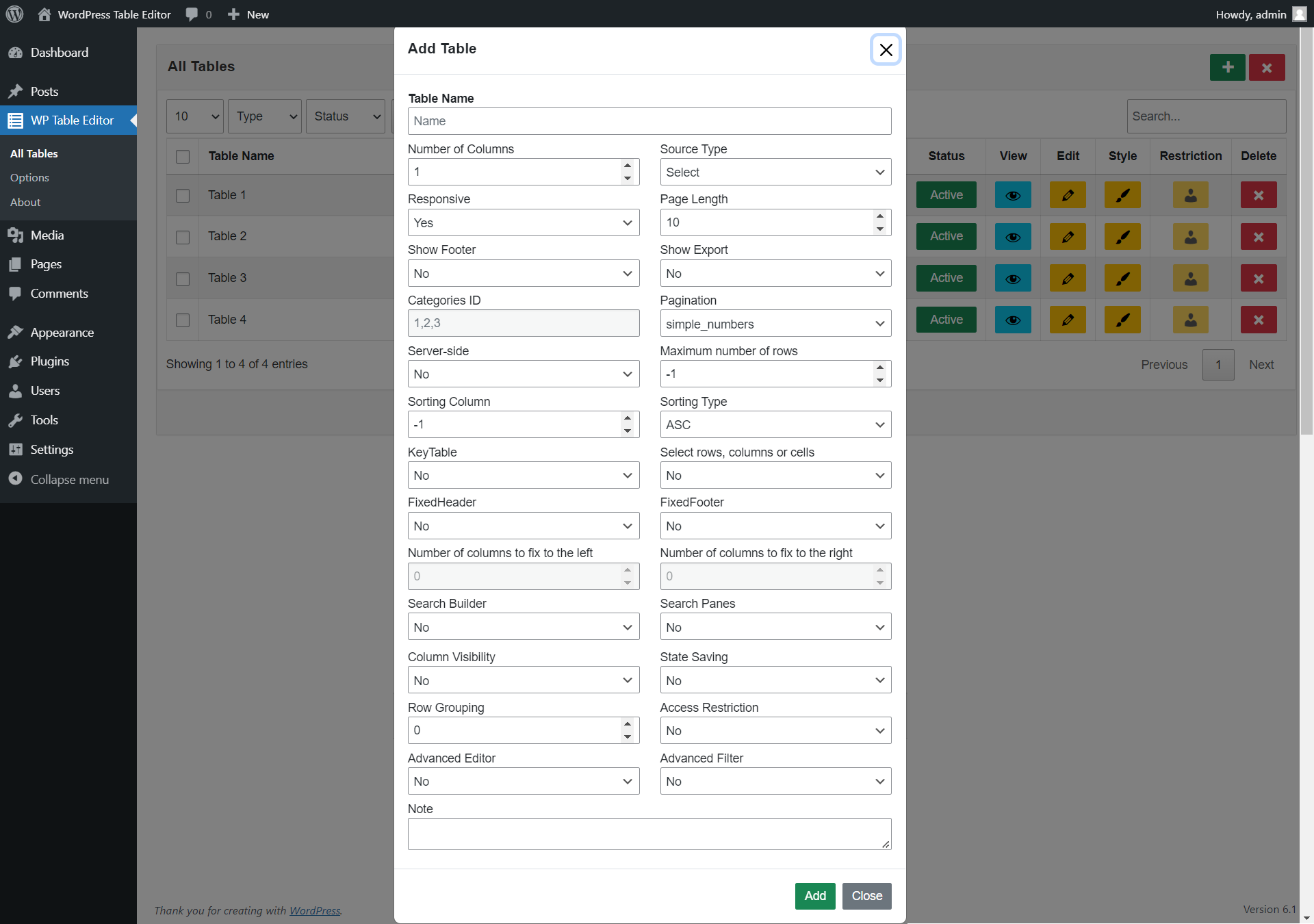


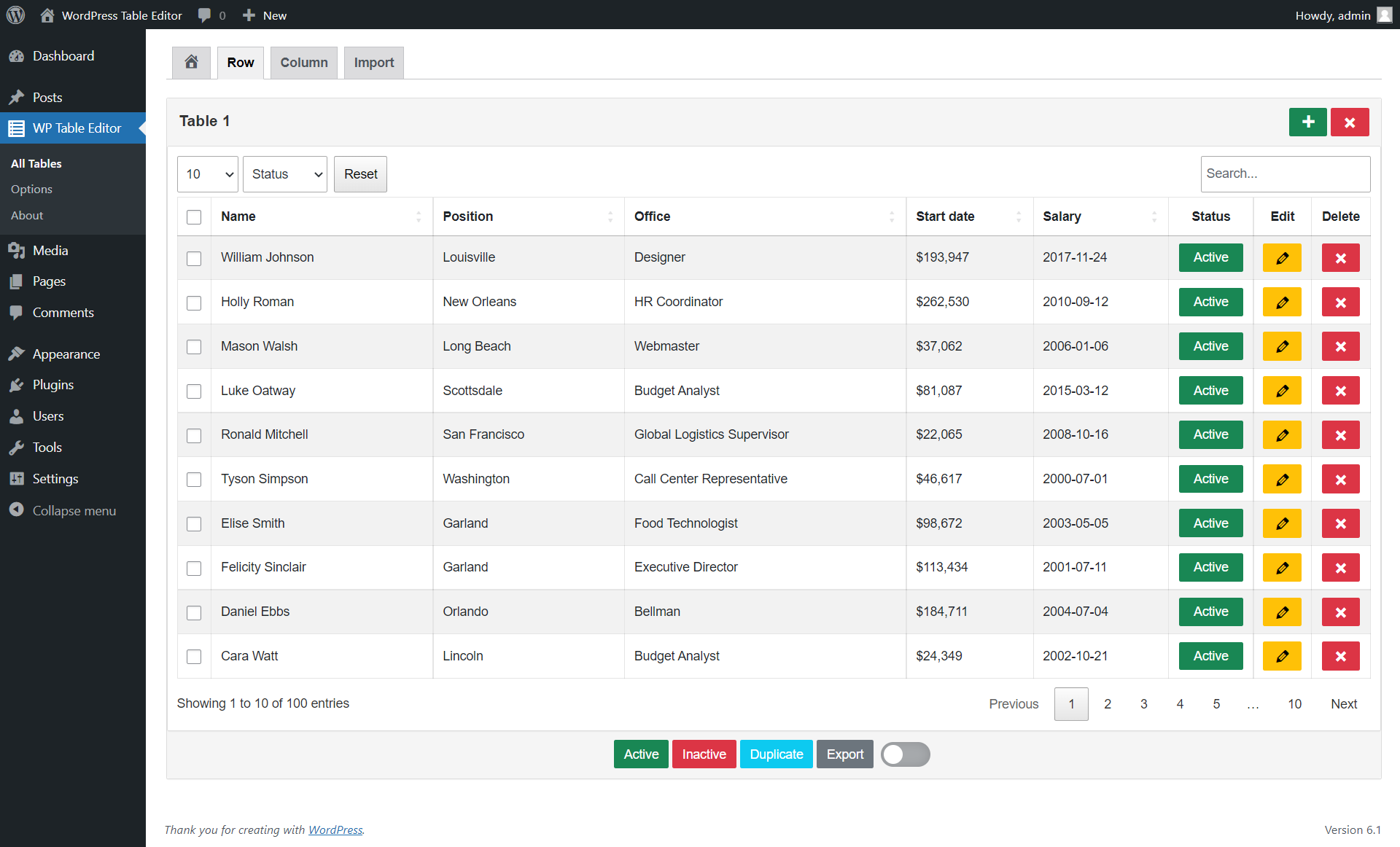


For developers
Is this your plugin? Show off the numbers.
Add a live badge to your site, docs or GitHub README. It updates on its own — no account needed.
Best Table Editor alternatives
All datatables plugins →




FAQ
Table Editor: quick answers
Straight answers, pulled from live WordPress.org data.
Live data from WordPress.org · checked Oct 7, 2026
Is Table Editor free?
Yes. Table Editor is free to download and use from the official WordPress.org plugin directory.
Is Table Editor safe to use in 2026?
Table Editor is a solid plugin choice in 2026, with a few things worth checking first. It runs on 100+ sites and was last updated 1 month ago, and scores 64/100 on our health check.
How many websites use Table Editor?
Table Editor is active on 100+ WordPress websites and has been downloaded 6,509 times since it launched in December 2022. It was downloaded 232 times in the last 30 days.
Does Table Editor work with WordPress 7.1?
Yes. The developer has tested Table Editor up to WordPress 7.1.3, the latest release. It requires WordPress 6.0 or newer.
What PHP version does Table Editor need?
Table Editor requires PHP 7.2 or higher. Most hosts run PHP 8.x today, so it works on any modern WordPress hosting.
When was Table Editor last updated?
The latest version, 1.6.5, was released on September 2, 2026 (1 month ago).
Who makes Table Editor?
Table Editor is developed and maintained by wptableeditor.
What are the best alternatives to Table Editor?
The most popular alternatives to Table Editor are WP DataTable (600+ installs), Stylish Google Sheet Reader (200+ installs) and SheetFusion (50+ installs).
Powered by PageForge
Want thousands of pages that rank like these? Build them in an afternoon.
This directory runs on the same engine as PageForge. Turn any spreadsheet, CSV or API into thousands of fast, SEO-ready WordPress pages — with schema, internal links and AI-written copy baked in.
- CSV, Google Sheets & API data sources
- AI content, schema & internal links per page
- Works with Elementor, Gutenberg, Yoast & Rank Math
- Free on WordPress.org — no credit card


