



Stylish Google Sheet Reader – Embed Google Sheets as Interactive Tables with Built-in Form Submissions
Effortlessly create responsive, searchable, auto-refreshable data tables — now with built-in form submissions to receive orders or inquiries directly.

Use with caution
Stylish Google Sheet Reader works, but test it on a staging site before relying on it in 2026. It runs on 200+ sites, is rated 3.3/5 and was last updated 4 months ago, and scores 59/100 on our health check.
- Small user base (200+ active installs)
- Mixed reviews — 3.3/5 from 12 ratings
How does it stack up?
Side-by-side on installs, updates, ratings & support



Daily downloads
Download spikes usually follow a new release — each site that auto-updates counts as a download.
Rankings
Where Stylish Google Sheet Reader stands todayWordPress.org search rankings
Live position in the plugin search, top 100| Keyword | Position |
|---|---|
| datatables | #29 |
| embed google sheets | #7 |
| Order Forms | >100 |
| Table Builder | >100 |
| WP Table Plugin | >100 |
Version adoption
Share of active sites per release.
Rating breakdown
★★★★★★★★★★ 3.3 from 12 reviews
About Stylish Google Sheet Reader
From the official readme · v5.3Description
Effortlessly create responsive, searchable, auto-refreshable data tables — now with built-in form submissions to receive orders or inquiries directly.
Create Fully Customizable, Responsive, and Up-to-date Data Tables from Google Sheets
The Stylish Google Sheet Reader plugin for WordPress makes it easy to convert Google Sheets data into fully responsive, interactive data tables on your website. The new Version 5.0 comes with enhanced features, allowing you to personalize the look of your tables, manage multiple sheets effortlessly, and customize every detail to match your website’s theme.
Key Features of Version 5.1
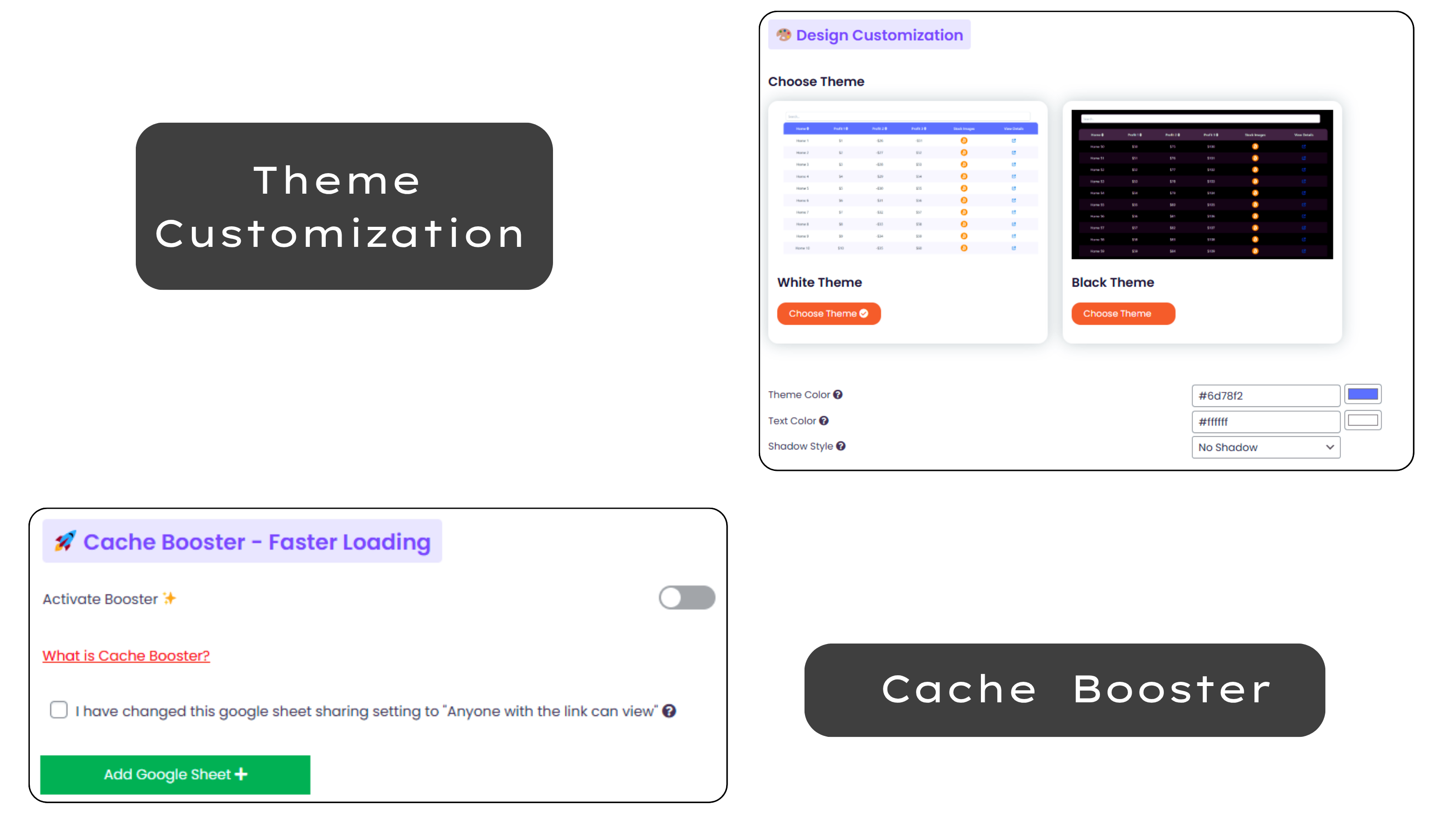
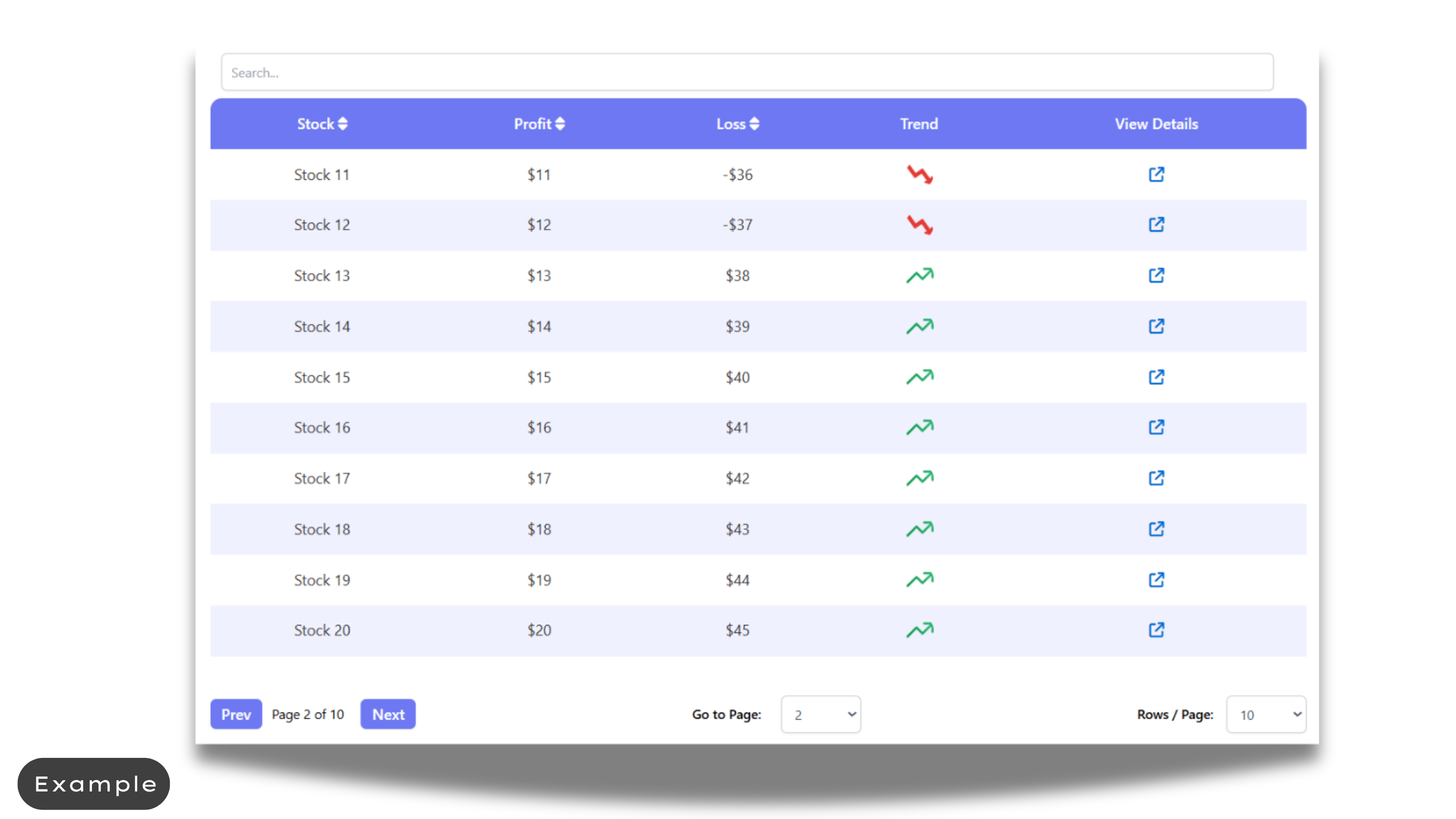
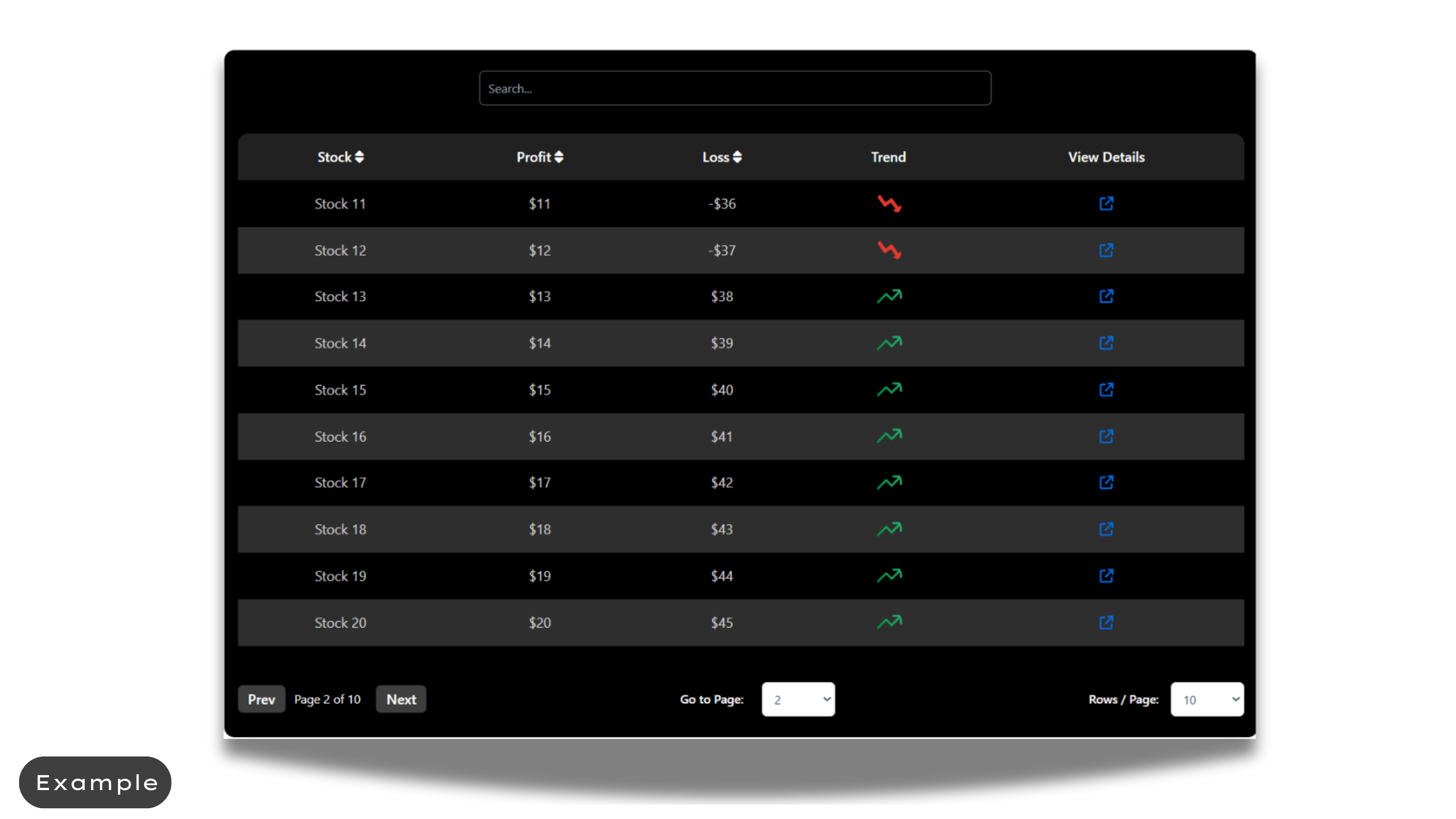
- Theme Customization: Choose between different themes such as White or Black, and further tweak background colors, text colors, and table styles to perfectly fit your website’s design.
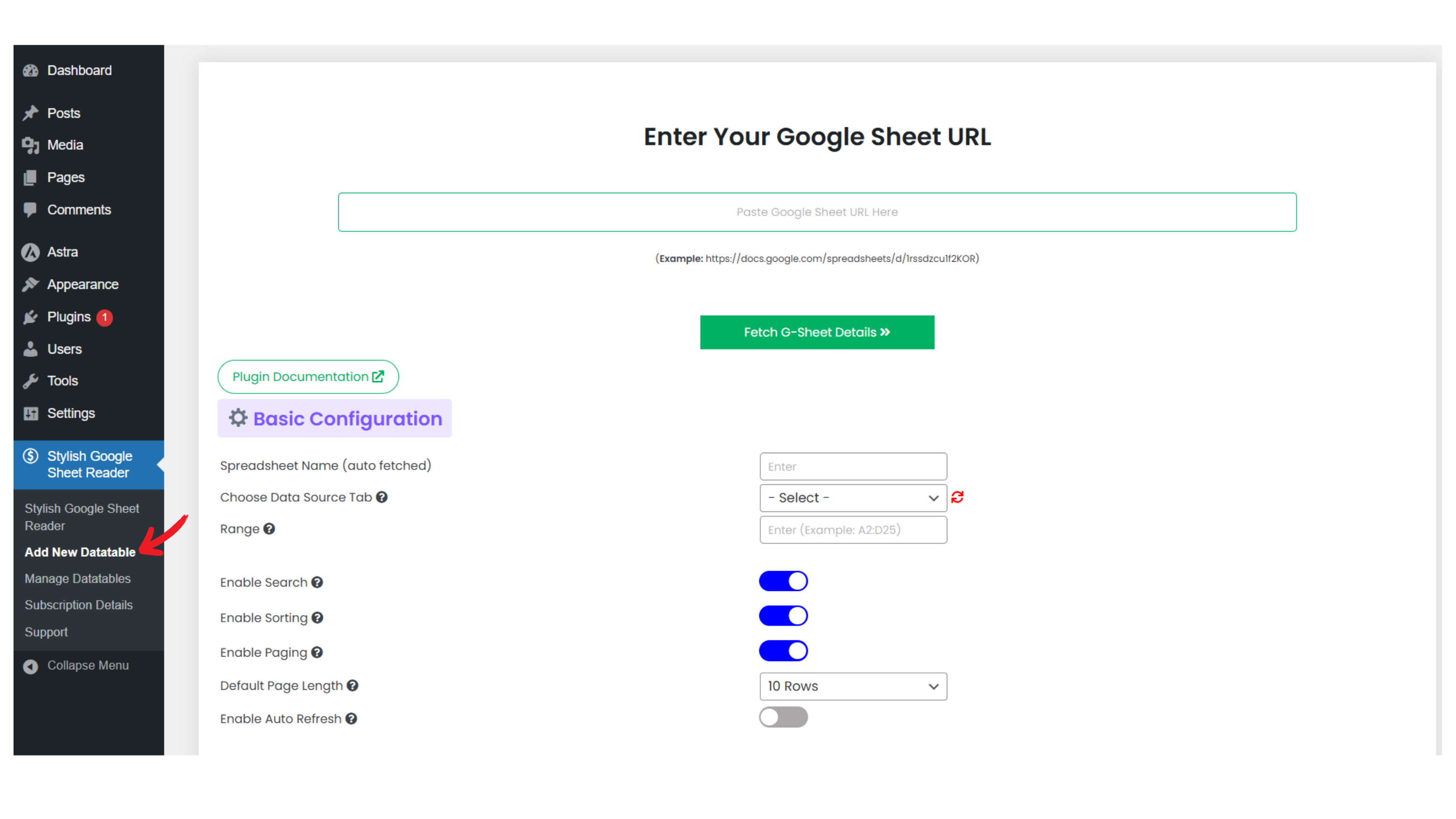
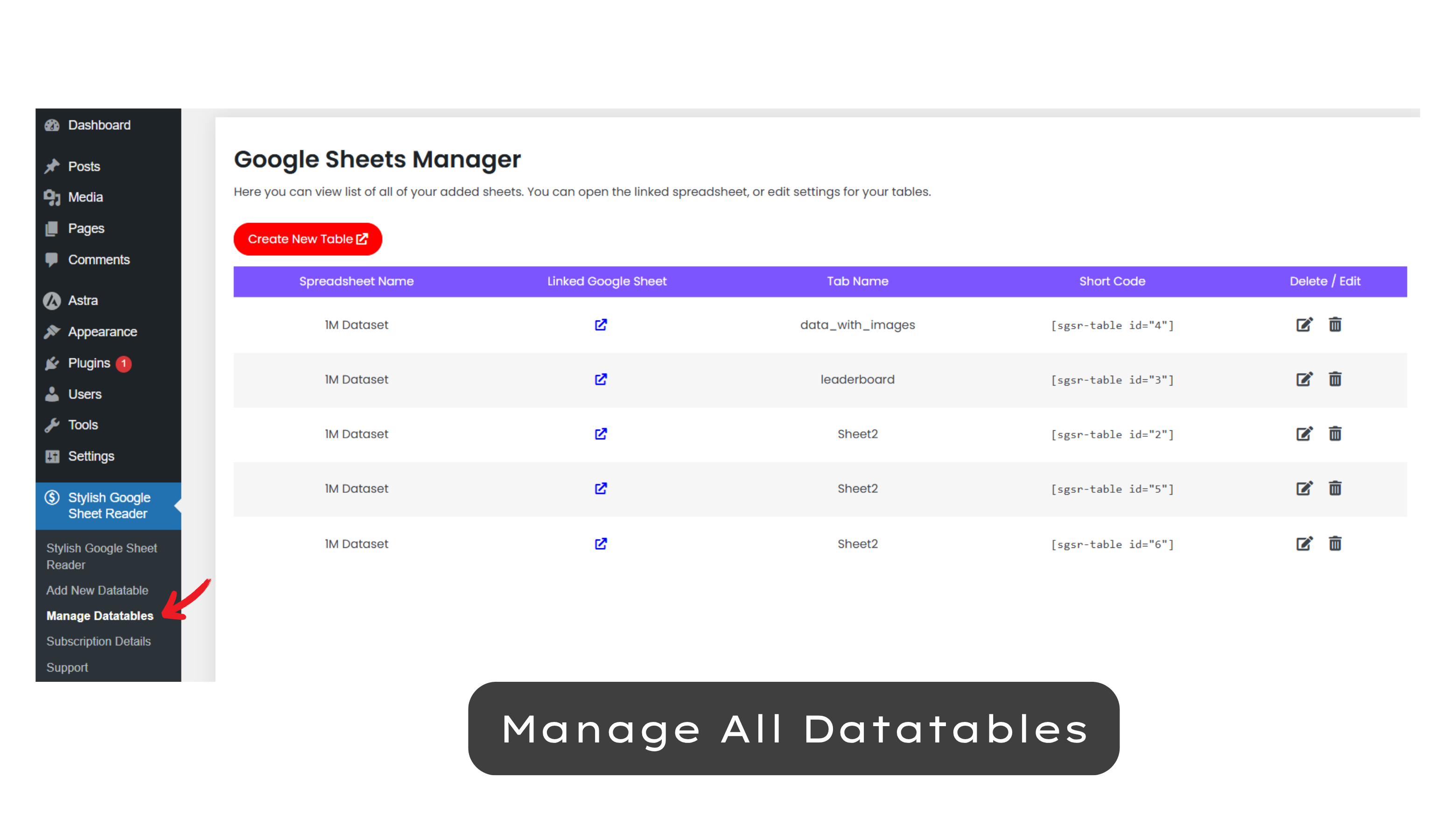
- Manage Multiple Sheets: Easily add, edit, and organize all your Google Sheets from one central menu.
- Advanced Styling Options: Adjust elements like border-radius, shadow effects, and custom scrollbars for a more modern and sleek table design.
- Mobile Responsiveness: Ensure your tables are fully functional and easy to read on any device, with enhanced mobile-friendly features.
- Cache Booster: Activate the cache booster for faster loading times, especially beneficial for large datasets.
- Auto Refresh: Enable auto-refresh for live data updates.
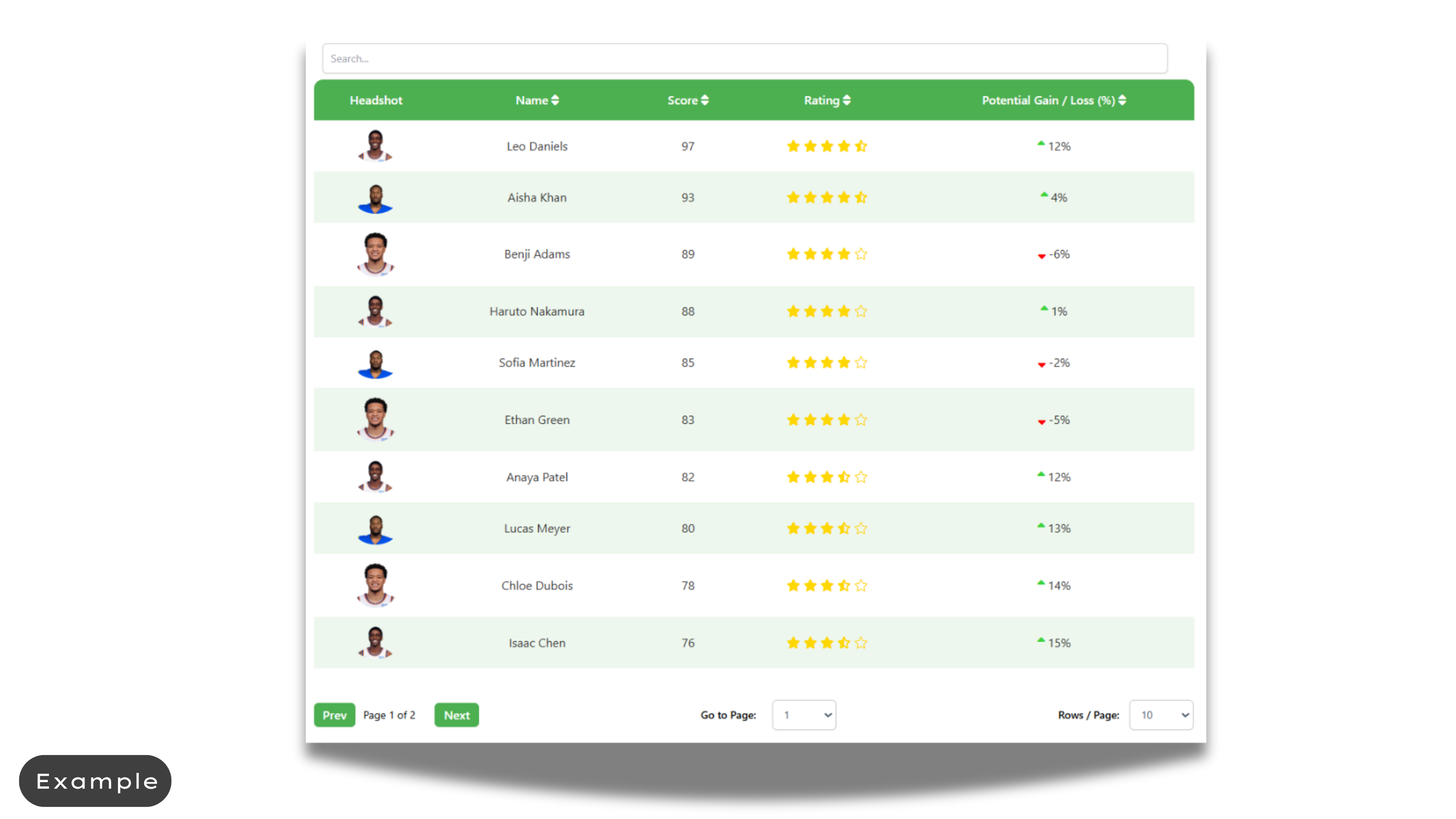
- Rich Content Support: Display images, badges, and hyperlinks within your tables to enhance the presentation and interactivity.
- Form Submissions (NEW): Add dropdowns, input fields, and checkboxes directly inside your tables. Users can select rows, enter details, and submit orders, inquiries, or feedback through the built-in submission form — no third-party forms required.
- Powerful Sorting & Searching: Efficiently sort and search through large datasets, even with thousands of rows, ensuring quick access to the information you need.
Who Can Use Form Submissions?
The new built-in submission feature opens up powerful possibilities:
- E-commerce stores – Allow customers to select products from your datatable, specify quantities, and send an order form directly.
- Service providers – Collect bookings, appointments, or project details directly from a service listing table.
- Educational platforms – Let students select courses or training sessions and submit their enrollment details.
- Event organizers – Enable participants to choose sessions or ticket options and confirm attendance with a simple form.
- Internal teams – Use it as a lightweight internal tool to collect team inputs, inventory requests, or approvals without needing a separate form builder.
Full Documentation:
Explore our extensive documentation for the Stylish Google Sheet Reader plugin. You’ll find detailed guides, advanced features, and troubleshooting tips to help you maximize the plugin’s potential. Whether you’re just getting started or looking to dive into advanced capabilities, our documentation provides everything you need to create and manage responsive, dynamic data tables with ease.
View the Stylish Google Sheet Reader Documentation
Why Upgrade to Stylish Google Sheet Reader Pro?
For users who need more advanced functionalities, Stylish Google Sheet Reader Pro offers:
- Unlimited Sheets Integration: No limits on the number of Google Sheets you can connect and manage.
- Pro-Level Customization: Gain access to premium styling options, including skin changes and more detailed customization controls.
- Priority Support: Enjoy priority access to our support team and live chat for any help or troubleshooting.
Plugin Usage Data
To ensure continuous improvement, the plugin may collect non-sensitive usage data, helping us to identify and resolve issues effectively.
Installation
Installing the plugin is simple:
- WordPress Admin Installation:
- Navigate to Plugins -> Add New -> Search for “Stylish Google Sheet Reader”, and click Install.
- Manual Installation:
- Download the plugin as a ZIP file and upload it via the WordPress Admin panel.
- Alternatively, extract the ZIP and upload the contents to your
/wp-content/plugins/directory via FTP.
- Activate the plugin through the ‘Plugins’ menu.
Frequently asked questions
How do I connect multiple Google Sheets to the plugin?
You can connect multiple Google Sheets by navigating to the ‘Add New Sheet’ menu and entering the URL of each sheet. Manage them all easily from the ‘Manage Sheets’ dashboard.
Can I customize the design of individual tables?
Yes, each table can be individually customized. Use the theme and style settings to adjust colors, fonts, and layouts to perfectly match your website’s design.
How do I display images, badges, or hyperlinks in my tables?
To display rich content such as images, badges, or hyperlinks, simply include the appropriate short code (see documentation) in your Google Sheet cells. The plugin will automatically render this content in your tables.
How do I handle large datasets with thousands of rows?
The plugin is optimized to sort and search large datasets efficiently. Even with thousands of rows, the plugin’s powerful sorting and search functionalities ensure quick access to your data.
Can I use this plugin to create leaderboards or ranking tables?
Absolutely! The plugin is perfect for creating dynamic leaderboards and ranking tables. Simply map your data in the Google Sheet, and the plugin will handle the rest.
What does the Cache Booster feature do?
The Cache Booster enhances loading times by caching your Google Sheet data. This is particularly useful for large datasets, ensuring your tables load faster on your website.
How do I enable auto-refresh for live data updates?
You can enable the auto-refresh feature in the plugin settings, allowing your tables to automatically update with live data from your connected Google Sheets.
How do I control access to the original Google Sheets?
The plugin displays data without exposing the original Google Sheets to users.
What should I do if my table isn’t displaying correctly?
Check your Google Sheet formatting and ensure that all required data ranges are correctly mapped in the plugin settings. Also, ensure that sorting and filtering options are enabled if needed.
Screenshots
For developers
Is this your plugin? Show off the numbers.
Add a live badge to your site, docs or GitHub README. It updates on its own — no account needed.
Best Stylish Google Sheet Reader alternatives
All datatables plugins →




FAQ
Stylish Google Sheet Reader: quick answers
Straight answers, pulled from live WordPress.org data.
Live data from WordPress.org · checked Oct 7, 2026
Is Stylish Google Sheet Reader free?
Yes. Stylish Google Sheet Reader is free to download and use from the official WordPress.org plugin directory.
Is Stylish Google Sheet Reader safe to use in 2026?
Stylish Google Sheet Reader works, but test it on a staging site before relying on it in 2026. It runs on 200+ sites, is rated 3.3/5 and was last updated 4 months ago, and scores 59/100 on our health check.
How many websites use Stylish Google Sheet Reader?
Stylish Google Sheet Reader is active on 200+ WordPress websites and has been downloaded 20,689 times since it launched in July 2021. It was downloaded 205 times in the last 30 days.
Does Stylish Google Sheet Reader work with WordPress 7.1?
Stylish Google Sheet Reader is officially tested up to WordPress 7.0.7, while the latest release is 7.1.3. It may still work, but try it on a staging site first.
What PHP version does Stylish Google Sheet Reader need?
Stylish Google Sheet Reader requires PHP 5.6 or higher. Most hosts run PHP 8.x today, so it works on any modern WordPress hosting.
When was Stylish Google Sheet Reader last updated?
The latest version, 5.3, was released on June 5, 2026 (4 months ago).
Who makes Stylish Google Sheet Reader?
Stylish Google Sheet Reader is developed and maintained by wppluginboxdev.
What are the best alternatives to Stylish Google Sheet Reader?
The most popular alternatives to Stylish Google Sheet Reader are WP DataTable (600+ installs), Table Editor (100+ installs) and SheetFusion (50+ installs).
Powered by PageForge
Want thousands of pages that rank like these? Build them in an afternoon.
This directory runs on the same engine as PageForge. Turn any spreadsheet, CSV or API into thousands of fast, SEO-ready WordPress pages — with schema, internal links and AI-written copy baked in.
- CSV, Google Sheets & API data sources
- AI content, schema & internal links per page
- Works with Elementor, Gutenberg, Yoast & Rank Math
- Free on WordPress.org — no credit card


