



WP SendFox
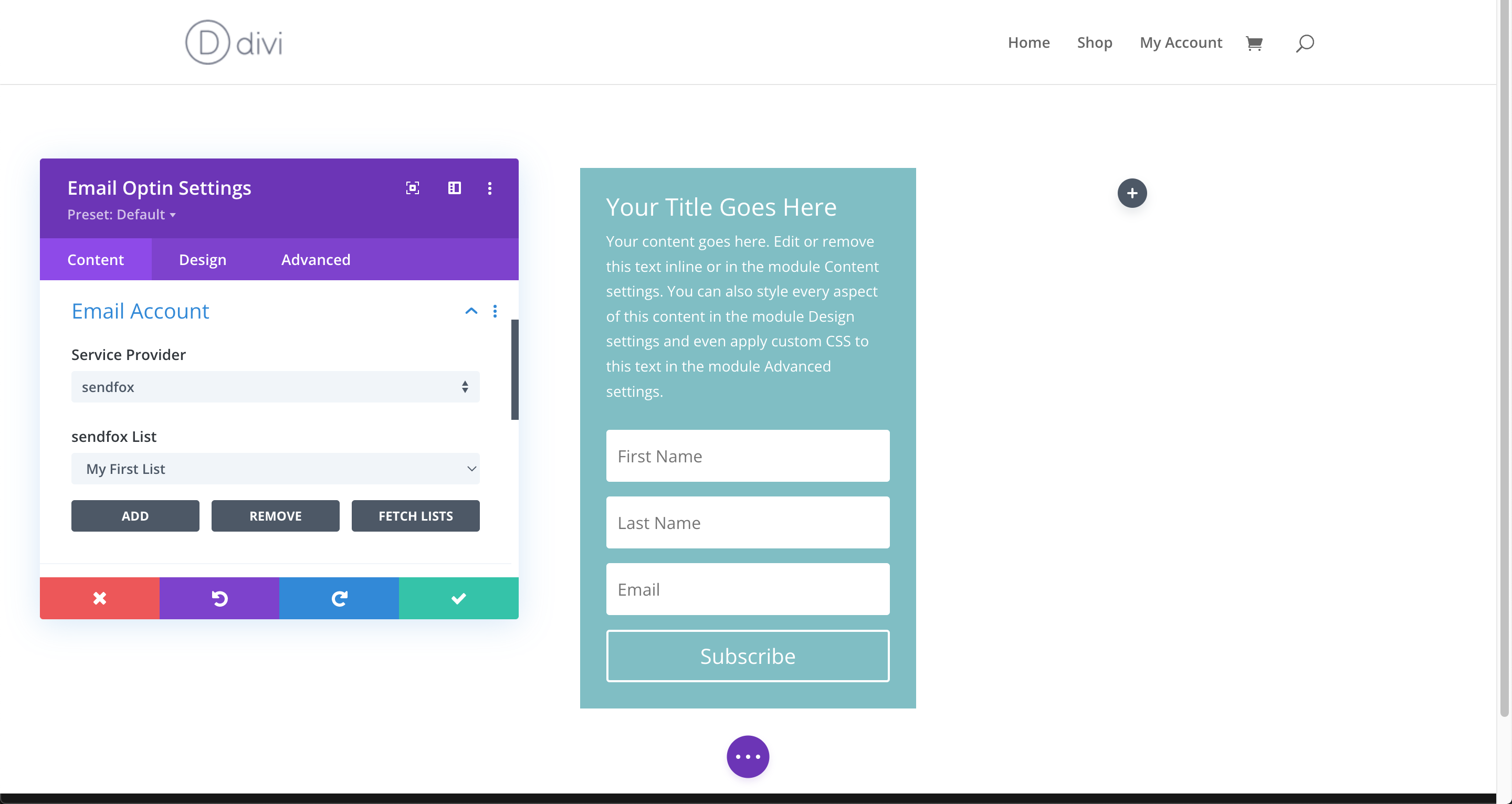
Capture emails and add them to your SendFox list via comments, registration, WooCommerce checkout, Gutenberg page or Divi Builder page.

Consider an alternative
WP SendFox shows warning signs in 2026 — compare the alternatives below before installing. It runs on 1K+ sites, is rated 5/5 and was last updated 3 years ago, and scores 39/100 on our health check.
- No update in 2 years
- Only tested up to WordPress 6.4 (latest is 7.1)
How does it stack up?
Side-by-side on installs, updates, ratings & support



Daily downloads
Download spikes usually follow a new release — each site that auto-updates counts as a download.
Rankings
Where WP SendFox stands todayWordPress.org search rankings
Live position in the plugin search, top 100| Keyword | Position |
|---|---|
| export | >100 |
| integration | >100 |
| sendfox | #6 |
| woocommerce | >100 |
| wp | >100 |
Version adoption
Share of active sites per release.
Rating breakdown
★★★★★★★★★★ 5 from 8 reviews
About WP SendFox
From the official readme · v1.3.1Description
This plugin lets you capture emails from your WP comment form, WP registration form, WooCommerce checkout form, pages built with Gutenberg and Divi Builder.
You can:
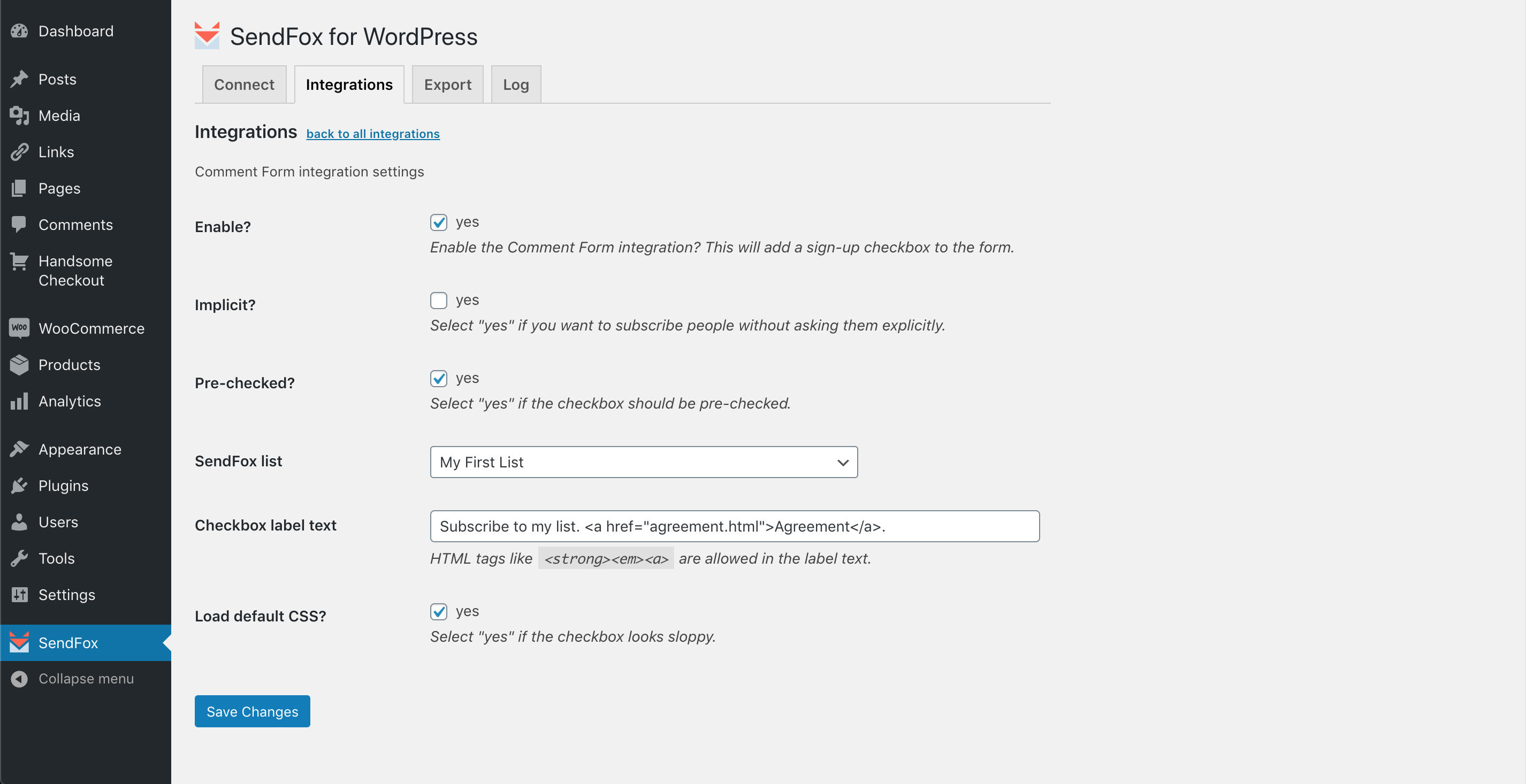
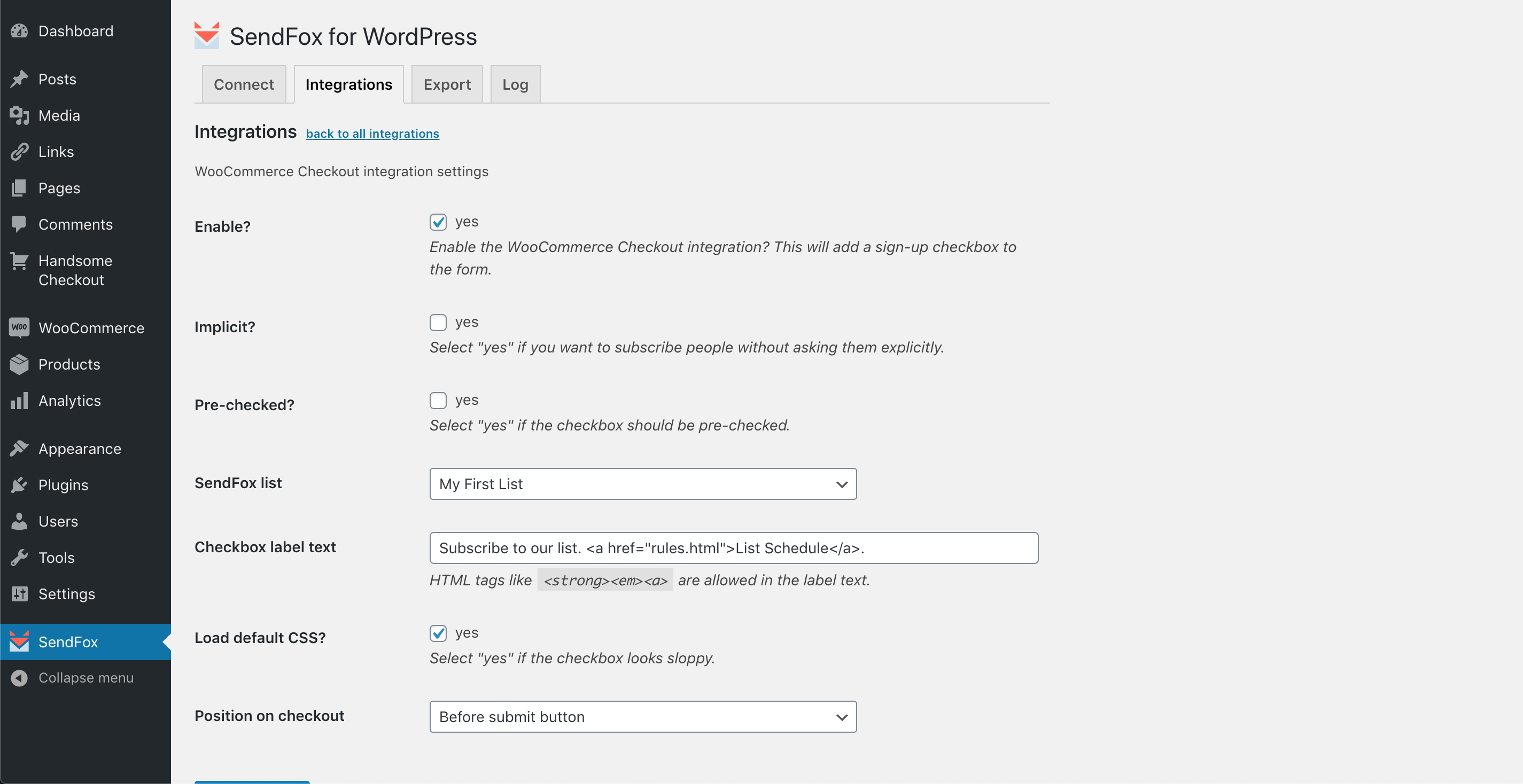
* add subscribe checkbox to any of these forms
* make it pre-checked
* make subscription implicit (hidden checkbox)
Also you can easily export your WordPress users and/or WooCommerce customers to one of your lists in just 3 clicks, literally.
All you need to start using this plugin is your SendFox API key (aka “Personal Access Token”).
SendFox website, title and logo are owned by Sumo Group, Inc.
Installation
- Upload the plugin files to the
/wp-content/plugins/wp-sendfoxdirectory, or install the plugin through the WordPress plugins screen directly. - Activate the plugin through the ‘Plugins’ screen in WordPress.
- Go to your SendFox account settings to create “Personal Access Token”.
- Copy your new “Personal Access Token”.
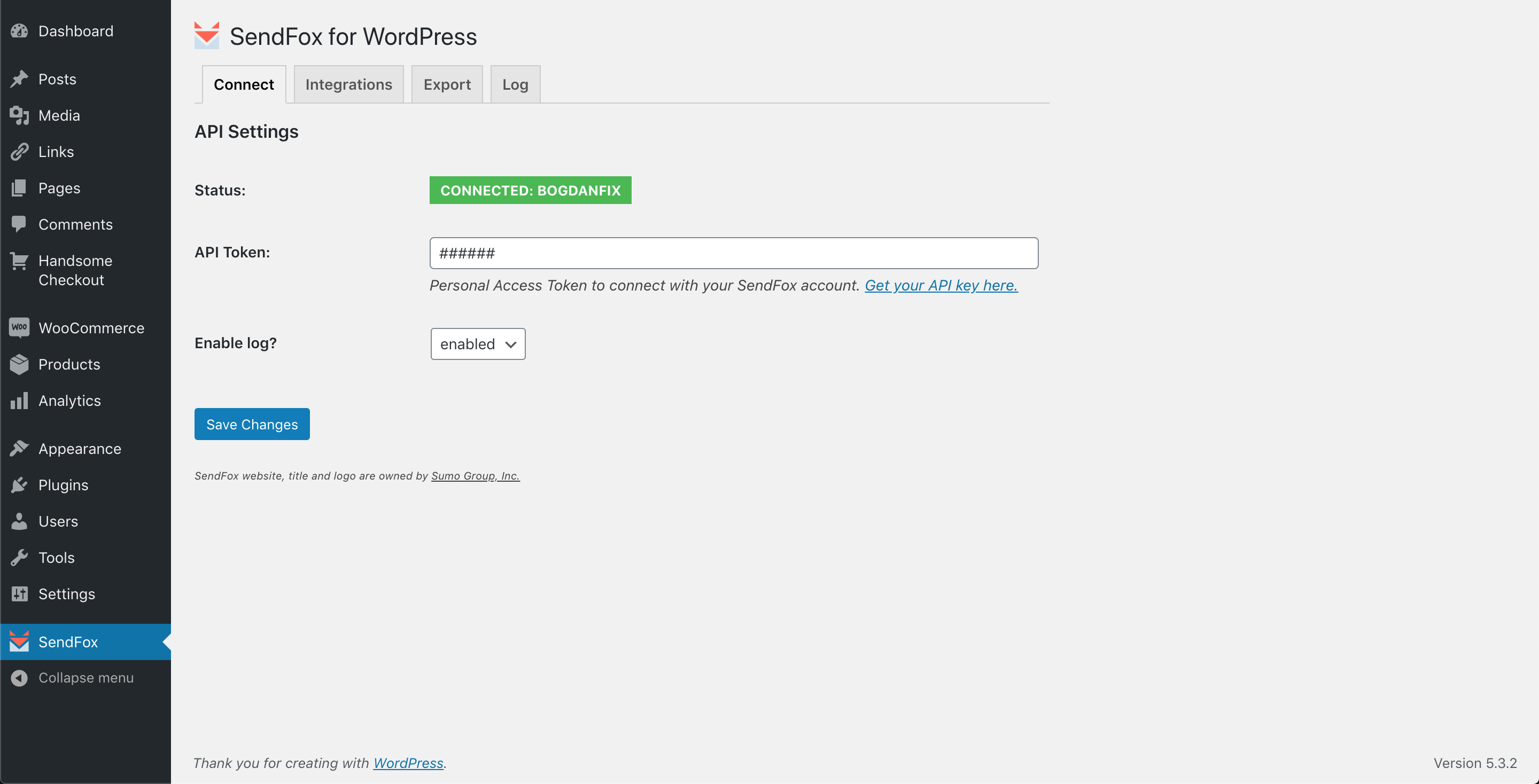
- Go to the admin menu->SendFox->Connect screen to configure the plugin.
- Paste your “Personal Access Token” into “API Token” field and click “Save Changes”.
- If “Status” field shows green box saying “CONNECTED: Your_Account_Name”, your SendFox account is connected successfully.
- Now you can go to “Integrations” and “Export” tabs. Use “Integrations” tab to configure how your visitors will subscribe to your list from your site. And “Export” tab to export existing WP users or WooCommerce customers.
Frequently asked questions
Do I need to reveal my SendFox login and/or password to use this plugin?
No, definitely not. This plugin uses a secure API connection to SendFox via the special API key, that you need to generate in your account first. Your login credentials are not revealed.
Changelog
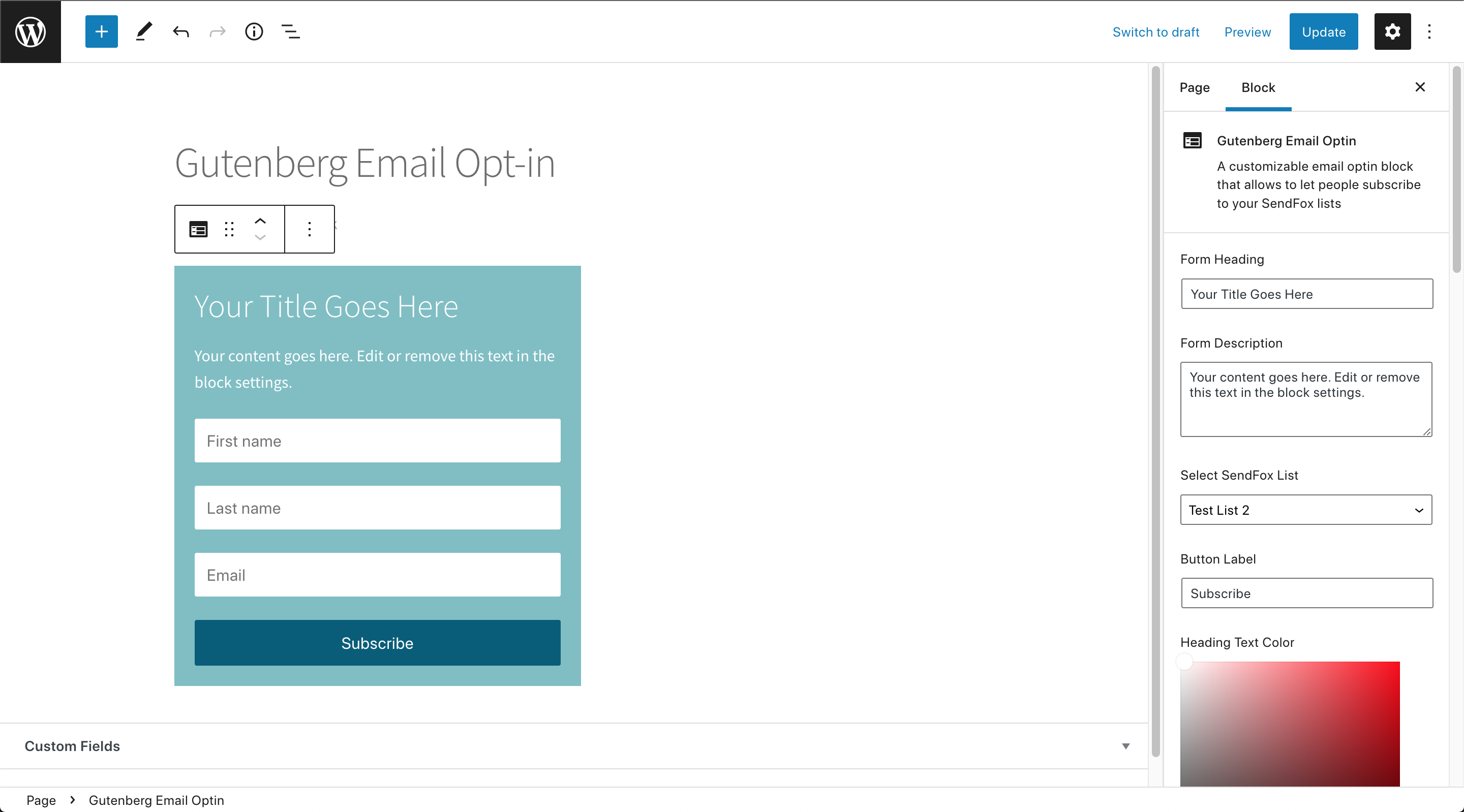
Integration for Divi, Gutenberg opt-in block, spam fix for Comment Form integration.
1.3.1
- feature: support for WooCommerce HPOS;
- tweak: improved Access Control for gb_sf4wp_process_sync() (Big thanks to Abdi Pranata);
1.3.0
- integration: LearnDash Course Enrollment (Big thanks to Rodolfo Martinez!);
- feature: added WooCommerce HPOS support;
1.2.0
- feature: (Gutenberg Opt-in Block) added form border styling options, button border styling options, form width (fixed or 100%), added separate sections for Form and Button options in Gutenberg Sidebar, added transparency selector for Form Background colorpicker;
- tweak: added minified CSS file and enqueued it instead; updated minified js;
- tweak: fixed typo for comment_id variable and logics filtering comment email submission;
1.1.0
- feature: integrated SendFox to the Divi Builder’s Email Optin module (Big thanks to Rodolfo Martinez!);
- feature: added a custom Gutenberg Email Optin block that allows to pick a list and subscribe to SendFox (Big thanks to Rodolfo Martinez!);
- feature: (optionally) submit comment author email to SendFox only after comment is approved manually;
- tweak: submit comment author email to SendFox only after comment is approved automatically;
- tweak: replaced esc_url with esc_attr to fix “Clear log” link;
1.0.2
- tweak: fixed duplicate “select the list…” in “SendFox list” dropdown fields;
- tweak: “SendFox list” dropdown was only showing the first 10 lists from your account, fixed that;
- feature: added 24-hour cache for lists available in “SendFox list” dropdown to speed up the admin pages, and “Reload lists” button under “Connect” tab to clear that cache manually;
1.0.1
- tweak: skip options filtering on the first save, otherwise options are not saved and overwritten by FALSE;
- tweak: added optional argument to the logging function;
Screenshots


For developers
Is this your plugin? Show off the numbers.
Add a live badge to your site, docs or GitHub README. It updates on its own — no account needed.
Best WP SendFox alternatives
All export plugins →





FAQ
WP SendFox: quick answers
Straight answers, pulled from live WordPress.org data.
Live data from WordPress.org · checked Sep 27, 2026
Is WP SendFox free?
Yes. WP SendFox is free to download and use from the official WordPress.org plugin directory.
Is WP SendFox safe to use in 2026?
WP SendFox shows warning signs in 2026 — compare the alternatives below before installing. It runs on 1K+ sites, is rated 5/5 and was last updated 3 years ago, and scores 39/100 on our health check.
How many websites use WP SendFox?
WP SendFox is active on 1K+ WordPress websites and has been downloaded 18,484 times since it launched in March 2020. It was downloaded 208 times in the last 30 days.
Does WP SendFox work with WordPress 7.1?
WP SendFox is officially tested up to WordPress 6.4.12, while the latest release is 7.1.2. It may still work, but try it on a staging site first.
What PHP version does WP SendFox need?
WP SendFox requires PHP 5.2.4 or higher. Most hosts run PHP 8.x today, so it works on any modern WordPress hosting.
When was WP SendFox last updated?
The latest version, 1.3.1, was released on March 7, 2024 (3 years ago).
Who makes WP SendFox?
WP SendFox is developed and maintained by BogdanFix.
What are the best alternatives to WP SendFox?
The most popular alternatives to WP SendFox are Customizer Export/Import (100K+ installs), Advanced Order Export For W… (100K+ installs) and WP All Export (100K+ installs).
Powered by PageForge
Want thousands of pages that rank like these? Build them in an afternoon.
This directory runs on the same engine as PageForge. Turn any spreadsheet, CSV or API into thousands of fast, SEO-ready WordPress pages — with schema, internal links and AI-written copy baked in.
- CSV, Google Sheets & API data sources
- AI content, schema & internal links per page
- Works with Elementor, Gutenberg, Yoast & Rank Math
- Free on WordPress.org — no credit card


