


Bootstrap Blocks for WP Editor v2
The essential WP Editor Plugin for Bootstrap websites. Fully manageable responsive containers, rows and columns. Developers and editors easily create and edit bootstrap pages within the WP Editor. Without coding. Works…

Consider an alternative
Bootstrap Blocks for WP Editor… shows warning signs in 2026 — compare the alternatives below before installing. It runs on 300+ sites, is rated 3/5 and was last updated 2 years ago, and scores 33/100 on our health check.
- Small user base (300+ active installs)
- Low rating so far — 3/5 from only 8 reviews
- No update in over a year
- Only tested up to WordPress 6.7 (latest is 7.1)
How does it stack up?
Side-by-side on installs, updates, ratings & support



Daily downloads
Download spikes usually follow a new release — each site that auto-updates counts as a download.
Rankings
Where Bootstrap Blocks for WP Edi… stands todayWordPress.org search rankings
Live position in the plugin search, top 100| Keyword | Position |
|---|---|
| blocks | >100 |
| bootstrap | #34 |
| breakpoints | >100 |
| container | >100 |
| page builder | >100 |
Version adoption
Share of active sites per release.
Rating breakdown
★★★★★★★★★★ 3 from 8 reviews
About Bootstrap Blocks for WP Editor v2
From the official readme · v2.5.1Description
The essential WP Editor Plugin for Bootstrap websites. Fully manageable responsive containers, rows and columns. Developers and editors easily create and edit bootstrap pages within the WP Editor. Without coding. Works perfectly in combination with loads of other plugins.
Use it with self-developed Bootstrap themes or regular themes!
Whether you want to set up a complete Bootstrap WordPress site or just want to quickly set up a temporary page. The Bootstrap blocks for WP Editor plugin enables you to make use of your activated WordPress theme. But you can also choose to start without the header and footer and start with a fresh page. Without any header and footer. It’s all up to you.
Features of Bootstrap Blocks for WP Editor v2:
NEW! in v2:
- Align columns in row: left, center and right
- Set visibility of columns per breakpoint
- Set order of each column per breakpoint
- Container wrapper: full width background colours and set additional class
- Container and column background color option
- Bootstrap button
- Independent text parts colouring
- Responsive spacer colouring
- Responsive spacer visibility per breakpoint
- Optimized for Bootstrap 5.3
- Editor: adjustable view width (up to 100% of screen width)
- Editor: collapse containers, rows and columns for better overview
- Editor: view columns vertical and horizontal
- Editor: breakpoint labels for quick overview
Features that were already there:
- Insert containers, rows and columns in the WP Editor
- Use the WP Editor blocks in the Bootstrap grid
- Seamless integration with themes that use Bootstrap grid
- Seamless integration with themes that do not use Bootstrap grid
- Set overall identity colours and apply these in WP Editor
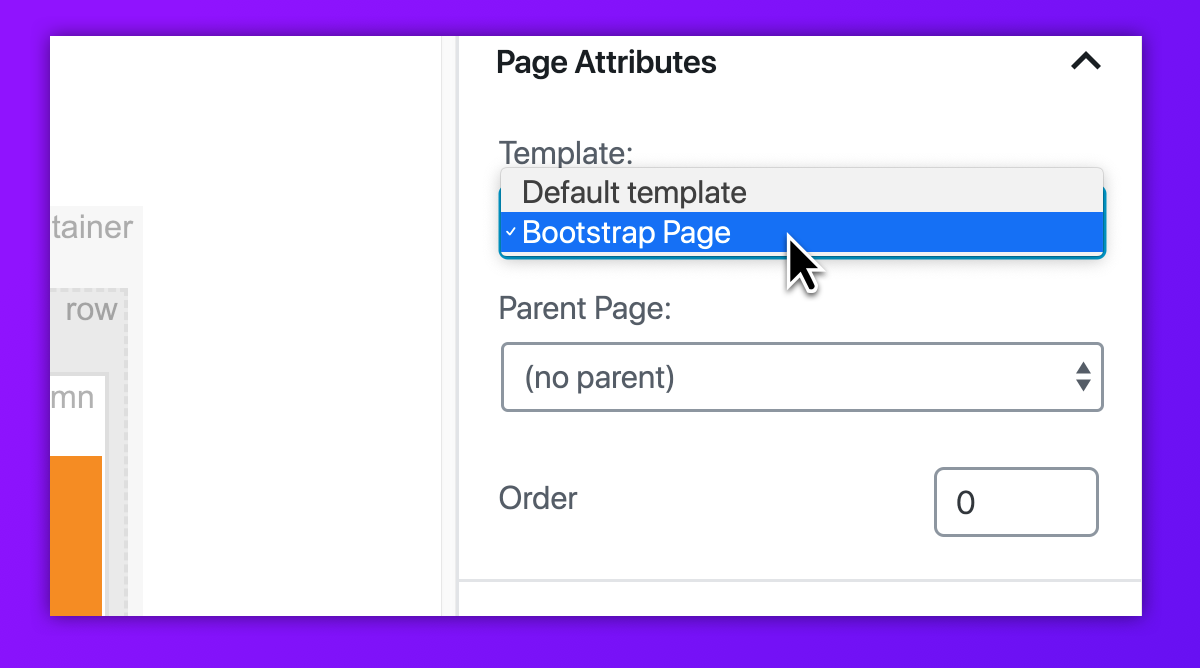
- Option: start with empty ‘Bootstrap Page’ template
- Option: enable Bootstrap grid from plugin dashboard
- Option: wrap page title in Bootstrap grid on ‘Bootstrap page’ template pages
- Option: hide default page title on ‘Bootstrap page’ template pages
- Collapse containers for clear overview in the Editor
- Add labels to containers for clear overview in the Editor
Extra Features of the Design Package add-on:
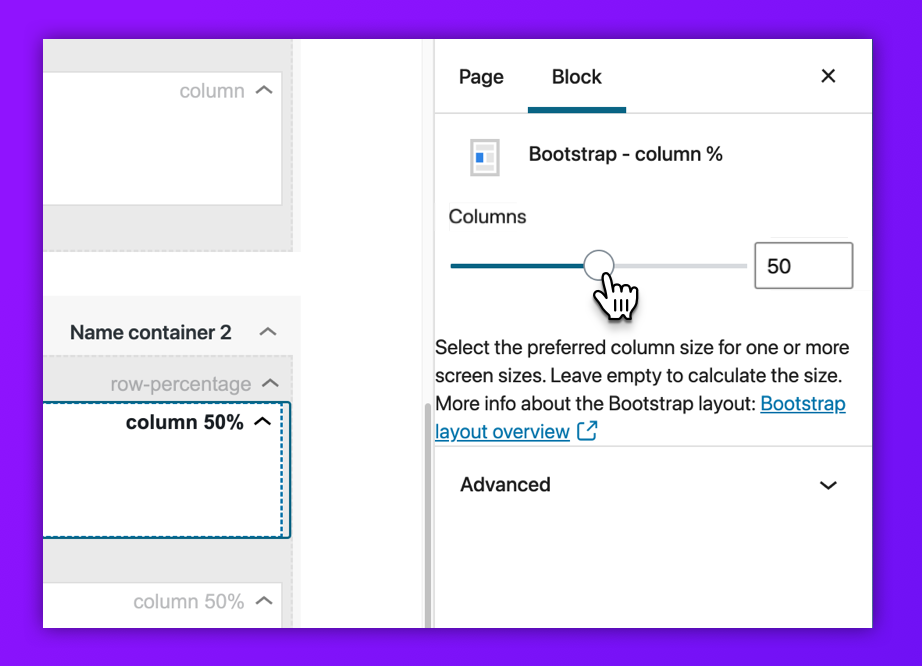
- Set column use for all (6) Bootstrap breakpoints
- Use of standard Bootstrap classes (such as mx-auto)
- Responsive Spacer Block (not pixel based, but screen size based)
- Suppress default header and footer on ‘Bootstrap page’ template pages
- Full control over gutter setting
- Make use of fluid containers
- Lock container layouts to avoid unintended changes by editors
- Editor: custom CSS code editor for adding css only to current post-item
More information on our website
Requirements:
- WordPress 6.0 and up
- Bootstrap 4.0 and up
Installation:
Add the free Bootstrap blocks for WP Editor plugin via your WordPress plugins page:
- On the ‘Plugins’ page: click on “add new”
- Search “Bootstrap blocks for WP Editor”
- Click “install now”
- Activate Bootstrap blocks for WP Editor on the ‘Plugins’ page
Or download it on the WordPress Plugins page and install manually:
- On the ‘Plugins’ page: click on “add new”
- Click on “Upload Plugin”
- Choose the downloaded file on your hard drive
- Click “install now”
Frequently asked questions
Is it active right away?
Yes, after activating you can start right away with building bootstrap-based pages.
What themes work with Bootstrap blocks for WP Editor?
All themes. By using the Bootstrap page template you can create loads of independent pages based on the bootstrap grid. With some themes (Bootstrap and standard WordPress themes) it’s possible to make use of the themes’ headers and footers.
Can I use this plugin for multisite?
Yes. This plugin works on multisite environments.
Is the plugin free?
Yes, and you can do a lot of work with it! The full featured Design Package add-on is available for purchase on our website on our website
Where can I ask for support?
Please visit our website and drop your questions on our website
Do you need to be a developer to comprehend the use of this plugin?
No. Developers and editors easily create and edit bootstrap pages within the WP Editor. There’s no coding required.
Changelog
2.5.1
- Security and bug fixes.
2.5.0
- Bug fixes and compatibility adjustments for optimal user experience with the latest WordPress editor version
- Added visible units in responsive spacer
- updated the colour selectors and moved them to the styles tab
- Added alpa coloring
- Added a custom code texture for adding custom css in the head.
- Optimized layouts in the editor
- Added XXL columns screen-size and visibility support
- Refactored the locked layout. Locking wil now show a more compacted layout in the editor.
2.2.0
- Fixed colour issues
- Minor bugs fixes
- Responsive spacer exended with multiple units
• Fixed default inserted containers not containing any columns in WordPress > 6.1.1
2.1.0
- Added support for multisite environment
- Minor bugs fixes
2.0.2
- Fix missing toggle in editor role
2.0.1
- Small visual css bugfix
Screenshots




For developers
Is this your plugin? Show off the numbers.
Add a live badge to your site, docs or GitHub README. It updates on its own — no account needed.
Best Bootstrap Blocks for WP Edito… alternatives
All blocks plugins →





FAQ
Bootstrap Blocks for WP Editor v2: quick answers
Straight answers, pulled from live WordPress.org data.
Live data from WordPress.org · checked Oct 10, 2026
Is Bootstrap Blocks for WP Editor… free?
Yes. Bootstrap Blocks for WP Editor… is free to download and use from the official WordPress.org plugin directory.
Is Bootstrap Blocks for WP Editor… safe to use in 2026?
Bootstrap Blocks for WP Editor… shows warning signs in 2026 — compare the alternatives below before installing. It runs on 300+ sites, is rated 3/5 and was last updated 2 years ago, and scores 33/100 on our health check.
How many websites use Bootstrap Blocks for WP Editor…?
Bootstrap Blocks for WP Editor… is active on 300+ WordPress websites and has been downloaded 13,812 times since it launched in February 2019. It was downloaded 142 times in the last 30 days.
Does Bootstrap Blocks for WP Editor… work with WordPress 7.1?
Bootstrap Blocks for WP Editor… is officially tested up to WordPress 6.7.10, while the latest release is 7.1.3. It may still work, but try it on a staging site first.
What PHP version does Bootstrap Blocks for WP Editor… need?
Bootstrap Blocks for WP Editor… requires PHP 7.4 or higher. Most hosts run PHP 8.x today, so it works on any modern WordPress hosting.
When was Bootstrap Blocks for WP Editor… last updated?
The latest version, 2.5.1, was released on December 26, 2024 (2 years ago).
Who makes Bootstrap Blocks for WP Editor…?
Bootstrap Blocks for WP Editor… is developed and maintained by 3D Virge.
What are the best alternatives to Bootstrap Blocks for WP Editor…?
The most popular alternatives to Bootstrap Blocks for WP Editor… are Spectra Legacy (1M+ installs), Kadence Blocks (600K+ installs) and Extendify (500K+ installs).
Powered by PageForge
Want thousands of pages that rank like these? Build them in an afternoon.
This directory runs on the same engine as PageForge. Turn any spreadsheet, CSV or API into thousands of fast, SEO-ready WordPress pages — with schema, internal links and AI-written copy baked in.
- CSV, Google Sheets & API data sources
- AI content, schema & internal links per page
- Works with Elementor, Gutenberg, Yoast & Rank Math
- Free on WordPress.org — no credit card


