


WP Custom Admin Interface
With WP Custom Admin Interface you can easily customise the WordPress admin and login interfaces.

Solid choice
WP Custom Admin Interface is a solid plugin choice in 2026, with a few things worth checking first. It runs on 30K+ sites, is rated 4.7/5 and was last updated 8 months ago, and scores 66/100 on our health check.
- Proven at scale on 30K+ active sites
- Loved by users — 4.7/5 from 160 reviews
- Only tested up to WordPress 6.9 (latest is 7.1)
How does it stack up?
Side-by-side on installs, updates, ratings & support



Daily downloads
Download spikes usually follow a new release — each site that auto-updates counts as a download.
Rankings
Where WP Custom Admin Interface stands todayWordPress.org search rankings
Live position in the plugin search, top 100| Keyword | Position |
|---|---|
| admin | #10 |
| customize | #61 |
| interface | #1 |
| menu | >100 |
| menu editor | #55 |
Version adoption
Share of active sites per release.
Rating breakdown
★★★★★★★★★★ 4.7 from 160 reviews
About WP Custom Admin Interface
From the official readme · v7.43Description
With WP Custom Admin Interface you can easily customize the WordPress admin menu and toolbar and customize the admin and login interfaces. But we’re just getting started! WP Custom Admin Interface provides a whole range of awesome admin features which other plugins will charge you for – this plugin is completely free.
WP Custom Admin Interface provides an awesome and simple interface to customize the backend of WordPress to provide a more customized experience for you and your clients or customers. WordPress administrators who manage multiple websites will appreciate the simple plugin settings export feature which will enable you to deploy customizations to multiple sites you manage.
Custom admin menu features
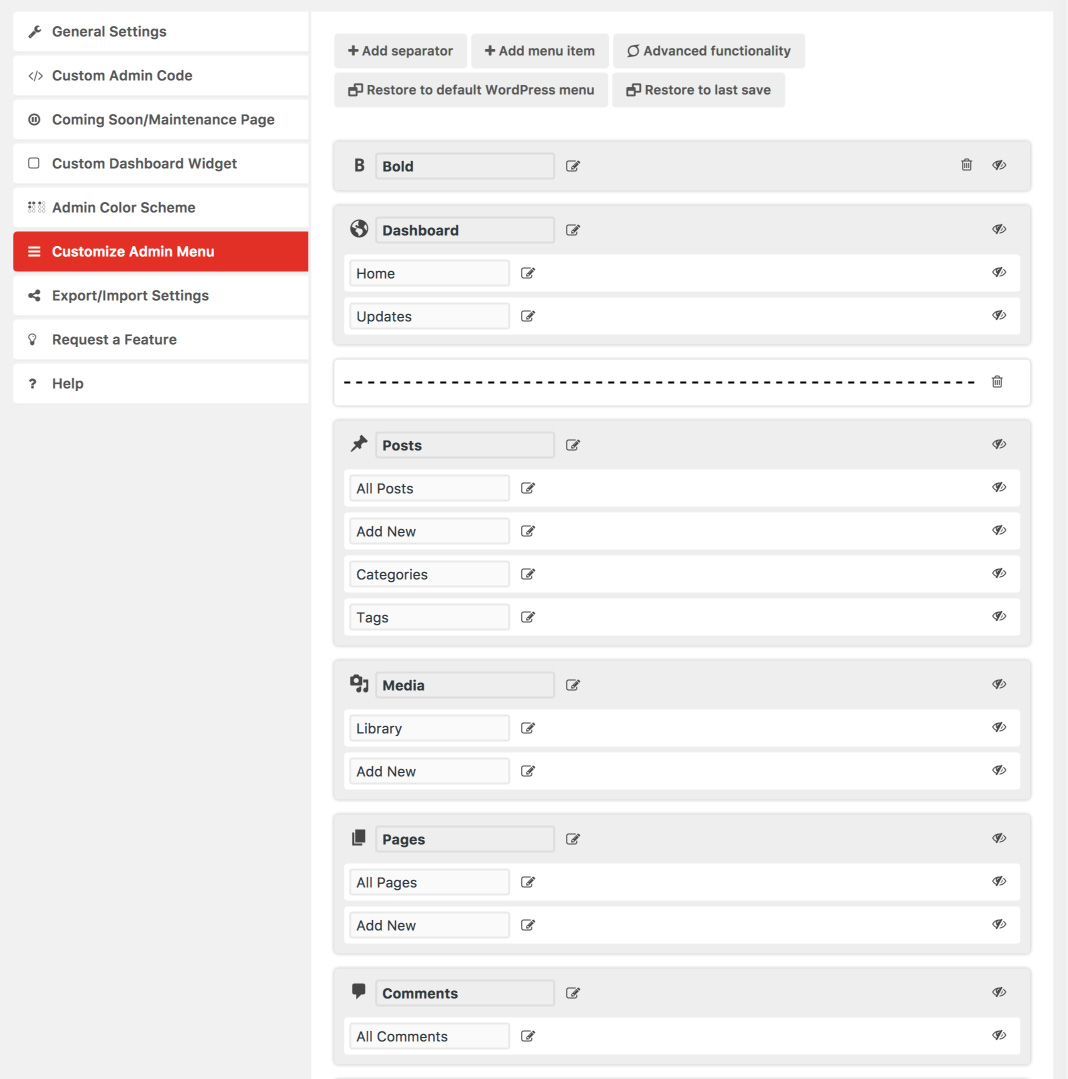
- Seamlessly re-arrange menu items with a drag and drop interface
- Easily rename any menu item
- Drag and drop top level menu items to sub level menu items and vice versa. Move any menu item anywhere!
- Create new menu items and drag them to any position
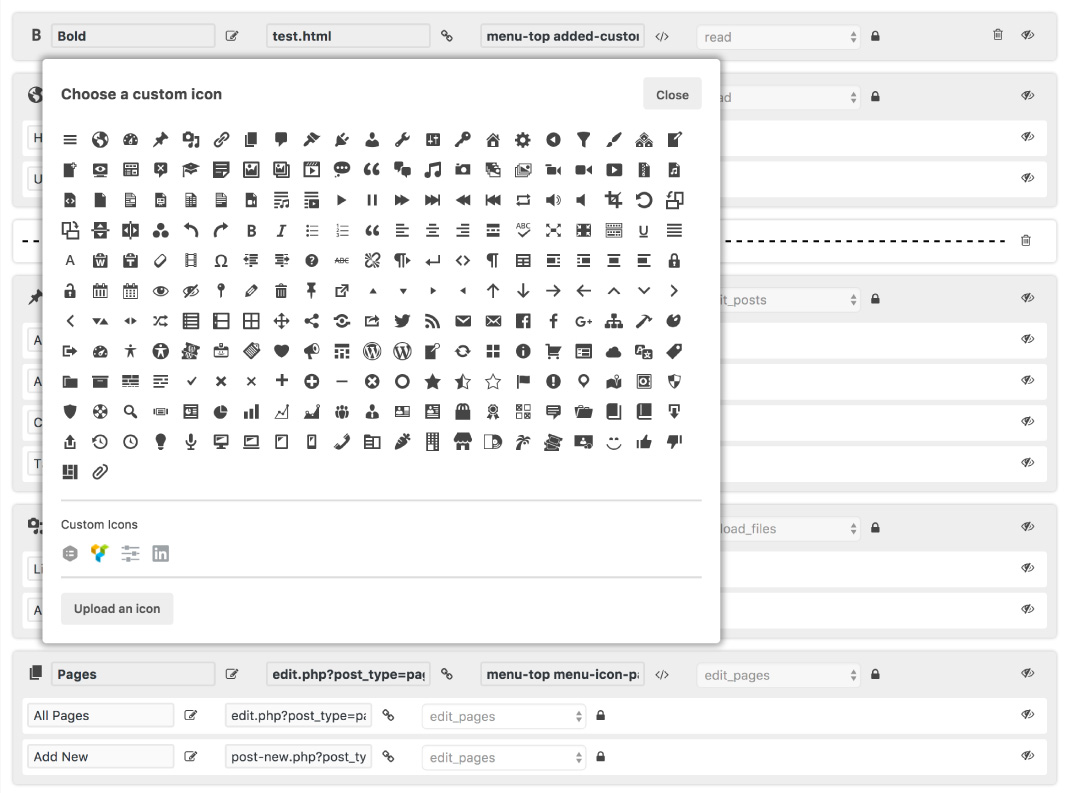
- Change the icon of any top level menu item from over 230 Dashicons or you can even upload your own icon!
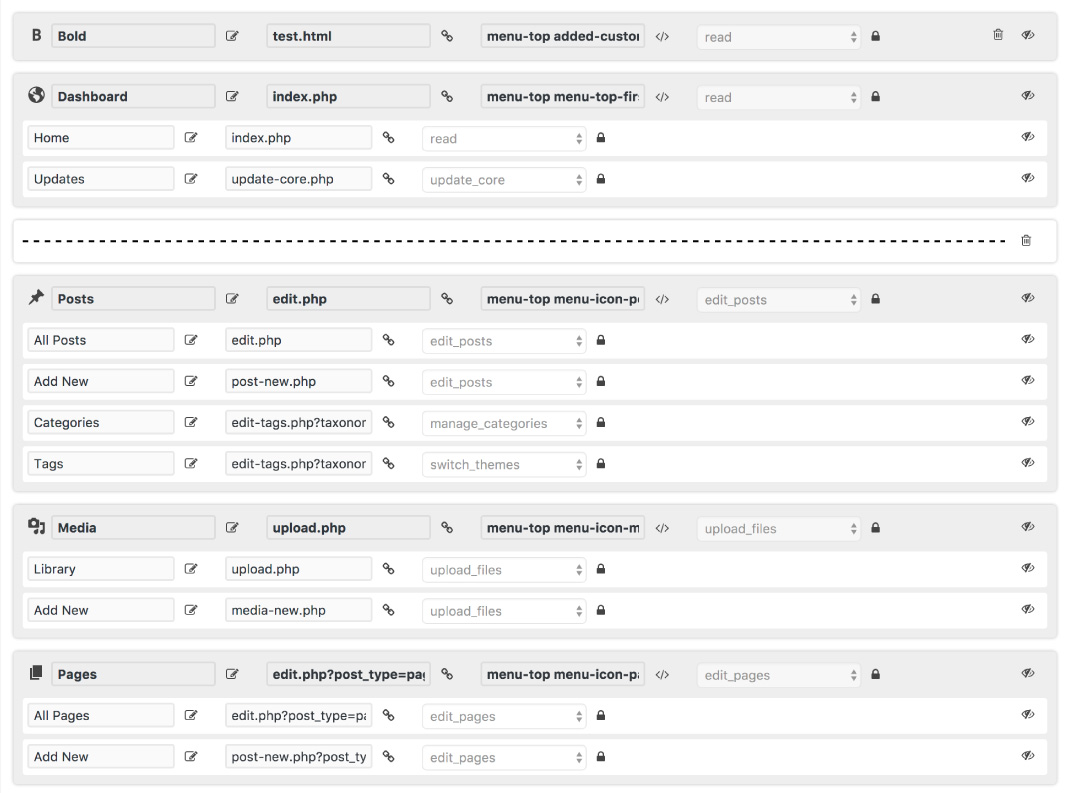
- Change more advanced properties like custom CSS classes, capability access and link target of any menu item
- Add separators to space out top level menus
- Restore a menu to the last save or to the standard WordPress menu
- Using the simple condition builder easily apply the custom menu to select roles or users!
Custom toolbar features, NEW in v4
- Add new menu items to the toolbar
- Remove existing items from the toolbar
- Re-order toolbar items
- Move toolbar items to any level of the menu
- Rename toolbar titles and links
- Restore the toolbar to the last save or to the standard WordPress toolbar
- Using the simple condition builder easily apply the custom toolbar to select roles or users!
All the other great features
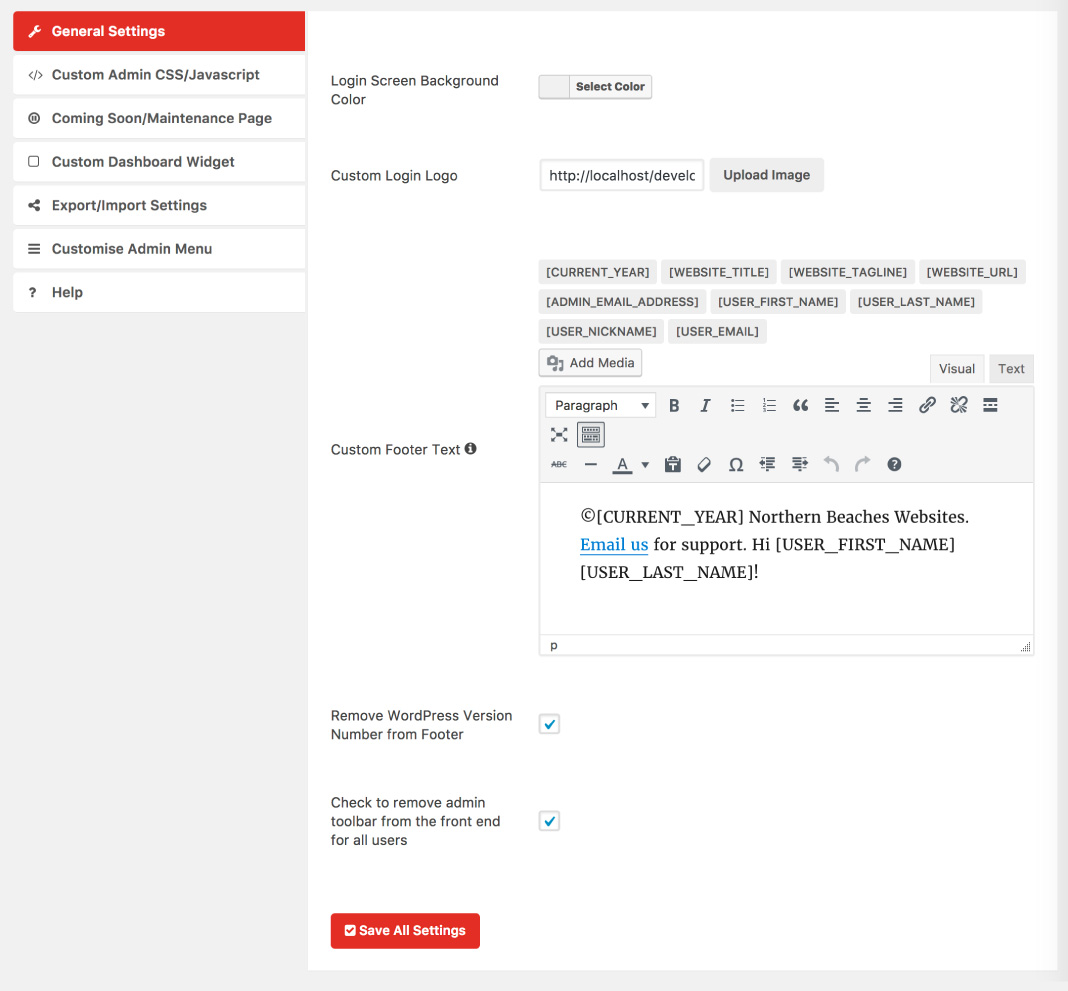
- Change the login screen background color
- Change the login screen logo
- Add a custom favicon to the backend and frontend of your website
- Change the link and button colors
- Customize the footer text which appears on every admin page and use a variety of nifty shortcodes like [year] to show the current year (for use in copyright text).
- Remove the WordPress version number from the footer
- Remove the admin toolbar from displaying on the frontend of WordPress
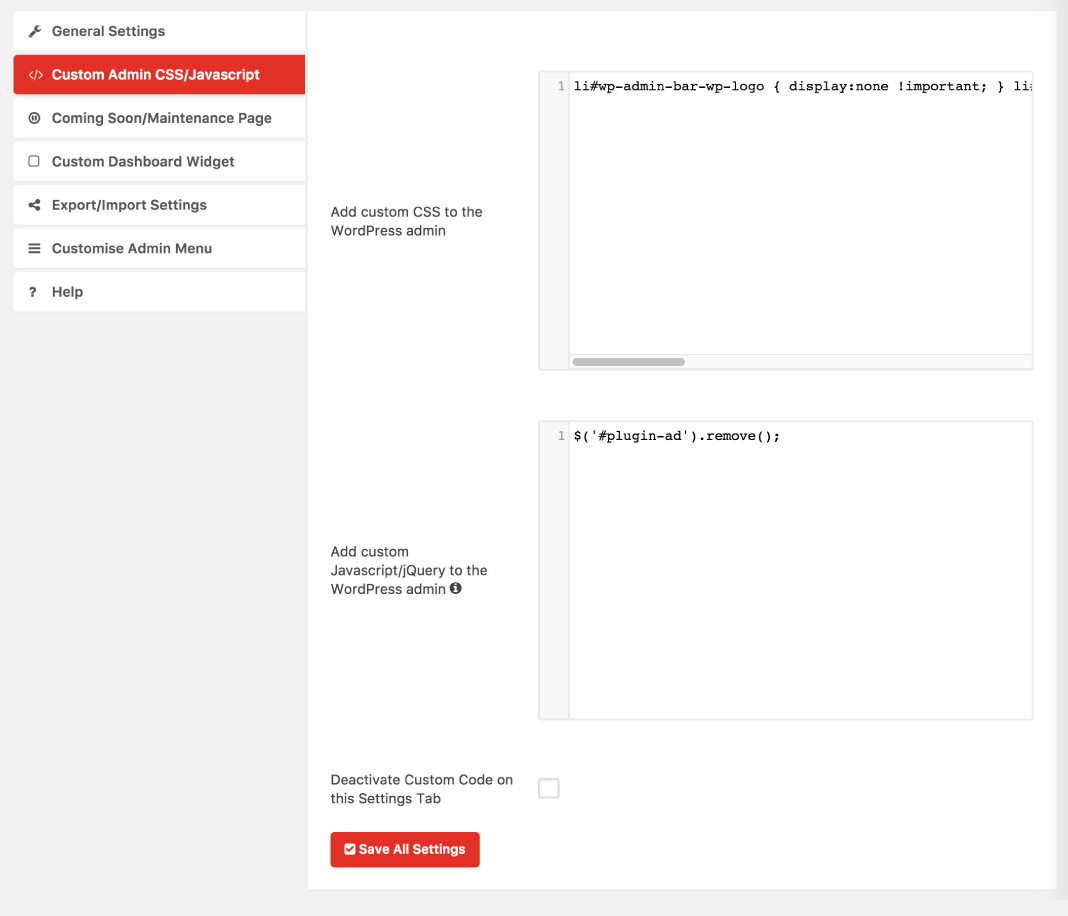
- Add custom admin CSS
- Add custom login CSS
- Add custom Javascript/jQuery
- Add custom PHP to WordPress
- Add custom CSS and Javascript/jQuery to the frontend of WordPress
- Create a coming soon/maintenance page with custom content and set a future expiry date to make your site live
- Hide plugins from displaying for certain users and roles
- Hide users from displaying for certain users and roles
- Hide sidebars from displaying for certain users and roles
- Hide meta boxes from all post types including custom post types as well as the dashboard page!
- Create a custom admin notice which can be displayed to select users/profiles and with an expiry date
- Create a custom dashboard widget
- Disable automatic updates
- Disable plugin updates
- Disable Gutenberg block editor
- Export and import settings
We hope you enjoy WP Custom Admin Interface! For support please see the help tab in the plugin settings.
Upgrade to pro
Upgrade to Custom Admin Interface Pro to create multiple menus, toolbars, notices, admin/frontend code, dashboard widgets, hidden plugins, hidden metaboxes, hidden sidebars and hidden users! Easily export your settings to a file and roll back revisions of your edits. Get more settings in a new intuitive design built from the ground up.
Installation
There are a couple of methods for installing and setting up this plugin.
Upload Manually
- Download and unzip the plugin
- Upload the ‘wp-custom-admin-interface’ folder into the ‘/wp-content/plugins/’ directory
- Go to the Plugins admin page and activate the plugin
Install via the Admin Area
- In the admin area go to Plugins > Add New and search for “WP Custom Admin Interface”
- Click install and then click activate
Frequently asked questions
The custom admin menu has stuffed my site how can I get it back to normal
We don’t foresee such an event occuring but if you do happen to run into this you can visit: yourwebsite.com/index.php?wp-custom-admin-interface=delete-menu (replacing yourwebsite.com with your website) and this will delete all the options associated with the custom admin menu. You need to make sure you are still logged in to an admin account for this to work. If you don’t have admin access you’ll need to either remove the database option or delete the plugin entirely.
Is WP Custom Admin Interface completely free
Yes! But for even more possibilities we recommend checking out the pro version: https://northernbeacheswebsites.com.au/custom-admin-interface-pro/
Need further help?
Please use the support forum to raise any issues or questions.
Changelog
Minor security update
7.43
- Minor security update
7.42
- Minor security update
7.41
- Minor security update
7.40
- Minor security update
7.39
- Allowing some tags
7.38
- Security update, thank you @ruslan
Screenshots



For developers
Is this your plugin? Show off the numbers.
Add a live badge to your site, docs or GitHub README. It updates on its own — no account needed.
Best WP Custom Admin Interface alternatives
All admin plugins →




FAQ
WP Custom Admin Interface: quick answers
Straight answers, pulled from live WordPress.org data.
Live data from WordPress.org · checked Sep 28, 2026
Is WP Custom Admin Interface free?
Yes. WP Custom Admin Interface is free to download and use from the official WordPress.org plugin directory.
Is WP Custom Admin Interface safe to use in 2026?
WP Custom Admin Interface is a solid plugin choice in 2026, with a few things worth checking first. It runs on 30K+ sites, is rated 4.7/5 and was last updated 8 months ago, and scores 66/100 on our health check.
How many websites use WP Custom Admin Interface?
WP Custom Admin Interface is active on 30K+ WordPress websites and has been downloaded 572,190 times since it launched in May 2017. It was downloaded 1,910 times in the last 30 days.
Does WP Custom Admin Interface work with WordPress 7.1?
WP Custom Admin Interface is officially tested up to WordPress 6.9.9, while the latest release is 7.1.2. It may still work, but try it on a staging site first.
When was WP Custom Admin Interface last updated?
The latest version, 7.43, was released on February 10, 2026 (8 months ago).
Who makes WP Custom Admin Interface?
WP Custom Admin Interface is developed and maintained by Northern Beaches Websites.
What are the best alternatives to WP Custom Admin Interface?
The most popular alternatives to WP Custom Admin Interface are Loginizer (1M+ installs), Redux Framework (900K+ installs) and Admin Menu Editor (300K+ installs).
Powered by PageForge
Want thousands of pages that rank like these? Build them in an afternoon.
This directory runs on the same engine as PageForge. Turn any spreadsheet, CSV or API into thousands of fast, SEO-ready WordPress pages — with schema, internal links and AI-written copy baked in.
- CSV, Google Sheets & API data sources
- AI content, schema & internal links per page
- Works with Elementor, Gutenberg, Yoast & Rank Math
- Free on WordPress.org — no credit card


