



Simple Shopping Cart
Lightweight, user-friendly plugin to sell products/services on WordPress. Easily add a shopping cart and start accepting orders in minutes.

Safe pick
Yes — Simple Shopping Cart is a safe, well-maintained plugin to use in 2026. It runs on 10K+ sites, is rated 4.6/5 and was last updated 1 month ago, and scores 88/100 on our health check.
- Proven at scale on 10K+ active sites
- Loved by users — 4.6/5 from 215 reviews
- Tested with the latest WordPress (7.1)
How does it stack up?
Side-by-side on installs, updates, ratings & support



Daily downloads
Download spikes usually follow a new release — each site that auto-updates counts as a download.
Rankings
Where Simple Shopping Cart stands todayWordPress.org search rankings
Live position in the plugin search, top 100| Keyword | Position |
|---|---|
| cart | #11 |
| ecommerce | >100 |
| sell online | #14 |
| shop | #17 |
| shopping cart | #2 |
Version adoption
Share of active sites per release.
Rating breakdown
★★★★★★★★★★ 4.6 from 215 reviews
About Simple Shopping Cart
From the official readme · v5.3.2Description
The Simple Shopping Cart plugin enables you to effortlessly add ‘Add to Cart’ buttons for your products or services directly on your website. This lightweight plugin transforms your WordPress site into a fully functional e-commerce platform, allowing you to sell products and services with ease.
With this plugin, your customers have the convenience of paying for their selected items using popular payment gateways such as PayPal and/or Stripe.
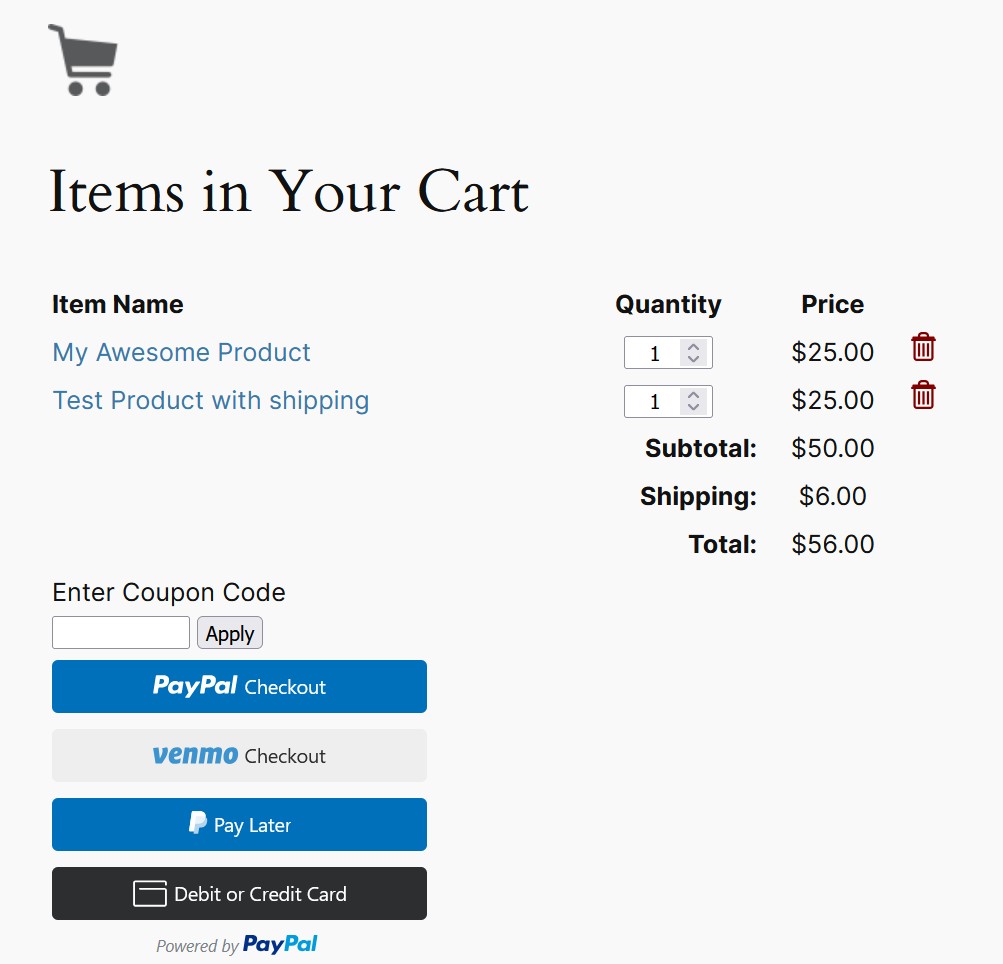
You can easily display the shopping cart on any post, page, or sidebar. The cart provides users with a clear view of their selected items, allowing them to adjust quantities or remove items effortlessly.
The plugin offers the newest/latest PayPal Commerce Platform (PPCP) checkout option. You can enable it in the settings menu of the plugin.
Checkout Process Demonstration
It offers a simple and seamless checkout process for your customers. To see a demonstration of how the checkout process works, please refer to the following video:
Easily Create Products
You will be able to create products by using shortcodes dynamically.
If you have a responsive theme, the shopping cart’s output will adapt seamlessly to ensure a mobile-friendly shopping experience.
Furthermore, this plugin provides a simple solution for selling digital products. To see a demonstration of how you can effectively sell your digital media files using the simple cart plugin, please refer to the following video:
Engineered for a Lightweight Solution
Designed as a lightweight solution with minimal lines of code and a streamlined set of options, this plugin ensures optimal site performance. Moreover, it is designed to be a low maintenance solution, minimizing the likelihood of frequent site disruptions caused by upgrades. With this plugin, you can enjoy a stable and hassle-free shopping cart functionality while maintaining the overall stability of your website.
Simple Shopping Cart Plugin, interfaces with the PayPal sandbox and Stripe testmode to allow for testing.
Documentation
For documentation, video tutorials, screenshots, support, and updates, please visit:
Simple Shopping Cart Documentation
or
Simple Shopping Cart Details Page
Features
- Easily create “add to cart” button with options if needed (price, shipping, options variations). The cart’s shortcode can be displayed on posts or pages.
- Use a function to add dynamic “add to cart” button directly in your theme.
- Minimal number of configuration items to keep the plugin lightweight.
- Sell any kind of tangible products from your site.
- Ability to sell services from your your site.
- Sell any type of media file that you upload to your WordPress site. For example: you can sell ebooks (PDF), music files (MP3), audio files, videos, photos, images etc.
- Your customers will automatically get an email with the media file that they paid for.
- Show a nicely formatted product display box on the fly using a simple shortcode.
- Option to enable terms and conditions for your customers to agree to before they checkout.
- Uses the newest/latest PayPal checkout option.
- Option to use the PayPal Commerce Platform Checkout option. You can enable it from the settings menu of the plugin.
- Option to use the smart payment buttons of PayPal. Allows the customers to checkout in a popup window (using a credit card, paypal or paypal credit).
- Your customers will be able to use the PayPal’ Pay in 4 payment option (Buy Now Pay Later).
- You can use PayPal sandbox to do testing if needed (before you go live).
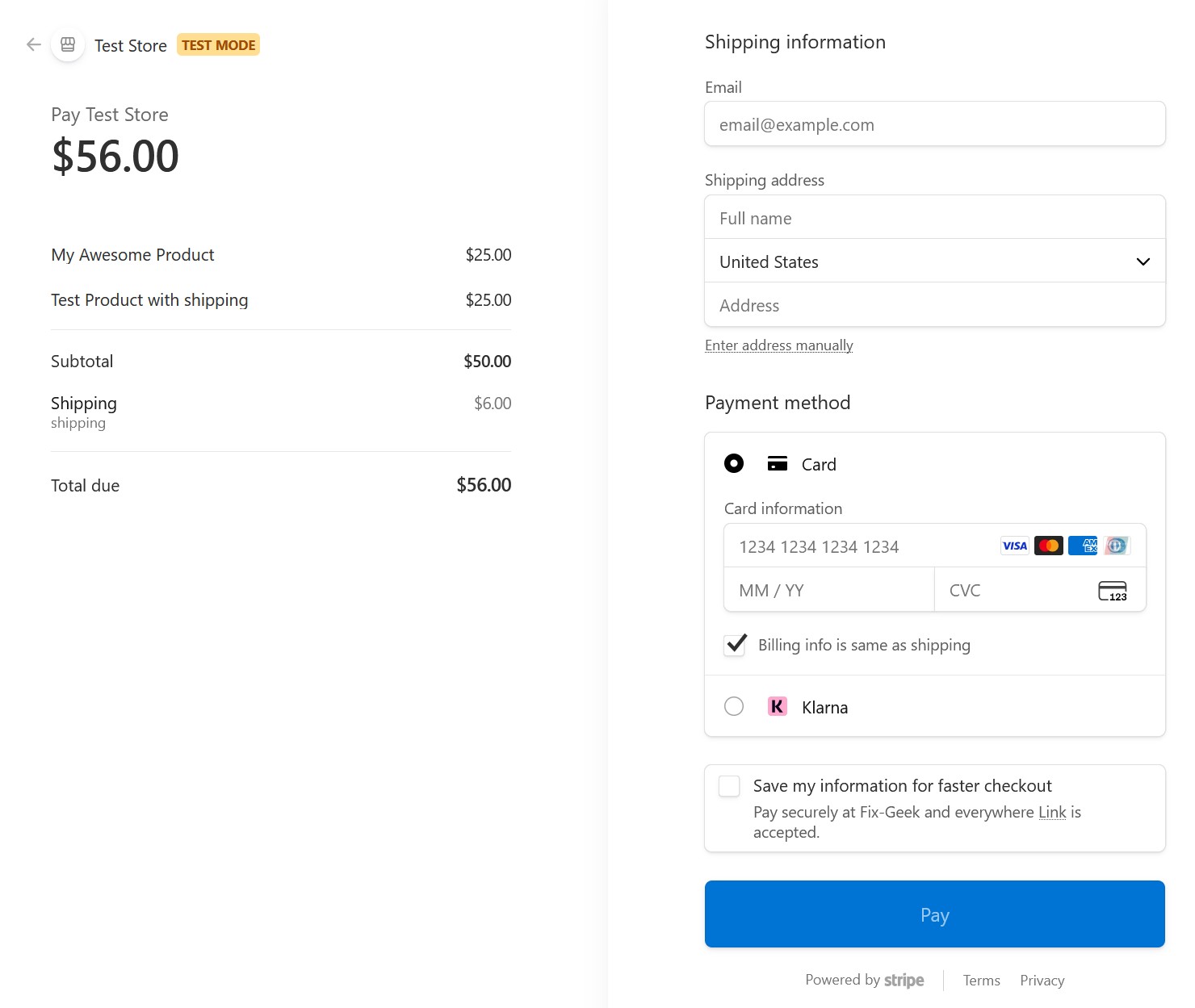
- Ability to offer the Stripe checkout option. Your customers can conveniently make credit card payments through the secure Stripe payment gateway.
- You can use Stripe testmode to do testing if needed (before going live).
- The Stripe checkout will display payment method options based on what you, as the merchant, have enabled in your Stripe account.
- You can offer a manual/offline payment option using the Manual Checkout feature.
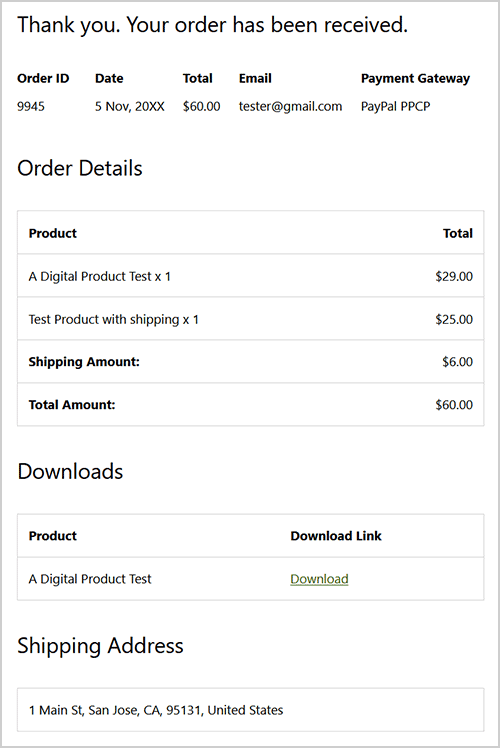
- Ability to display the order summary on the ‘Thank You’ page. Refer to this documentation for more details.
- The orders menu will show you all the orders that you have received from your site.
- Ability to configure an email that will get sent to your buyers after they purchase your product.
- Ability to configure a sale notification email that gets sent to the site admin when a customer purchase your item(s).
- Ability to configure discount coupons. Offer special discounts on your store/shop.
- You can create coupons and give to your customers. When they use coupons during the checkout they will receive a discount.
- Create discount coupons with an expiry date. The coupon code automatically expires after the date you set.
- Compatible with WordPress Multi-site Installation.
- Ability to specify SKU (item number) for each of your products in the shortcode.
- Ability to customize the add to cart button image and use a custom image for your purchase buttons.
- Ability to customize the add to cart button text via shortcode parameter on a per product basis.
- Track coupons with the order to see which customer used which coupon code.
- Ability to add a compact shopping cart to your site using a shortcode.
- Ability to show shopping cart with product image thumbnails.
- Ability to use a custom checkout page style.
- Ability to configure region based shipping additions.
- Store pickup option – let customers pick up orders from your store.
- Ability to use blocks to add the ‘add to cart’ button and the ‘shopping cart’ to your posts/pages/sidebar.
- Option to enable AJAX add to cart buttons for a smoother user experience.
- Option to hide the quantity field in the shopping cart. This can be useful for a site selling only digital products where the quantity is always 1.
- Works nicely with responsive WordPress themes.
- Can be translated into any language.
- and more…
Shopping Cart Setup Video Tutorials
There is a series of video tutorials to show you how to set up the shopping cart plugin on your site.
Check the video tutorials here.
Language Translations
The following language translations are already available:
- English
- German
- Spanish
- French
- Breton
- Italian
- Japanese
- Polish
- Czech
- Hebrew
- Swedish
- Norwegian
- Danish
- Turkish
- Dutch
- Brazilian Portuguese
You can translate the plugin using this documentation.
Developers
- If you are a developer and you need some extra hooks or filters for this plugin please let us know.
- Github repository
Usage
1) To add an ‘Add to Cart’ button for a product, simply add the following shortcode to a post or page next to the product. Replace PRODUCT-NAME and PRODUCT-PRICE with the actual name and price.
[wp_cart_button name="PRODUCT-NAME" price="PRODUCT-PRICE"]
2) To add the shopping cart to a post or page (eg. checkout page) add the following shortcode to a post or page or use the sidebar widget to add the shopping cart to the sidebar. The shopping cart will only be visible in a post or page when a customer adds a product.
[show_wp_shopping_cart]
3) Alternatively, you have the option to utilize the Gutenberg editor blocks provided by this plugin to conveniently insert the add to cart button and shopping cart in desired locations within your content.
Read the documentation for using the blocks
4) To insert the ‘Add to Cart’ button from a template or PHP file, you can utilize the following PHP function:
<?php echo print_wp_cart_button_for_product(‘PRODUCT-NAME’, PRODUCT-PRICE); ?>
Replace PRODUCT-NAME and PRODUCT-PRICE with the actual name and price.
Using Product Display Box
Here is an exmaple shortcode that shows you how to use a product display box.
[wp_cart_display_product name="My Awesome Product" price="25.00" thumbnail="http://www.example.com/images/product-image.jpg" description="This is a short description of the product"]
Simply replace the values with your product specific data
Using a compact shopping cart
Add the following shortcode where you want to show the compact shopping cart:
[wp_compact_cart]
Using Shipping
To apply a shipping cost to your product, use the ‘shipping’ parameter. Below is an example of how to include it in a shortcode:
[wp_cart_button name="Test Product" price="19.95" shipping="4.99"]
Visit the shipping setup documentation page for more details.
Using Variation Control (Product Variations)
To enable variation control, use the variation parameter. Below is an example of how to include it in a shortcode:
[wp_cart_button name="Test Product" price="25.95" var1="VARIATION-NAME|VARIATION1|VARIATION2|VARIATION3"]
Example shortcode usage:
[wp_cart_button name="Test Product" price="29.95" var1="Size|small|medium|large"]
To add multiple variations to a product (such as a second or third variation), use the following format:
[wp_cart_button name="Test Product" price="29.95" var1="Size|small|medium|large" var2="Color|red|green|blue"]
To add variations with price modifiers to a product (so the selected variation can update the price), use the following format:
[wp_cart_button name="Test Product" price="15.00" var1="Size|small|medium::5|large::10" var2="Color|red|green::2|blue::3" var3="Sleeve|short|full::5"]
Installation
- Unzip and Upload the folder ‘wordpress-paypal-shopping-cart’ to the ‘/wp-content/plugins/’ directory
- Activate the plugin through the ‘Plugins’ menu in WordPress
- Go to Settings of this plugin and configure the options (for example: your email, Shopping Cart name, Return URL etc.)
- Use the shortcode to add a product to a post or page where you want it to appear.
Frequently asked questions
Where can I find the documentation for this pluign?
Visit the documentation page here
Can this plugin be used to accept paypal payment for a service or a product?
Yes
Can this plugin be used to sell products and services using the Stripe payment gateway?
Yes
Does this plugin have shopping cart
Yes
Does this plugin have the option to use the new PayPal checkout option
Yes. you can enable the new PayPal checkout option in the settings menu of the plugin.
Can I enable terms and conditions for my customers to agree to before they checkout?
Yes. you can enable terms and conditions in the settings menu of the plugin.
Can the shopping cart be added to a checkout page?
Yes
Is the ‘Add to Cart’ button customizable?
Yes
Does this plugin use a return URL to redirect customers to a specified page after PayPal has processed the payment?
Yes
How can I add a buy button on the sidebar widget of my site?
Check the documentation on how to add buy buttons to the sidebar
Can I use this plugin to sell digital downloads?
Yes. See the digital download usage documentation
Can I configure discount coupon with this shopping cart plugin?
Yes. you can setup discount coupons from the “Coupon/Discount” interface of the plugin.
Can I configure product sale notification so I get notified when a sale is made?
Yes. You can configure sale notification from the “Email Settings” interface of the plugin.
Can I modify the product box thumbnail image?
Yes.
Can I customize the format of the price display?
Yes.
Can the customers be sent to a cancel URL when they click “cancel” from the PayPal checkout page?
Yes.
Does this plugin have a Stripe Checkout option?
Yes, you can configure the Stripe checkout option in the settings menu of the plugin.
Changelog
None
5.3.2
- WordPress 7.1 shopping cart block compatibility update.
5.3.1
- Added new settings for the store pickup feature. Store Pickup Documentation
- Fixed an admin settings UI issue related to WordPress version 7.
5.3.0
- Updated the language translation POT file.
- Updated the unique Cart ID generating code to use a more robust method.
5.2.9
- Added more disable funding options in the settings menu of the PayPal PPCP checkout.
5.2.8
- The deprecated PayPal Smart Checkout menu tab has been removed. If you were using it, switch to the new PayPal Checkout option. See the setup guide
- PayPal API connection related message updated to be more clear and informative.
- Gutenberg Block API v3 related console warning fixed.
- Fixed a small JS related issue for the cart.
5.2.7
- Added a new settings option that can be used to specify the default PayPal locale for the PayPal Commerce Platform Checkout option.
- A small CSS update in the orders menu for WordPress 7.0.
Screenshots

For developers
Is this your plugin? Show off the numbers.
Add a live badge to your site, docs or GitHub README. It updates on its own — no account needed.
Best Simple Shopping Cart alternatives
All cart plugins →



FAQ
Simple Shopping Cart: quick answers
Straight answers, pulled from live WordPress.org data.
Live data from WordPress.org · checked Sep 26, 2026
Is Simple Shopping Cart free?
Yes. Simple Shopping Cart is free to download and use from the official WordPress.org plugin directory.
Is Simple Shopping Cart safe to use in 2026?
Yes — Simple Shopping Cart is a safe, well-maintained plugin to use in 2026. It runs on 10K+ sites, is rated 4.6/5 and was last updated 1 month ago, and scores 88/100 on our health check.
How many websites use Simple Shopping Cart?
Simple Shopping Cart is active on 10K+ WordPress websites and has been downloaded 2,084,570 times since it launched in February 2009. It was downloaded 3,175 times in the last 30 days.
Does Simple Shopping Cart work with WordPress 7.1?
Yes. The developer has tested Simple Shopping Cart up to WordPress 7.1.2, the latest release. It requires WordPress 6.0 or newer.
What PHP version does Simple Shopping Cart need?
Simple Shopping Cart requires PHP 7.4 or higher. Most hosts run PHP 8.x today, so it works on any modern WordPress hosting.
When was Simple Shopping Cart last updated?
The latest version, 5.3.2, was released on August 17, 2026 (1 month ago).
Who makes Simple Shopping Cart?
Simple Shopping Cart is developed and maintained by mra13 / Team Tips and Tricks HQ.
What are the best alternatives to Simple Shopping Cart?
The most popular alternatives to Simple Shopping Cart are Menu Cart for WooCommerce (70K+ installs), Welcart e-Commerce (10K+ installs) and Custom Add To Cart Button f… (9K+ installs).
Powered by PageForge
Want thousands of pages that rank like these? Build them in an afternoon.
This directory runs on the same engine as PageForge. Turn any spreadsheet, CSV or API into thousands of fast, SEO-ready WordPress pages — with schema, internal links and AI-written copy baked in.
- CSV, Google Sheets & API data sources
- AI content, schema & internal links per page
- Works with Elementor, Gutenberg, Yoast & Rank Math
- Free on WordPress.org — no credit card


