



WC Shop Sync – Square Payment Gateway and Product Synchronization for WooCommerce
Want to add Square Payment Gateway for WooCommerce? Download WC Shop Sync plugin to add Square payments, inventory sync, customer data, orders, etc.

Solid choice
WC Shop Sync is a solid plugin choice in 2026, with a few things worth checking first. It runs on 1K+ sites, is rated 4.5/5 and was last updated 2 weeks ago, and scores 74/100 on our health check.
- Loved by users — 4.5/5 from 42 reviews
- Actively developed — last update 2 weeks ago
- Tested with the latest WordPress (7.1)
- Momentum — downloads up 155.6% vs the previous 30 days
How does it stack up?
Side-by-side on installs, updates, ratings & support



Daily downloads
Download spikes usually follow a new release — each site that auto-updates counts as a download.
Rankings
Where WC Shop Sync stands todayWordPress.org search rankings
Live position in the plugin search, top 100| Keyword | Position |
|---|---|
| credit card | #96 |
| inventory sync | #15 |
| square | #5 |
| square payment gateway | #3 |
| woocommerce square | #8 |
Version adoption
Share of active sites per release.
Rating breakdown
★★★★★★★★★★ 4.5 from 42 reviews
About WC Shop Sync
From the official readme · v4.7.6Description
👑 Get Pro | Documentation | Support
A complete tool to connect WooCommerce with Square
Can’t keep your Square and WooCommerce store in sync❓ If so, then you need to install the ✨ WC Shop Sync ✨ plugin.
Besides just a credit card, using the WC Shop Sync plugin, you can add multiple payment options such as (Google Pay, Apple Pay, Afterpay, Cash App, and ACH Payments) through Square.
Isn’t that amazing? Wait, there is more! 😀 👇
Additionally, you can sync inventory, customer data, orders, and even sale prices between Square and WooCommerce with just one click.
Furthermore, let your customers earn and redeem loyalty points directly during WooCommerce checkout using their Square rewards. WC Shop Sync now integrates the Square Loyalty Program on your WooCommerce store.
The WC Shop Sync plugin simplifies your e-commerce operations, saving time and improving accuracy between WooCommerce and Square.
Why Should You Install WC Shop Sync? — 5 Key Reasons
Managing your online store can be challenging, especially when using multiple platforms (i.e., Square and WooCommerce). An inaccurate stock count often leads to overselling, stockouts, and frustrated customers.
But not anymore! 🎉😀
WC Shop Sync solves this problem by connecting Square with WooCommerce so that your inventory, orders, and customer data stay in sync.
Here are four key reasons to install WC Shop Sync today!
⚡ Reason #1: Add Multiple Payment Options for WooCommerce
According to Baymard Institute, 10% of customers will abandon their shopping carts if their preferred payment methods aren’t available.
But don’t worry! With WC Shop Sync, you can easily integrate Square Payment Gateway with your WooCommerce store, so besides just debit and credit cards, your customers can pay with Google Pay, Apple Pay, ACH payments, and Square Gift Cards.
Having this flexibility with Square Gateway enables you to provide a smooth and convenient checkout experience for your customers.
⚡ Reason #2: 1-Click Inventory Sync Between Square and WooCommerce
As you know, manual inventory updates are time-consuming and prone to errors.
According to a study by Wasp Barcode Technologies, 43% of small businesses manually manage inventory, meaning they either do not track inventory at all or rely heavily on manual processes.
To make inventory sync management easier, WC Shop Sync offers a 1-click inventory sync between Square and WooCommerce. 🎉
This way, you will always be sure that your stock levels are always up-to-date, thus significantly reducing the risk of overselling or stockouts.
⚡ Reason #3: Real-time Orders and Customer Data Synchronization
Are you having trouble tracking orders and customer data between your Square and WooCommerce stores?
Worry no more! 🙂
WC Shop Sync empowers you to synchronize orders and customer information between Square and WooCommerce in real time. This helps streamline your order management and improve customer service.
⚡ Reason #4: Detailed Activity Log of Each Inventory Sync Coming Soon
Monitoring activities such as product sync, orders, customer data, etc., helps maintain transparency and accountability. However, keeping track of all these changes can be a nightmare, especially when you are managing a large inventory. 😣
WC Shop Sync’s upcoming feature, a detailed activity log screen, will record every sync action. This will enable you to quickly monitor changes and resolve discrepancies, maintaining smooth operations and accurate inventory management between Square and WooCommerce.
⚡ Reason #5: Boost Repeat Sales with Square Loyalty Sync
Returning customers spend up to 5x as much as new customers. With Square Loyalty support in WC Shop Sync, shoppers can earn and redeem loyalty points in your store. When customers have points available, a simple checkbox lets them redeem rewards instantly, and the discount is applied to their order total in real time.
Since loyalty activity syncs automatically between WooCommerce and Square, you never have to track rewards manually. No more hurdles, just more repeat purchases!
What Makes WC Shop Sync Ideal for WooCommerce❔
Wouldn’t you love to have a seamless integration between Square and WooCommerce, which allows you to;
- 1-Click Product Sync / Inventory Sync
- Orders Synchronization
- Customer Data Sync
- Sale Price Synchronization
- Add multiple payment options (Google Pay, Apple Pay, ACH payments, and Square Gift Cards) via Square Gateway.
Aren’t you? 🤔
Here are some of the key features that make WC Shop Sync integrate WooCommerce with Square an ideal choice for managing your WooCommerce store in tandem with Square.
Key Features That Our Users 💜 About WC Shop Sync
✅ Square Payment Gateway Integration:
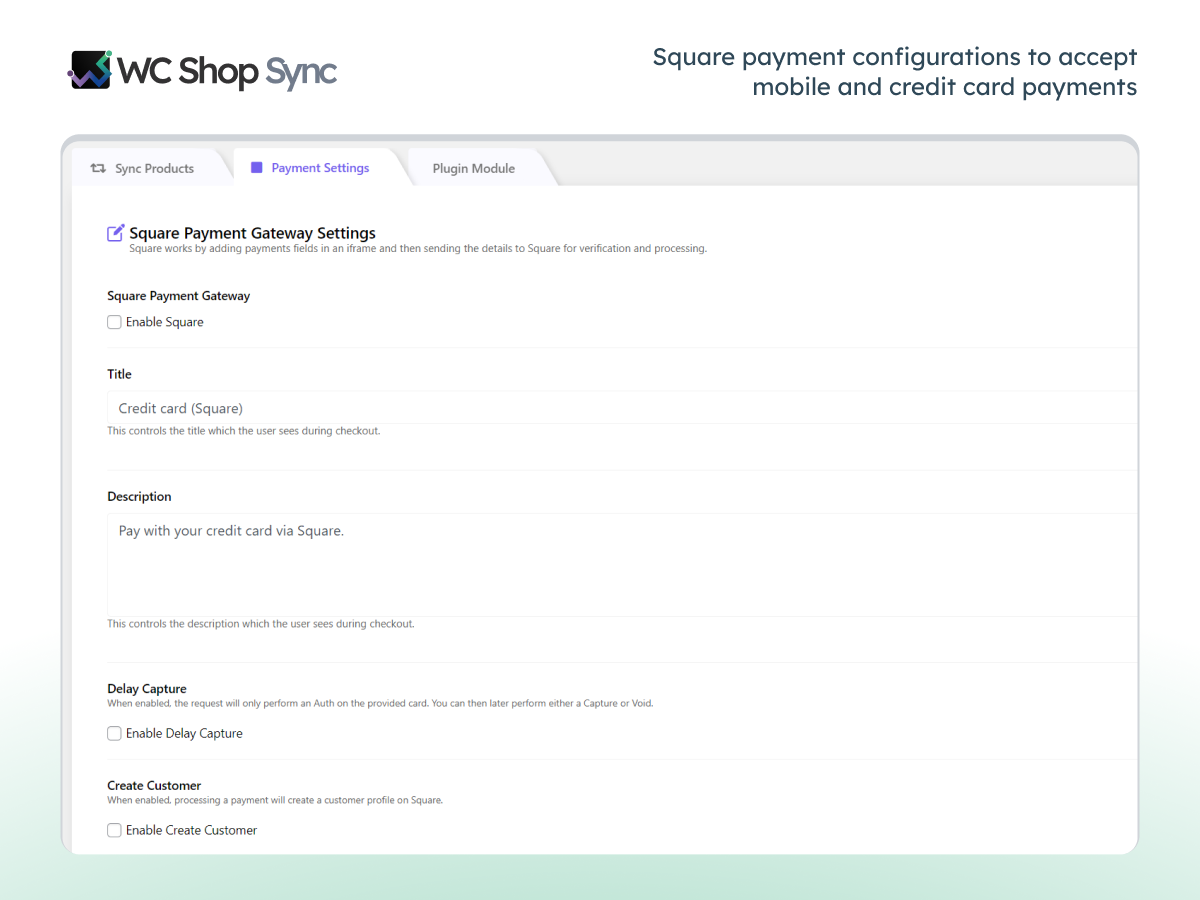
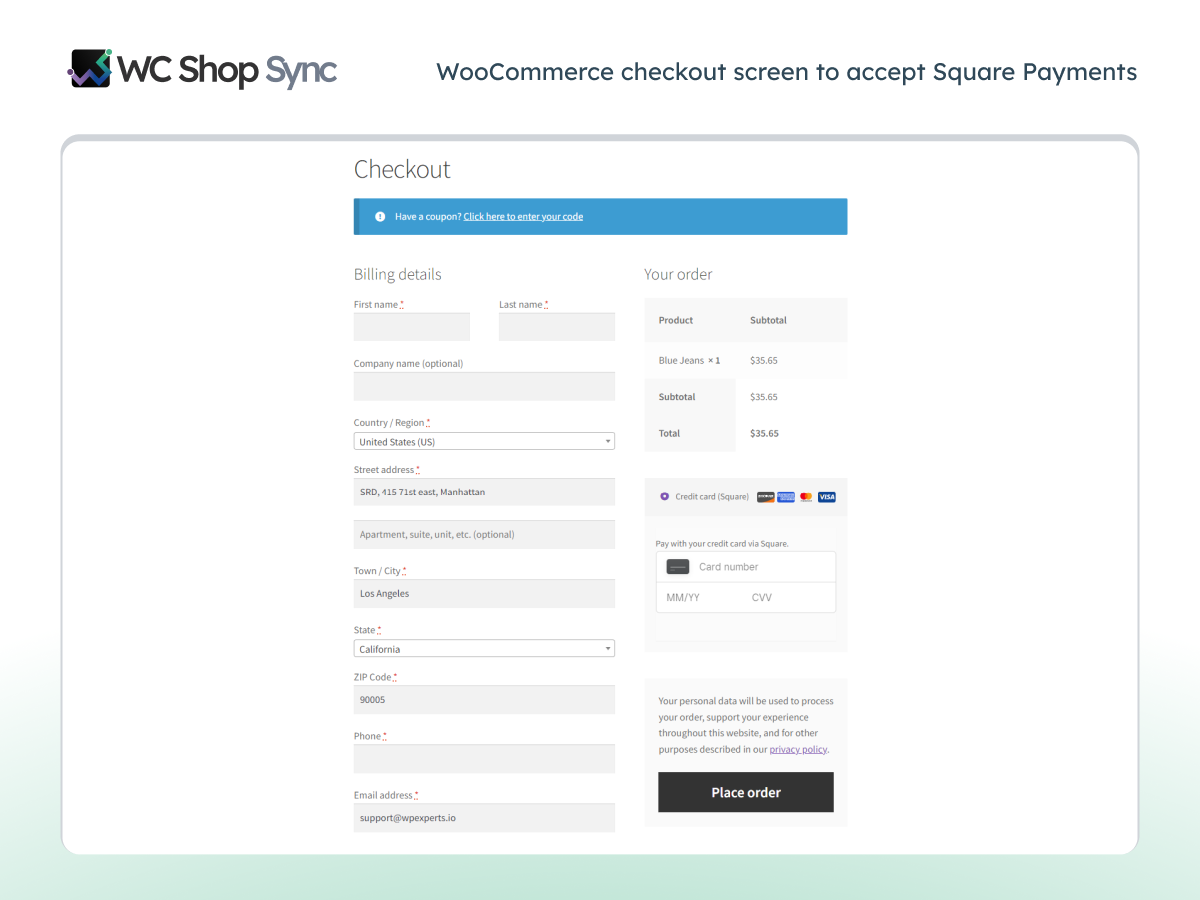
Accept payments directly through Square Gateway on your WooCommerce store. You can even enable multiple payment methods, which in turn will provide a secure and convenient checkout experience for your customers.
✅ Product Synchronization:
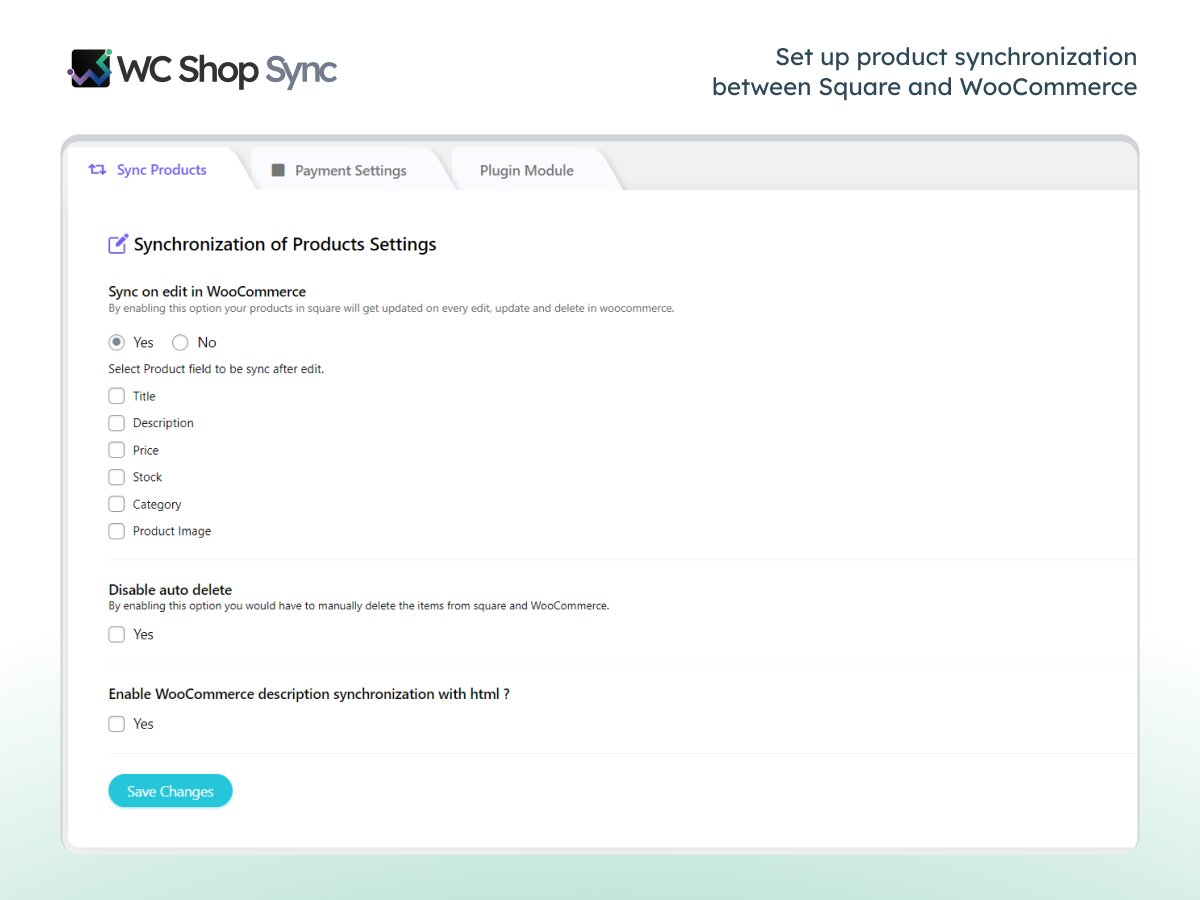
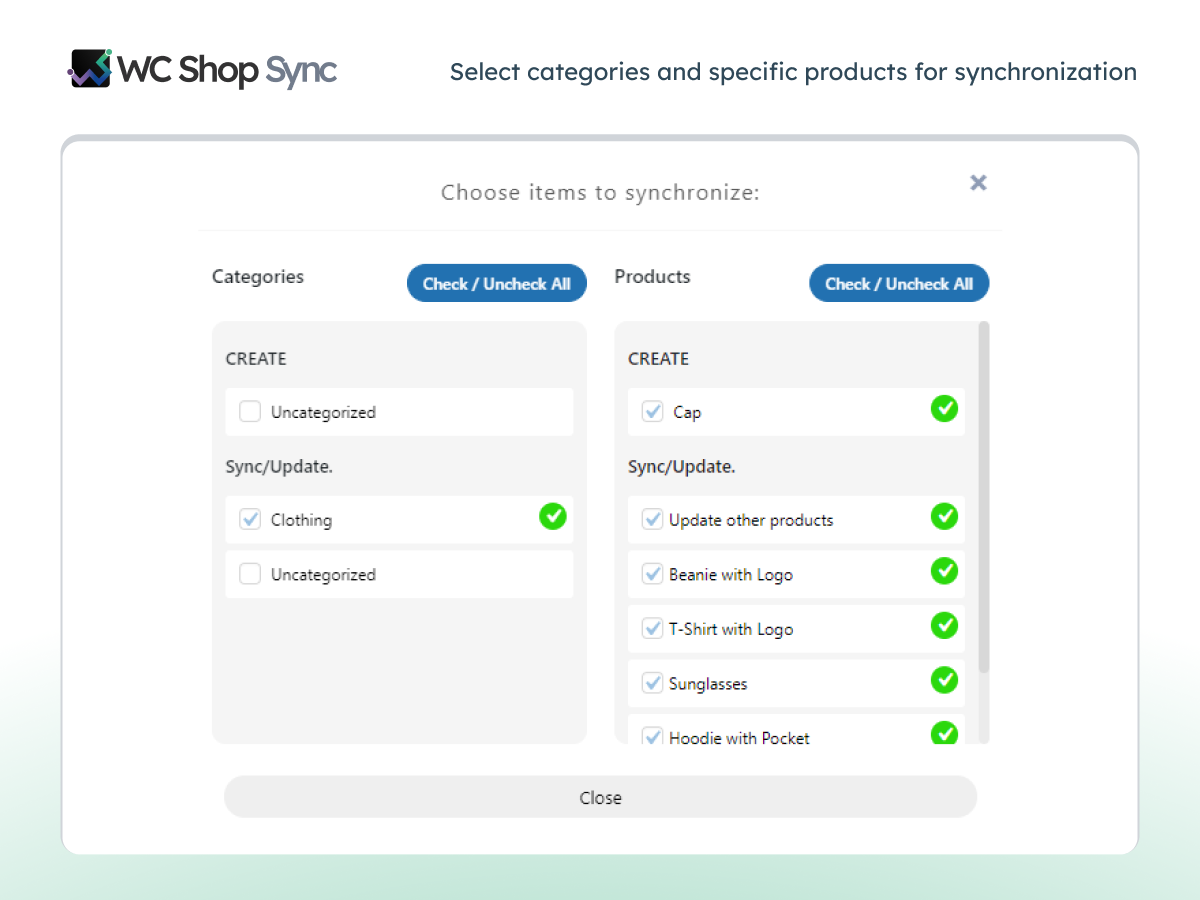
Easily sync simple and variable products between WooCommerce and Square. This ensures that your product listings are always consistent across both platforms, reducing the risk of discrepancies.
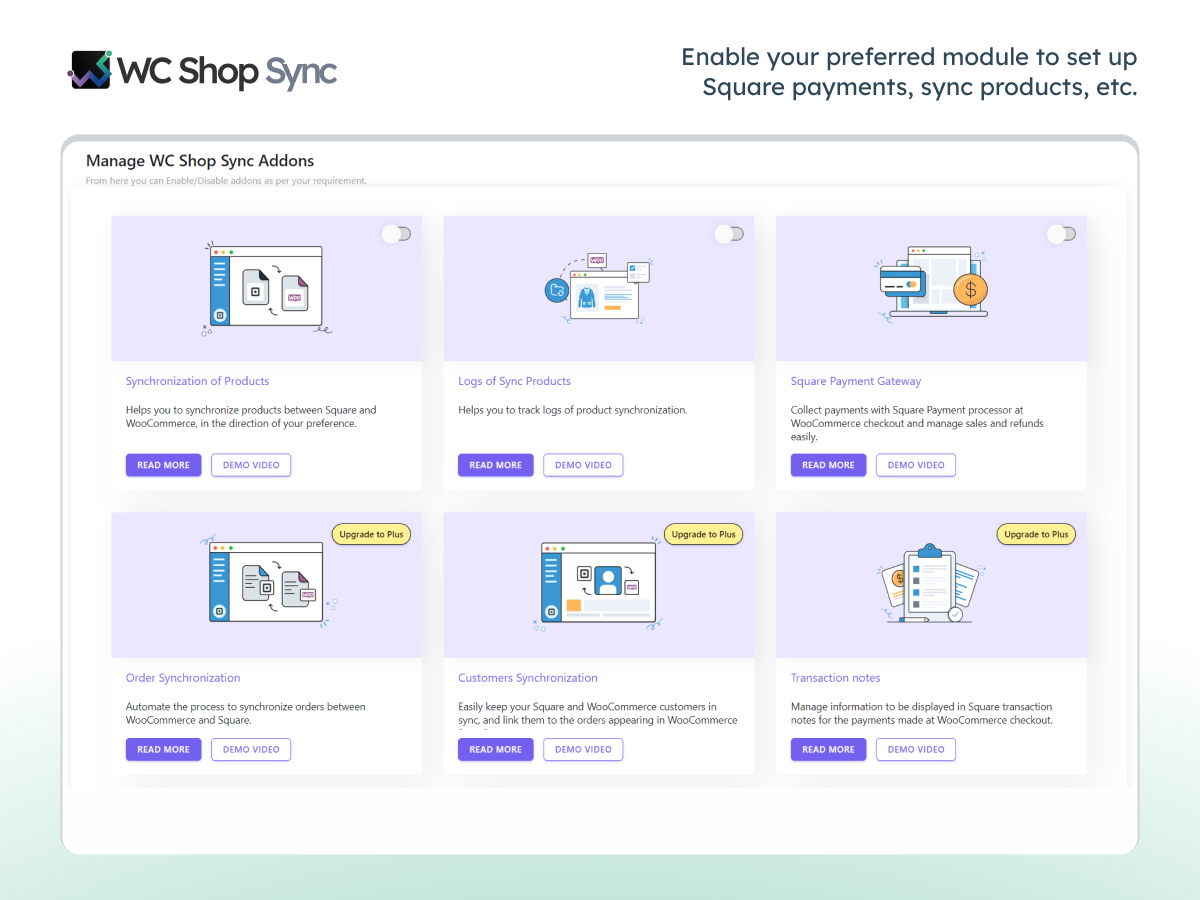
✅ Order Synchronization: PRO
It simplifies order management so you can easily keep your sales records consistent.
✅ Square Connection Logs:
Record Square connection responses. Making troubleshooting and monitoring fast and simple.
✅ Square Loyalty Sync PRO
Give customers more reasons to shop again! With WC Shop Sync, you can let your customers earn loyalty points on WooCommerce orders and redeem them directly at checkout with a single click.
✅ Customer Data Sync: PRO
Sync customer details between WooCommerce and Square without manual intervention. Thus, you can provide consistent customer experiences across both platforms by keeping their information accurate and up-to-date.
✅ Auto Inventory Sync: PRO
Automate square inventory sync and WooCommerce inventory sync to avoid stock discrepancies. With auto inventory sync, you can prevent overselling and stockouts, ensuring smooth operations.
✅ Square Modifier: PRO
Create custom products with Square Modifiers, allowing customers to choose additional options or variations. This is particularly useful for businesses that offer custom-made items.
✅ Variable Product Sync
Create custom products with Square Modifiers, allowing customers to choose additional options or variations. This is particularly useful for businesses that offer custom-made items.
✅ Sandbox API Integration:
Utilize the Sandbox API to test transactions before they go live. It is a must-have for developers and store owners to ensure everything works perfectly without affecting real transactions.
✅ Square POS Order Sync: PRO
Sync orders between your Square POS and WooCommerce so you can see all of your sales in one place. This feature helps you maintain consistent order records across both systems.
✅ Sync Order Refunds: PRO
Manage and process refunds directly from your WooCommerce dashboard, which makes it easier to handle customer cancellations and returns.
✅ Detailed Transaction Tracking: PRO
View complete order details, including tax, shipping values, and individual item sales across Square and WooCommerce. This detailed tracking helps you monitor your sales performance and financials accurately.
✅ Afterpay Integration:
Offer flexible (BNPL) payment options like Afterpay to provide customers with more payment flexibility.
✅ Cash App Integration:
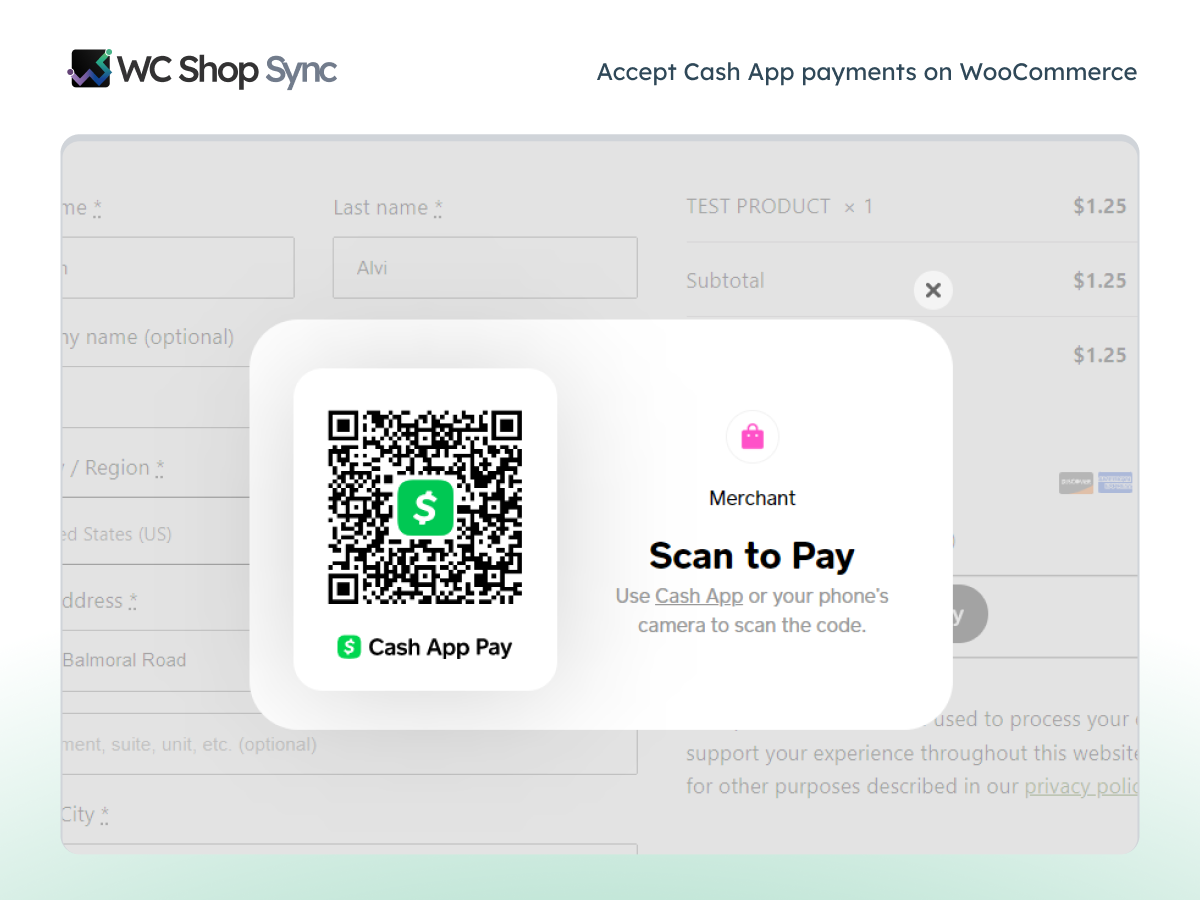
Enable Cash App payments to offer customers another convenient checkout option.
✅ ACH Payment Gateway:
Accept payments directly from customers’ bank accounts via ACH payments. This reduces the dependency on credit cards and offers a cost-effective payment alternative.
✅ Google Pay & Apple Pay:
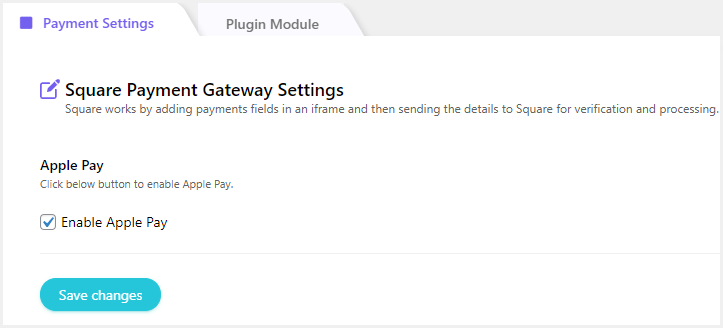
Enable secure, fast payments through Google Pay and Apple Pay. These widely used mobile wallets improve the checkout experience and can lead to higher conversion rates.
✅ Square Gift Card:
Provide Square eGift Cards as a payment method on your WooCommerce store so customers can use gift cards for their purchases, making shopping easier and more convenient.
✅ Save Cards at Checkout: PRO
Let customers save their card details during checkout for future purchases. This speeds up the checkout process and encourages repeat purchases.
✅ Product Sync Activity Log:
Keep a detailed log of all product synchronization activities between WooCommerce and Square. This helps you troubleshoot any issues that arise during the sync process.
✅ Sync Product with GTIN: PRO
Ensure your products are globally recognizable by syncing products with Global Trade Item Numbers (GTIN). This is essential for businesses that sell internationally.
✅ Priority Customer Support: PRO
Get dedicated support for any issues or queries related to the plugin. Priority support ensures that you get timely and effective assistance to keep your business running smoothly.
Compatible with FunnelKit and Cartflows
WC Shop Sync is compatible with FunnelKit and Cartflows for advanced sales funnel management. 😀 🎉
⭐ FunnelKit Integration
This compatibility allows you to design advanced sales funnels tailored to your store’s checkout process.
⭐ Cartflows Integration
Cartflows integration with the Square Payment Gateway is good for conversion-optimized sales flows.
Need Help? Get Expert Assistance
Our support team is here to help you with any issues you may encounter. Whether it’s installation, configuration with Square Gateway and WooCommerce, or troubleshooting, simply click here to open a ticket. We will reach out to you as soon as possible.
Enjoy peace of mind knowing you can access professional assistance whenever needed.
Access Detailed Technical Documentation
For more in-depth information, check out the detailed technical documentation. which covers setup instructions and advanced configuration options.
Love This Plugin? You’ll Love These Too!
Post SMTP – Reliable WordPress email delivery plugin with detailed email logs and multiple SMTP integrations.
Gutena Forms – Create modern, responsive contact forms directly in the Gutenberg block editor. Add advanced fields, protect against spam with reCAPTCHA and Cloudflare Turnstile, manage form entries, and more.
Password Protected – Secure your WordPress site, posts, pages, and categories with simple password protection.
CF7 Apps – It allows you to add honeypot, hCaptcha, and Database entries to the Contact form. Our team is constantly adding new Contact Form 7 extensions.
WP EasyPay – Accept Square payments and donations easily on your WordPress site.
myCred – Add gamification, rewards, ranks and points management systems to your WordPress website.
Advanced File Manager – Easily manage and organize your WordPress files directly from the dashboard.
All In One Login – Secure your WordPress login page, change the wp-login.php url, and add Google, Facebook, Microsoft, and LINE, and other social logins to your WordPress site.
WP Experts WooCommerce Store – Explore premium WooCommerce plugins and solutions by WPExperts.
Bookify – Your go-to online bookings and appointment scheduling plugin for WordPress.
New User Approve – Control user registrations by manually approving or denying new signups.
Frequently asked questions
What is WC Shop Sync?
WC Shop Sync connects WooCommerce with Square POS and keeps your products, inventory, customers, and orders aligned across both platforms. It also adds Square as a payment gateway, so you can accept payments directly through WooCommerce.
Can I accept Square payments on my WooCommerce store?
Connect Square to WooCommerce and start accepting credit cards, debit cards, Apple Pay, Google Pay, ACH payments, Cash App Pay, Afterpay, and Square Gift Cards at checkout.
Which payment methods does WC Shop Sync support?
Through Square Payment Gateway, WC Shop Sync supports: Credit Cards Debit Cards Apple Pay Google Pay ACH Payments Cash App Pay Afterpay Square Gift Cards Your Square account settings and region determine which payment methods you can offer.
Does WC Shop Sync synchronize inventory between Square POS and WooCommerce?
WC Shop Sync synchronizes inventory between Square POS and WooCommerce and helps you maintain accurate stock levels across both platforms.
Is WC Shop Sync free? What’s the difference between the free and premium versions?
WC Shop Sync offers a free version that covers the essentials for connecting WooCommerce with Square. You can accept Square payments, sync products between WooCommerce and Square, and support popular payment methods such as Credit Cards, Google Pay, Apple Pay, Cash App, Afterpay, and ACH payments. The premium version adds advanced automation and synchronization features for stores that need deeper Square integration. These features include: Automatic product synchronization Product sync preferences and scheduling options GTIN code synchronization Order synchronization between Square and…
Can I sync products from Square POS to WooCommerce?
Yes, with WC Shop Sync, you can synchronize product data between Square POS and WooCommerce, which lets you maintain a consistent product catalog across both systems.
Does the plugin support variable products?
WC Shop Sync synchronizes product variations between Square and WooCommerce, making it easier to manage products that include multiple sizes, colors, or styles.
Can I sync customer information between Square and WooCommerce?
The premium version of WC Shop Sync allows you to synchronize customer information between Square POS and WooCommerce, which eliminates repetitive manual updates.
Can I sync Square POS orders with WooCommerce?
Yes, with the Order Synchronization feature, you can easily synchronize order data between Square POS and WooCommerce, which helps you manage in-store and online sales records organized across both platforms.
Does WC Shop Sync support refunds?
The premium version synchronizes refund data between Square and WooCommerce and helps you maintain accurate transaction records.
Can customers save their payment cards during checkout?
The premium version allows customers to save payment methods during checkout and complete future purchases faster.
Does WC Shop Sync support Square Loyalty?
The premium version integrates Square Loyalty with WooCommerce and allows customers to earn loyalty points when they place orders through your store.
Can customers redeem Square Loyalty rewards during WooCommerce checkout?
Customers can redeem eligible Square Loyalty rewards directly during checkout without leaving your WooCommerce store.
Does WC Shop Sync support Square Gift Cards?
Customers can use Square Gift Cards during checkout just like any other supported payment method.
Does WC Shop Sync work with the WooCommerce block checkout?
Yes. WC Shop Sync is compatible with the WooCommerce checkout block as well as the classic shortcode checkout.
Can I sync products using GTIN codes?
The premium version synchronizes GTIN data between Square and WooCommerce and helps you maintain accurate product identification.
Does the plugin keep a log of synchronization activities?
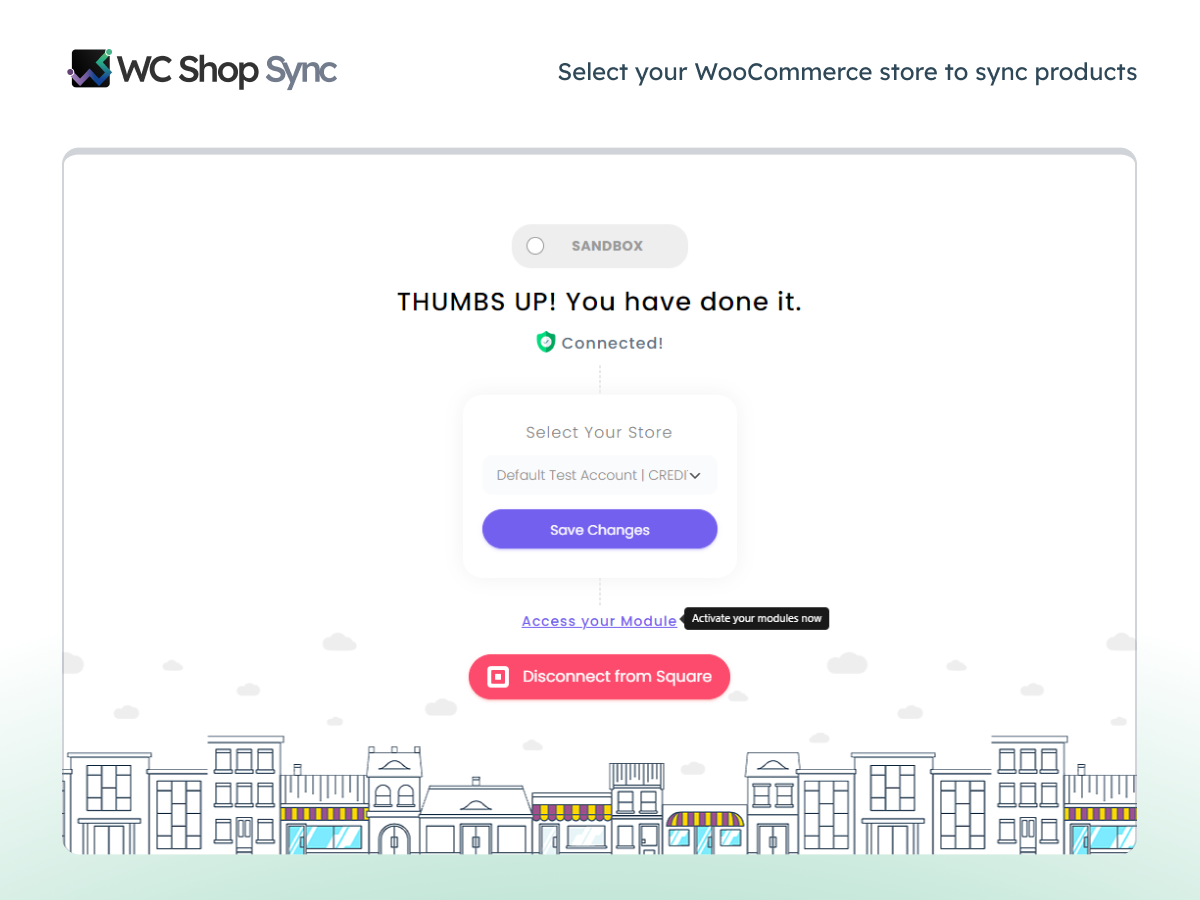
WC Shop Sync records synchronization activities and connection events, helping you monitor operations and troubleshoot issues.
Can I test the integration before going live?
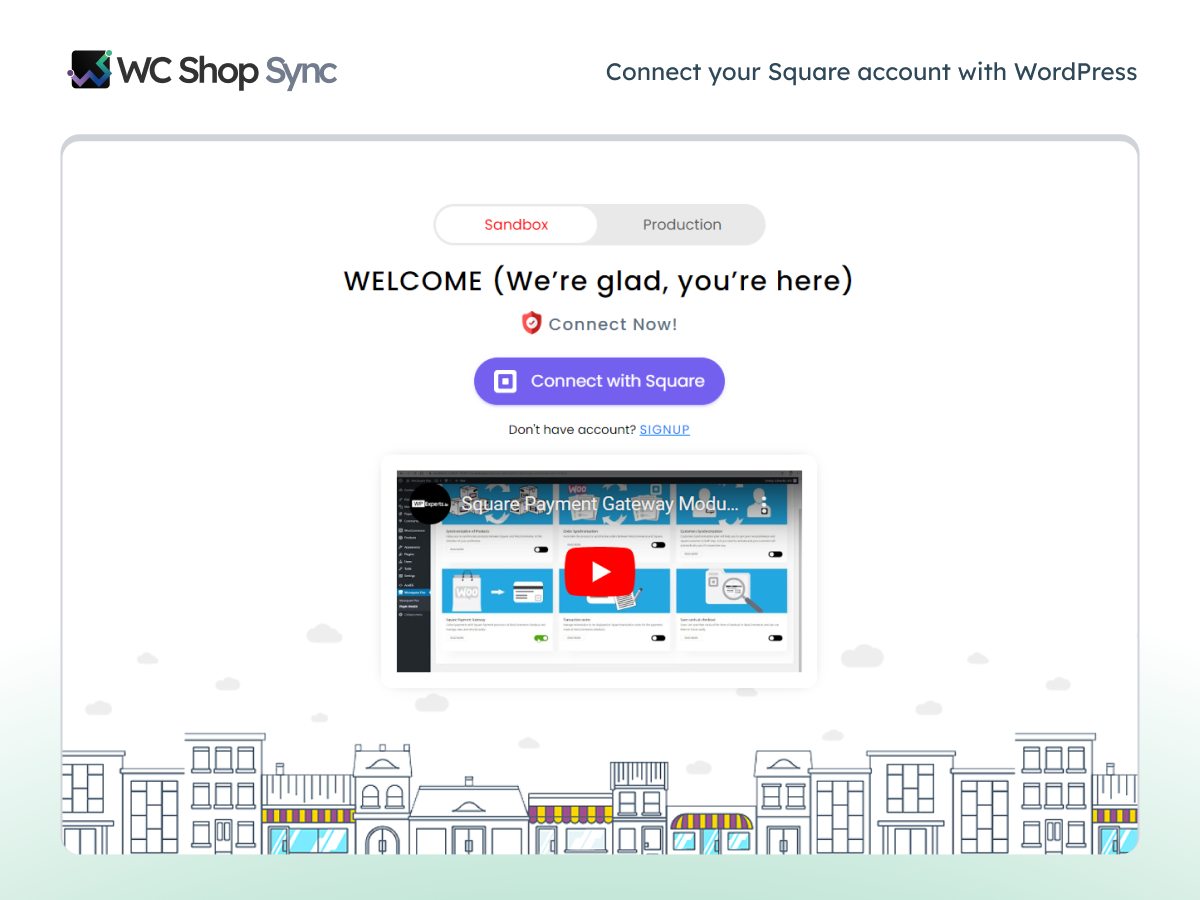
Square Sandbox support allows you to test payments and synchronization settings before you launch the integration on a live store.
Can I automatically sync inventory changes?
Yes, WC Shop Sync offers automatic synchronization of inventory between Square and WooCommerce in the premium version. This feature reduces the need for manual stock management.
Does WC Shop Sync support Square Modifiers?
The premium version supports Square Modifiers and allows you to offer product customizations, add-ons, and additional options.
Changelog
4.7.6 – Sep 24, 2026
- Improvement – Optimized product save and background processing performance to eliminate WooCommerce admin delays.
- Fixed – Google Pay loading delay on cart and duplicate button display on checkout.
- Fixed – Apple Pay checkout issue where orders failed to finalize after bank confirmation.
- Fixed – Cash App Pay payment processing issue on checkout.
- Fixed – Square Connection Logs failing to record connection events.
- Fixed – PHP warnings for missing Apple domain association file and Front Load Text Domain notices in debug logs.
- Fixed – Payment idempotency issue causing ‘card nonce already used’ (card_token_used) errors.
- Compatibility – Tested and verified compatibility with WordPress 7.1.
4.7.5 – July 02, 2026
Fixed – Security enhancement.
4.7.4 – May 22, 2026
- Improvements – Enhanced security measures
4.7.3 – May 04, 2026
- Fixed – Square sale price sync from Square to WooCommerce.
- Fixed – Image assignment during Square product sync.
- Fixed – Inventory count mismatch during Square to WooCommerce sync.
- Fixed – A vulnerability reported by Patchstack
- Fixed – Blank Afterpay payment option displayed during checkout.
4.7.2 – Mar 16, 2026
- Fixed – A vulnerability reported by Patchstack
- Fixed – Checkout Tokenization Issue.
- Improvement – Initialization of Payment Fields
4.7.1
- Added – Square Connection Logs.
- Fixed – Variable product quantity issue when syncing from Square to WooCommerce.
- Improvement – code optimization.
Screenshots
For developers
Is this your plugin? Show off the numbers.
Add a live badge to your site, docs or GitHub README. It updates on its own — no account needed.
Best WC Shop Sync alternatives
All credit card plugins →





FAQ
WC Shop Sync: quick answers
Straight answers, pulled from live WordPress.org data.
Live data from WordPress.org · checked Oct 8, 2026
Is WC Shop Sync free?
Yes. WC Shop Sync is free to download and use from the official WordPress.org plugin directory. The developer also sells premium add-ons or a Pro version with extra features.
Is WC Shop Sync safe to use in 2026?
WC Shop Sync is a solid plugin choice in 2026, with a few things worth checking first. It runs on 1K+ sites, is rated 4.5/5 and was last updated 2 weeks ago, and scores 74/100 on our health check.
How many websites use WC Shop Sync?
WC Shop Sync is active on 1K+ WordPress websites and has been downloaded 110,459 times since it launched in January 2017. It was downloaded 1,835 times in the last 30 days.
Does WC Shop Sync work with WordPress 7.1?
Yes. The developer has tested WC Shop Sync up to WordPress 7.1.3, the latest release. It requires WordPress 6.7 or newer.
What PHP version does WC Shop Sync need?
WC Shop Sync requires PHP 7.4 or higher. Most hosts run PHP 8.x today, so it works on any modern WordPress hosting.
When was WC Shop Sync last updated?
The latest version, 4.7.6, was released on September 24, 2026 (2 weeks ago).
Who makes WC Shop Sync?
WC Shop Sync is developed and maintained by Saad Iqbal.
What are the best alternatives to WC Shop Sync?
The most popular alternatives to WC Shop Sync are WooPayments: Integrated Woo… (800K+ installs), WooCommerce PayPal Payments (800K+ installs) and WooCommerce Stripe Payment… (700K+ installs).
Powered by PageForge
Want thousands of pages that rank like these? Build them in an afternoon.
This directory runs on the same engine as PageForge. Turn any spreadsheet, CSV or API into thousands of fast, SEO-ready WordPress pages — with schema, internal links and AI-written copy baked in.
- CSV, Google Sheets & API data sources
- AI content, schema & internal links per page
- Works with Elementor, Gutenberg, Yoast & Rank Math
- Free on WordPress.org — no credit card


