


WooCommerce PayPal Payments
PayPal's latest payment processing solution. Accept PayPal, Pay Later, credit/debit cards, alternative digital wallets and bank accounts.

Solid choice
WooCommerce PayPal Payments is a solid plugin choice in 2026, with a few things worth checking first. It runs on 800K+ sites, is rated 2.9/5 and was last updated 3 weeks ago, and scores 77/100 on our health check.
- Proven at scale on 800K+ active sites
- Actively developed — last update 3 weeks ago
- Tested with the latest WordPress (7.1)
- Mixed reviews — 2.9/5 from 580 ratings
- Slow support — only 26% of recent threads resolved
How does it stack up?
Side-by-side on installs, updates, ratings & support



Daily downloads
Download spikes usually follow a new release — each site that auto-updates counts as a download.
Rankings
Where WooCommerce PayPal Payments stands todayWordPress.org search rankings
Live position in the plugin search, top 100| Keyword | Position |
|---|---|
| credit card | #4 |
| ecommerce | #25 |
| payments | #1 |
| paypal | #1 |
| woocommerce | #4 |
Version adoption
Share of active sites per release.
Rating breakdown
★★★★★★★★★★ 2.9 from 580 reviews
About WooCommerce PayPal Payments
From the official readme · v4.1.3Description
WooCommerce PayPal Payments is an all-in-one solution to help you maximize conversions by offering PayPal, Venmo (US), Pay Later options, credit and debit cards, and more.
Features
- Instant access to funds while payment is processing.
- Fraud detection and global compliance (including PCI, PSD2, and 3D Secure).
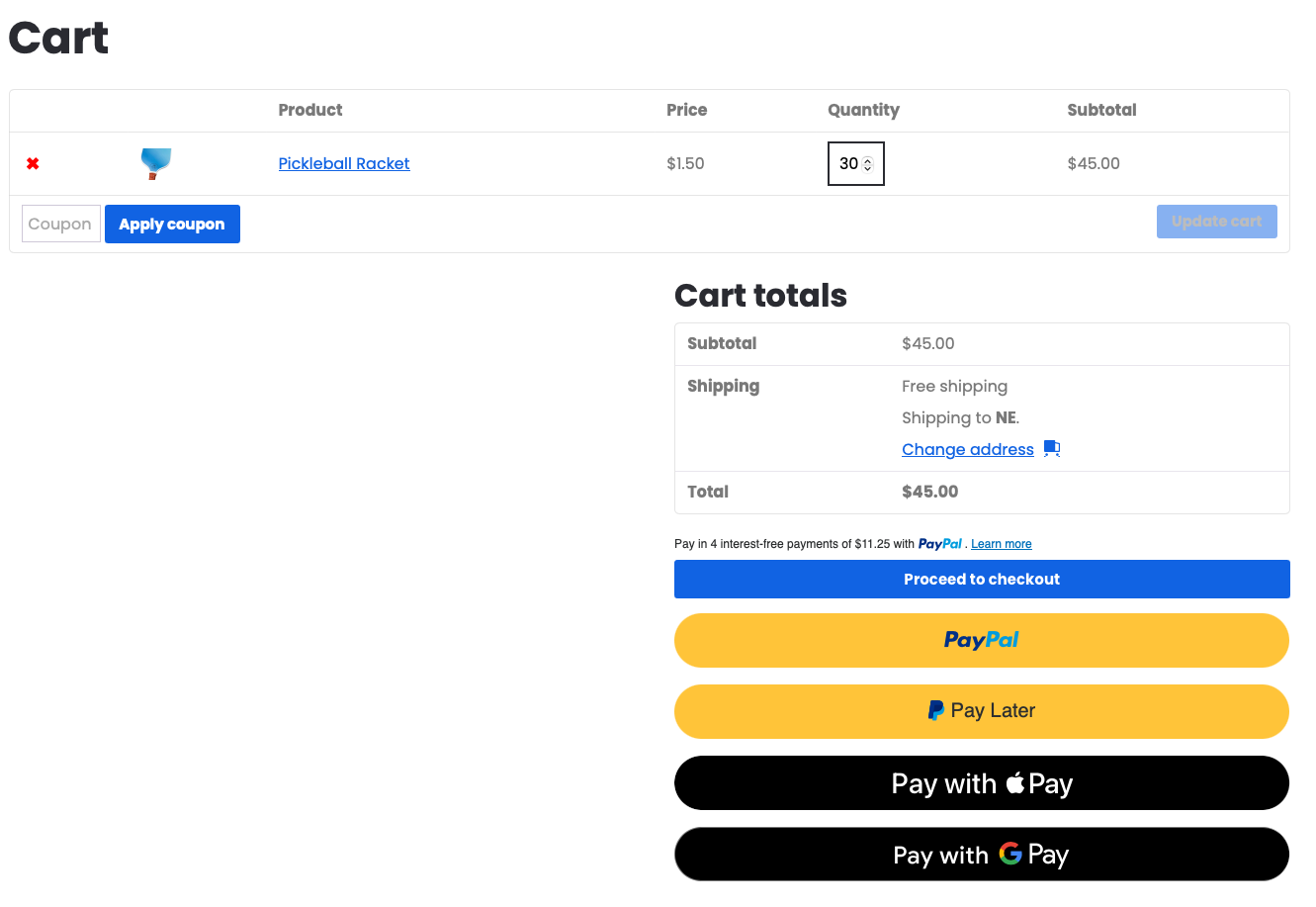
- Faster checkout via PayPal buttons on product pages and in-cart.
- Convenience to pay over time with PayPal Pay Later.
- Allow Venmo shoppers (US only) to share purchases with friends.
- Standard and Advanced Card Processing options.
- Country-specific payment methods to build global trust.
- Multiple subscription payment options to help drive repeat business.
Get started
If you’re new to PayPal, add it to your store today. Existing user? Upgrade your integration now to access these exciting new features.
It pays to PayPal
Get instant access to funds in your PayPal business account while payment is processing. Save time and money with fraud detection and Seller Protection features†.
Plus, you’ll meet global compliance standards (such as PCI, PSD2, SCA, and 3D Secure), bringing international markets within reach.
†Available on eligible purchases. Limits apply.
Flexible payment options
Shoppers are nearly three times more likely to buy when you offer PayPal.¹ Increase conversions by automatically displaying PayPal buttons on product pages, in-cart, and at checkout.
PayPal Pay Later options help boost conversion rates and increase cart sizes by 39%.² Let customers pay over time while you get paid upfront — at no additional cost. Available in select countries. Learn more about Pay Later messaging.
Venmo users spend 2.2 times more annually on online purchases than other online buyers.³ Now you can reach Venmo shoppers (US only) and allow them to share their purchases with friends.
Country-specific payments
- Standard Card Processing: Suitable for all business and personal seller accounts. Card transactions are managed via a prebuilt user experience, simplifying compliance.
- Advanced Card Processing: Customize the look, feel, and placement of debit and credit card payment fields. You can also use fraud protection tools to set up personal risk tolerance filters.
Earn recurring revenue through subscriptions
Drive repeat business for stable, predictable income using WooCommerce Subscriptions or PayPal Subscriptions.
You can also use PayPal’s Vaulting feature to:
- Offer flexible plans with fixed or quantity-based pricing.
- Set billing cycles for any period.
- Offer discounted trial periods or prorated payments.
With no monthly or setup fees, it’s simple for your customers — and great for your business (account approval required).
Legal Disclosures:
*For Australian users, the PayPal service is provided by PayPal Australia Pty Limited AFSL 304962. Any information provided is general only and does not take into account your objectives, financial situation, or needs. Please read and consider the CFSGPDS (paypal.com.au) before acquiring or using the service. See website for TMD.
- An online study commissioned by PayPal and conducted by Netfluential in November 2020, involving 1,000 US online shoppers ages 18-39.
- PayPal Q2 Earnings 2021.
- Edison Trends commissioned by PayPal, April 2020 to March 2021. Edison Trends conducted a behavioral panel of email receipts from 306,939 US consumers and 3.4+ M purchases at a vertical level between Pay with Venmo and non-Venmo users during a 12-month period.
Installation
Requirements
To install and configure WooCommerce PayPal Payments, you will need:
- WordPress Version 6.3 or newer (installed)
- WooCommerce Version 9.6 or newer (installed and activated)
- PHP Version 7.4 or newer
- PayPal business or personal account
Installation instructions
- Log in to WordPress admin.
- Go to Plugins > Add New.
- Search for the WooCommerce PayPal Payments plugin.
- Click on Install Now and wait until the plugin is installed successfully.
- You can activate the plugin immediately by clicking on Activate now on the success page. If you want to activate it later, you can do so via Plugins > Installed Plugins.
Setup and Configuration
Follow the steps below to connect the plugin to your PayPal account:
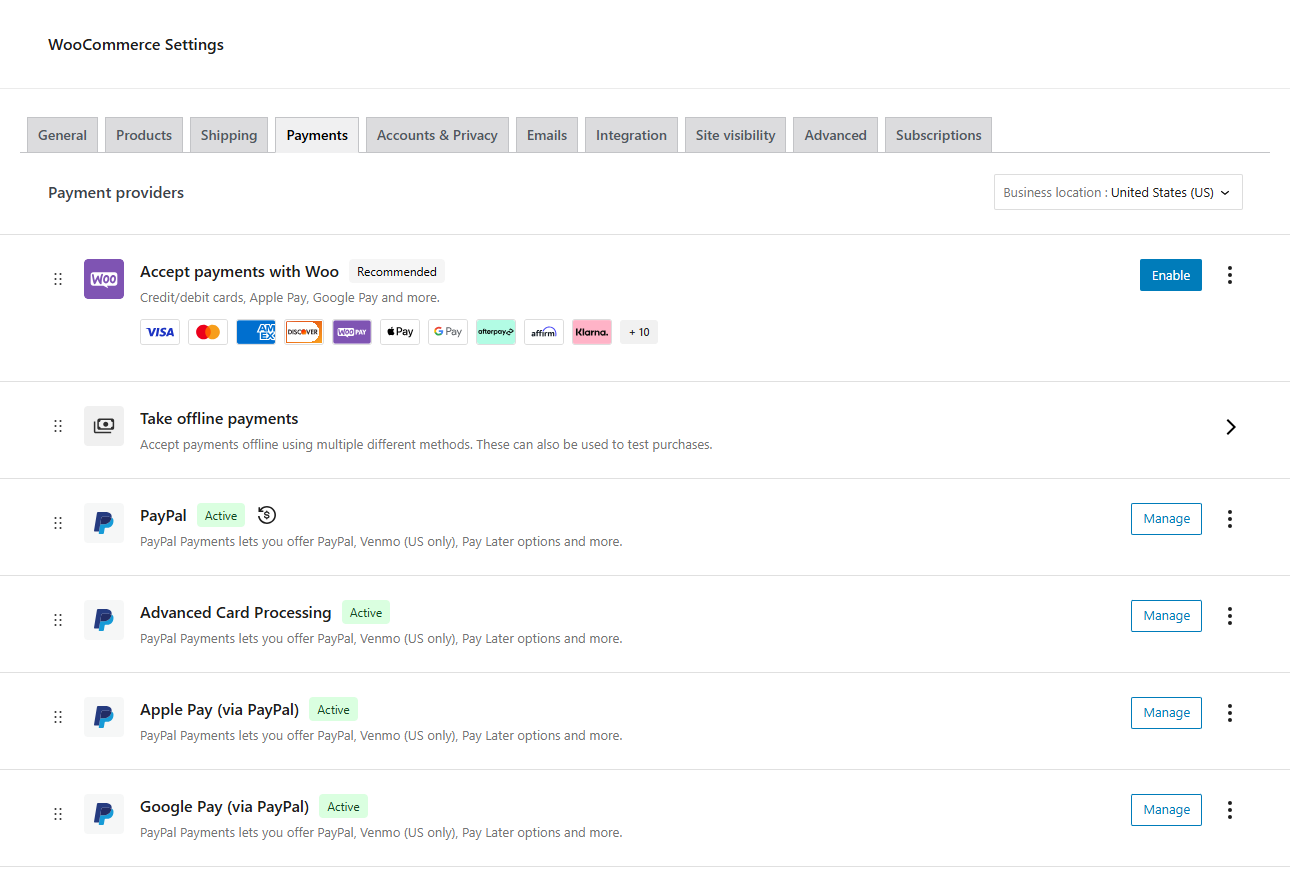
- After you have activated the WooCommerce PayPal Payments plugin, go to WooCommerce > Settings.
- Click the Payments tab.
- The Payment methods list may include two PayPal options. Click on PayPal (not PayPal Standard).
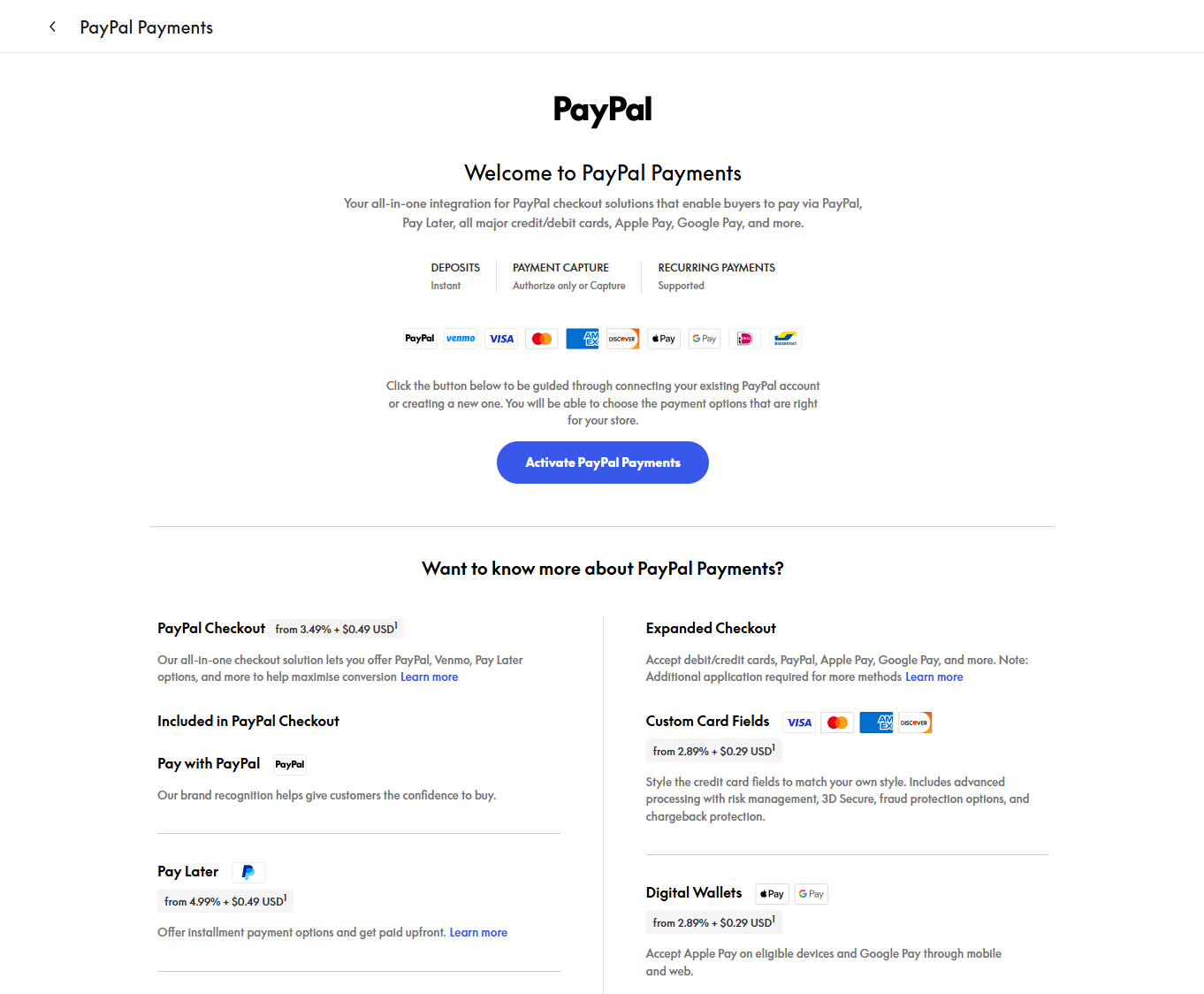
- Click on the Activate PayPal button.
- Sign in to your PayPal account. If you do not have a PayPal account yet, sign up for a new PayPal business or personal account.
- After you have successfully connected your PayPal account, click on the Standard Payments tab and check the Enable Paypal features for your store checkbox to enable PayPal.
- Click Save changes.
Complete onboarding instructions can be found in the documentation here.
Updating
Automatic updates should work generally smoothly, but we still recommend you back up your site.
If you encounter issues with the PayPal buttons not appearing after an update, purge your website cache. Caching or JavaScript minification can impact PayPal Payments and should be disabled for the PayPal scripts or payment-related pages.
Frequently asked questions
Where can I find documentation and a setup guide?
You’ve come to the right place. Our documentation for WooCommerce PayPal Payments includes detailed setup instructions, troubleshooting tips, and more.
Where can I get support, report bugs, or request new features?
To start, review our troubleshooting tips for answers to common questions. Then, if you need further assistance, get in touch via the official support forum. Please report bugs via GitHub or the official support forum. You can request (or vote for) new features on our feature request board.
WooCommerce PayPal Payments has stopped working — what should I do?
First, diagnose the issue using our troubleshooting guide. If you notice an error after updating an extension or theme, there could be a compatibility issue. We recommend running a conflict test using Health Check (which allows you to disable themes and extensions without affecting your live store) or testing via a staging site.
Does this extension support subscriptions?
Yes! WooCommerce PayPal Payments can be used with WooCommerce Subscriptions and PayPal Subscriptions. You can also use Vaulting to save customers’ payment methods for future transactions. Review our subscriptions FAQ.
Does this extension support WooCommerce Blocks?
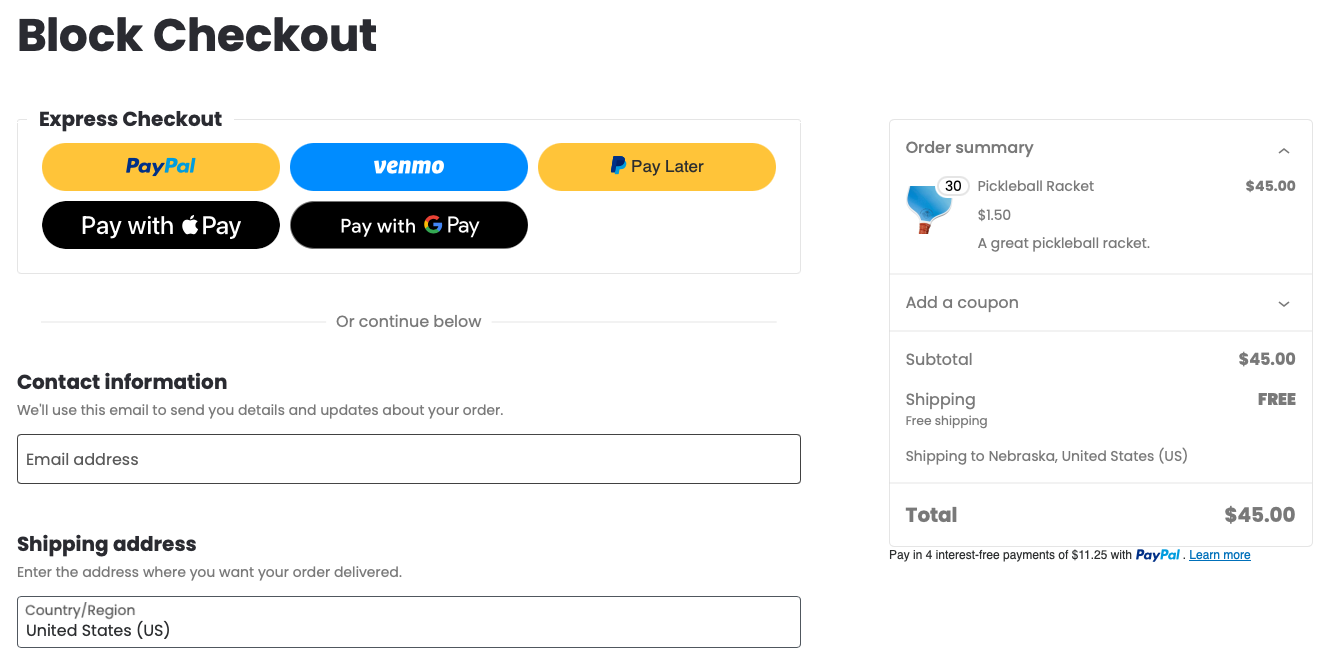
Yes! WooCommerce PayPal Payments offers experimental support for Cart and Checkout Blocks. Review our Blocks FAQ.
Are there any new features in development?
Yes! Review our feature previews FAQ for more details.
Can I contribute to WooCommerce PayPal Payments?
Yes, you can! Join our GitHub repository. If you like this extension, please leave a review on WordPress.org or WooCommerce.com — your valuable feedback is appreciated.
My question is not listed; where can I find more answers?
Review our general or contact support.
Changelog
⚠️ Major Update — This release includes significant changes. Please back up your site before updating.
4.1.3 – 2026-09-09
- Enhancement – PayPal JS SDK v6 is now the default for new store setups, moving PayPal buttons, Apple Pay, Google Pay, Advanced Card Fields, Fastlane, Pay Later messaging and vaulting subscriptions onto the new integration; existing stores remain on SDK v5 with this version #4641
- Enhancement – Add filter hooks to customize the payment method title and allow payment method icons #4586
- Enhancement – Clearer, customer-friendly decline messages for 3D Secure rejections #4573
- Enhancement – First-party WooCommerce plugin detection for product customizations #4552
- Enhancement – Allow Pay Later to remain available when vaulting is enabled #4611
- Enhancement – Improve manual-renewal-only subscription scenarios #4621
- Enhancement – Exclude connection details from Blueprint exports by default #4647
- Fix – Apple Pay shown under the PayPal gateway when a vaulting subscription is in the cart #4546
- Fix – Prevent Vault API calls made with an empty customer ID #4567
- Fix – Keep recoverable PAYER_ACTION_REQUIRED orders from failing prematurely #4569
- Fix – Retain the shopper’s checkout data when returning from PayPal on mobile #4649
- Fix – PayPal gateway missing on Block Checkout when WooCommerce Subscriptions automatic renewals are enabled #4659
- Fix – Webhook registration hitting the wrong API host right after onboarding #4669
- Fix – Give the Pay upon Invoice phone field its own ID #4666
- Fix – Stop polling the merchant-integrations endpoint on every cron run #4640
- Fix – Skip WooCommerce Inbox note registration during AJAX requests #4607
- Fix – Remove the orphaned reCAPTCHA Inbox note and align its enabled checks #4634
- Fix – Prevent Advanced Card Fields submission when Blocks checkout fields are invalid (author @marcofucito) #4435
- Fix – Show the product button on variable products with no preselected attributes #4691
- Fix – Fix negative tax_total when a discount is not reported by WooCommerce #4690
4.1.2 – 2026-08-04
- Enhancement – Advanced onboarding options for onboarding wizard #4496
- Enhancement – Improved buyer-facing card decline reason display #4509
- Enhancement – Add filter to allow Pay Later button and messaging when Vaulting is enabled #4508
- Enhancement – Handle PayPal API address data returned as an array instead of an object #4516
- Enhancement – Remove/Rework Cart Simulation #4473
- Enhancement – Remove Pay with Crypto promotional pricing messaging #4540
- Enhancement – Add filters to allow limiting of ingested/valid products #4547
- Enhancement – Validators need extraction from CheckoutEndpoint #4370
- Fix – invoice_id missing for existing customers paying with saved PayPal payment tokens #4541
- Fix – Fractional WooCommerce quantities truncated to 0, causing invalid PayPal line items and checkout failures #4530
- Fix – fraudnet.js: Uncaught ReferenceError PAYPAL is not defined on classic checkout when hosted_fields_loaded fires before fb.js loads #4520
- Fix – Saved PayPal token in subscription change-payment flow moves active subscription to pending #4536
- Fix – PHP warning in PayPal order tracking when WooCommerce Shipment Tracking sync reads non-array tracking metadata #4505
- Fix – OXXO description is missing by default #4479
- Fix – CHECKOUT.ORDER.APPROVED webhook fails with uncaught PayPalOrderMissingException causing HTTP 500 loop, pending orders and Apple Pay never captured #4534
- Fix – Block Checkout “Sign up now” button label not replaced with “Proceed to PayPal” #4440
- Fix – ppcp-local-alternative-payment-methods-css-gateway.css loads on every frontend page #4465
- Fix – ACDC edit order page shows Processor Response 0000:Approved on edit order page #4478
- Fix – Advanced Card Processing orders fail with “Order does not contain an id” error #4482
- Fix – Mexico Enable Installments not visible on Overview tab in Features section #4461
- Fix – Pay Later messaging tab merchant_identifier error showing until page reload when connecting manually #4459
- Fix – Duplicated WooCommerce orders #4387
- Fix – Google Pay / Apple Pay (Safari) button visible on PayPal gateway when Classic checkout removed from smart button location #4491
- Fix – Manual renewal subscription from frontend block express checkout renders empty Apple Pay and Google Pay div #4497
- Fix – Store Sync toggle missing when feature flag is active #4535
- Fix – Inconsistent PayPal button behavior for subscriptions on cart #4542
- Fix – Scope reCAPTCHA assets and markup to active PayPal payment locations #4548
4.1.1 – 2026-07-07
- Fix – Fix Pay upon Invoice gateway enqueued outside of checkout context with Block Mini Cart #4483
- Fix – Too many requests to merchant-integrations API endpoint #4490
4.1.0 – 2026-06-23
- Enhancement – New Vault Management Component for buyers with saved PayPal accounts to update funding instrument #4421
- Enhancement – Pay upon Invoice support for Block Checkout #4405
- Enhancement – OXXO support for Block Checkout #4381
- Enhancement – Show PayPal account or last card digits in payment method on order confirmation page & emails #4427
- Enhancement – Disable legacy “PayPal Standard” gateway when merchant account is connected to PayPal Payments #4463
- Fix – Third-party plugin gift cards not calculated on PayPal payment modal #4422
- Fix – Fix PayPal amount mismatch from inclusive-tax rounding #4425
- Fix – Negative fee calculation may result in a mismatch PayPal between the WooCommerce order total and the total amount paid via PayPal #4409
- Fix – Unsuccessful payment for vaulting subscription with ACDC from Block Checkout #4437
- Fix – Unsuccessful payment for vaulting subscriptions with 100% discount coupons (CANNOT_BE_ZERO_OR_NEGATIVE) #4452
- Fix – Unsuccessful payment for free trial vaulting subscription with acdc and PayPal #4439
- Fix – Vaulted ACDC saved-card checkout stuck in “payment pending” #4431
- Fix – PartnersEndpoint::seller_status() floods PayPal merchant-integrations endpoint with 403s #4430
- Fix – Avoid spamming OAuth requests when auth fails #4414
- Fix – Google Pay not rendered on variable product page #4433
- Fix – Simplify manual client ID validation to accommodate new Client ID format #4397
- Fix – Mismatch line item not delivered to PayPal overview transaction page #4426
- Fix – APM transaction links open paypal.com instead of sandbox.paypal.com in Sandbox mode #4418
- Fix – Coerce stored values in typed-bool getters and vault_enabled migration #4393
- Fix – Fix type casting for customer unique ID in session MD5 hash #4333
- Fix – Apple Pay fails on single product page when no shipping option is available #4375
- Fix – Settings notifications do not display on the PayPal Payments settings pages #4034
- Fix – Add missing “Show logos of supported cards” setting in the ACDC options #4380
- Fix – Phone number verification may fail #4448
- Fix – Saved payment methods display in continuation mode #4457
- Fix – Card payments with saved cards may fail in certain cases #4450
4.0.4 – 2026-05-19
- Enhancement – WooCommerce Blueprints integration to import & export the PayPal Payments configuration #4363
- Enhancement – PayPal redirect gateway now appears on Block checkout for Subscription-type products #4338
- Enhancement – updated render hooks for Apple Pay & Google Pay buttons on Classic Checkout to be consistent with PayPal #4350
- Enhancement – Improved error message for reCAPTCHA v2 challenge failures #4342
- Enhancement – Added ACDC card decline responses to WooCommerce order notes & checkout #4314
- Fix – Intermittent “Please choose product options…” error when adding variable product to the cart #4315
- Fix – Placeholder for Pay Later messaging in Block checkout editor when messaging failed to load #4302
- Fix – Error “Debit & Credit Cards is not available for this order” on Block checkout when buying PayPal Subscription #4351
- Fix – Unsuccessful payment for PayPal Subscriptions from Block cart & checkout #4343
- Fix – Branded-only mode persisted after uninstalling the plugin #4337
- Fix – Wrong payment method displayed on order edit page in some cases #4349
- Fix – Incorrect asset path for PayPalInsightsLoader.js caused console error #4293
- Fix – Auto-capture on status change did not work for non-express payments #4352
- Fix – Things to do next showed “Register Domain for Apple Pay” action item in branded-only mode #4296
4.0.3 – 2026-04-27
- Enhancement – consolidate disabled funding sources card decision #4216
- Enhancement – Hide Apple Pay Register Domain TODO when domain is already validated #4263
- Enhancement – Remove vault v2 code #4254
- Fix – Cart simulation causes checkout instability and cannot be disabled #4277
- Fix – Fix bool (false) in transients #4281
- Fix – Return HTTP 400 on nonce validation failures instead of 500 #4280
- Fix – AddressFactory::from_wc_order billing address #4279
- Fix – Duplicate WooCommerce orders created when buyer switches payment method at checkout #4276
- Fix – BCDC – Mexico – BCDC not visible on block checkout #4289
- Fix – Guest Cart appears empty when product is added from product page #4288
- Fix – APMS – Order with apms stay in pending status (iDeal, …) #4294
- Fix – Failing ACDC payment for Free Trial subscription on classic checkout #4299
- Fix – Drop shipping when city is missing to prevent CITY_REQUIRED #4292
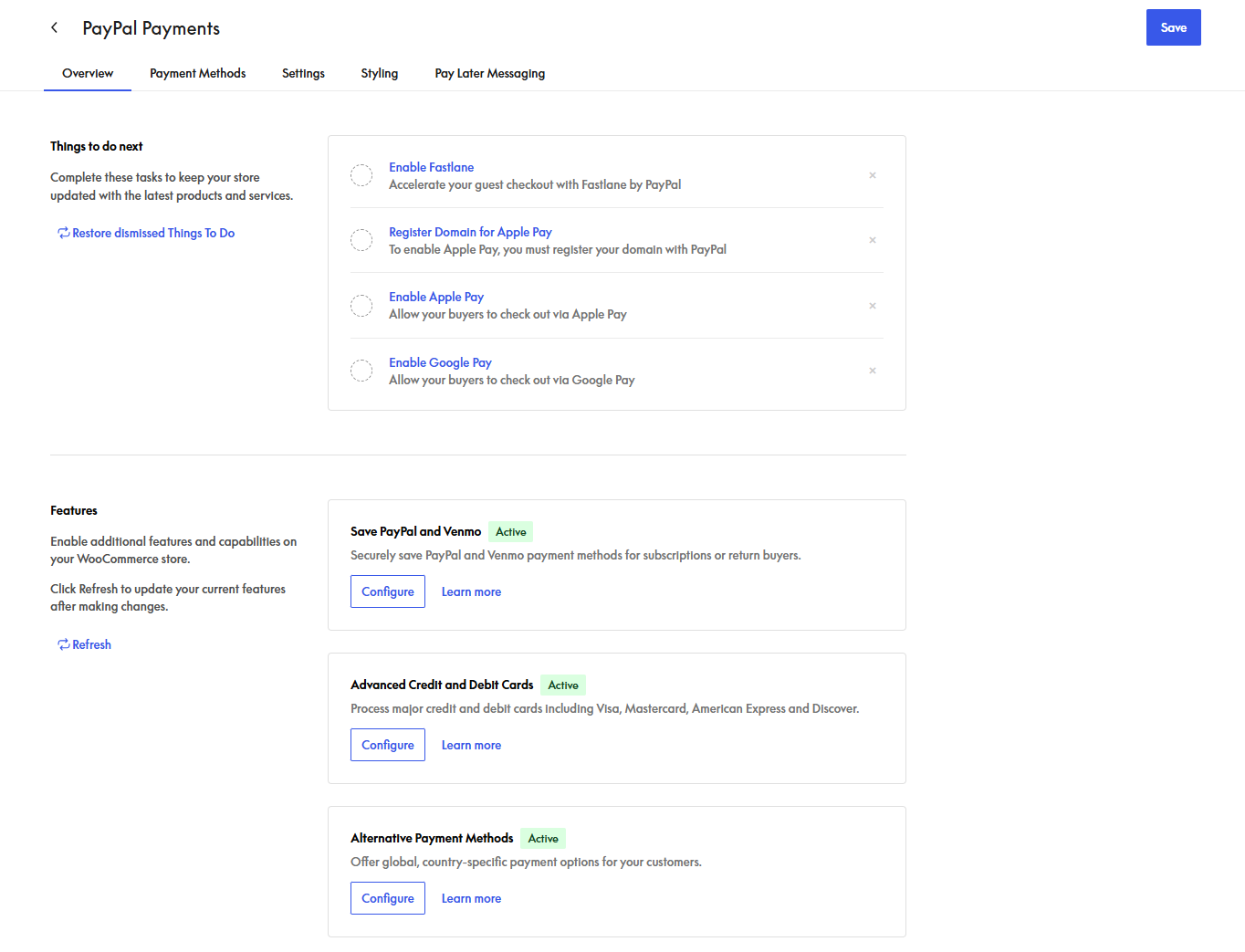
Screenshots

For developers
Is this your plugin? Show off the numbers.
Add a live badge to your site, docs or GitHub README. It updates on its own — no account needed.
Best WooCommerce PayPal Payments alternatives
All credit card plugins →




FAQ
WooCommerce PayPal Payments: quick answers
Straight answers, pulled from live WordPress.org data.
Live data from WordPress.org · checked Sep 27, 2026
Is WooCommerce PayPal Payments free?
Yes. WooCommerce PayPal Payments is free to download and use from the official WordPress.org plugin directory.
Is WooCommerce PayPal Payments safe to use in 2026?
WooCommerce PayPal Payments is a solid plugin choice in 2026, with a few things worth checking first. It runs on 800K+ sites, is rated 2.9/5 and was last updated 3 weeks ago, and scores 77/100 on our health check.
How many websites use WooCommerce PayPal Payments?
WooCommerce PayPal Payments is active on 800K+ WordPress websites and has been downloaded 27,768,462 times since it launched in October 2020. It was downloaded 509,275 times in the last 30 days.
Does WooCommerce PayPal Payments work with WordPress 7.1?
Yes. The developer has tested WooCommerce PayPal Payments up to WordPress 7.1.2, the latest release. It requires WordPress 6.5 or newer.
What PHP version does WooCommerce PayPal Payments need?
WooCommerce PayPal Payments requires PHP 7.4 or higher. Most hosts run PHP 8.x today, so it works on any modern WordPress hosting.
When was WooCommerce PayPal Payments last updated?
The latest version, 4.1.3, was released on September 9, 2026 (3 weeks ago).
Who makes WooCommerce PayPal Payments?
WooCommerce PayPal Payments is developed and maintained by WooCommerce.
What are the best alternatives to WooCommerce PayPal Payments?
The most popular alternatives to WooCommerce PayPal Payments are WooPayments: Integrated Woo… (800K+ installs), WooCommerce Stripe Payment… (700K+ installs) and Payment Plugins for Stripe… (100K+ installs).
Powered by PageForge
Want thousands of pages that rank like these? Build them in an afternoon.
This directory runs on the same engine as PageForge. Turn any spreadsheet, CSV or API into thousands of fast, SEO-ready WordPress pages — with schema, internal links and AI-written copy baked in.
- CSV, Google Sheets & API data sources
- AI content, schema & internal links per page
- Works with Elementor, Gutenberg, Yoast & Rank Math
- Free on WordPress.org — no credit card


