


Easy Booking – WooCommerce Booking & Reservation Plugin
A simple and flexible WooCommerce booking & reservation plugin to manage dates, availability and pricing on your products.

Safe pick
Yes — Easy Booking is a safe, well-maintained plugin to use in 2026. It runs on 4K+ sites, is rated 4.7/5 and was last updated 1 day ago, and scores 88/100 on our health check.
- Loved by users — 4.7/5 from 63 reviews
- Actively developed — last update 1 day ago
- Tested with the latest WordPress (7.1)
- Momentum — downloads up 27.9% vs the previous 30 days
How does it stack up?
Side-by-side on installs, updates, ratings & support



Daily downloads
Download spikes usually follow a new release — each site that auto-updates counts as a download.
Rankings
Where Easy Booking stands todayWordPress.org search rankings
Live position in the plugin search, top 100| Keyword | Position |
|---|---|
| appointment | #66 |
| booking | #23 |
| calendar | >100 |
| reservation | #7 |
| woocommerce | >100 |
Version adoption
Share of active sites per release.
Rating breakdown
★★★★★★★★★★ 4.7 from 63 reviews
About Easy Booking
From the official readme · v3.6.0Description
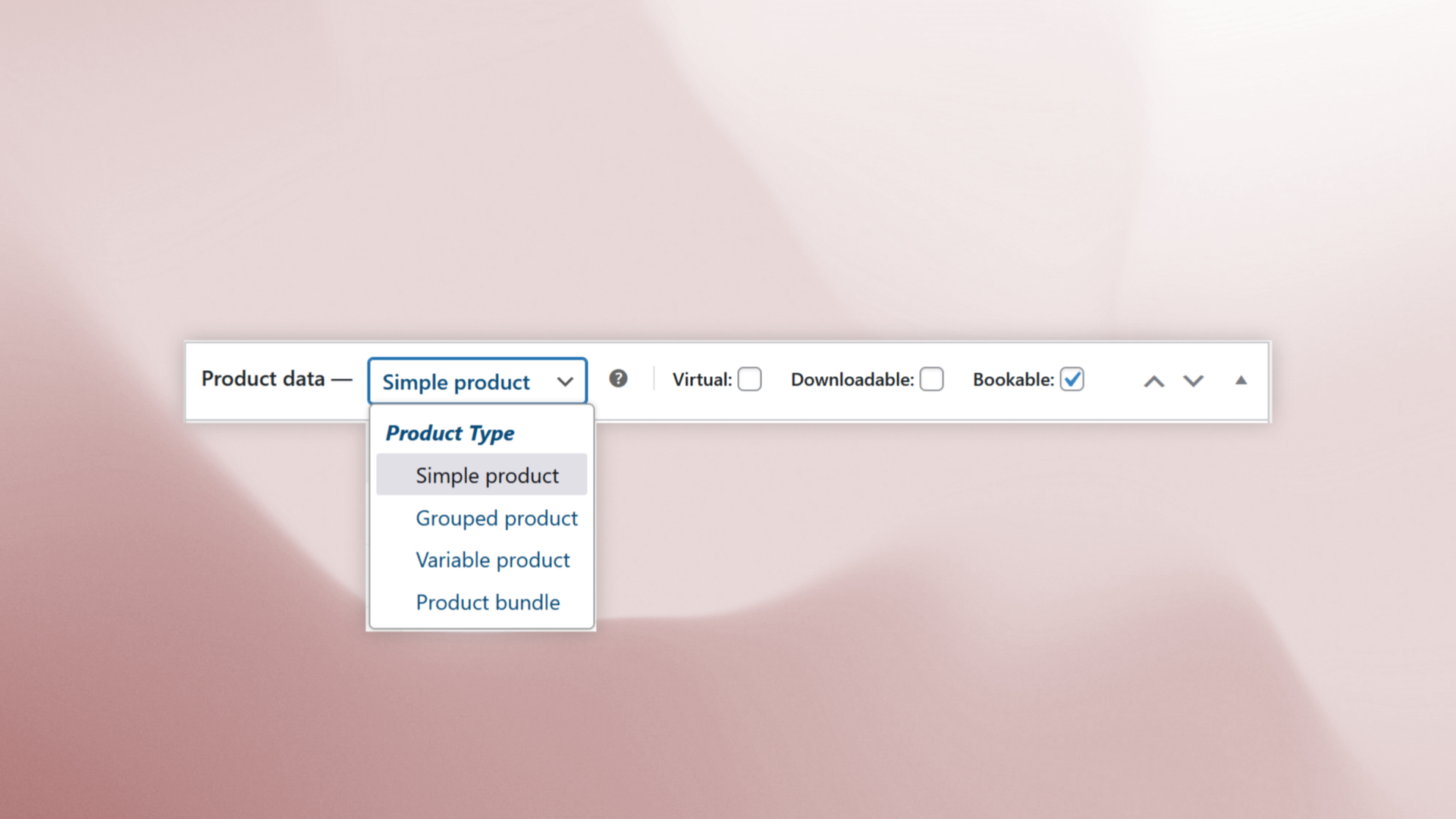
Easy Booking is a powerful yet intuitive WooCommerce booking and rental plugin, fully compatible with simple, variable, grouped, and bundle products.
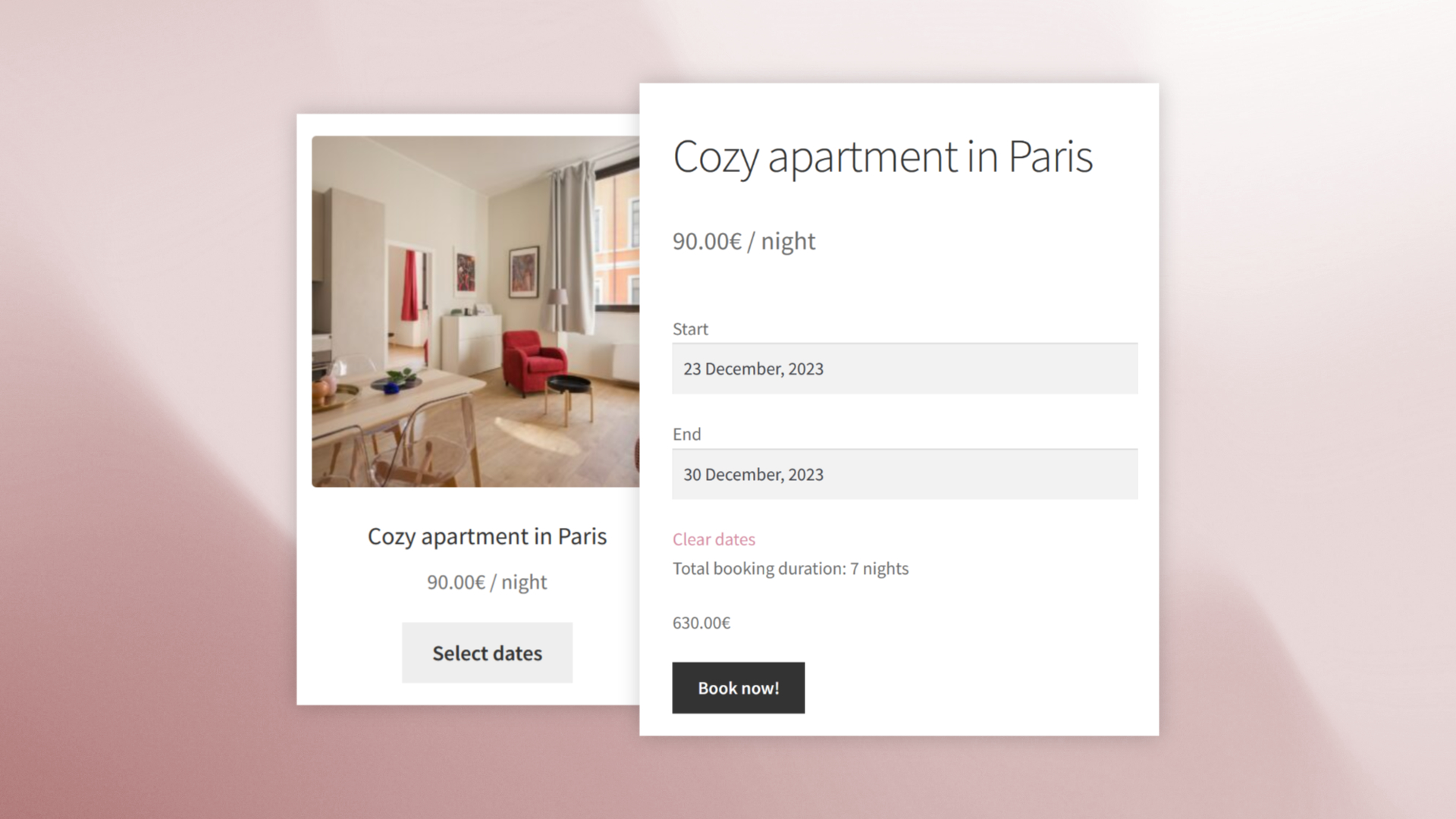
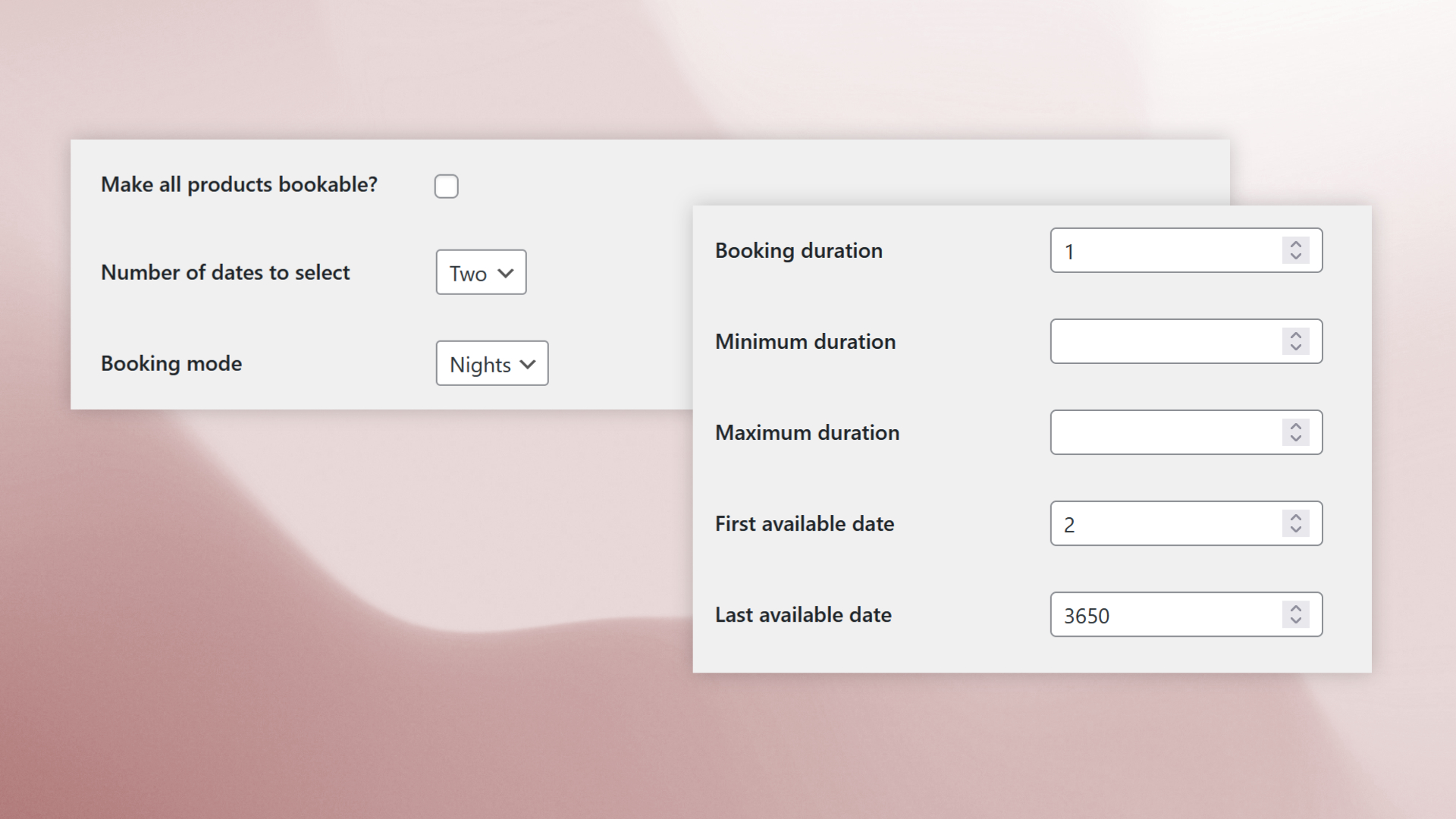
- Flexible booking modes: Choose between Days or Nights mode, and set custom booking durations and limits.
- Date selection: offer single or dual-date bookings (e.g., check-in/check-out).
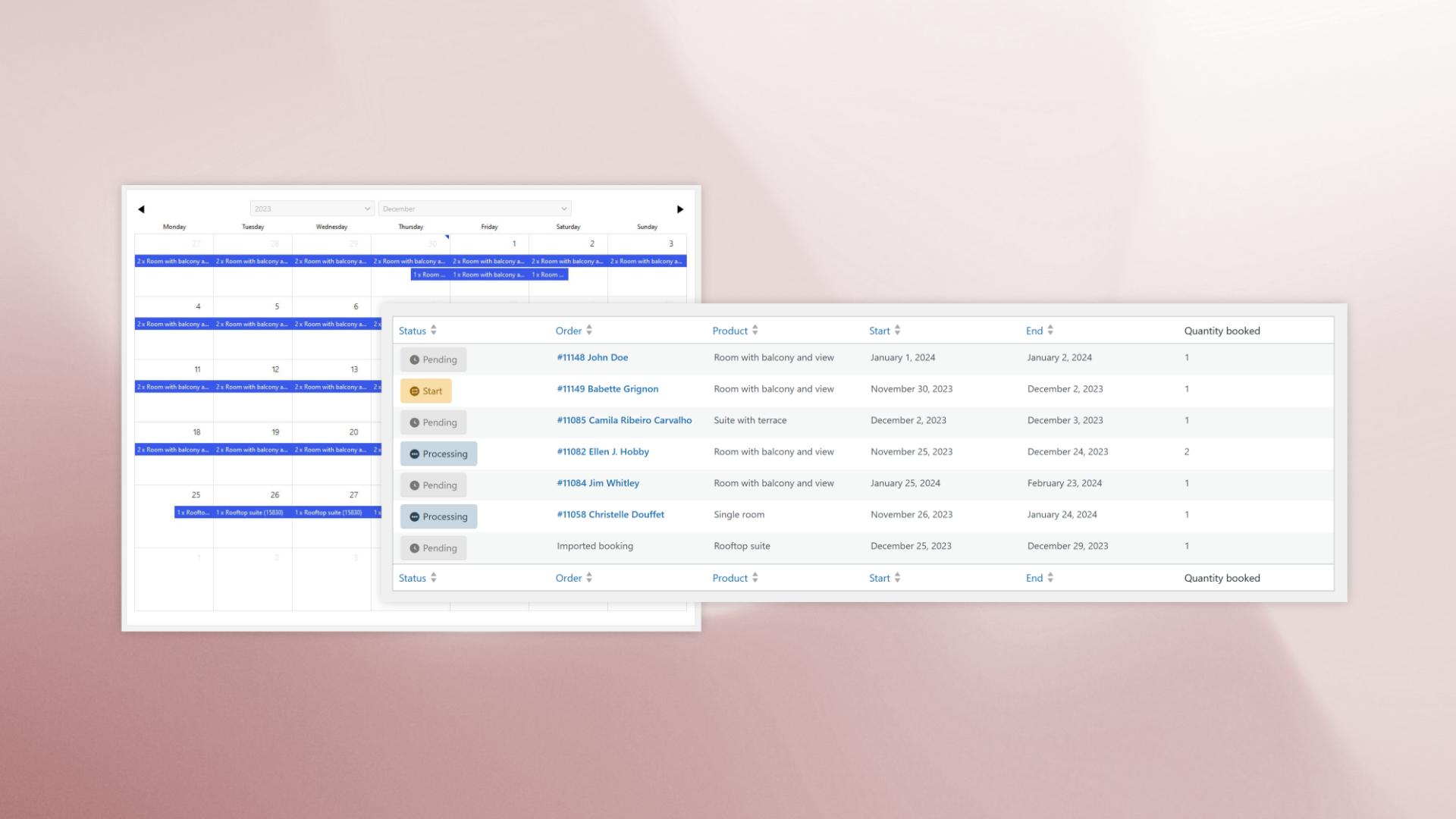
- Dashboard management: Easily track and manage processing or upcoming bookings directly from your WordPress admin.
- Developer-friendly: Extend functionality with filters and action hooks.
Perfect for rentals, event bookings, or any date-based service.
Official website | Demo | Documentation | FAQ
Why choose Easy Booking?
- No complex setup: Works natively with WooCommerce, no extra product types or complicated configurations.
- Adaptable: Whether you rent equipment, manage event registrations, or offer seasonal services, Easy Booking adjusts to your workflow.
- Responsive support & clear documentation : Get help when you need it, with detailed documentation and a quick, friendly developer ready to assist you.
Upgrade to Easy Booking PRO for advanced features
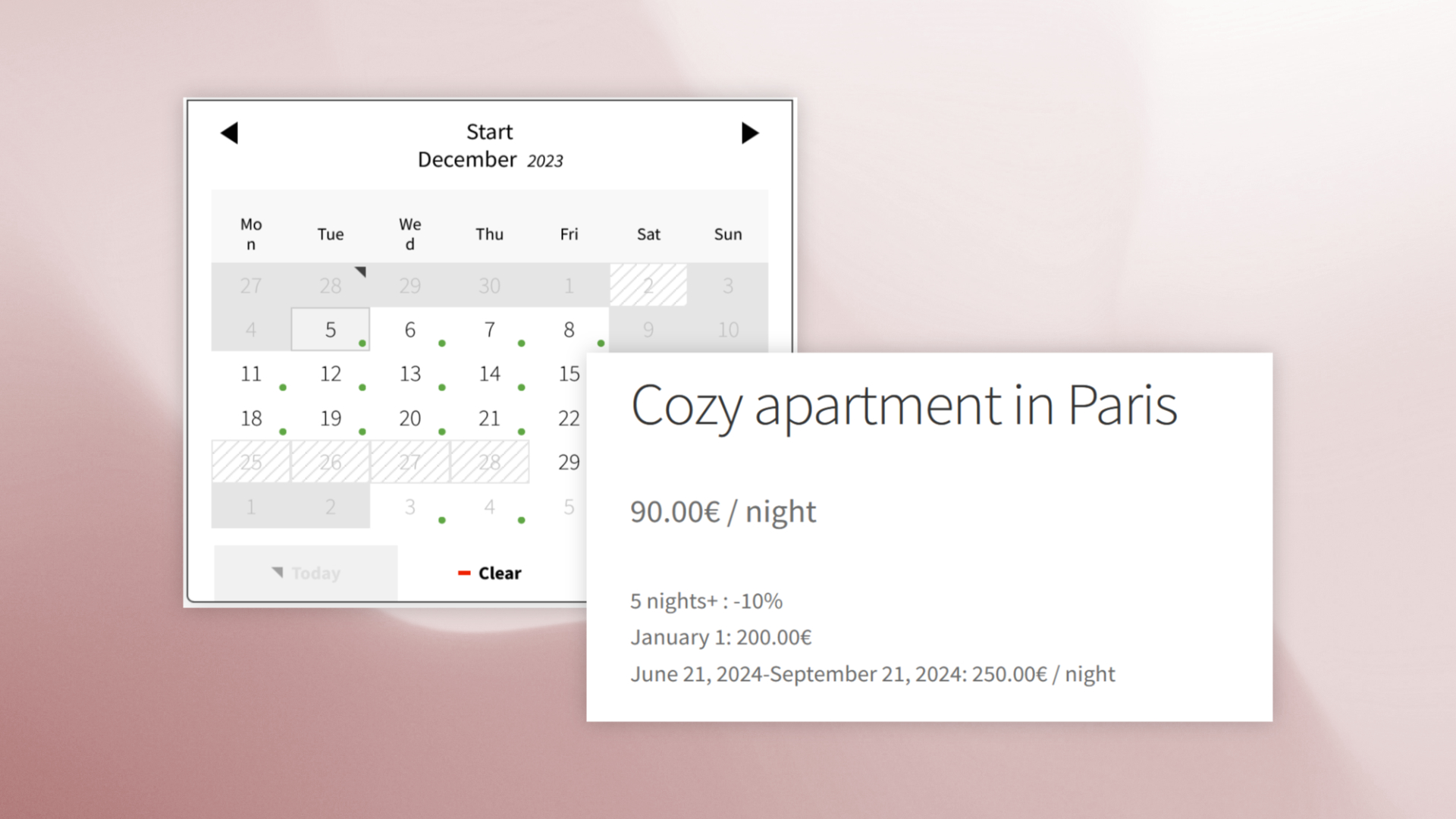
- Stock management by date: Automatic availability management for each date individually, ensuring no overbookings.
- Disabled dates: Block specific dates (holidays, closures, etc.).
- Advanced pricing: Set prices by date, season, or booking duration.
- Date selection on shop page: Let customers choose dates directly from the product listing, with real-time filtering of available products.
- Manual booking import: Add reservations manually without creating orders, ideal for phone bookings or external systems.
Learn more about Easy Booking PRO.
Looking for time-based bookings instead?
Easy Booking focuses on rentals, accommodations, and date-based bookings without time selection.
For appointments, services, classes, and bookings with time slots, take a look at Easy Scheduling.
Demo
See Easy Booking in action: Check out the demo and explore all the features.
Installation
Requirements
WordPress 6.0 or greater
PHP 7.4 or greater
WooCommerce 10.0 or greater
Make sure WooCommerce is installed and activated before starting.
Installation
You can install the plugin automatically or manually. If you are not familiar with plugin installation, please refer to this page.
Settings
Learn how to configure the plugin and your products in the documentation.
Changelog
Adds compatibility with WooCommerce Add to Cart + Options blocks and improves booking quantities, summaries and calendar display.
3.6.0 – 2026-11-23
- Fix – Date selection now works in Single Product blocks nested inside other blocks, such as Groups or Columns.
- Fix – A maximum booking duration of one day is now correctly enforced in Days mode.
- Fix – Bookings beyond the last available date are now rejected when calculating prices and adding to or restoring the cart.
- Fix – Products requiring a single date now ignore unexpected end dates. Existing cart items with inconsistent dates or durations must be selected again.
3.5.9 – 2026-11-10
- Fix – The average price shown in the booking summary now accounts for the quantity selected and labels multi-day or multi-night periods clearly.
- Tweak – Refined the booking calendar in both themes. The Classic theme now loads if a saved theme is unavailable.
- Fix – Booking price calculations now show an error for invalid booking details or product add-on selections.
- Requirements – Minimum versions are WordPress 6.0, WooCommerce 10.0 and PHP 7.4.
3.5.8 – 2026-10-29
- Add – Compatibility with WooCommerce Add to Cart + Options blocks for variable and grouped products, while preserving classic templates.
- Fix – Booking calculations in pages containing multiple Single Product blocks, including fixed variations.
- Fix – Quantity changes now recalculate booking prices with the current quantity and ignore outdated quantity or product selections.
- Fix – Prevent date fields from flashing before product selection and preserve grouped booking dates when quantities change.
- Fix – Keep booking summary quantities consistent with pricing and hide the parent quantity for grouped products.
- Fix – Apply the correct default calendar theme on new installations.
- Fix – Highlight the selected date instead of the minimum date when reopening the calendar.
- Fix – Prevent WordPress admin styles from overriding calendar styles on mobile.
- Tweak – Improved calendar appearance, date range highlighting, animations and input styling.
- Tweak – Calculate booking prices without fetching or verifying a nonce.
- Dev – Document the public, read-only date-selection endpoint and security requirements for hook callbacks. Legacy nonce helpers remain available for compatibility.
3.5.7 – 2026-10-19
- Fix – Set default calendar theme for new installations.
- Tweak – Small changes to datepicker appearance.
3.5.6 – 2026-10-06
- Improved product page appearance and booking details.
- Tweak – Hide redundant labels on product pages.
- Tweak – Moved availability display CSS to PRO version.
- Tweak – Small CSS improvements for the datepicker.
3.5.5 – 2026-17-09
- Add – Selected date range is now highlighted.
- Add – Dismissible admin notice for the new Google Calendar Sync add-on.
Screenshots
For developers
Is this your plugin? Show off the numbers.
Add a live badge to your site, docs or GitHub README. It updates on its own — no account needed.
Best Easy Booking alternatives
All appointment plugins →





FAQ
Easy Booking: quick answers
Straight answers, pulled from live WordPress.org data.
Source: WordPress.org
Is Easy Booking free?
Yes. Easy Booking is free to download and use from the official WordPress.org plugin directory.
Is Easy Booking safe to use in 2026?
Yes — Easy Booking is a safe, well-maintained plugin to use in 2026. It runs on 4K+ sites, is rated 4.7/5 and was last updated 1 day ago, and scores 88/100 on our health check.
How many websites use Easy Booking?
Easy Booking is active on 4K+ WordPress websites and has been downloaded 360,794 times since it launched in May 2014. It was downloaded 7,001 times in the last 30 days.
Does Easy Booking work with WordPress 7.1?
Yes. The developer has tested Easy Booking up to WordPress 7.1.5, the latest release. It requires WordPress 6.0 or newer.
What PHP version does Easy Booking need?
Easy Booking requires PHP 7.4 or higher. Most hosts run PHP 8.x today, so it works on any modern WordPress hosting.
When was Easy Booking last updated?
The latest version, 3.6.0, was released on November 23, 2026 (1 day ago).
Who makes Easy Booking?
Easy Booking is developed and maintained by Noushka.
What are the best alternatives to Easy Booking?
The most popular alternatives to Easy Booking are Easy Appointments (10K+ installs), EMC (10K+ installs) and Appointment Hour Booking (10K+ installs).
Powered by PageForge
One template and a spreadsheet. A real page for every search.
PageForge turns each row of a CSV into a WordPress page with its own title, URL, SEO fields and schema, built on the layout you already designed. Free on WordPress.org.
- CSV and XLSX, plus Google Sheets on Professional and Enterprise
- Its own title, URL, SEO fields and schema for every page
- Works with the block editor, Elementor, Divi and Avada
- Free on WordPress.org, no credit card