


Web-Art Login Shield with reCAPTCHA
Protect WordPress logins and Elementor Login/Forms using Google reCAPTCHA v2/v3 and optional IP-based lockouts.

Safe pick
Yes — Web-Art Login Shield with reCAP… is a safe, well-maintained plugin to use in 2026. It runs on 100+ sites, is rated 5/5 and was last updated 1 week ago, and scores 80/100 on our health check.
- Actively developed — last update 1 week ago
- Tested with the latest WordPress (7.1)
- Momentum — downloads up 34.2% vs the previous 30 days
- Small user base (100+ active installs)
How does it stack up?
Side-by-side on installs, updates, ratings & support



Daily downloads
Download spikes usually follow a new release — each site that auto-updates counts as a download.
Rankings
Where Web-Art Login Shield with r… stands todayWordPress.org search rankings
Live position in the plugin search, top 100| Keyword | Position |
|---|---|
| Brute Force | #99 |
| elementor | >100 |
| login | >100 |
| recaptcha | #31 |
| security | >100 |
Version adoption
Share of active sites per release.
Rating breakdown
★★★★★★★★★★ 5 from 11 reviews
About Web-Art Login Shield with reCAPTCHA
From the official readme · v1.2.6Description
Web-Art Login Shield with reCAPTCHA protects WordPress authentication, Elementor Login widgets and Elementor Forms.
It provides optional Google reCAPTCHA v2/v3, IP lockouts, Advanced login URL protection, IP blocking and REST/XML-RPC protection. It preserves WordPress core authentication logic.
No ads, author telemetry or external dashboard. All modules are opt-in and disabled by default.
Key Features
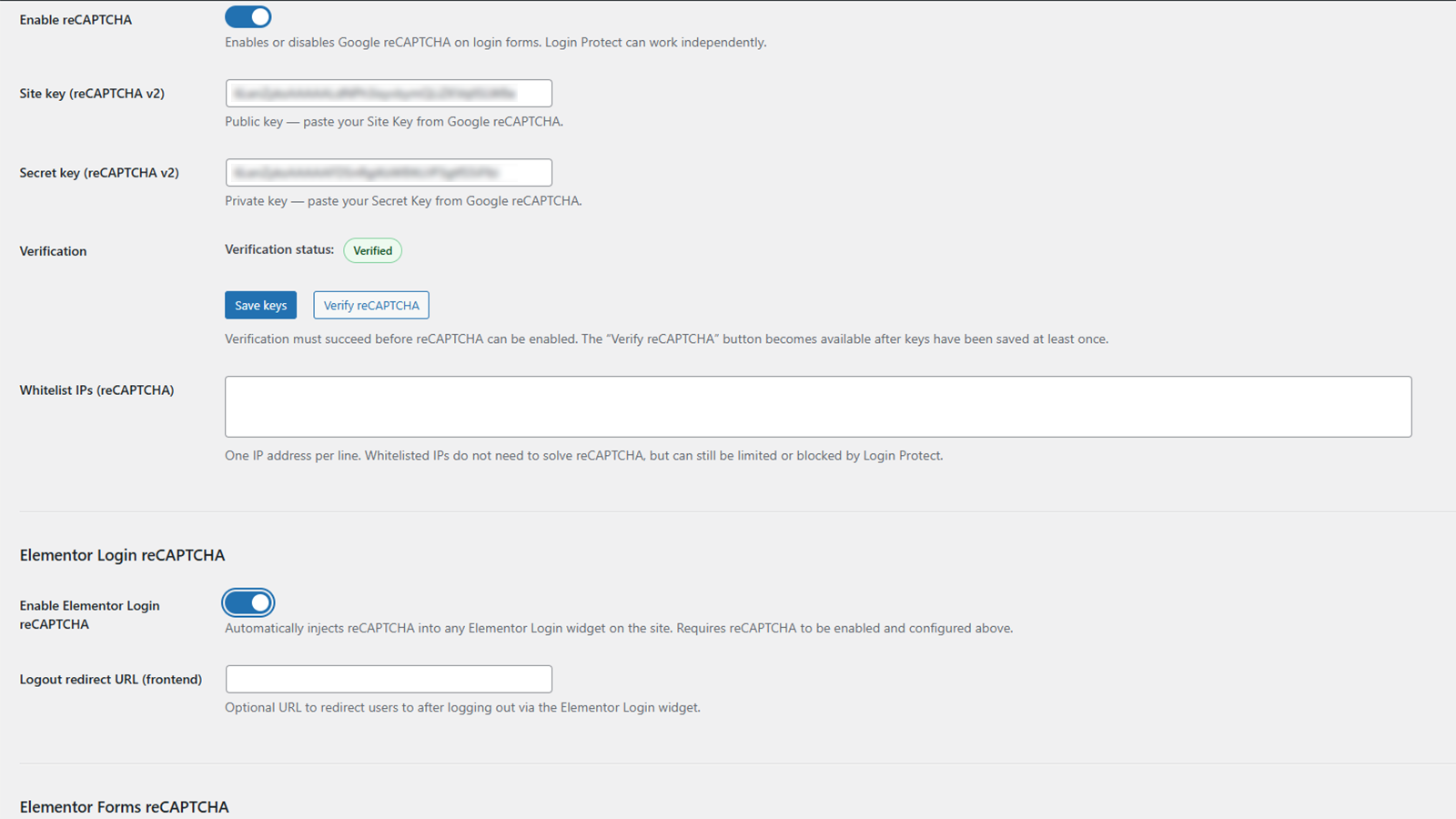
reCAPTCHA v2/v3
- selectable v2 checkbox or v3 score-based verification
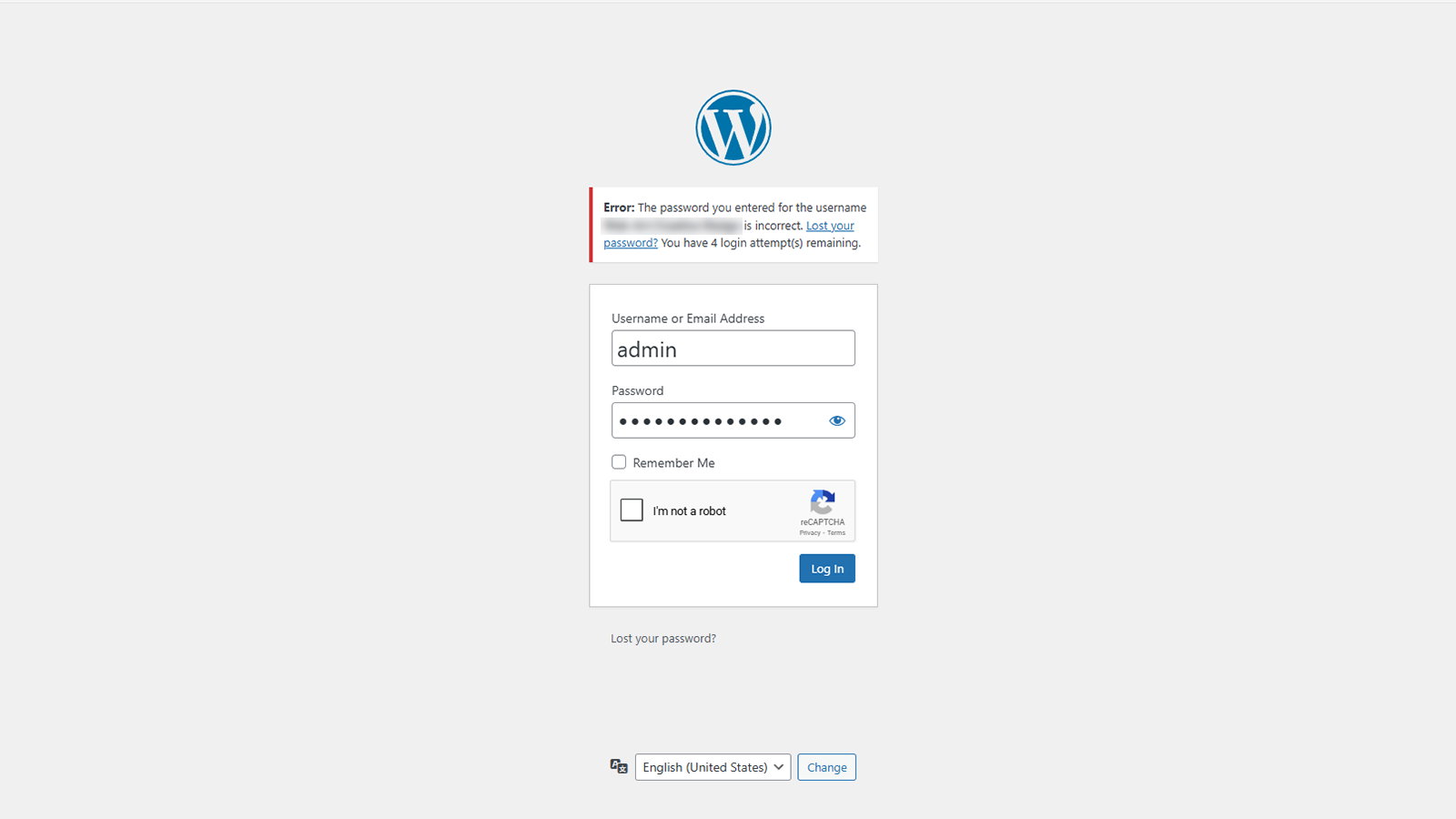
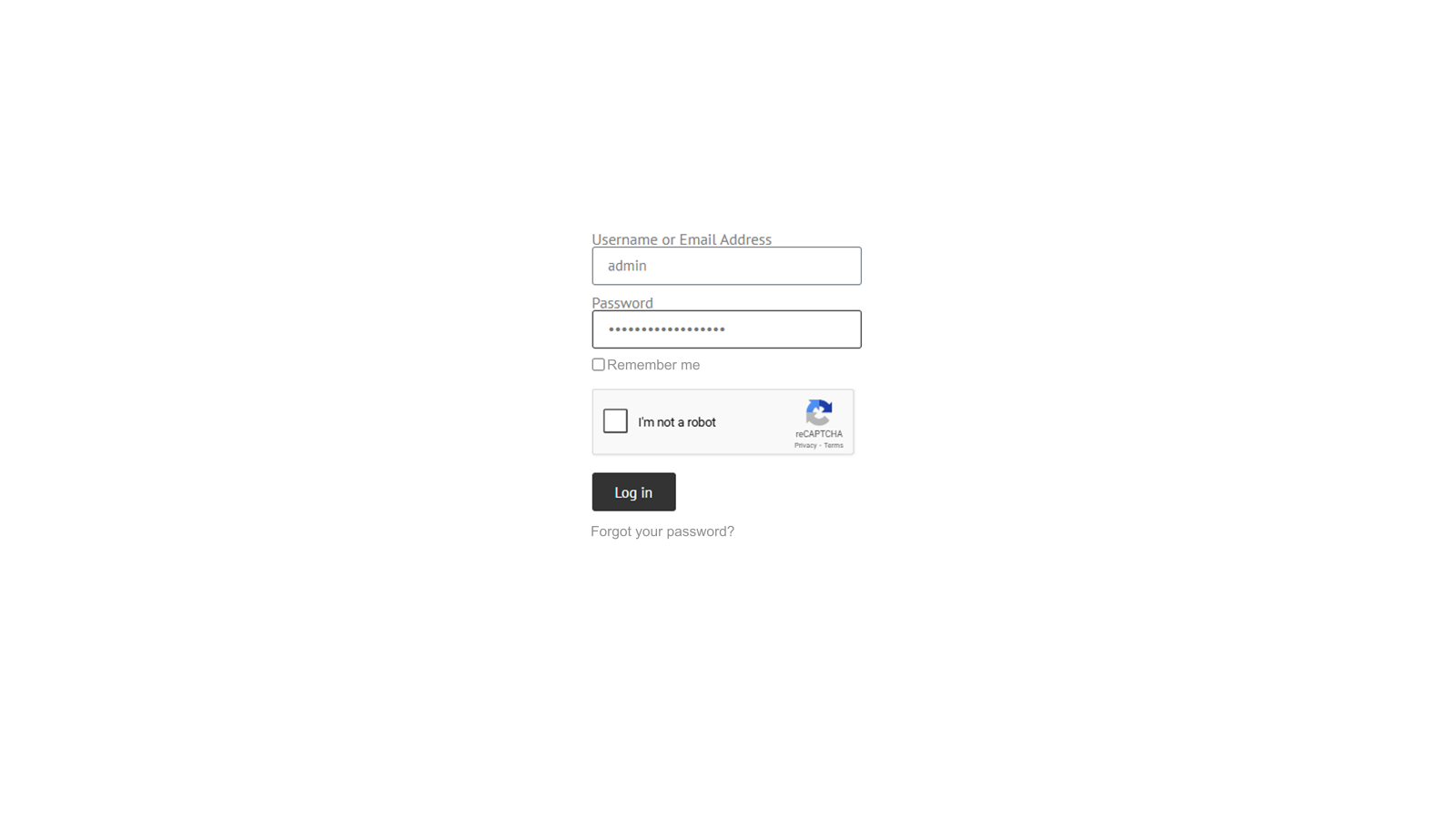
- protection for wp-login.php, native WordPress password reset requests, Elementor Login and Elementor Forms
- server-side token, action, score and hostname validation where applicable
- configurable v3 score threshold
- one active type at a time
- configuration verification before activation
Elementor support
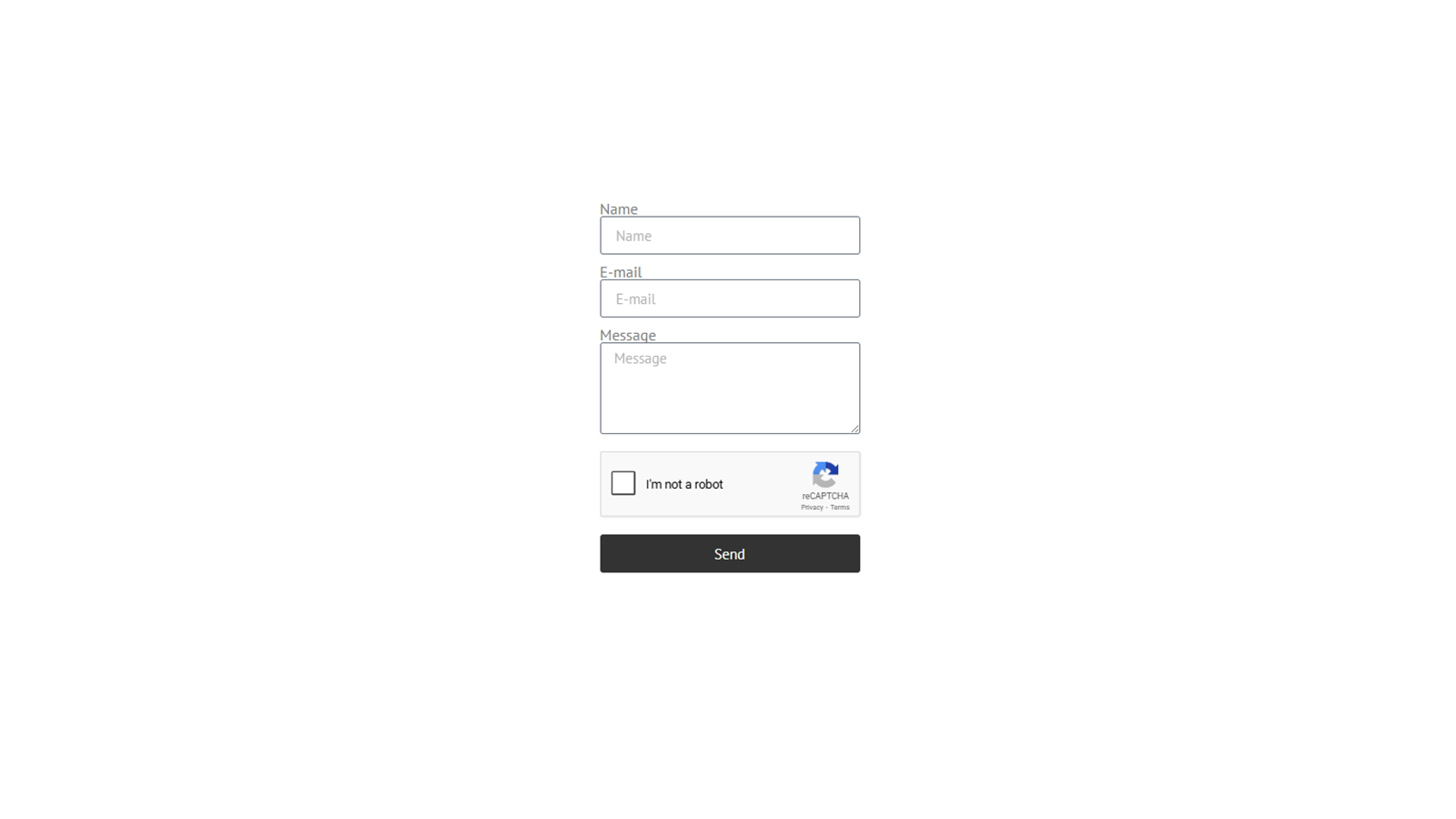
- protection for Elementor Login, classic Elementor Pro Forms and Atomic Forms
- classic forms containing native Elementor reCAPTCHA fields are skipped to avoid duplication
- v2 alignment controls
- login errors and lockouts remain inside the Login widget
- dynamic content and Elementor popup support
Login Protect
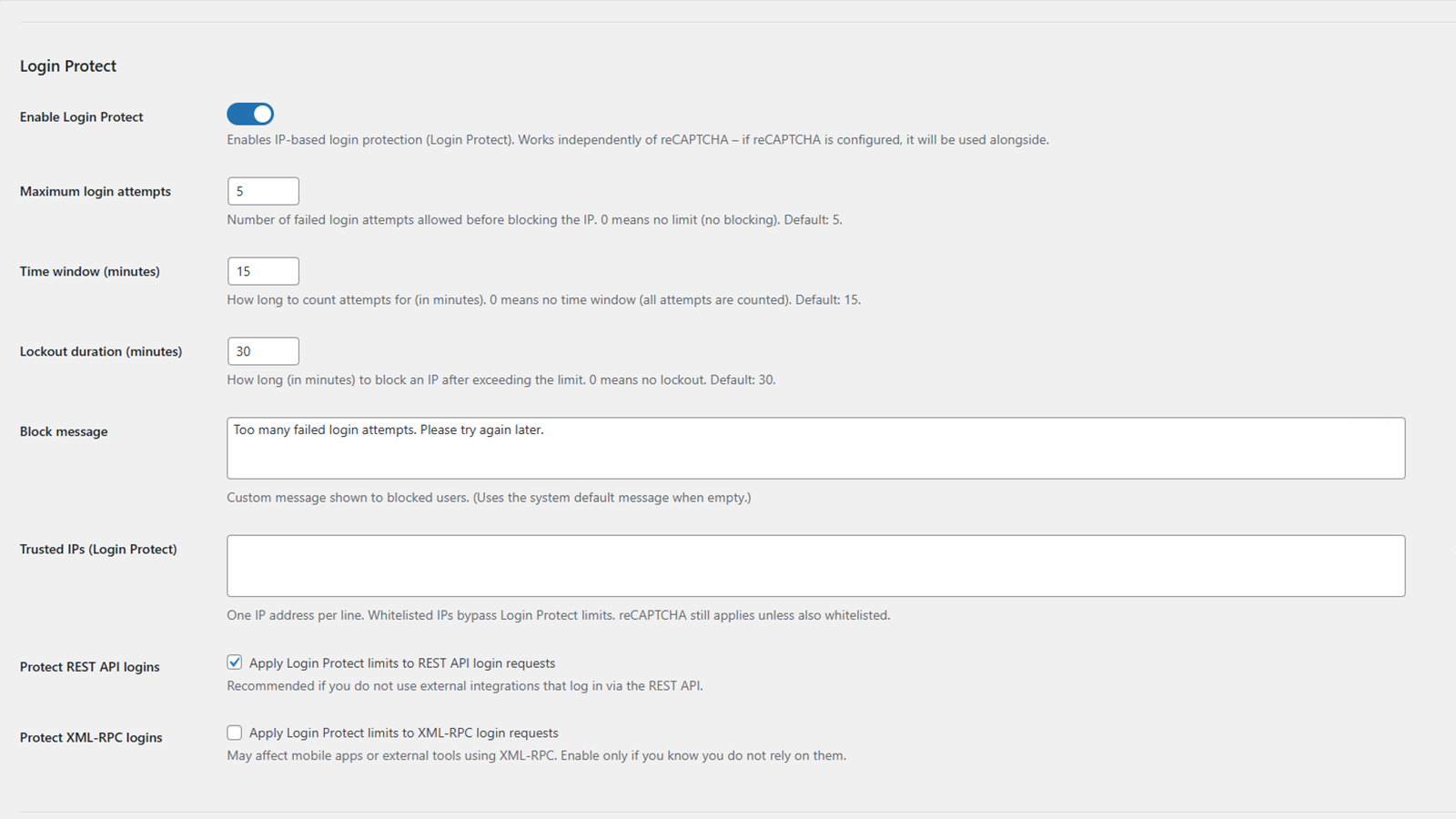
- per-IP failed-attempt counting and temporary lockouts
- safe concurrent-request handling
- active-lockout countdown
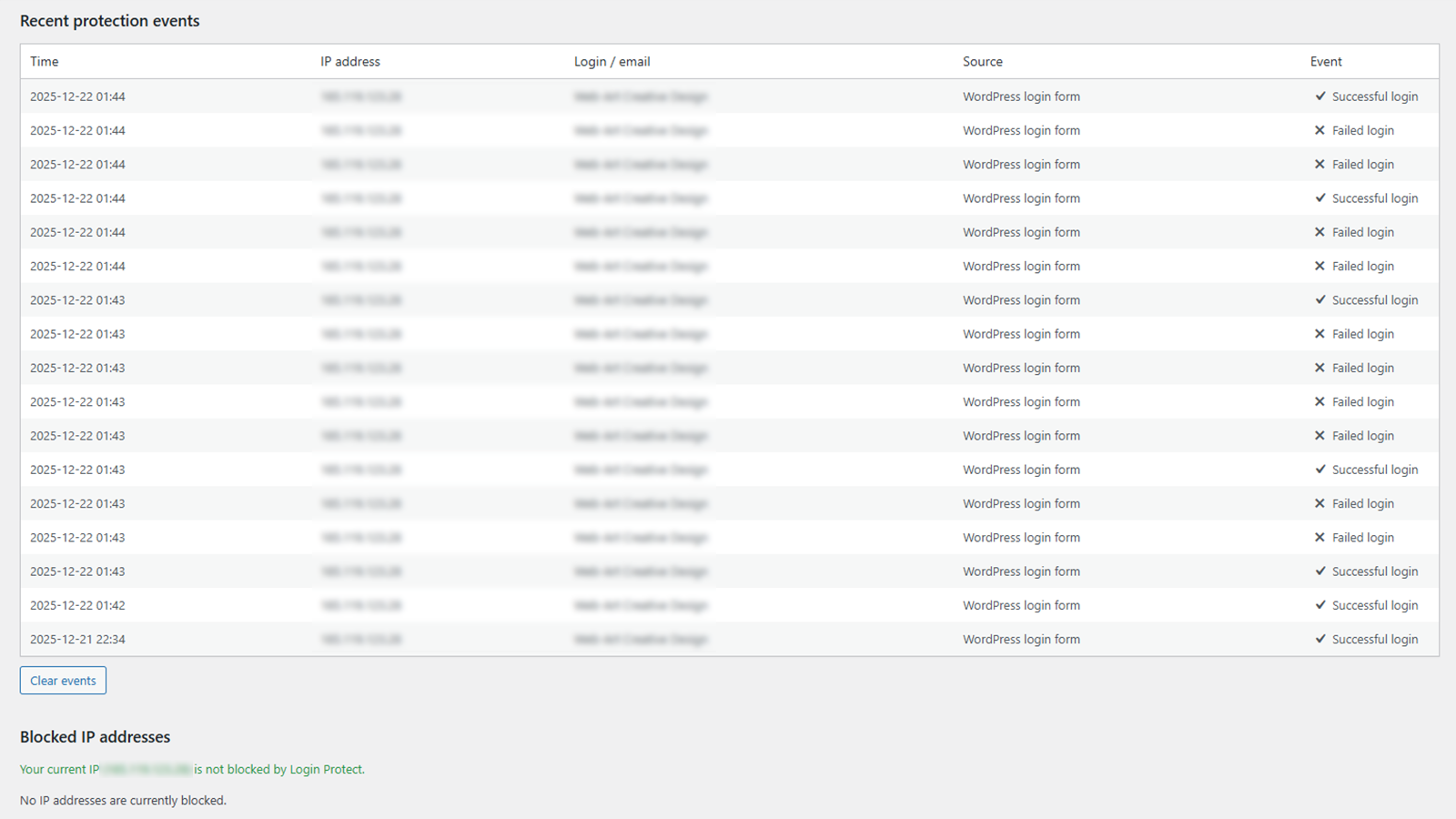
- local security event log with bounded retention
- optional REST API, Application Password and XML-RPC protection
- independent operation with or without reCAPTCHA
Advanced login URL
- optional custom login endpoint
- protection of default login routes while preserving required public actions
- logout and password-link compatibility
- emergency wp-config.php recovery constant
IP allowlists and blocking
- separate reCAPTCHA allowlist and Login Protect trusted IP list
- permanent IP blocking for public site requests with HTTP 403
- optional IP | reason notes
XML-RPC hardening
Optional blocking of:
- pingback.ping
- pingback.extensions.getPingbacks
- system.multicall
Security Model
Compatibility scope: the Elementor Forms integration supports the classic Elementor Pro Form widget and Atomic Forms with reCAPTCHA v2 and v3. Atomic submissions are verified server-side before form actions run, and internal CAPTCHA fields are removed from submission data. Native WooCommerce My Account/checkout login, registration and password reset forms do not currently have a dedicated reCAPTCHA integration. Login Protect’s interactive attempt detection covers WordPress login and this plugin’s Elementor Login AJAX flow, not native WooCommerce login. REST protection refers to WordPress authentication (including Application Passwords), not a dedicated WooCommerce consumer-key authentication integration.
Protected flows use fail-closed handling. If an enabled check cannot be completed safely, the request is rejected instead of bypassing protection.
Login Protect preserves active lockouts and safely handles concurrent requests. Setting Maximum login attempts or Lockout duration to 0 disables lockout enforcement.
All modules remain disabled until enabled. Recovery constants are available in wp-config.php for selected modules.
External Services
This plugin integrates with Google reCAPTCHA v2 and v3, services provided by Google LLC.
reCAPTCHA is disabled by default. Google scripts or verification requests are used only after an administrator enables reCAPTCHA or runs a settings-page verification test.
Google’s reCAPTCHA JavaScript (https://www.google.com/recaptcha/api.js) may load on protected wp-login.php requests, pages containing protected Elementor widgets or forms, and the settings page during a verification test. Allowlisted visitors bypass frontend loading where applicable.
When reCAPTCHA runs, the visitor’s browser connects directly to Google. Google may process browser, device and interaction information and may set the necessary _GRECAPTCHA cookie under its policies.
For server-side verification, the plugin sends the token, configured Secret Key and visitor IP address when available to Google’s siteverify endpoint. It does not include usernames, passwords, email addresses or form contents in that request.
The plugin sends no telemetry, analytics or usage data to its author.
Google policies:
- https://policies.google.com/privacy
- https://policies.google.com/terms
Privacy
Locally stored security data may include:
- IP addresses, failed-attempt counts and lockout timestamps
- a username or email associated with an IP lockout
- recent events containing an IP address, username or email, source, type and timestamp
- the latest reCAPTCHA configuration or transport error used for diagnostics
- permanent IP blocklist entries and optional notes
Inactive Login Protect entries become eligible for deletion after seven days. Active lockouts remain until expiry. The event log is limited to 30 entries and 30 days.
WordPress privacy tools export or erase records matched to the requested email address or associated account. Unmatched IP-only records remain subject to retention and administrator cleanup. Permanent blocklist entries remain until removed by an administrator.
Plugin data can be removed during uninstall when uninstall cleanup is enabled.
Legal
reCAPTCHA is a trademark of Google LLC.
Elementor is a trademark of Elementor Ltd.
This plugin is not affiliated with, endorsed by, or sponsored by Google LLC or Elementor Ltd.
Installation
- Install and activate the plugin.
- Open the plugin settings page.
- Select reCAPTCHA v2 or v3 if required.
- Enter the matching Site Key and Secret Key.
- Save the keys and run the verification test.
- Enable the required protection modules.
- If using Advanced login URL, securely store the generated login URL.
Changelog
1.2.6
- UI: Added the plugin version, changelog and support links to the admin header.
- UI: Improved mobile responsiveness of the redesigned admin settings interface.
- Localization: Refined English interface text and Polish translations for clarity and consistency.
1.2.5
- UI: Refreshed the WordPress admin settings page with a card-based layout, updated icons, colors, spacing and typography.
1.2.4
- Diagnostics: Include only the failed option name in administrator reCAPTCHA v3 activation errors; keep activation and rollback behavior unchanged.
- Security: Add reCAPTCHA v2/v3 protection to native WordPress password reset requests.
- Fix: Wait up to 10 seconds for the password reset reCAPTCHA v2 API and allow initialization to be retried on submit without creating duplicate widgets.
- Fix: Share a 10-second deadline between reCAPTCHA v3 API availability and token acquisition on password reset requests, ignoring late callbacks.
- Security: Reject password reset CAPTCHA tokens longer than 8192 bytes before sanitization and Google verification, without adding a CAPTCHA failure event.
- Documentation: Normalize spacing in the readme security and external service sections and changelog without changing their substantive content.
- Documentation: Clarify essential English comments about admin module loading and XML-RPC filter ordering without changing runtime behavior.
1.2.3
- Documentation: Update the implemented Atomic Forms support scope and clarify that native CAPTCHA field detection applies to classic Elementor Pro Forms.
- Security: Compare reCAPTCHA v3 actions exactly without case folding or character removal in login, form and admin verification.
- Security: Require a boolean true success value in both reCAPTCHA v2 server-side validators; reject non-boolean verification responses.
- Security: Match login action exclusions exactly so noncanonical action values cannot bypass reCAPTCHA or Login Protect on WordPress login requests.
- Fix: Match equivalent IPv6 spellings in the global IP blocklist, including compressed, expanded and mixed-case forms, while keeping IPv4 and IPv6 address families distinct.
- Fix: Count in-flight Login Protect requests toward the attempt limit and preserve active blocks during concurrent authentication.
- Fix: Count failed logins within a fixed window starting at the first failure, without extending the window on subsequent failures.
- Fix: Match equivalent IPv6 addresses in the Login Protect allowlist.
- Fix: Bound Elementor Login lockout-status requests, allow retries after timeouts, and ignore late responses.
- Fix: Recover reCAPTCHA v3 admin verification after empty or invalid tokens and deferred API errors, bound server requests, and ignore late token callbacks.
- Security: Require a boolean success response and a finite numeric score from 0 to 1 for reCAPTCHA v3 verification, including when the configured threshold is zero.
- Fix: Refresh Elementor Login v3 session nonces before authentication, recognize sessions opened in another tab, and bound API loading and login requests while ignoring late responses.
- Fix: Prevent overlapping WP Login v3 token requests, bound Google API waits, handle deferred API exceptions, and preserve server-side rejection when token acquisition fails.
- Fix: Respect the Elementor Login CAPTCHA setting independently of Login Protect so disabling CAPTCHA does not block logins while attempt limiting remains active.
- Compatibility: Add reCAPTCHA v2/v3 integration for Elementor Atomic Forms, including Atomic field serialization, server-side verification before form actions, and removal of internal CAPTCHA fields from submission data.
- Reliability: Reset Atomic Forms CAPTCHA tokens after submissions and validation failures, and prevent overlapping submissions while a request is pending.
- Fix: Bound classic Elementor Forms v3 token requests, ignore late callbacks, isolate concurrent forms, and recover from API errors or browser validation failures without reusing stale tokens.
- Fix: Refresh the Elementor Login v2 session nonce before submitting credentials and reload stale login forms when another tab is already signed in.
- Reliability: Bound Elementor Login v2 session and authentication requests, recover the form after timeouts, and ignore late responses without automatically replaying credentials.
- Fix: Reset classic Elementor Forms reCAPTCHA v2 after successful submissions and submission errors so retries obtain a fresh token while preserving entered fields and other forms.
- Maintenance: Correct input-handling warnings in the Atomic Forms integration, keep essential code comments in English, and invalidate cached frontend assets when their files change.
- Maintenance: Synchronize version 1.2.3 across the plugin header, runtime constant, readme stable tag, admin fallback and translation metadata.
1.2.2
- Compatibility: Removed automatic reading, writing and synchronization of LiteSpeed Cache persistent exclusion settings.
- Compatibility: Kept only request-local no-cache signaling and targeted purging of the custom login URL; the plugin does not perform global cache, Object Cache/Redis or CSS/JS purges.
- Reliability: Deactivation and uninstall no longer modify LiteSpeed Cache configuration; persistent exclusions created by version 1.2.1 are left untouched.
- Regression safety: Kept reCAPTCHA v2/v3, IP allowlist, Login Protect and Elementor authentication/form flows unchanged from version 1.2.1.
- Fix: Kept the successful lost-password confirmation on the custom login endpoint instead of resolving the default wp-login.php redirect to a 404 route.
- Fix: Preserved complete password-reset links on the custom login endpoint, including safe URL encoding of usernames with spaces so the reset key and action are not truncated by email clients.
1.2.1
- Fix: Prevented full-page caching of the custom login endpoint so reCAPTCHA and IP allowlist decisions remain consistent with the current request.
- Compatibility: Added lifecycle-managed LiteSpeed Cache exclusions for the custom login endpoint, runtime no-cache signaling, targeted URL purging, and cleanup after slug changes, disabling masking, deactivation, or deletion.
Screenshots
For developers
Is this your plugin? Show off the numbers.
Add a live badge to your site, docs or GitHub README. It updates on its own — no account needed.
Best Web-Art Login Shield with reC… alternatives
All Brute Force plugins →





FAQ
Web-Art Login Shield with reCAPTCHA: quick answers
Straight answers, pulled from live WordPress.org data.
Source: WordPress.org
Is Web-Art Login Shield with reCAP… free?
Yes. Web-Art Login Shield with reCAP… is free to download and use from the official WordPress.org plugin directory.
Is Web-Art Login Shield with reCAP… safe to use in 2026?
Yes — Web-Art Login Shield with reCAP… is a safe, well-maintained plugin to use in 2026. It runs on 100+ sites, is rated 5/5 and was last updated 1 week ago, and scores 80/100 on our health check.
How many websites use Web-Art Login Shield with reCAP…?
Web-Art Login Shield with reCAP… is active on 100+ WordPress websites and has been downloaded 2,517 times since it launched in December 2025. It was downloaded 601 times in the last 30 days.
Does Web-Art Login Shield with reCAP… work with WordPress 7.1?
Yes. The developer has tested Web-Art Login Shield with reCAP… up to WordPress 7.1.4, the latest release. It requires WordPress 5.8 or newer.
What PHP version does Web-Art Login Shield with reCAP… need?
Web-Art Login Shield with reCAP… requires PHP 7.4 or higher. Most hosts run PHP 8.x today, so it works on any modern WordPress hosting.
When was Web-Art Login Shield with reCAP… last updated?
The latest version, 1.2.6, was released on November 9, 2026 (1 week ago).
Who makes Web-Art Login Shield with reCAP…?
Web-Art Login Shield with reCAP… is developed and maintained by WEB-ART Creative Design.
What are the best alternatives to Web-Art Login Shield with reCAP…?
The most popular alternatives to Web-Art Login Shield with reCAP… are Limit Login Attempts Securi… (1M+ installs), CloudSecure WP Security (200K+ installs) and Anti-Malware Security and B… (100K+ installs).
Powered by PageForge
One template and a spreadsheet. A real page for every search.
PageForge turns each row of a CSV into a WordPress page with its own title, URL, SEO fields and schema, built on the layout you already designed. Free on WordPress.org.
- CSV and XLSX, plus Google Sheets on Professional and Enterprise
- Its own title, URL, SEO fields and schema for every page
- Works with the block editor, Elementor, Divi and Avada
- Free on WordPress.org, no credit card