



XO Security
XO Security is a plugin to enhance login related security.

Solid choice
XO Security is a solid plugin choice in 2026, with a few things worth checking first. It runs on 30K+ sites, is rated 5/5 and was last updated 2 months ago, and scores 77/100 on our health check.
- Proven at scale on 30K+ active sites
How does it stack up?
Side-by-side on installs, updates, ratings & support



Daily downloads
Download spikes usually follow a new release — each site that auto-updates counts as a download.
Rankings
Where XO Security stands todayWordPress.org search rankings
Live position in the plugin search, top 100| Keyword | Position |
|---|---|
| Brute Force | #28 |
| login | >100 |
| maintenance | #69 |
| security | #16 |
| two factor | #21 |
Version adoption
Share of active sites per release.
Rating breakdown
★★★★★★★★★★ 5 from 11 reviews
About XO Security
From the official readme · v3.11.0Description
XO Security is a plugin to enhance login related security.
This plugin does not write to .htaccess file. Besides Apache, LiteSpeed, Nginx and IIS also work.
Functions
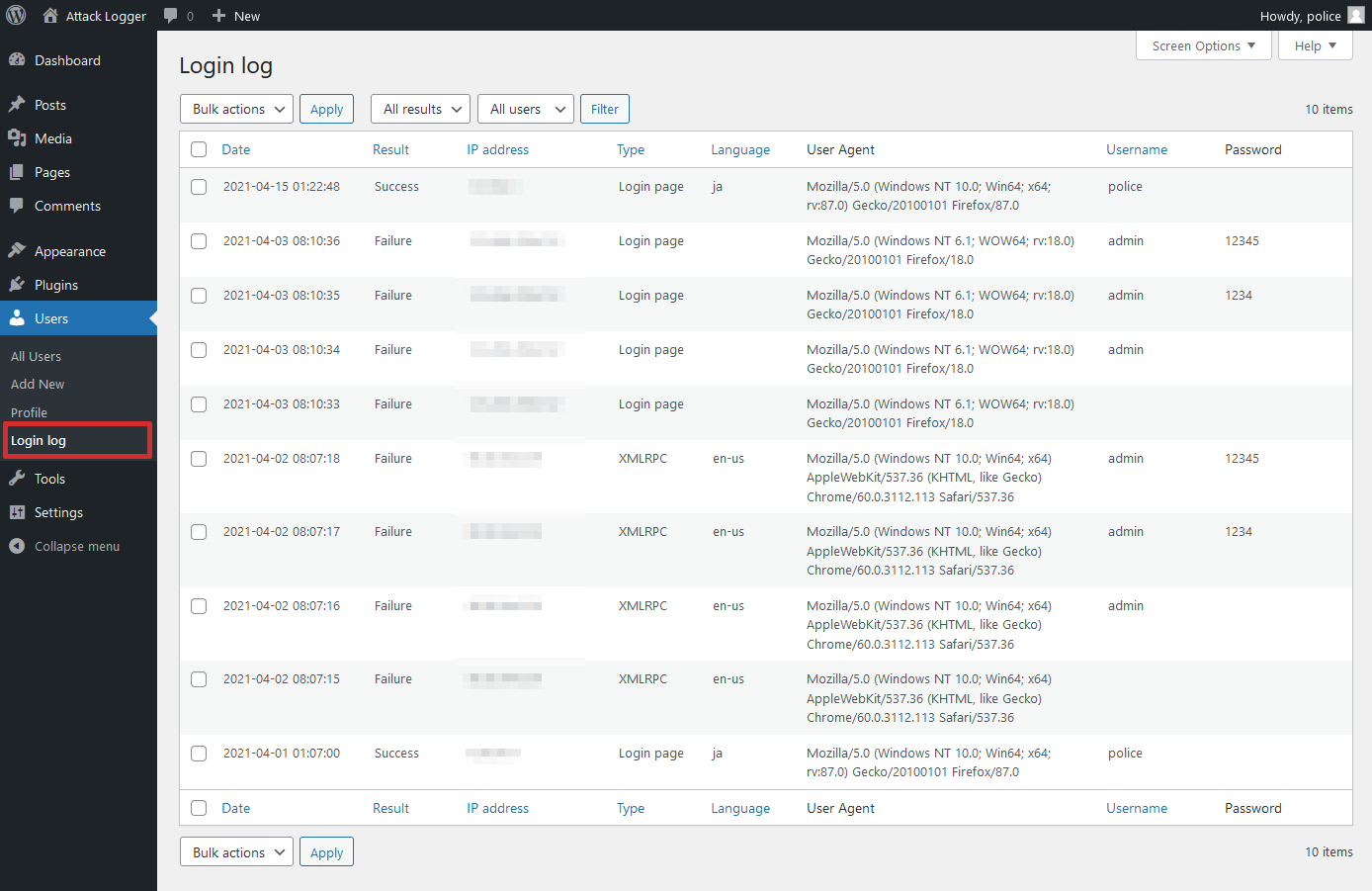
- Record login log.
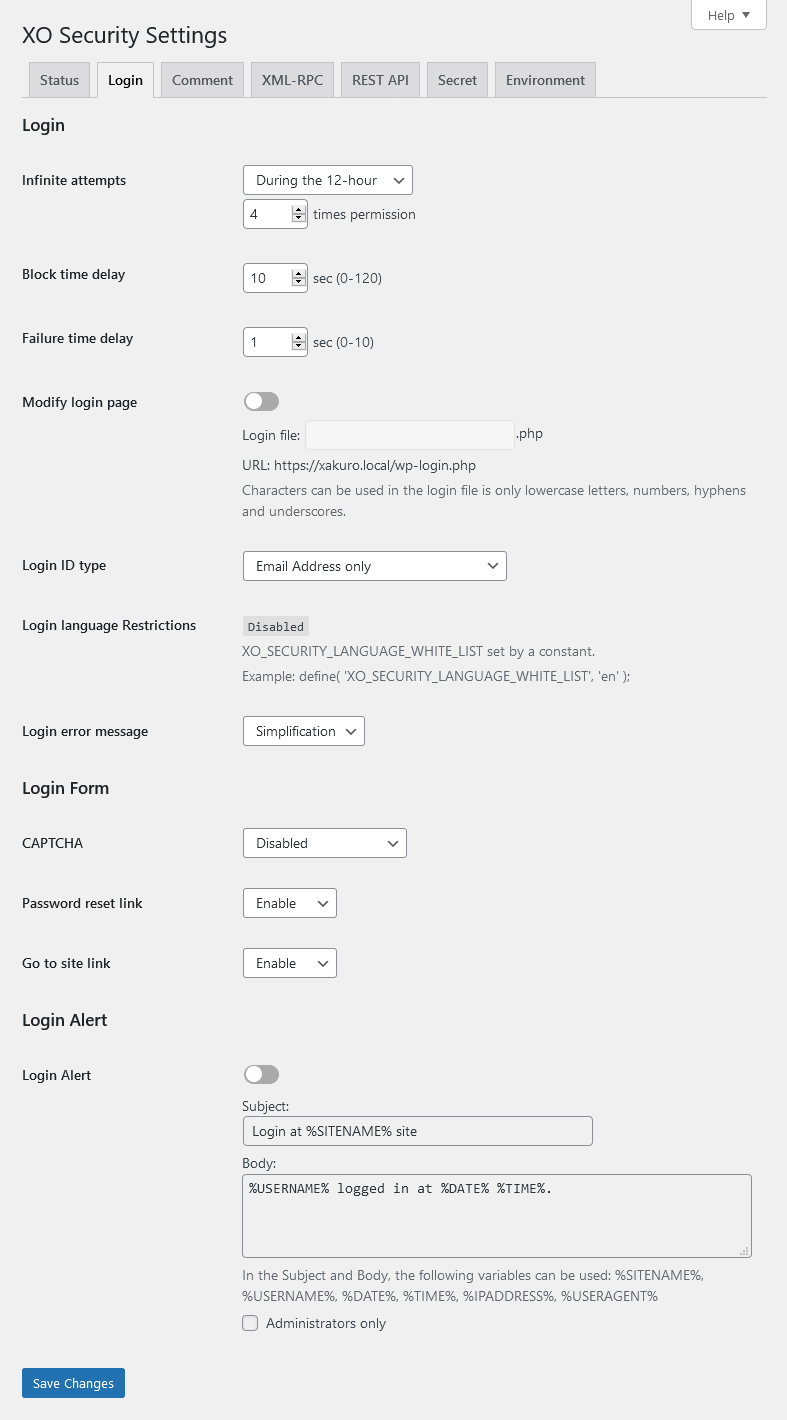
- Limit login attempts.
- Add Captcha to the login form and comment form.
- Change the URL of the login page.
- Enable two-factor authentication (2FA) for login.
- Login Alert.
- Disable login by mail address.
- Disable login by user name.
- Change login error message.
- Disable XML-RPC and XML-RPC Pingback.
- Disable REST API.
- Disable author archive page.
- Remove comment author class of comments list.
- Remove the username from the oEmbed response data.
- WooCommerce login page protection.
- Anti-spam comment.
- Hide WordPress version information.
- Edit the author slug.
- Disable RSS and Atom feeds.
- Activate maintenance mode.
- Delete the readme.html file.
WordPress multisite considerations
If you set the login page separately for the main site and the subsite, you will not be able to use the password loss function of the subsite. We recommend that you set the login page to be common to all sites.
Installation
- Upload the
XO-Securityfolder to the/wp-content/plugins/directory. - Activate the plugin through the Plugins menu in WordPress.
- Go to “Settings” -> “XO Security” and customize behaviour as needed.
Frequently asked questions
Login page is not displayed.
Please initialize the settings. In wp_options table, the value of the option_name field (column) is to remove the record of “xo_security_options”. If you have set the login page, please delete the file.
The CAPTCHA is not displayed.
Please install mbstring and GD module.
Changelog
3.11.0
- Fixed a vulnerability that allowed two-factor authentication to be bypass.
- Update minimum WordPress version to 6.0.
- Update minimum PHP version to 7.2.
3.10.9
- Supported WordPress 7.0.
3.10.8
- Fixed a bug that sometimes prevented access to the login page.
3.10.7
- Fixed a mistake in version 3.10.6.
3.10.6
- Fixed an issue where the URL in the email sent when resetting a password was incorrect when changing the login page.
3.10.5
- Supported WordPress 6.9.
- Fixed a bug that sometimes prevented access to the login page.
Screenshots


For developers
Is this your plugin? Show off the numbers.
Add a live badge to your site, docs or GitHub README. It updates on its own — no account needed.
Best XO Security alternatives
All Brute Force plugins →





FAQ
XO Security: quick answers
Straight answers, pulled from live WordPress.org data.
Live data from WordPress.org · checked Sep 27, 2026
Is XO Security free?
Yes. XO Security is free to download and use from the official WordPress.org plugin directory.
Is XO Security safe to use in 2026?
XO Security is a solid plugin choice in 2026, with a few things worth checking first. It runs on 30K+ sites, is rated 5/5 and was last updated 2 months ago, and scores 77/100 on our health check.
How many websites use XO Security?
XO Security is active on 30K+ WordPress websites and has been downloaded 407,655 times since it launched in January 2016. It was downloaded 3,356 times in the last 30 days.
Does XO Security work with WordPress 7.1?
XO Security is officially tested up to WordPress 7.0.6, while the latest release is 7.1.2. It may still work, but try it on a staging site first.
What PHP version does XO Security need?
XO Security requires PHP 7.2 or higher. Most hosts run PHP 8.x today, so it works on any modern WordPress hosting.
When was XO Security last updated?
The latest version, 3.11.0, was released on July 19, 2026 (2 months ago).
Who makes XO Security?
XO Security is developed and maintained by ishitaka.
What are the best alternatives to XO Security?
The most popular alternatives to XO Security are Limit Login Attempts Securi… (1M+ installs), CloudSecure WP Security (100K+ installs) and Anti-Malware Security and B… (100K+ installs).
Powered by PageForge
Want thousands of pages that rank like these? Build them in an afternoon.
This directory runs on the same engine as PageForge. Turn any spreadsheet, CSV or API into thousands of fast, SEO-ready WordPress pages — with schema, internal links and AI-written copy baked in.
- CSV, Google Sheets & API data sources
- AI content, schema & internal links per page
- Works with Elementor, Gutenberg, Yoast & Rank Math
- Free on WordPress.org — no credit card


