



QR payment for WooCommerce
Generate QR codes for bank transfers in WooCommerce checkout to simplify payments for your customers.

Solid choice
QR payment for WooCommerce is a solid plugin choice in 2026, with a few things worth checking first. It runs on 400+ sites, is rated 5/5 and was last updated 4 months ago, and scores 62/100 on our health check.
- Small user base (400+ active installs)
- Very few reviews so far
- Needs PHP 8.1 or newer
How does it stack up?
Side-by-side on installs, updates, ratings & support



Daily downloads
Download spikes usually follow a new release — each site that auto-updates counts as a download.
Rankings
Where QR payment for WooCommerce stands todayWordPress.org search rankings
Live position in the plugin search, top 100| Keyword | Position |
|---|---|
| bacs | #9 |
| bank transfer | #19 |
| payment | #76 |
| qrcode | #11 |
Version adoption
Share of active sites per release.
Rating breakdown
★★★★★★★★★★ 5 from 1 reviews
About QR payment for WooCommerce
From the official readme · v1.0.17Description
Simplify payments by bank transfer with automatic QR code generation.
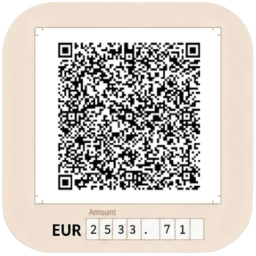
The QR Payment plugin for WooCommerce will generate a QR code according to the order total and the IBAN of the account you choose in the plugin settings. The order completion page then displays a section with the QR code, which can be supplemented with custom text. Depending on the settings, the QR code can also be automatically sent in an email along with the order. The customer can scan the QR code with any banking application and all payment details will be pre-populated.
For easier payment identification, the order number is automatically included as the variable symbol in the generated QR code. The plugin uses the get_order_number() function, ensuring full compatibility with sequential order number plugins such as Sequential Order Numbers for WooCommerce or WooCommerce Sequential Order Numbers Pro.
By default, QR codes are generated directly in the plugin without any third-party integration. Generation is free and works for an unlimited number of orders.
If your hosting environment does not support local QR code generation, you can enable Compatibility Mode — QR codes will be securely generated through an external API.
Currently supported countries: Slovakia (SK) and Czech Republic (CZ).
Technical Requirements
This plugin requires a Linux-based hosting environment to function properly. The QR code generation depends on the XZ binary which is available on Linux servers.
Please Note:
* Local QR generation requires the XZ binary, typically available by default on Linux servers.
* If your hosting does not support XZ, enable Compatibility Mode — QR codes will be generated via the external API instead.
* Local development on Windows or macOS may not function correctly
If you encounter any issues with QR code generation, please verify your hosting environment meets these requirements.
Installation
- Make sure you have WooCommerce installed and active.
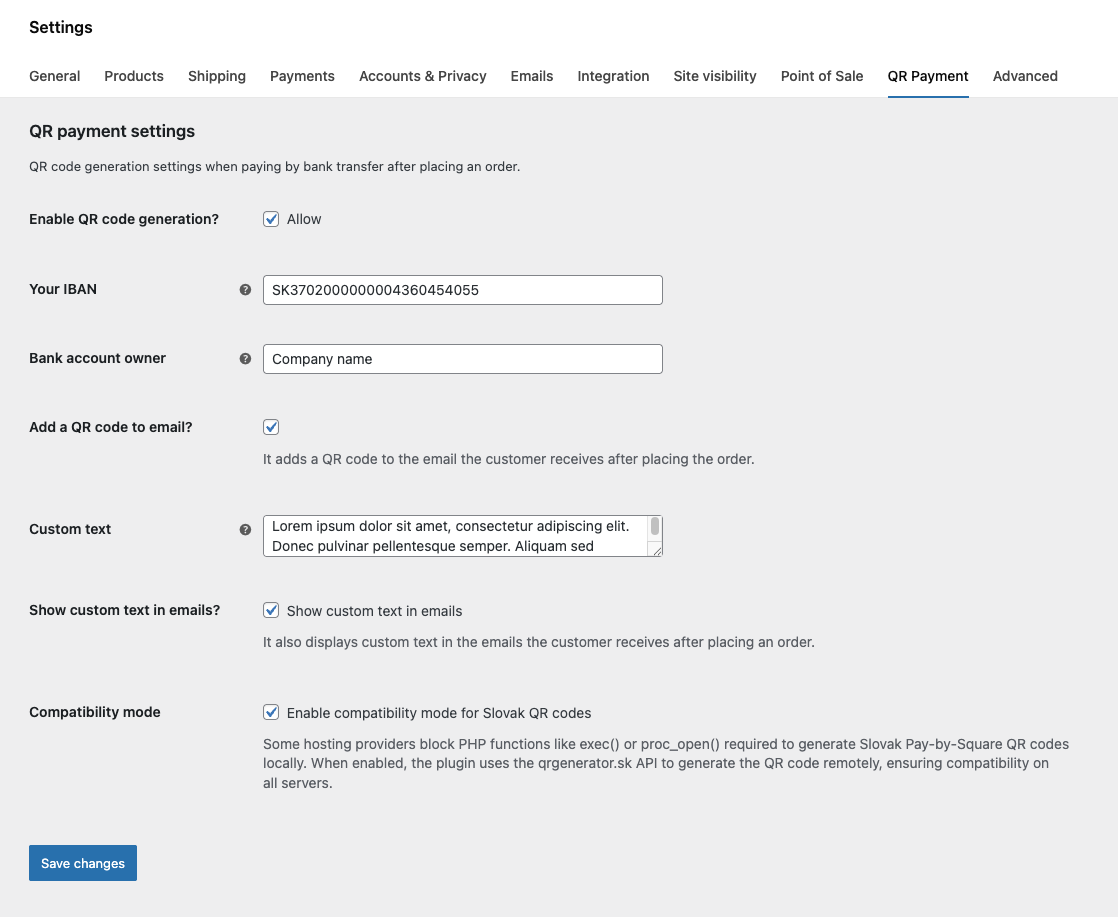
- Go to WooCommerce → Settings → QR Payment (a new tab created by the plugin).
- Enter your IBAN and other QR settings.
- Optionally enable Compatibility Mode if your hosting does not support XZ binary.
- Save your settings and place a test order using Direct Bank Transfer (BACS) to verify QR code generation.
- The QR code will appear on the Thank You page and, if enabled, in customer order emails.
Important Note: This plugin requires a Linux-based hosting environment as it depends on the XZ binary for QR code generation. It will not function correctly on Windows servers or local development environments running Windows/macOS.
Changelog
1.0.17
- Added compatibility mode for hosting environments where local QR generation is not supported.
- Compatibility mode uses a secure remote API (https://api.qrgenerator.sk) to generate QR codes when XZ binary is unavailable.
- Improved error handling and filesystem checks for saving generated QR images.
1.0.16
- Added input for “Bank account owner” name
1.0.15
- Added translation support for QR code comment/note and email section heading.
1.0.14
- Added support for sequential order plugins using get_order_number. Since variable symbol can only contain numeric values, order number is stripped from all non-numeric characters. Order number in payment note stays as-is.
1.0.13
- Settings page rewrite from BACS settings page to custom tab ensuring compatibility after WooCommerce Payments React update.
1.0.12
- Dependencies update
Screenshots


For developers
Is this your plugin? Show off the numbers.
Add a live badge to your site, docs or GitHub README. It updates on its own — no account needed.
Best QR payment for WooCommerce alternatives
All bacs plugins →



FAQ
QR payment for WooCommerce: quick answers
Straight answers, pulled from live WordPress.org data.
Live data from WordPress.org · checked Sep 30, 2026
Is QR payment for WooCommerce free?
Yes. QR payment for WooCommerce is free to download and use from the official WordPress.org plugin directory.
Is QR payment for WooCommerce safe to use in 2026?
QR payment for WooCommerce is a solid plugin choice in 2026, with a few things worth checking first. It runs on 400+ sites, is rated 5/5 and was last updated 4 months ago, and scores 62/100 on our health check.
How many websites use QR payment for WooCommerce?
QR payment for WooCommerce is active on 400+ WordPress websites and has been downloaded 3,865 times since it launched in November 2024. It was downloaded 186 times in the last 30 days.
Does QR payment for WooCommerce work with WordPress 7.1?
QR payment for WooCommerce is officially tested up to WordPress 7.0.6, while the latest release is 7.1.2. It may still work, but try it on a staging site first.
What PHP version does QR payment for WooCommerce need?
QR payment for WooCommerce requires PHP 8.1 or higher. Most hosts run PHP 8.x today, so it works on any modern WordPress hosting.
When was QR payment for WooCommerce last updated?
The latest version, 1.0.17, was released on May 21, 2026 (4 months ago).
Who makes QR payment for WooCommerce?
QR payment for WooCommerce is developed and maintained by WebBaker.
What are the best alternatives to QR payment for WooCommerce?
The most popular alternatives to QR payment for WooCommerce are Fr Multi Bank Transfer Paym… (2K+ installs), PeproDev Receipt Uploader f… (1K+ installs) and PAY by square pre WooCommer… (500+ installs).
Powered by PageForge
Want thousands of pages that rank like these? Build them in an afternoon.
This directory runs on the same engine as PageForge. Turn any spreadsheet, CSV or API into thousands of fast, SEO-ready WordPress pages — with schema, internal links and AI-written copy baked in.
- CSV, Google Sheets & API data sources
- AI content, schema & internal links per page
- Works with Elementor, Gutenberg, Yoast & Rank Math
- Free on WordPress.org — no credit card


