



PeproDev Receipt Uploader for WooCommerce
Let customers upload a payment receipt (image or PDF) for any payment method, and approve or reject it from the WooCommerce order screen.

Safe pick
Yes — PeproDev Receipt Uploader for W… is a safe, well-maintained plugin to use in 2026. It runs on 1K+ sites, is rated 5/5 and was last updated 5 days ago, and scores 82/100 on our health check.
- Actively developed — last update 5 days ago
- Tested with the latest WordPress (7.1)
How does it stack up?
Side-by-side on installs, updates, ratings & support



Daily downloads
Download spikes usually follow a new release — each site that auto-updates counts as a download.
Rankings
Where PeproDev Receipt Uploader f… stands todayWordPress.org search rankings
Live position in the plugin search, top 100| Keyword | Position |
|---|---|
| bacs | #3 |
| bank transfer | #19 |
| payment receipt | #2 |
| receipt | #1 |
| woocommerce | >100 |
Version adoption
Share of active sites per release.
Rating breakdown
★★★★★★★★★★ 5 from 14 reviews
About PeproDev Receipt Uploader for WooCommer…
From the official readme · v2.15.0Description
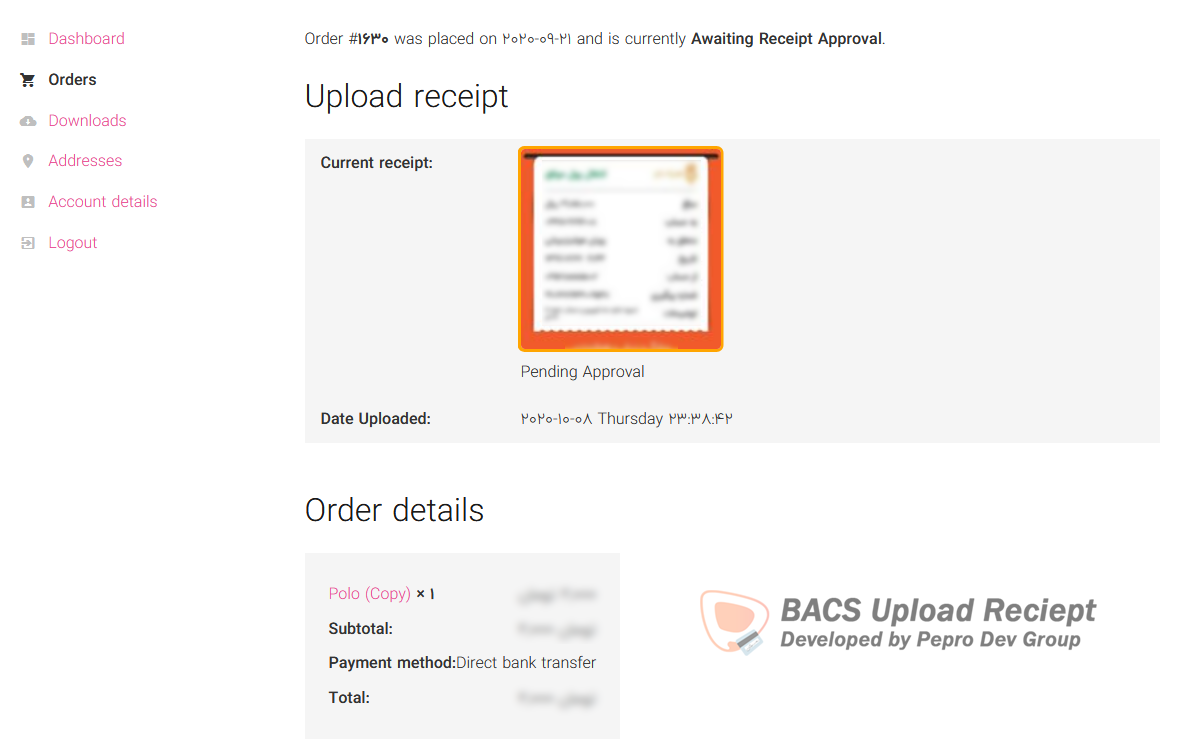
PeproDev Receipt Uploader for WooCommerce is made for stores that accept bank transfers, card-to-card, cash deposits or any offline payment. After checkout the customer uploads the payment receipt on the thank-you page or in My Account, and the shop manager approves or rejects it from the order screen.
Features
- Receipt upload for any payment method (BACS, cheque, cash on delivery or any custom gateway)
- Upload form on the thank-you page and on the My Account order details page
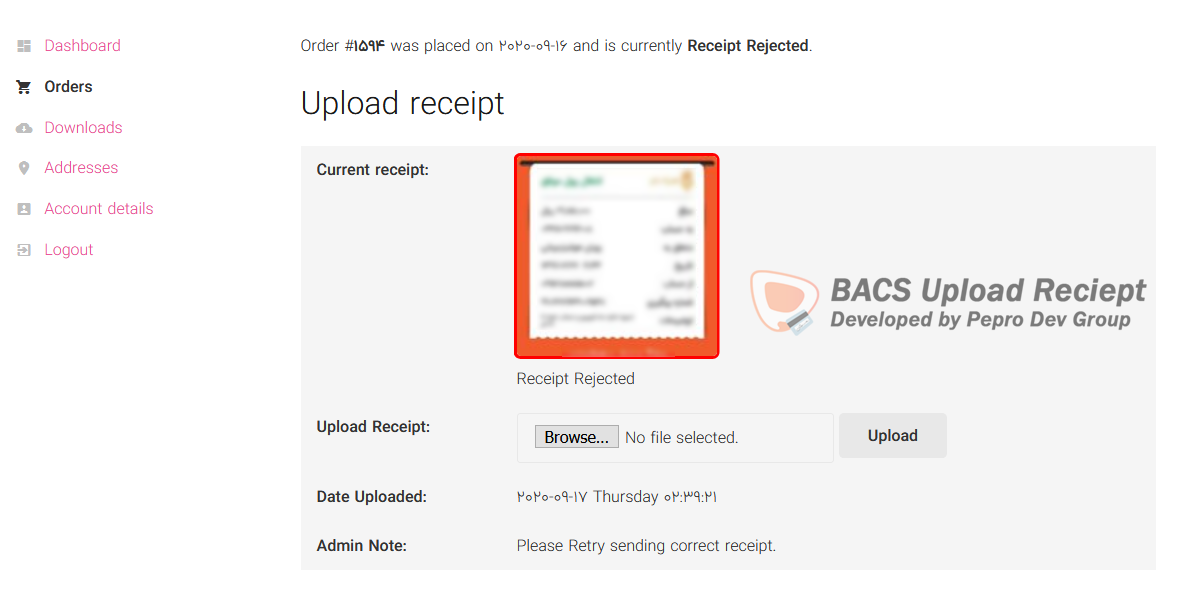
- Approve, reject or reset receipts from the order screen, with an admin note for the customer
- Automatic order status change on order placed, receipt uploaded, approved and rejected
- Three extra order statuses: Awaiting Receipt Upload, Awaiting Receipt Approval and Receipt Rejected
- Six WooCommerce emails (uploaded, approved and rejected, for customer and admin), fully customizable from WooCommerce > Settings > Emails
- Allowed file types (JPG, PNG, WEBP, GIF, BMP, AVIF, HEIC, PDF) and maximum file size
- Custom content before and after the upload form (HTML and shortcodes), custom form title and optional redirect after upload
- Receipt column in the orders list and a receipt filter in the media library
- Shortcodes:
[receipt-form]and[receipt-preview] - Compatible with High-Performance Order Storage (HPOS) and WooCommerce Subscriptions
- RTL ready, translation ready
Security
- Receipts are stored in a protected folder (
wp-content/uploads/receipt_upload) with random file names - Receipts are only shown through signed links that are bound to the order they belong to
- Only the order owner (or a guest with the order key) and shop managers can upload or view a receipt
- Files are validated by their real content, not only by extension
- The Help & Tools tab checks whether your server blocks direct access to the receipt folder and gives you an Nginx rule if it does not
Developer hooks
- Actions:
peprodev_uploadreceipt_customer_uploaded_receipt,peprodev_uploadreceipt_receipt_status_changed,peprodev_uploadreceipt_receipt_approved,peprodev_uploadreceipt_receipt_rejected,peprodev_uploadreceipt_receipt_awaiting_upload,peprodev_uploadreceipt_receipt_awaiting_approval,peprodev_uploadreceipt_order_placed,peprodev_uploadreceipt_save_receipt,peprodev_uploadreceipt_email_receipt_preview - Filters:
peprodev_uploadreceipt_folder_name,peprodev_uploadreceipt_allowed_file_mimes,peprodev_uploadreceipt_max_upload_size,peprodev_uploadreceipt_safe_mimes - jQuery events on
document:peprodev_receipt_uploader_ajax_prevented,peprodev_receipt_uploader_ajax_success,peprodev_receipt_uploader_ajax_failed,peprodev_receipt_uploader_ajax_completed
Credits
Developed at BlackSwanDev and Pepro Dev
Lead Developer: AmirhpCom
Security reports: Lyris Vale, Shivamani Vastrala, Mika (Patchstack), vgo0 (Wordfence)
Disclaimer and Warranty
This plugin is provided “as is” without any warranties, express or implied. Always test in a staging environment before deploying to production.
Installation
- Install the plugin from Plugins > Add New, or upload it to
/wp-content/plugins/. - Activate it. WooCommerce must be active.
- Go to WooCommerce > Settings > Receipt Upload and choose the payment methods that need a receipt.
- Customers upload their receipt after checkout, you approve or reject it from the order screen.
If your site runs on Nginx, open the Help & Tools tab and add the suggested rule to block direct access to the receipt folder.
Frequently asked questions
Where are the settings?
WooCommerce > Settings > Receipt Upload.
Can guests upload a receipt?
Yes. Guests can upload from the thank-you page, which is protected by the WooCommerce order key.
My site runs on Nginx, are receipts safe?
Receipts always use signed links, but Nginx ignores .htaccess. Open the Help & Tools tab to check the folder and copy the Nginx rule if needed.
How can I contribute to this plugin?
Send a pull request or open an issue on our GitHub repository.
How can I report security bugs?
You can report security bugs through the Patchstack Vulnerability Disclosure Program. The Patchstack team help validate, triage and handle any security vulnerabilities. Report a security vulnerability.
Changelog
Security release. Fixes an unauthenticated receipt upload issue and a receipt image disclosure issue. Please update immediately. Settings moved to WooCommerce > Settings > Receipt Upload.
v2.15.0 (2026-09-26)
- Fixed: receipt status showed as Unknown Status on the first thank-you page view with block themes
v2.14.0 (2026-09-26)
- Security: fixed unauthenticated cross-order receipt tampering (IDOR) in the upload request, thanks to Lyris Vale for the responsible disclosure
- Security: fixed unauthenticated disclosure of other customers’ receipt images (IDOR) in the receipt preview, thanks to Shivamani Vastrala for the responsible disclosure
- Tested up to WordPress 7.1, WooCommerce 11.1 and PHP 8.1 to 8.5
- Updated readme, FAQ and developer hooks list
- Developer name updated to AmirhpCom
v2.13.0 (2026-09-26)
- New: dedicated settings tab under WooCommerce > Settings > Receipt Upload with General, Order Status Automation, Upload Form and Help & Tools sections
- New: allowed file types picker (JPG, PNG, WEBP, GIF, BMP, AVIF, HEIC, PDF) instead of typing MIME types, old values are migrated
- New: receipt storage protection check with an Nginx rule suggestion when the folder is exposed
- New: custom upload form title
- New: server upload limit is shown next to the maximum file size
- Improved: clearer setting labels and descriptions, quick links to all receipt emails
- Old settings URL redirects to the new tab
v2.12.0 (2026-09-26)
- Plugin renamed to PeproDev Receipt Uploader for WooCommerce to follow WordPress.org trademark rules
- Text domain changed to pepro-bacs-receipt-upload-for-woocommerce so translations from translate.wordpress.org load automatically
- Resolved all Plugin Check (PCP) errors and warnings
- Requires WordPress 6.0+, PHP 7.4+ and WooCommerce 7.0+, declared WooCommerce as a required plugin
- Deprecated filters pepro_upload_receipt_folder_name, pepro_upload_receipt_allowed_file_mimes and pepro_upload_receipt_max_upload_size, use the peprodev_uploadreceipt_ prefixed versions
- Global plugin instance renamed to $GLOBALS[‘peprodev_uploadreceipt’]
- Plugin no longer deactivates itself when WooCommerce is missing, it shows a notice instead
- Updated translation template and Persian translation
v2.11.0 (2026-09-26)
- Security: receipt form and preview shortcodes only render for the order owner, a guest with a valid order key, or shop managers
- Security: email receipt preview no longer relies on a shortcode that could be abused from post content
- Security: all output is escaped, all input is sanitized and unslashed
- Security: saving receipt data on the order screen now requires order management capability and validates the status value
- Security: media library receipt filter is limited to the admin media screen
- Security: custom order statuses are no longer registered as public
- Fixed: when order placed status was set to Disabled, the thank-you page changed order status to Pending payment
- Fixed: setting a receipt back to Awaiting Upload sent a wrong receipt uploaded email
- Fixed: undefined variables notice when saving admin note
- Fixed: uploaded date and admin note line breaks
- Improved: emails now share one base class, support {order_number} and {order_date} placeholders and admin emails are marked as sent to admin
- Improved: previously uploaded receipts list works with HPOS
- Improved: assets are versioned and loaded only where needed
v2.10.0 (2026-09-26)
- Security: receipt previews are now served by signed, unforgeable links that are checked against the order the receipt belongs to, reported by Shivamani Vastrala
- Security: receipt folder is now protected against direct access (deny rules and index file), created on upgrade and on every upload
- Security: new receipts get random file names and are stored as private attachments
- Security: receipt attachment URLs, image sources and attachment pages are hidden from users who cannot manage orders
- Removed: the old secure_preview link and the Use Secure Link option, receipts are always served securely now
- Fixed: .htaccess was not created on the first upload
Screenshots




For developers
Is this your plugin? Show off the numbers.
Add a live badge to your site, docs or GitHub README. It updates on its own — no account needed.
Best PeproDev Receipt Uploader for… alternatives
All bacs plugins →




FAQ
PeproDev Receipt Uploader for WooCo…: quick answers
Straight answers, pulled from live WordPress.org data.
Live data from WordPress.org · checked Oct 1, 2026
Is PeproDev Receipt Uploader for W… free?
Yes. PeproDev Receipt Uploader for W… is free to download and use from the official WordPress.org plugin directory.
Is PeproDev Receipt Uploader for W… safe to use in 2026?
Yes — PeproDev Receipt Uploader for W… is a safe, well-maintained plugin to use in 2026. It runs on 1K+ sites, is rated 5/5 and was last updated 5 days ago, and scores 82/100 on our health check.
How many websites use PeproDev Receipt Uploader for W…?
PeproDev Receipt Uploader for W… is active on 1K+ WordPress websites and has been downloaded 35,916 times since it launched in October 2020. It was downloaded 450 times in the last 30 days.
Does PeproDev Receipt Uploader for W… work with WordPress 7.1?
Yes. The developer has tested PeproDev Receipt Uploader for W… up to WordPress 7.1.2, the latest release. It requires WordPress 6.0 or newer.
What PHP version does PeproDev Receipt Uploader for W… need?
PeproDev Receipt Uploader for W… requires PHP 7.4 or higher. Most hosts run PHP 8.x today, so it works on any modern WordPress hosting.
When was PeproDev Receipt Uploader for W… last updated?
The latest version, 2.15.0, was released on September 26, 2026 (5 days ago).
Who makes PeproDev Receipt Uploader for W…?
PeproDev Receipt Uploader for W… is developed and maintained by Pepro Dev. Group.
What are the best alternatives to PeproDev Receipt Uploader for W…?
The most popular alternatives to PeproDev Receipt Uploader for W… are Fr Multi Bank Transfer Paym… (2K+ installs), PAY by square pre WooCommer… (500+ installs) and QR payment for WooCommerce (400+ installs).
Powered by PageForge
Want thousands of pages that rank like these? Build them in an afternoon.
This directory runs on the same engine as PageForge. Turn any spreadsheet, CSV or API into thousands of fast, SEO-ready WordPress pages — with schema, internal links and AI-written copy baked in.
- CSV, Google Sheets & API data sources
- AI content, schema & internal links per page
- Works with Elementor, Gutenberg, Yoast & Rank Math
- Free on WordPress.org — no credit card


