



W4 Post List
Build lists the Query Loop can't: posts grouped by year, category or author, term lists and user directories — via block, shortcode or widget.

Safe pick
Yes — W4 Post List is a safe, well-maintained plugin to use in 2026. It runs on 3K+ sites, is rated 4.7/5 and was last updated 3 days ago, and scores 91/100 on our health check.
- Loved by users — 4.7/5 from 94 reviews
- Actively developed — last update 3 days ago
- Tested with the latest WordPress (7.1)
How does it stack up?
Side-by-side on installs, updates, ratings & support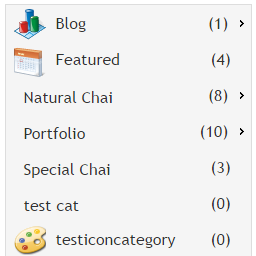


Daily downloads
Download spikes usually follow a new release — each site that auto-updates counts as a download.
Rankings
Where W4 Post List stands todayWordPress.org search rankings
Live position in the plugin search, top 100| Keyword | Position |
|---|---|
| category list | #5 |
| post grid | #28 |
| post list | #1 |
| shortcode | >100 |
| user list | #8 |
Version adoption
Share of active sites per release.
Rating breakdown
★★★★★★★★★★ 4.7 from 94 reviews
About W4 Post List
From the official readme · v3.0.8Description
W4 Post List builds the lists that WordPress core still can’t: posts grouped under year, month, category or author headings; category and term indexes; user directories; and combined Terms + Posts and Users + Posts lists. You control the output with a template of plain HTML and simple template tags, so the markup stays clean, semantic and completely yours.
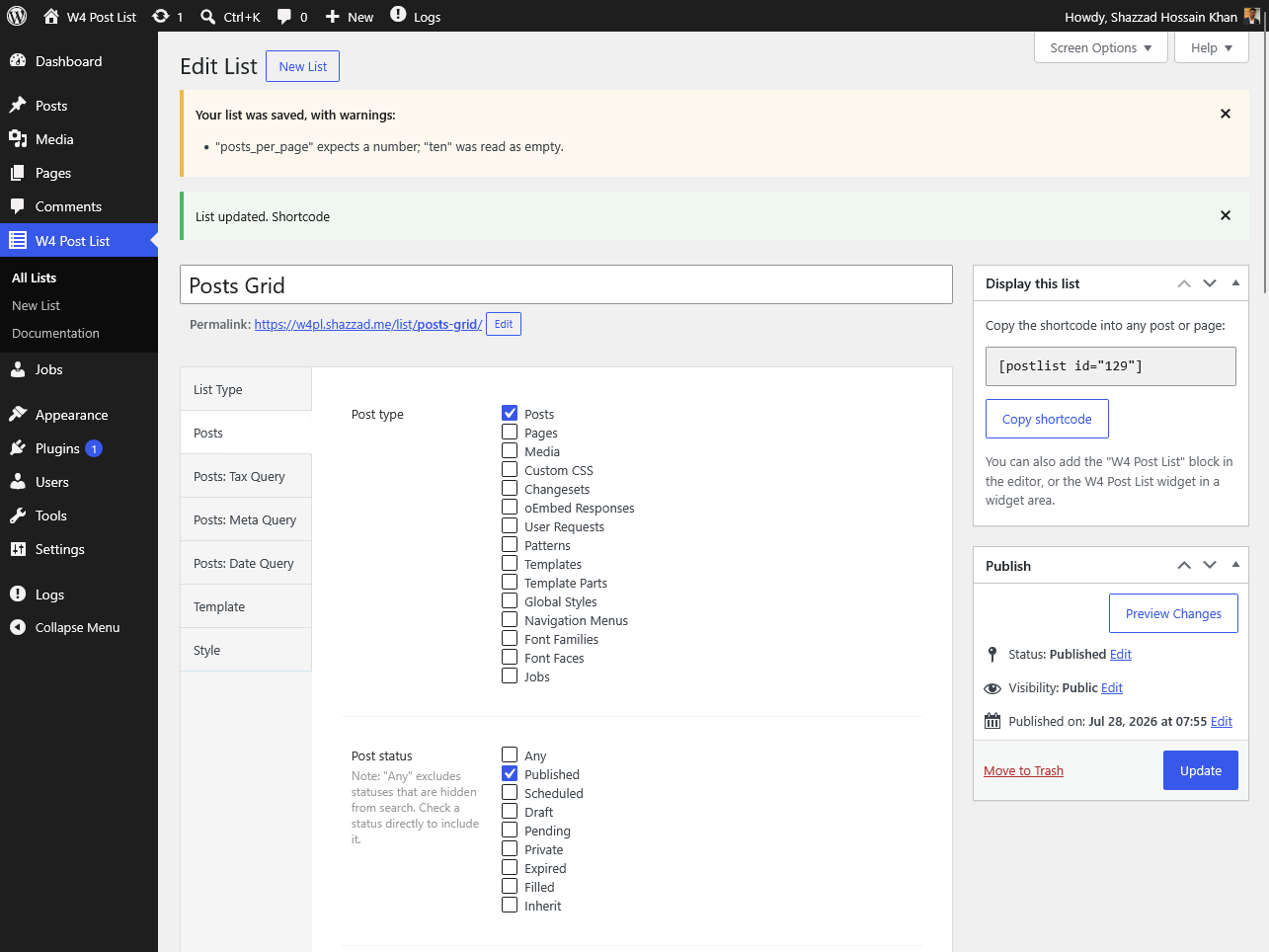
Place any list anywhere with the W4 Post List block, the [postlist id="123"] shortcode, or the classic widget.
What can you build?
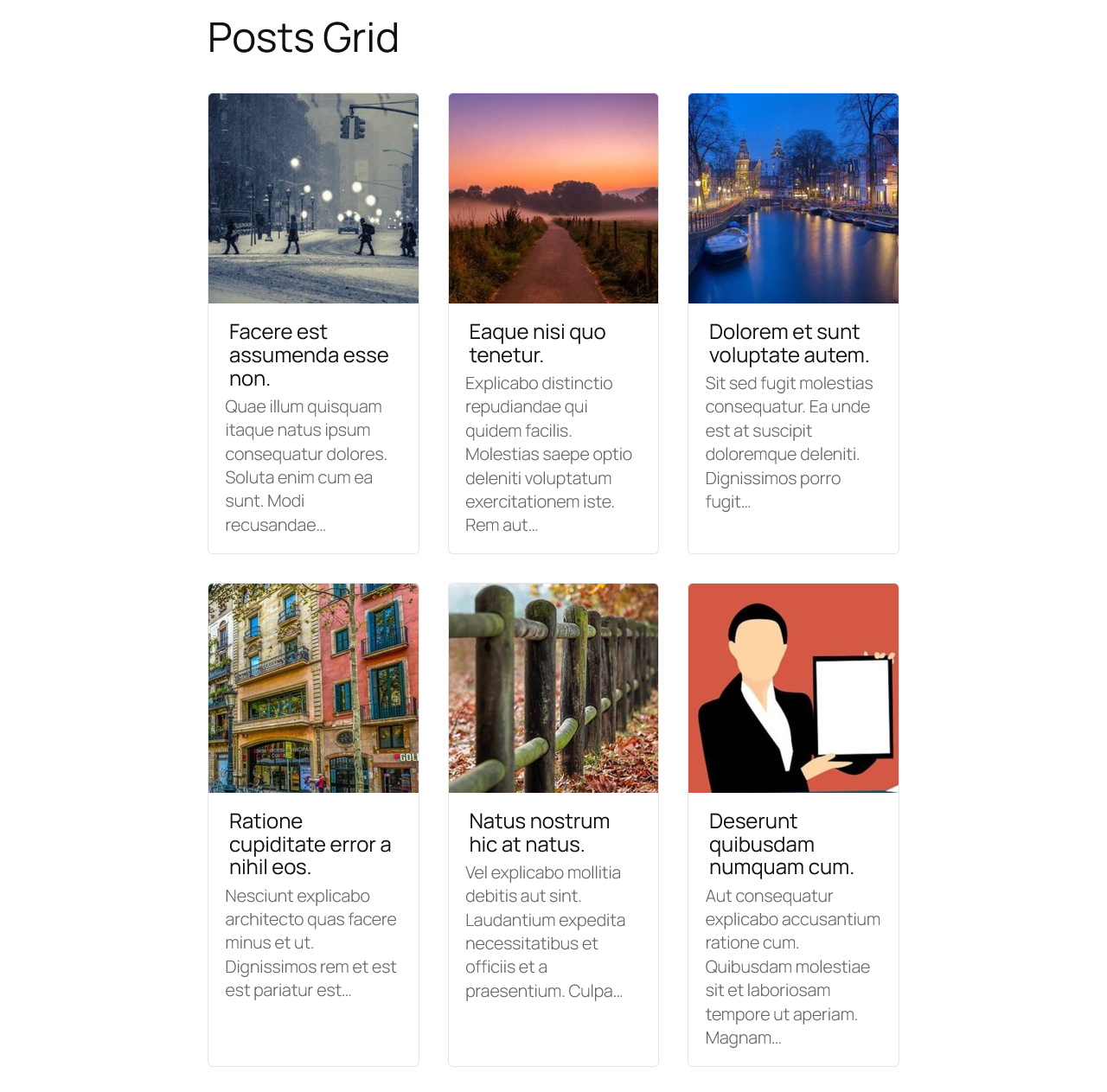
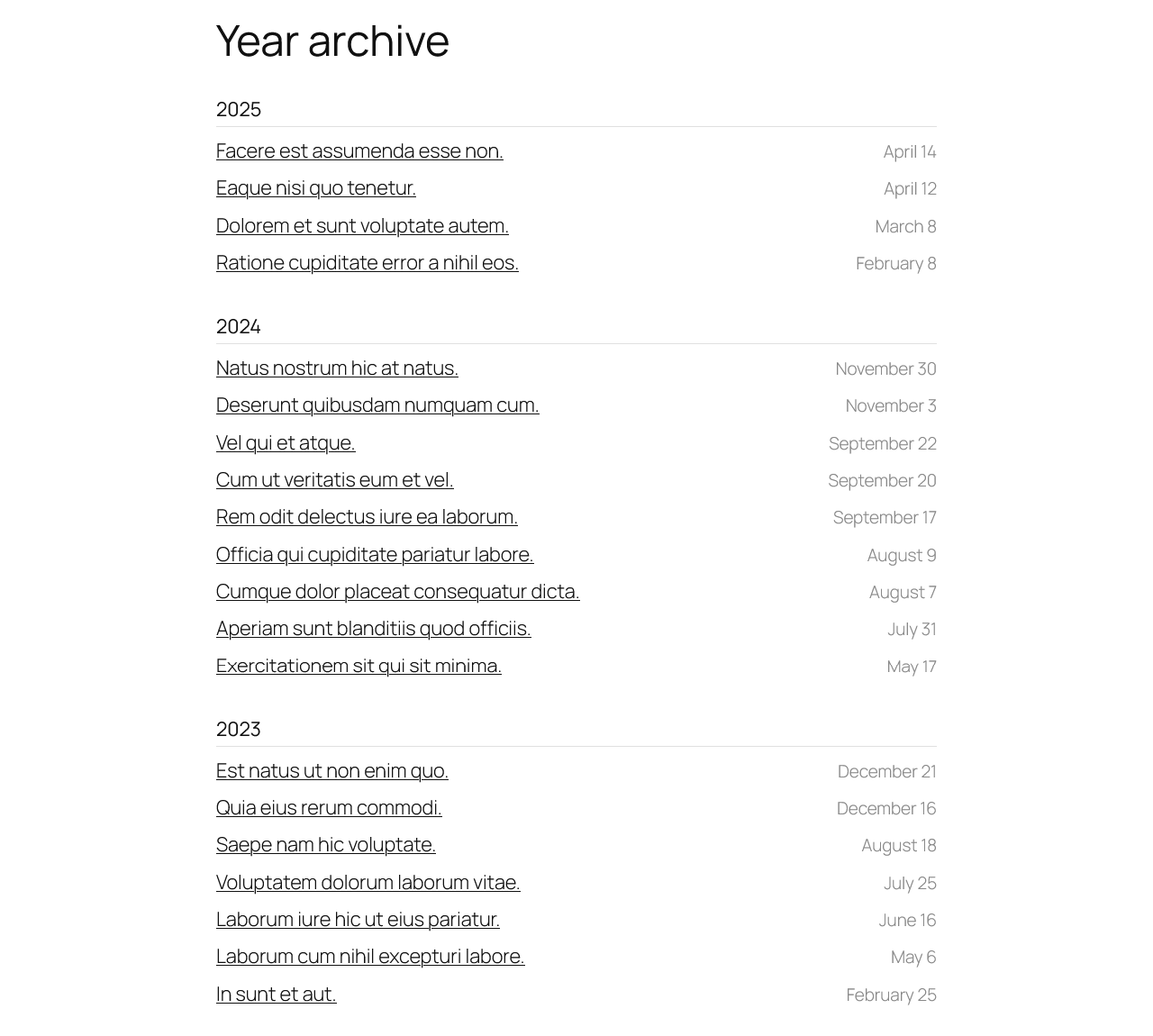
- Year/month archives — posts grouped under date headings
- Category, tag or custom taxonomy indexes — with or without each term’s posts listed underneath
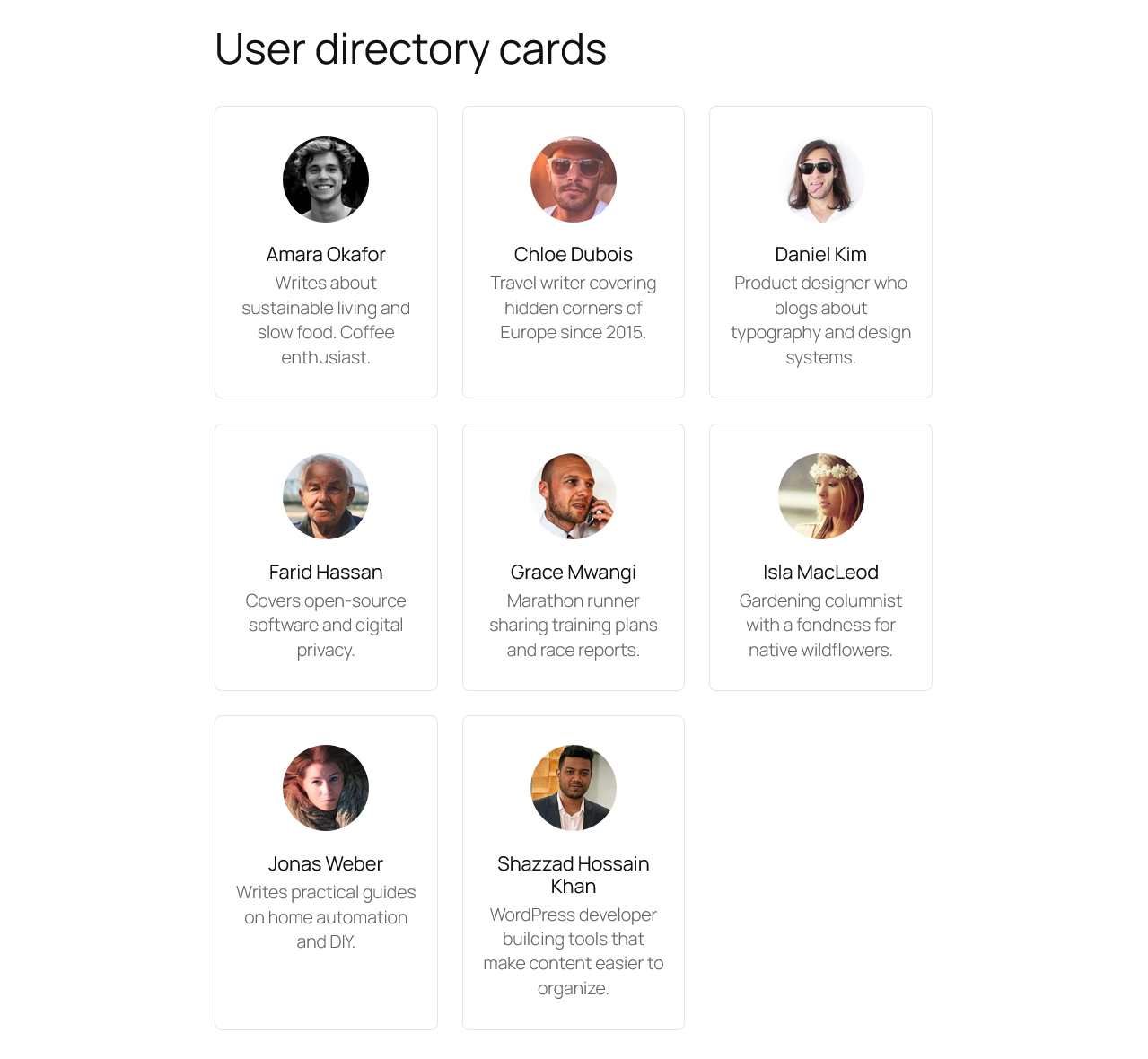
- Author and user directories — list users by role, with avatars, bios and each user’s posts
- Filtered post lists — any post type, filtered by status, taxonomy terms, custom fields, dates, authors, parents and more
- Media lists — image and attachment lists by mime type
Five list types
- Posts
- Terms
- Users
- Terms + Posts
- Users + Posts
Query options (Posts)
- Post type, status and mime type
- Search keyword
- Include/exclude posts by ID, exclude the current post
- Filter by parent, author, taxonomy terms (tax query), custom fields (meta query) and dates (date query)
- Items per page, with multi-page pagination
Group results by
- Year, month, or month + year
- Category, tag or any custom taxonomy
- Author
- Parent
Order results by
- ID, title, slug, publish date, modified date, menu order, comment count, custom field value, or random
Pagination
- Next/previous links or numeric navigation, with optional AJAX page loading
Full control over the output
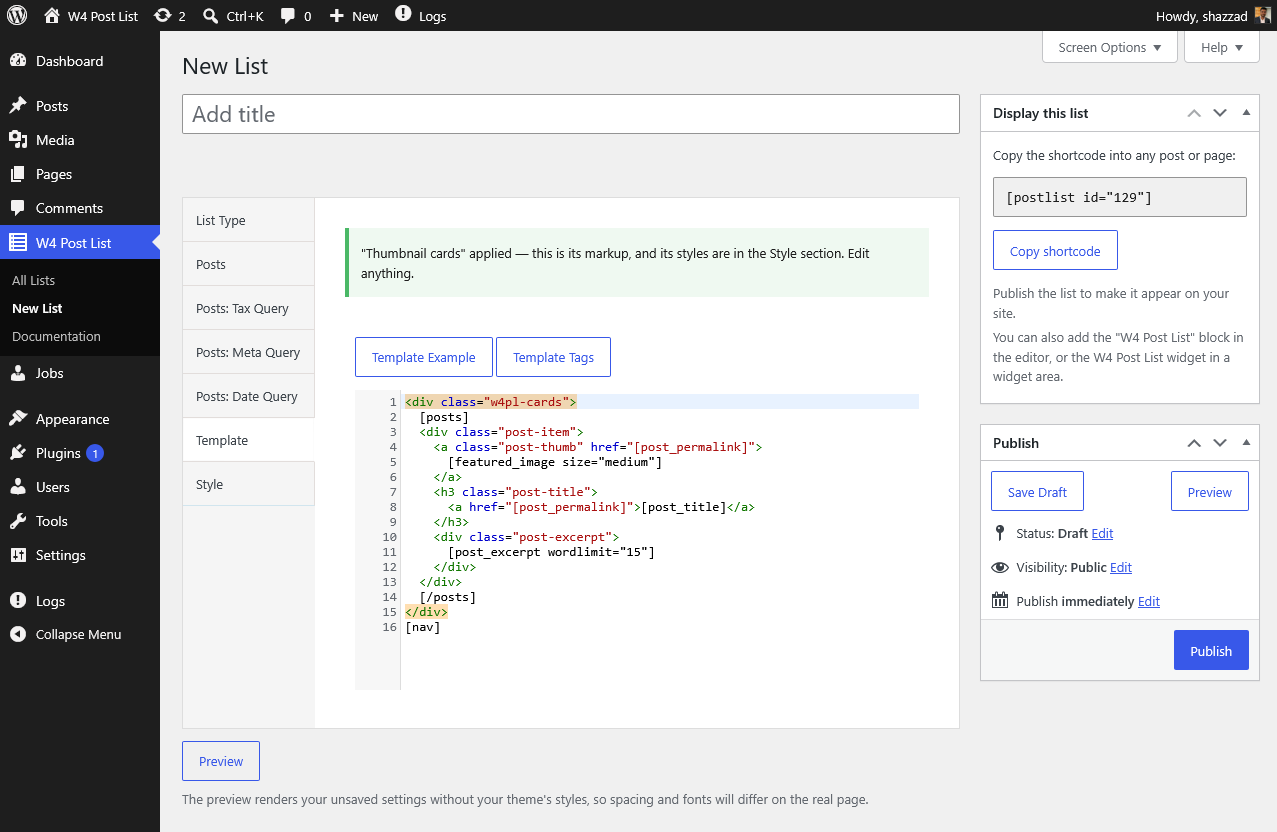
Output is template-driven: every list has an HTML template with template tags like [post_title], [post_permalink], [featured_image], [post_author_name] and [post_meta key="..."]. Start from a ready-made template — cards, archives, category indexes, user directories — and tweak it, or write your own markup for pixel-perfect control. A live preview in the editor shows your changes before you save. If you want a drag-and-drop visual builder, this plugin isn’t that — it keeps you close to your own HTML, which is exactly why themes and developers like it.
See the full template tag reference and live examples with copy-paste templates.
Lightweight, independently measured
WP Hive independently measures W4 Post List at 19 KB memory usage and +0.05 s page-speed impact — better than 99% of the plugins they test. No bundled frameworks, no frontend bloat.
Style it without touching your theme
A list never quite matches the theme, and the fix is usually three lines of CSS you have nowhere to put. Adminkeep (free, by the same author) adds a Custom CSS screen to WordPress: write the rule, save, done. No child theme, no theme editor, and it survives theme updates.
Privacy Policy
W4 Post List uses Appsero SDK to collect some telemetry data upon user’s confirmation. This helps us to troubleshoot problems faster & make product improvements.
Appsero SDK does not gather any data by default. The SDK only starts gathering basic telemetry data when a user allows it via the admin notice. We collect the data to ensure a great user experience for all our users.
Integrating Appsero SDK DOES NOT IMMEDIATELY start gathering data, without confirmation from users in any case.
Learn more about how Appsero collects and uses this data.
Installation
- Install from Plugins → Add New (search for “W4 Post List”), or upload the zip to
/wp-content/plugins/. - Activate the plugin through the Plugins menu.
- Find the W4 Post List menu (list icon) in your admin sidebar. Create a list, publish it, then place it on any page with the W4 Post List block or the
[postlist id="123"]shortcode.
Frequently asked questions
How do I display a list?
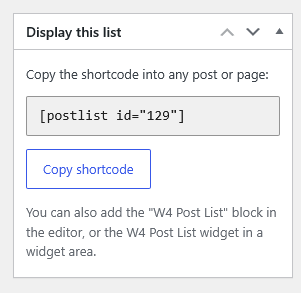
Three ways: add the W4 Post List block and pick your list; paste the shortcode [postlist id="123"] into any content; or add the W4 Post List widget to a widget area. Each list’s ID and ready-made shortcode are shown in the Shortcode column on the All Lists screen.
How do I list posts from a specific category?
Create a Posts list, open the Posts: Tax Query section, and select your taxonomy and terms. You can combine multiple term filters, and filter by custom fields and dates the same way.
Why does my list show nothing on the page?
The usual causes, in order: the list is not Published yet; the shortcode ID doesn’t match (check the Shortcode column on the All Lists screen); the template is missing its loop tags (a Posts list template needs [posts]...[/posts], Terms needs [terms]...[/terms], Users needs [users]...[/users]); or the query simply matched no items. Opening the list and re-checking the query options usually finds it.
Do I have to write the template myself?
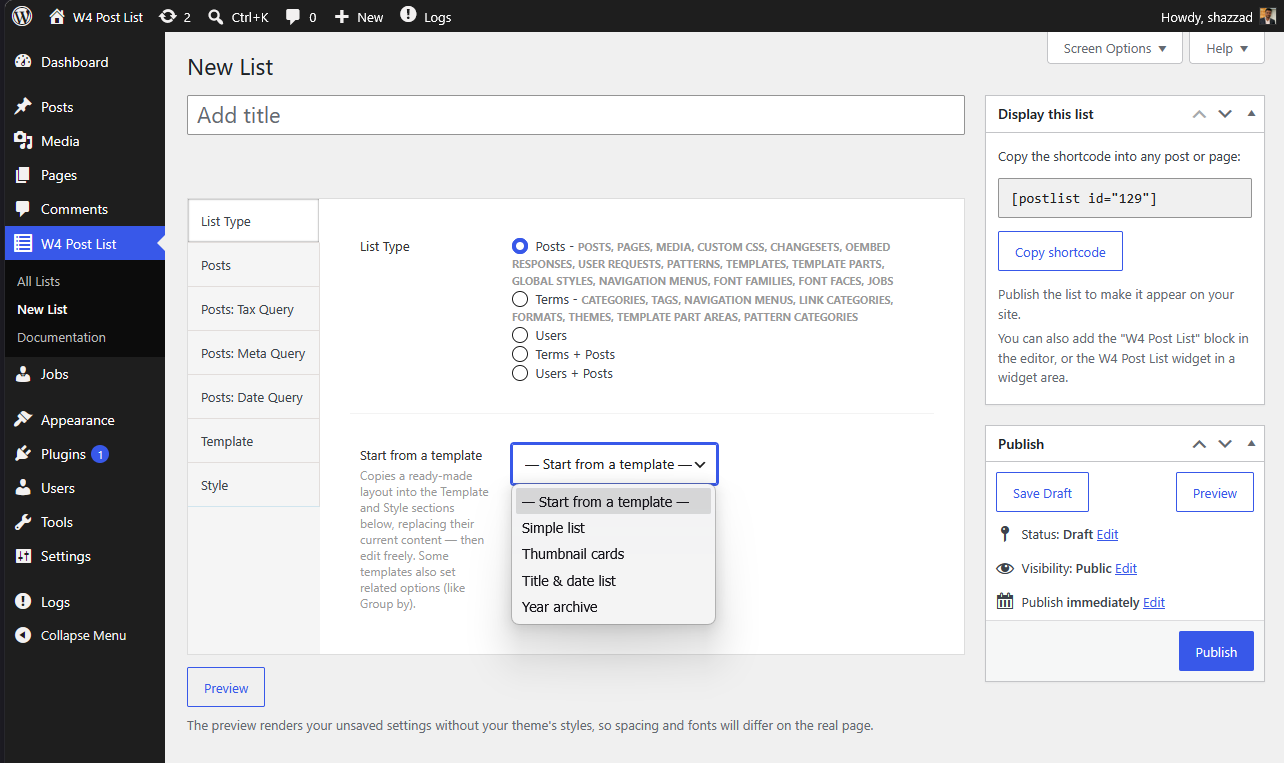
No. Pick a layout from Start from a template in the list editor — thumbnail cards, a year archive, a category index, a user directory and more. It copies the markup and styles into the editable Template and Style fields, so you can use it as-is or adjust anything.
Can I see a list before publishing it?
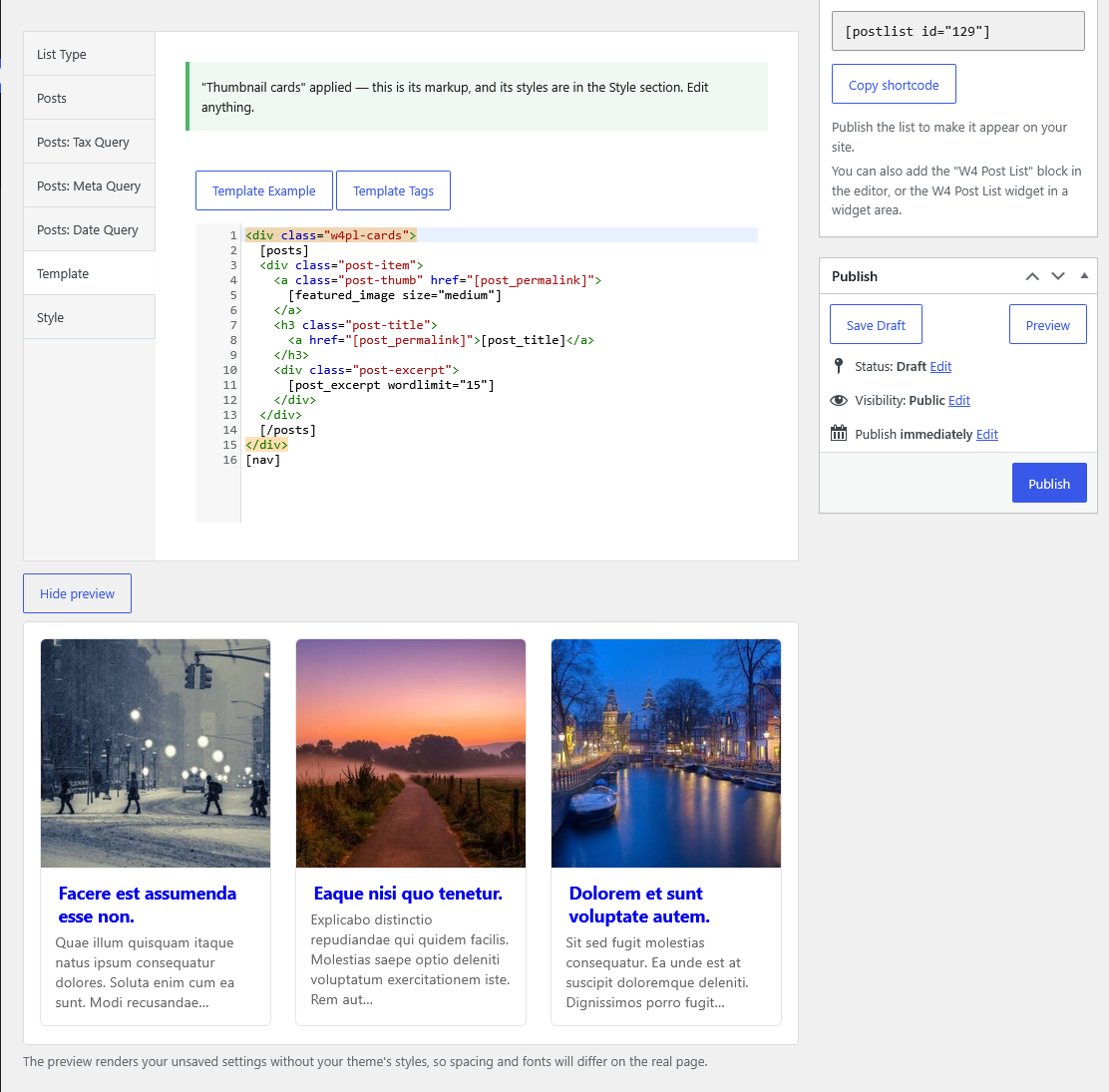
Yes – the Preview button under the editor renders your current, unsaved settings, and refreshes automatically as you change options. It renders without your theme’s stylesheet, so spacing and fonts will differ slightly on the real page.
Can I display custom fields (including ACF)?
Yes. Use [post_meta key="your_field_key"] inside the posts loop. Fields stored as plain values (text, numbers, URLs) work best; complex/serialized fields are output as stored.
Can I group posts by year, category or author?
Yes — that’s this plugin’s specialty. Set Group by to year, month, month + year, any taxonomy, author or parent, and the list renders grouped sections with headings. The core Query Loop block can’t do this. Groups follow their ID order unless you set Group Order by to Name, which sorts the headings alphabetically.
Can I list users or build an author directory?
Yes. Use the Users list type (filter by role, order by name/registration date) or Users + Posts to show each user with their latest posts. Template tags cover avatars, display names, bios and profile URLs.
Does it work with the block editor and block themes?
Yes. The W4 Post List block renders your list server-side with a live preview in the editor, and the shortcode works in classic editors, page builders and template files (echo do_shortcode( '[postlist id="123"]' );).
Where is the documentation?
In your admin: W4 Post List → Documentation (template tags reference, examples, usage). Online: w4dev.com/docs/w4-post-list.
Changelog
AJAX pagination now works on block themes and no longer needs jQuery. Despite the major version number, nothing about your saved lists, templates or settings changes.
3.0.8
- New: Groups can be ordered by name. A new “Group Order by” option (ID or Name) sits next to Group Order, so a category, year, author or custom-field grouping can sort alphabetically instead of by the order the terms were created. Existing lists keep ordering by ID.
- Improved: A “Group by” list whose template has no [groups]…[/groups] loop now gets a warning in the editor and on save, with a one-click grouped template, instead of silently rendering nothing. The Group by field also explains what the template needs and links to the grouping guide.
- Fix: Changing Group by, Post type or any other option that reloads the editor no longer scrolls the page back to the top.
- Improved: The Documentation page’s sidebar now points to Adminkeep’s Custom CSS screen for styling lists without editing the theme; the long-dead Soccer Engine link is gone.
3.0.7
- Improved: Stricter validation of the ordering, taxonomy and search options in term and user lists. Values the list editor does not offer are no longer saved, and lists saved with one fall back to their defaults.
3.0.6
- Fix: backslashes are no longer stripped from a list’s Template, CSS and JS when it is saved. Icon-font rules like content: “\f101”, typographic escapes like “\201C” and any JavaScript regex using \d, \s or \w were being silently corrupted the first time a list was saved. Existing lists are unaffected going forward, but a list saved before this release may need its escapes retyped.
3.0.5
- New: User lists can be filtered by role. Check one or more roles in the list editor to build a team page, an editors-only directory or an author index; leave them all unchecked to include every user, which is what existing lists do.
- New: [user_role] template tag prints a user’s role name, or the raw slug with [user_role format=”slug”] for use in a CSS class. A user with more than one role gets them joined together, and the separator is set with the sep parameter.
3.0.4
- Fix: Choosing “Term order” as a term list’s Orderby caused a database error (Unknown column ‘term_order’) and an empty list. WordPress core has no such column — only term-ordering plugins add one — so the option has been removed. Existing lists saved with it now order by name instead.
3.0.3
- Tested up to WordPress 7.1.
Screenshots
For developers
Is this your plugin? Show off the numbers.
Add a live badge to your site, docs or GitHub README. It updates on its own — no account needed.
Best W4 Post List alternatives
All category list plugins →
FAQ
W4 Post List: quick answers
Straight answers, pulled from live WordPress.org data.
Live data from WordPress.org · checked Sep 27, 2026
Is W4 Post List free?
Yes. W4 Post List is free to download and use from the official WordPress.org plugin directory.
Is W4 Post List safe to use in 2026?
Yes — W4 Post List is a safe, well-maintained plugin to use in 2026. It runs on 3K+ sites, is rated 4.7/5 and was last updated 3 days ago, and scores 91/100 on our health check.
How many websites use W4 Post List?
W4 Post List is active on 3K+ WordPress websites and has been downloaded 213,287 times since it launched in December 2010. It was downloaded 6,197 times in the last 30 days.
Does W4 Post List work with WordPress 7.1?
Yes. The developer has tested W4 Post List up to WordPress 7.1.2, the latest release. It requires WordPress 5.8 or newer.
What PHP version does W4 Post List need?
W4 Post List requires PHP 7.4 or higher. Most hosts run PHP 8.x today, so it works on any modern WordPress hosting.
When was W4 Post List last updated?
The latest version, 3.0.8, was released on September 24, 2026 (3 days ago).
Who makes W4 Post List?
W4 Post List is developed and maintained by Shazzad Hossain Khan.
What are the best alternatives to W4 Post List?
The most popular alternatives to W4 Post List are Category and Subcategory Li… (600+ installs), Most Popular Categories (600+ installs) and Category Checkbox List Tree (20+ installs).
Powered by PageForge
Want thousands of pages that rank like these? Build them in an afternoon.
This directory runs on the same engine as PageForge. Turn any spreadsheet, CSV or API into thousands of fast, SEO-ready WordPress pages — with schema, internal links and AI-written copy baked in.
- CSV, Google Sheets & API data sources
- AI content, schema & internal links per page
- Works with Elementor, Gutenberg, Yoast & Rank Math
- Free on WordPress.org — no credit card


