


Vibetiles
Design your site on the live page: colours, fonts, sizes, light and dark. Save styles, share them, and paste in styles from other sites.

Solid choice
Vibetiles is a solid plugin choice in 2026, with a few things worth checking first. Was last updated 3 days ago, and scores 64/100 on our health check.
- Actively developed — last update 3 days ago
- Tested with the latest WordPress (7.1)
- Small user base (<10 active installs)
- Very few reviews so far
How does it stack up?
Side-by-side on installs, updates, ratings & support



Daily downloads
Download spikes usually follow a new release — each site that auto-updates counts as a download.
Rankings
Where Vibetiles stands todayWordPress.org search rankings
Live position in the plugin search, top 100| Keyword | Position |
|---|---|
| dark mode | >100 |
| fonts | >100 |
| style sharing | >100 |
| styles | >100 |
| typography | >100 |
About Vibetiles
From the official readme · v0.56.40Description
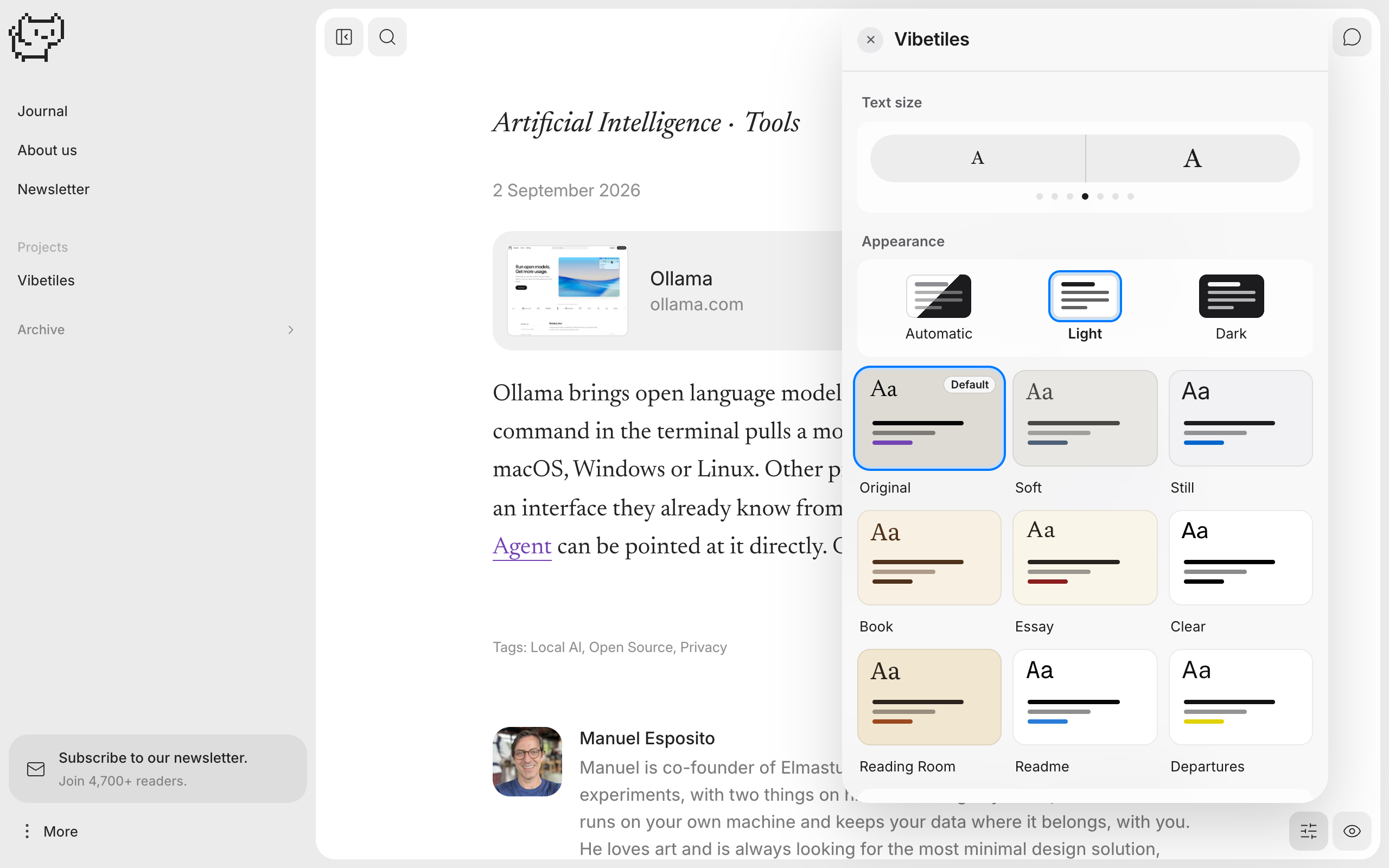
Vibetiles puts a small button on your site. Press it and a panel opens, on the real page, with dials for colours, fonts, text sizes, line spacing, light and dark. Turn a dial and the page changes in front of you. When it looks right, save it as a style.
The panel works on block themes. It does not touch your theme’s design: until you move a dial, the page is exactly what your theme draws, and the Original tile gives that back at any time.
For you, the owner:
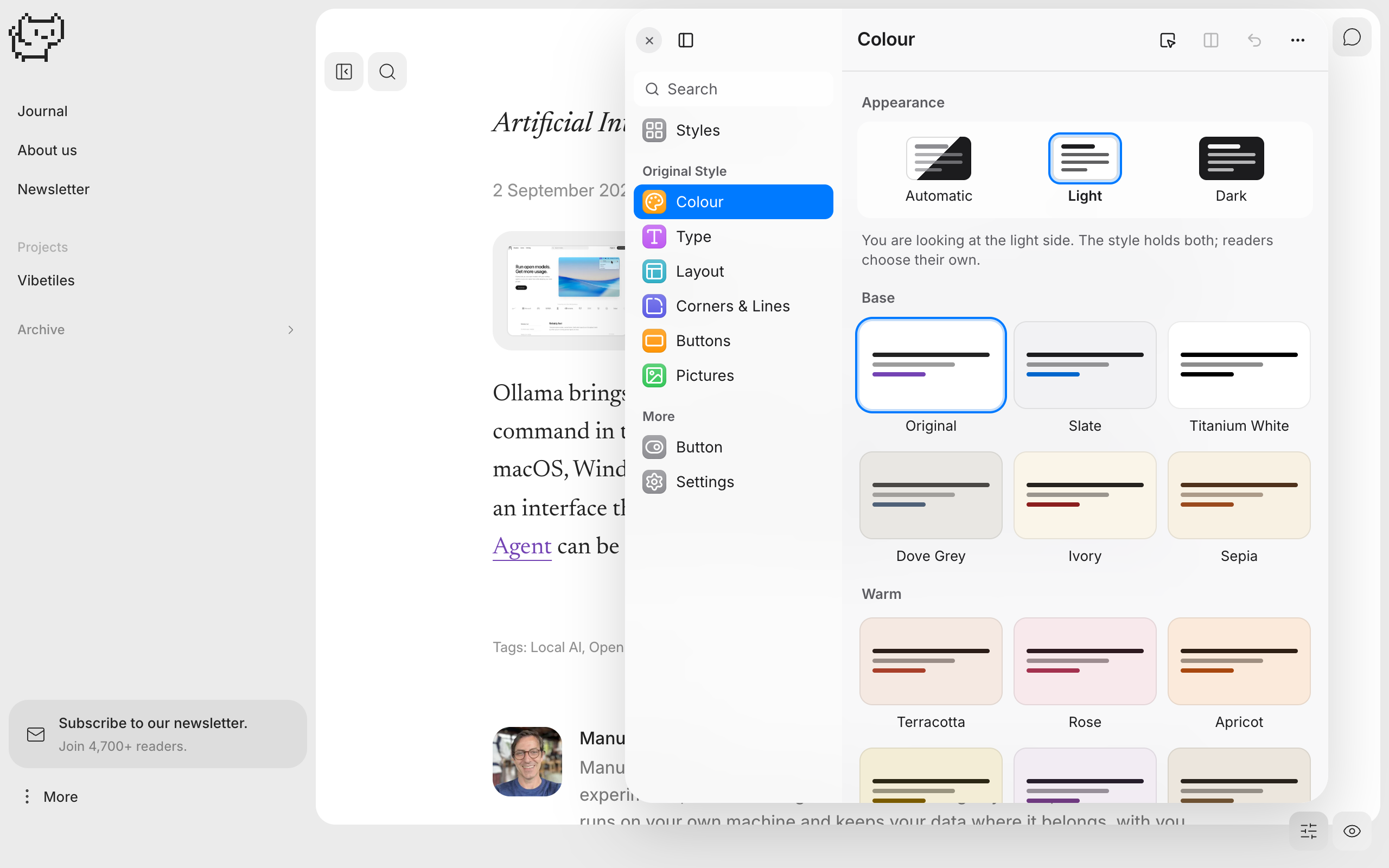
- Dials for the page colour, the text ink and the accent, in light and dark.
- A font library of more than 80 open licensed faces, fetched only when you pick one and then served from your own site.
- Text sizes, line spacing, and a dial per kind of text: headings, reading text, quotes, small print, the interface.
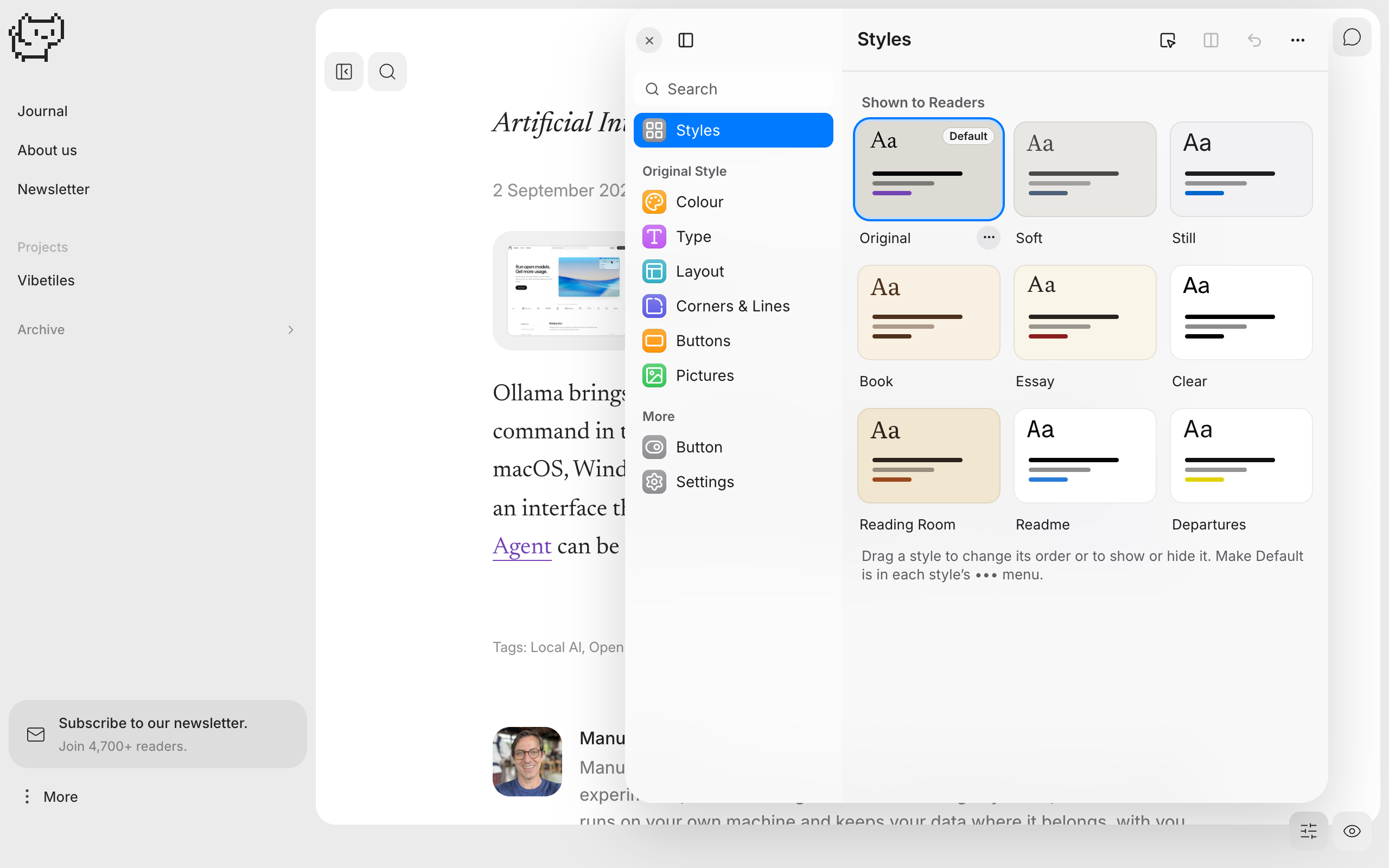
- Save any state of the dials as a style, publish the ones you like, and set one as the site’s default.
Share styles between sites:
Every style you build can travel. Copy it as a link, and anyone with the plugin pastes that link into their own panel: the whole style arrives, ready to use and to change. Turn on “Everyone can copy styles” and your visitors get a Copy style button too, so a style they like on your site can be on theirs a minute later. No account, no download, no marketplace: a style is just a link, so styles can be passed around by email, in a post or in a chat.
For your readers:
A reader gets a smaller panel: reading size, light and dark, and the styles you chose to publish. You decide how much of it they see, or you hide the button for readers entirely. A reader’s choices are saved in their own browser and never sent anywhere.
Beta. The plugin is in daily use on elmastudio.de/en and is being improved all the time. If something looks wrong on your theme, please say so in the support forum; reports about specific themes are the most useful thing you can send.
External services
The plugin’s font library is not inside the plugin, because that would make it a very large download. When you, the site owner, pick a font for the first time, your server fetches that font’s files and its licence text once from jsDelivr (cdn.jsdelivr.net), an open source CDN, and stores them in your own uploads folder. From then on the font is served by your site.
- What is sent: the request for the font file itself. No personal data, no content of your site.
- When: only when a logged in administrator picks a font that is not yet on the site. Visitors never trigger it and their browsers never connect to jsDelivr.
- The addresses are pinned to exact versions and listed in the plugin file font-files.json.
jsDelivr terms of service: https://www.jsdelivr.com/terms
jsDelivr privacy policy: https://www.jsdelivr.com/terms/privacy-policy
No other outside service is used. The plugin has no analytics, no accounts and it does not phone home.
Installation
- In your WordPress admin, go to Plugins, Add New, and search for “Vibetiles”. Or upload the plugin zip there.
- Activate the plugin.
- Open your site while you are logged in. Press the Vibetiles button on the page (or Alt+D) and the panel opens.
Nothing on your site changes until you move a dial.
Frequently asked questions
Does it work with my theme?
The panel is at home in Architrave, the block theme it was made with, which will soon be available for free on wordpress.org. On other block themes it is tested on Twenty Twenty-Five. It should work on other themes too; if something does not look right on yours, please tell us in the support forum.
Will it change how my site looks the moment I activate it?
No. It adds the small button, and nothing else changes until you move a dial. The Original tile always returns the theme’s own design.
Where are my readers’ settings stored?
In their own browsers only. The plugin stores one thing on your server: the styles you publish, in a single WordPress option.
Does the other person need the plugin to use a style I share?
Yes. A style link opens in Vibetiles, so the site it is pasted into needs the plugin too. The theme there can be a different one: the style carries colours, fonts and sizes, and the panel applies them to whatever theme the site uses.
Is it safe to paste a style someone sent me?
Yes. A style is only design settings: colours, fonts, sizes and switches. When you paste one, the panel reads it through a list of allowed settings and drops everything else, including any value that could carry code. A pasted style is also only yours until you choose to show it to everyone.
What happens when I uninstall it?
The fetched fonts and the published styles are deleted. Your theme is exactly as it was.
Why do some names in the code say “architrave”?
The panel grew inside the Architrave theme before it became this plugin, and the internal names stayed so that saved styles keep working. They are used as a unique prefix throughout.
Where is the source code?
The readable source and the build scripts are at https://github.com/manuelesposito/vibetiles. Some shipped files are generated by those scripts; the repository holds what they are generated from.
Changelog
The plugin is now called Vibetiles. Saved styles carry over.
0.56.10
- Make Default moves the Default badge at once; the save follows.
0.56.9
- Pressing Undo several times in a row no longer closes the panel.
0.56.8
- A menu, a field or a quiet button on the inverted rail takes the rail’s own colours. The style’s card colour stays on the paper, where the card is.
0.56.7
- A drop cap is drawn only where the first paragraph has room for it: at least two lines more than the cap is tall. A short opening keeps its first letter plain.
0.56.2
- Try mode: a page can offer “Try it on this page”, and a visitor tries the panel without anything being saved.
- The writing on a filled button is chosen by its fill, so it always reads.
0.55.21
- The pick tool: point at any text on the page and the panel opens its row. It finds dates, captions, cards and small print too.
- A click on a colour swatch copies its hex value.
- Reset Style puts sizes and colours back for good, also for a style that began on a preset.
- The fonts line counts what readers download.
- The picture frame reaches every picture in a post, on any theme, and follows the night dimming.
- No glass over the page while it changes. The Buttons page points at the real page.
- The old name is gone from every file.
Screenshots
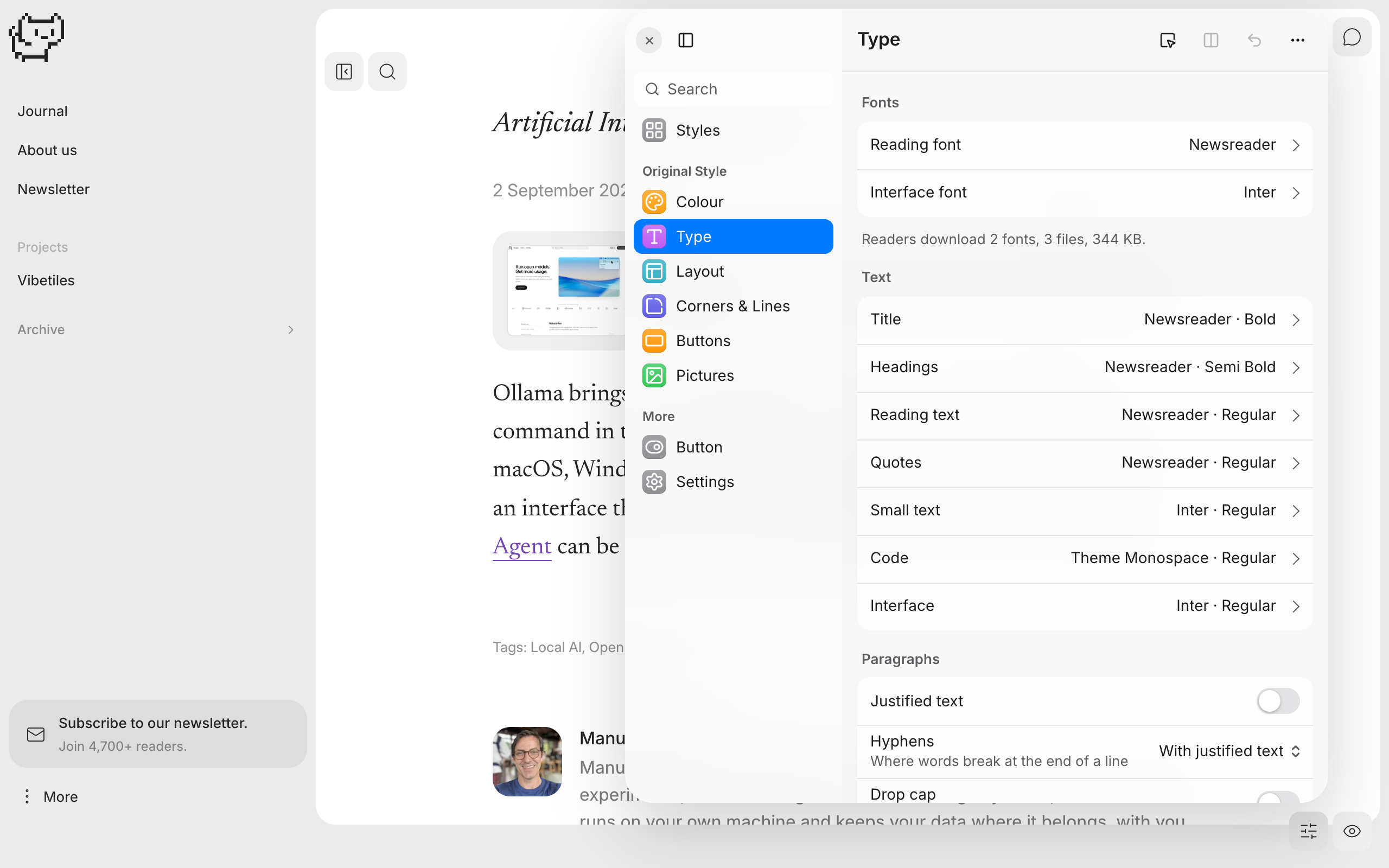
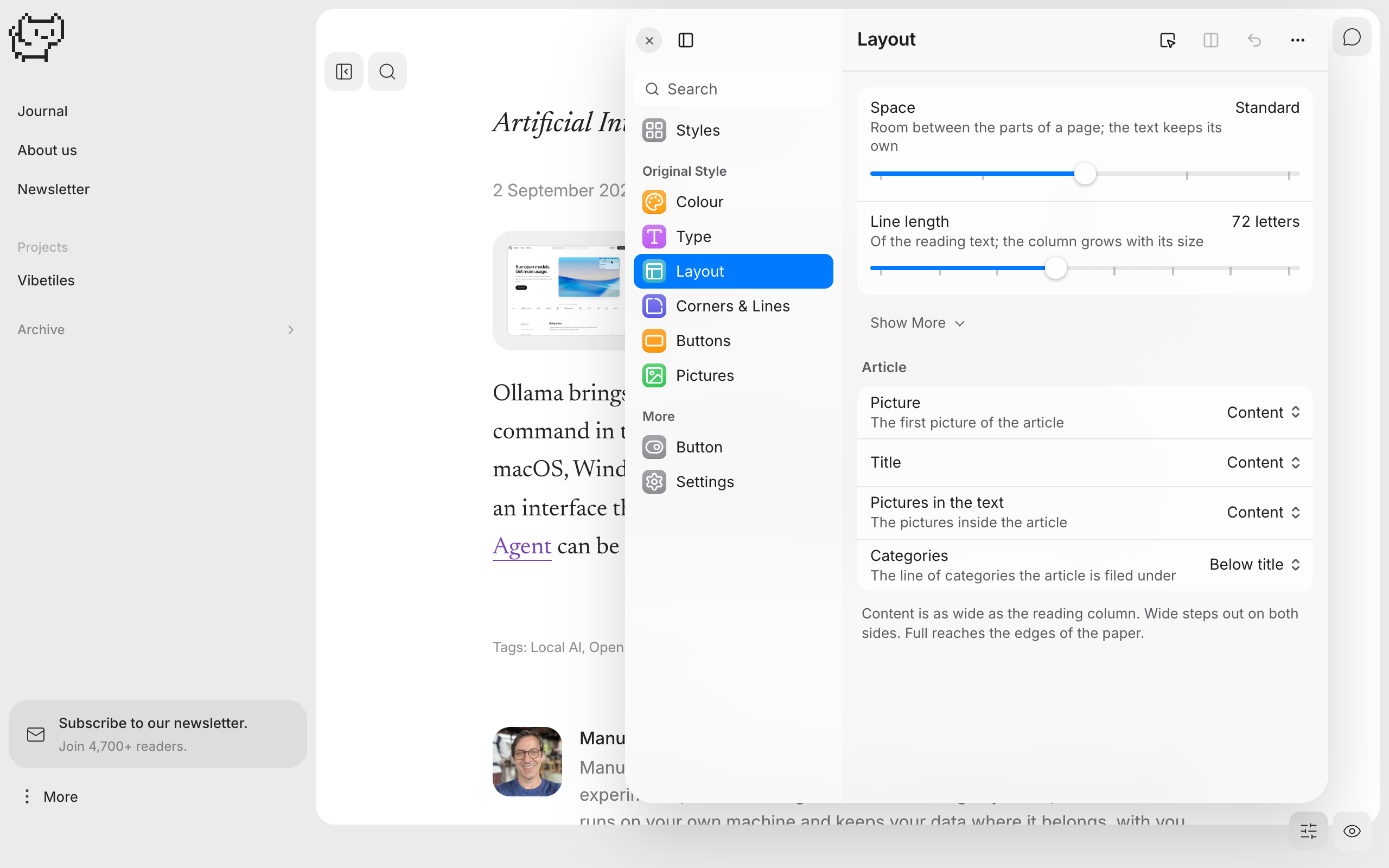
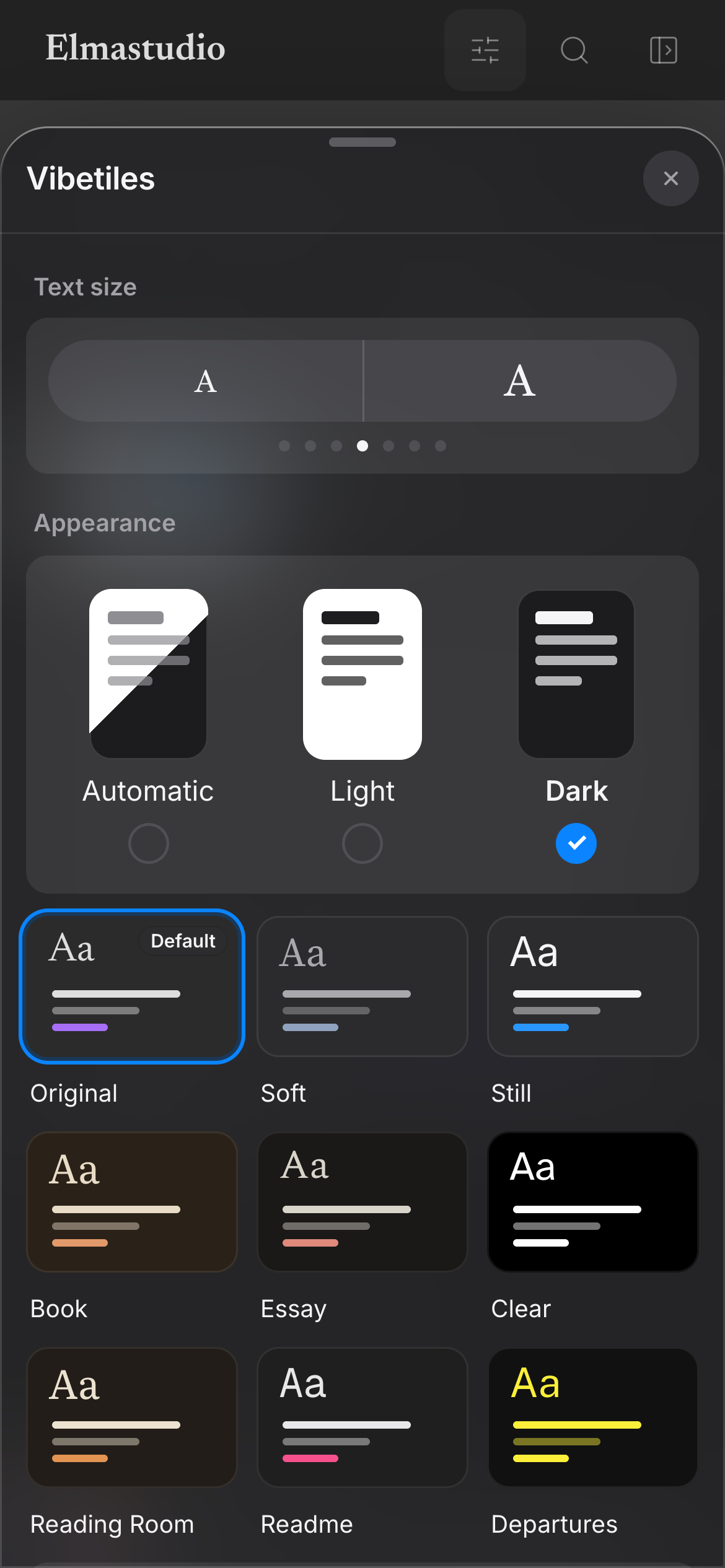
For developers
Is this your plugin? Show off the numbers.
Add a live badge to your site, docs or GitHub README. It updates on its own — no account needed.
Best Vibetiles alternatives
All dark mode plugins →



FAQ
Vibetiles: quick answers
Straight answers, pulled from live WordPress.org data.
Live data from WordPress.org · checked Oct 13, 2026
Is Vibetiles free?
Yes. Vibetiles is free to download and use from the official WordPress.org plugin directory.
Is Vibetiles safe to use in 2026?
Vibetiles is a solid plugin choice in 2026, with a few things worth checking first. Was last updated 3 days ago, and scores 64/100 on our health check.
How many websites use Vibetiles?
Vibetiles is active on <10 WordPress websites and has been downloaded 121 times since it launched in October 2026. It was downloaded 111 times in the last 30 days.
Does Vibetiles work with WordPress 7.1?
Yes. The developer has tested Vibetiles up to WordPress 7.1.3, the latest release. It requires WordPress 6.6 or newer.
What PHP version does Vibetiles need?
Vibetiles requires PHP 7.4 or higher. Most hosts run PHP 8.x today, so it works on any modern WordPress hosting.
When was Vibetiles last updated?
The latest version, 0.56.40, was released on October 11, 2026 (3 days ago).
Who makes Vibetiles?
Vibetiles is developed and maintained by Manuel Esposito.
What are the best alternatives to Vibetiles?
The most popular alternatives to Vibetiles are ECS (100K+ installs), Dark Mode (20K+ installs) and Adminify (6K+ installs).
Powered by PageForge
Want thousands of pages that rank like these? Build them in an afternoon.
This directory runs on the same engine as PageForge. Turn any spreadsheet, CSV or API into thousands of fast, SEO-ready WordPress pages — with schema, internal links and AI-written copy baked in.
- CSV, Google Sheets & API data sources
- AI content, schema & internal links per page
- Works with Elementor, Gutenberg, Yoast & Rank Math
- Free on WordPress.org — no credit card


