



Variation Swatches for WooCommerce
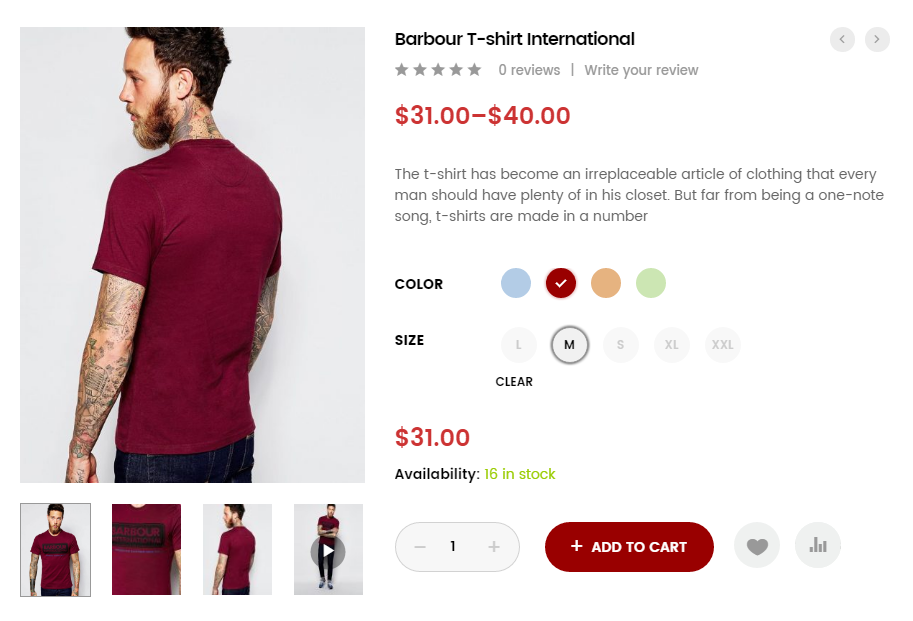
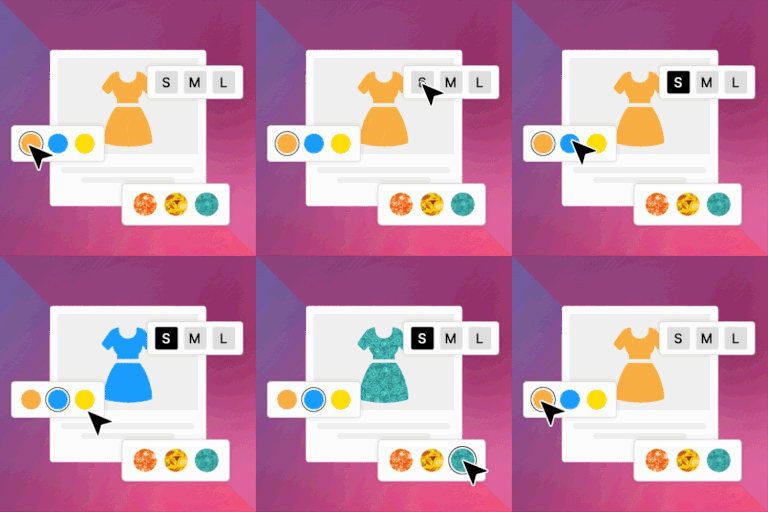
Variation Swatches for WooCommerce plugin provides a much nicer way to display variations of variable products. This plugin will help you select style for each attribute as color, image or label. With this plugin, you…

Solid choice
Variation Swatches for WooComme… is a solid plugin choice in 2026, with a few things worth checking first. It runs on 50K+ sites, is rated 3.7/5 and was last updated 4 months ago, and scores 63/100 on our health check.
- Proven at scale on 50K+ active sites
- Only tested up to WordPress 6.9 (latest is 7.1)
How does it stack up?
Side-by-side on installs, updates, ratings & support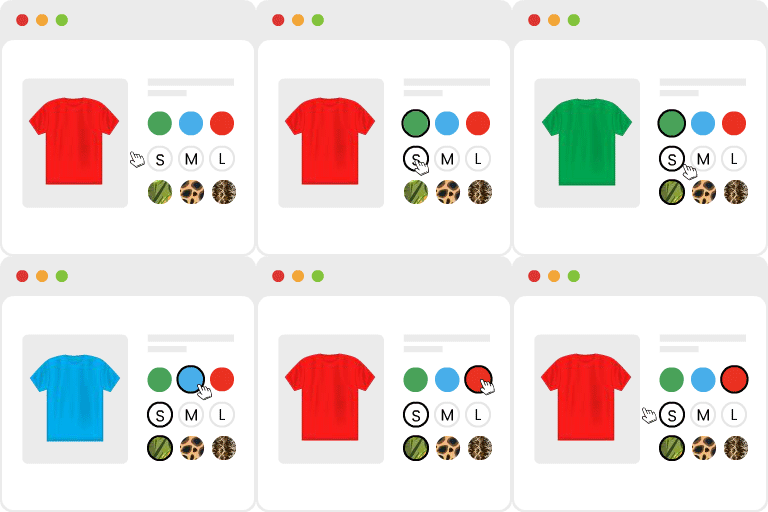



Daily downloads
Download spikes usually follow a new release — each site that auto-updates counts as a download.
Rankings
Where Variation Swatches for WooC… stands todayWordPress.org search rankings
Live position in the plugin search, top 100| Keyword | Position |
|---|---|
| variation swatches | #6 |
| variation swatches for woocommerce | #4 |
| woocommerce color swatches | #3 |
Version adoption
Share of active sites per release.
Rating breakdown
★★★★★★★★★★ 3.7 from 59 reviews
About Variation Swatches for WooCommerce
From the official readme · v2.2.7Description
Variation Swatches for WooCommerce plugin provides a much nicer way to display variations of variable products. This plugin will help you select style for each attribute as color, image or label. With this plugin, you can present product colors, sizes, styles and many things in a better way which is not supported by WooCommerce.
This plugin only adds more options to show product variations with swatches. It doesn’t touch the default drop-down style of WooCommerce.
With a friendly and easy-to-use interface, you can add default color, image or label to each attribute in the attributes management page. It can also helps you pick the right style for quick-add attribute right inside the editing product page.
Woosuite Variation Swatches for WooCommerce Features :
- Auto Convert All Variation Dropdowns To Button Swatch – With a click of a button you can convert your dropdowns into button/label.
- Auto Convert Into Image Swatches* – By toggling this option you can set dual color for those products that can not be described with one color.
- Dual Color Variation Swatches* – Automatically covert dropdowns to “Image Swatch” if variation has an image.
- Show swatches on archive / shop – Let users find what they really want by showing your swatches on the shop archive.
- Attribute Variation Swatches Shapes – We have included three presets for you to choose from as well as advanced styling options to further customize your swatches.
- Out of Stock Variation Swatches Control – With our recent update, we have included the option for you to manage how to handle your out-of-stock variation.
- Completely integrate with WooCommerce plugin
- Work on variable product only
- Create attribute color swatches
- Create attribute image swatches
- Create attribute label/text swatches
- Manage attribute globally
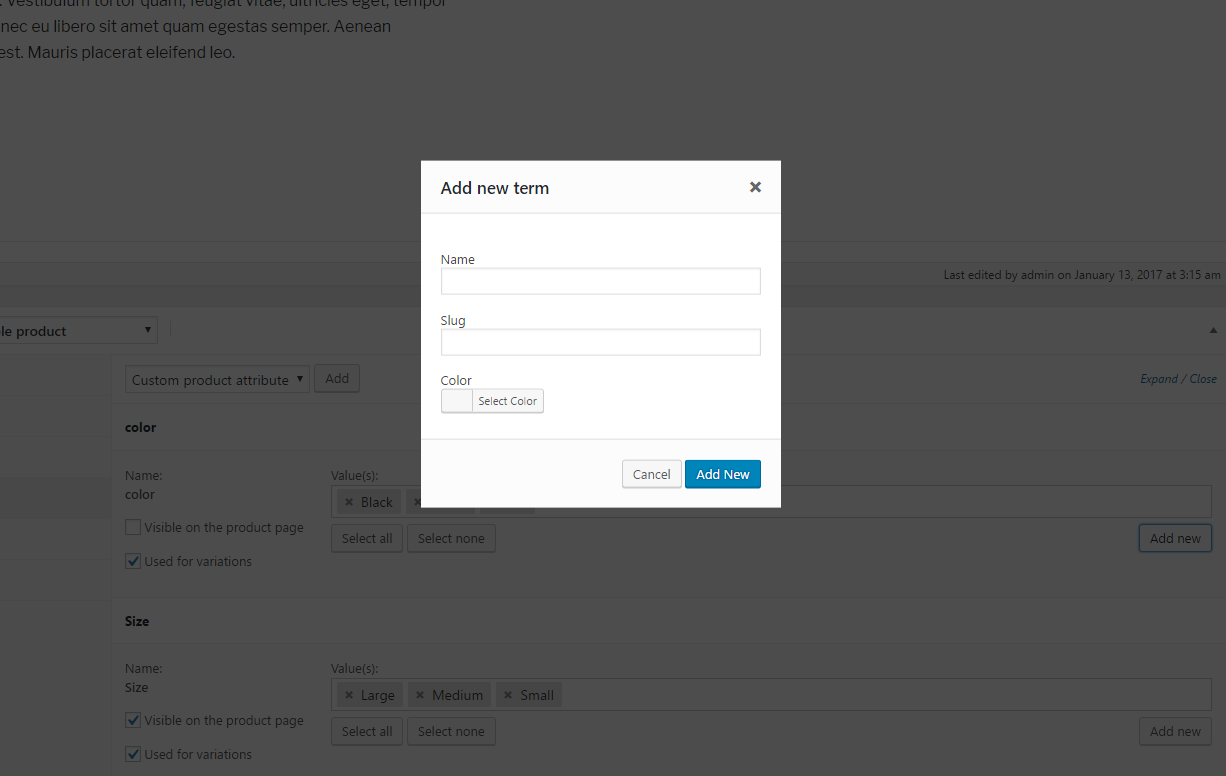
- Create new attribute swatch in product editing page
What’s Next
If you like this Variation swatches plugin, then consider checking out our other projects:
- Additional variation images for WooCommerce – Show additional variation images and videos to showcase your product key highlights.
- Show Variations on Shop Page – Show your variation products on your shop page separately to increase your catalog size and the user experience.
- Dynamic Pricing & Discount Rules for WooCommerce – Create Buy one get one free offers, schedule promotions, tiered pricing, role base pricing, and much more.
- Minimum/Maximum Quantity for WooCommerce – Create quantity increments, spending rules, and as the name suggests minimum and maximum quantity for woocommerce.
- Product Bundles for WooCommerce – Improve your average order value by creating irresistible product bundles.
- Wholesale Suite for Woocommerce – Maximize your store revenue by catering to wholesale customers, you can sell to B2B + B2C.
- Quick Order Form for WooCommerce – Create a streamlined bulk order form to reduce friction in users checking out.
- Product Quick View for WooCommerce – Allows users to get a quick look at products without opening the product page.
- Restriction Rules for WooCommerce – Set your store to private mode, password protection, menu item restriction, hide products, and more.
- Sales Agents for WooCommerce – Grow your business by adding sale agents to your WooCommerce store.
Visit the AOVUP blog to learn from our WordPress Tutorials and find out about other WooCommerce plugins.
Installation
Automatic installation
Automatic installation is the easiest option as WordPress handles the file transfers itself and you don’t need to leave your web browser.
- Log in to your WordPress dashboard, navigate to the Plugins menu and click Add New.
- In the search field type “Variation Swatches for WooCommerce” and click Search Plugins.
- Once you’ve found it, you can install it by simply clicking Install Now button.
Manual Installation
- Download the Variation Swatches for WooCommerce plugin to your desktop.
- Extract the plugin folder to your desktop.
- Read through the “readme” file thoroughly to ensure you follow the installation instructions.
- With your FTP program, upload the Plugin folder to the wp-content/plugins folder in your WordPress directory online.
- Go to Plugins screen and find the “Variation Swatches for WooCommerce” in the list.
- Click Activate to activate it.
Config attributes
Even this plugin has been installed and activated on your site, variable products will still show dropdowns if you’ve not configured product attributes.
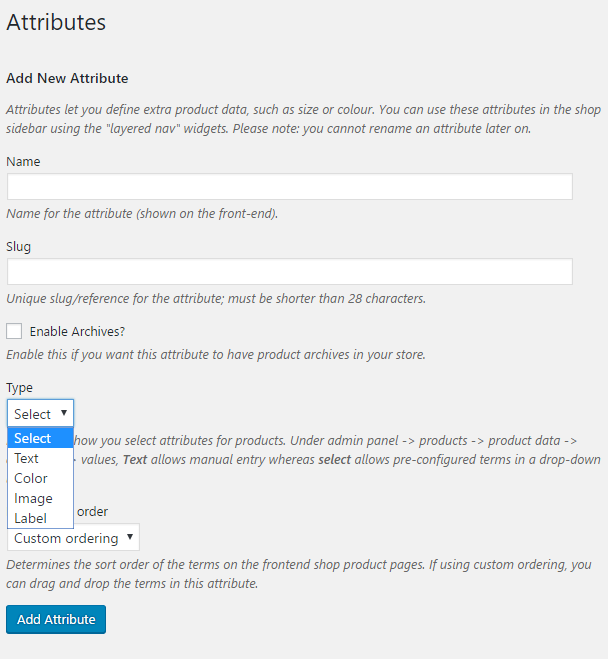
- Log in to your WordPress dashboard, navigate to the Products menu and click Attributes.
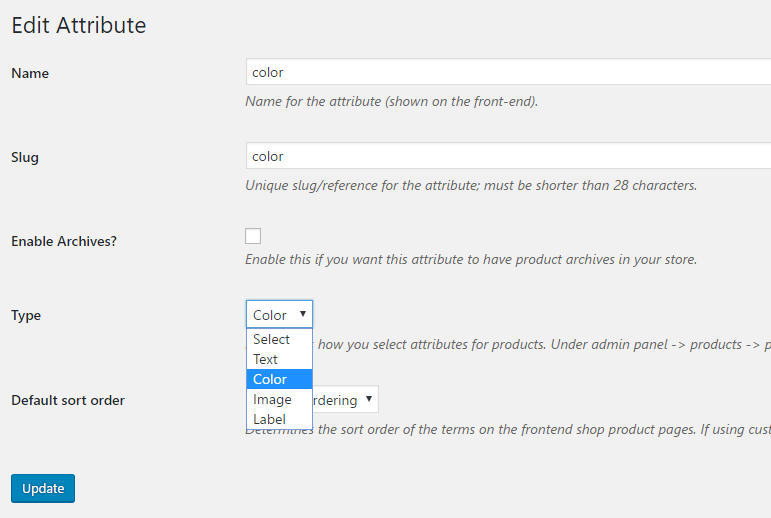
- Click to attribute name to edit an exists attribute or in the Add New Attribute form you will see the default Type selector.
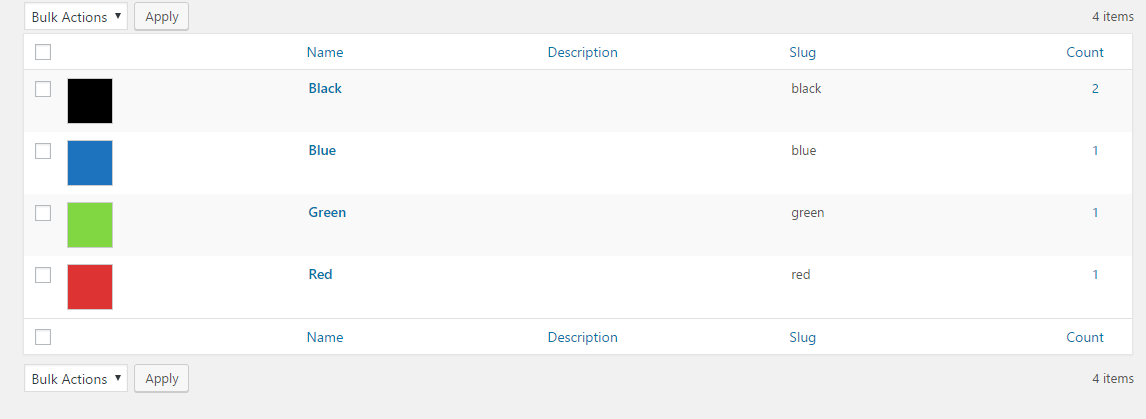
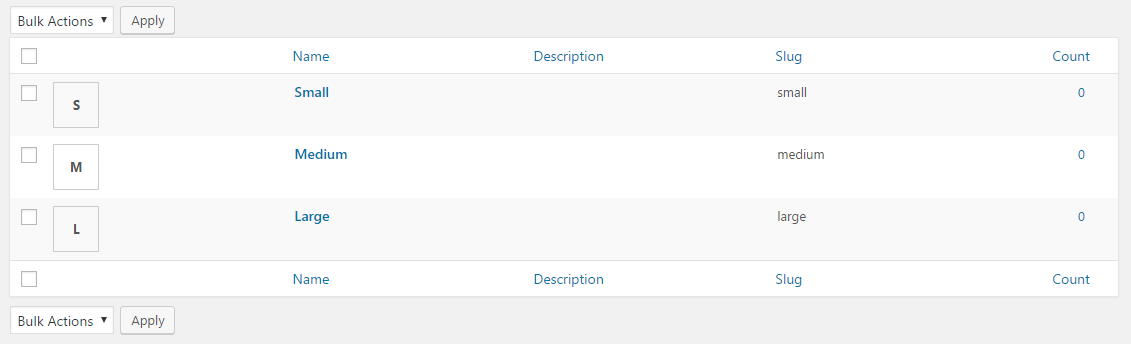
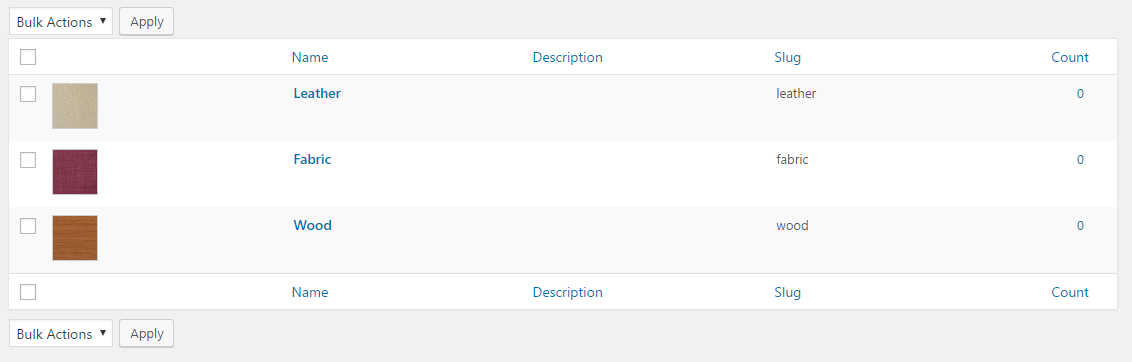
- Click to that Type selector to change attribute’s type. Besides default options Select and Text, there are more 3 options Color, Image, Label to choose.
- Select the suitable type for your attribute and click Save Change/Add attribute
- Go back to manage attributes screen. Click the cog icon on the right side of attribute to start editing terms.
- Start adding new terms or editing exists terms. There is will be a new option at the end of form that let you choose the color, upload image or type the label for those terms.
Frequently asked questions
Will this plugin work with my theme?
Yes, it will work with any theme, but may require some styling to make it match nicely.
Changelog
This is the major update. You might need to check the new Settings page after upgrading to make sure your plugin works as expected.
2.2.7
- Fix – Variation swatches no longer appear greyed out on page load when in-stock combinations are still available.
- Tweak – Unavailable options now grey out automatically as you make selections, regardless of the “Hide out of stock items” setting.
2.2.6
- Improved: Swatch rendering performance on frontend
2.2.5
- Feature – Added support for attribute fee on cart and checkout pages.
2.2.4
- Fix – Prevented JavaScript event from firing twice.
2.2.3
- Fix – Resolved undefined array index issue.
- Fix – Corrected add-on page display when core plugin is not activated.
- Update – WooCommerce compatibility tested up to latest version.
2.2.2
- Update: WooCommerce and WordPress Compatibility
- Move setting to submenu
Screenshots
For developers
Is this your plugin? Show off the numbers.
Add a live badge to your site, docs or GitHub README. It updates on its own — no account needed.
Best Variation Swatches for WooCom… alternatives
All variation swatches plugins →




FAQ
Variation Swatches for WooCommerce: quick answers
Straight answers, pulled from live WordPress.org data.
Live data from WordPress.org · checked Sep 26, 2026
Is Variation Swatches for WooComme… free?
Yes. Variation Swatches for WooComme… is free to download and use from the official WordPress.org plugin directory.
Is Variation Swatches for WooComme… safe to use in 2026?
Variation Swatches for WooComme… is a solid plugin choice in 2026, with a few things worth checking first. It runs on 50K+ sites, is rated 3.7/5 and was last updated 4 months ago, and scores 63/100 on our health check.
How many websites use Variation Swatches for WooComme…?
Variation Swatches for WooComme… is active on 50K+ WordPress websites and has been downloaded 1,505,575 times since it launched in January 2017. It was downloaded 5,998 times in the last 30 days.
Does Variation Swatches for WooComme… work with WordPress 7.1?
Variation Swatches for WooComme… is officially tested up to WordPress 6.9.9, while the latest release is 7.1.2. It may still work, but try it on a staging site first.
When was Variation Swatches for WooComme… last updated?
The latest version, 2.2.7, was released on June 8, 2026 (4 months ago).
Who makes Variation Swatches for WooComme…?
Variation Swatches for WooComme… is developed and maintained by Woosuite.
What are the best alternatives to Variation Swatches for WooComme…?
The most popular alternatives to Variation Swatches for WooComme… are Variation Swatches for WooC… (300K+ installs), Variation Swatches for WooC… (200K+ installs) and ShopEngine Elementor WooCom… (100K+ installs).
Powered by PageForge
Want thousands of pages that rank like these? Build them in an afternoon.
This directory runs on the same engine as PageForge. Turn any spreadsheet, CSV or API into thousands of fast, SEO-ready WordPress pages — with schema, internal links and AI-written copy baked in.
- CSV, Google Sheets & API data sources
- AI content, schema & internal links per page
- Works with Elementor, Gutenberg, Yoast & Rank Math
- Free on WordPress.org — no credit card


